About This Edition: A clean, intermediate-level architectural guide covering all 13 Subsections and 69 Official Considerations of the Google Cloud Certified Professional Security Operations Engineer curriculum, illustrated with Mermaid architecture blueprints and 138 custom-designed concept & architecture diagrams.
Chapter Plan at a Glance
Ch # | Chapter Title | Subsections | Considerations | Custom Diagrams | Core Focus |
|---|---|---|---|---|---|
00 | Overview | — | Mermaid | The Architectural Planes, plain-English guide to in-scope services, and the 10 Core Architectural Principles. | |
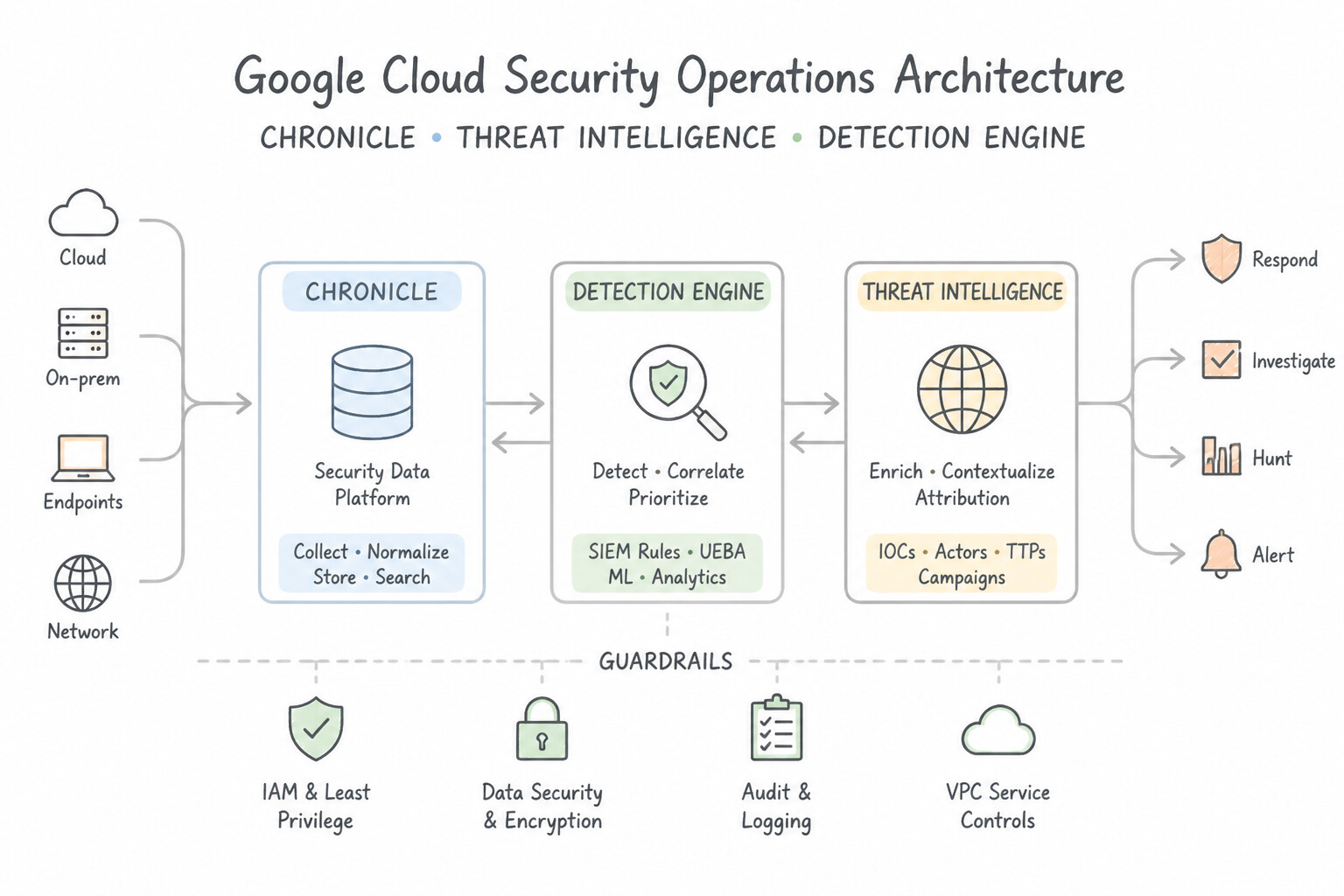
01 | 1.1, 1.2 | 11 | 22 | Unified Google SecOps (SIEM + SOAR) + SCC Enterprise + Google Threat Intelligence (GTI) architecture, Cloud IDS, Workforce Identity Federation, SecOps Data RBAC scopes, and Audit Log governance. | |
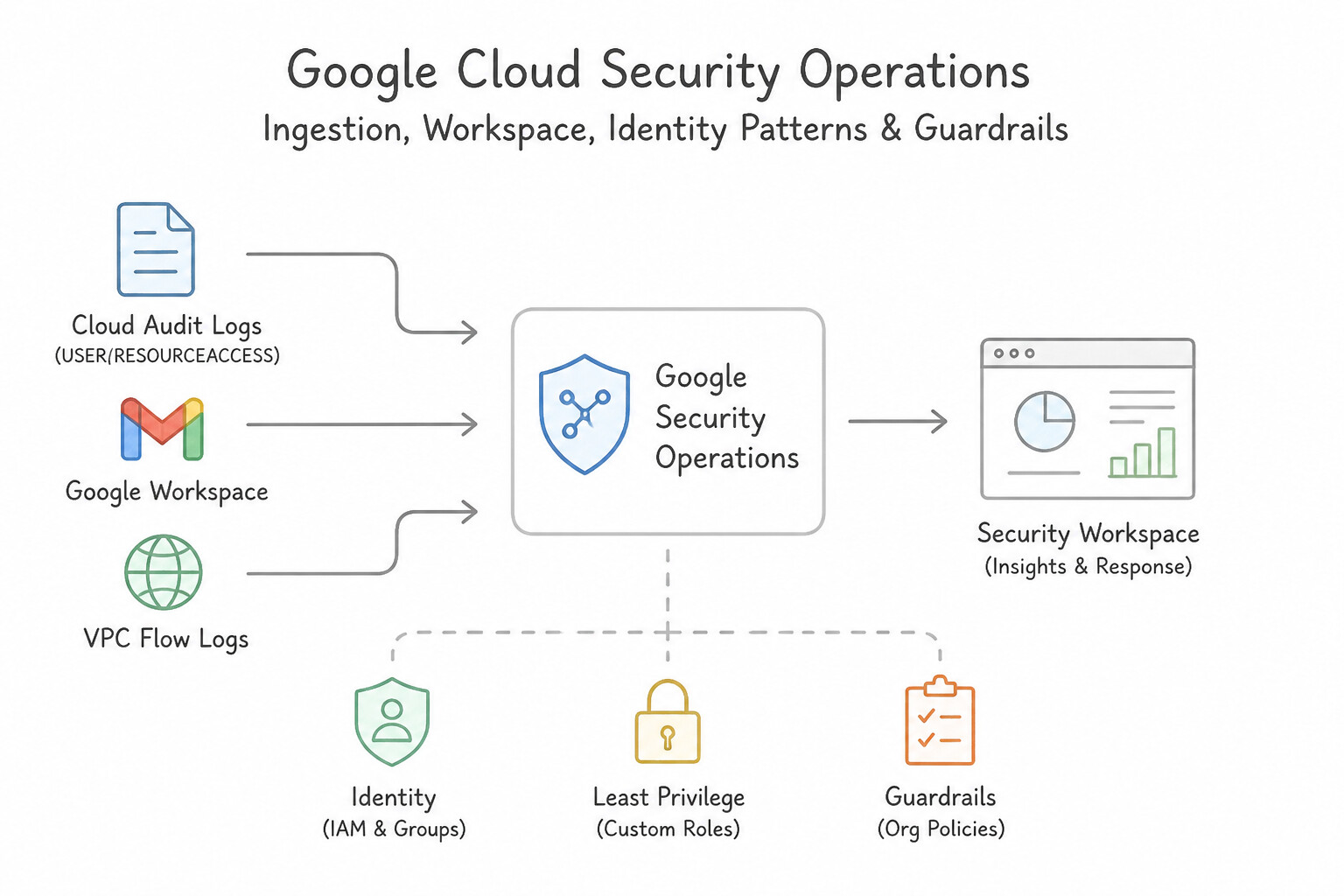
02 | 2.1, 2.2 | 11 | 22 | Cloud-to-Cloud API feeds vs. Bindplane Agent vs. Forwarders, CBN Grok/Lua custom parser extensions, Unified Data Model (UDM) normalization, log exclusion cost controls, and Entity Graph aliasing ( USER/ASSET). | |
03 | 3.1, 3.2 | 10 | 20 | Hypothesis-driven hunting across UDM Search and BigQuery, MITRE ATT&CK TTP tracking, GTI Applied Threat Intelligence IOCs, SCC Virtual Red Team & Toxic Combinations, and YARA-L Retrohunts. | |
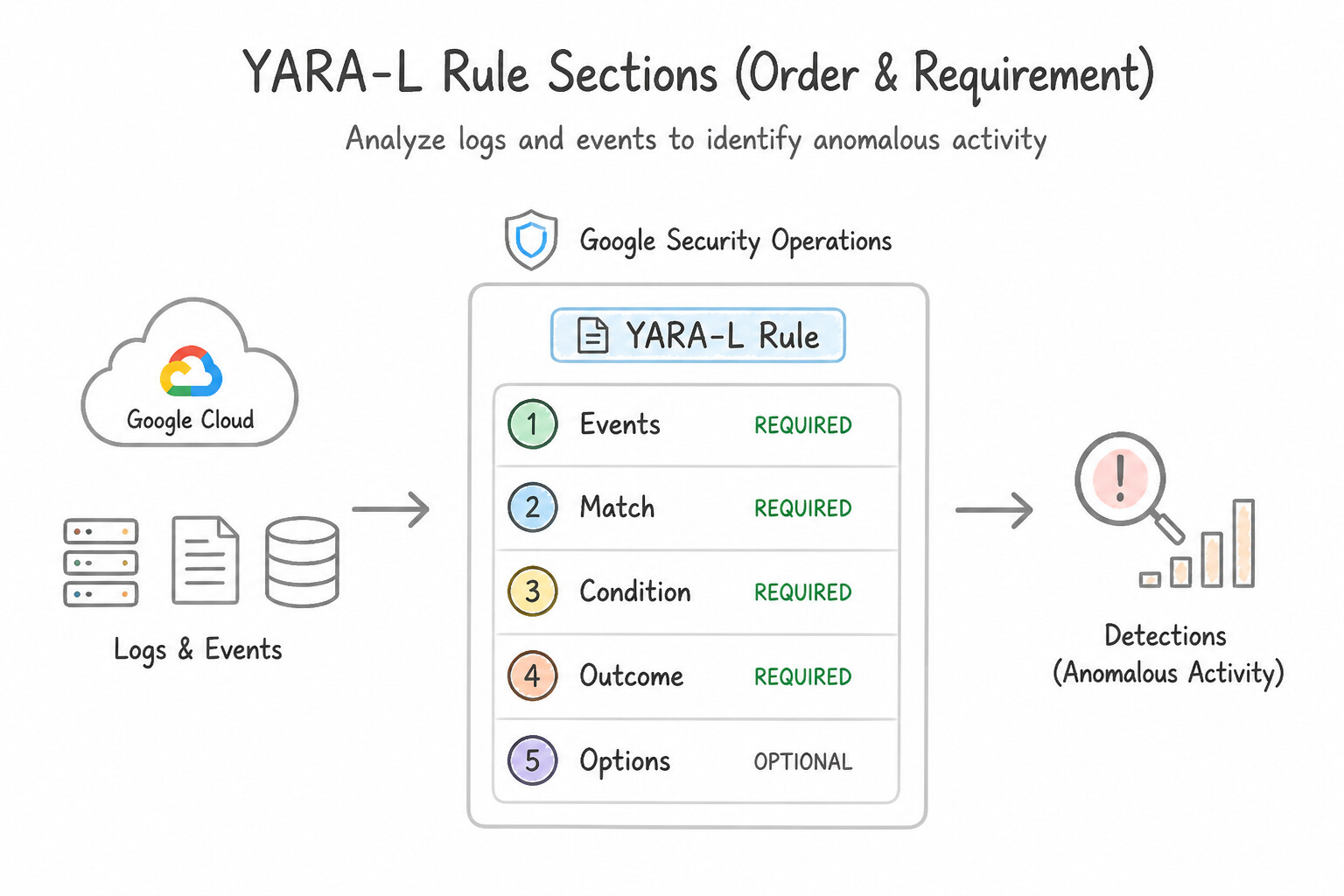
04 | 4.1, 4.2 | 12 | 24 | YARA-L 2.0 anatomy ( events, match, outcome, condition), sliding vs. hop vs. tumbling windows, Entity Graph joins, Reference Lists, Composite Detections, Risk Analytics (UEBA), Custom ETD/SHA modules, and rule exclusions. | |
05 | 5.1, 5.2, 5.3 | 16 | 32 | Compromised VM disk snapshot forensics & VPC isolation, Compromised Service Account/IAM containment, GTI malware detonation, SecOps SOAR Playbooks (blocks, loops, Remote Agents, HITL), and Case grouping/escalation. | |
06 | 6.1, 6.2 | 9 | 18 | Native SecOps Dashboards, SOC KPIs (MTTD, MTTR, alert volume, ROI), executive posture reporting, Data Ingestion & Health Dashboard, parser drop monitoring, and Cloud Monitoring silent-log-source alerting. | |
07 | All Sections | — | — | Side-by-side Look-Alike Tool Comparison Matrix, 5-Step Architecture Decision Checklist, and Top 25 Golden Rules. |
Detailed Table of Contents
Chapter 0: The PSOE Reference Stack & 10 Core Principles
- 0.1 The Master Architectural Map: All In-Scope Services of the PSOE Stack
- 0.2 The 10 Core Architectural Principles
Chapter 1: Platform Operations & Access Governance: Google SecOps, SCC Enterprise, GTI & Federation
- Subsection 1.1: Enhancing Detection and Response (Section 1: Platform Operations)
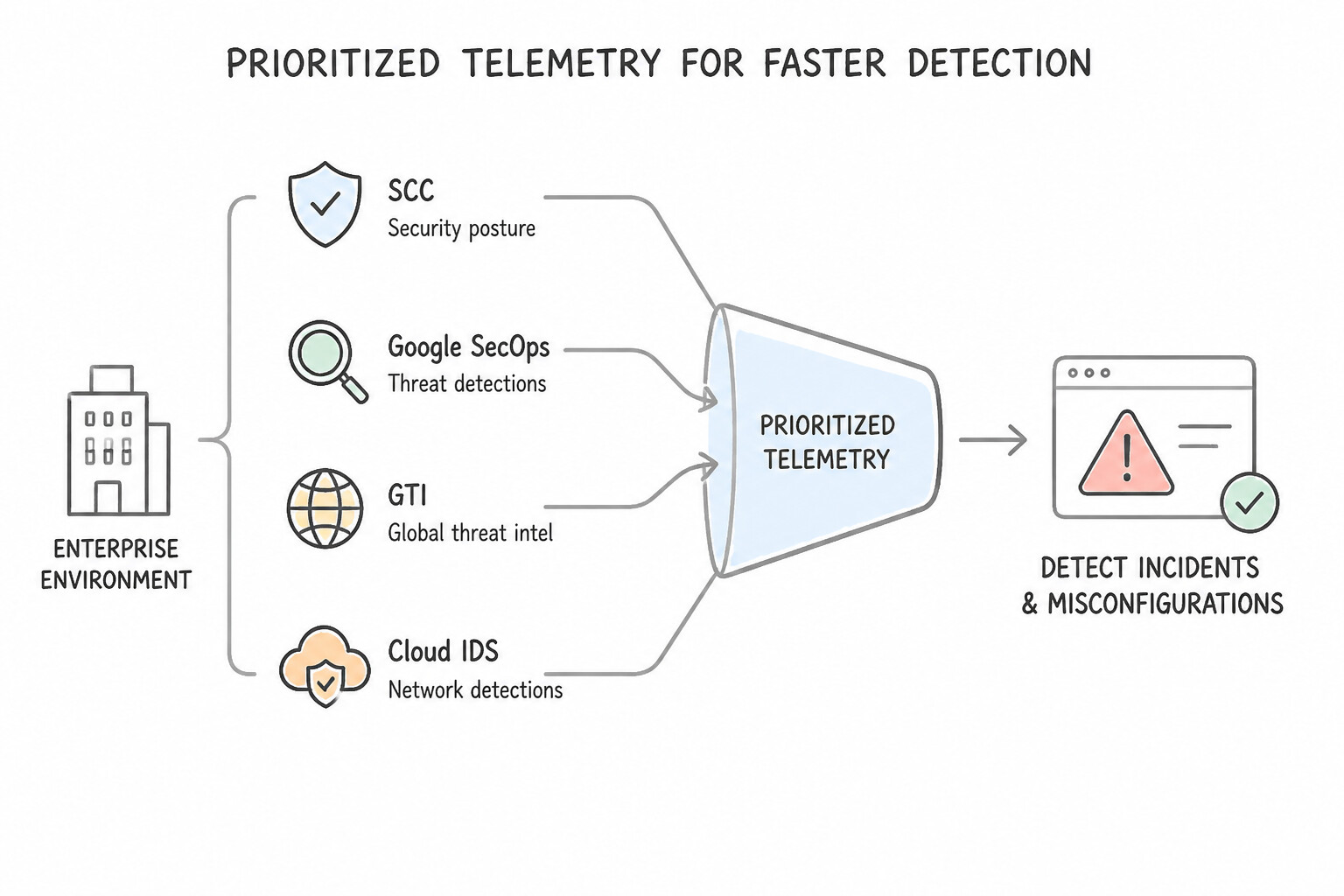
- Consideration 1.1a: Prioritizing telemetry sources (e.g., SCC, Google SecOps, GTI, Cloud IDS) to detect incidents or misconfigurations within an enterprise environment (Diagrams:
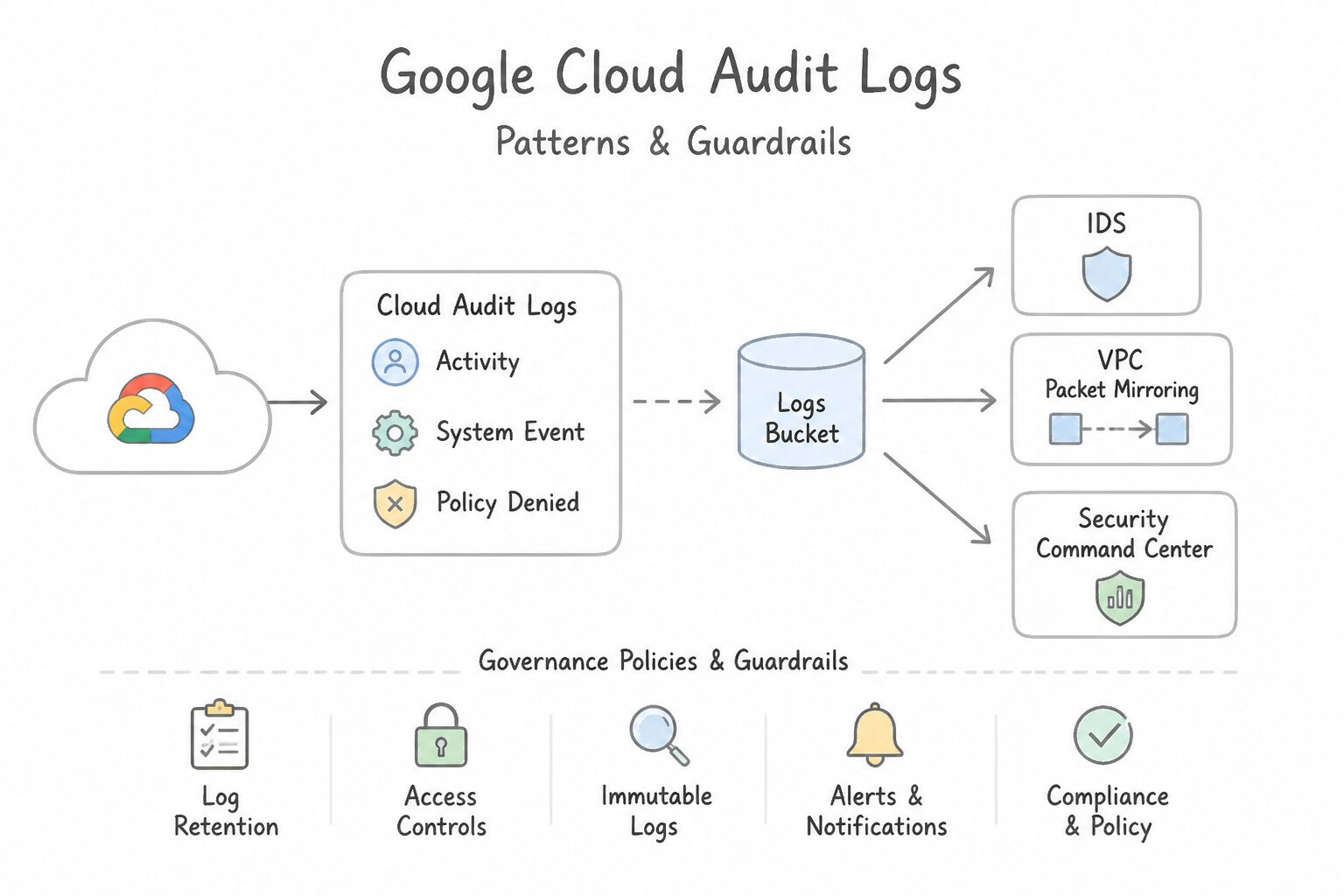
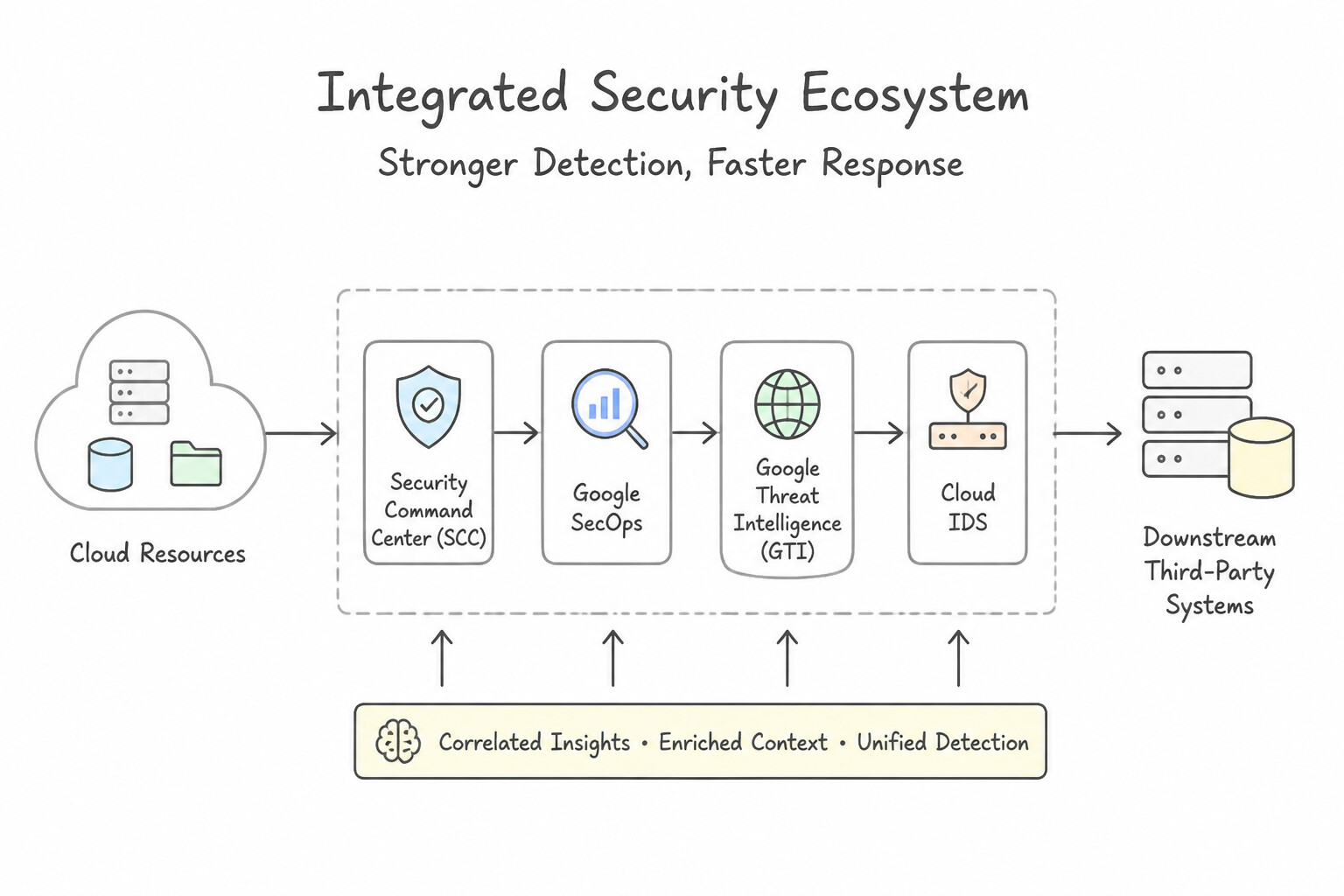
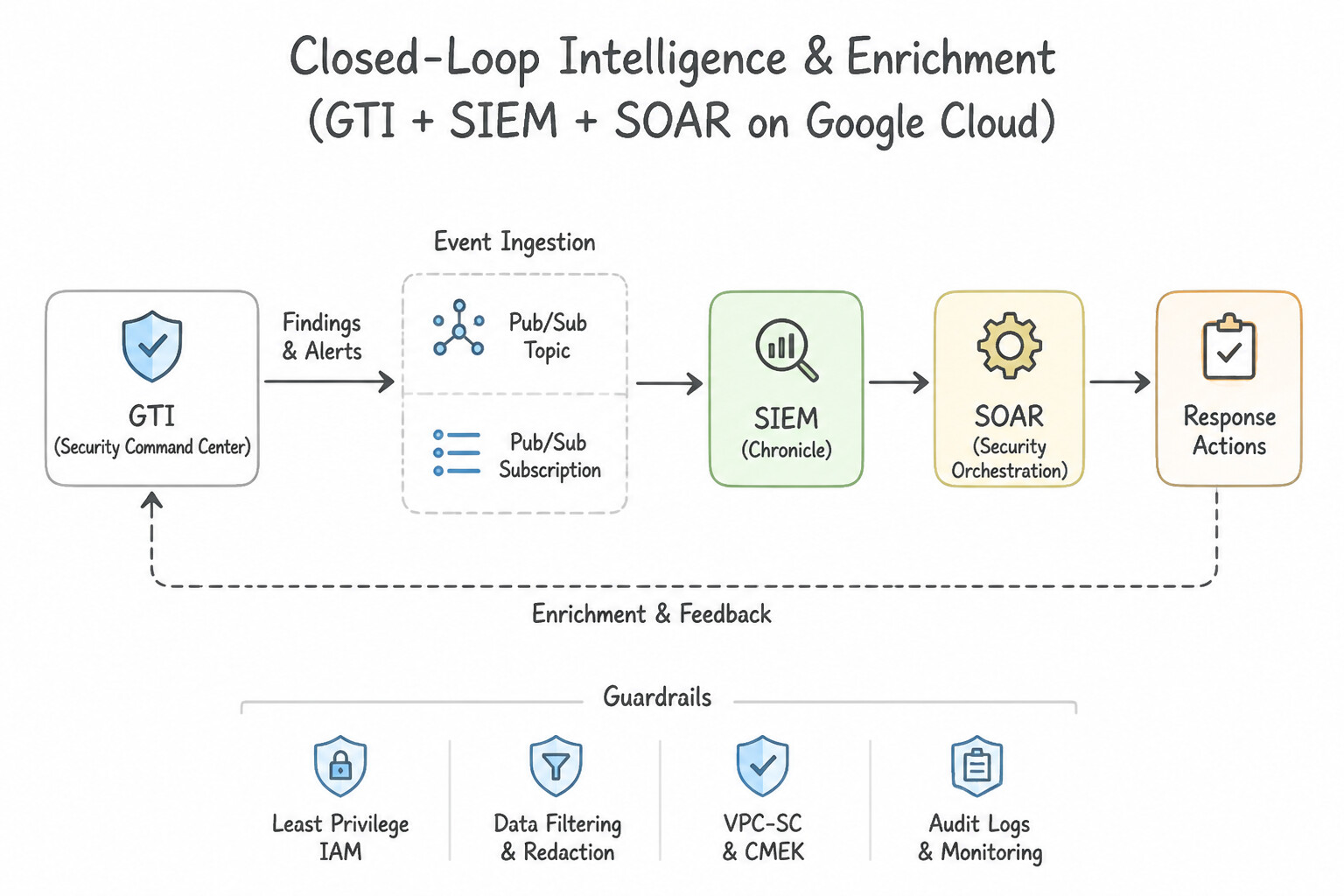
psoe-1.1a-1-tier-foundational.jpg,psoe-1.1a-2-audit-logs-admin.jpg) - Consideration 1.1b: Integrating multiple tools (e.g., SCC, Google SecOps, GTI, Cloud IDS, downstream third-party systems) in the security architecture to enhance detection capabilities (Diagrams:
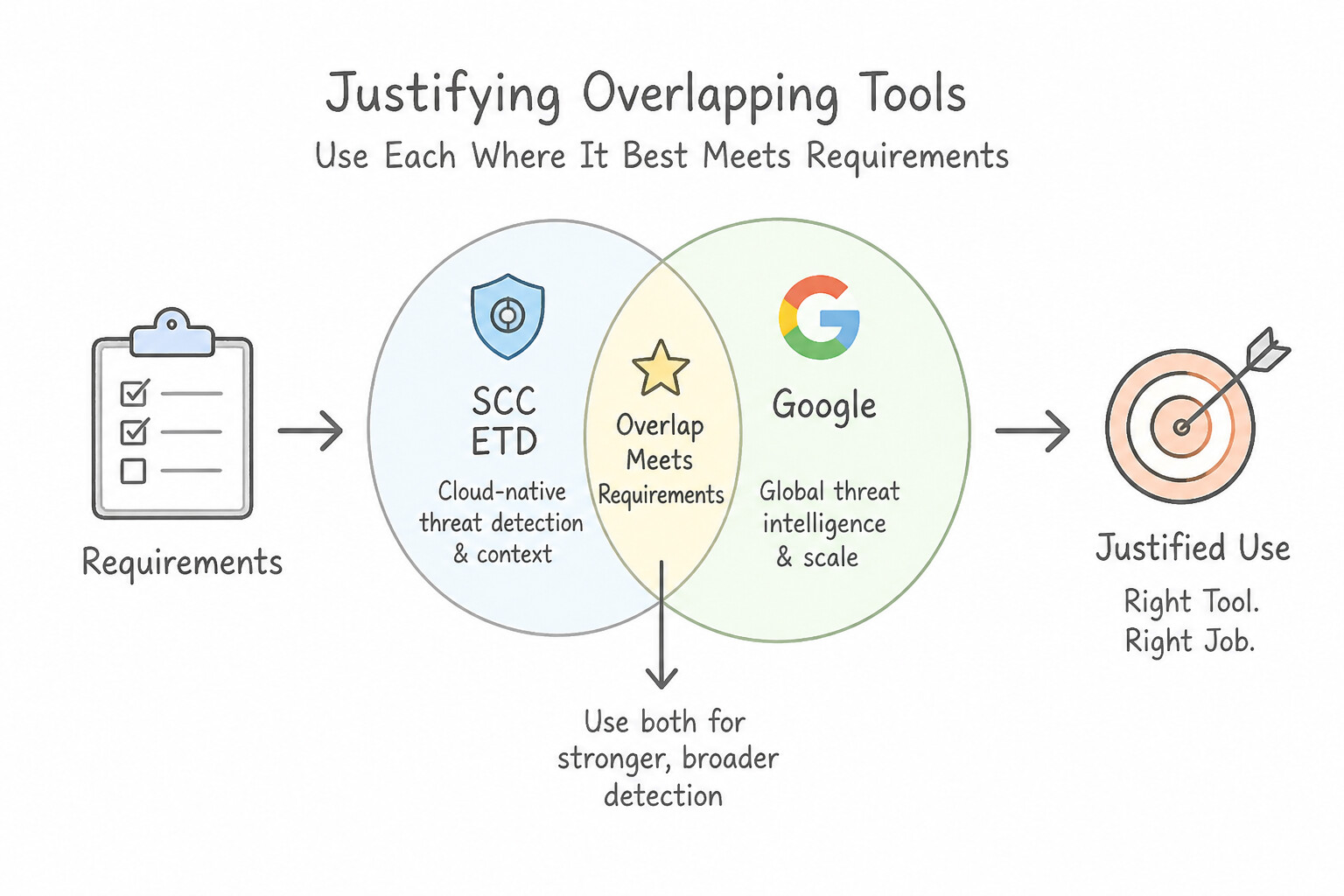
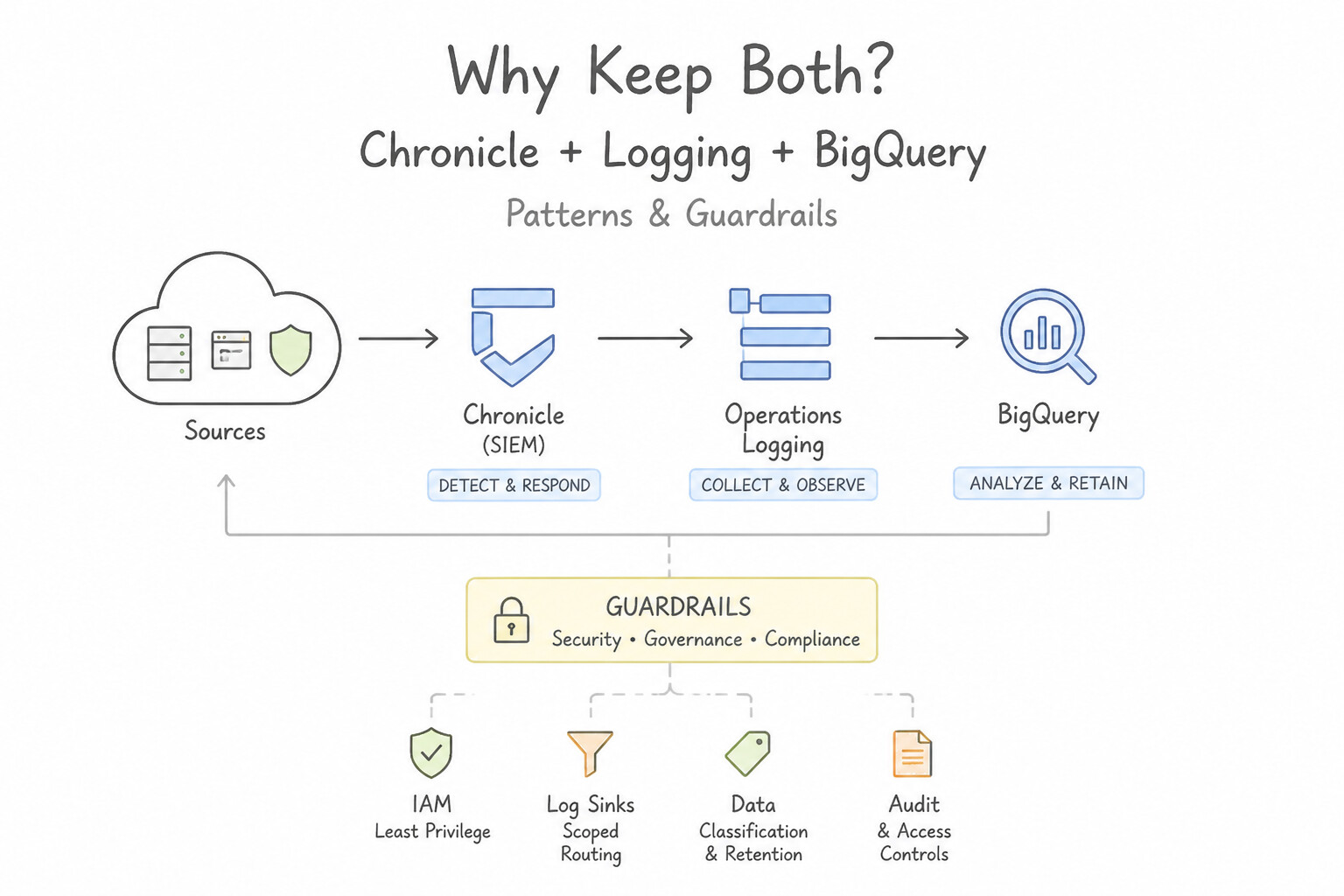
psoe-1.1b-1-centralized-event-bus.jpg,psoe-1.1b-2-closed-loop-intelligence.jpg) - Consideration 1.1c: Justifying the use of tools with overlapping capabilities based on requirements (Diagrams:
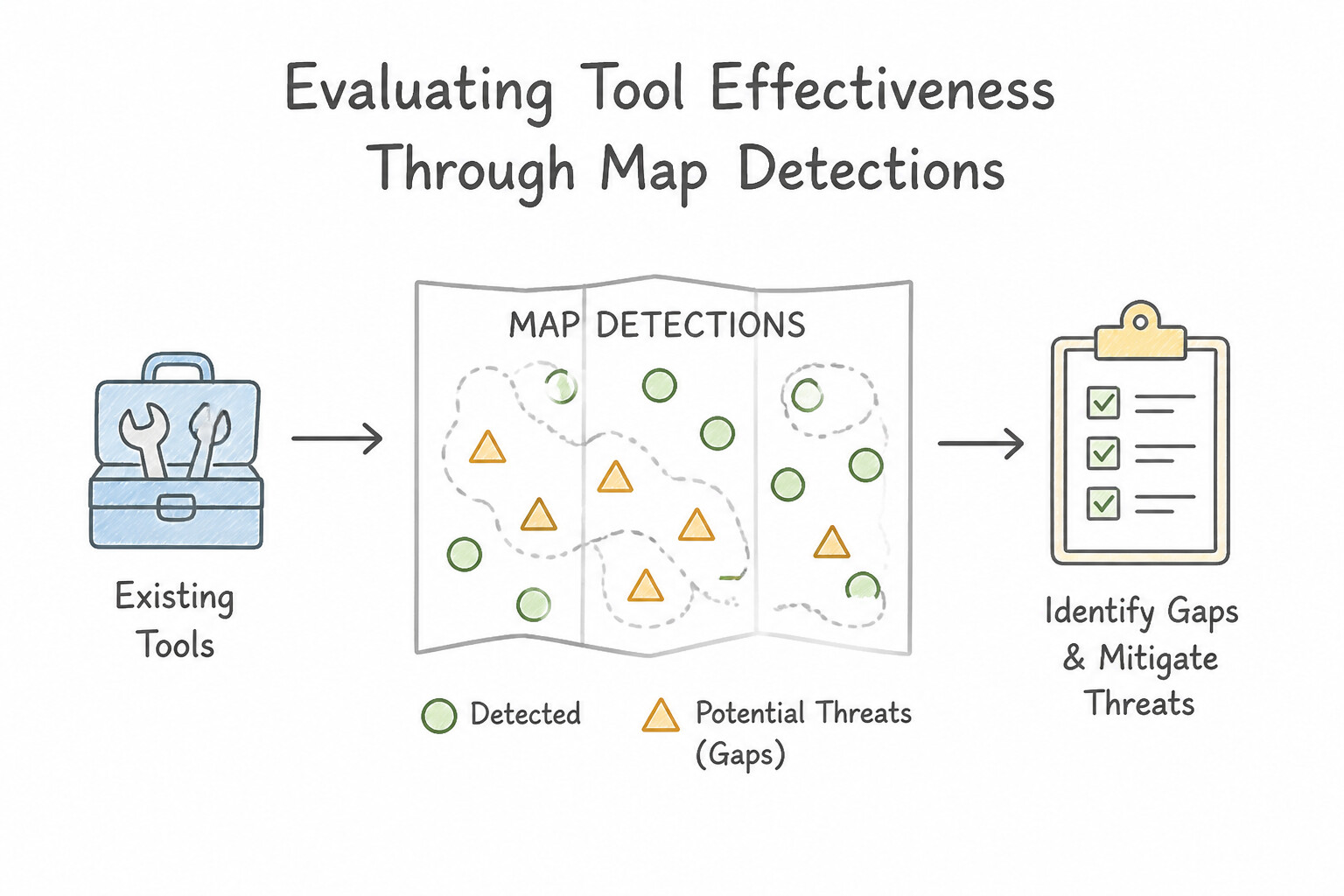
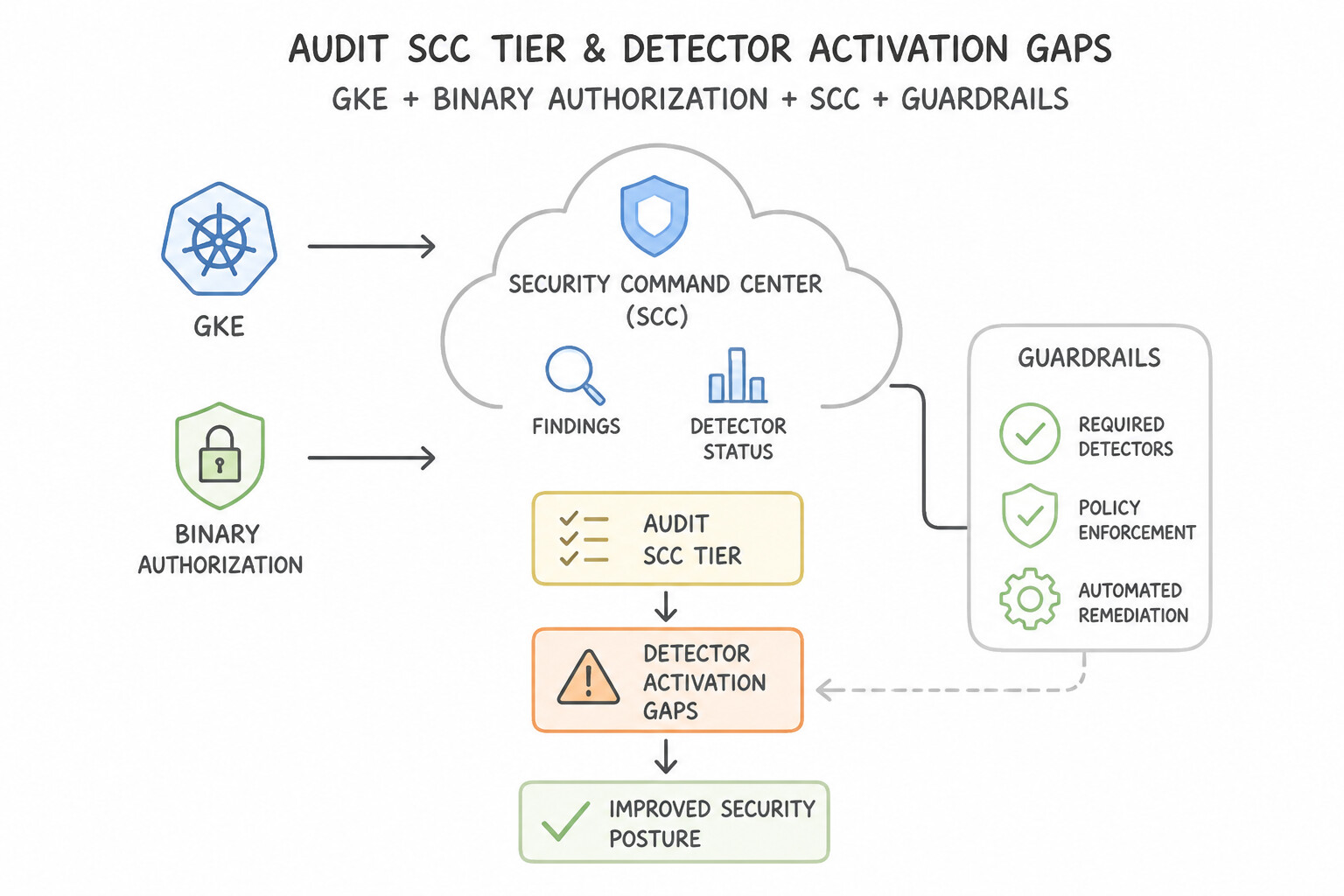
psoe-1.1c-1-scc-event-threat.jpg,psoe-1.1c-2-keep-both-security.jpg) - Consideration 1.1d: Evaluating the effectiveness of existing tools to identify gaps in coverage and mitigate potential threats (Diagrams:
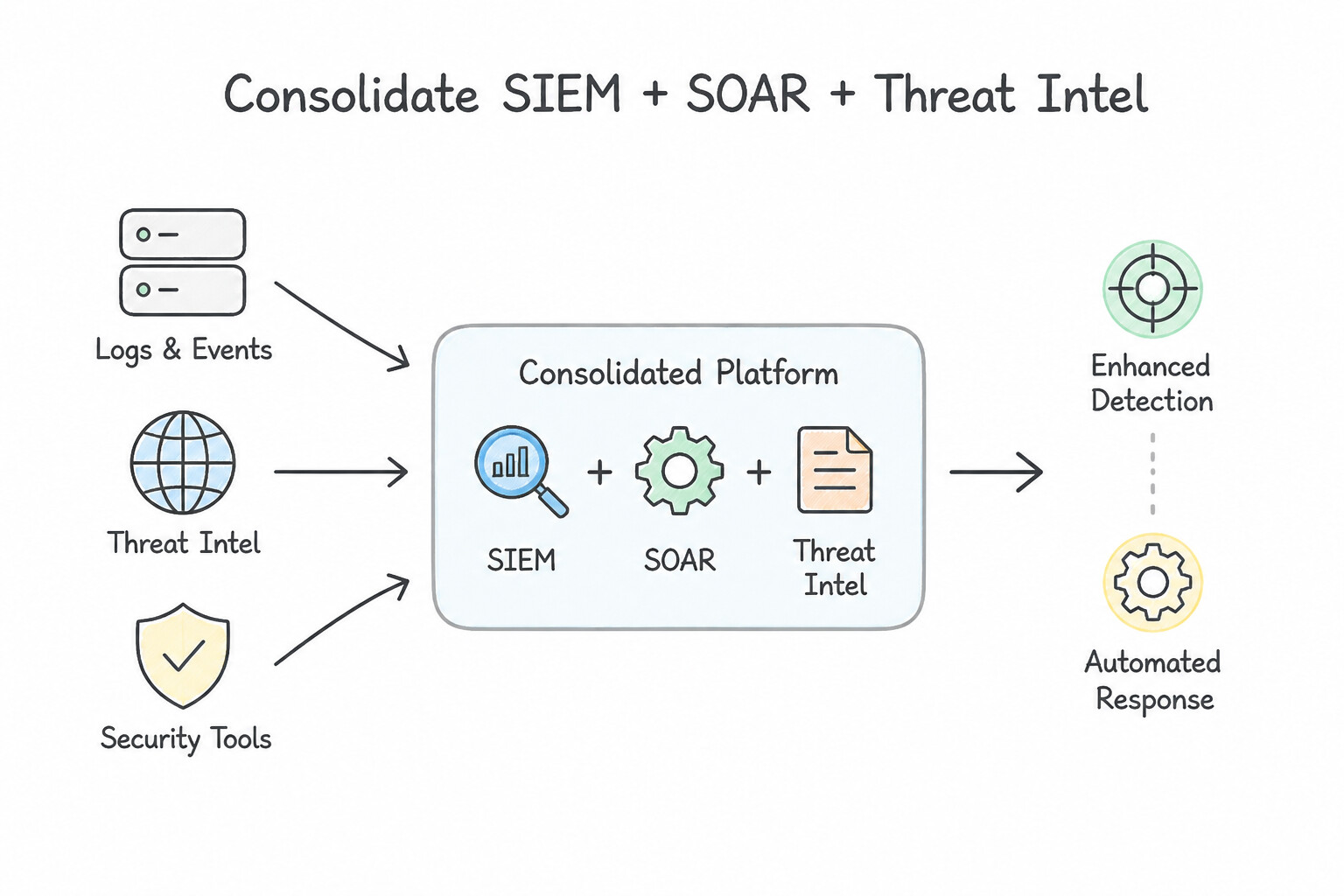
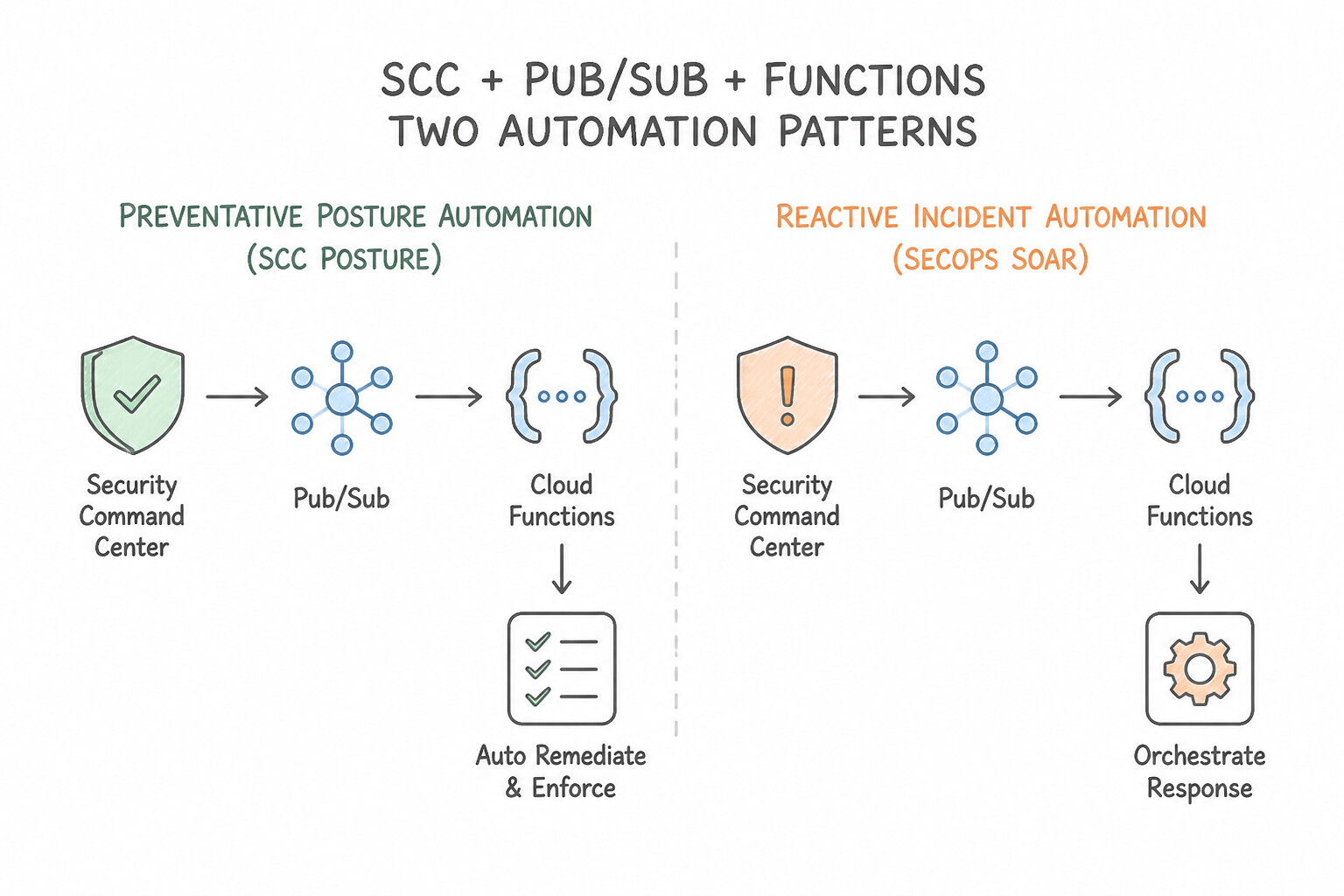
psoe-1.1d-1-map-detections-to-mitre.jpg,psoe-1.1d-2-audit-scc-tier-detector.jpg) - Consideration 1.1e: Evaluating automation and cloud-based tools to enhance existing detection and response processes (Diagrams:
psoe-1.1e-1-consolidate-siem-soar.jpg,psoe-1.1e-2-distinguish-preventative.jpg) - Quick Decision Cheat Sheet (Subsection 1.1)
- Subsection 1.2: Configuring Access (Section 1: Platform Operations)
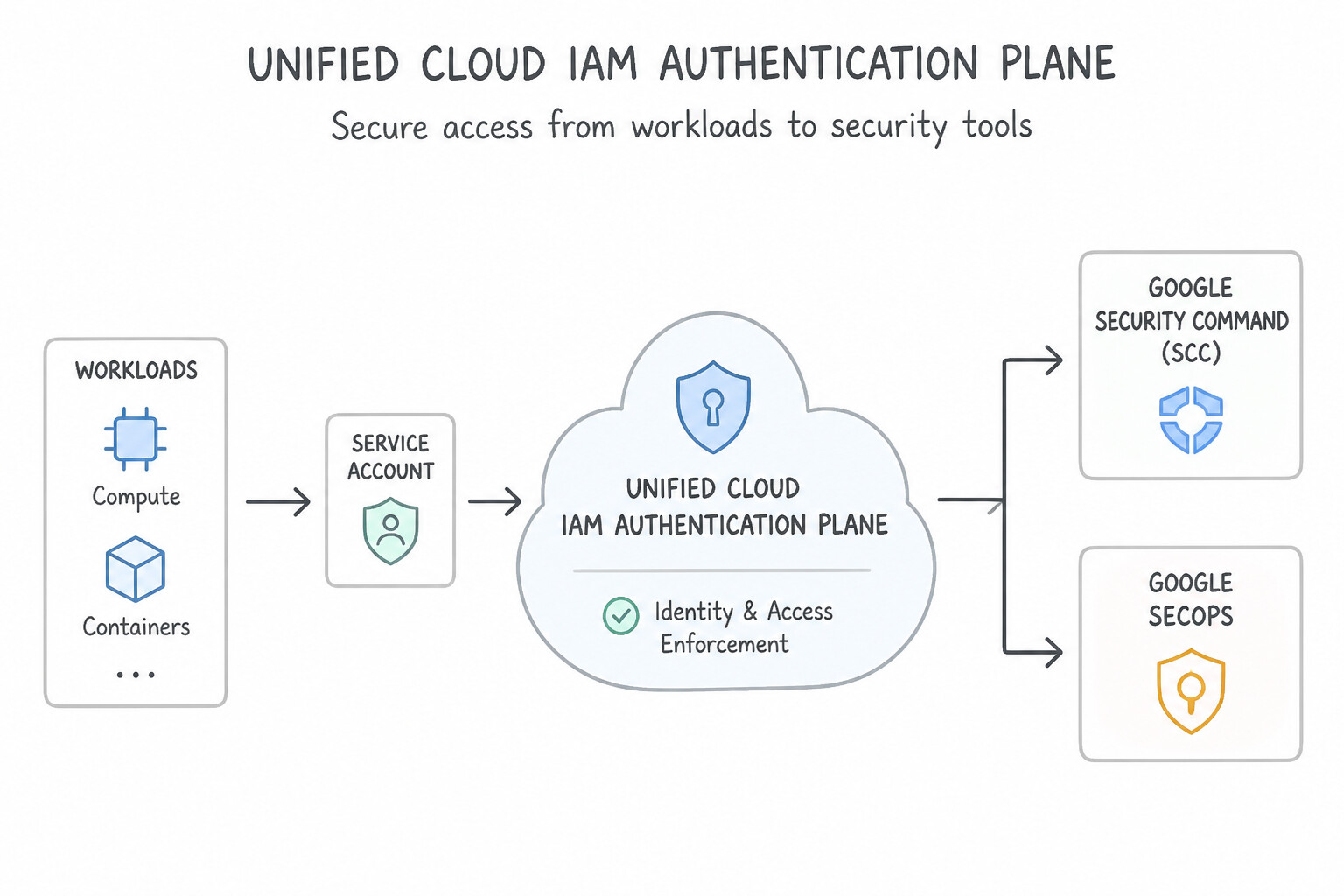
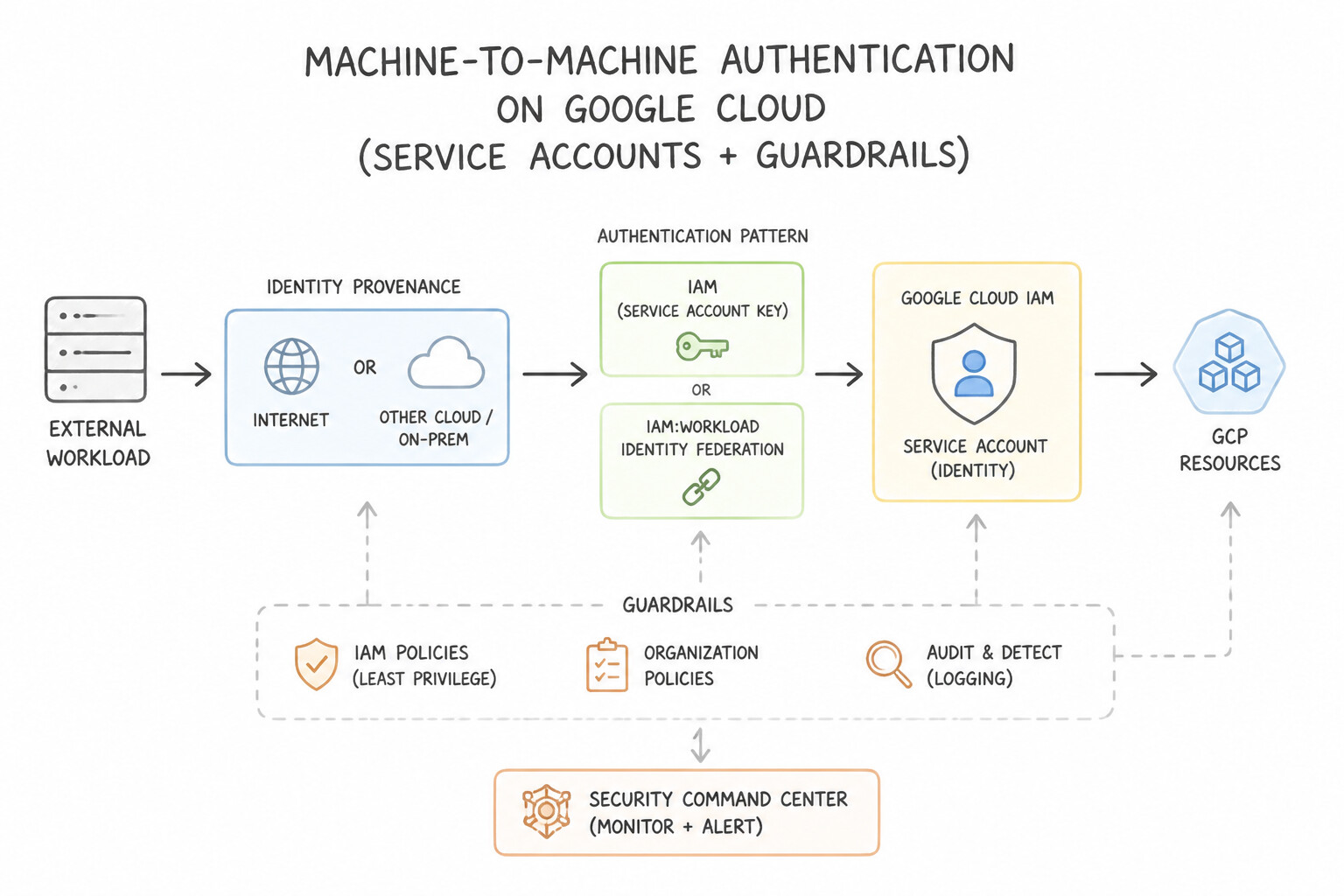
- Consideration 1.2a: Configuring user and service account authentication to security tools (e.g., SCC, Google SecOps) (Diagrams:
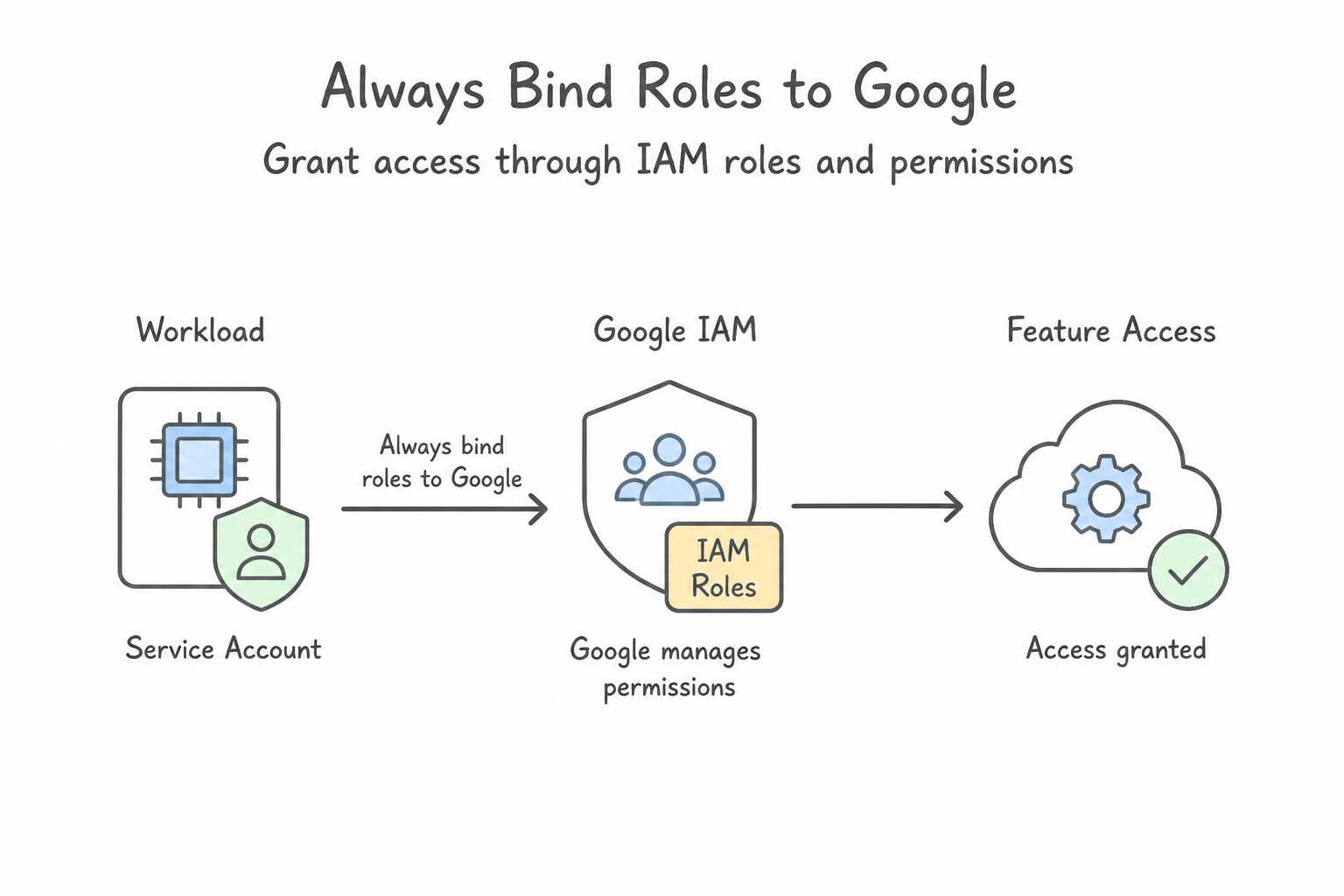
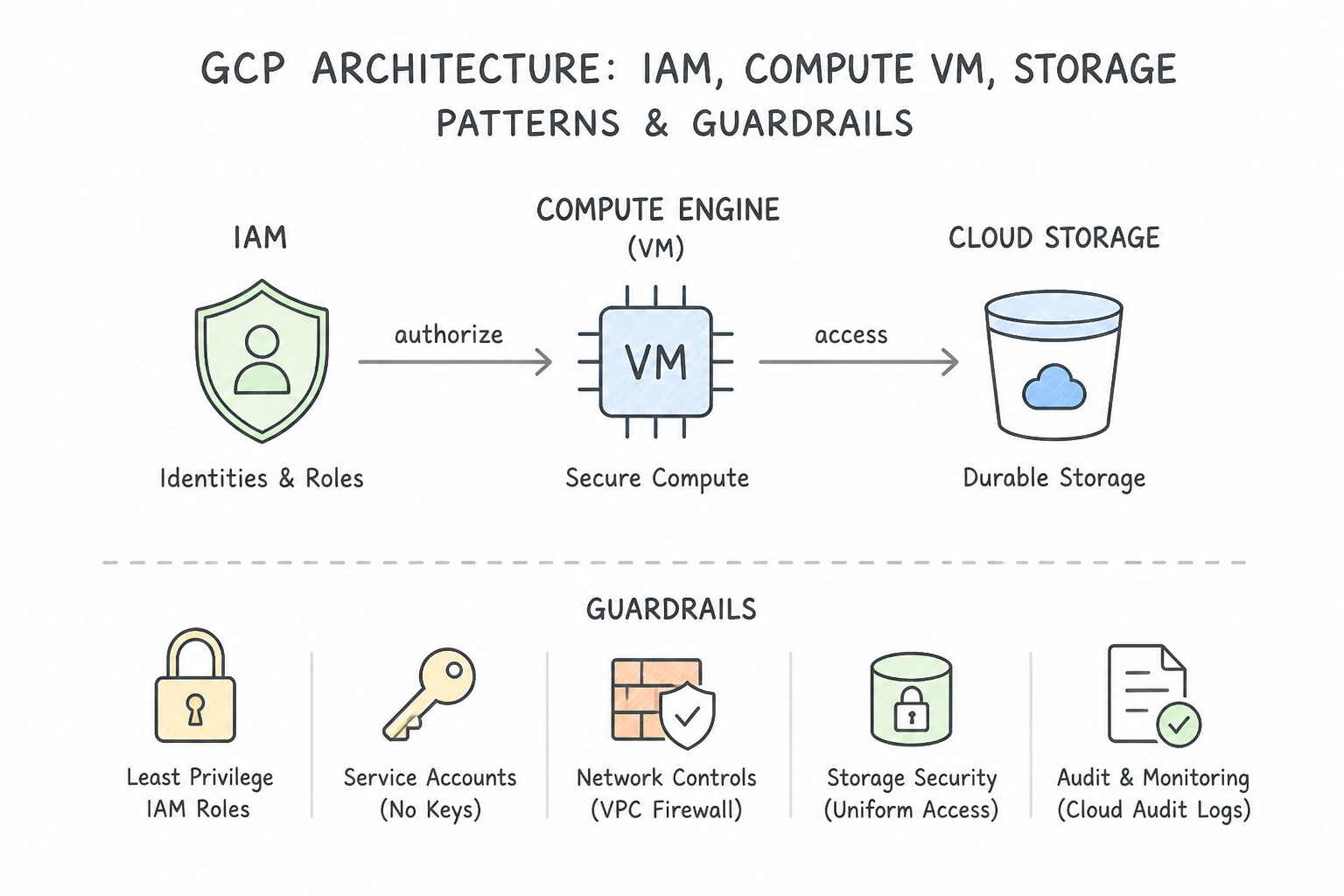
psoe-1.2a-1-unified-iam.jpg,psoe-1.2a-2-machine-to-machine.jpg) - Consideration 1.2b: Configuring user and service account authorization for feature access using IAM roles and permissions (Diagrams:
psoe-1.2b-1-always-bind-roles-to.jpg,psoe-1.2b-2-iam-compute-vm-storage.jpg) - Consideration 1.2c: Configuring user and service account authorization for data access using IAM roles and permissions (Diagrams:
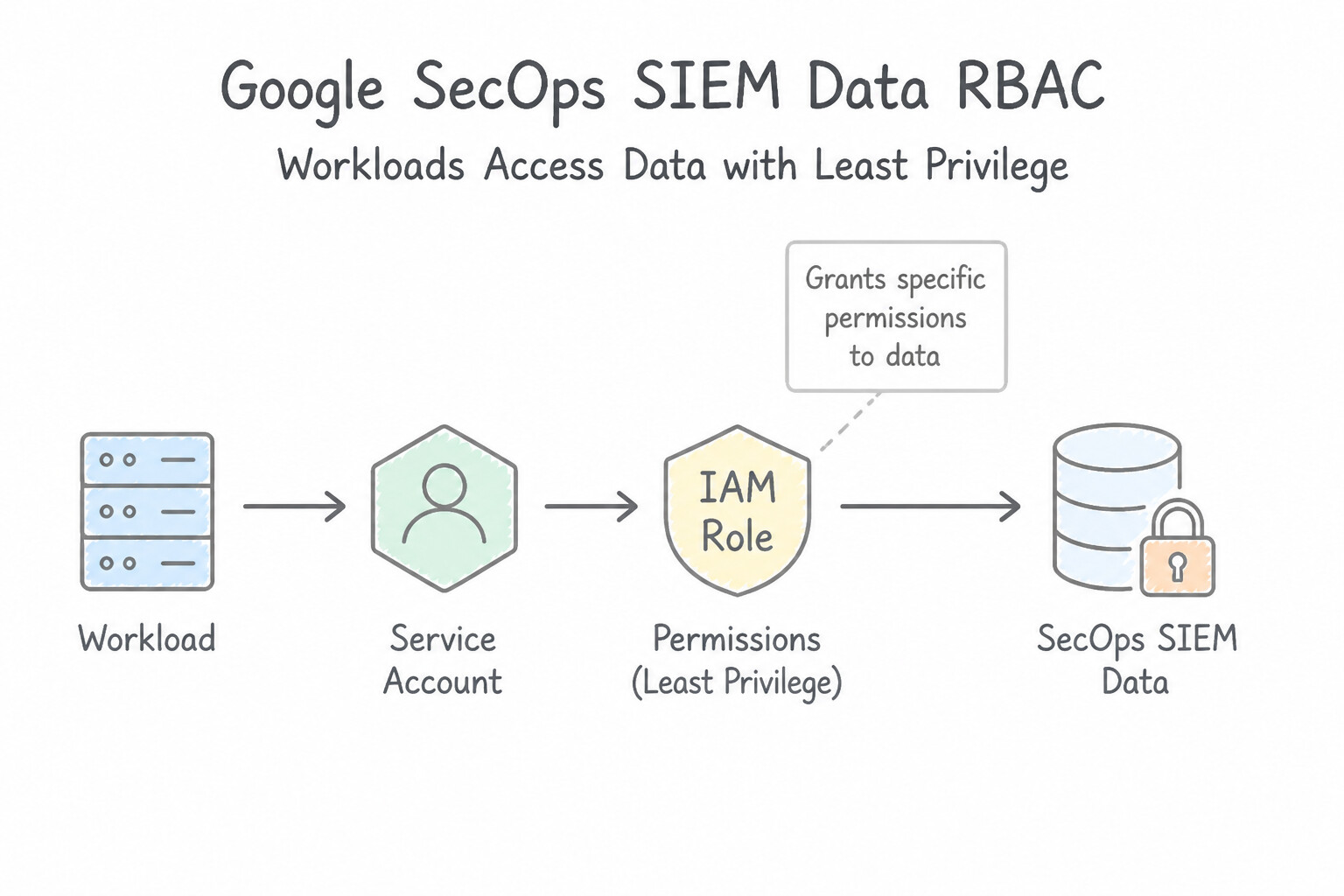
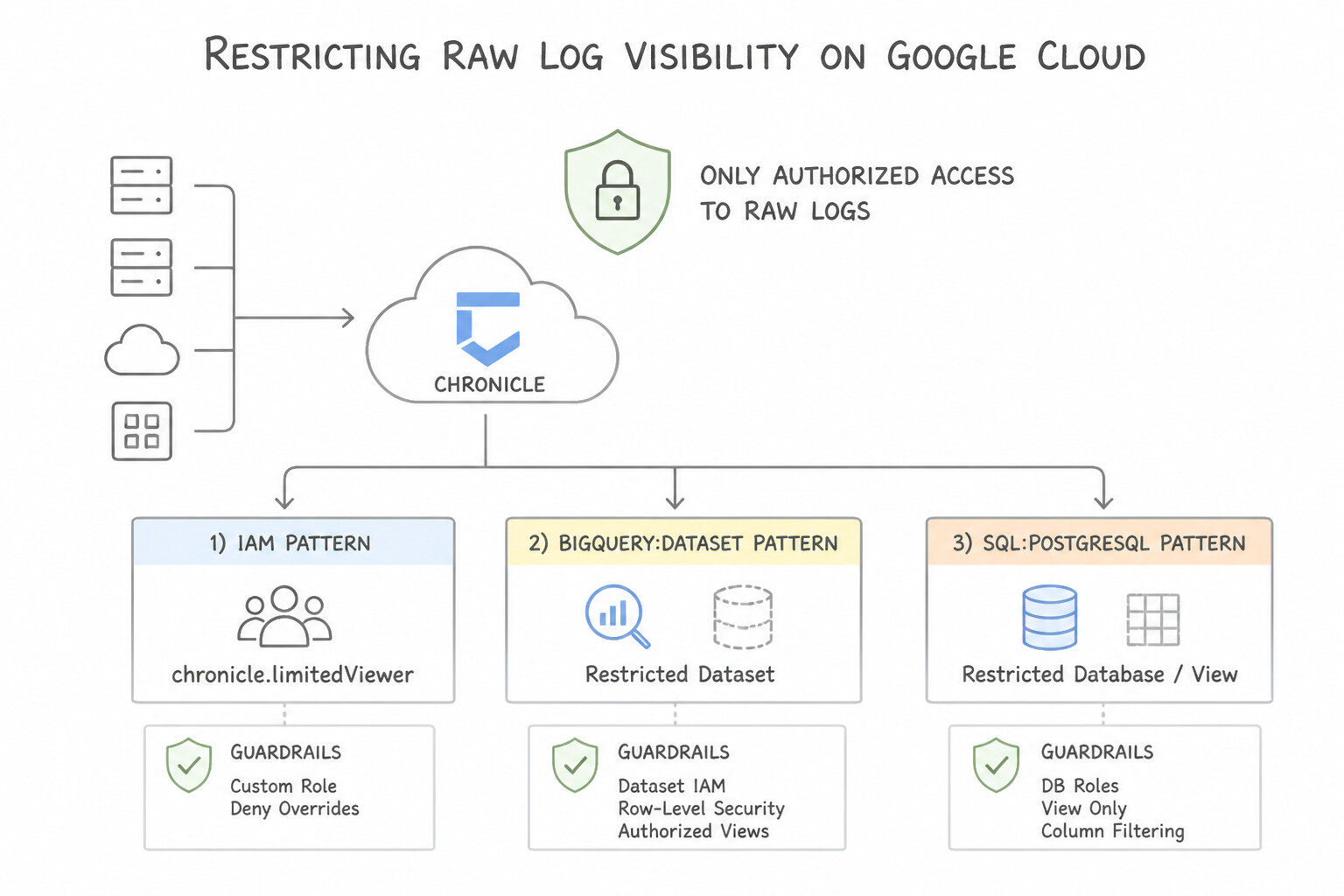
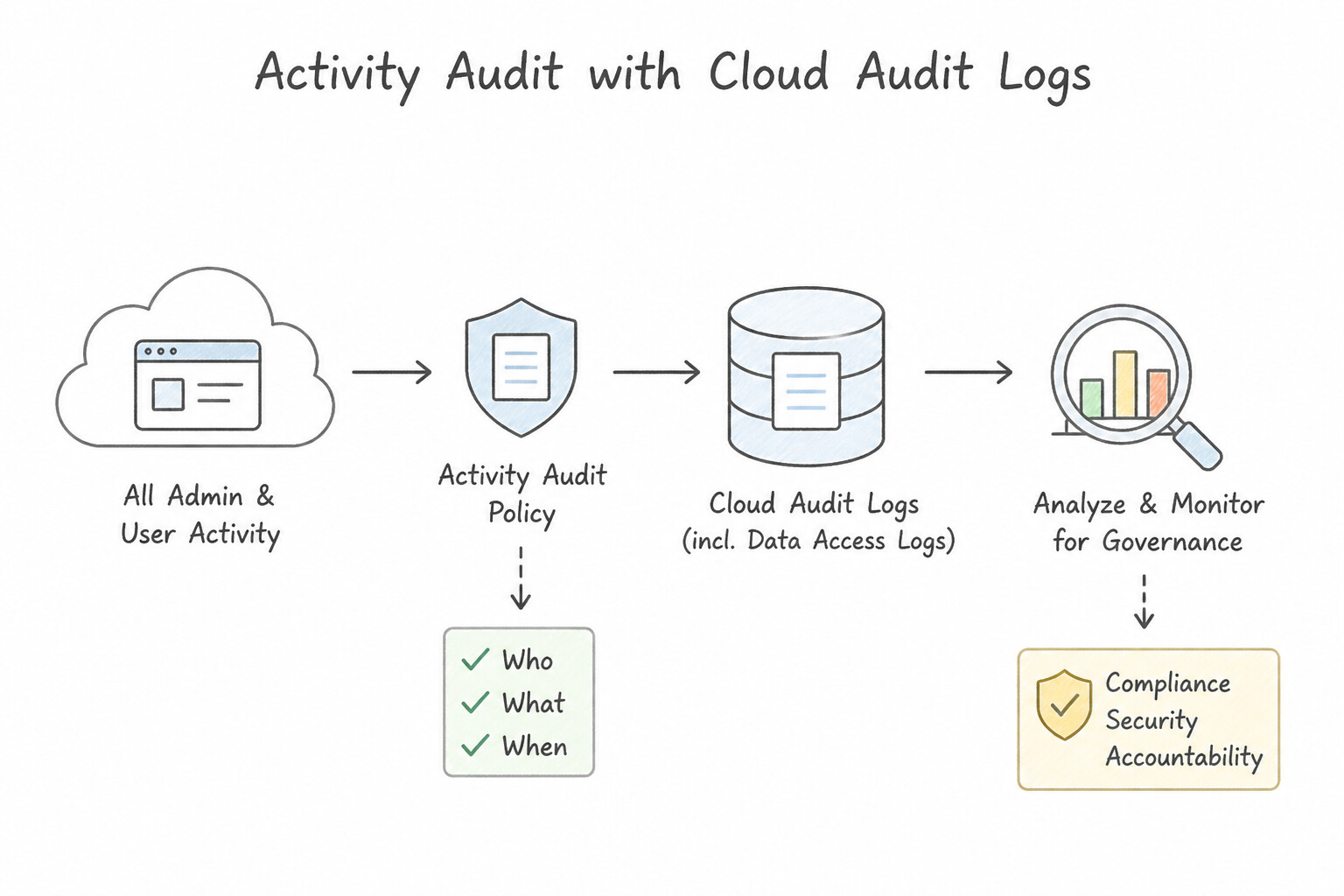
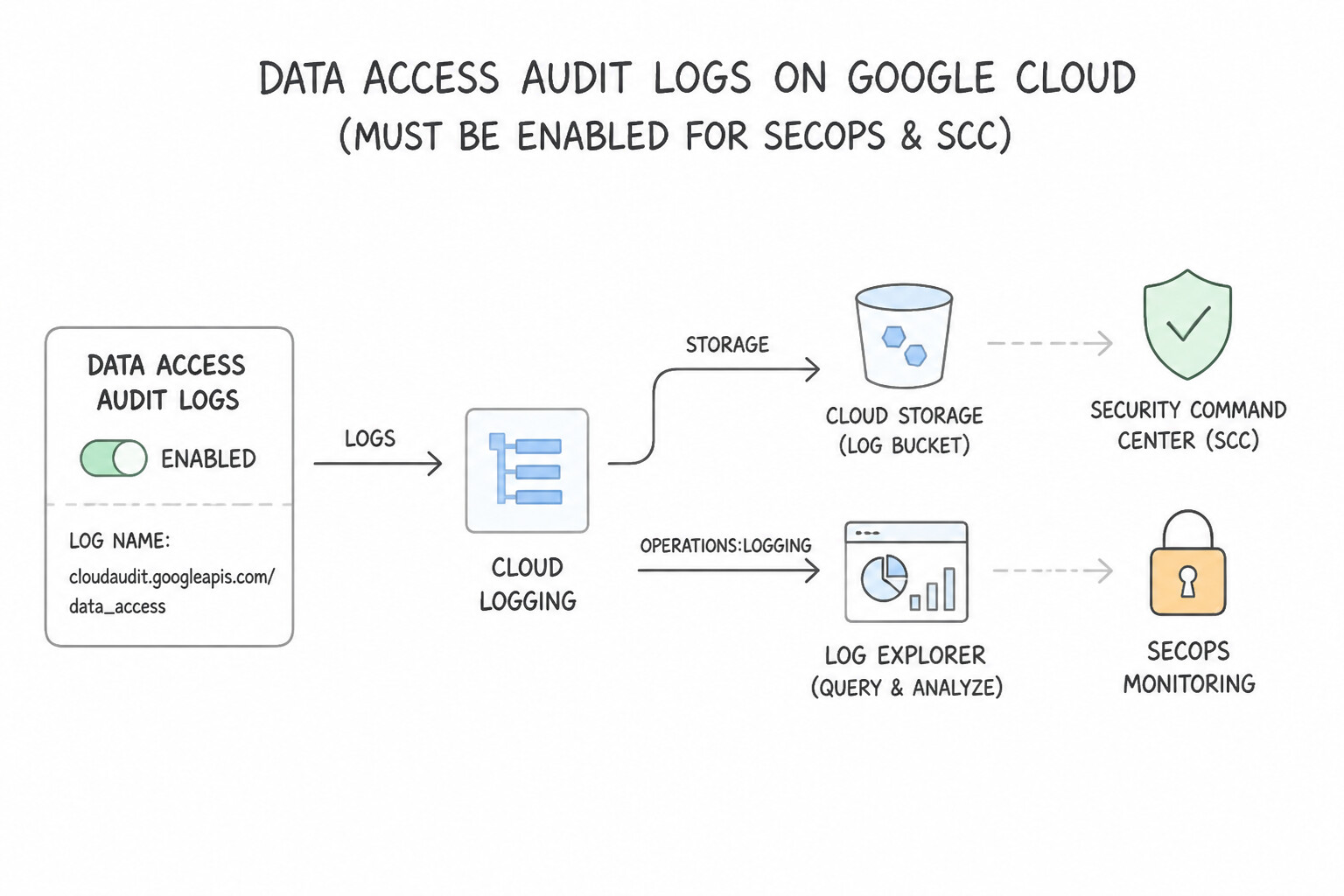
psoe-1.2c-1-secops-siem-data-rbac.jpg,psoe-1.2c-2-restricting-raw-log.jpg) - Consideration 1.2d: Configuring and analyzing audit logs (e.g., Cloud Audit Logs, data access logs) for the solution (Diagrams:
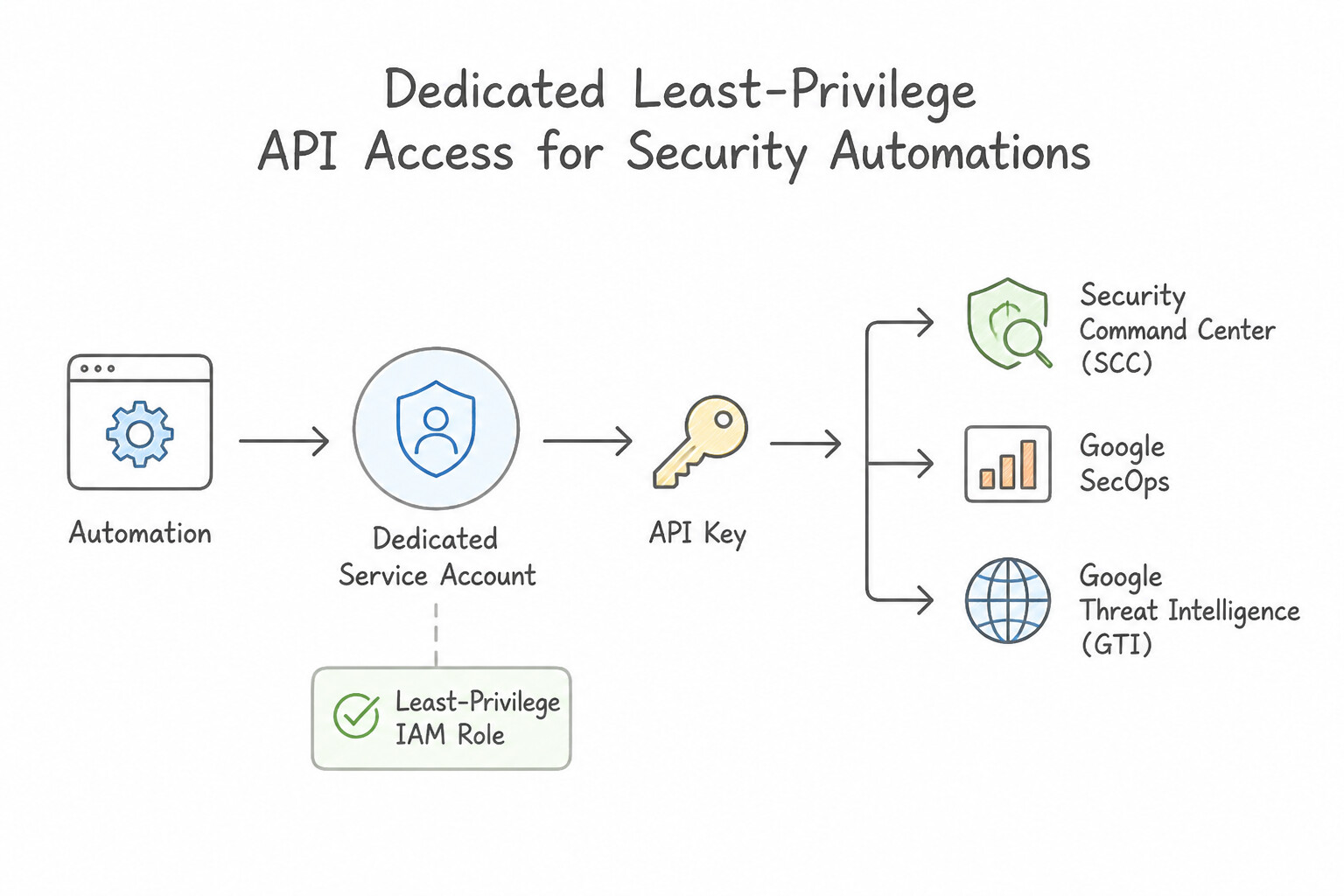
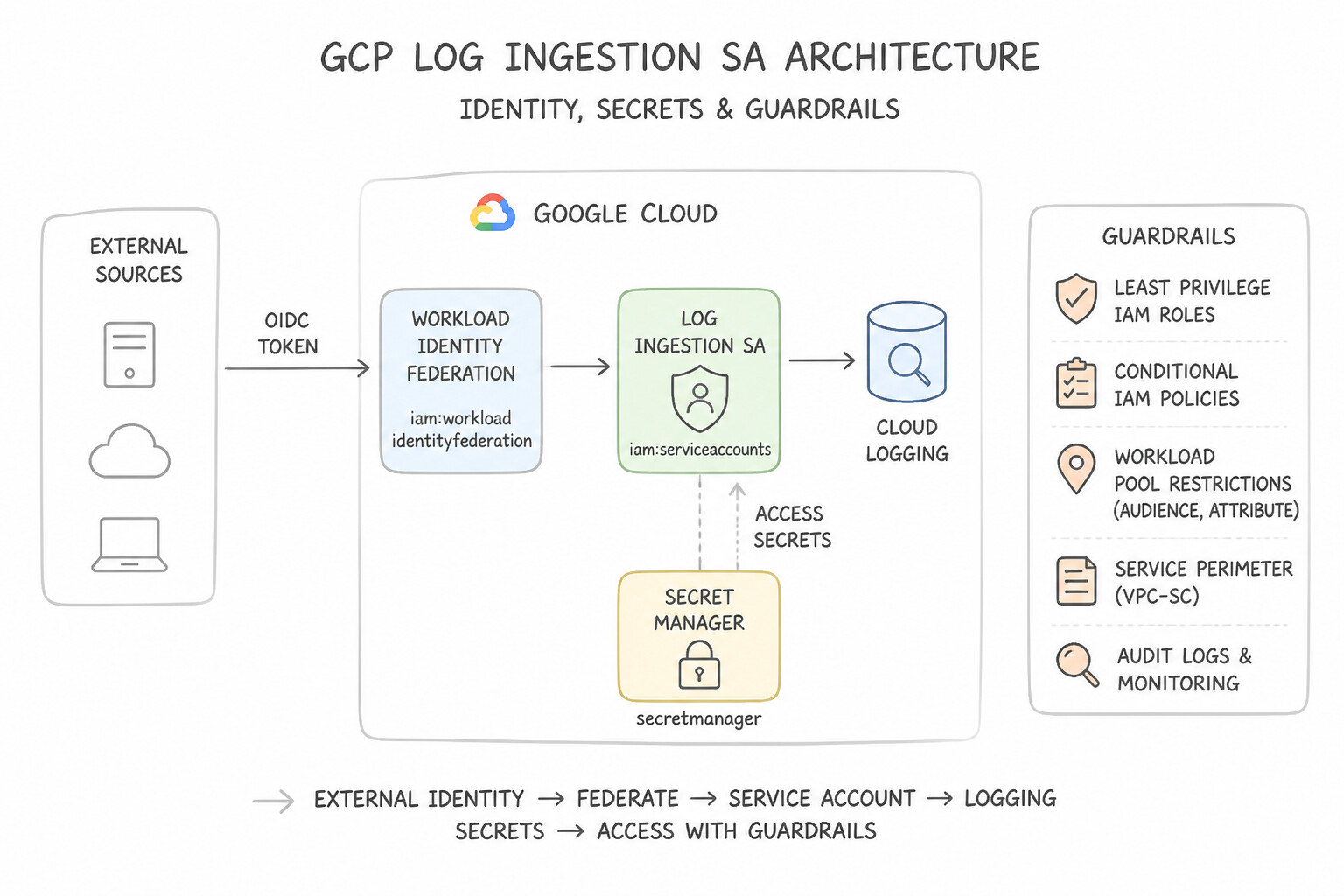
psoe-1.2d-1-admin-activity-audit.jpg,psoe-1.2d-2-data-access-audit-logs.jpg) - Consideration 1.2e: Configuring API access for automations within security tools (e.g., service accounts, API keys, SCC, Google SecOps, GTI) (Diagrams:
psoe-1.2e-1-dedicated-least.jpg,psoe-1.2e-2-log-ingestion-sa-iam.jpg) - Consideration 1.2f: Provisioning identities using Workforce Identity Federation (Diagrams:
psoe-1.2f-1-workforce-identity.jpg,psoe-1.2f-2-iam-workforce-identity.jpg) - Quick Decision Cheat Sheet (Subsection 1.2)
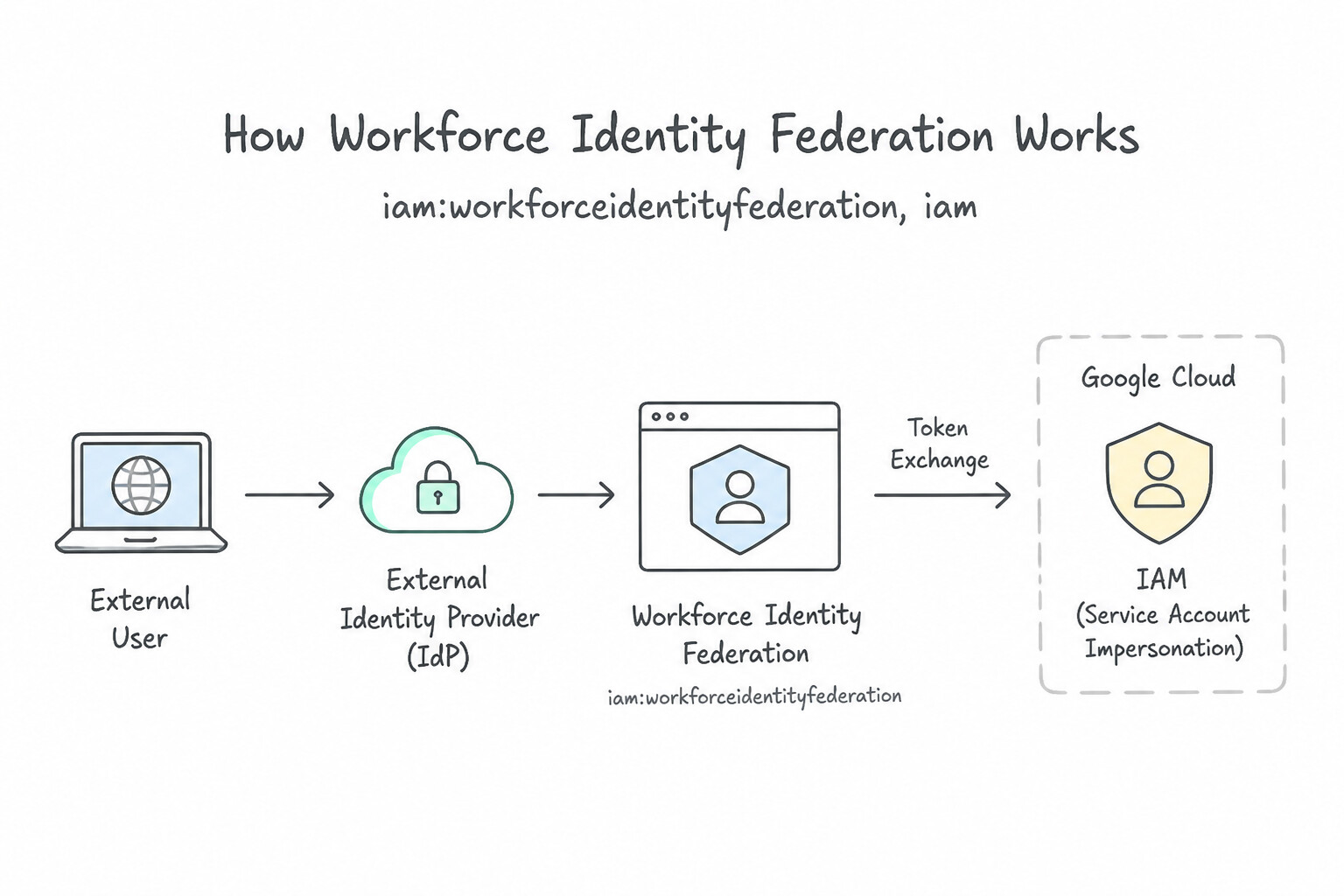
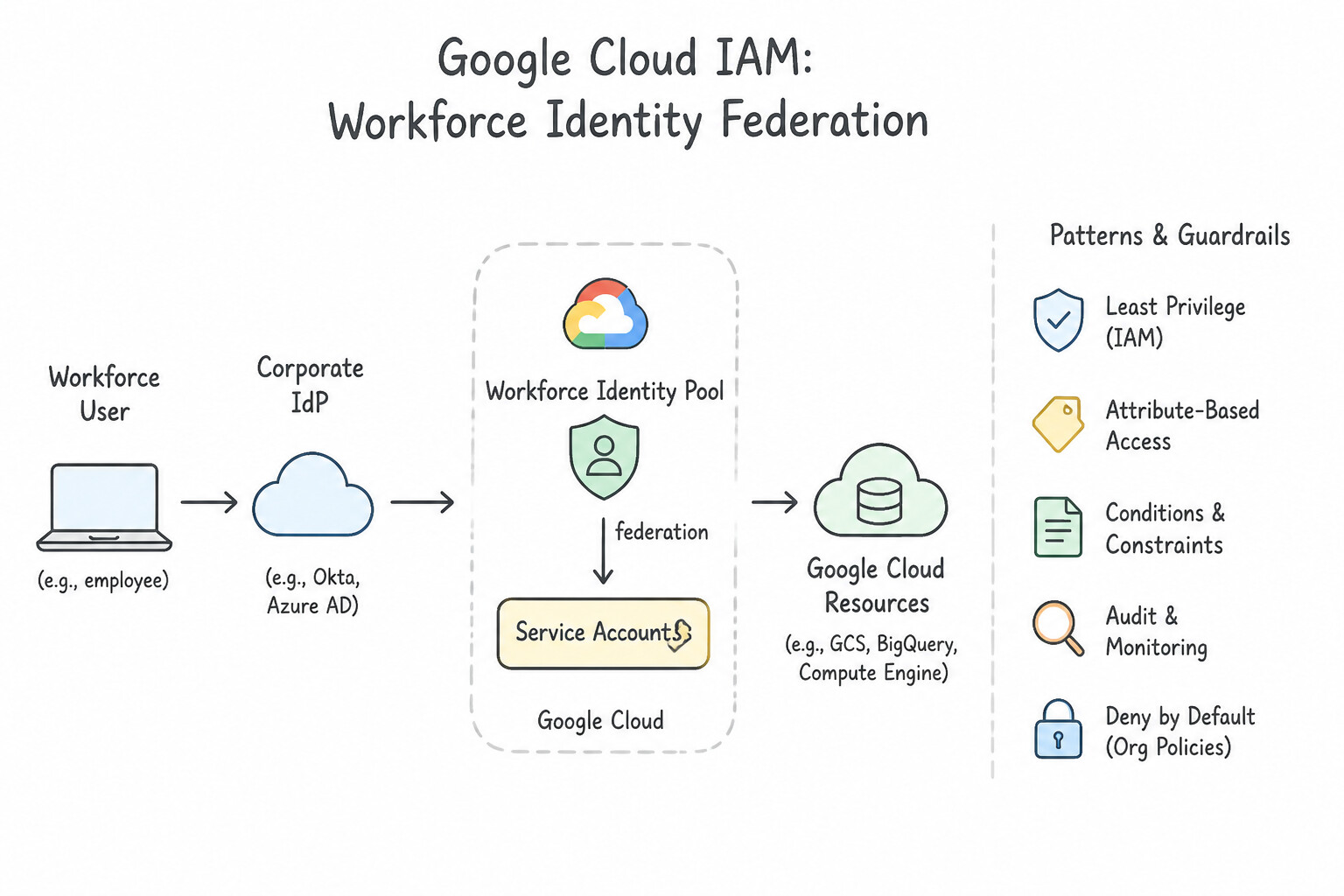
Chapter 2: Data Management: Log Ingestion, Bindplane, Custom Parsers, UDM & Entity Graph Context
- Subsection 2.1: Ingesting Logs for Security Tooling (Section 2: Data Management)
- Consideration 2.1a: Determining approaches for data ingestion within security tools (e.g., SCC, Google SecOps) (Diagrams:
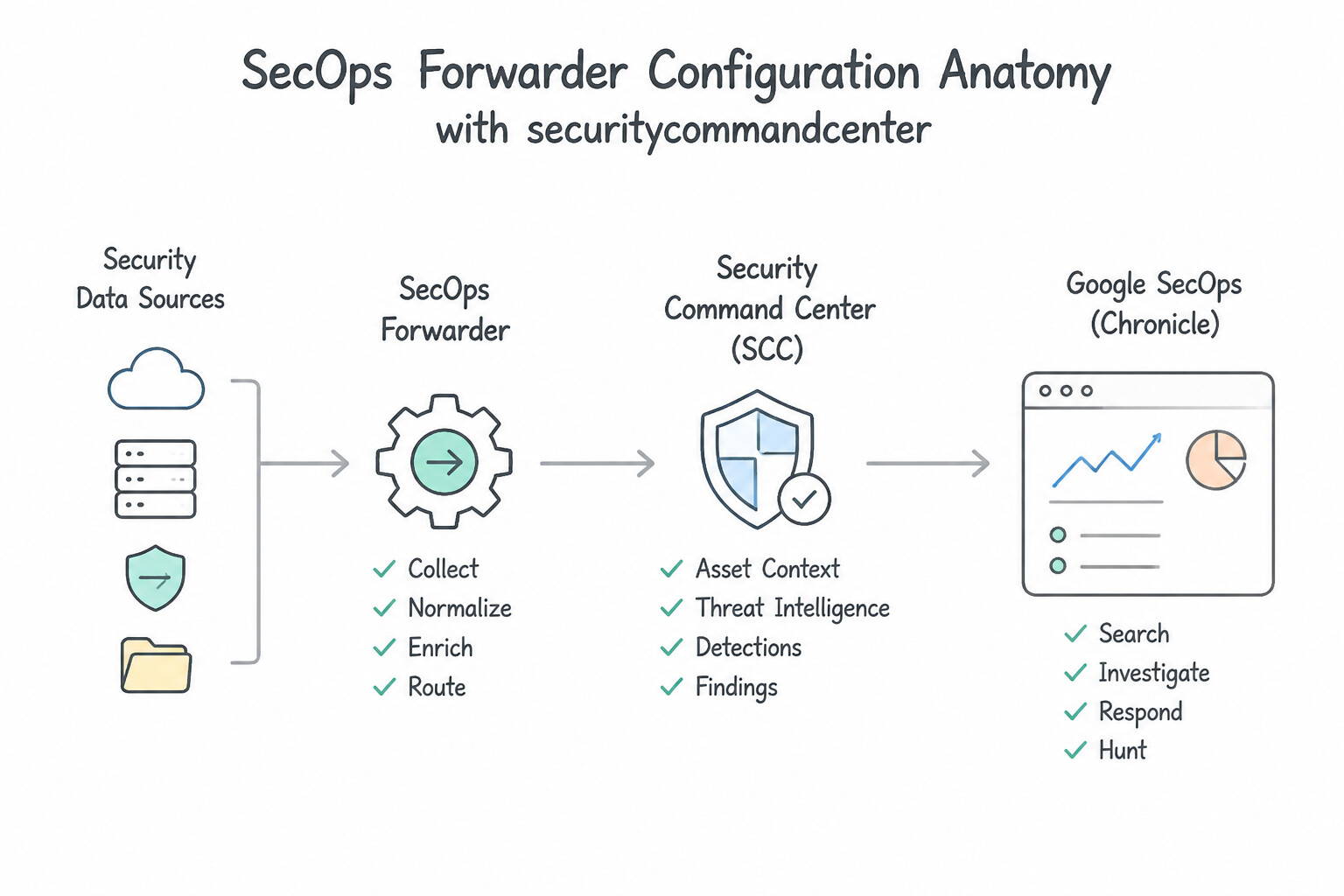
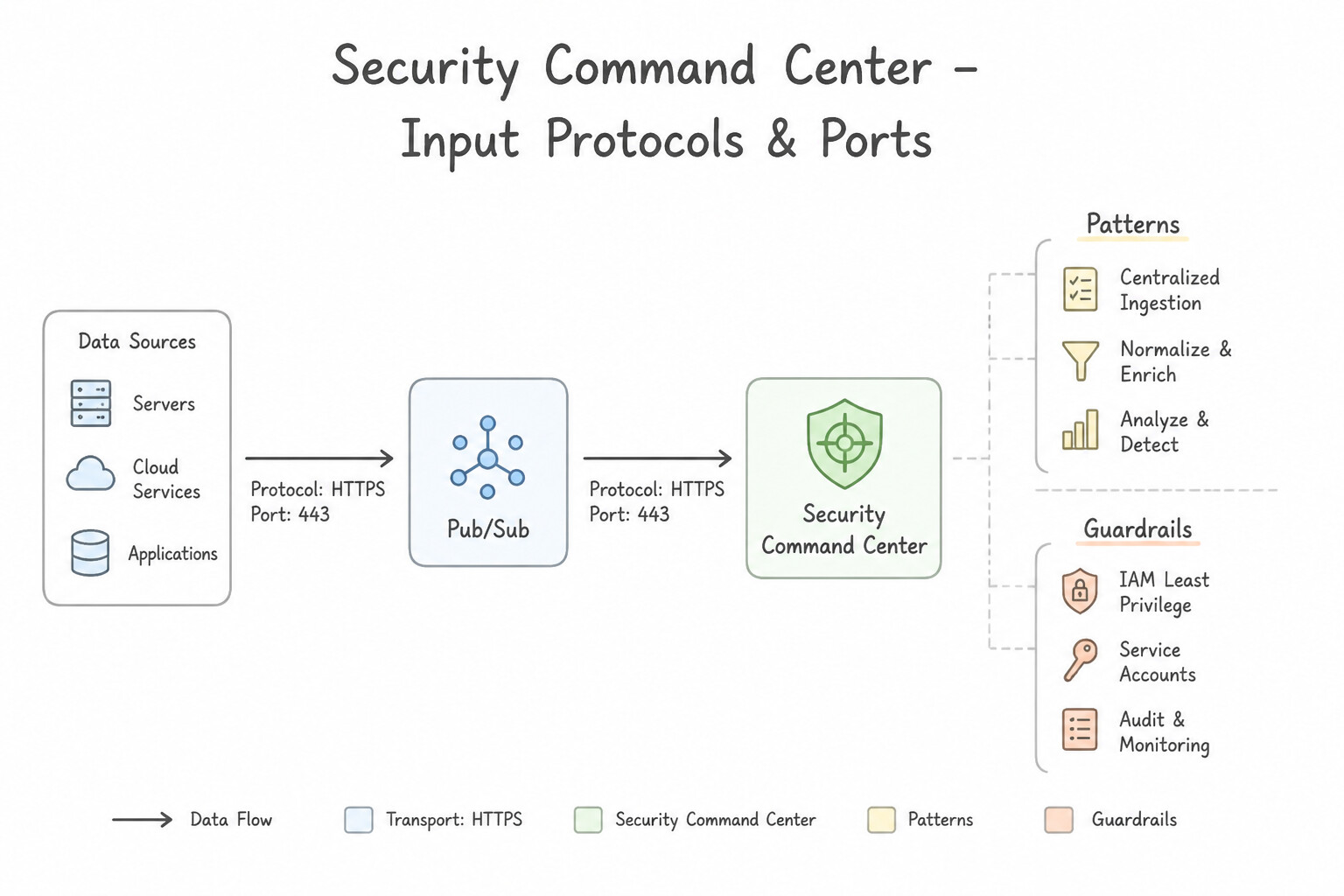
psoe-2.1a-1-native-telemetry-audit.jpg,psoe-2.1a-2-on-premises-private-vpc.jpg) - Consideration 2.1b: Configuring an ingestion tool or features within security tools (e.g., SCC, Google SecOps) (Diagrams:
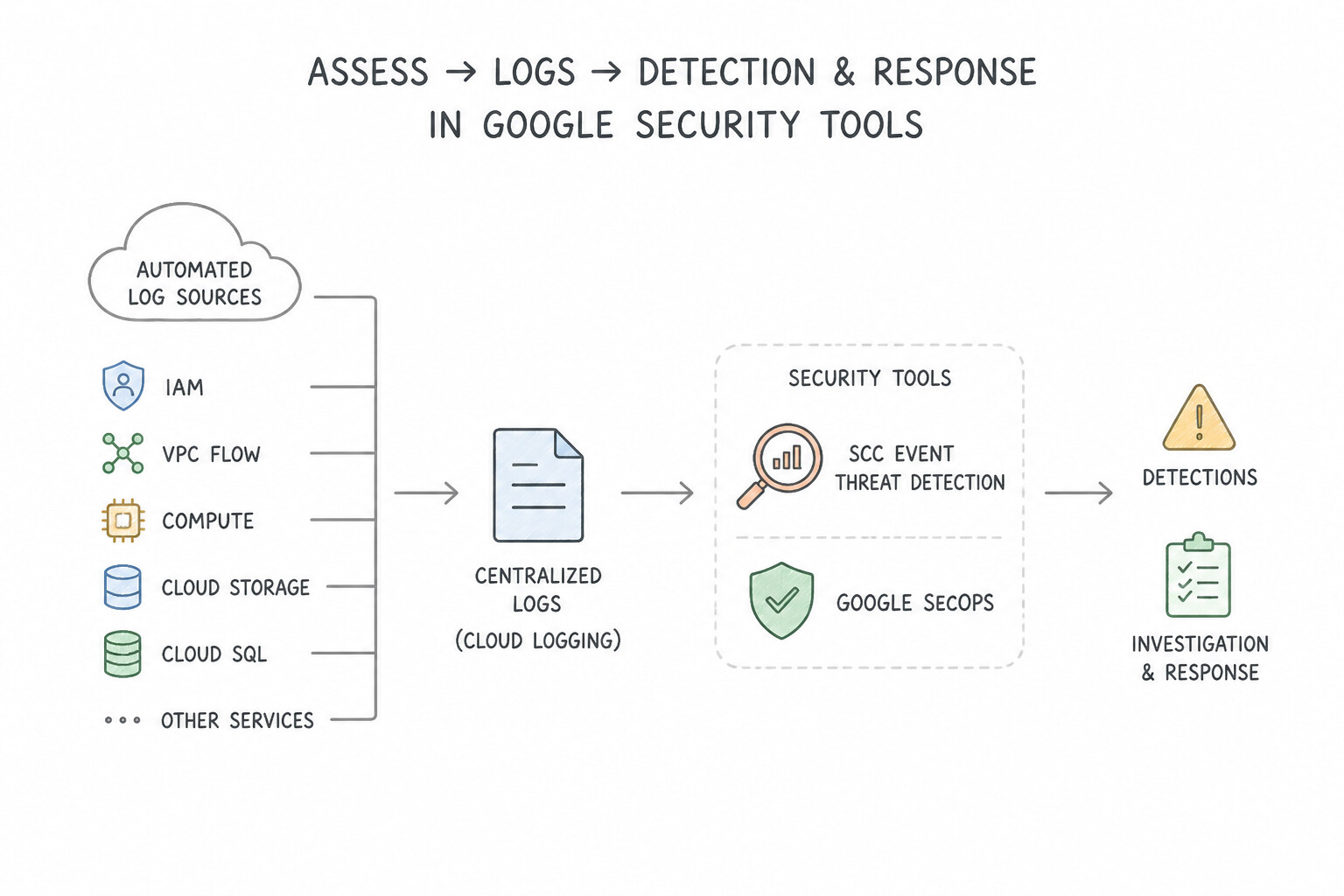
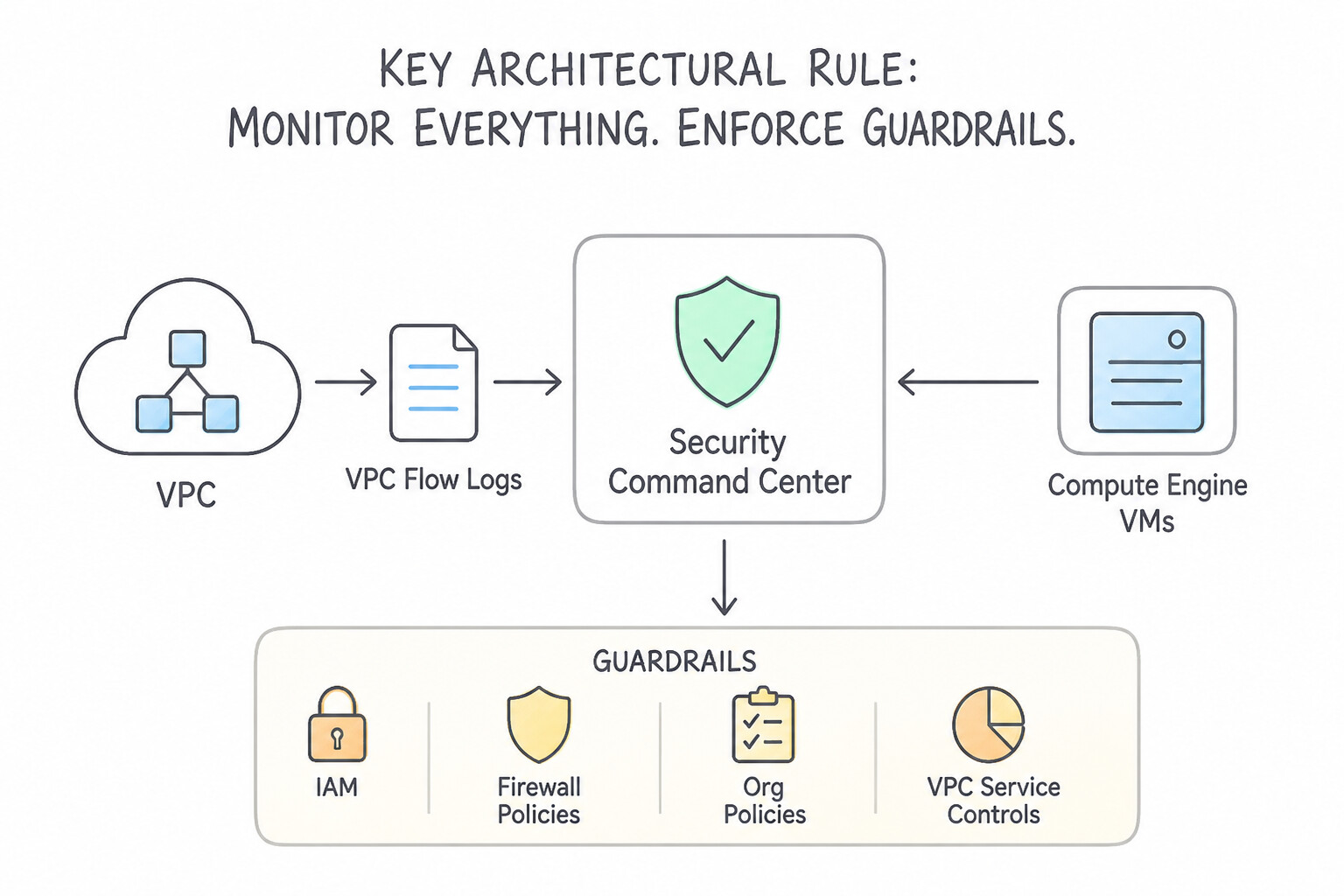
psoe-2.1b-1-secops-forwarder.jpg,psoe-2.1b-2-input-protocol-port.jpg) - Consideration 2.1c: Assessing required logs for detection and response, including automated sources, within security tools (e.g., SCC Event Threat Detection, Google SecOps) (Diagrams:
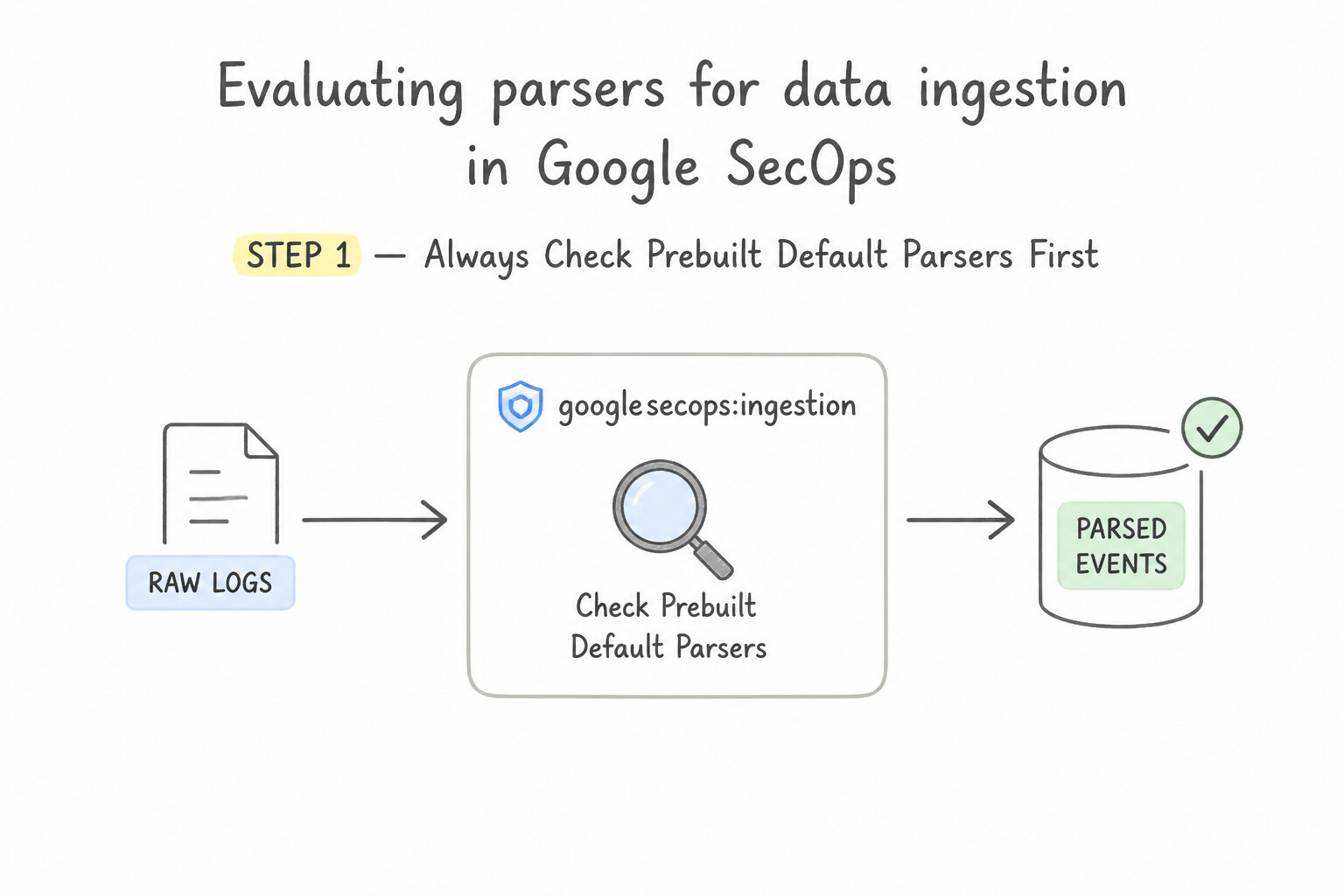
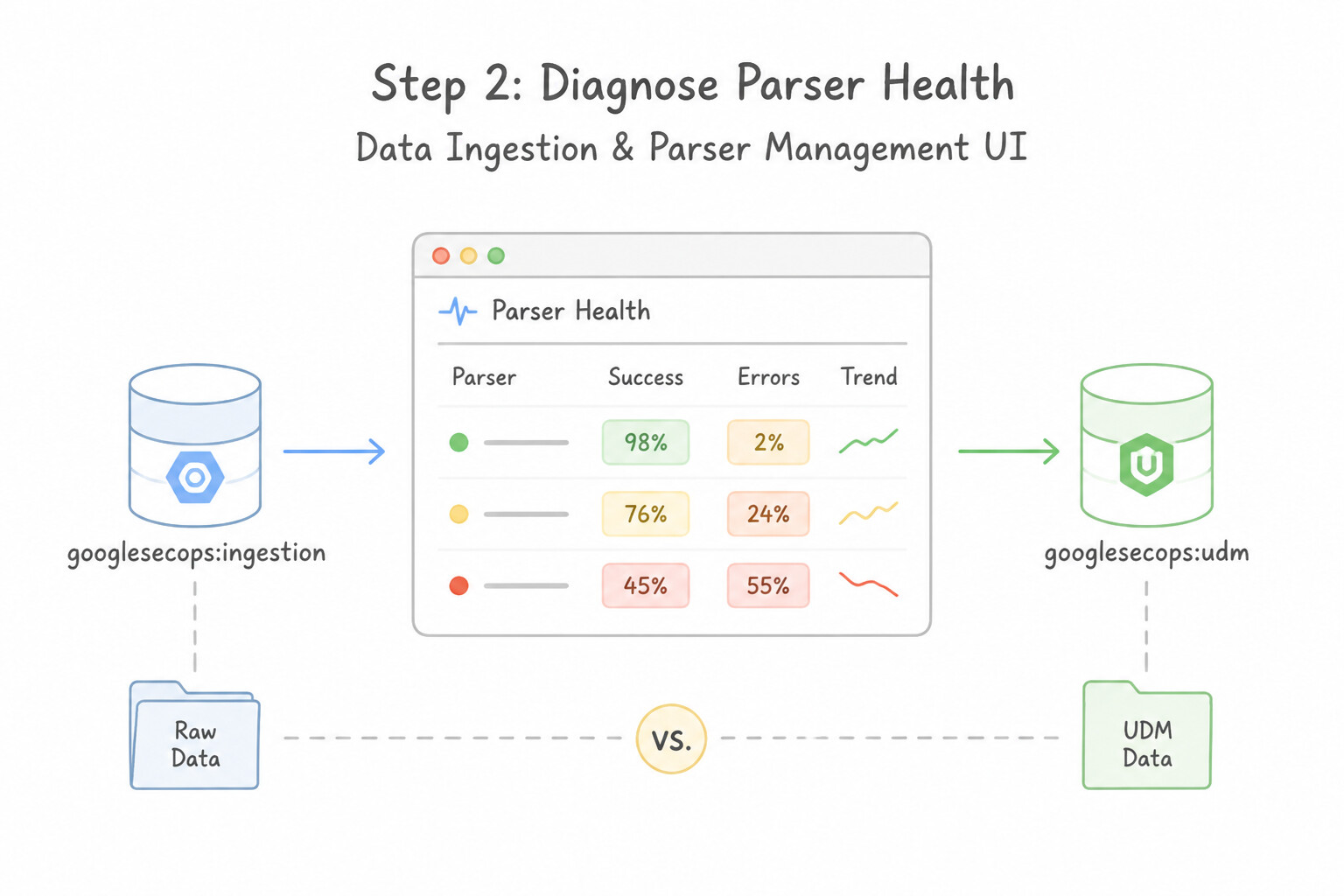
psoe-2.1c-1-scc-event-threat.jpg,psoe-2.1c-2-architectural-security.jpg) - Consideration 2.1d: Evaluating parsers for data ingestion in Google SecOps (Diagrams:
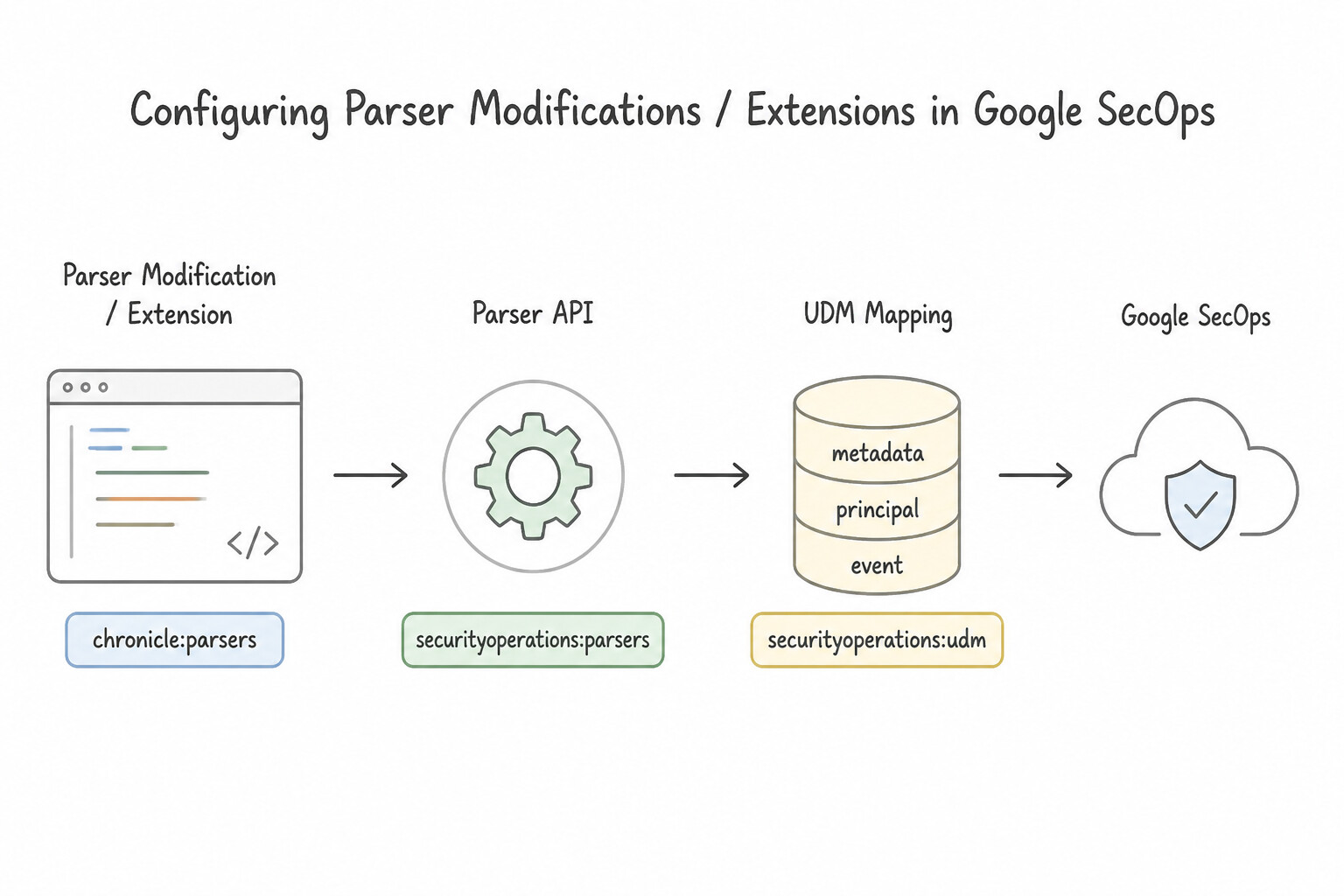
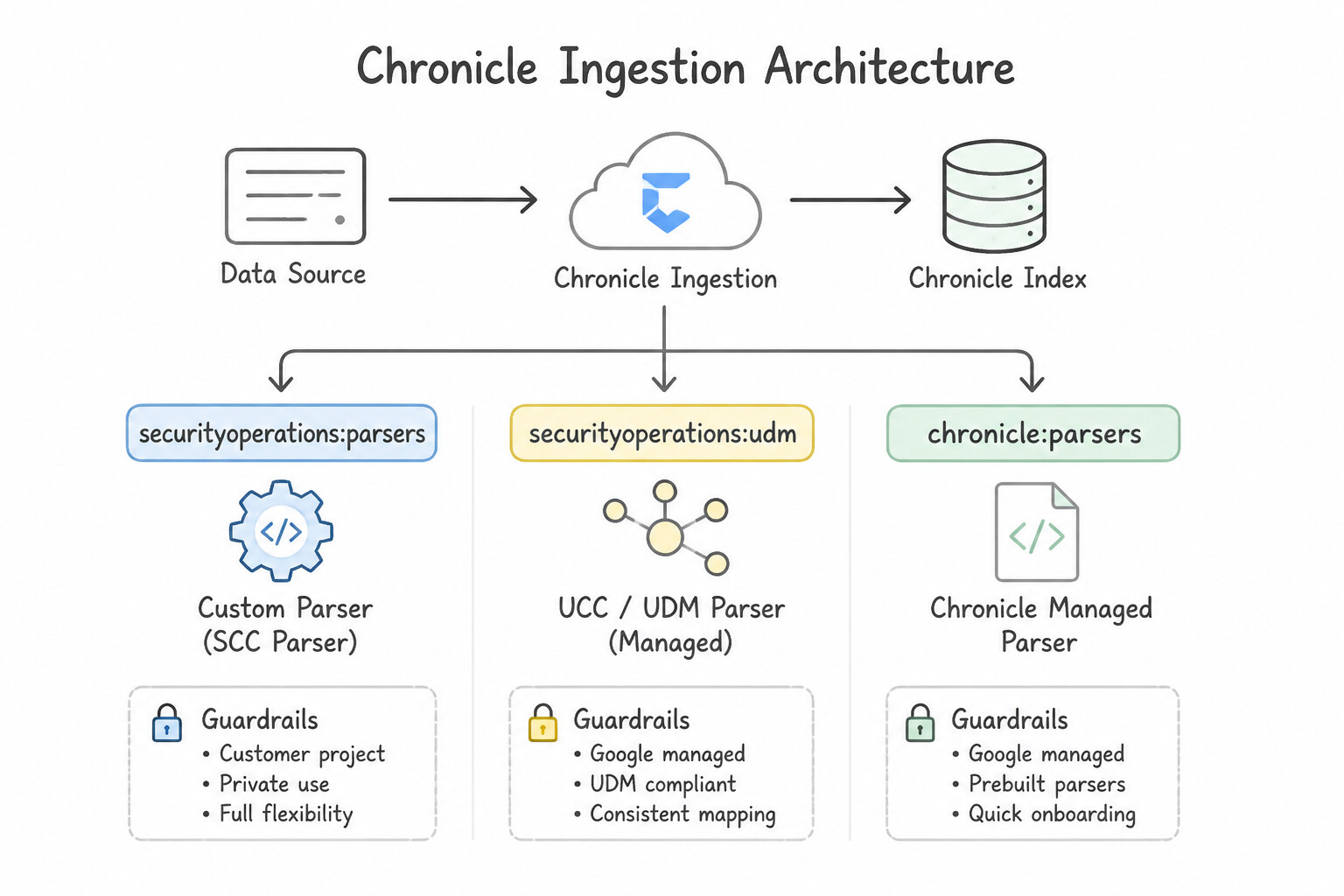
psoe-2.1d-1-step-always-check.jpg,psoe-2.1d-2-step-diagnose-parser.jpg) - Consideration 2.1e: Configuring parser modifications or extensions in Google SecOps (Diagrams:
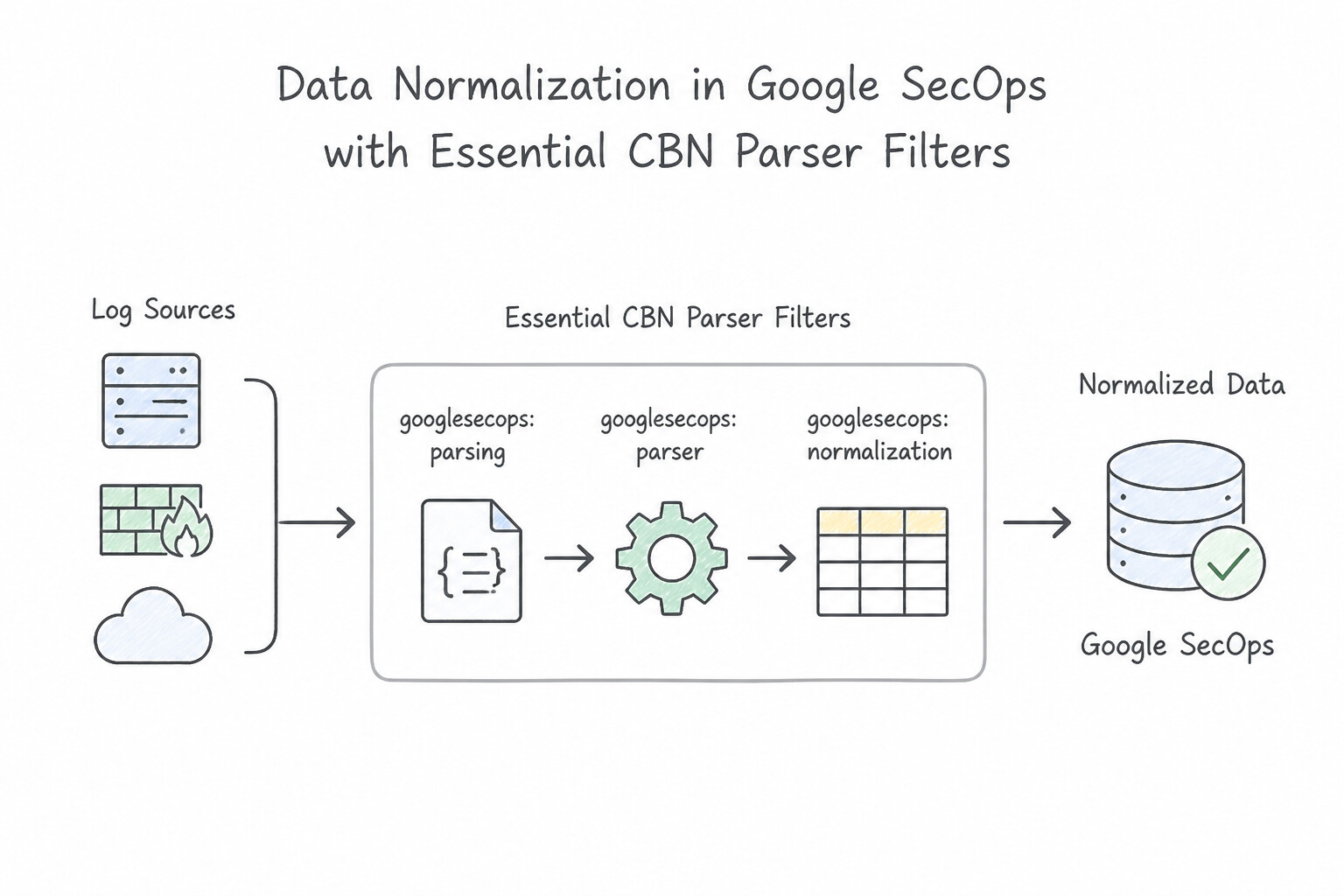
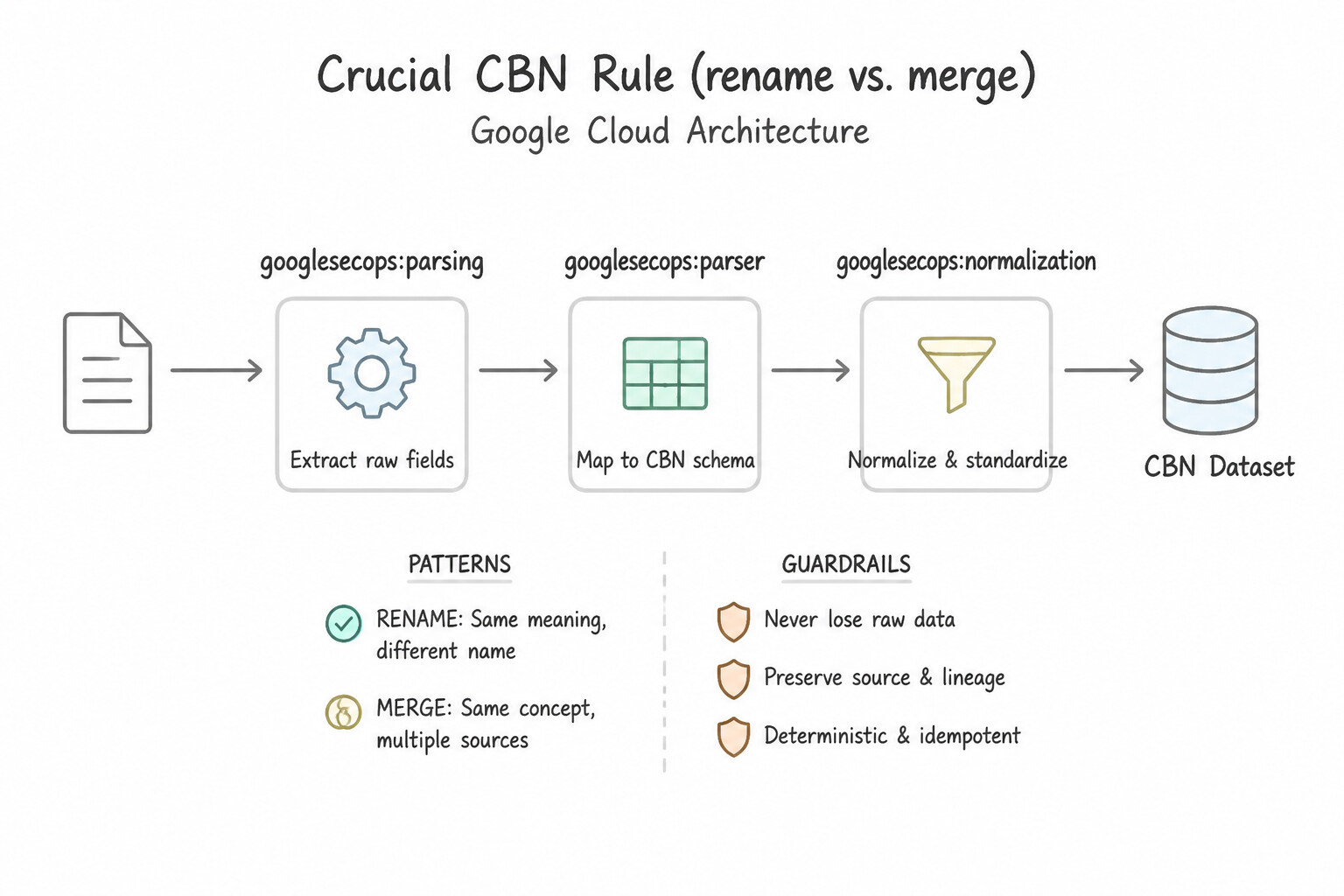
psoe-2.1e-1-parser-modifications-or.jpg,psoe-2.1e-2-security-operations.jpg) - Consideration 2.1f: Evaluating data normalization techniques from log sources in Google SecOps (Diagrams:
psoe-2.1f-1-essential-cbn-parser.jpg,psoe-2.1f-2-cbn-rename-vs-merge.jpg) - Consideration 2.1g: Evaluating new labels for data ingestion (Diagrams:
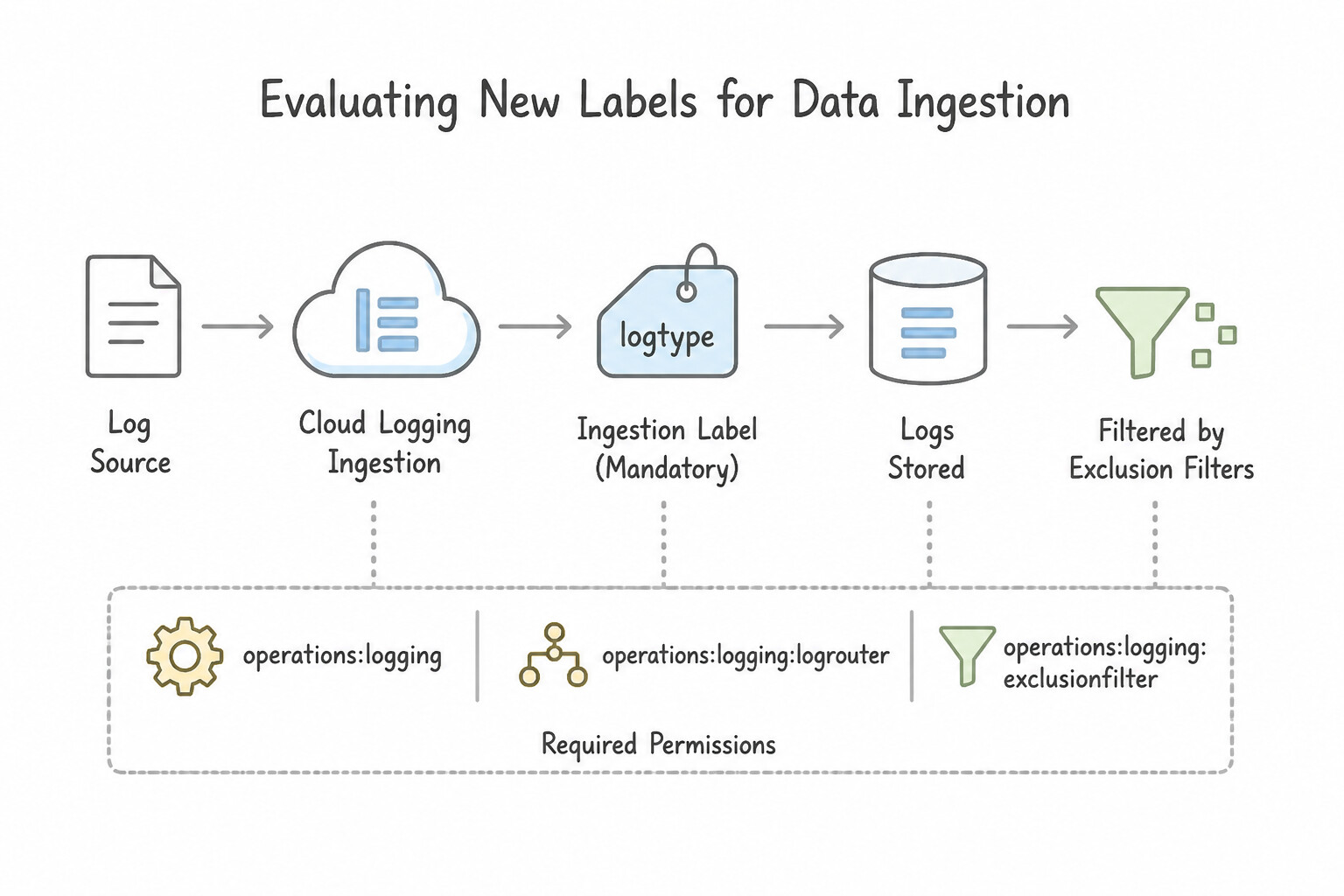
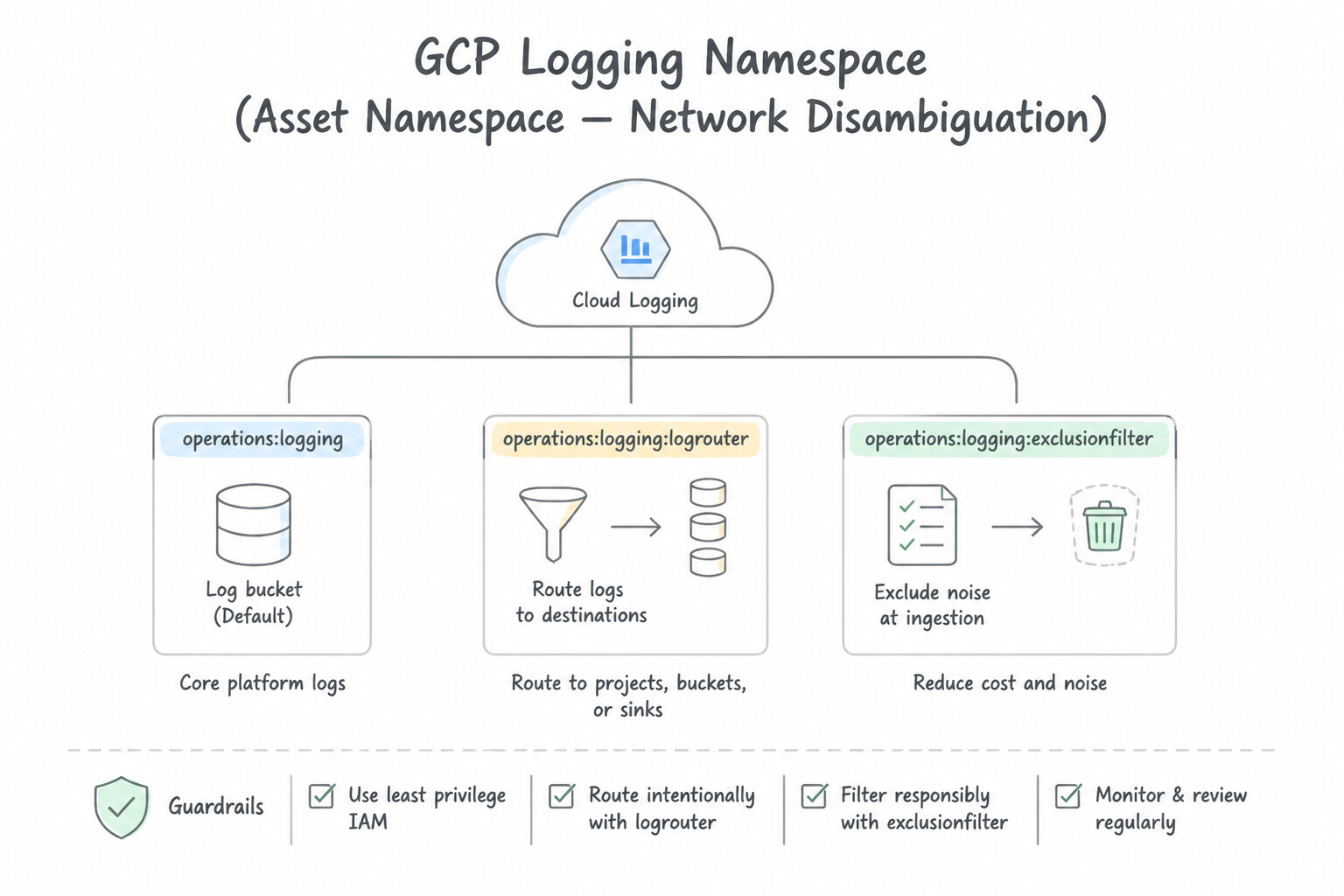
psoe-2.1g-1-log-type-ingestion-label.jpg,psoe-2.1g-2-namespace-asset.jpg) - Consideration 2.1h: Managing log and ingestion costs (Diagrams:
psoe-2.1h-1-drop-zero-value-noise.jpg,psoe-2.1h-2-optimize-volume.jpg) - Quick Decision Cheat Sheet (Subsection 2.1)
- Subsection 2.2: Identifying a Baseline of User, Asset, and Entity Context (Section 2: Data Management)
- Consideration 2.2a: Identifying relevant threat intelligence information in the enterprise environment (Diagrams:
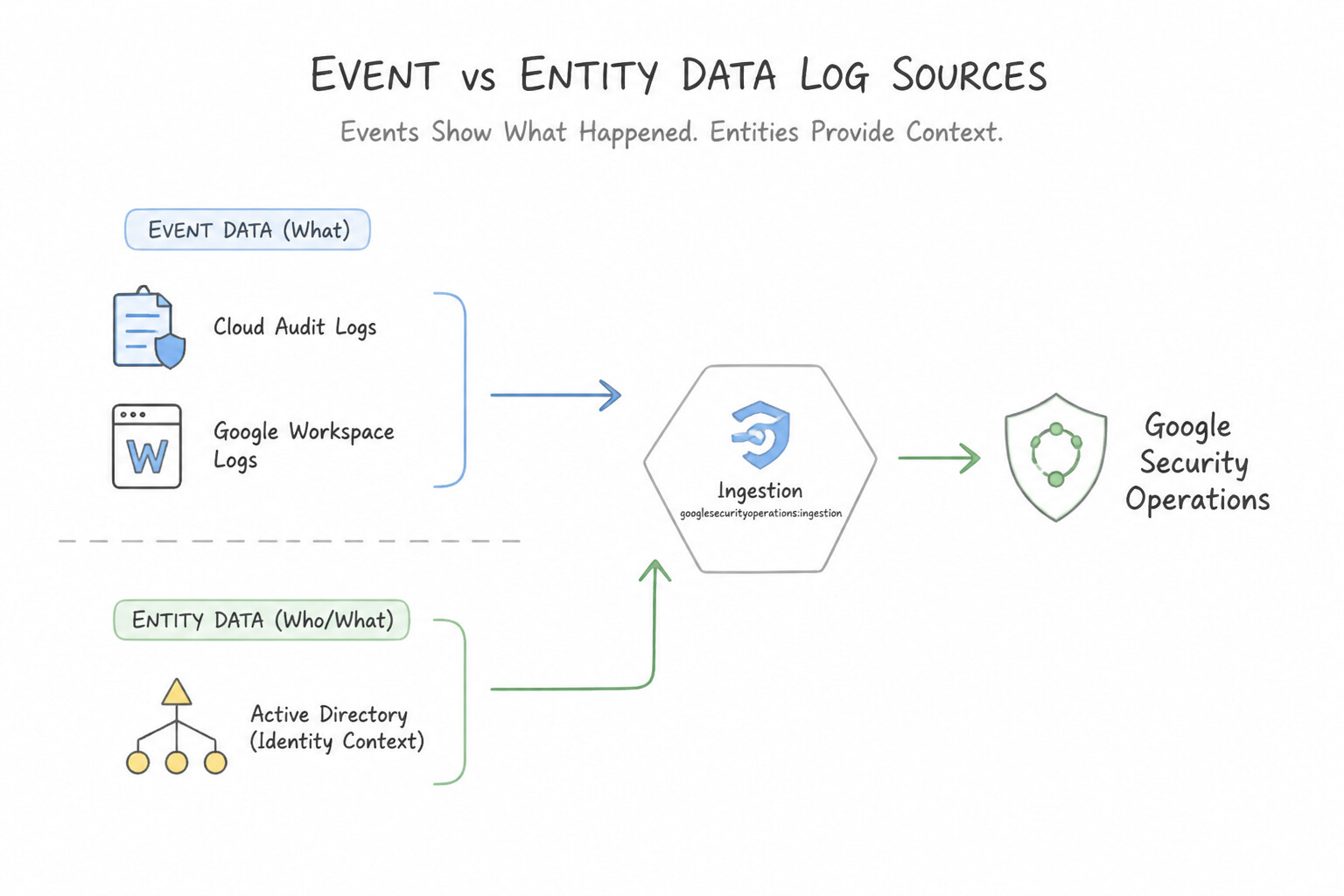
psoe-2.2a-1-layered-threat.jpg,psoe-2.2a-2-built-in-threat.jpg) - Consideration 2.2b: Differentiating event and entity data log sources (e.g., Cloud Audit Logs, Active Directory organizational context) (Diagrams:
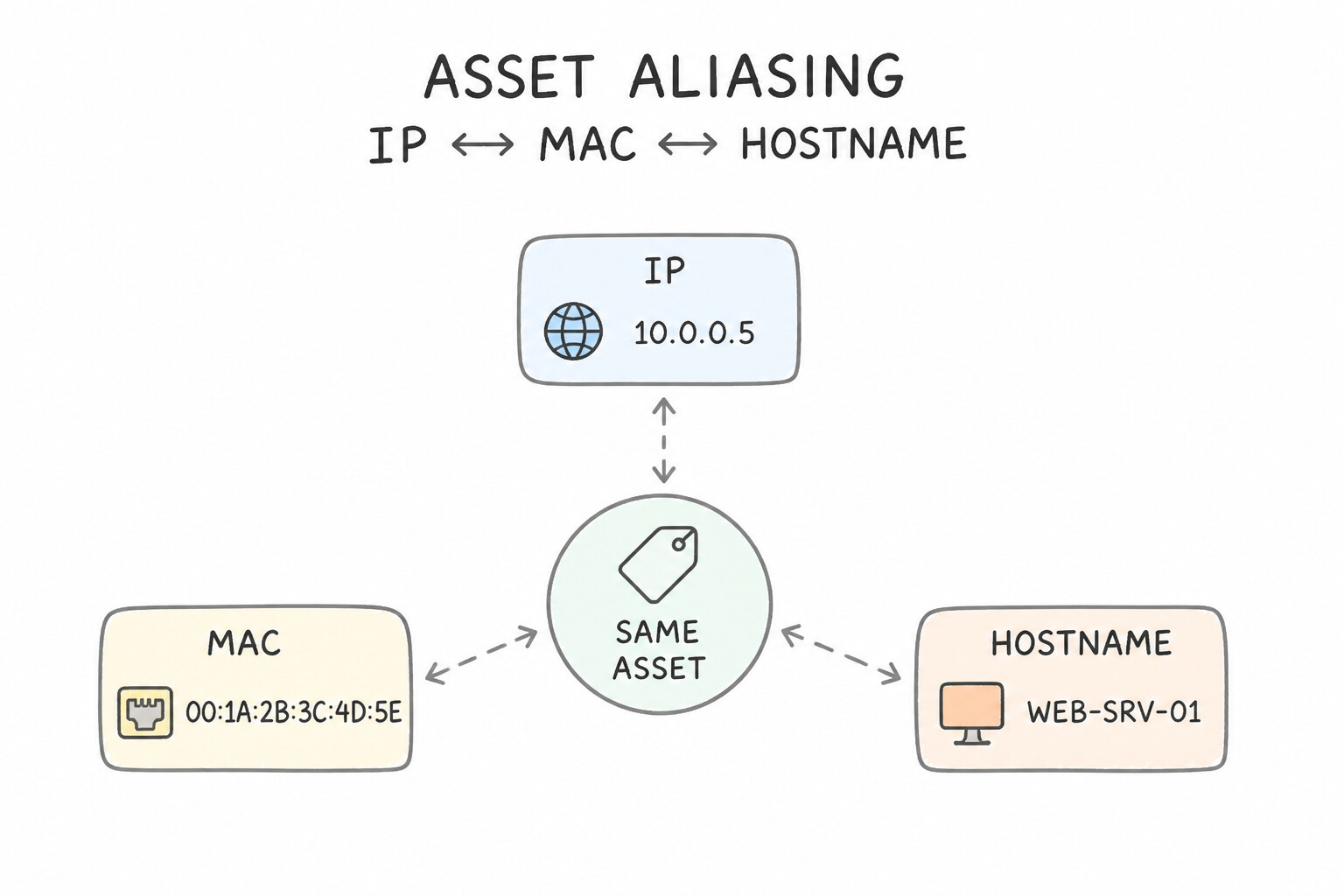
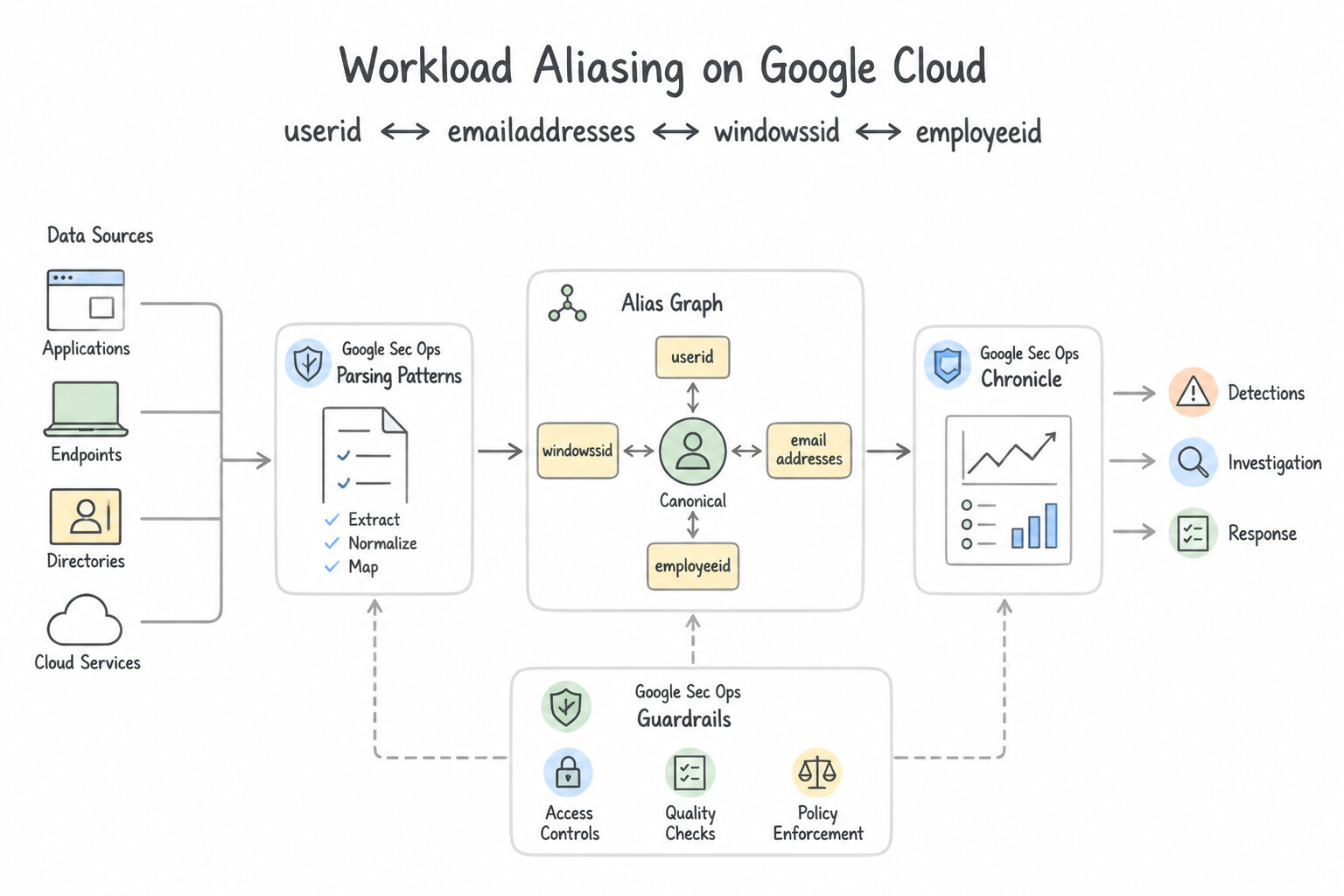
psoe-2.2b-1-definition.jpg,psoe-2.2b-2-examples-security.jpg) - Consideration 2.2c: Evaluating event and entity data matches for enrichment using aliasing fields (Diagrams:
psoe-2.2c-1-asset-aliasing-ip.jpg,psoe-2.2c-2-user-aliasing-userid.jpg) - Quick Decision Cheat Sheet (Subsection 2.2)
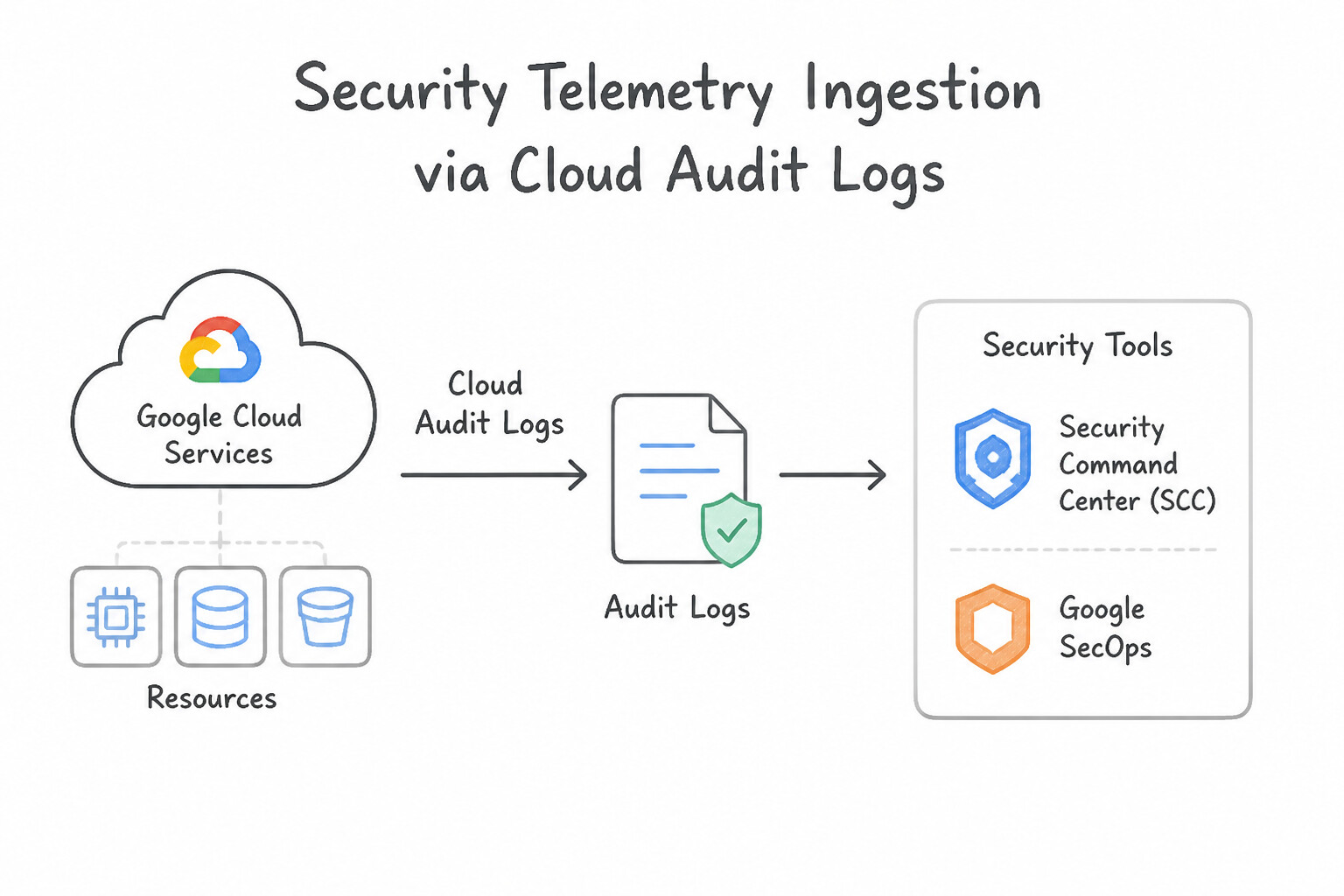
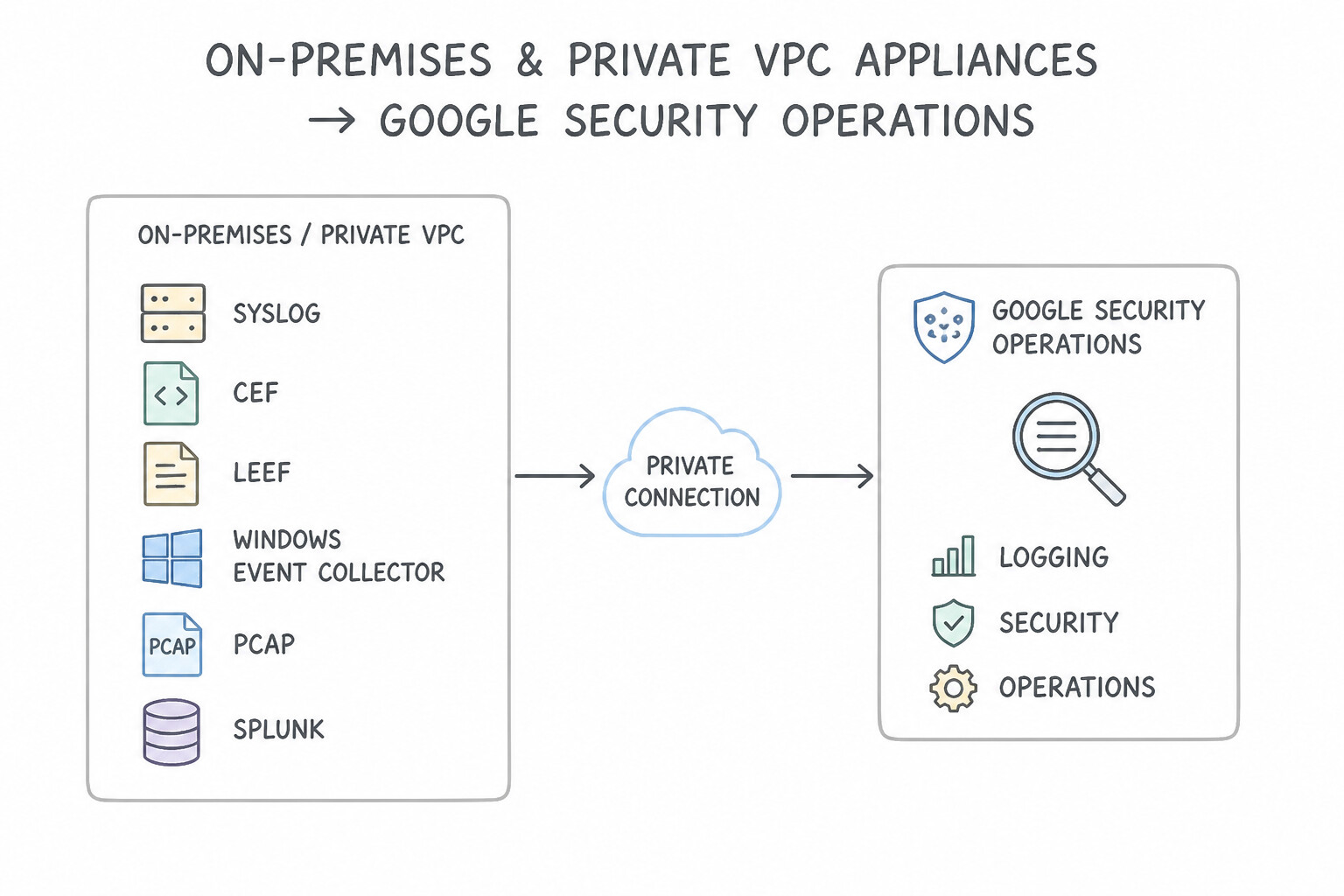
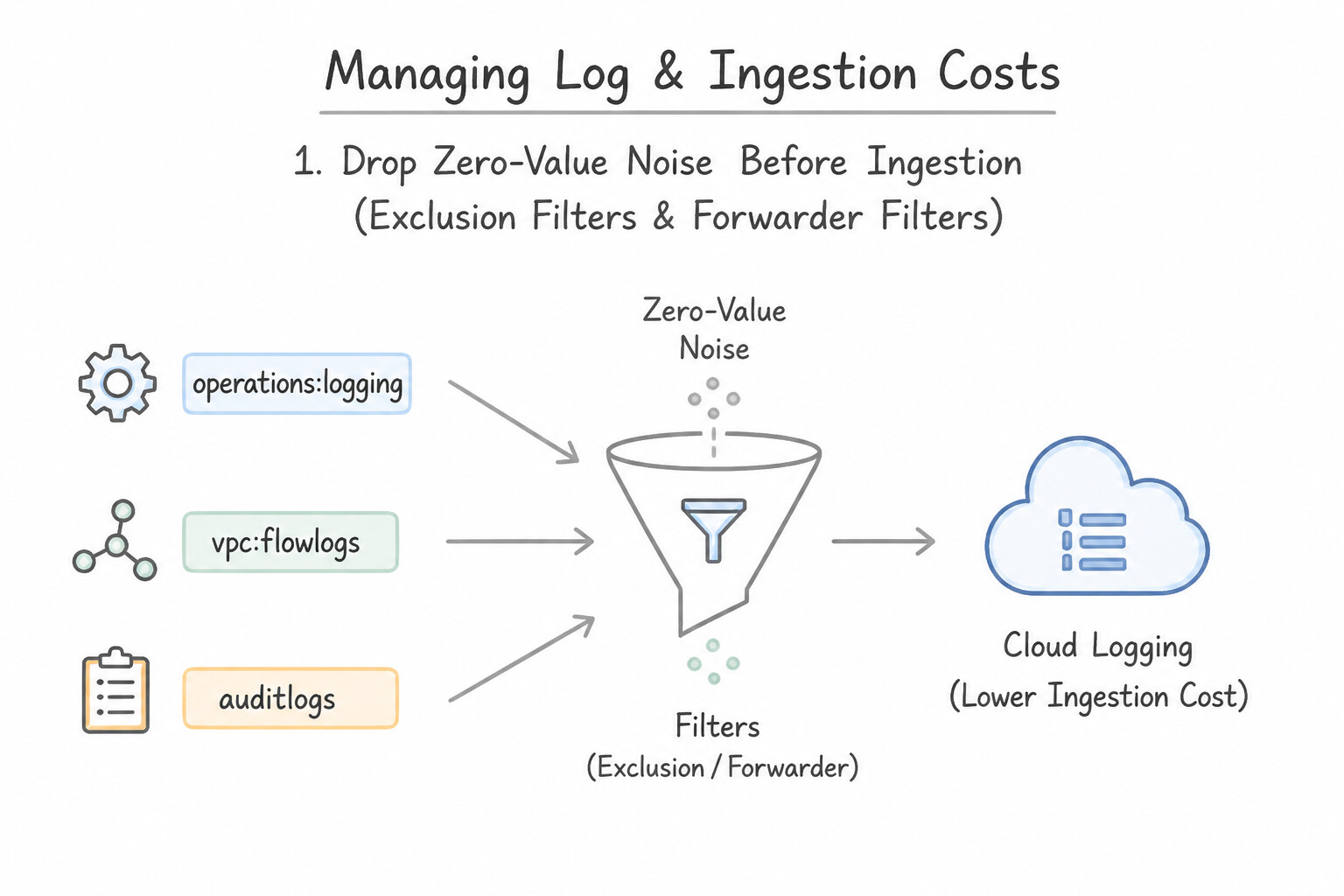
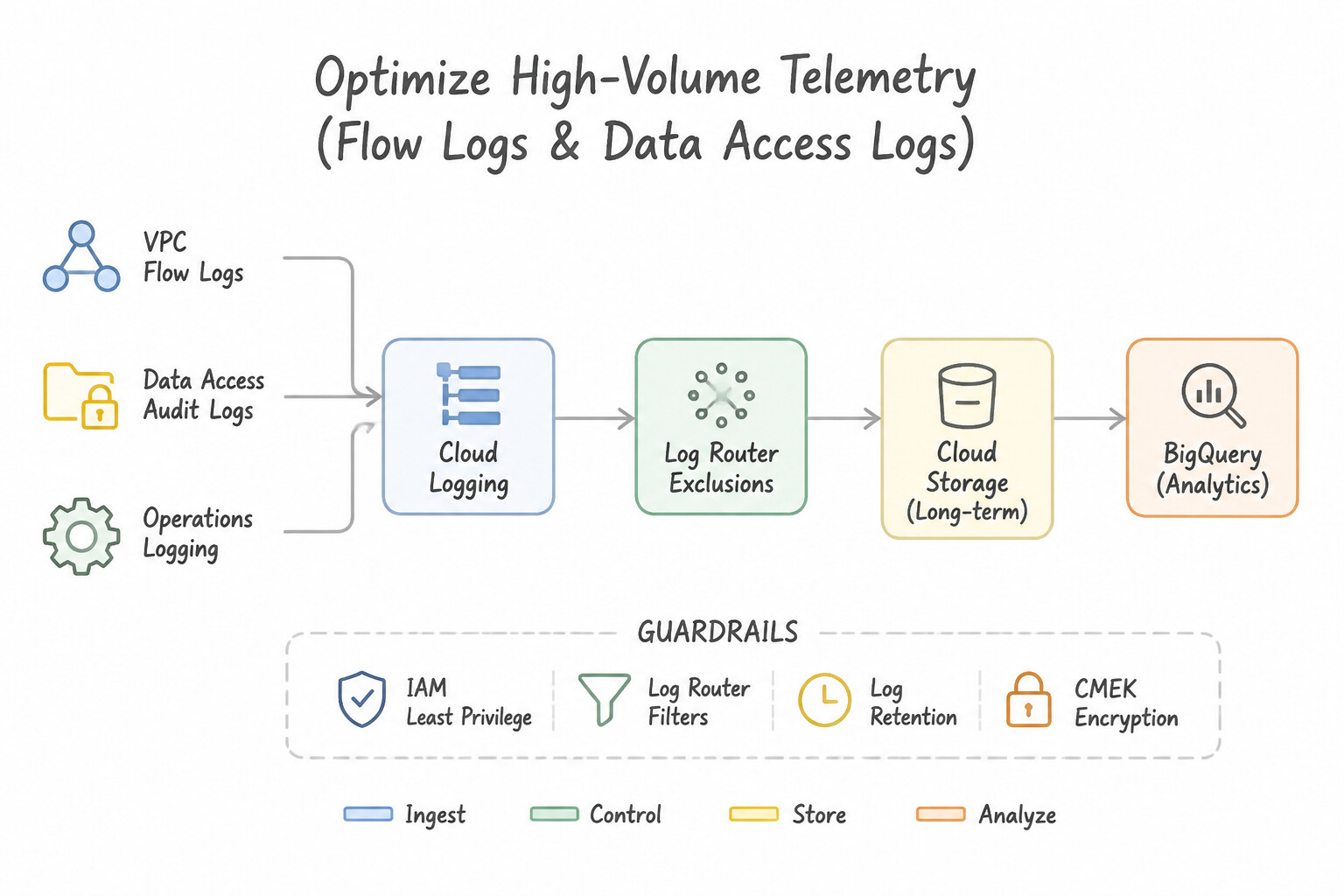
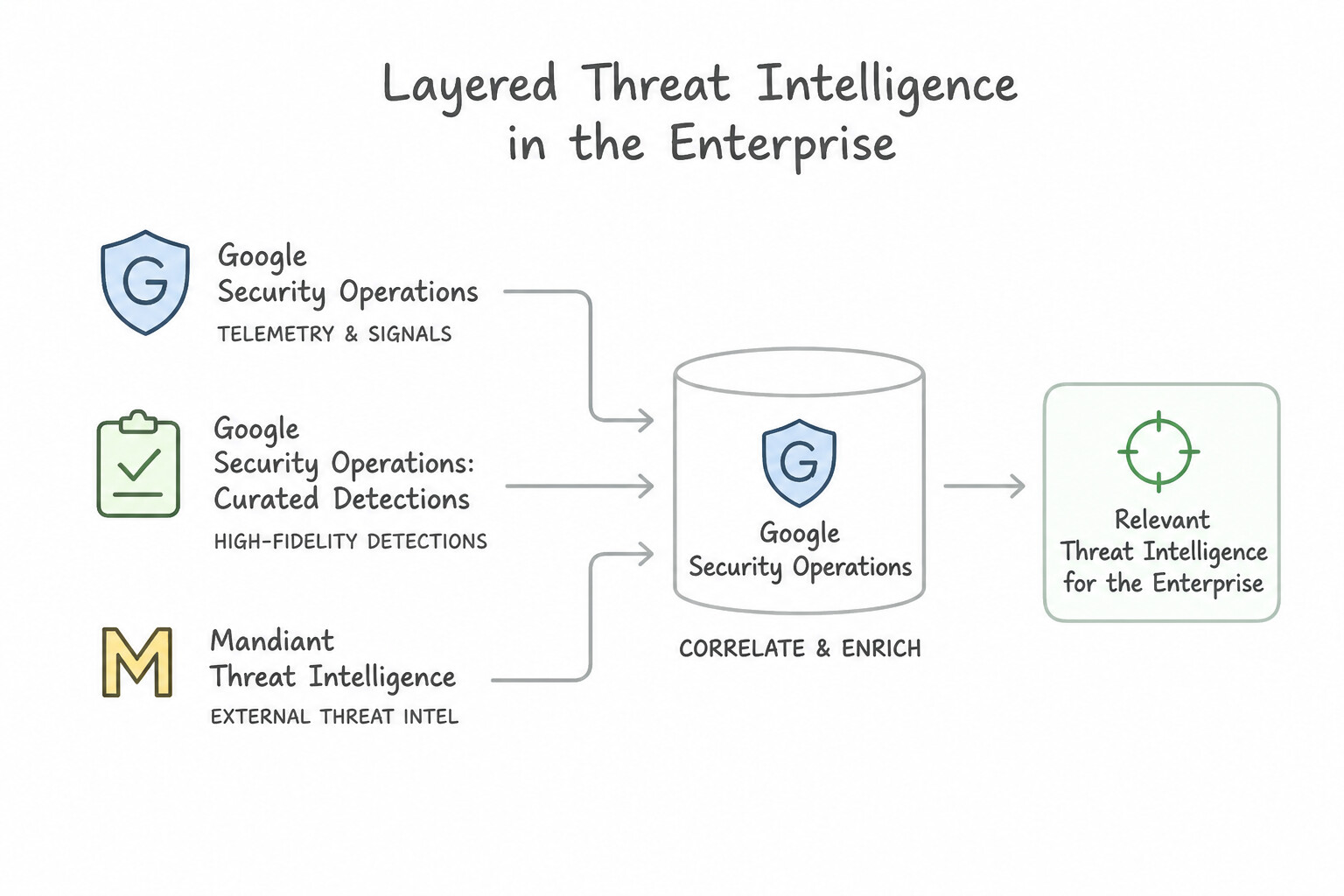
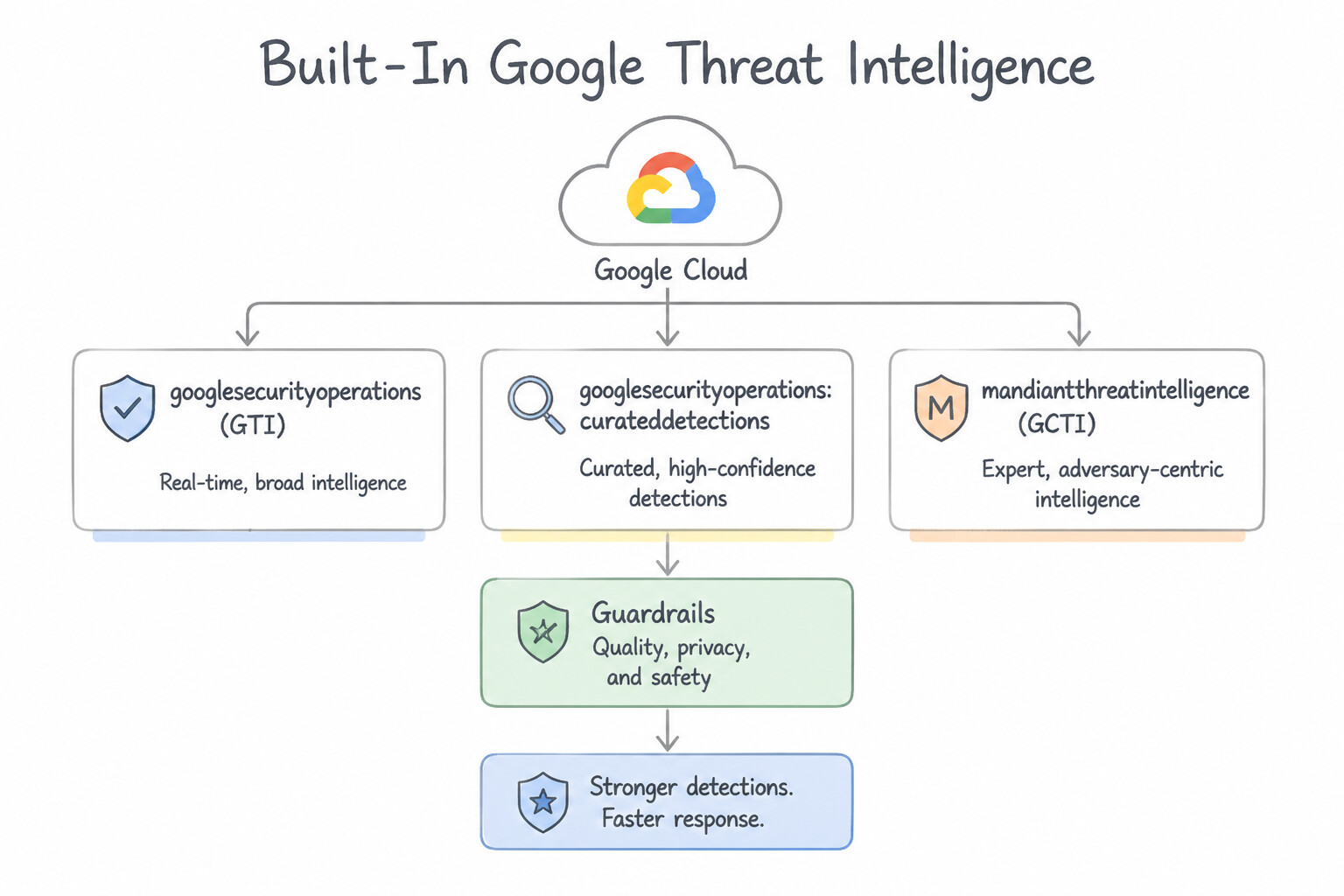
Chapter 3: Threat Hunting: UDM Search, BigQuery Analytics, GTI IOCs, Toxic Combinations & Retrohunts
- Subsection 3.1: Performing Threat Hunting Across Environments (Section 3: Threat Hunting)
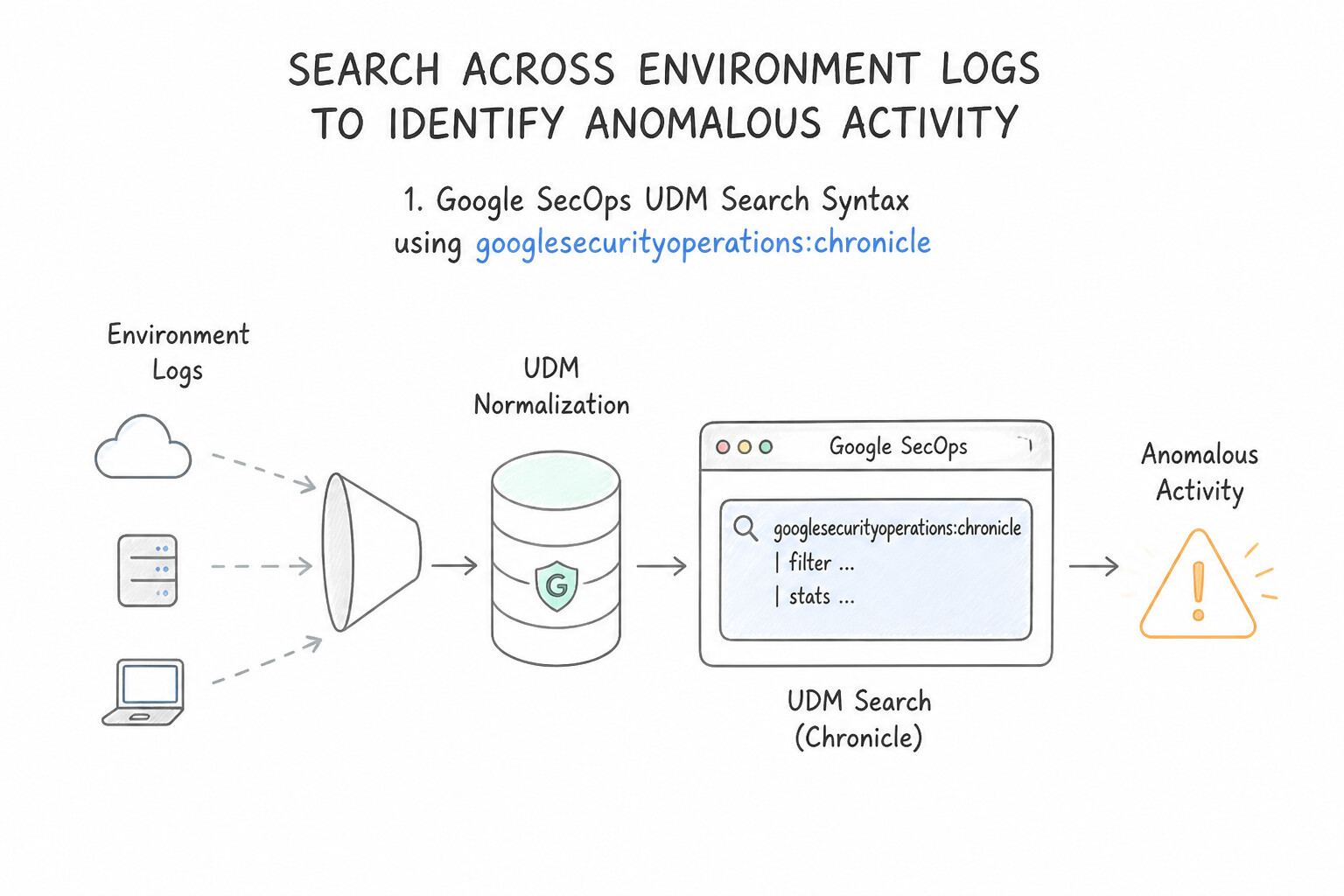
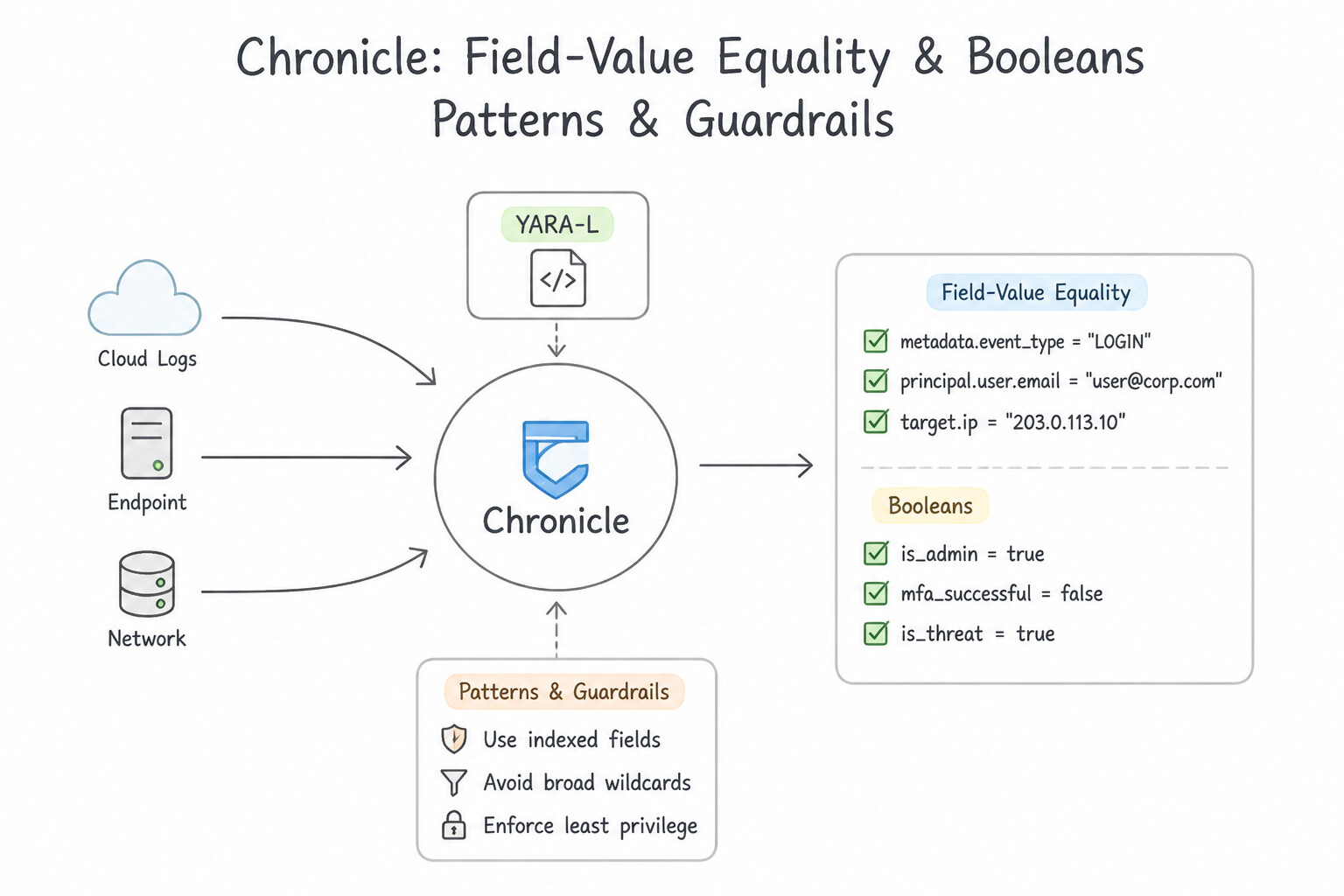
- Consideration 3.1a: Developing queries to search across environment logs to identify anomalous activity (Diagrams:
psoe-3.1a-1-secops-udm-search-syntax.jpg,psoe-3.1a-2-field-value-equality.jpg) - Consideration 3.1b: Analyzing user behavior to identify anomalous activity (Diagrams:
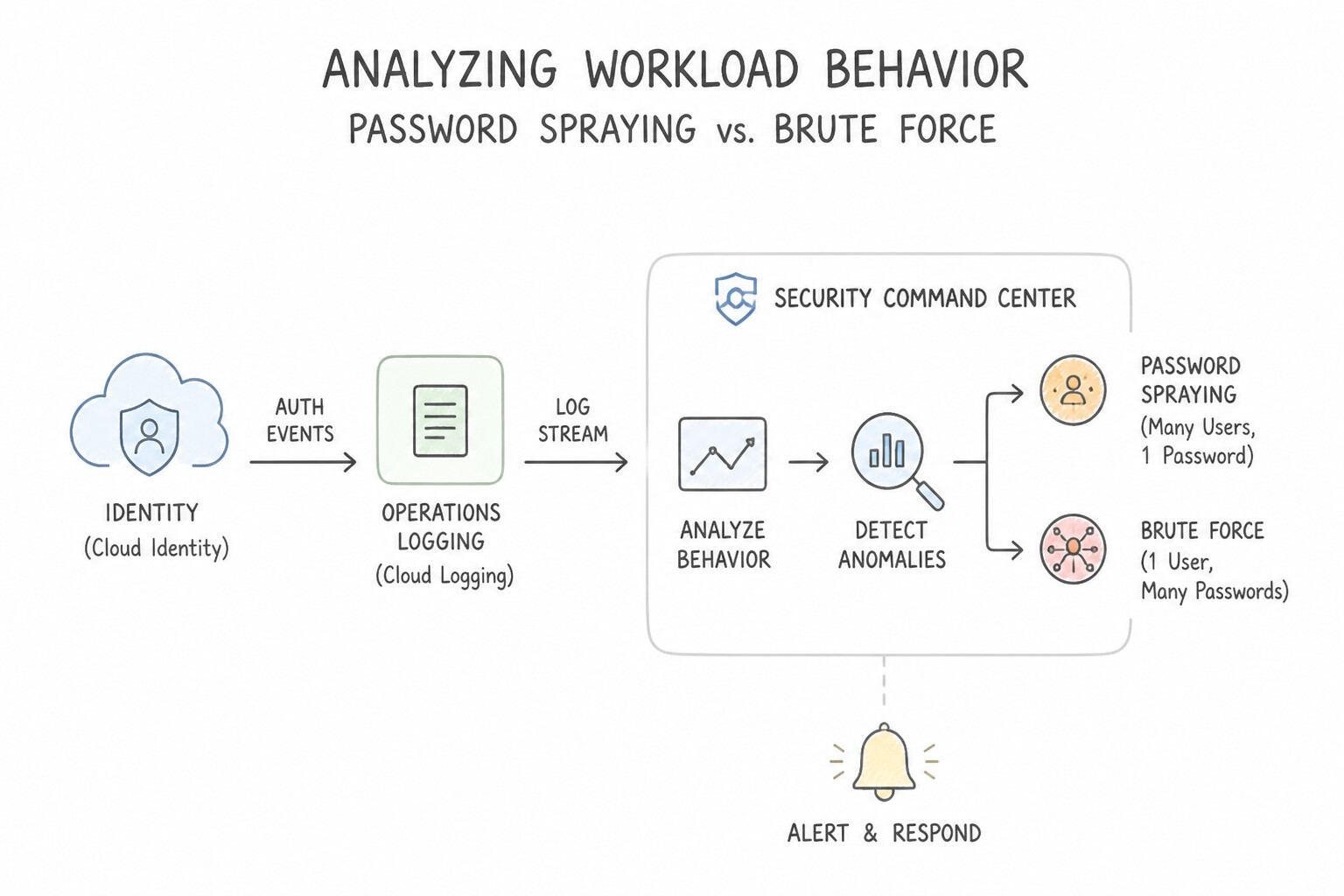
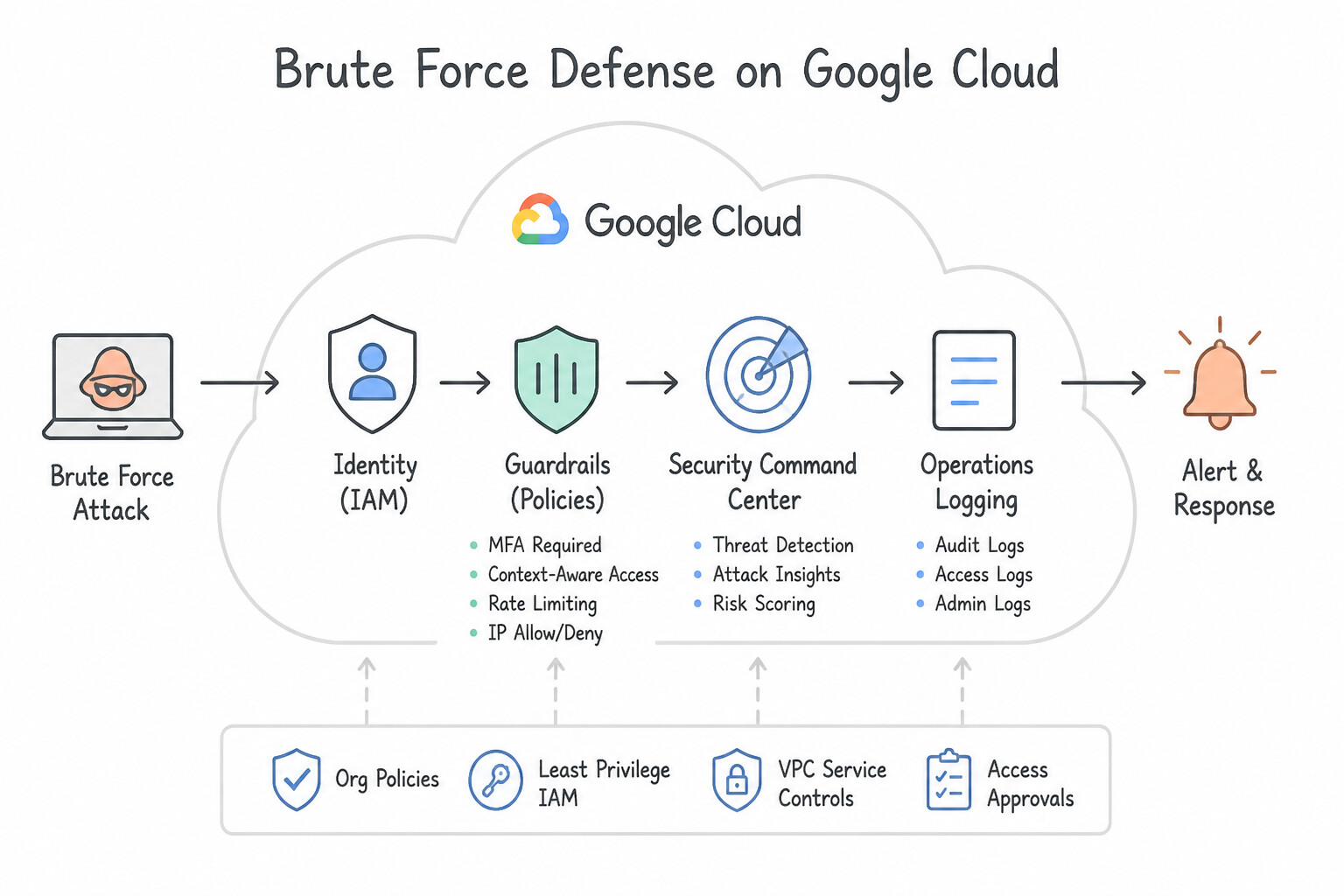
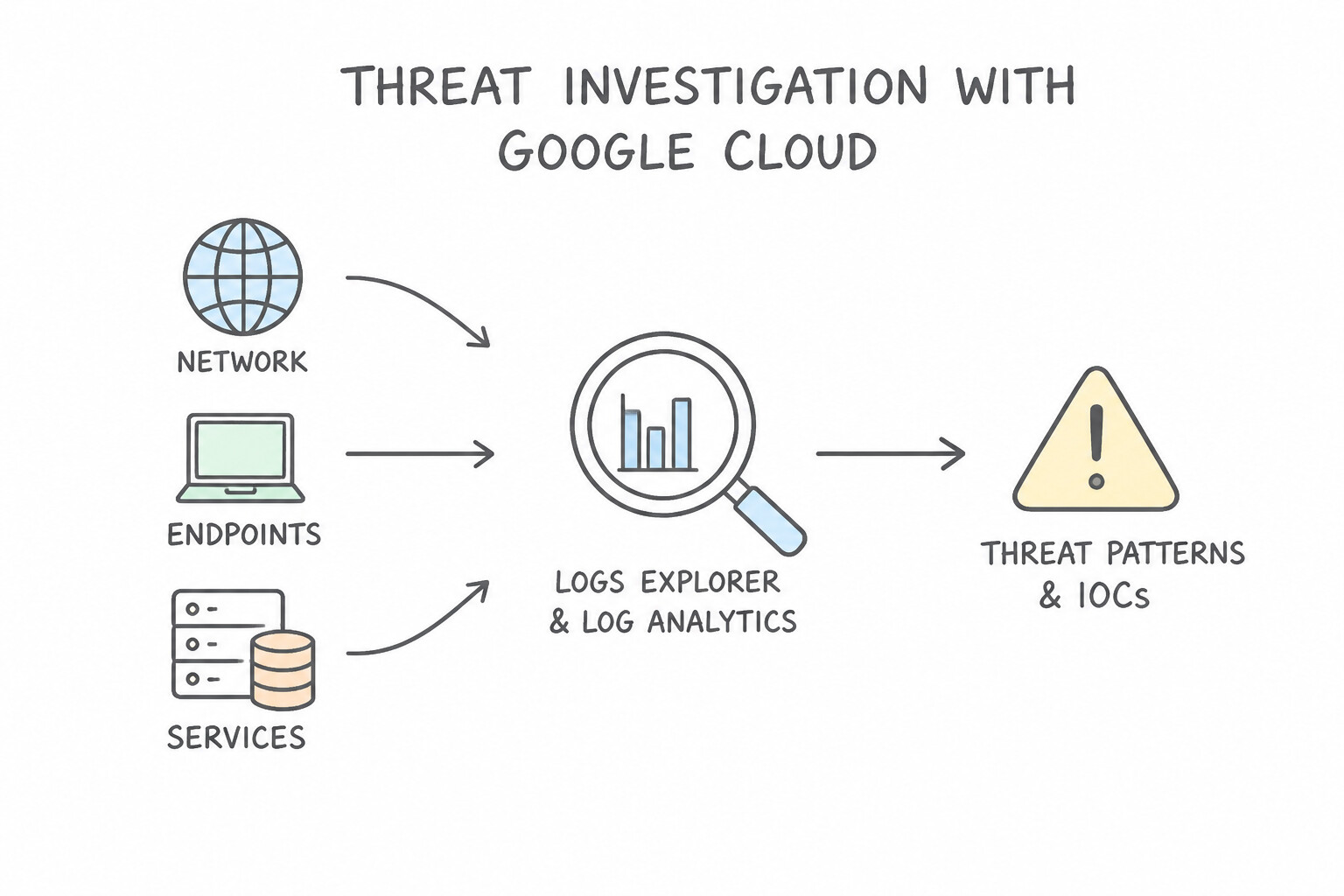
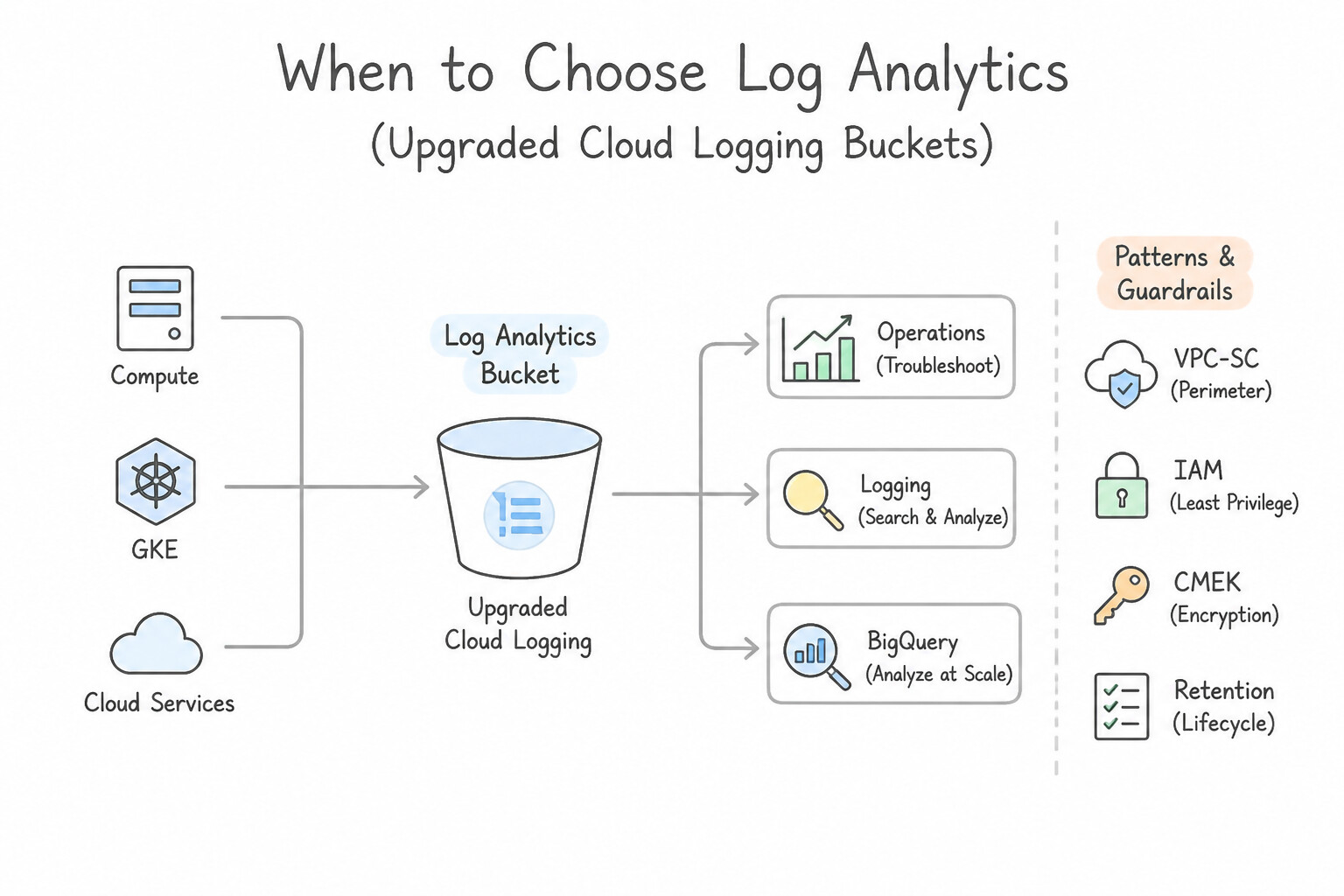
psoe-3.1b-1-password-spraying-vs.jpg,psoe-3.1b-2-brute-force-security.jpg) - Consideration 3.1c: Investigating the network, endpoints, and services to identify threat patterns or IOCs using Google Cloud tools (e.g., Logs Explorer, Log Analytics, BigQuery, Google SecOps) (Diagrams:
psoe-3.1c-1-to-choose-logs-explorer.jpg,psoe-3.1c-2-to-choose-log-analytics.jpg) - Consideration 3.1d: Collaborating with the incident response team to identify active threats in the environment (Diagrams:
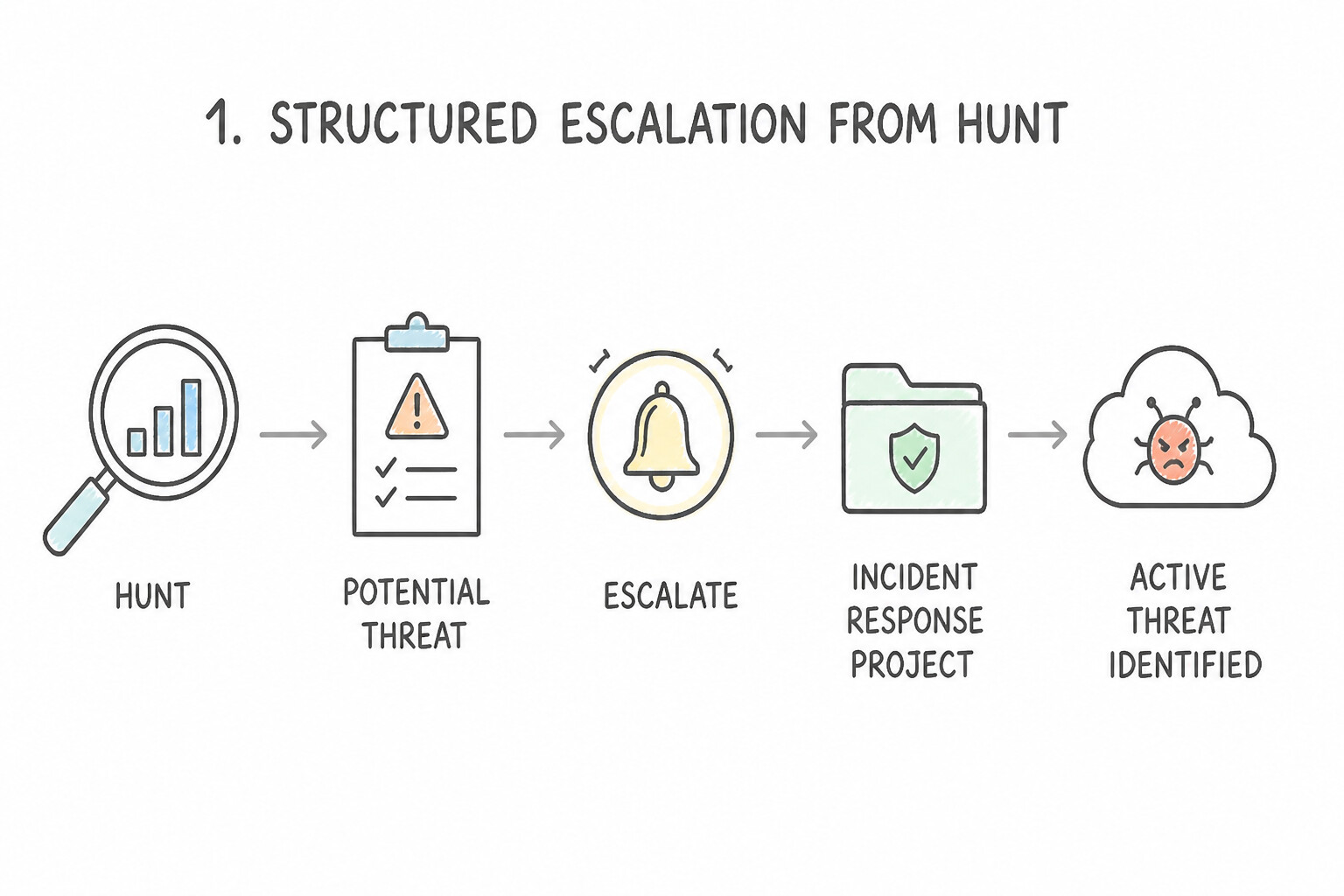
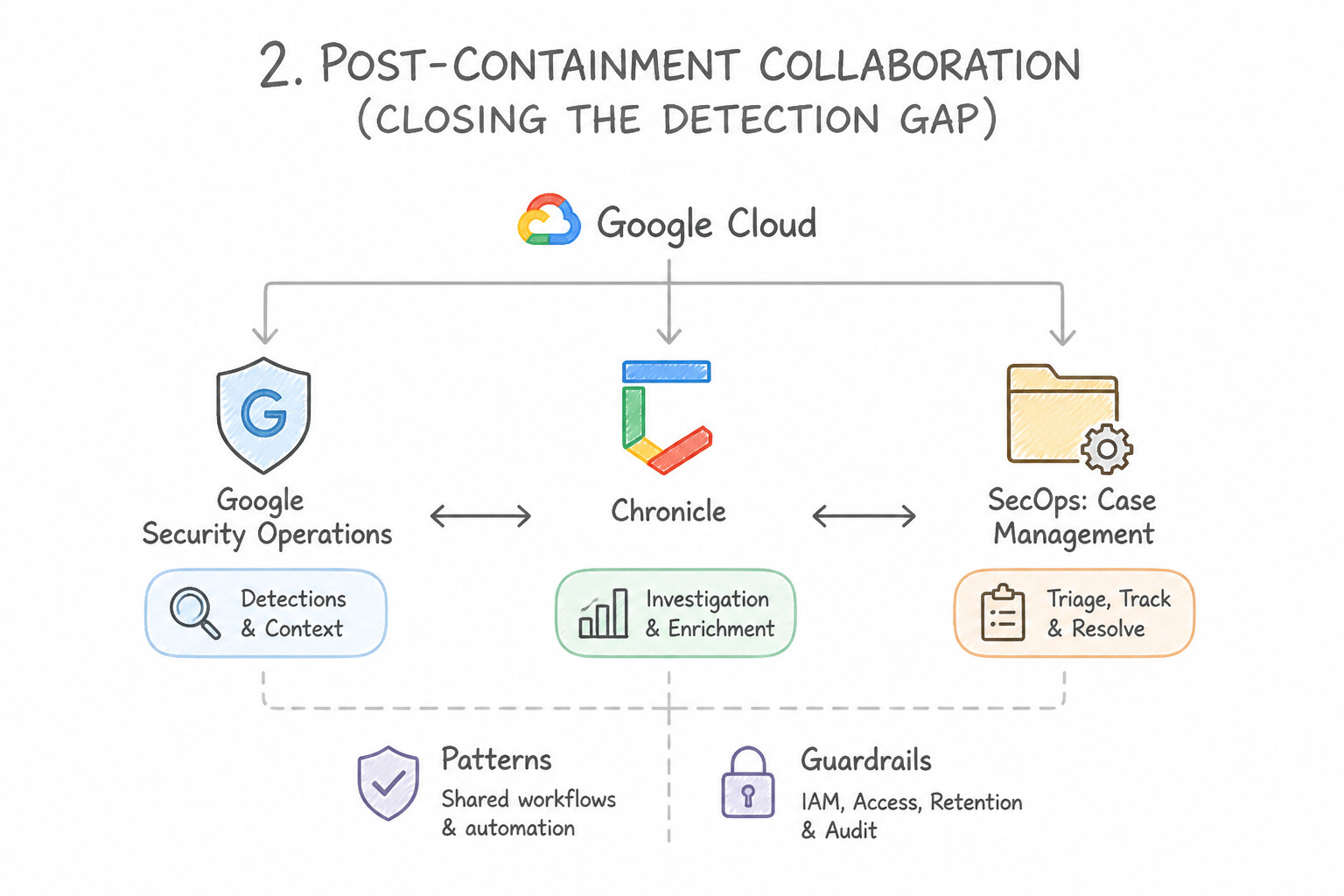
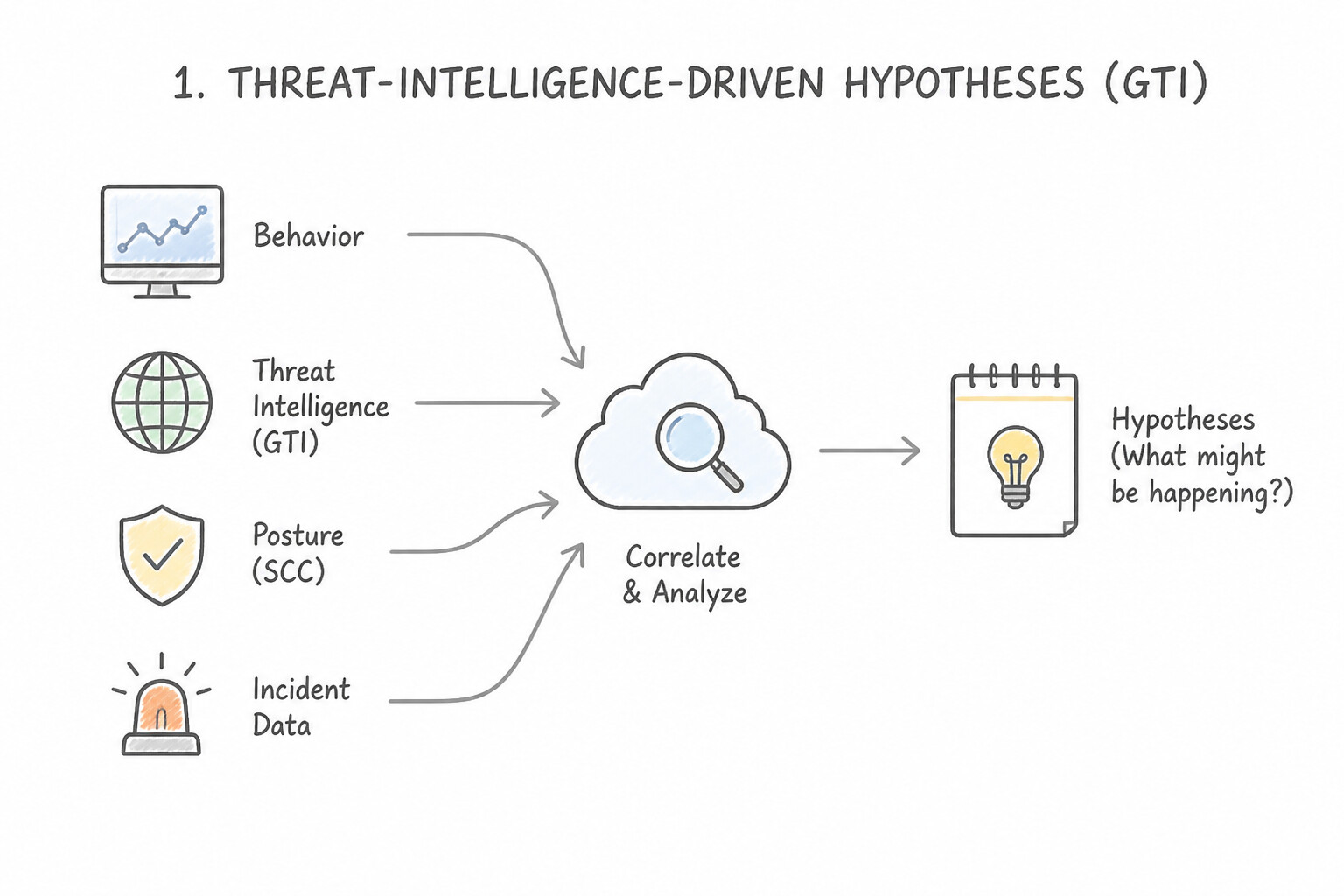
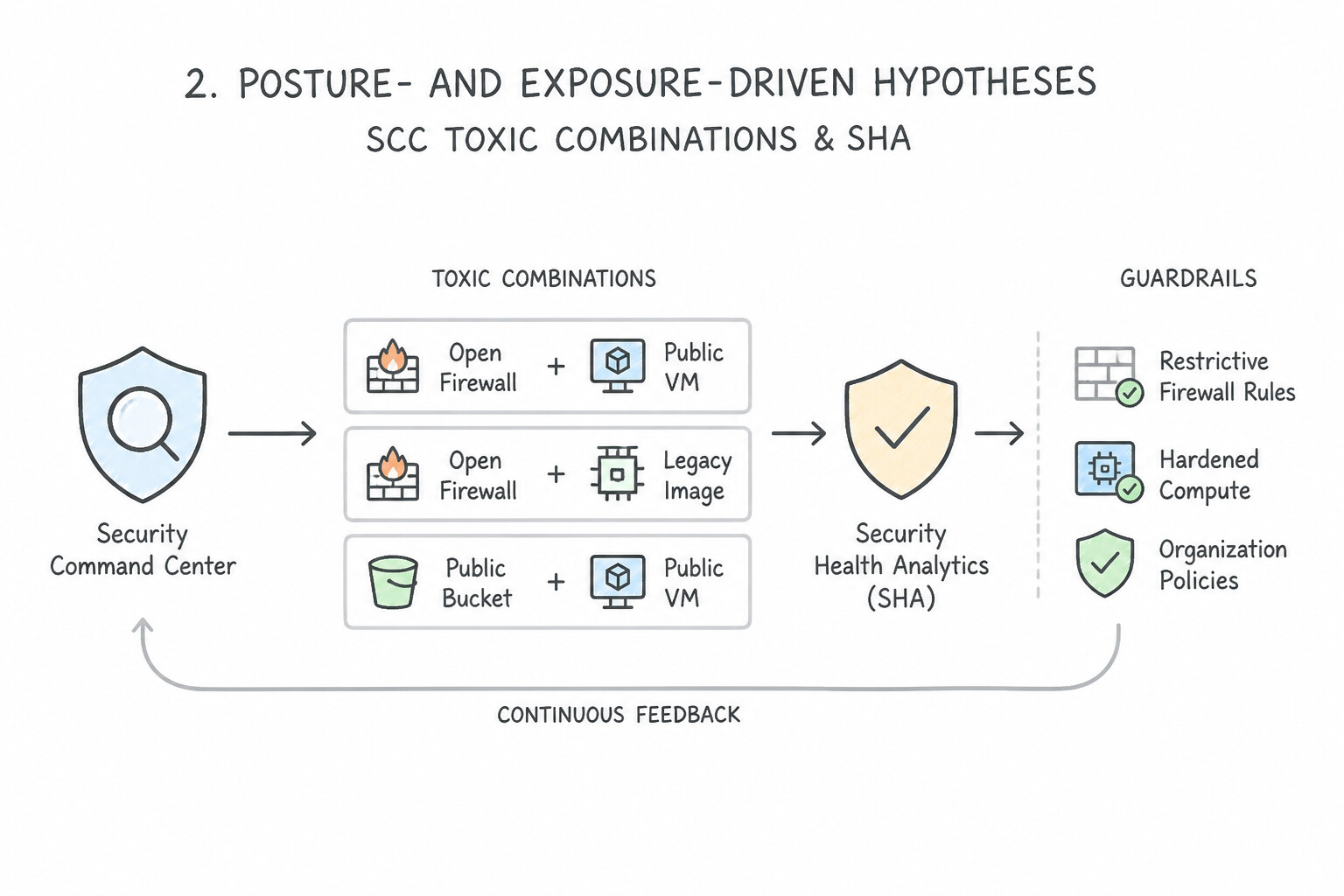
psoe-3.1d-1-structured-escalation.jpg,psoe-3.1d-2-post-containment.jpg) - Consideration 3.1e: Developing hypotheses based on behavior, threat intelligence, posture, and incident data (e.g., SCC, GTI) (Diagrams:
psoe-3.1e-1-threat-intelligence.jpg,psoe-3.1e-2-posture-exposure-driven.jpg) - Quick Decision Cheat Sheet (Subsection 3.1)
- Subsection 3.2: Leveraging Threat Intelligence for Threat Hunting (Section 3: Threat Hunting)
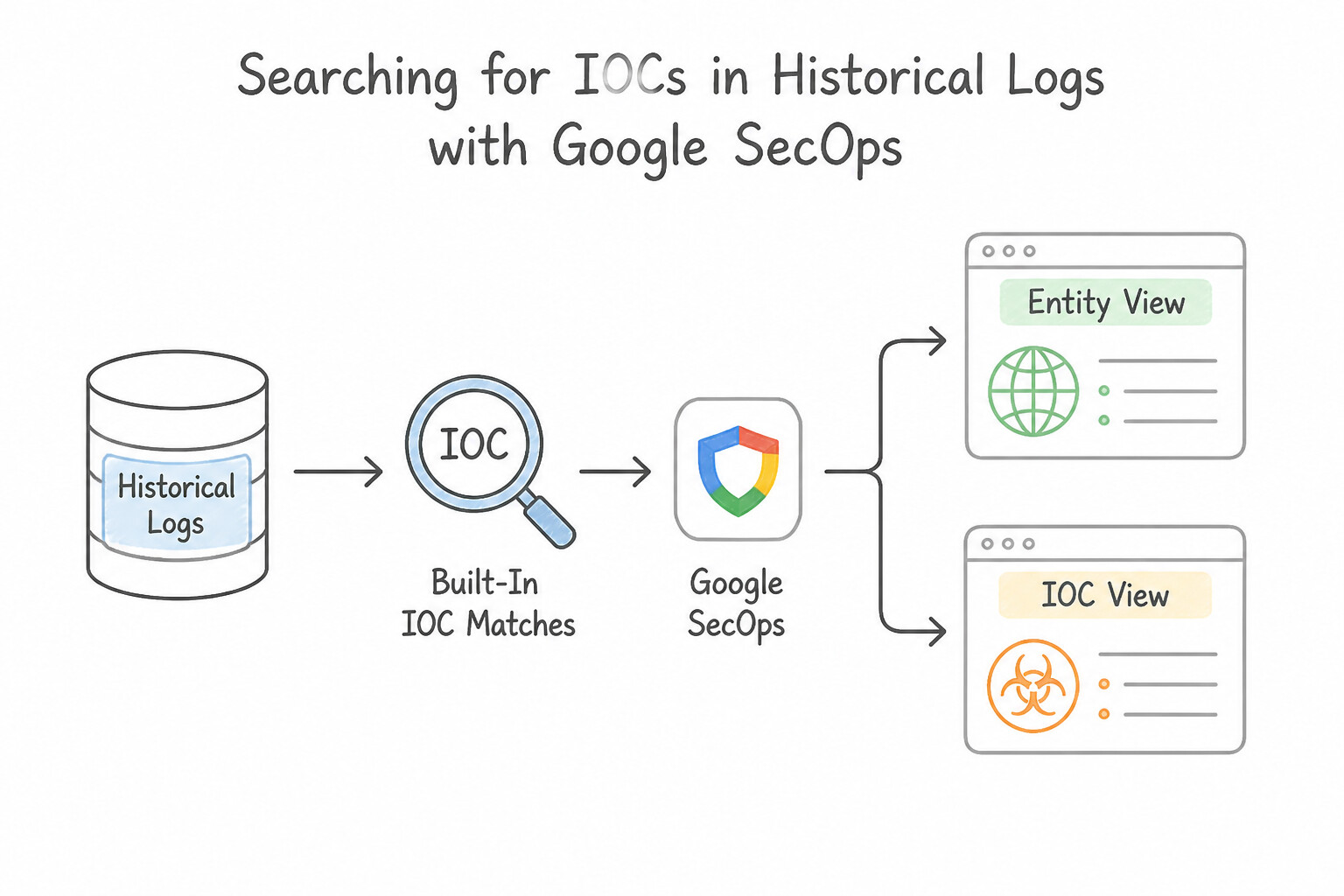
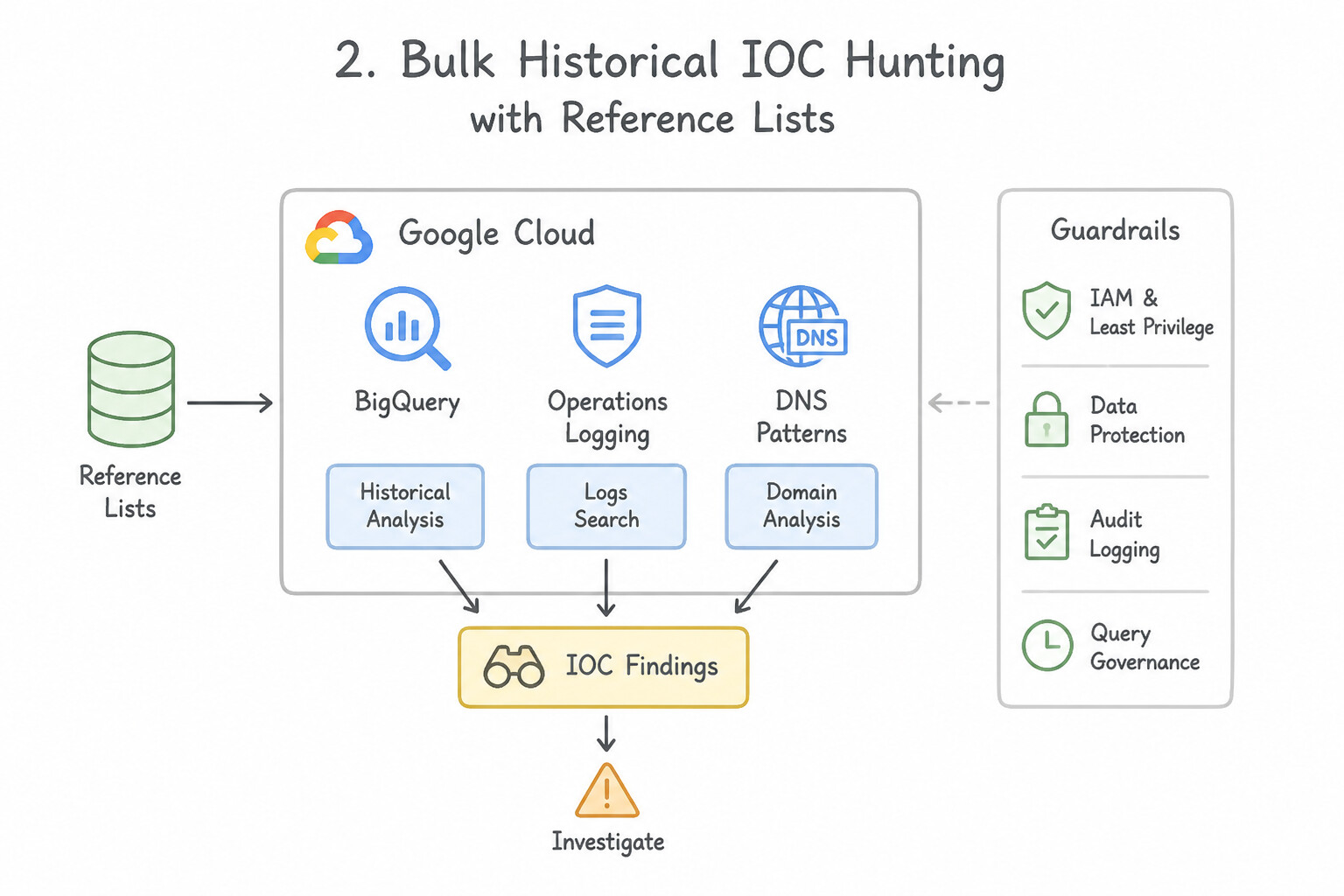
- Consideration 3.2a: Searching for IOCs within historical logs (Diagrams:
psoe-3.2a-1-built-in-ioc-matches.jpg,psoe-3.2a-2-bulk-historical-ioc.jpg) - Consideration 3.2b: Identifying new attack patterns and techniques in real time using threat intelligence and risk assessments (e.g., GTI, detection rules, SCC toxic combinations) (Diagrams:
psoe-3.2b-1-scc-toxic-combinations.jpg,psoe-3.2b-2-gti-real-time-campaign.jpg) - Consideration 3.2c: Analyzing entity risk scores to identify anomalous behavior (Diagrams:
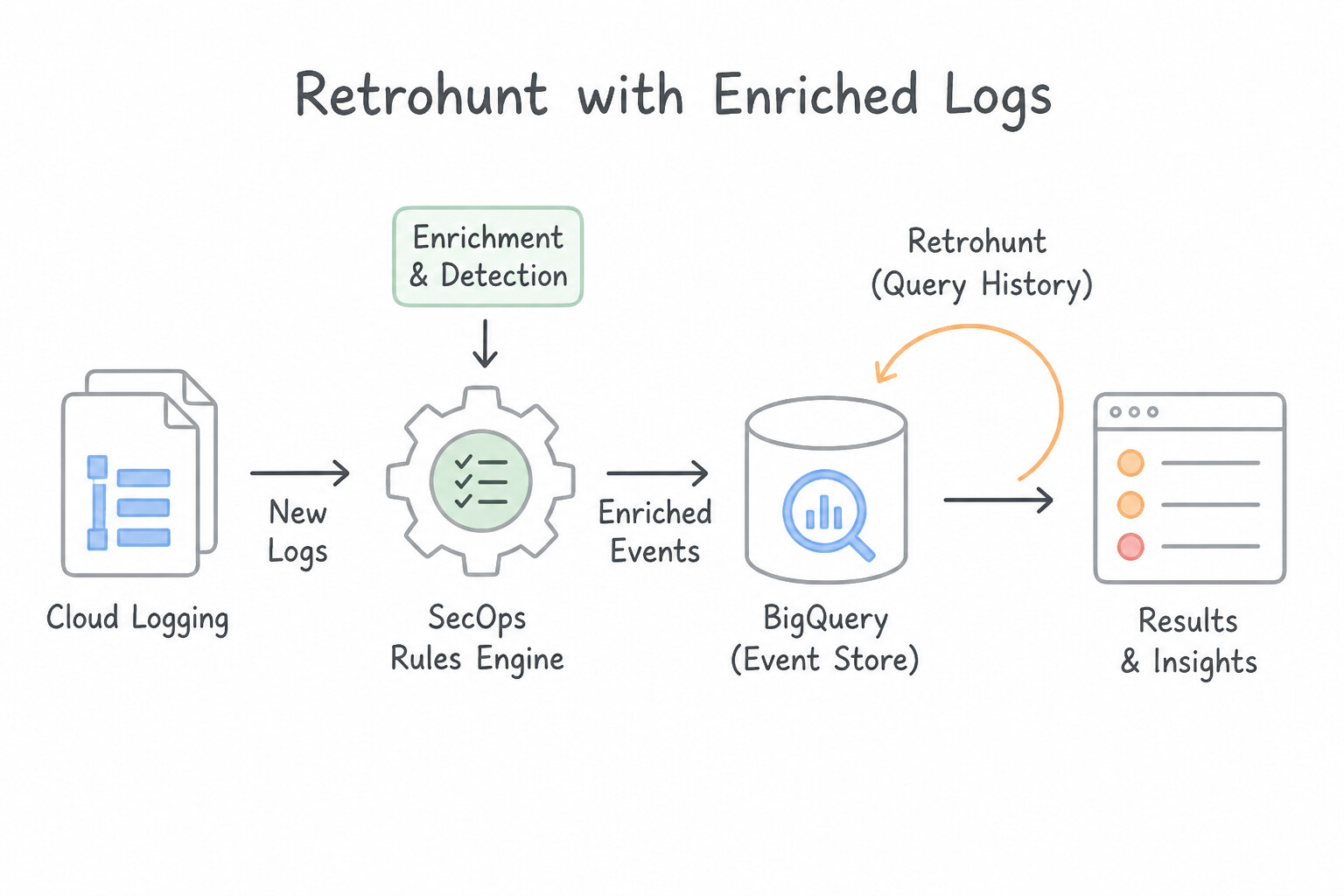
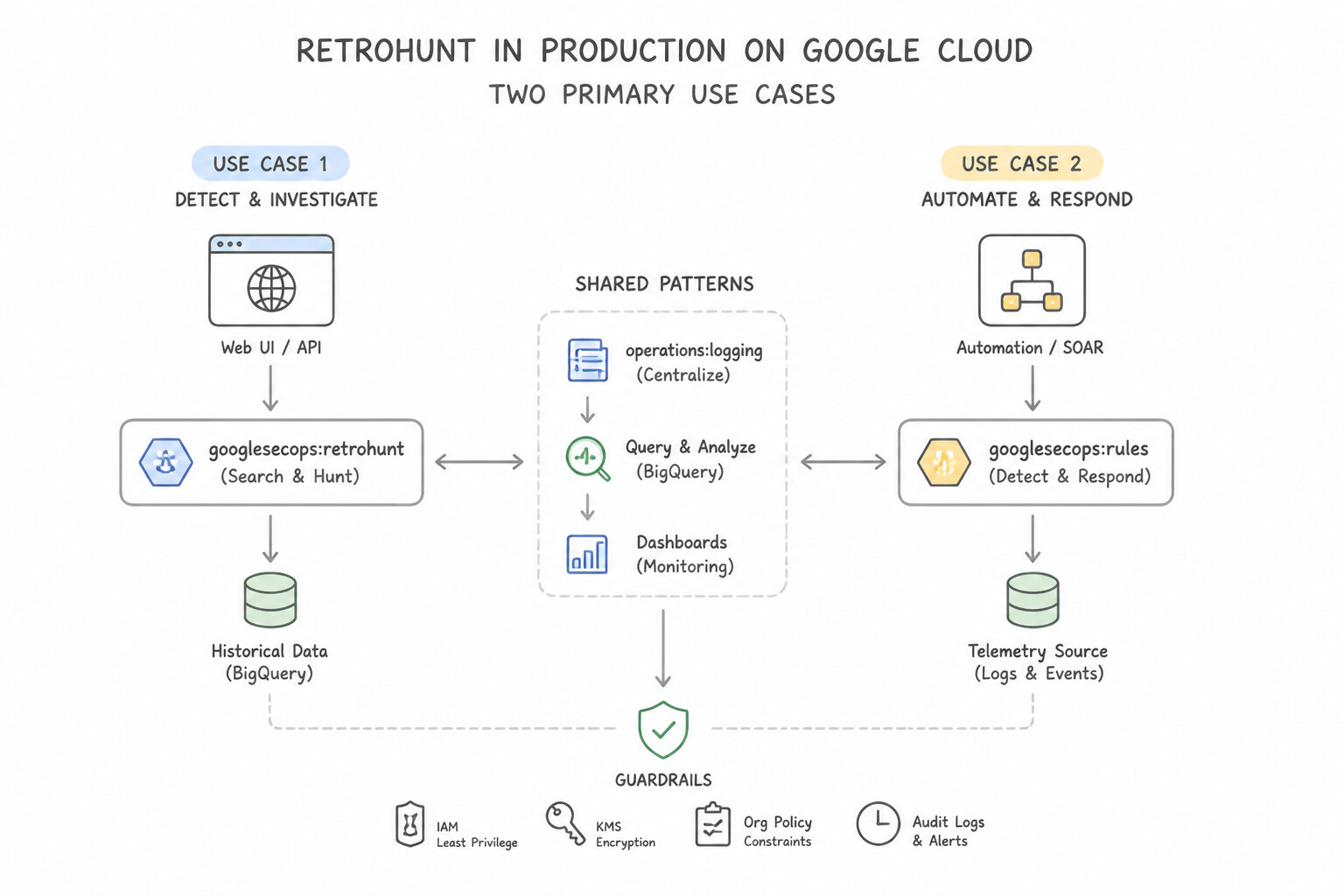
psoe-3.2c-1-secops-risk-analytics.jpg,psoe-3.2c-2-risk-analytics-dashboard.jpg) - Consideration 3.2d: Comparing and performing retrohunt of historical event data with newly enriched logs (e.g., Google SecOps rules engine, BigQuery, Cloud Logging) (Diagrams:
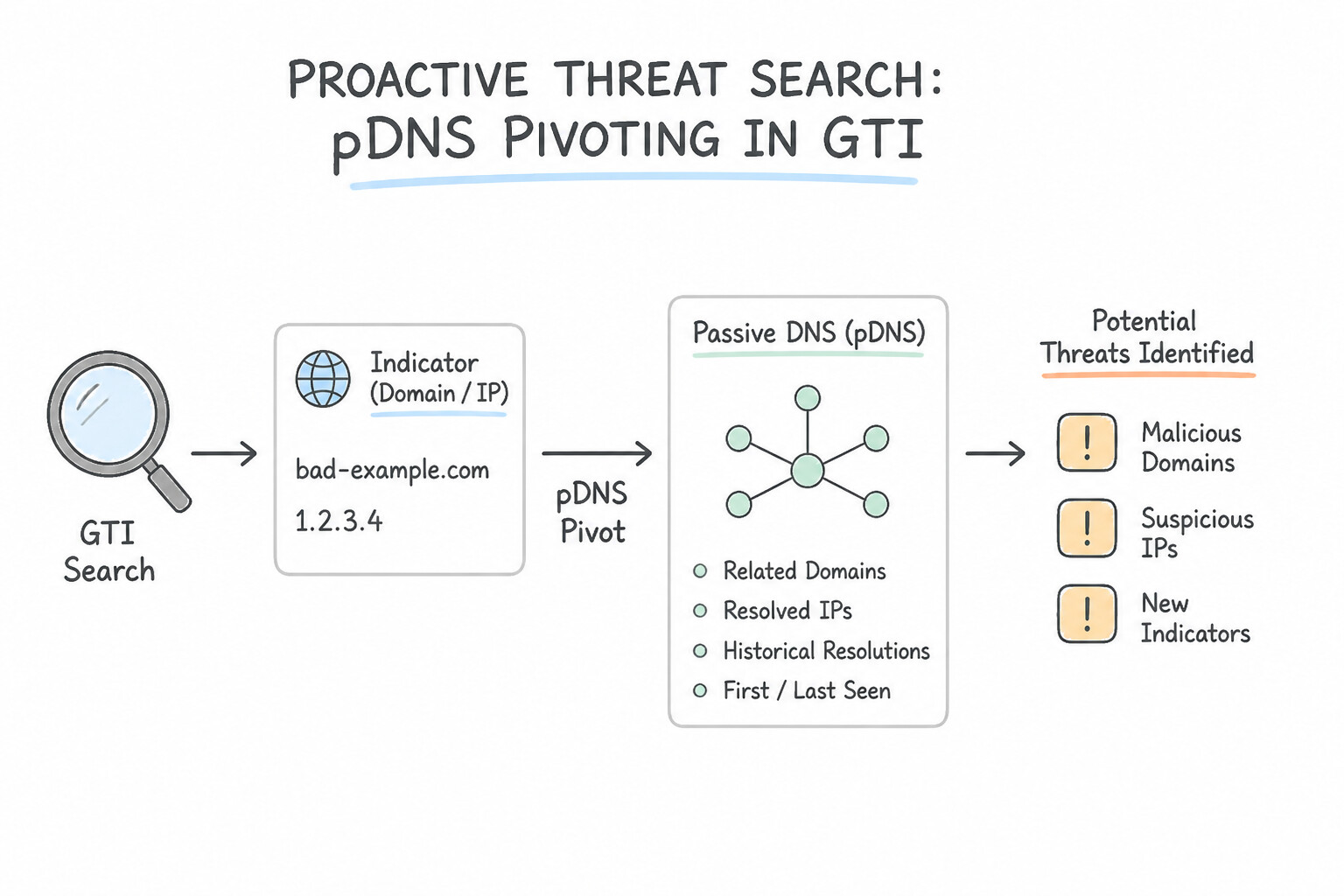
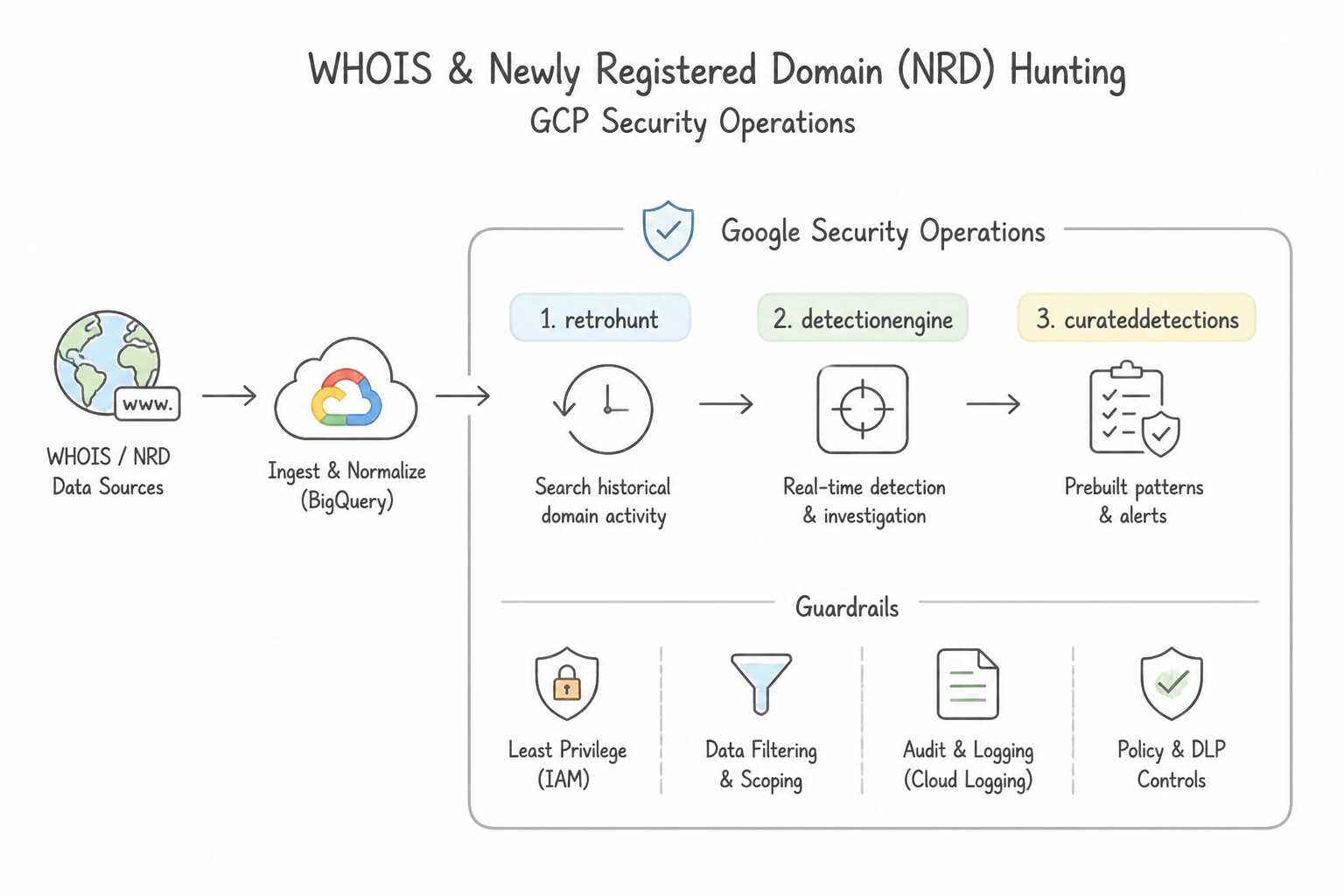
psoe-3.2d-1-secops-retrohunt.jpg,psoe-3.2d-2-primary-use-cases.jpg) - Consideration 3.2e: Searching proactively for underlying threats using threat intelligence (e.g., GTI, detection rules) (Diagrams:
psoe-3.2e-1-passive-dns-pdns.jpg,psoe-3.2e-2-whois-newly-registered.jpg) - Quick Decision Cheat Sheet (Subsection 3.2)
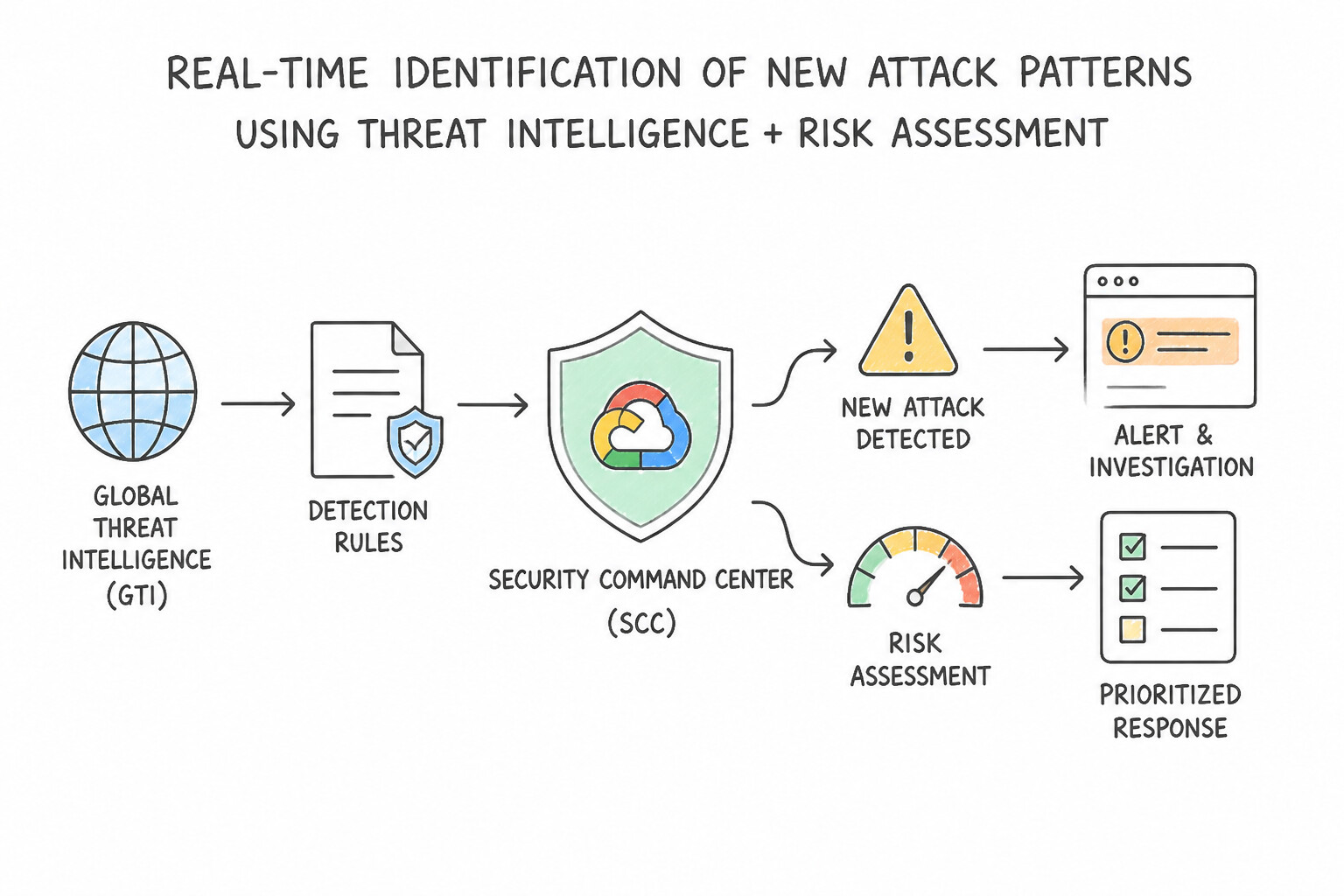
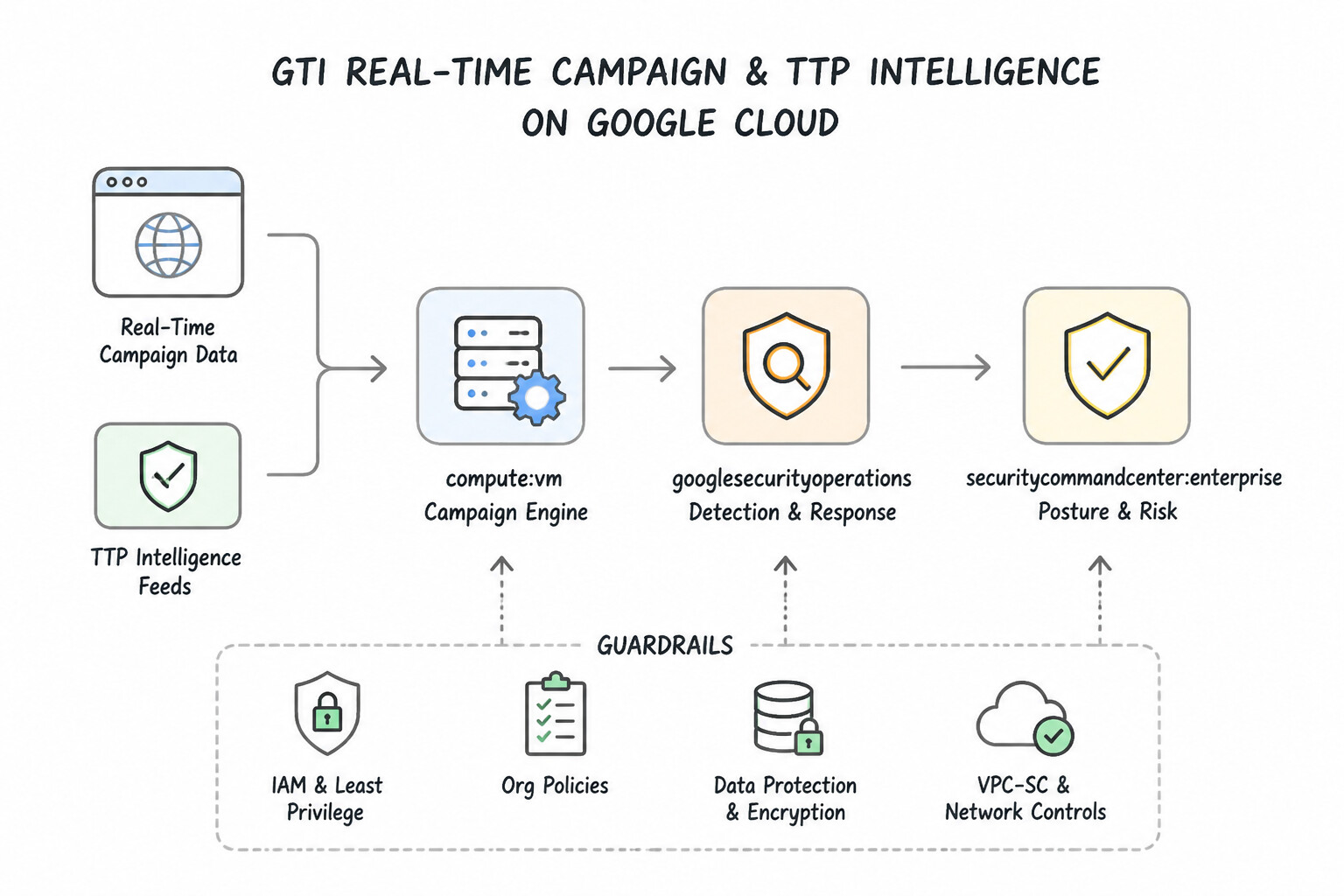
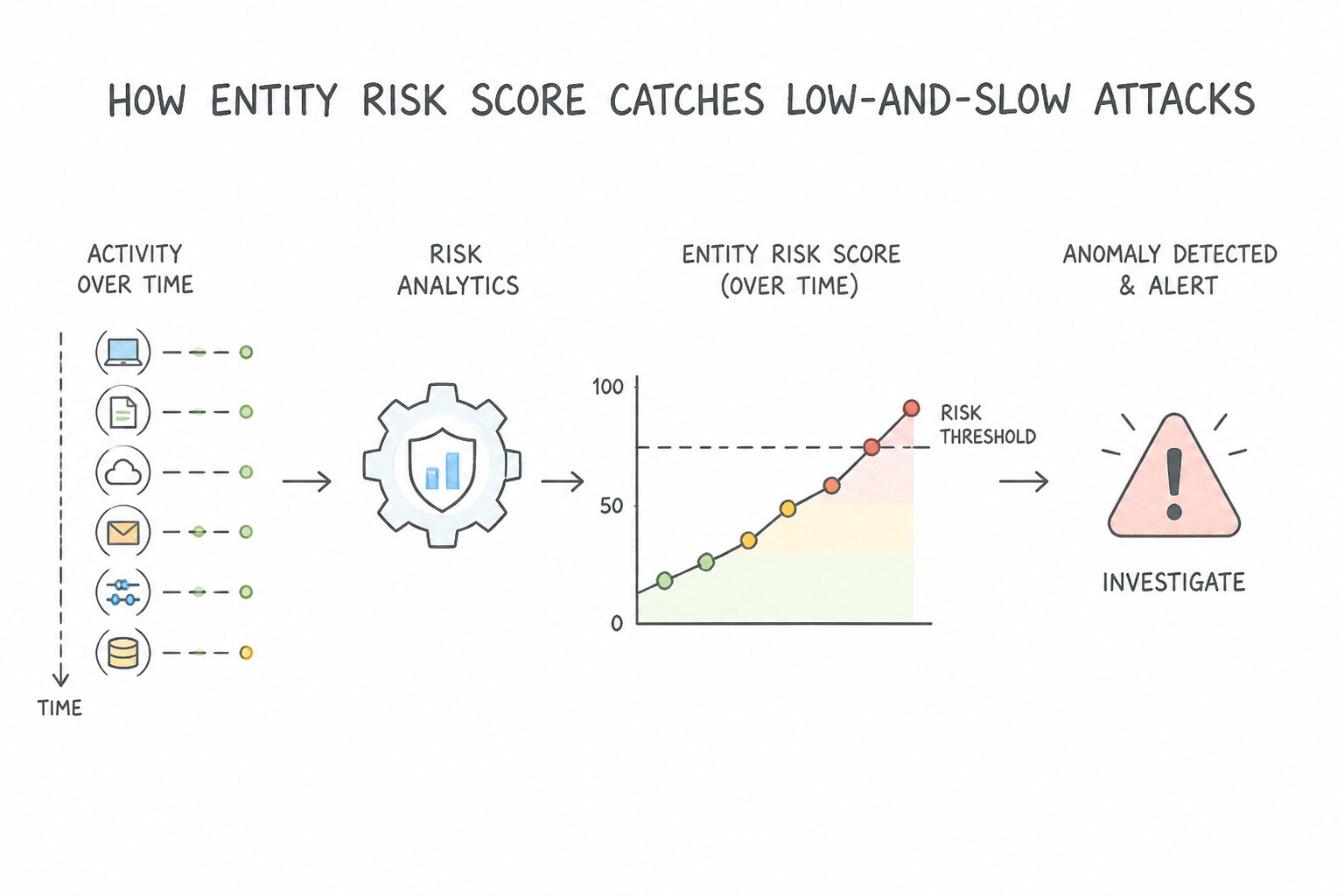
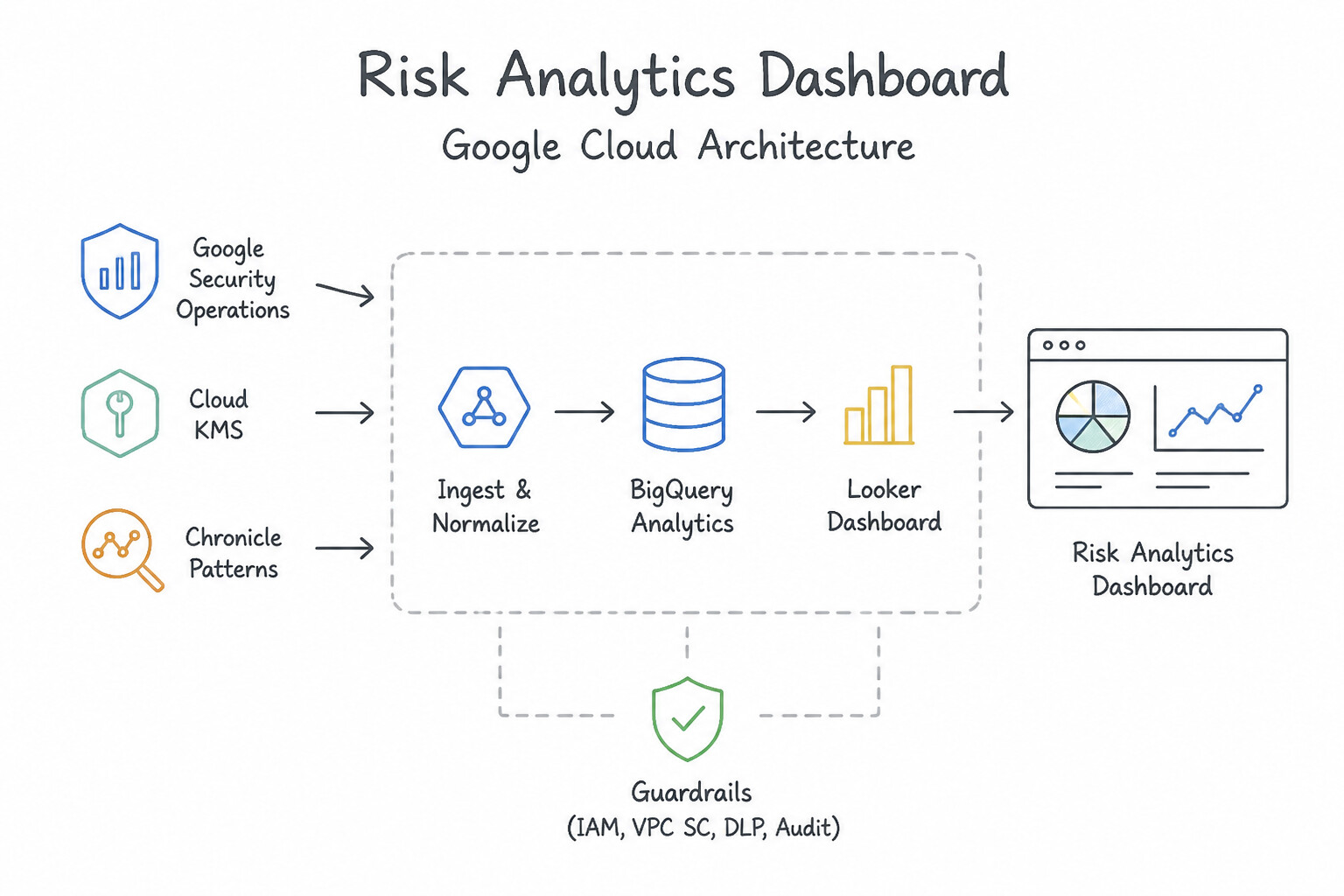
Chapter 4: Detection Engineering: Multi-Event YARA-L 2.0 Rules, Risk Analytics, ETD & False-Positive Tuning
- Subsection 4.1: Developing and Implementing Mechanisms to Detect Risks and Identify Threats (Section 4: Detection Engineering)
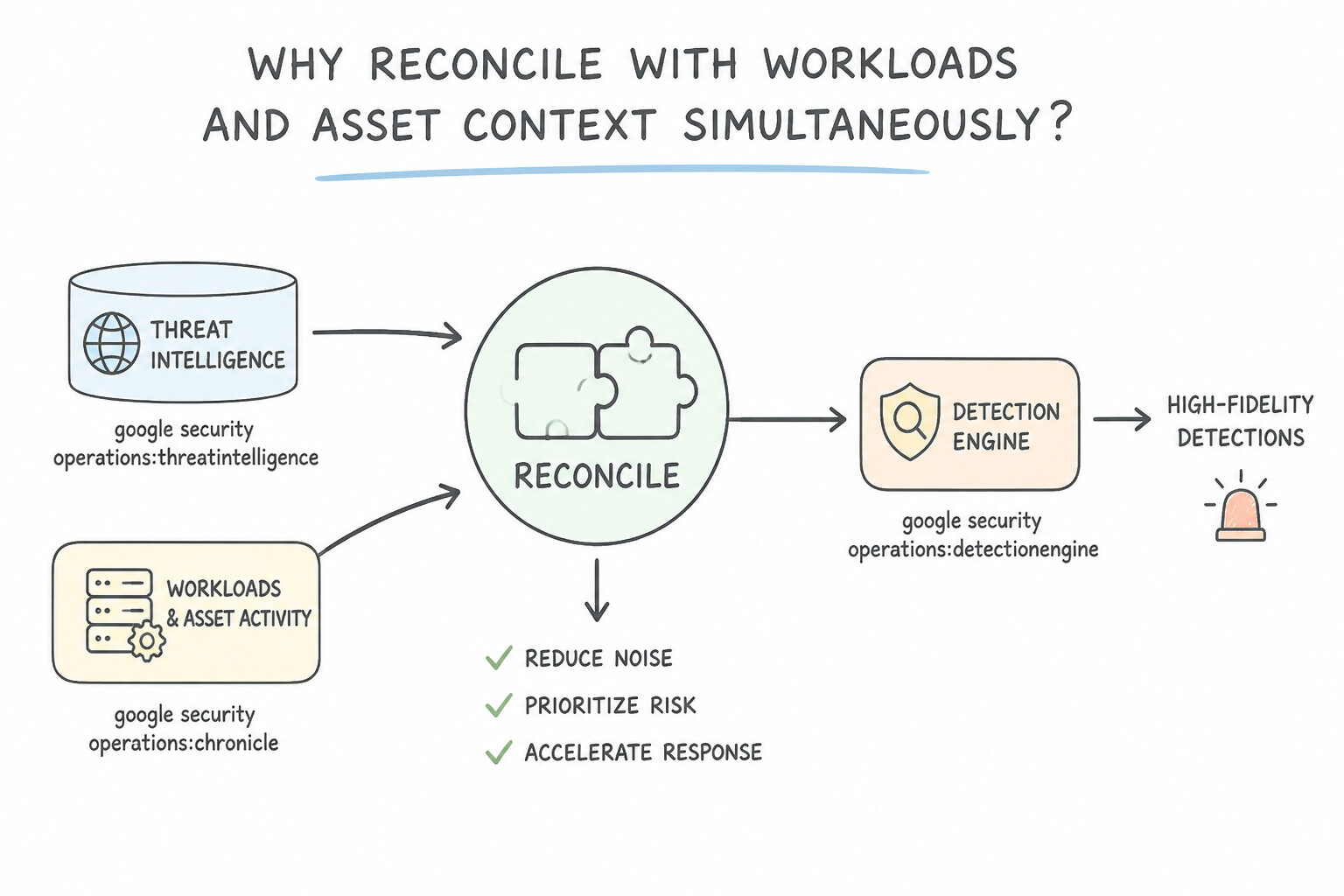
- Consideration 4.1a: Reconciling threat intelligence with user and asset activity (Diagrams:
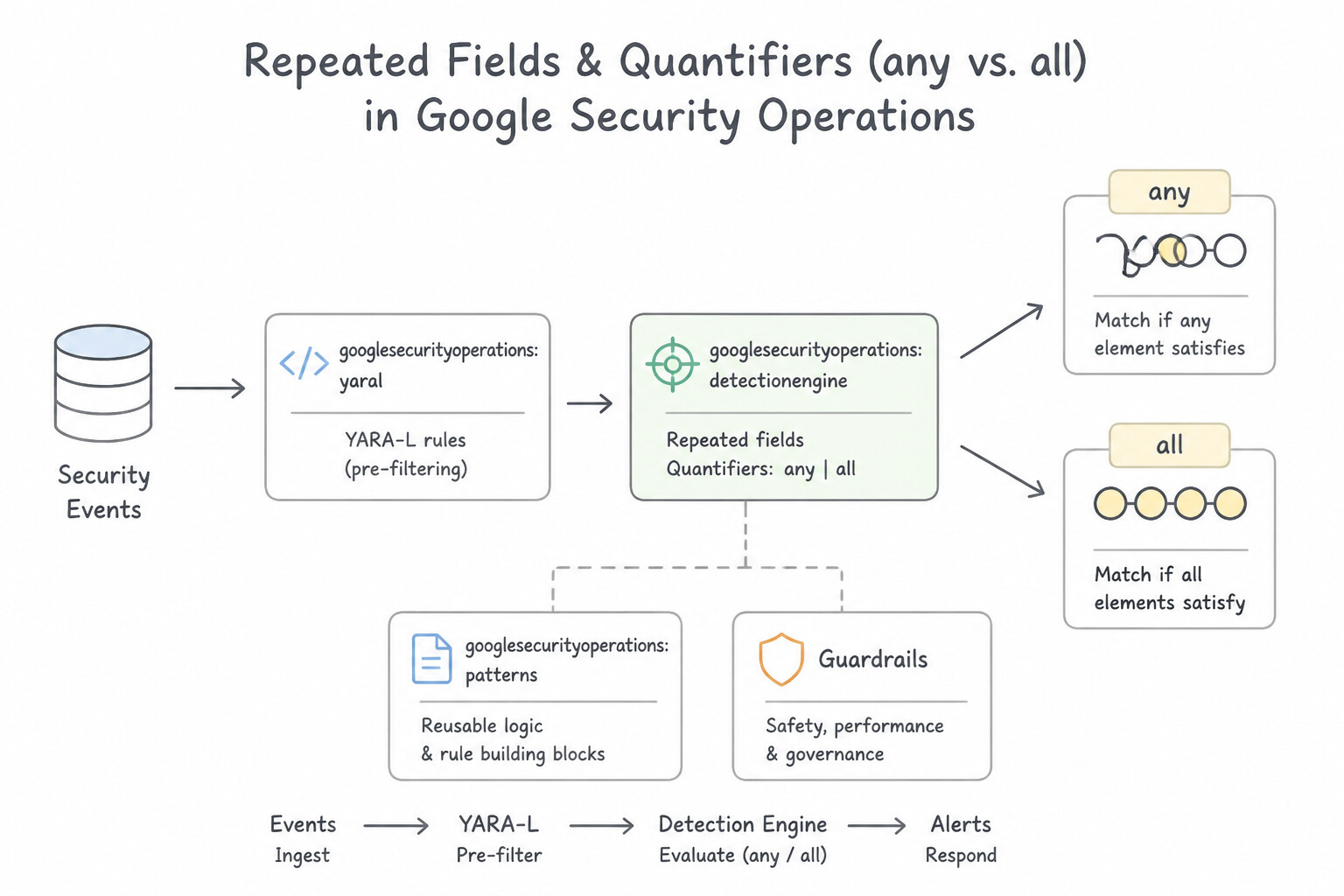
psoe-4.1a-1-reconcile-user-asset.jpg,psoe-4.1a-2-security-operations.jpg) - Consideration 4.1b: Analyzing logs and events to identify anomalous activity (Diagrams:
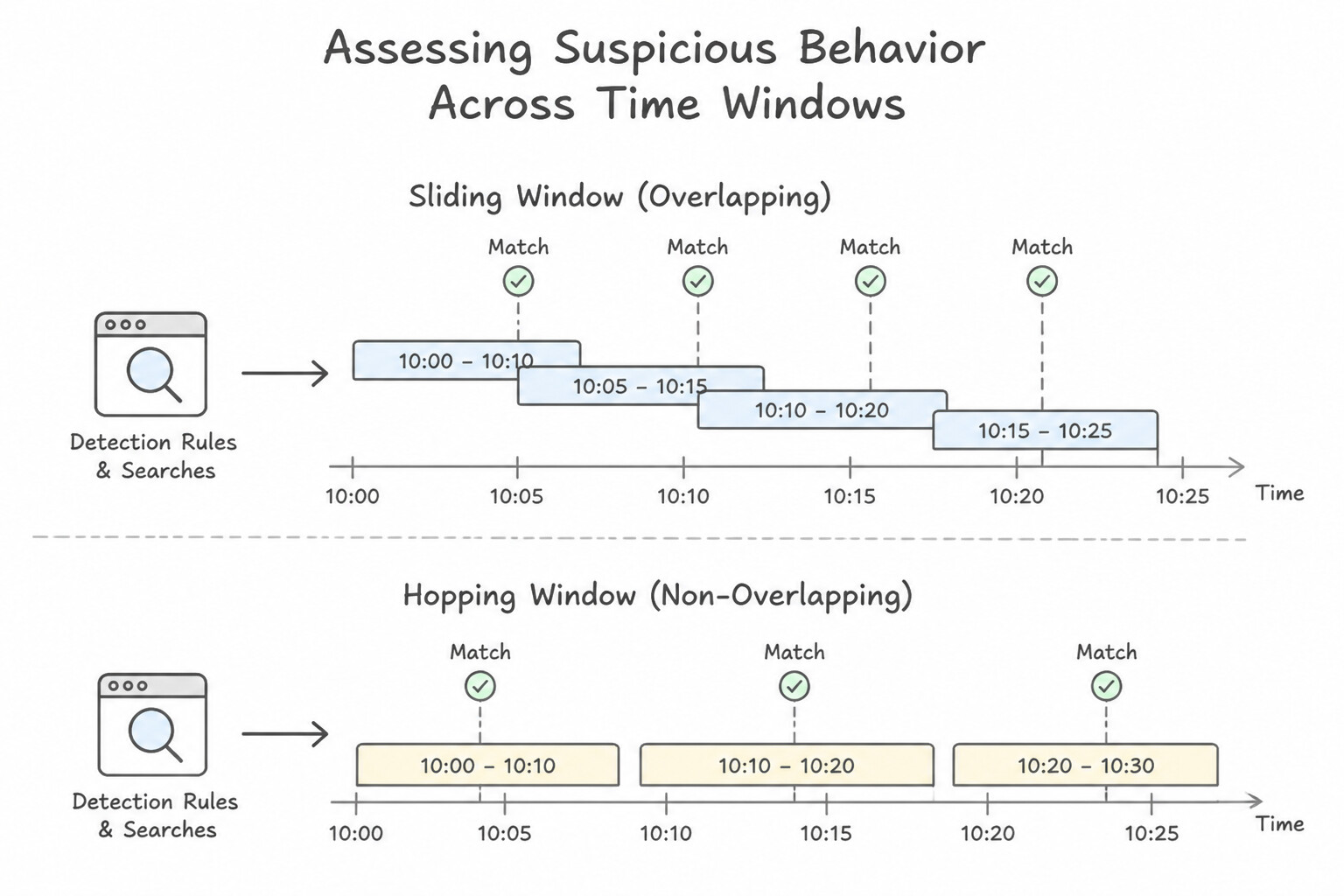
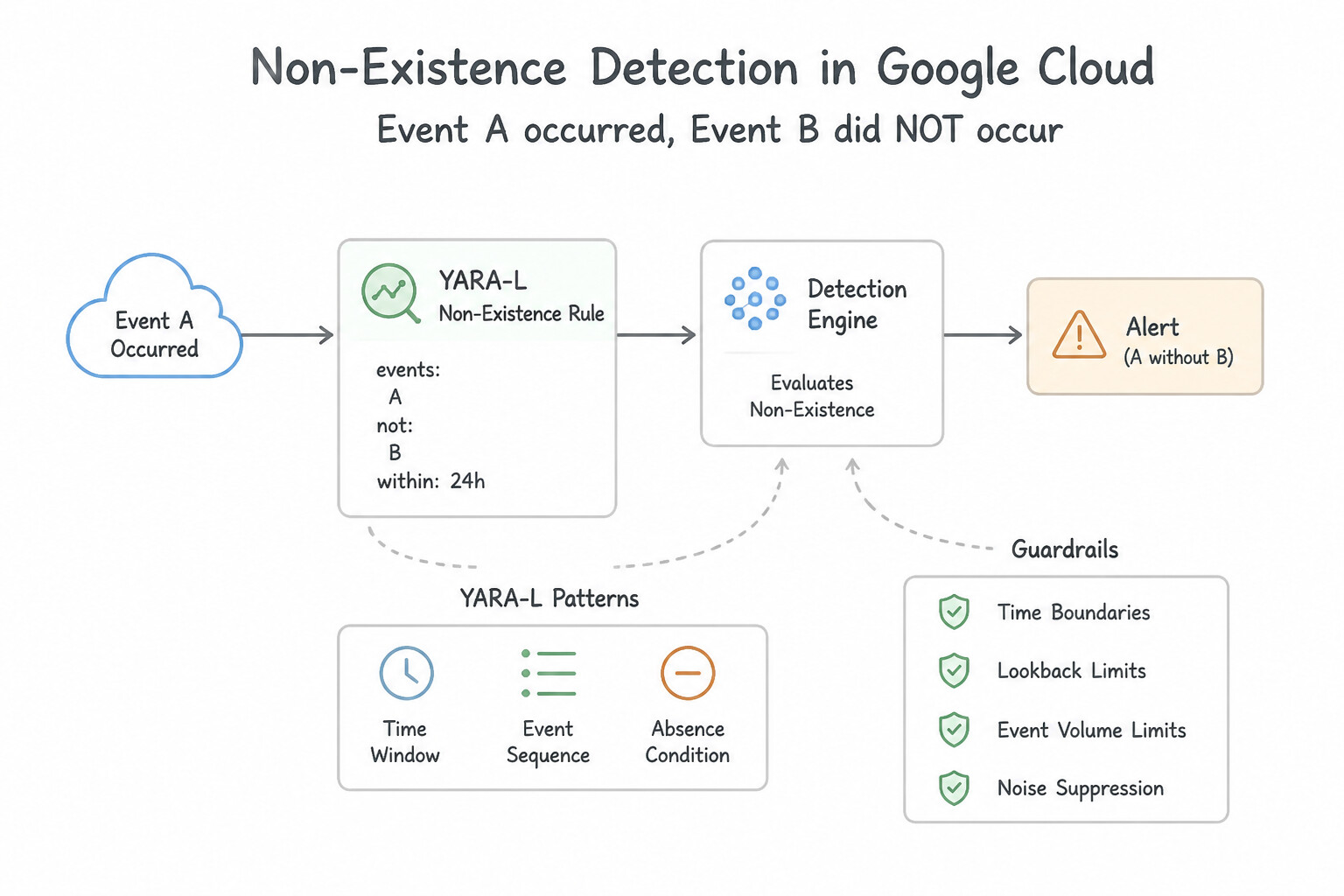
psoe-4.1b-1-yara-sections-order.jpg,psoe-4.1b-2-repeated-fields.jpg) - Consideration 4.1c: Assessing suspicious behavior patterns using detection rules and searches across various timelines (Diagrams:
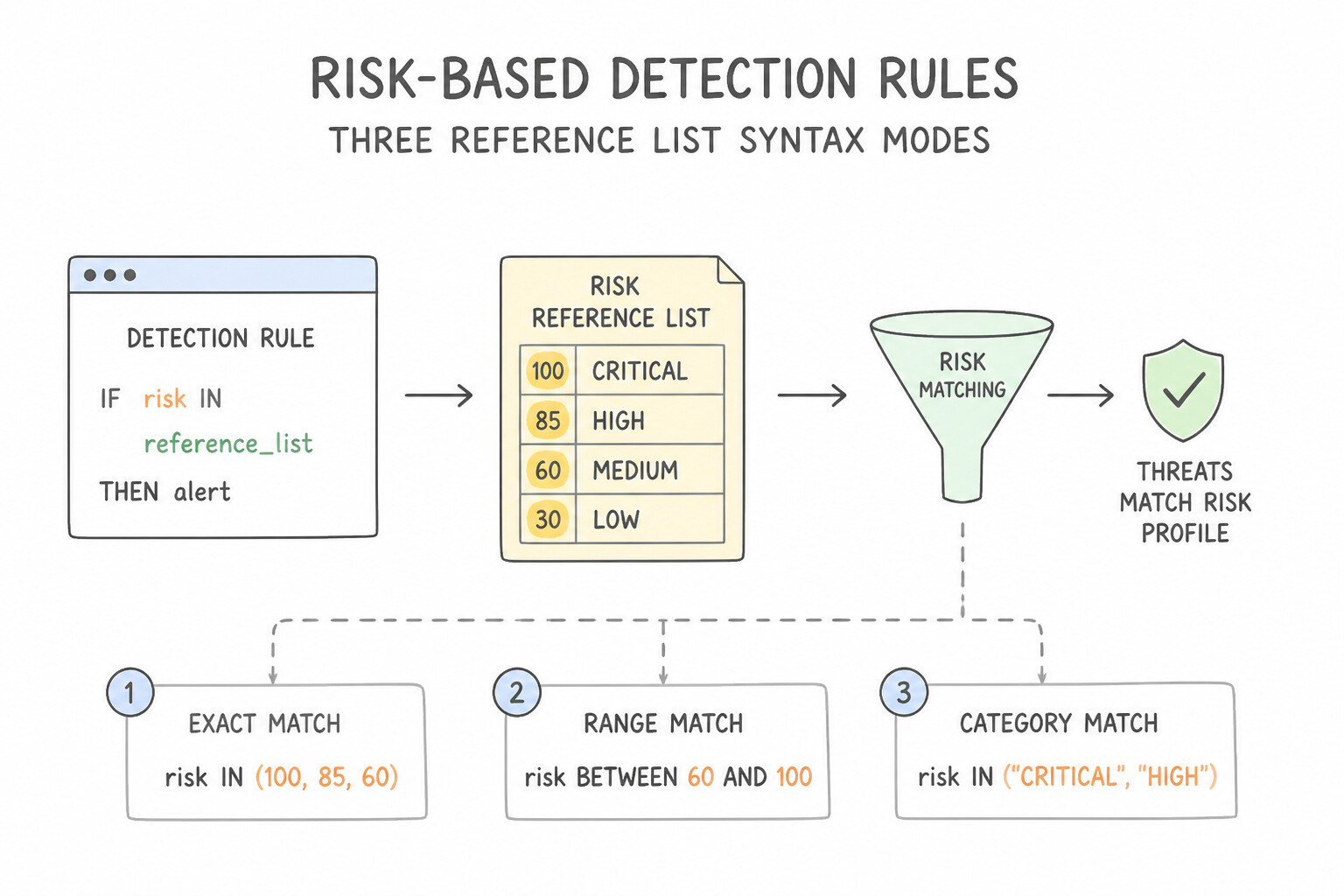
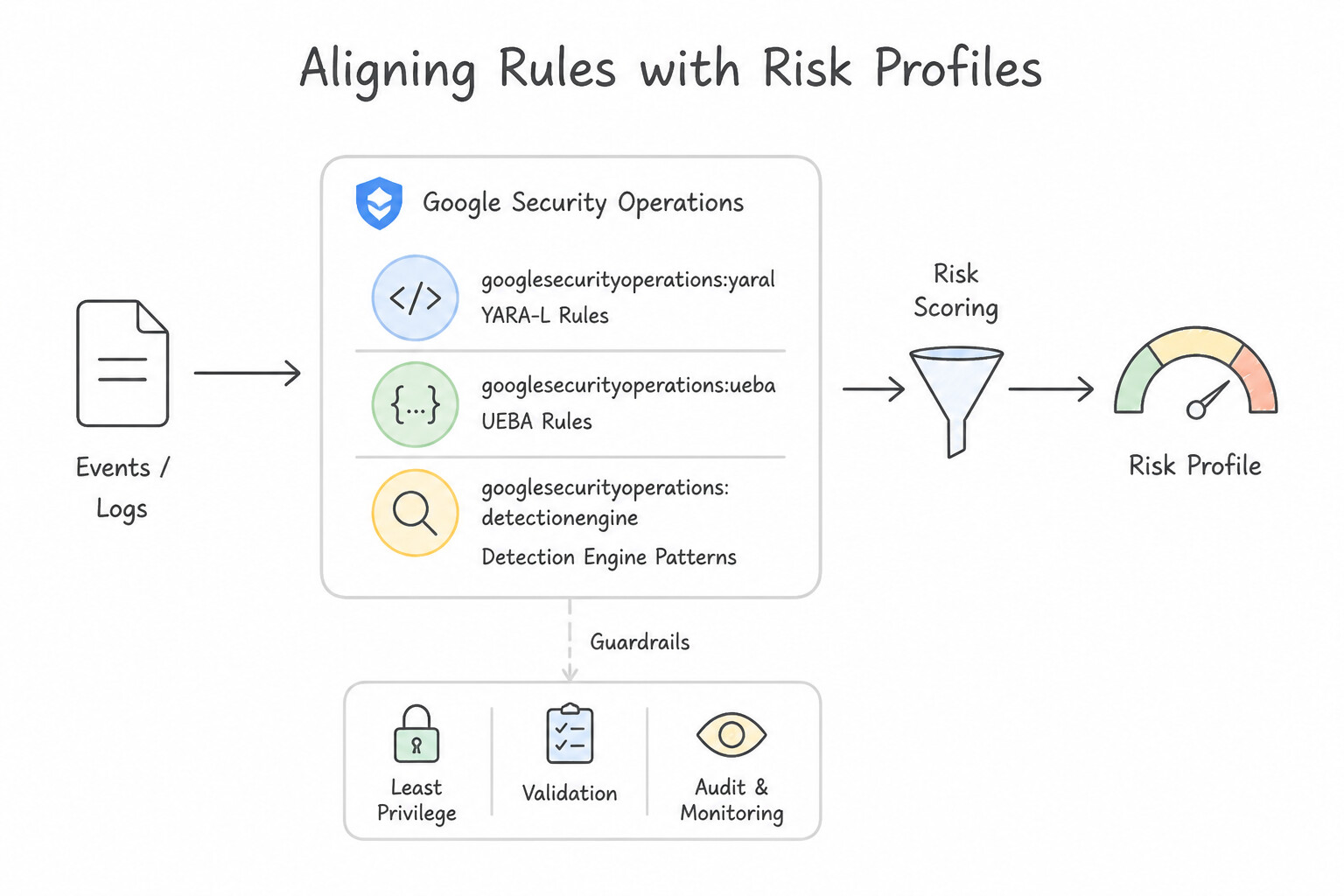
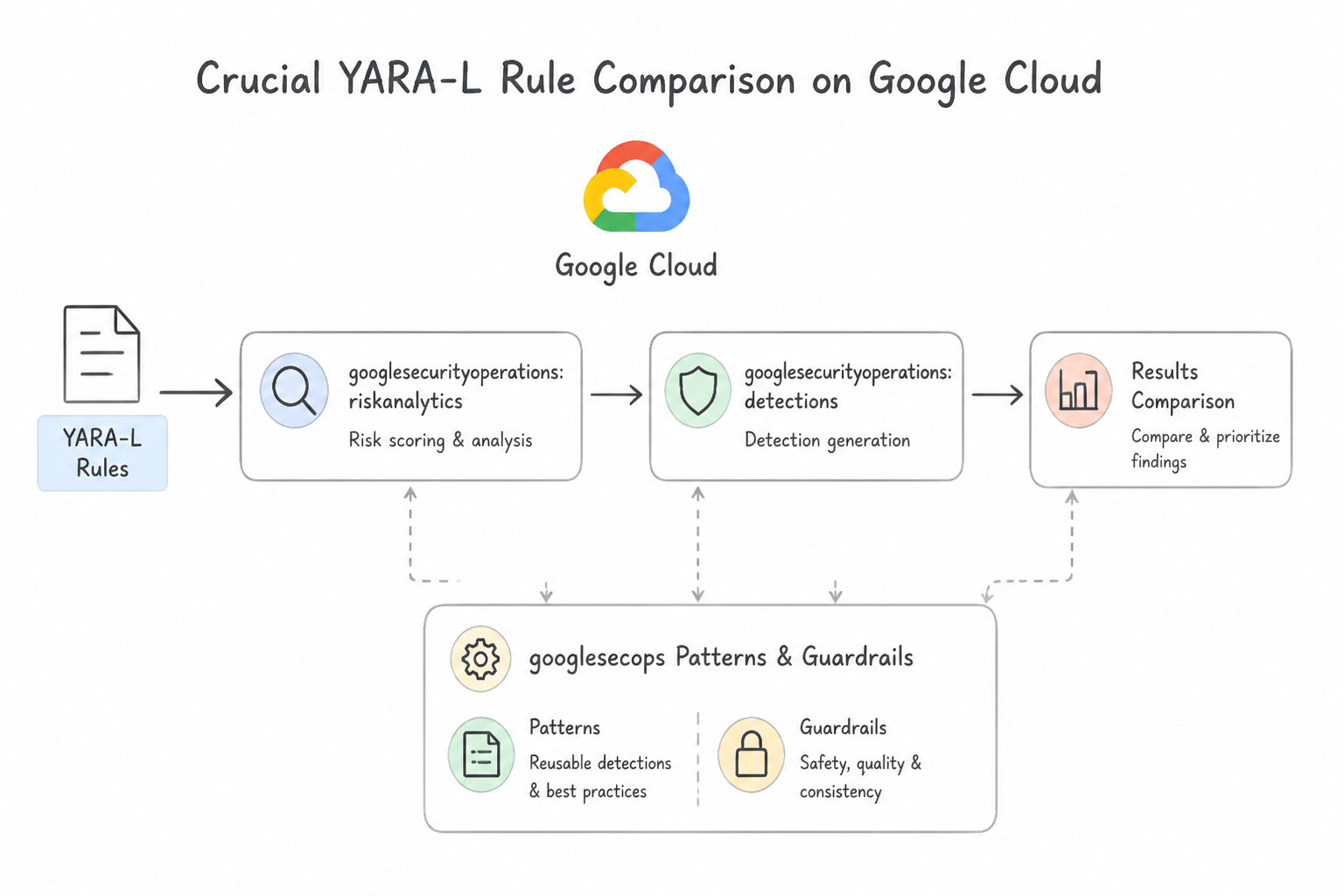
psoe-4.1c-1-sliding-vs-hopping-time.jpg,psoe-4.1c-2-non-existence-event.jpg) - Consideration 4.1d: Designing detection rules that use risk values to identify threats matching risk profiles (Diagrams:
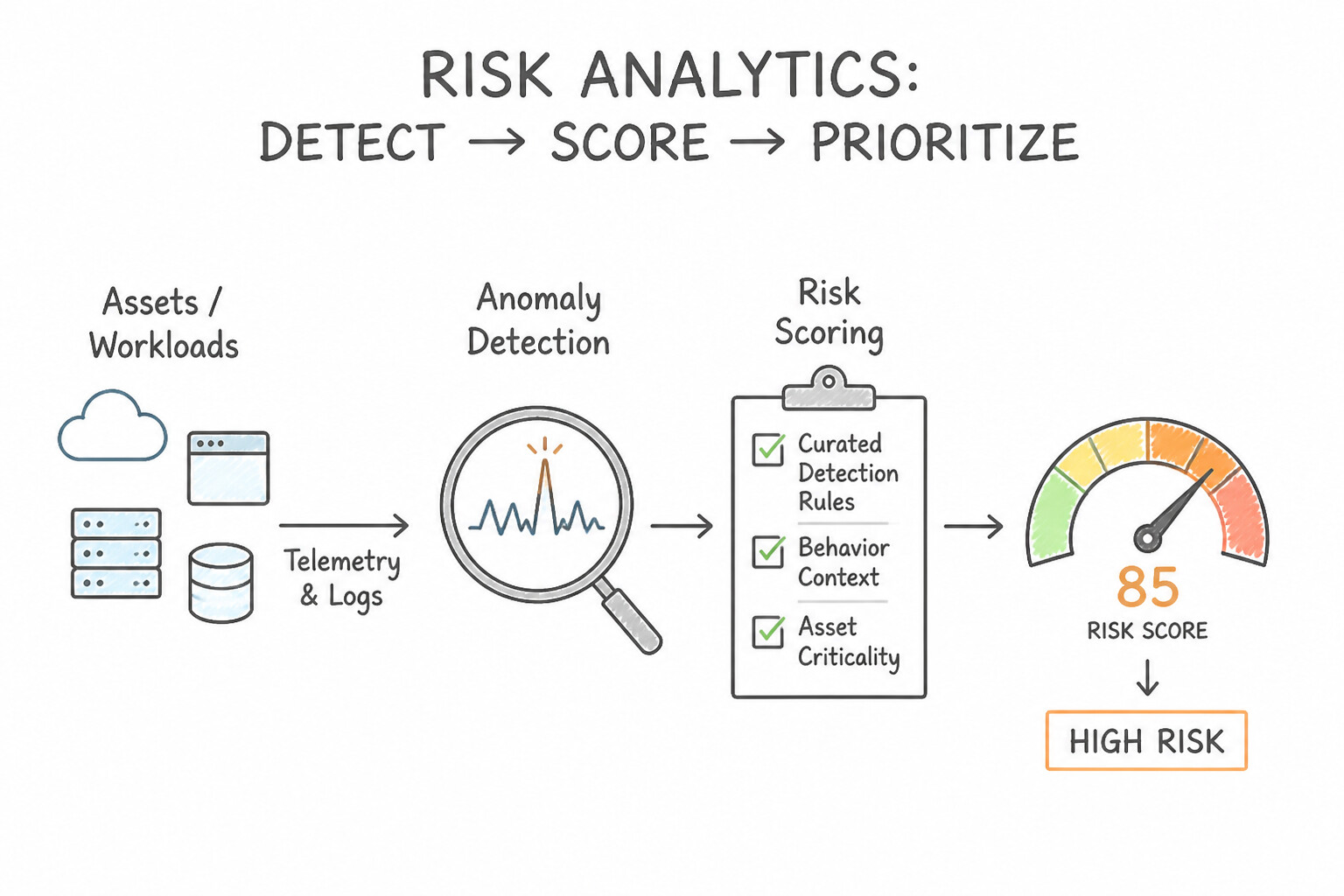
psoe-4.1d-1-reference-list-syntax.jpg,psoe-4.1d-2-aligning-risk-profiles.jpg) - Consideration 4.1e: Discovering anomalous behavior of assets or users and assigning risk values to detections (e.g., Google SecOps Risk Analytics, curated detection rules) (Diagrams:
psoe-4.1e-1-assigning-dynamic-risk.jpg,psoe-4.1e-2-yara-security-operations.jpg) - Consideration 4.1f: Designing detection rules to discover posture or risk profile changes within the environment (e.g., SCC SHA, SCC posture management, Google SecOps) (Diagrams:
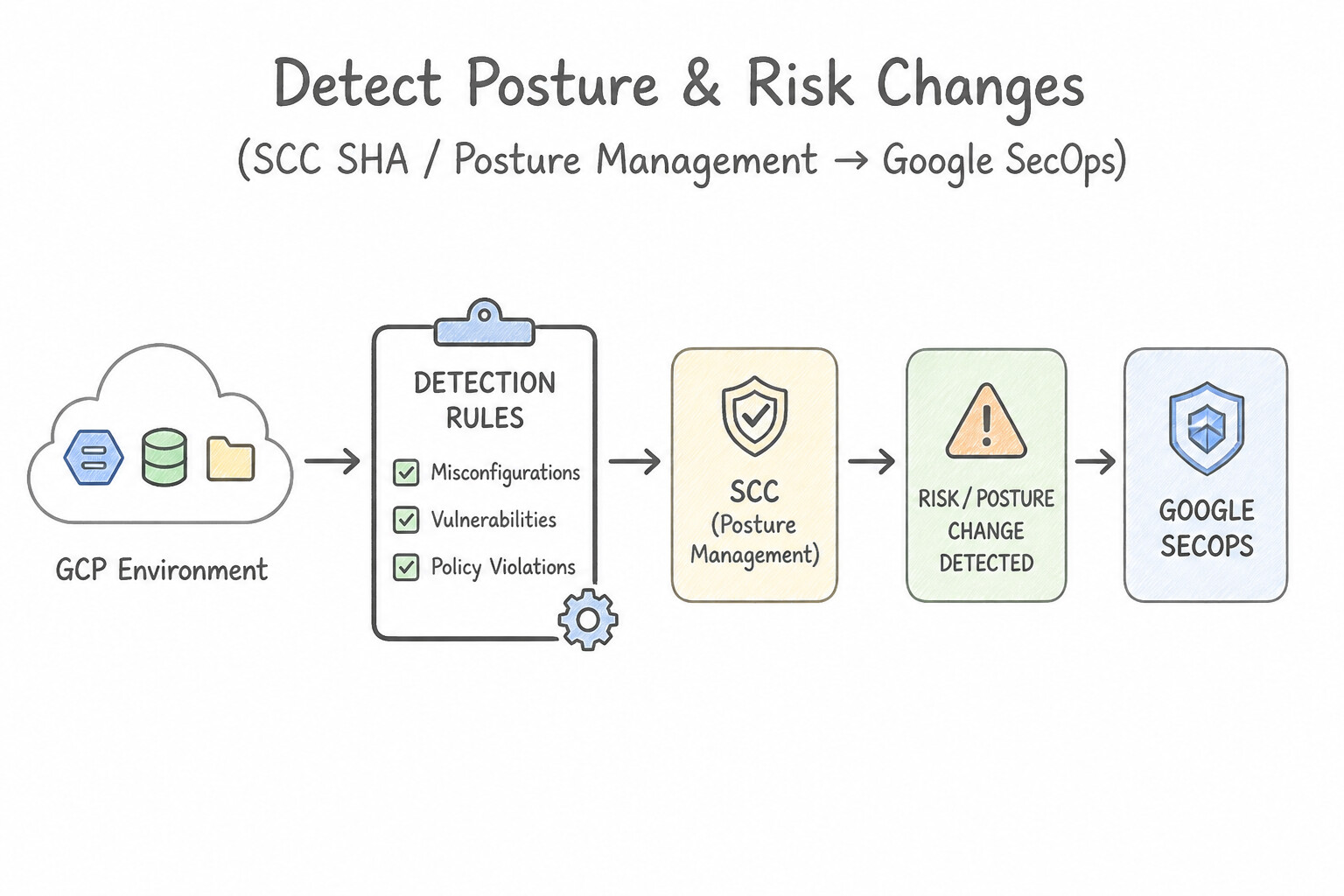
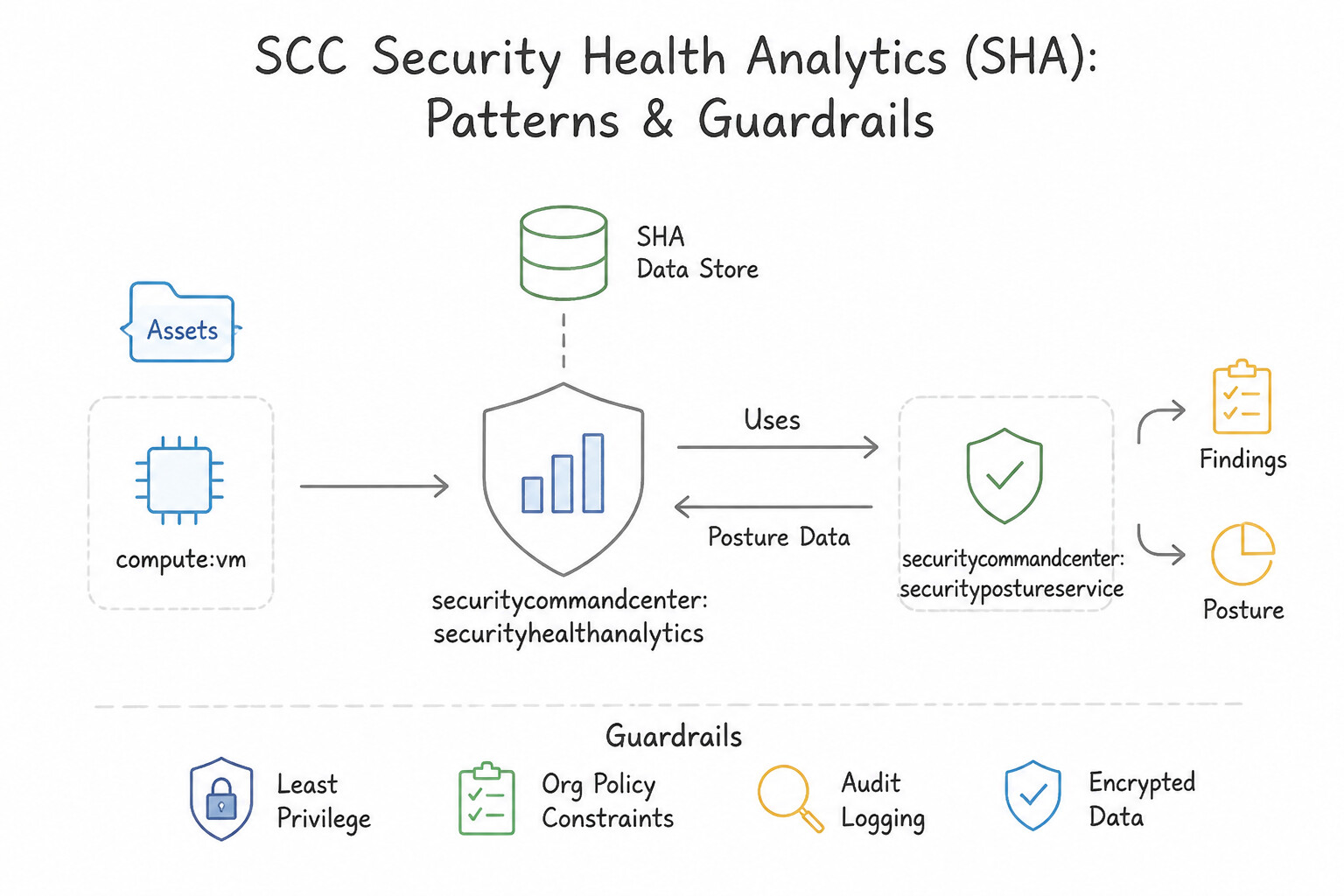
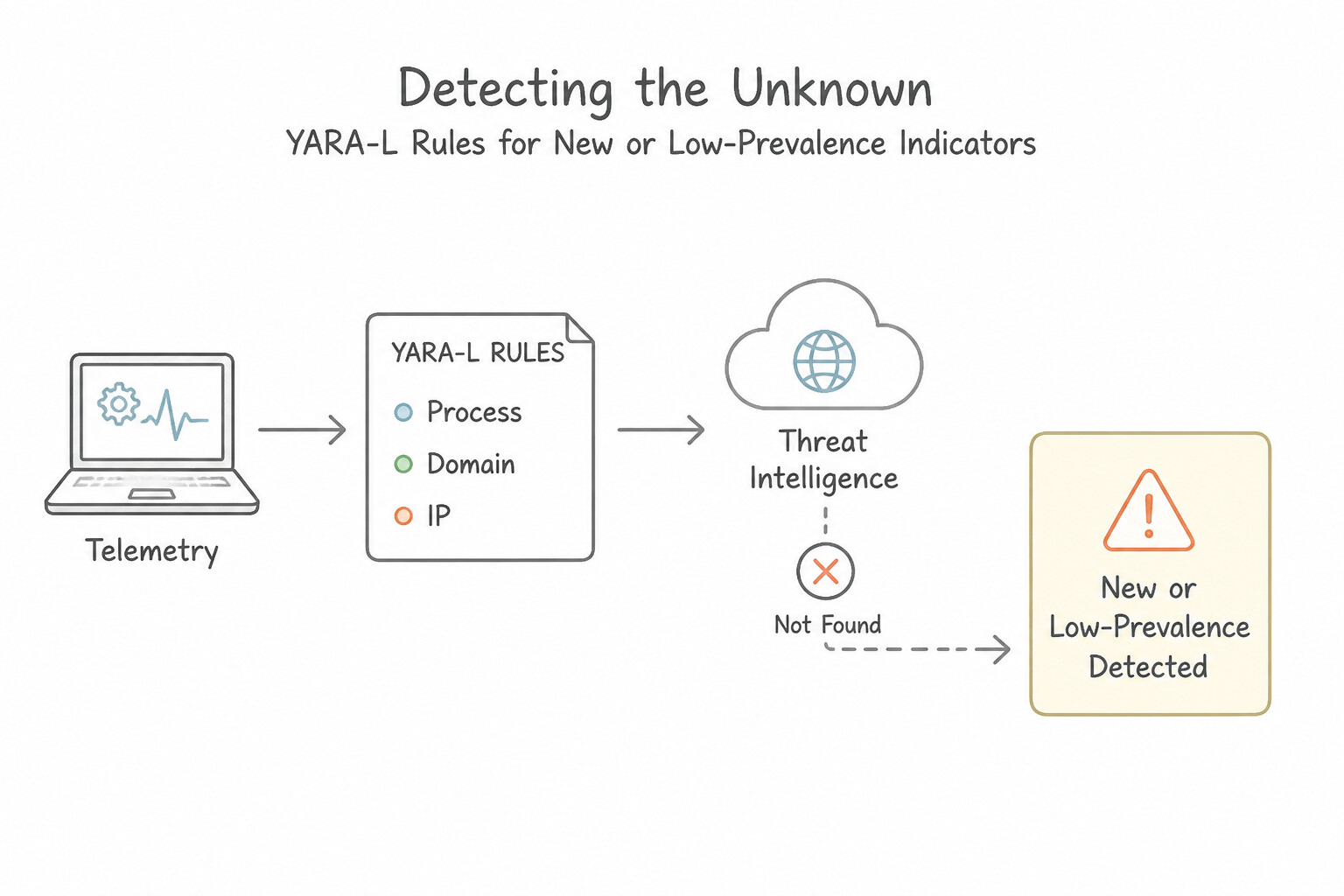
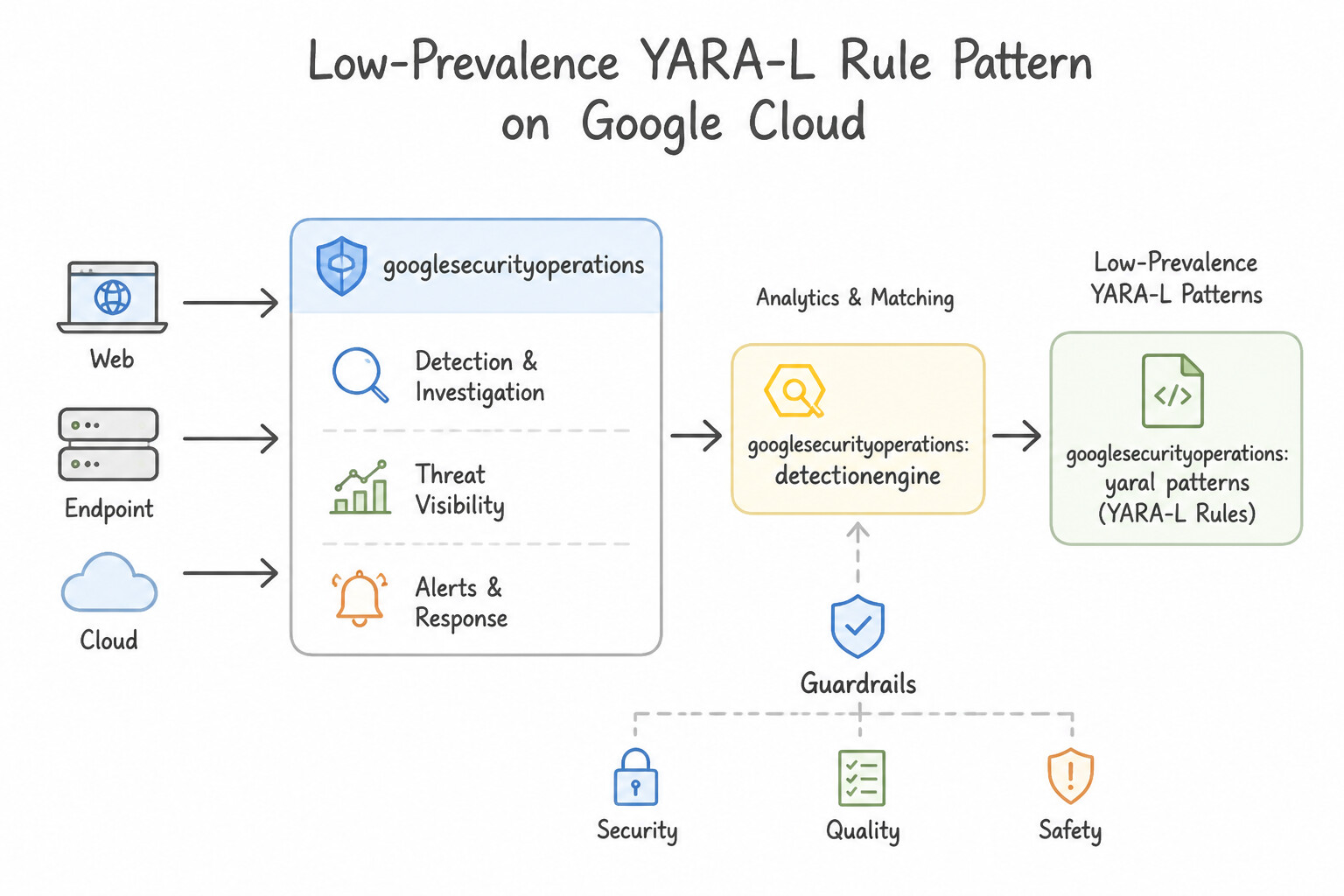
psoe-4.1f-1-native-posture-drift.jpg,psoe-4.1f-2-scc-security-health.jpg) - Consideration 4.1g: Identifying new or low-prevalence processes, domains, and IPs that do not appear in threat intelligence using methods such as YARA-L rules and dashboards (Diagrams:
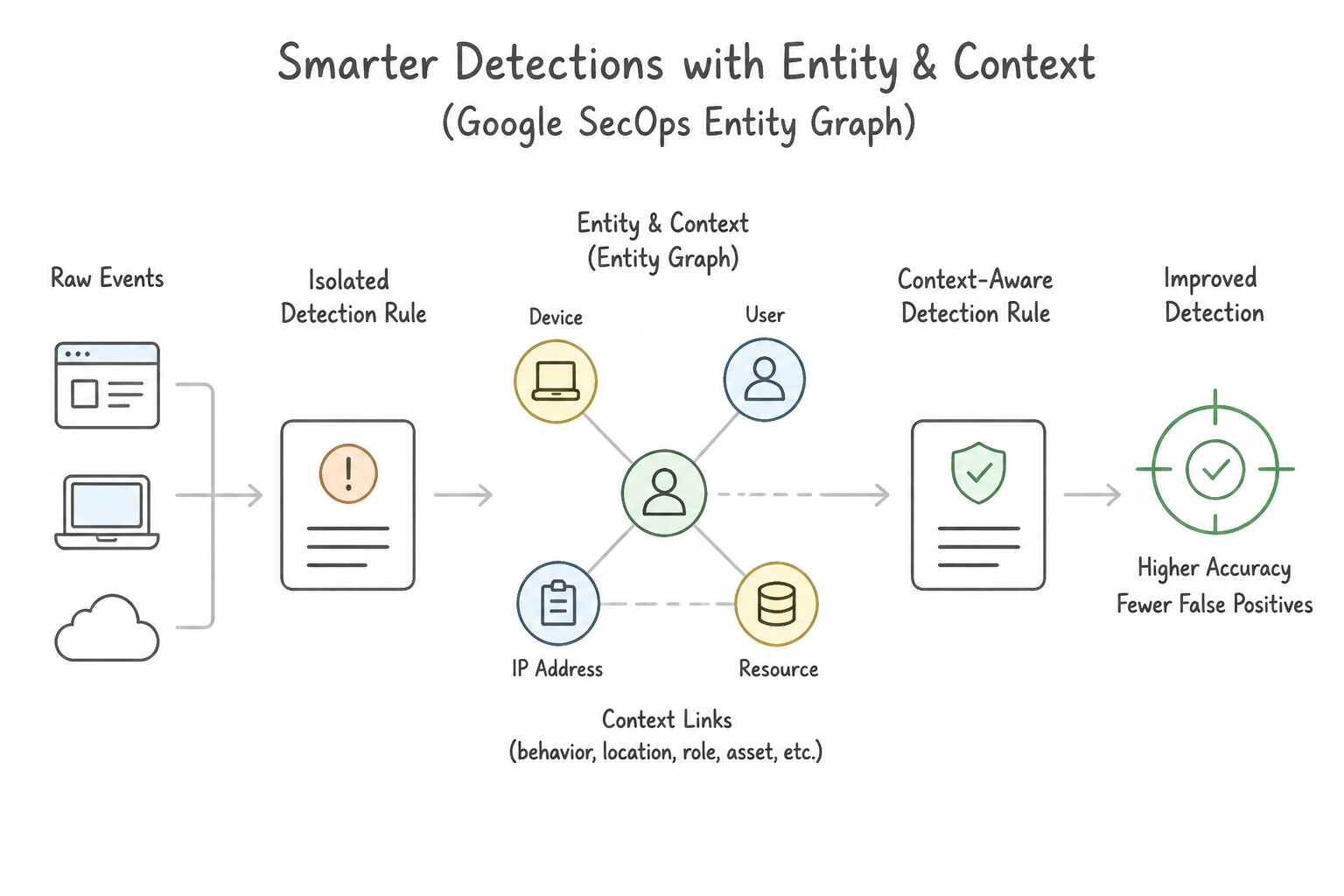
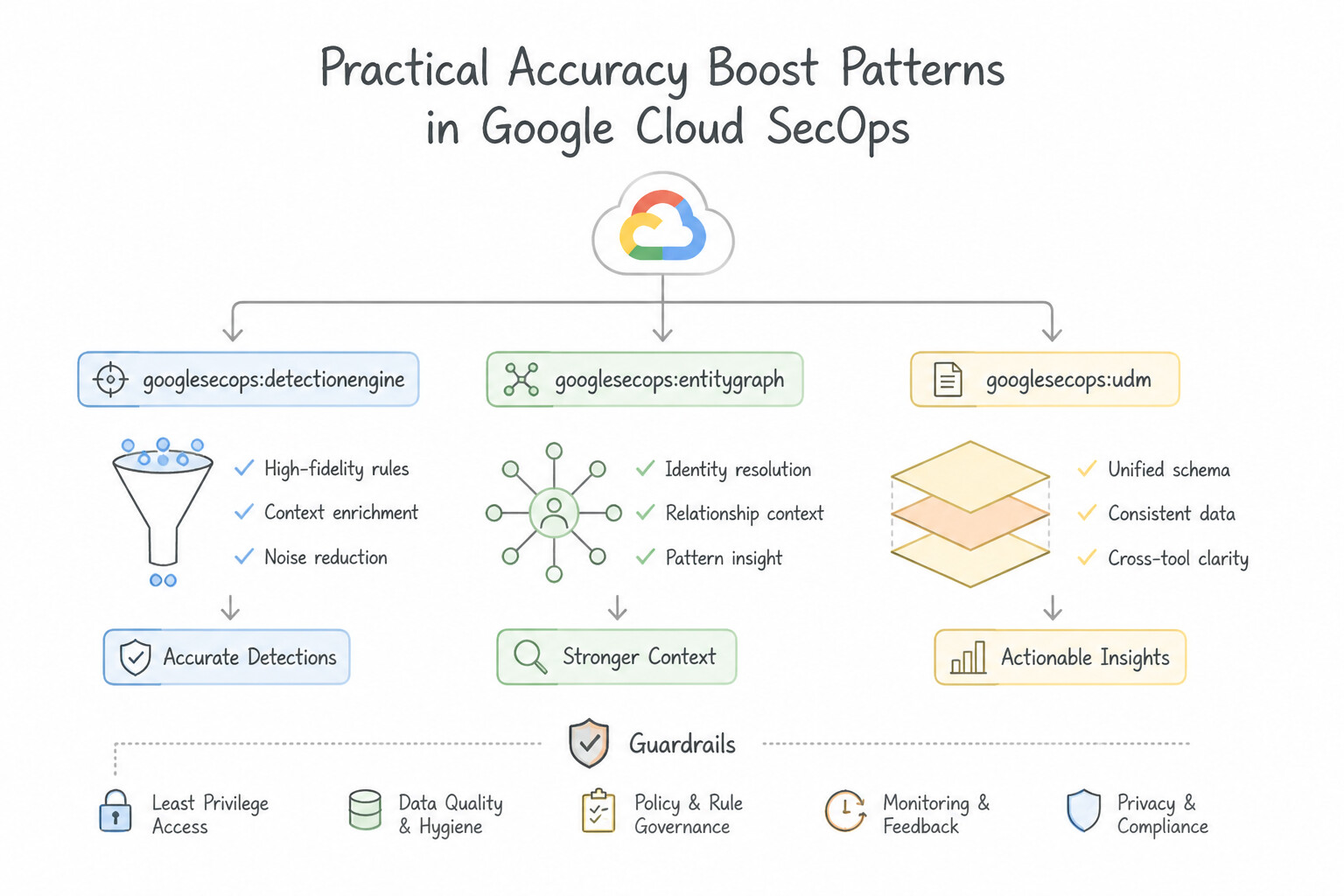
psoe-4.1g-1-secops-prevalence-works.jpg,psoe-4.1g-2-low-prevalence-yara.jpg) - Consideration 4.1h: Assessing how to use entity/context data within detection rules to improve accuracy (e.g., Google SecOps entity graph) (Diagrams:
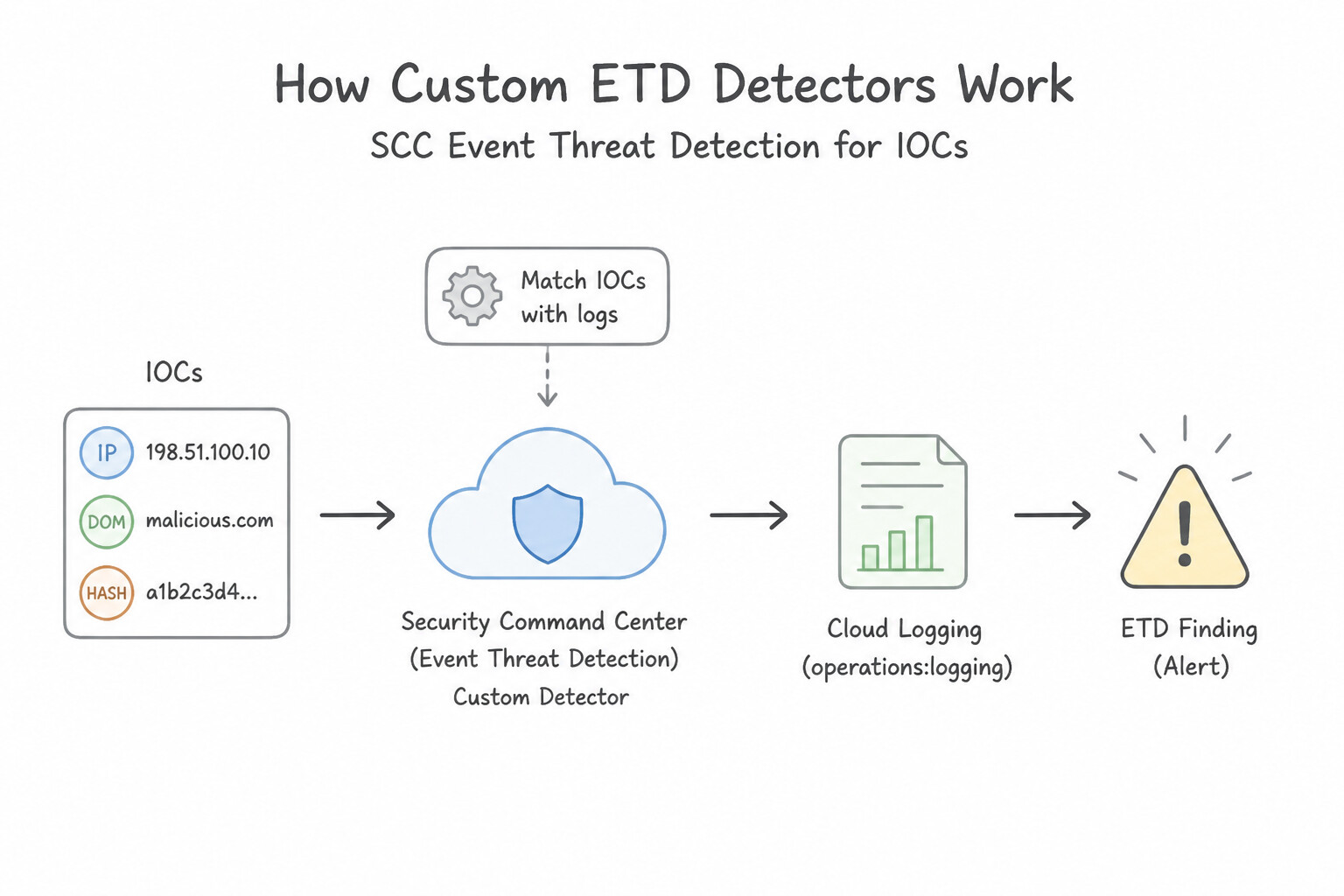
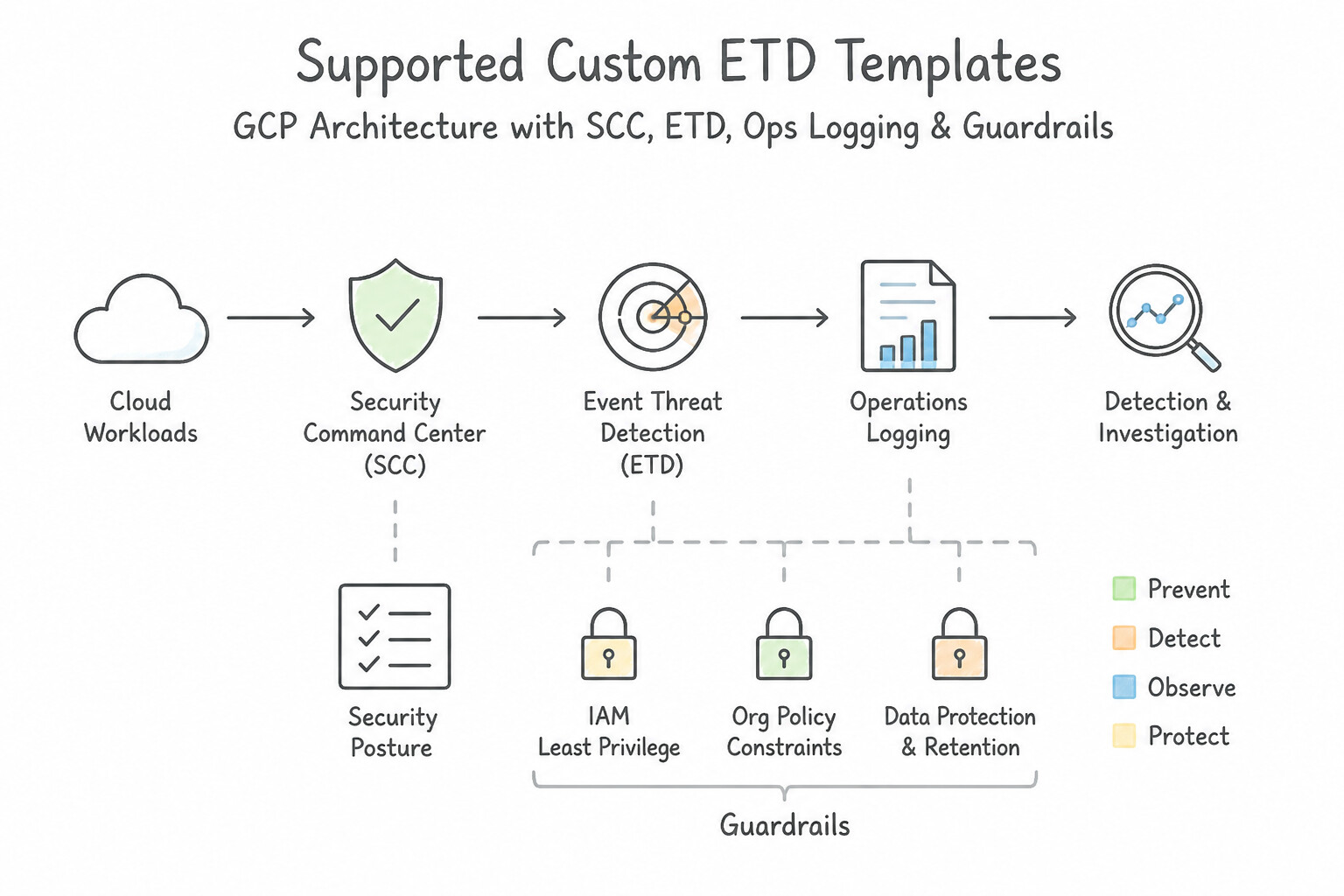
psoe-4.1h-1-primary-context-sources.jpg,psoe-4.1h-2-practical-accuracy-boost.jpg) - Consideration 4.1i: Configuring SCC Event Threat Detection custom detectors for IOCs (Diagrams:
psoe-4.1i-1-custom-etd-detectors.jpg,psoe-4.1i-2-supported-custom-etd.jpg) - Quick Decision Cheat Sheet (Subsection 4.1)
- Subsection 4.2: Leveraging Threat Intelligence for Detection (Section 4: Detection Engineering)
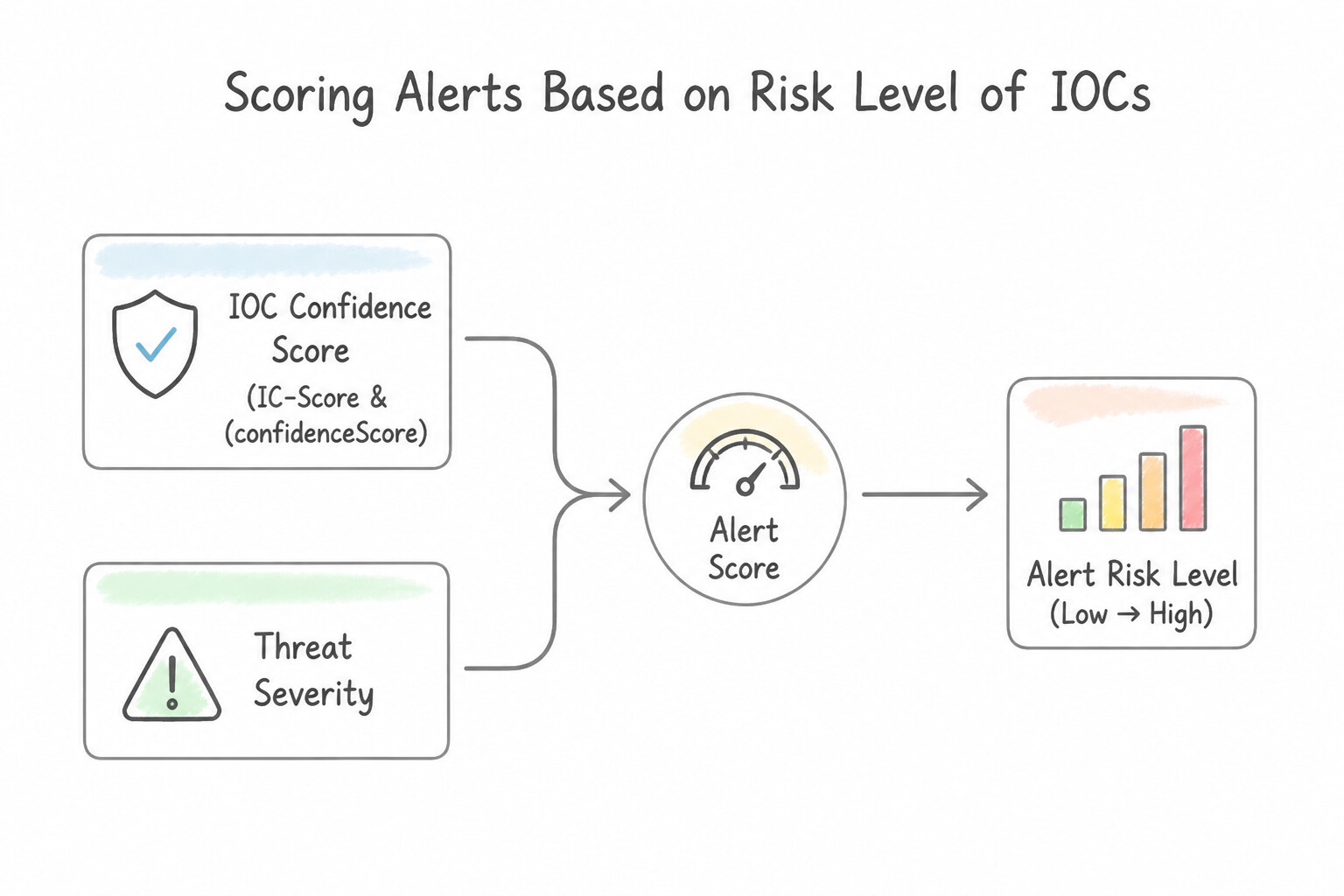
- Consideration 4.2a: Scoring alerts based on the risk level of IOCs (Diagrams:
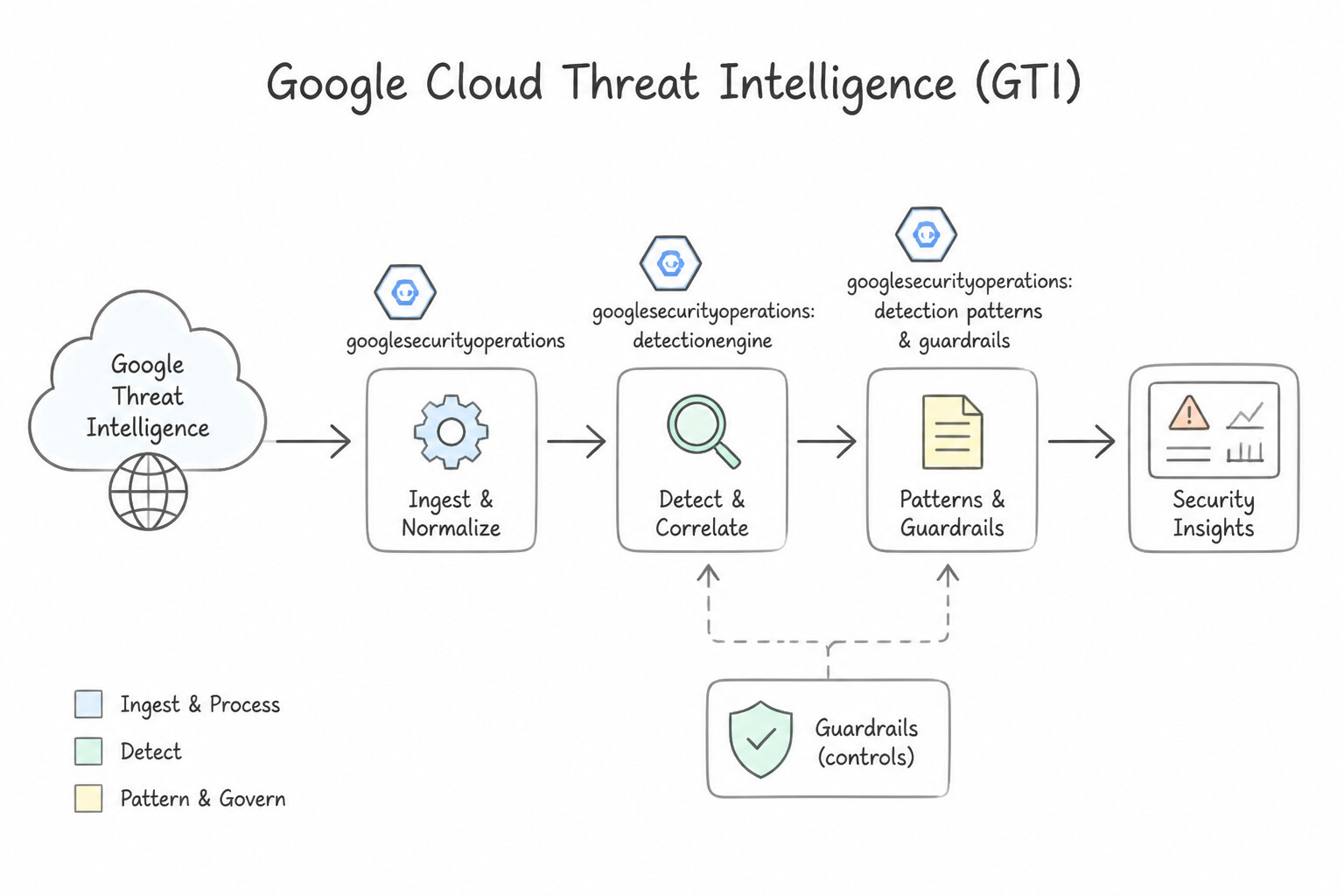
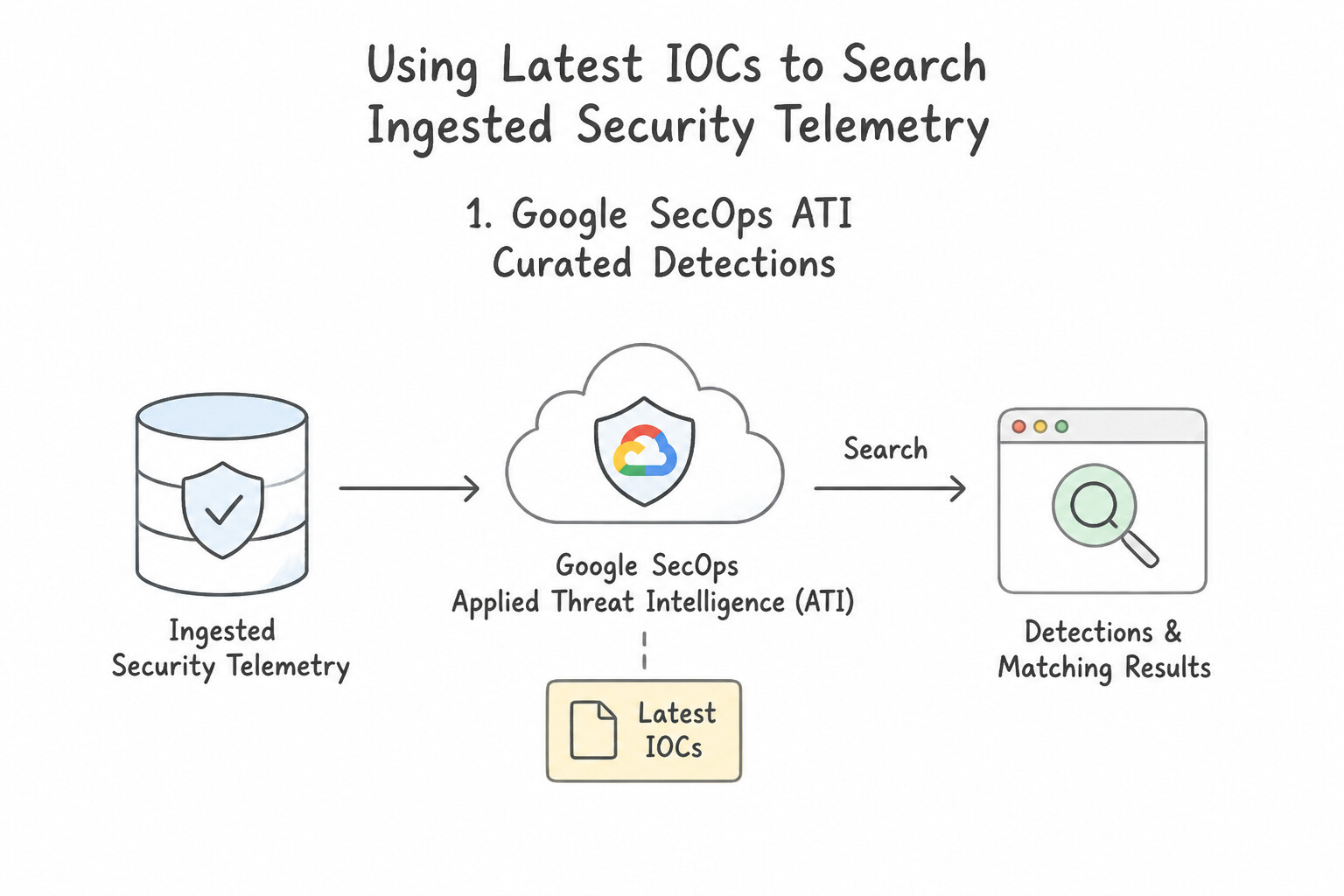
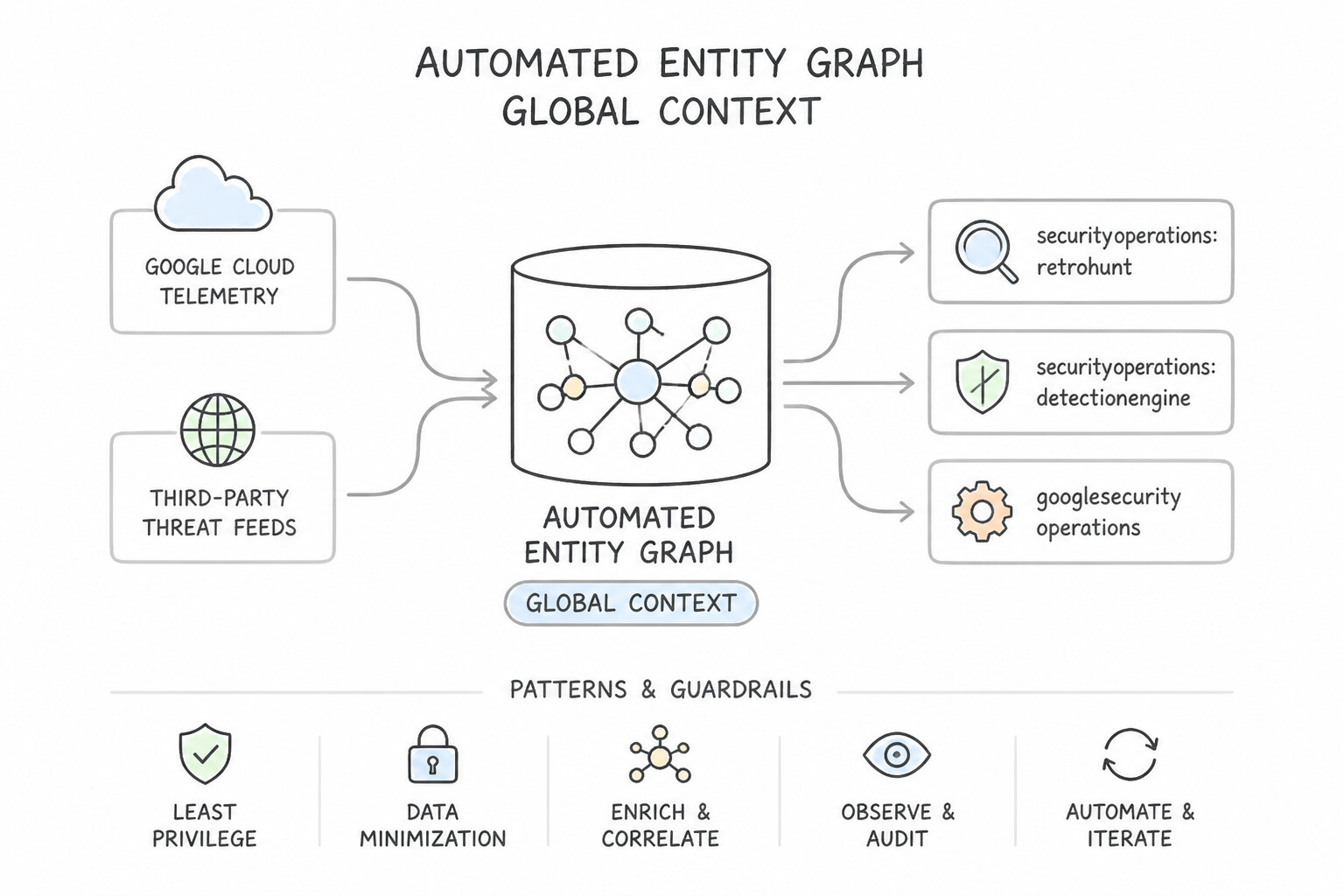
psoe-4.2a-1-ioc-confidence-score-ic.jpg,psoe-4.2a-2-threat-intelligence-gti.jpg) - Consideration 4.2b: Using latest IOCs to search within ingested security telemetry (Diagrams:
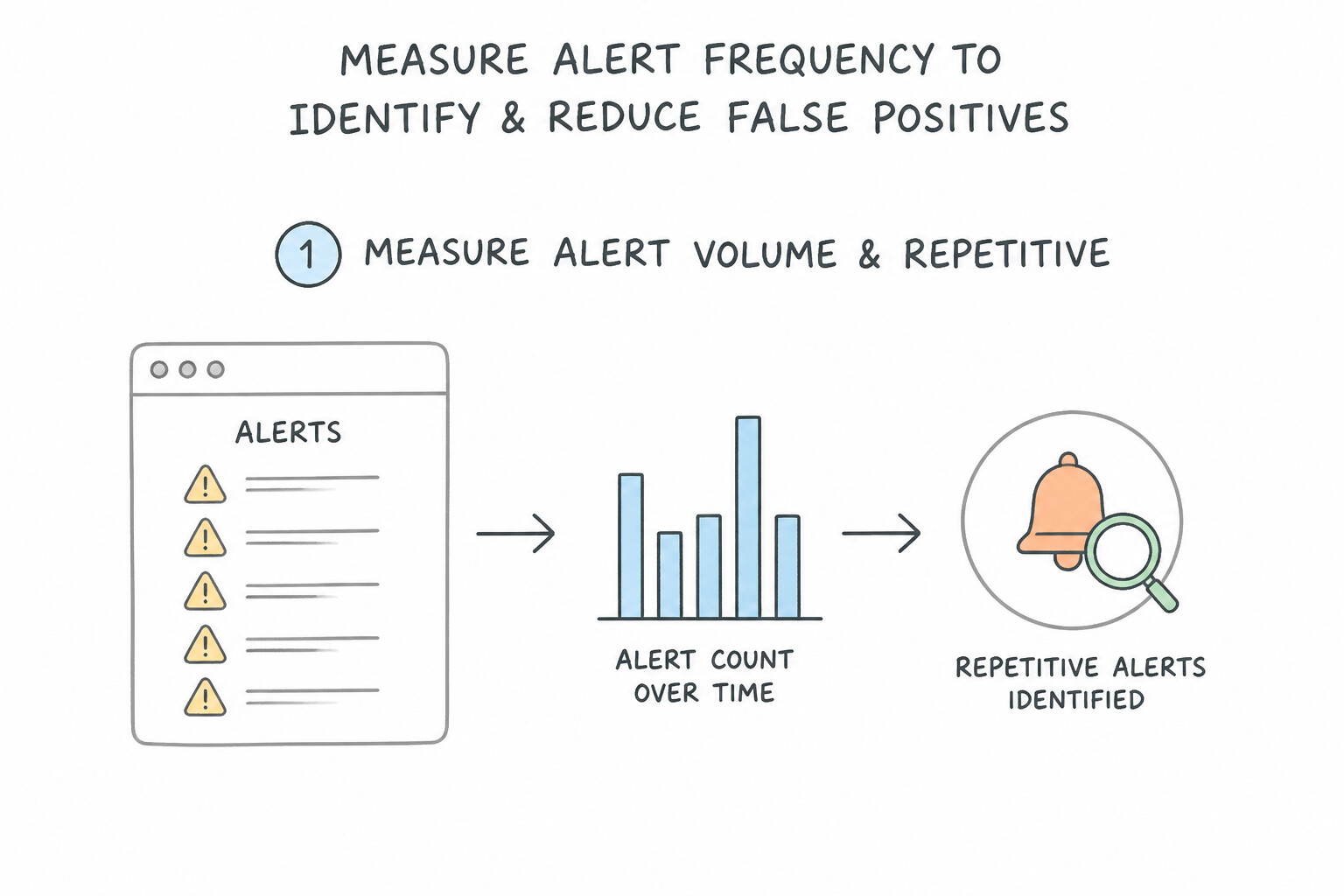
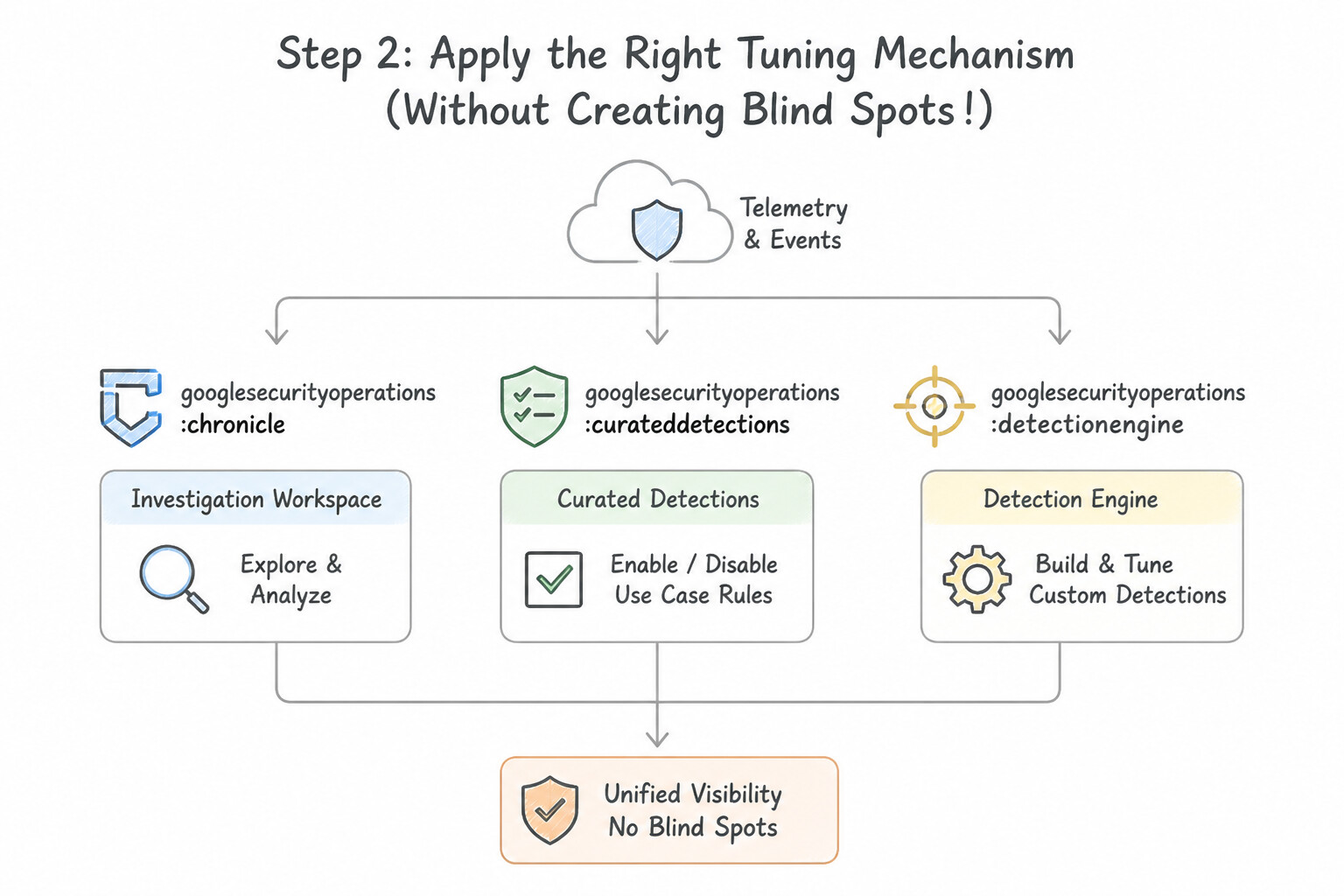
psoe-4.2b-1-secops-applied-threat.jpg,psoe-4.2b-2-automated-entity-graph.jpg) - Consideration 4.2c: Measuring frequency of repetitive alerts to identify and reduce false positives (Diagrams:
psoe-4.2c-1-step-measure-alert.jpg,psoe-4.2c-2-step-apply-right-tuning.jpg) - Quick Decision Cheat Sheet (Subsection 4.2)
Chapter 5: Incident Response & SOAR: Cloud Forensics, Containment, Automated Playbooks & Case Management
- Subsection 5.1: Containing and Investigating Security Incidents (Section 5: Incident Response)
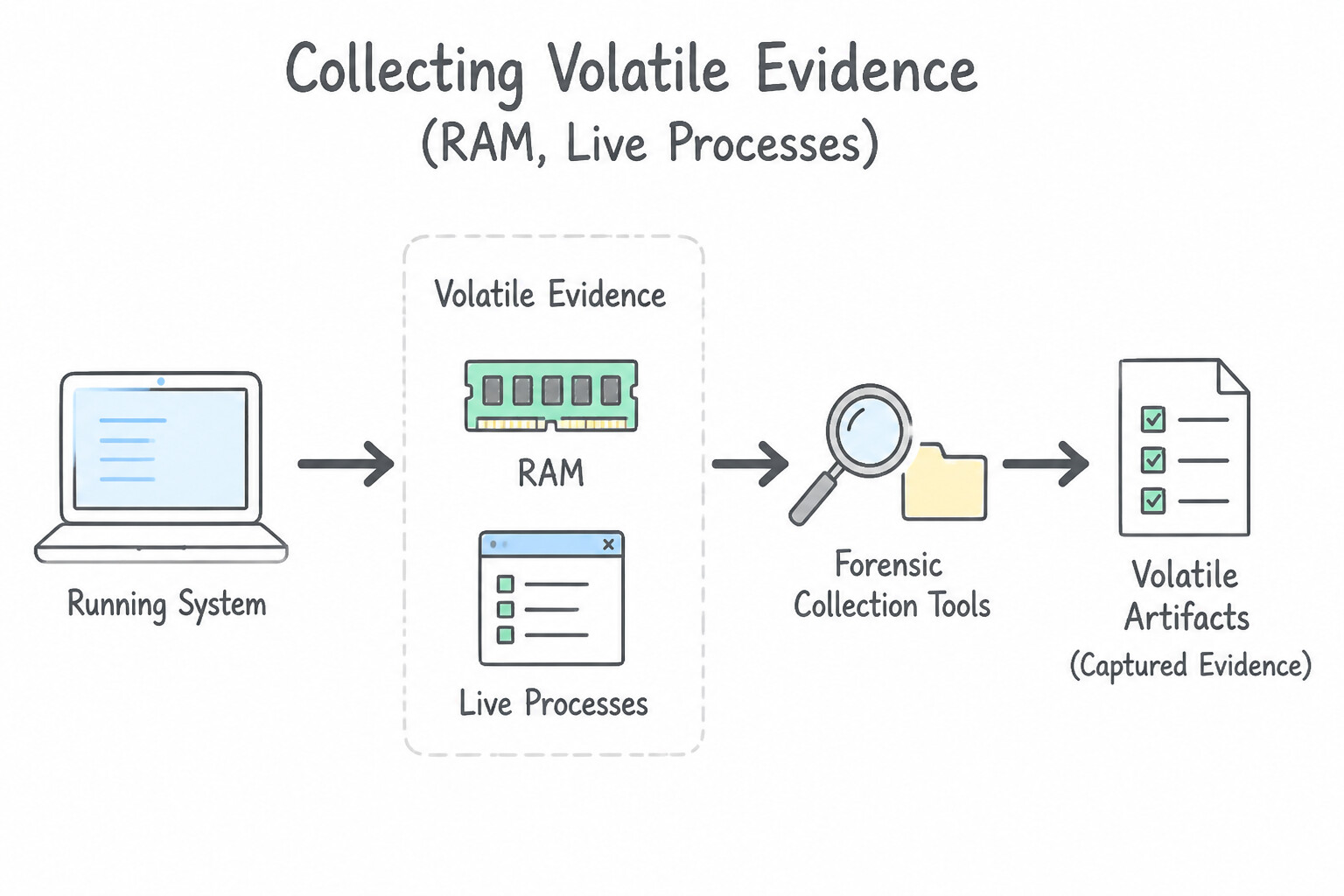
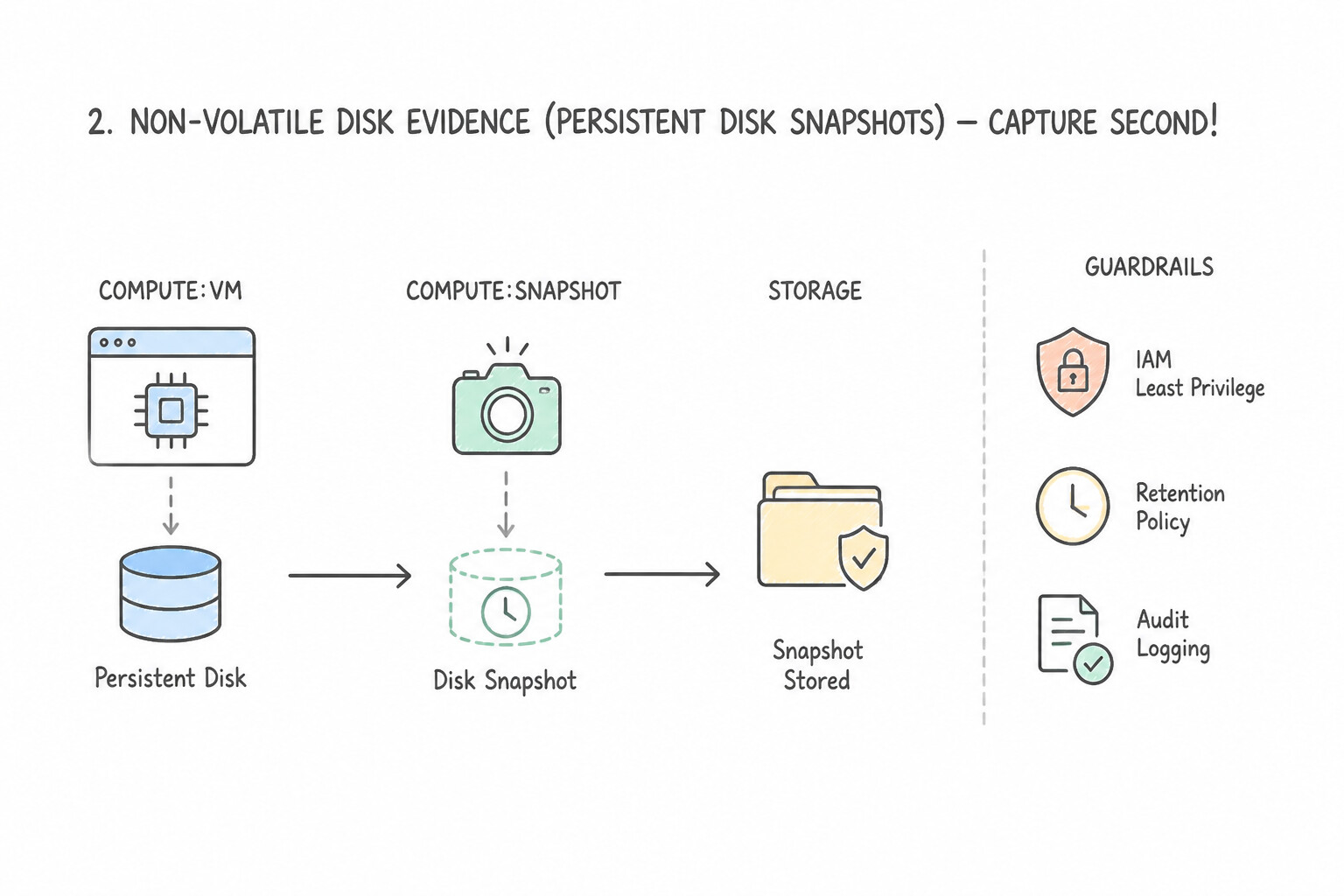
- Consideration 5.1a: Collecting evidence on the scope of the incident, including forensic images and artifacts (Diagrams:
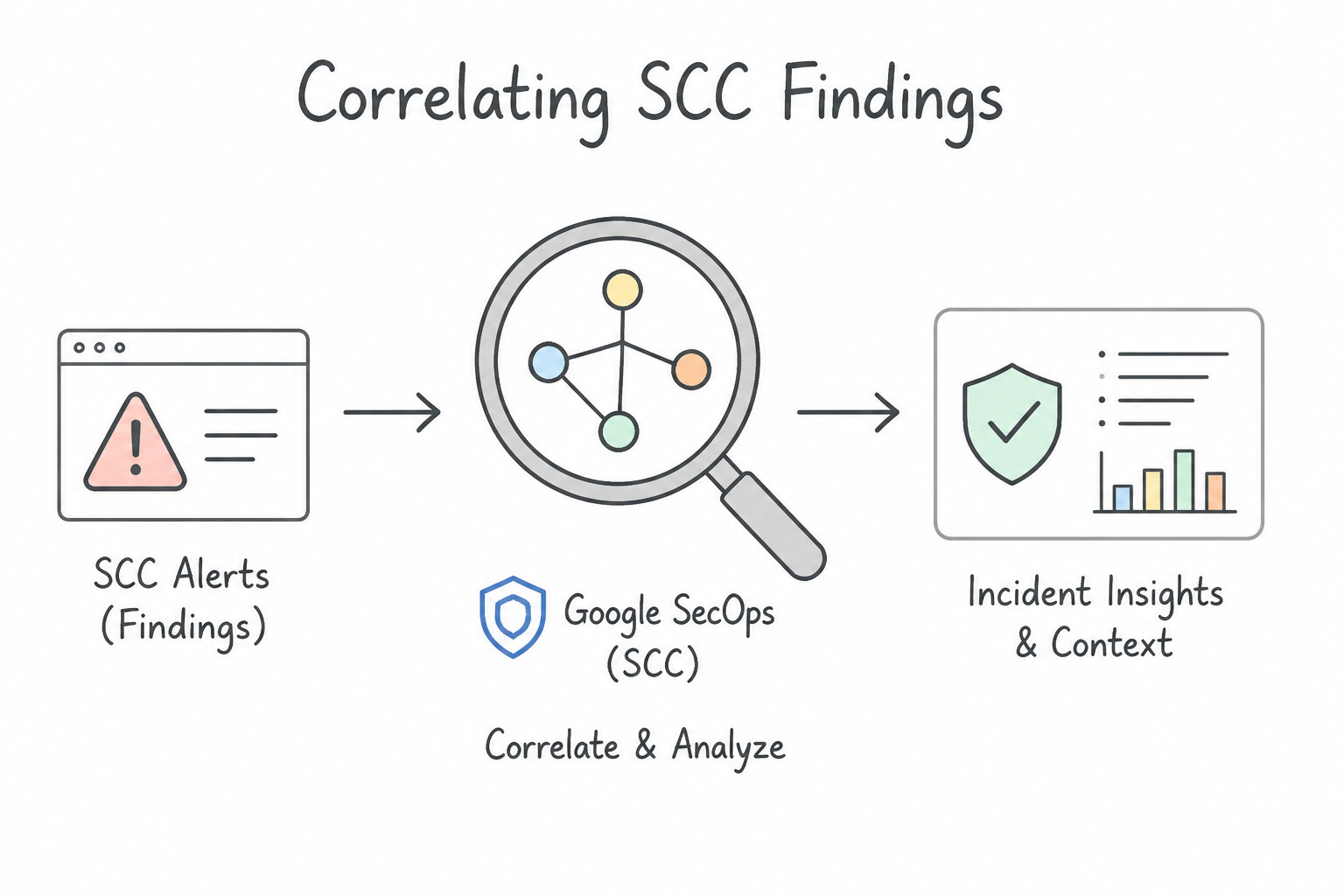
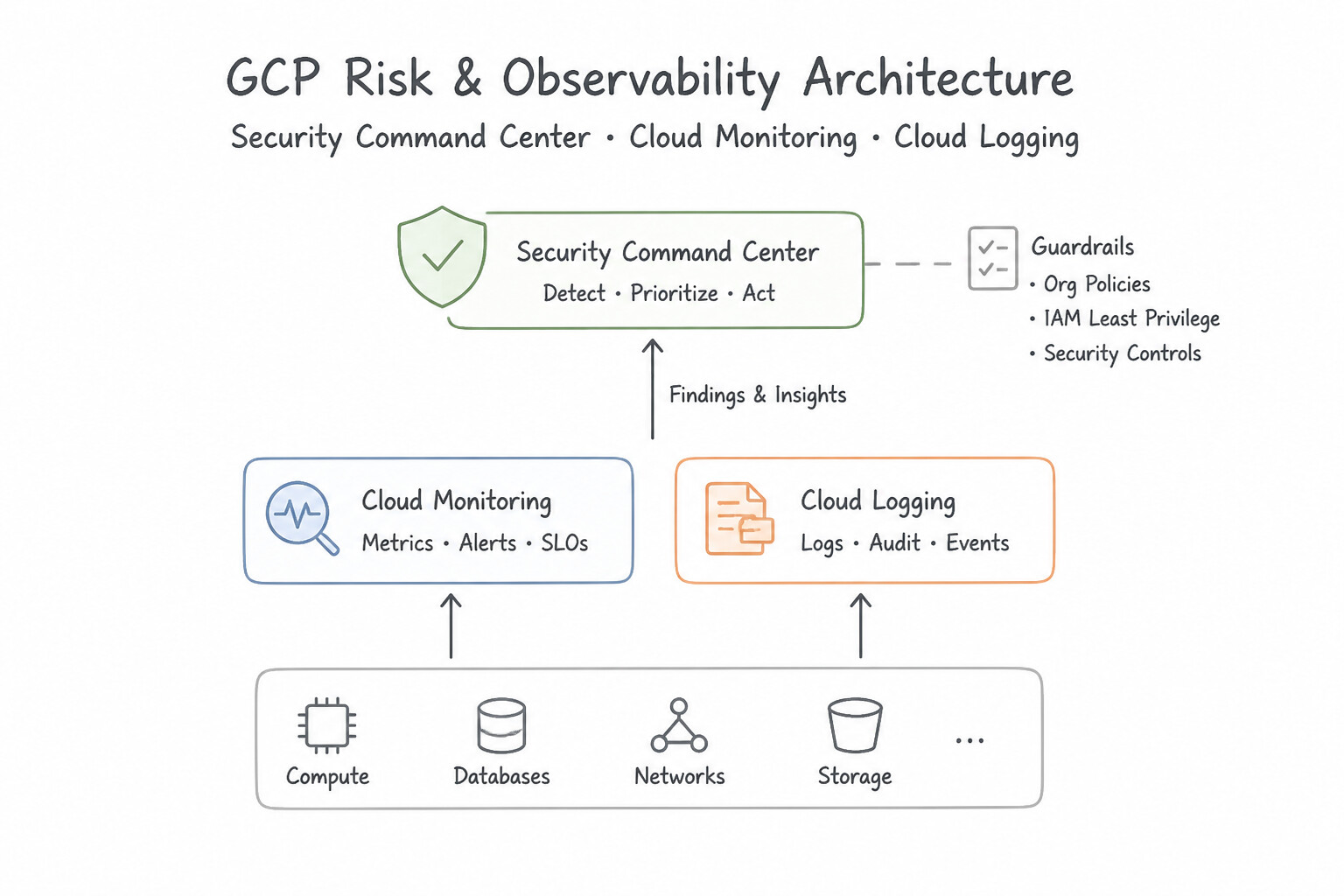
psoe-5.1a-1-volatile-evidence-ram.jpg,psoe-5.1a-2-non-volatile-disk.jpg) - Consideration 5.1b: Observing and analyzing alerts related to the incident using security tooling (e.g., SCC, Google SecOps) (Diagrams:
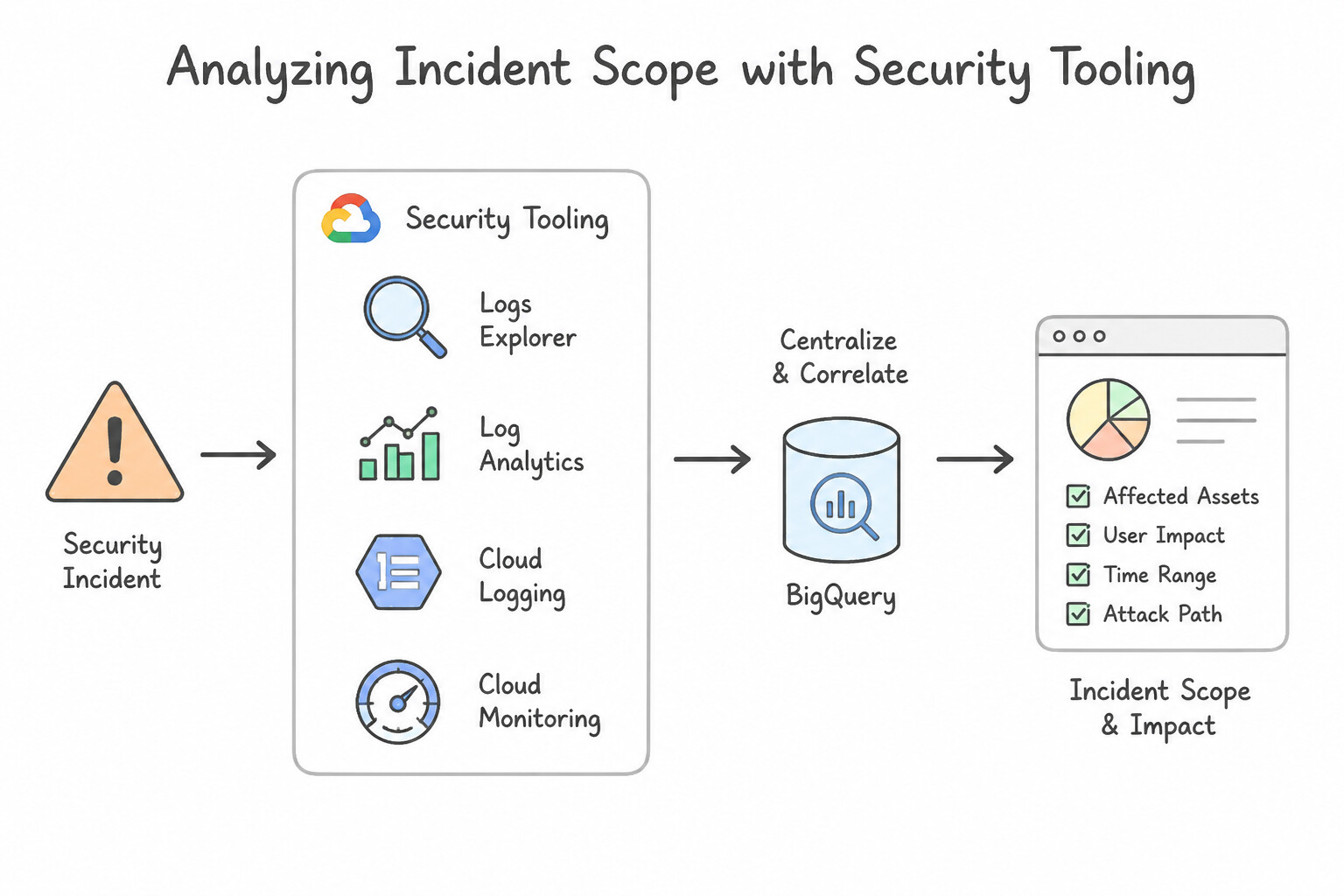
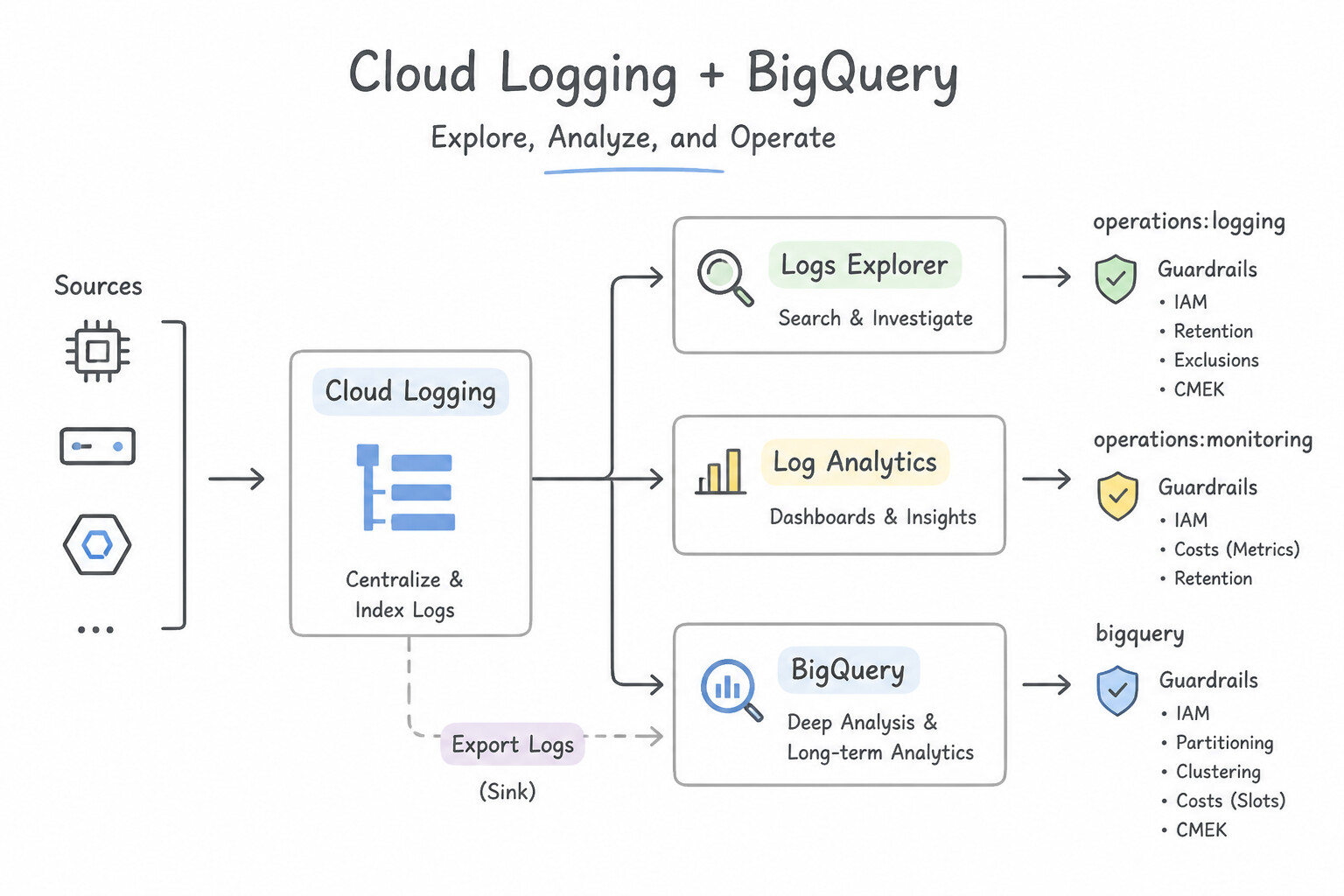
psoe-5.1b-1-correlating-scc-findings.jpg,psoe-5.1b-2-security-command-center.jpg) - Consideration 5.1c: Analyzing the scope of the incident using security tooling (e.g., Logs Explorer, Log Analytics, BigQuery, Cloud Logging, Cloud Monitoring) (Diagrams:
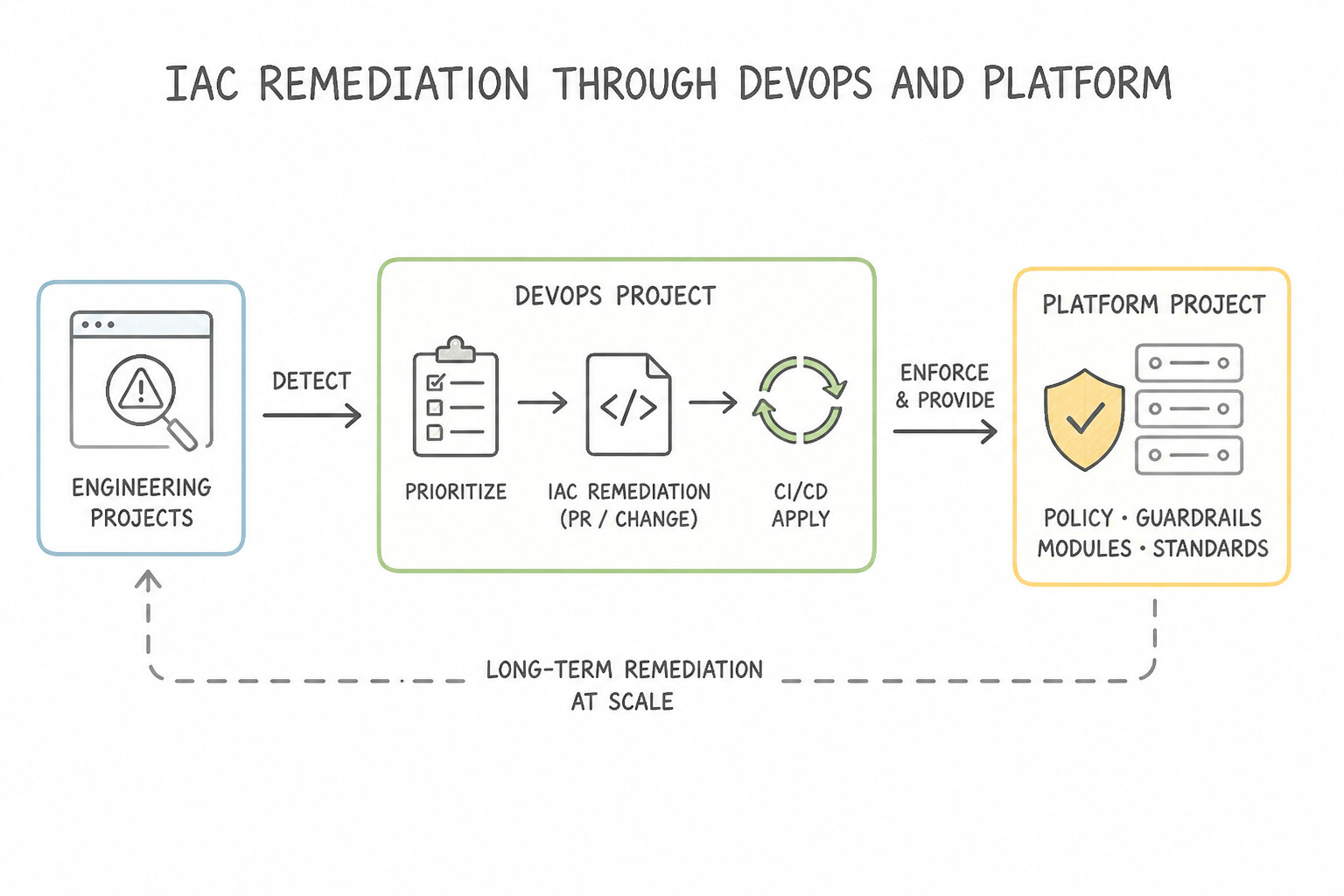
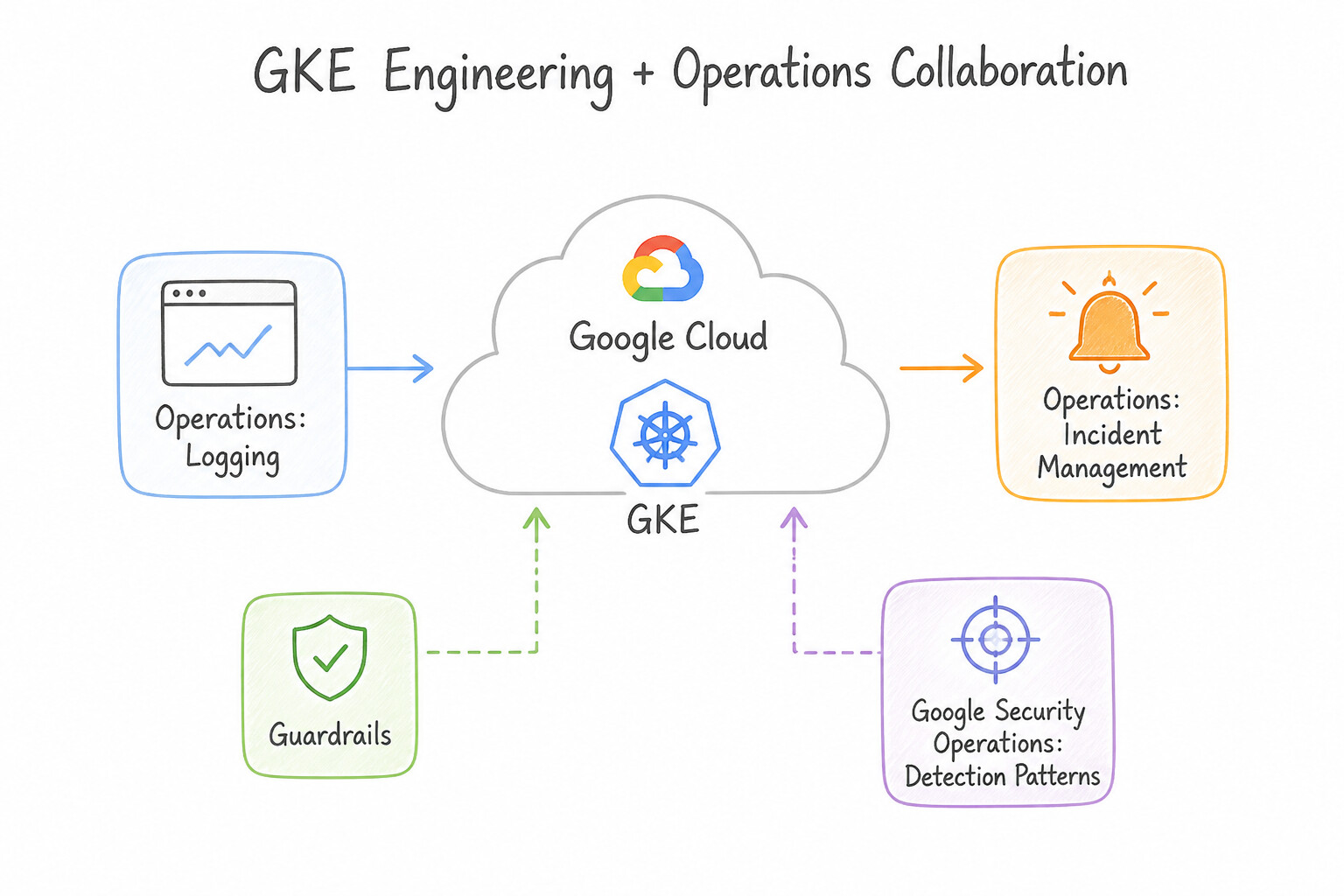
psoe-5.1c-1-secops-siem-asset-view.jpg,psoe-5.1c-2-logging-logs-explorer.jpg) - Consideration 5.1d: Collaborating with other engineering teams for detection and long-term remediation (Diagrams:
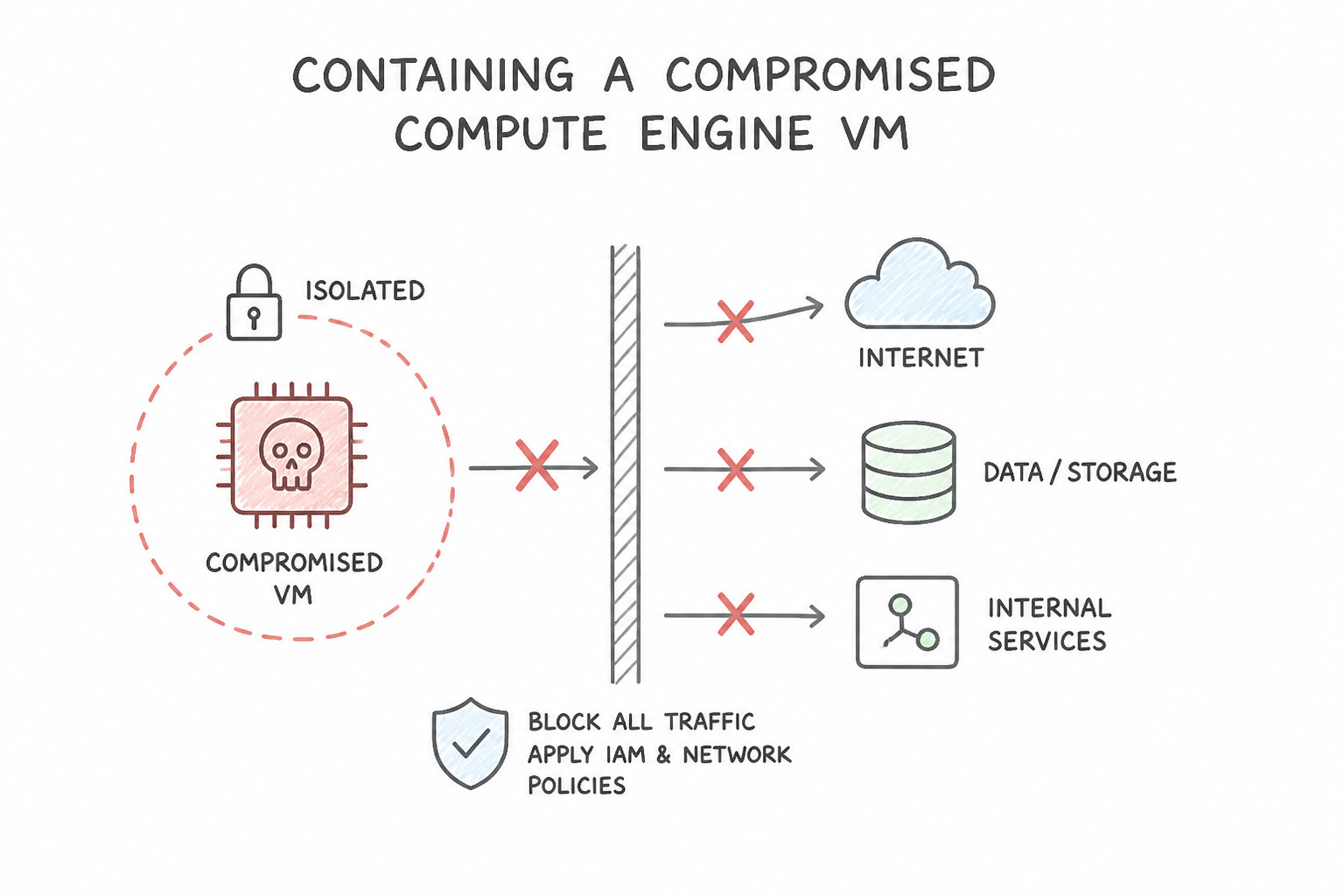
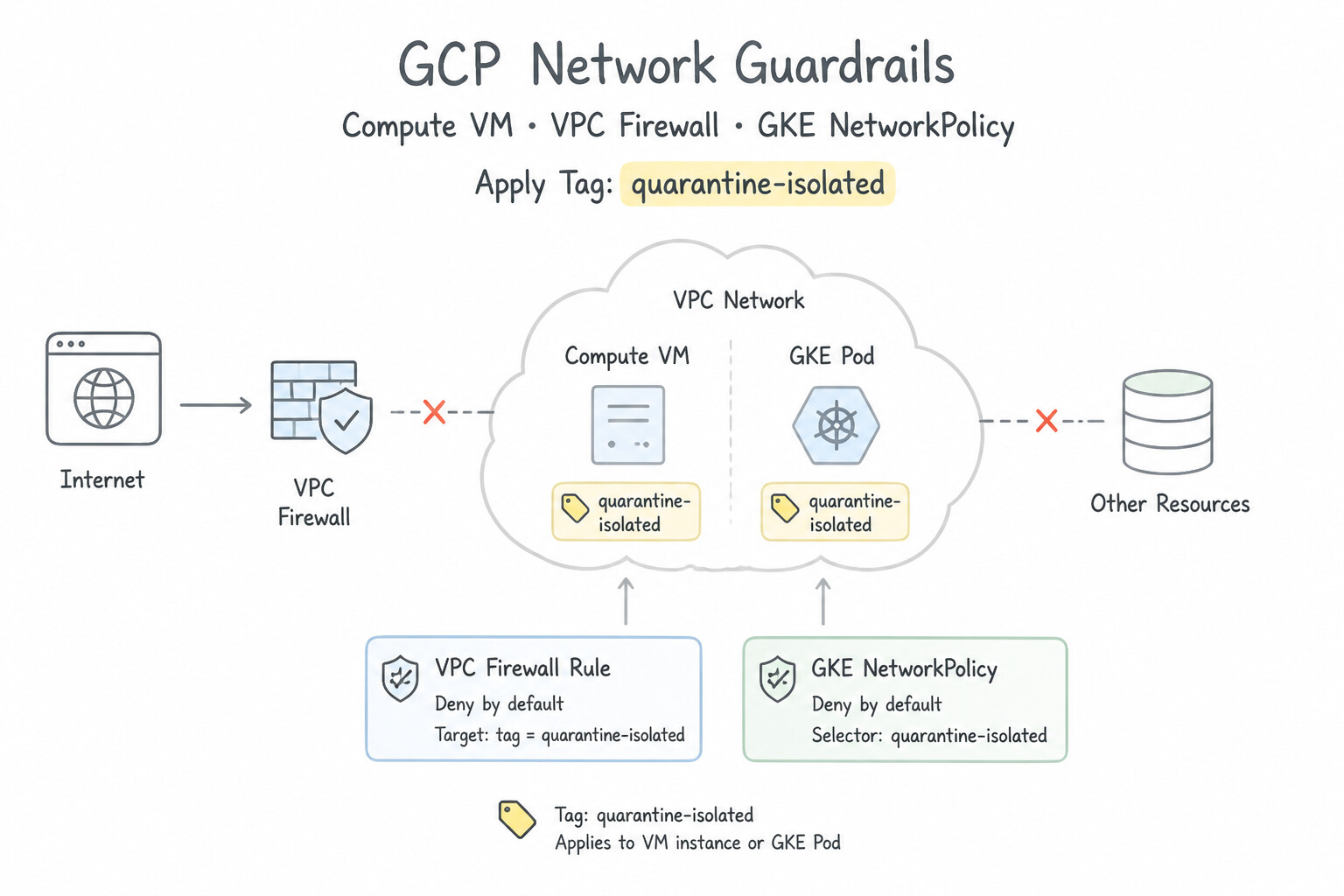
psoe-5.1d-1-infrastructure-as-code.jpg,psoe-5.1d-2-application-gke.jpg) - Consideration 5.1e: Isolating affected services and processes to prevent further damage and spread (Diagrams:
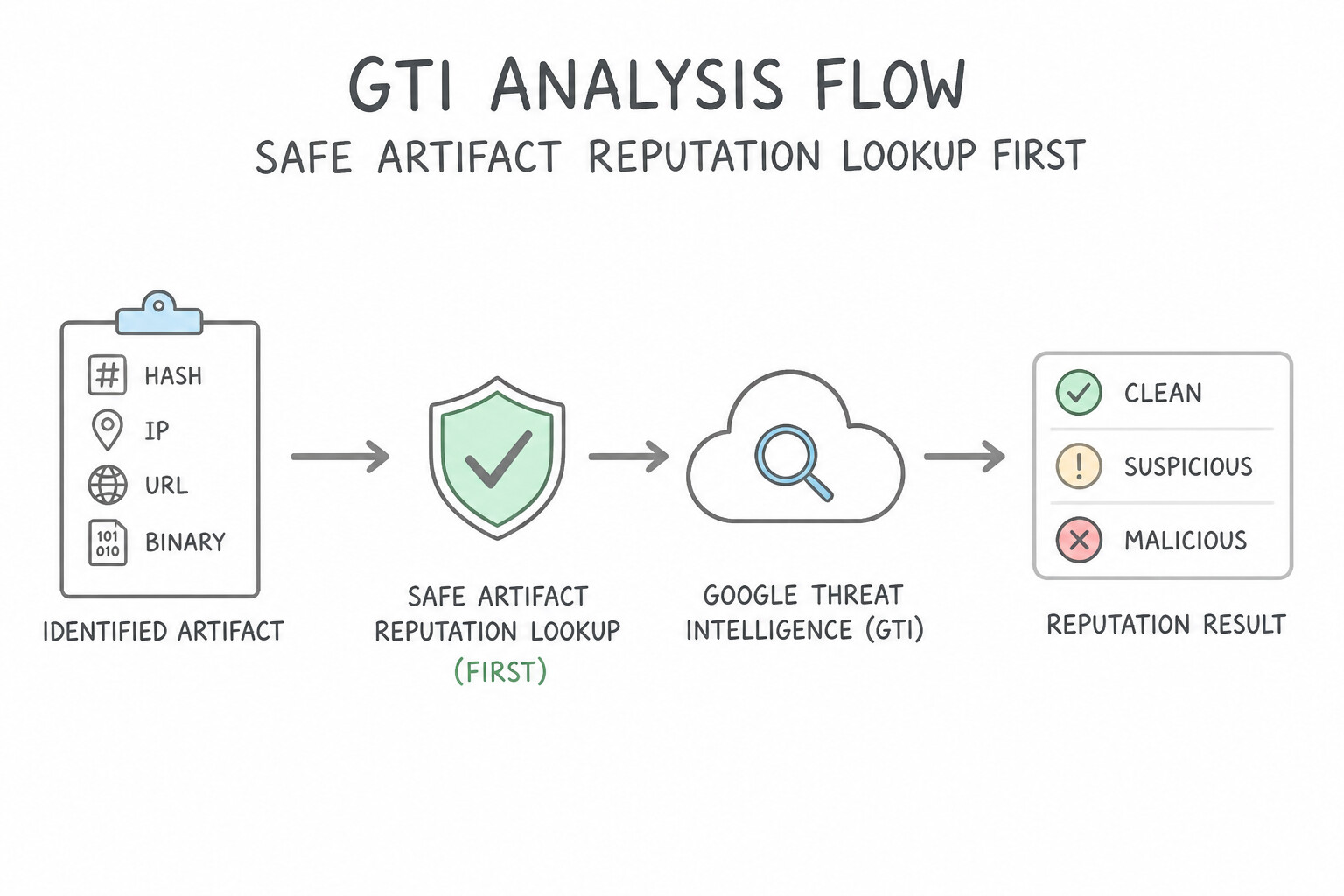
psoe-5.1e-1-containing-compromised.jpg,psoe-5.1e-2-do-compute-vm-vpc.jpg) - Consideration 5.1f: Analyzing identified artifacts based on forensic analysis (e.g., hash, IP, URL, binaries) using GTI (Diagrams:
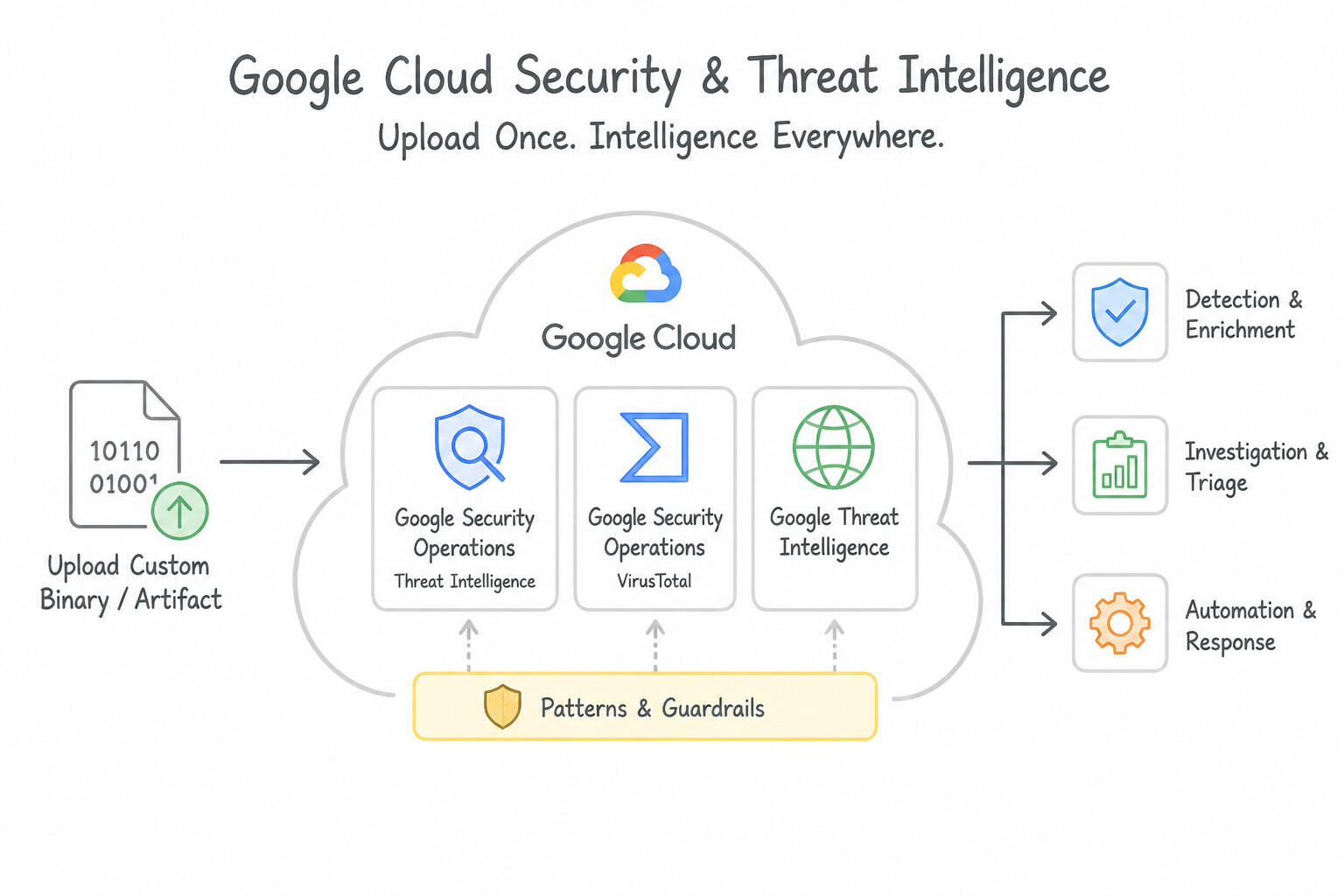
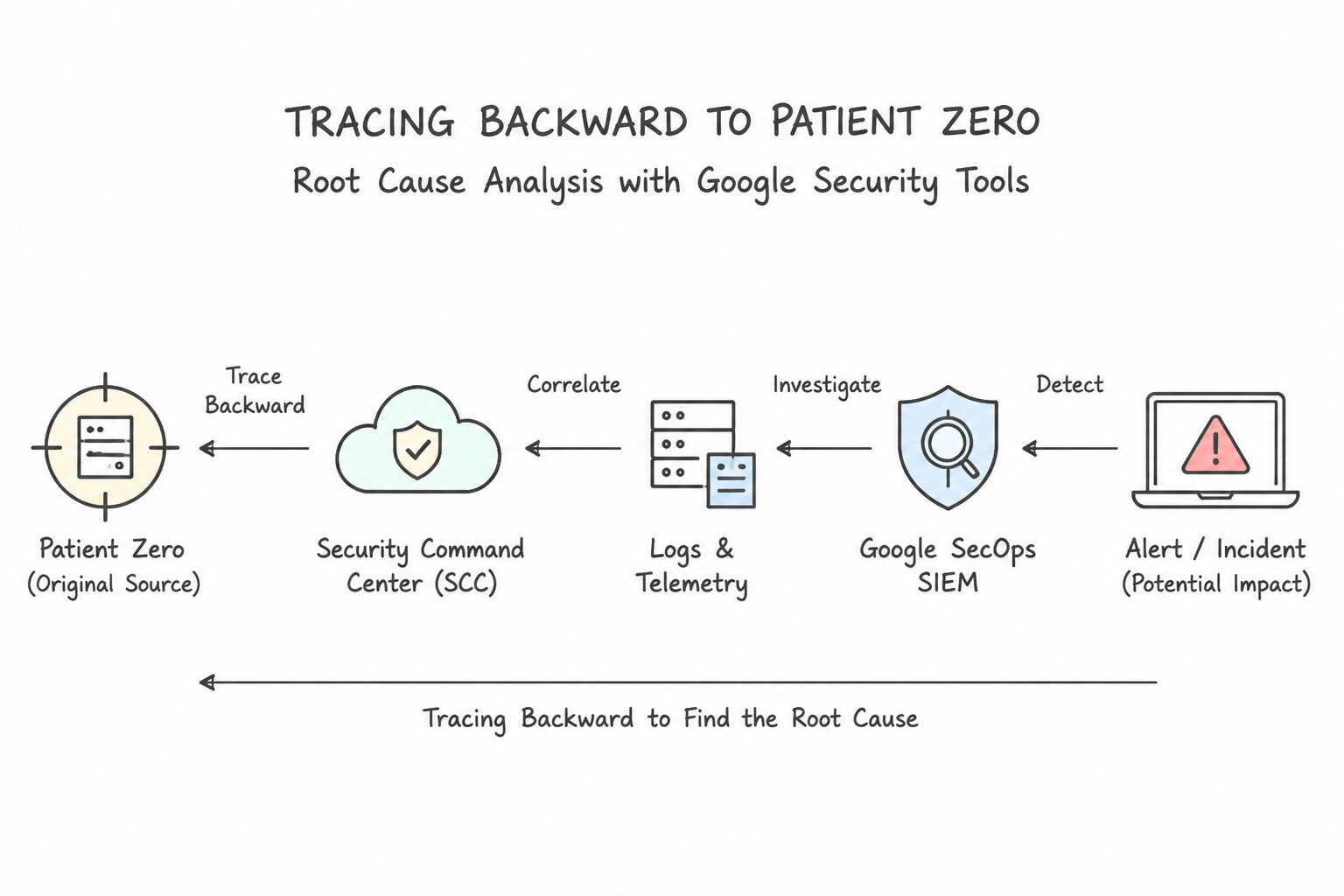
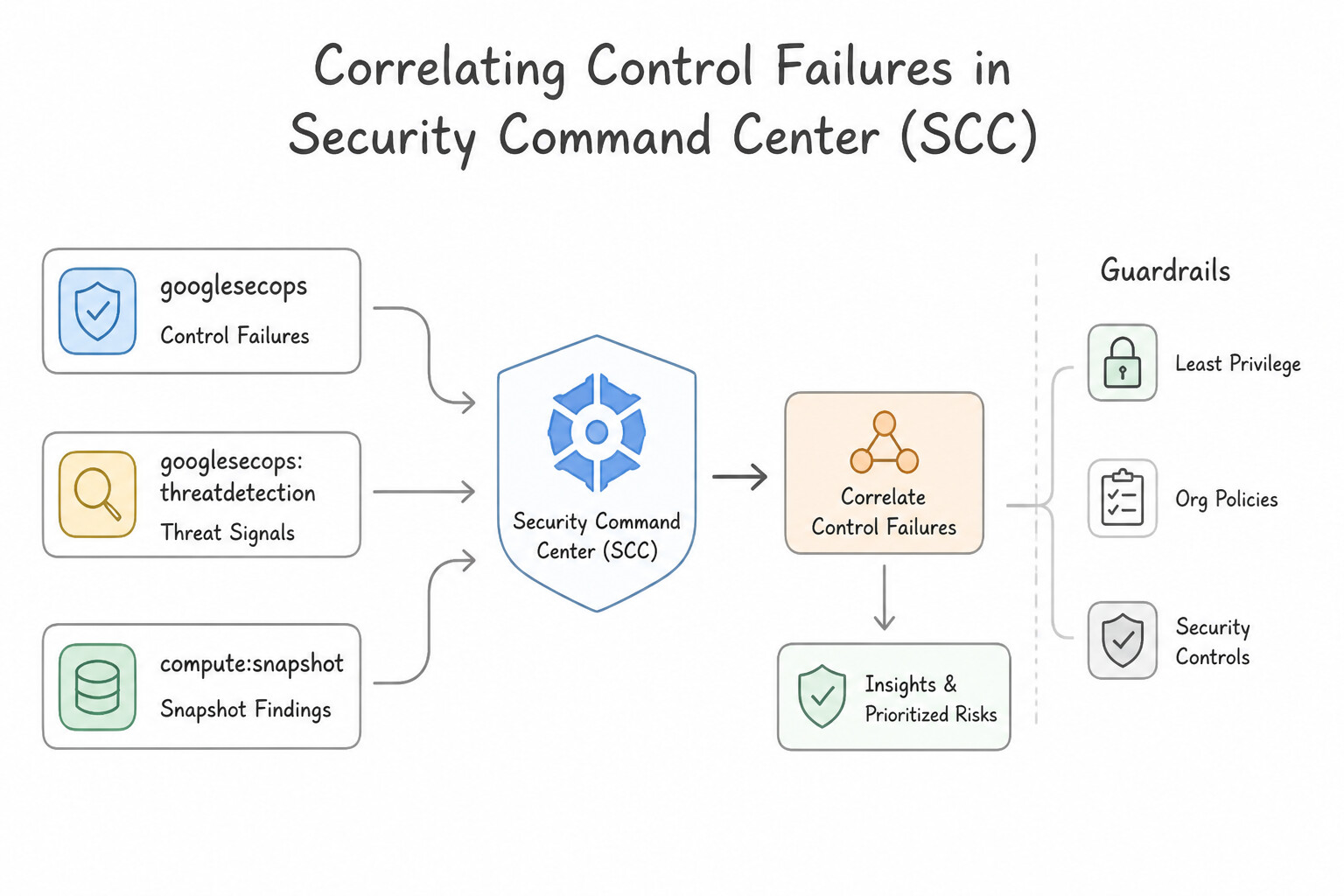
psoe-5.1f-1-safe-artifact-reputation.jpg,psoe-5.1f-2-security-operations.jpg) - Consideration 5.1g: Performing root cause analysis using security tools (e.g., SCC, Google SecOps SIEM) (Diagrams:
psoe-5.1g-1-tracing-backward-to.jpg,psoe-5.1g-2-correlating-control.jpg) - Quick Decision Cheat Sheet (Subsection 5.1)
- Subsection 5.2: Building, Implementing, and Using Response Playbooks (Section 5: Incident Response)
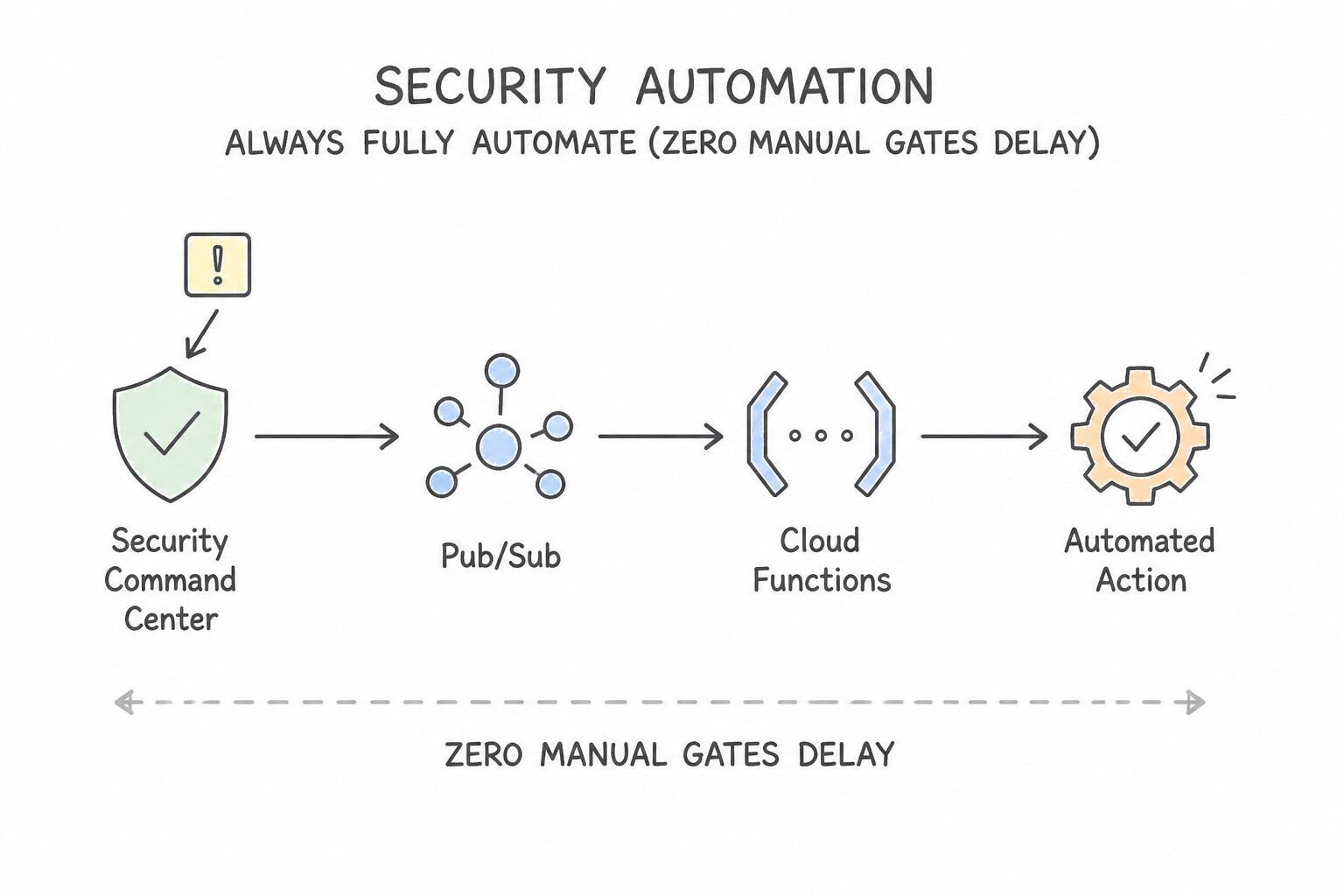
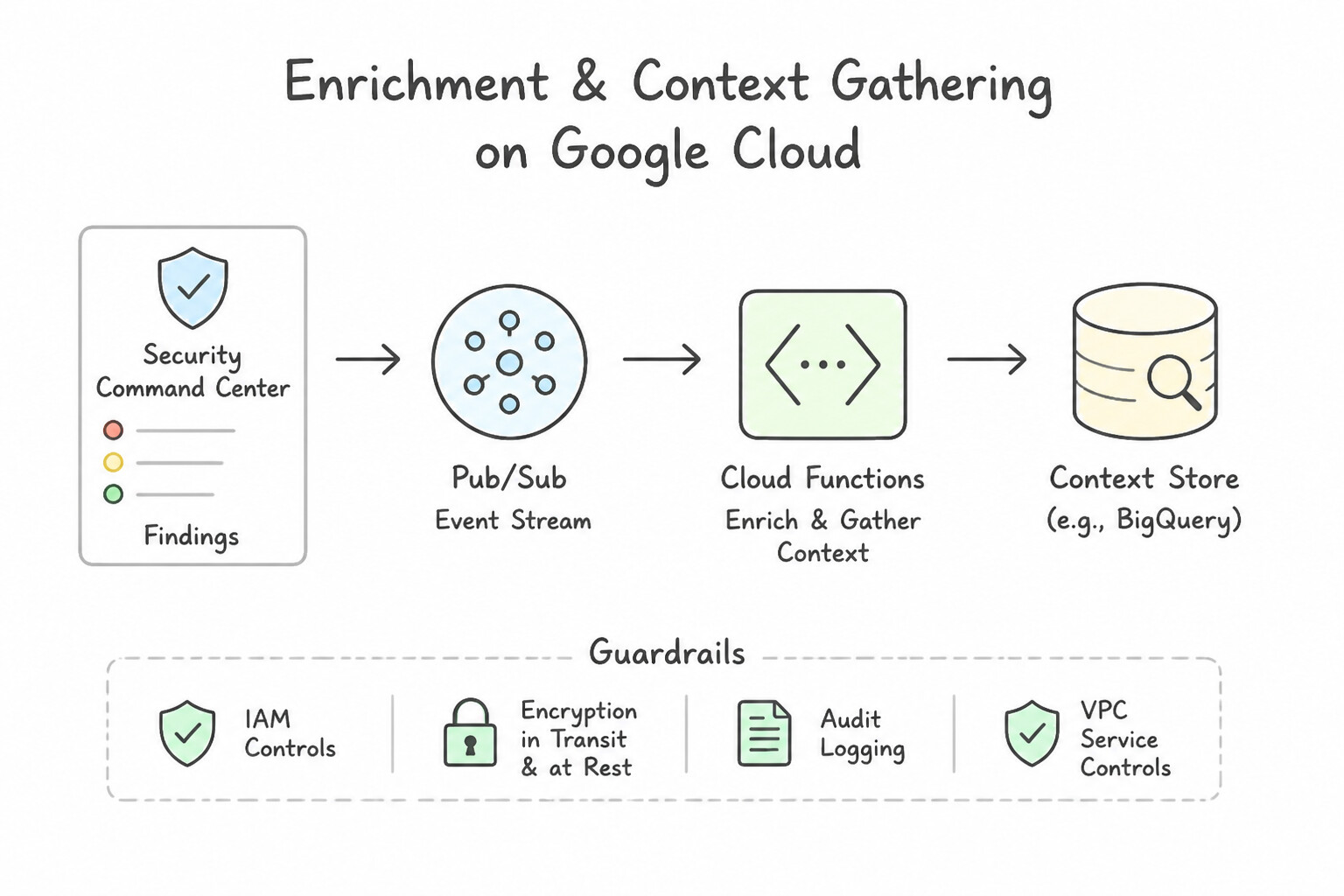
- Consideration 5.2a: Determining the appropriate response steps for automation (Diagrams:
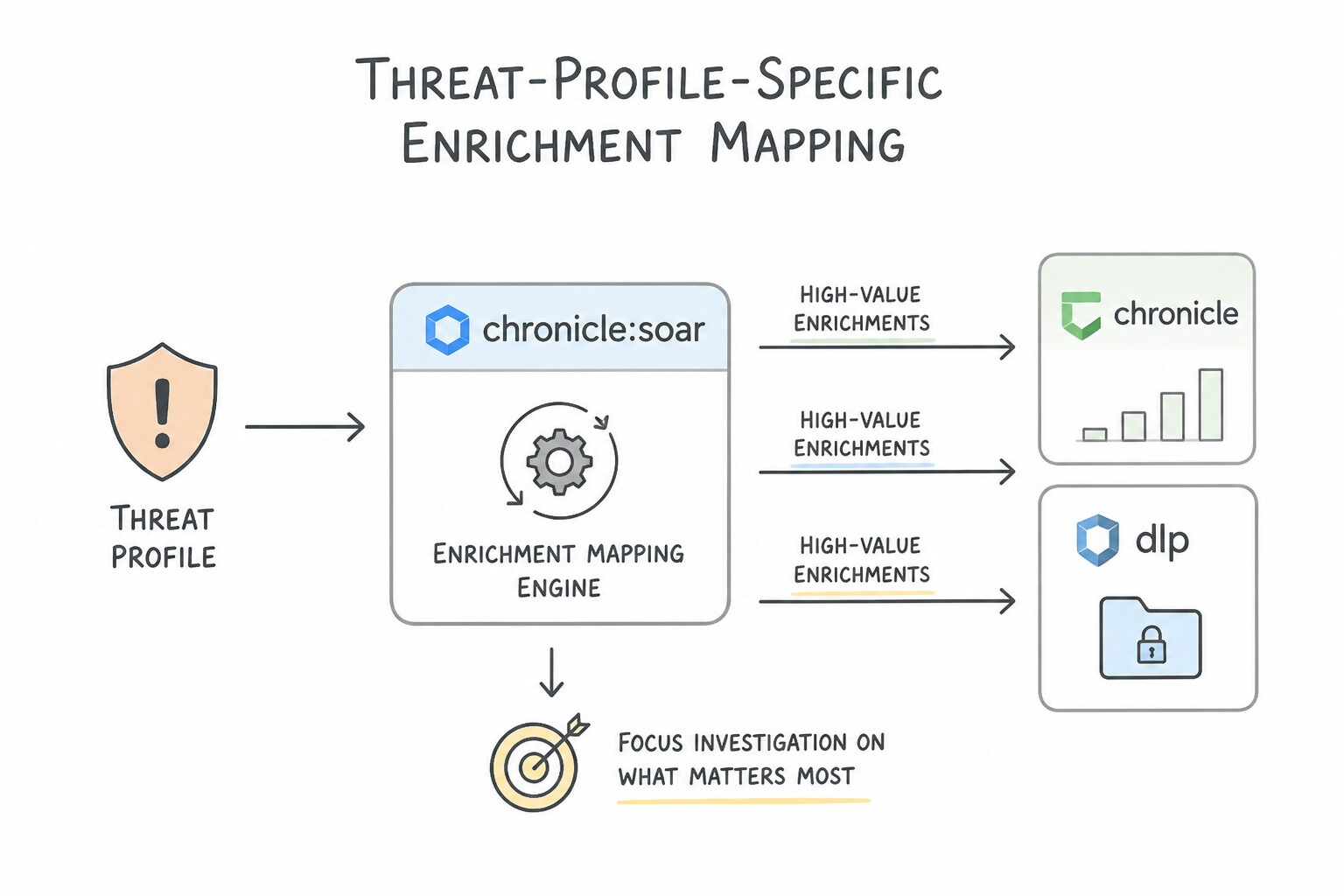
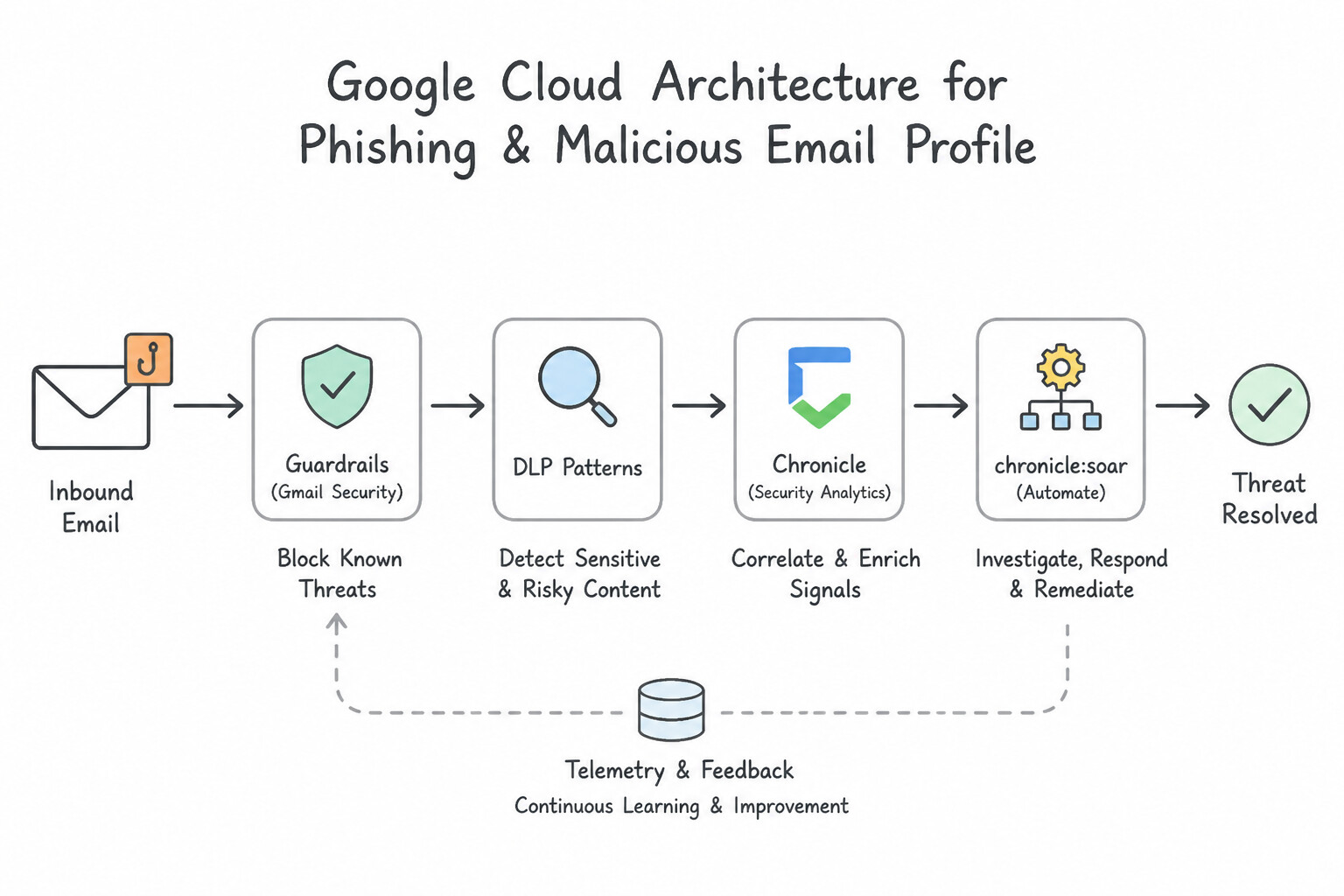
psoe-5.2a-1-always-fully-automate.jpg,psoe-5.2a-2-enrichment-context.jpg) - Consideration 5.2b: Prioritizing high-value enrichments based on threat profiles (Diagrams:
psoe-5.2b-1-threat-profile-specific.jpg,psoe-5.2b-2-phishing-malicious-email.jpg) - Consideration 5.2c: Evaluating appropriate integrations for playbooks (Diagrams:
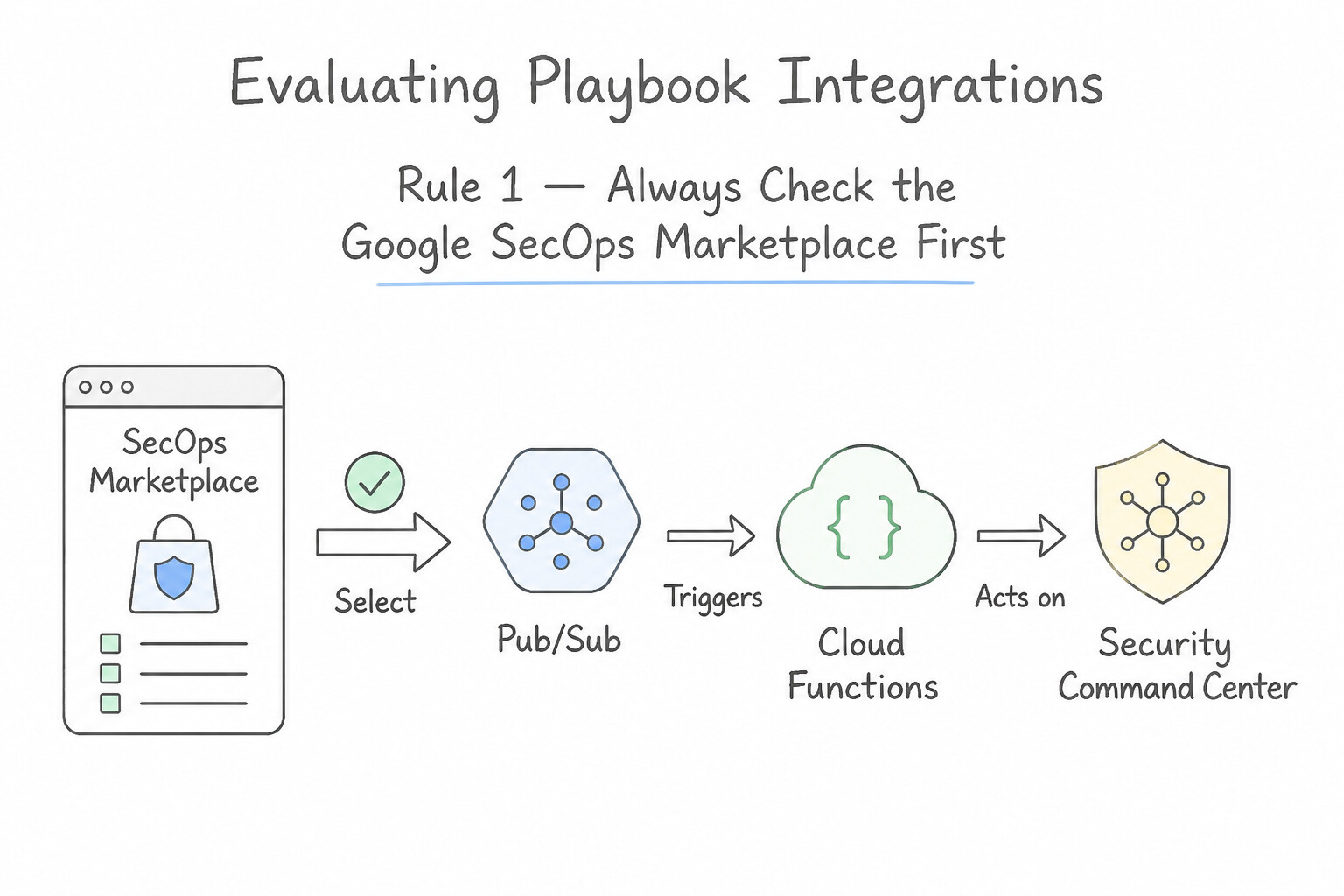
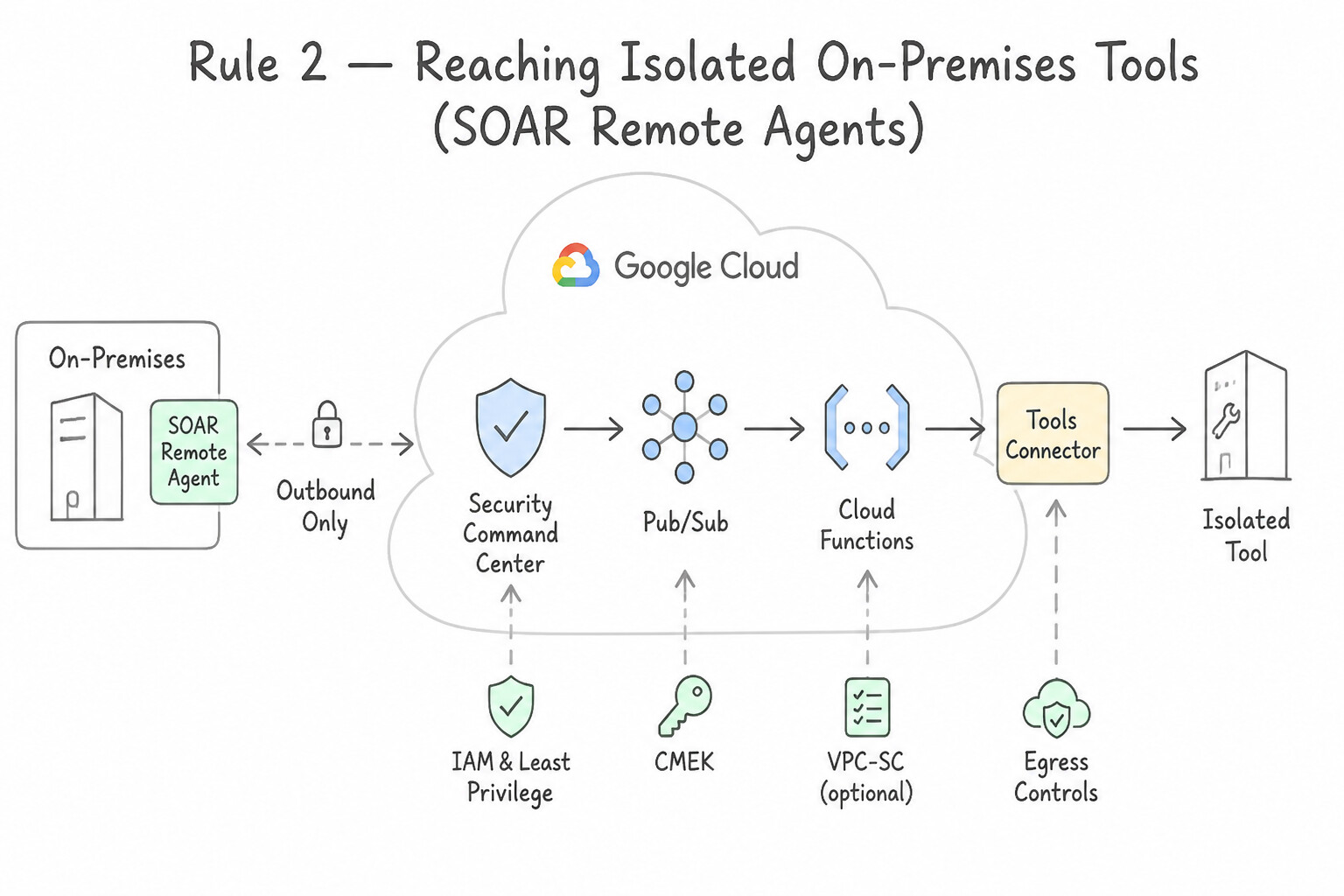
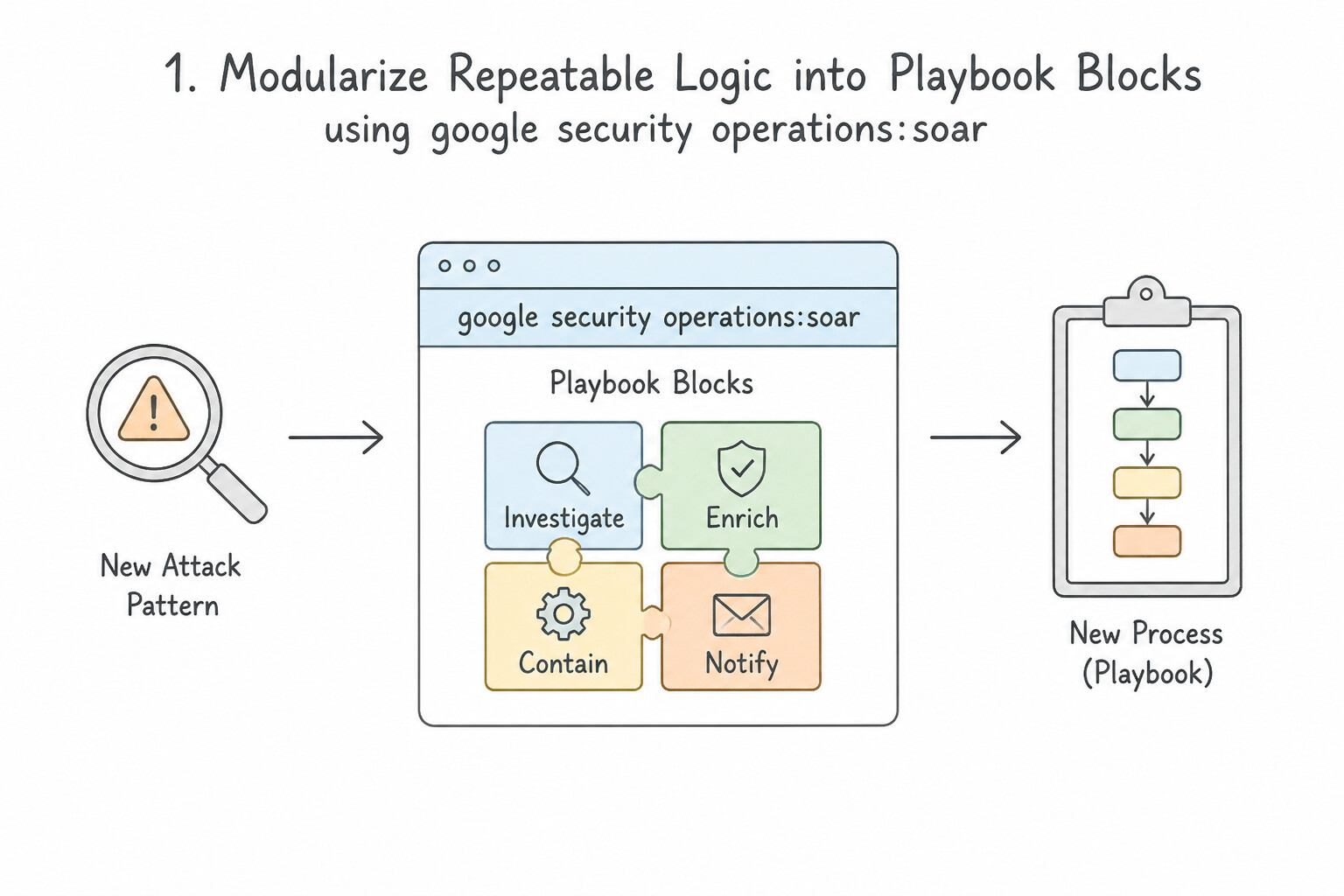
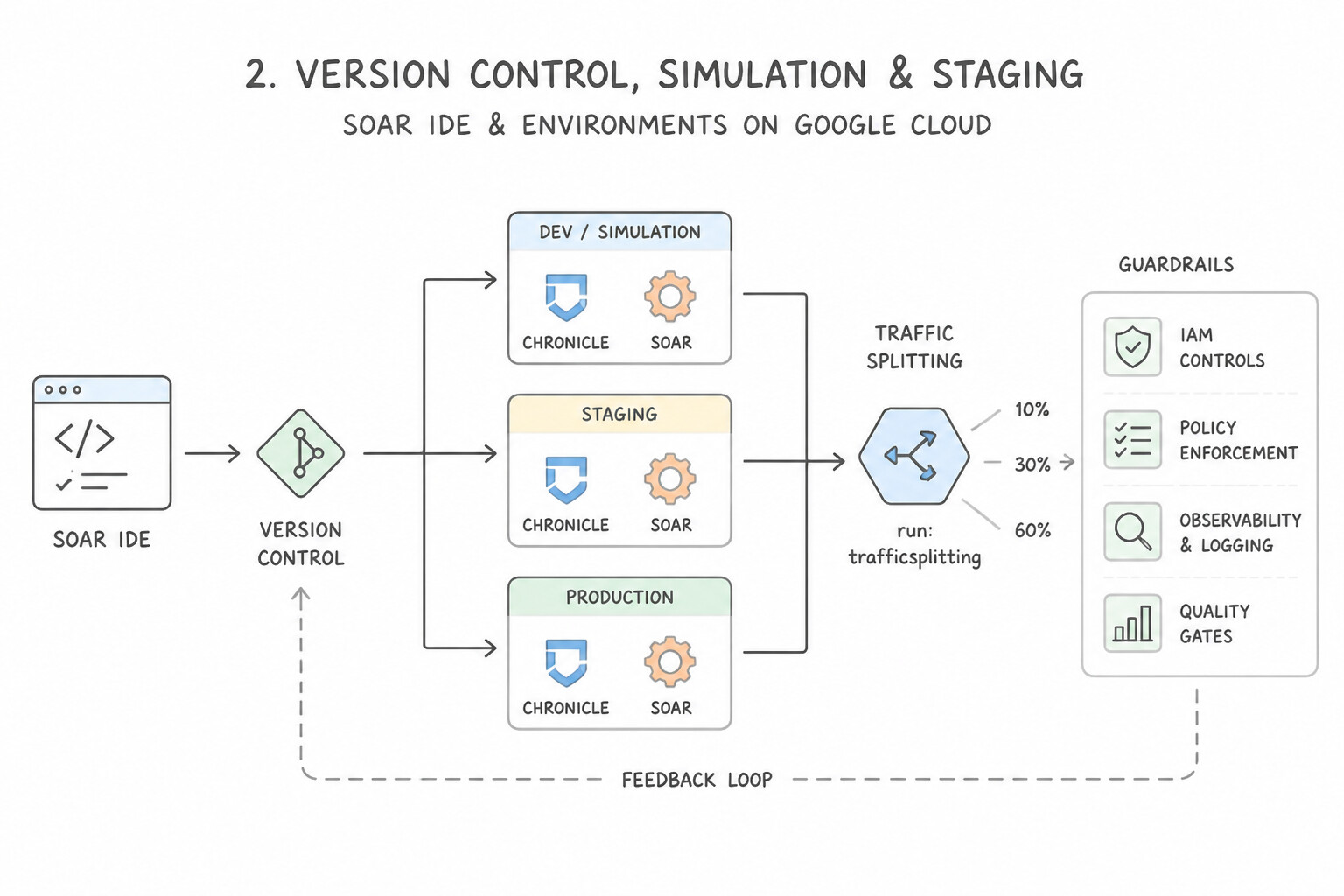
psoe-5.2c-1-always-check-secops.jpg,psoe-5.2c-2-reaching-isolated-on.jpg) - Consideration 5.2d: Designing new processes in response to newly identified attack patterns (Diagrams:
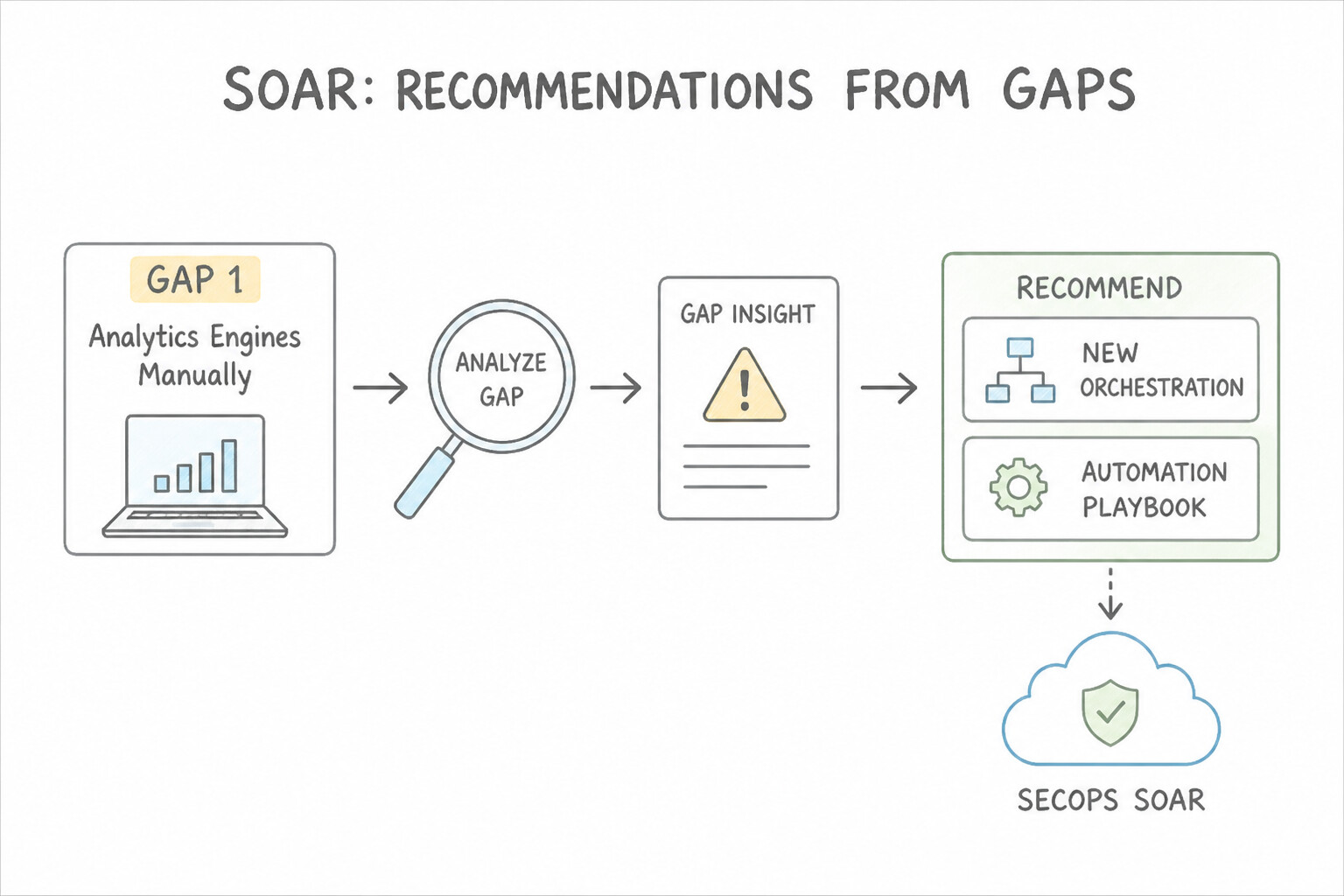
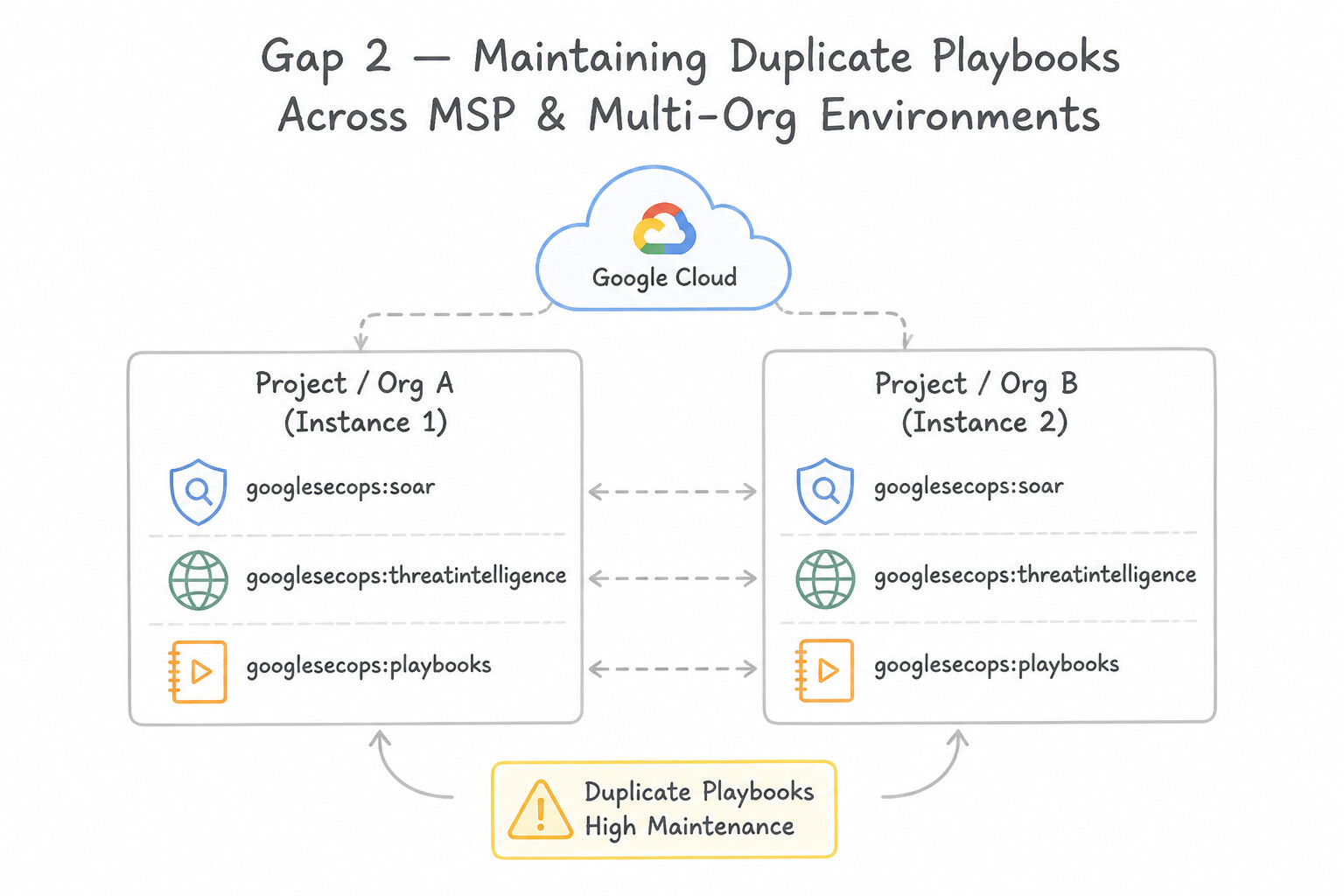
psoe-5.2d-1-modularize-repeatable.jpg,psoe-5.2d-2-version-control.jpg) - Consideration 5.2e: Recommending new orchestrations and automation playbooks based on gaps (e.g., Google SecOps SOAR) (Diagrams:
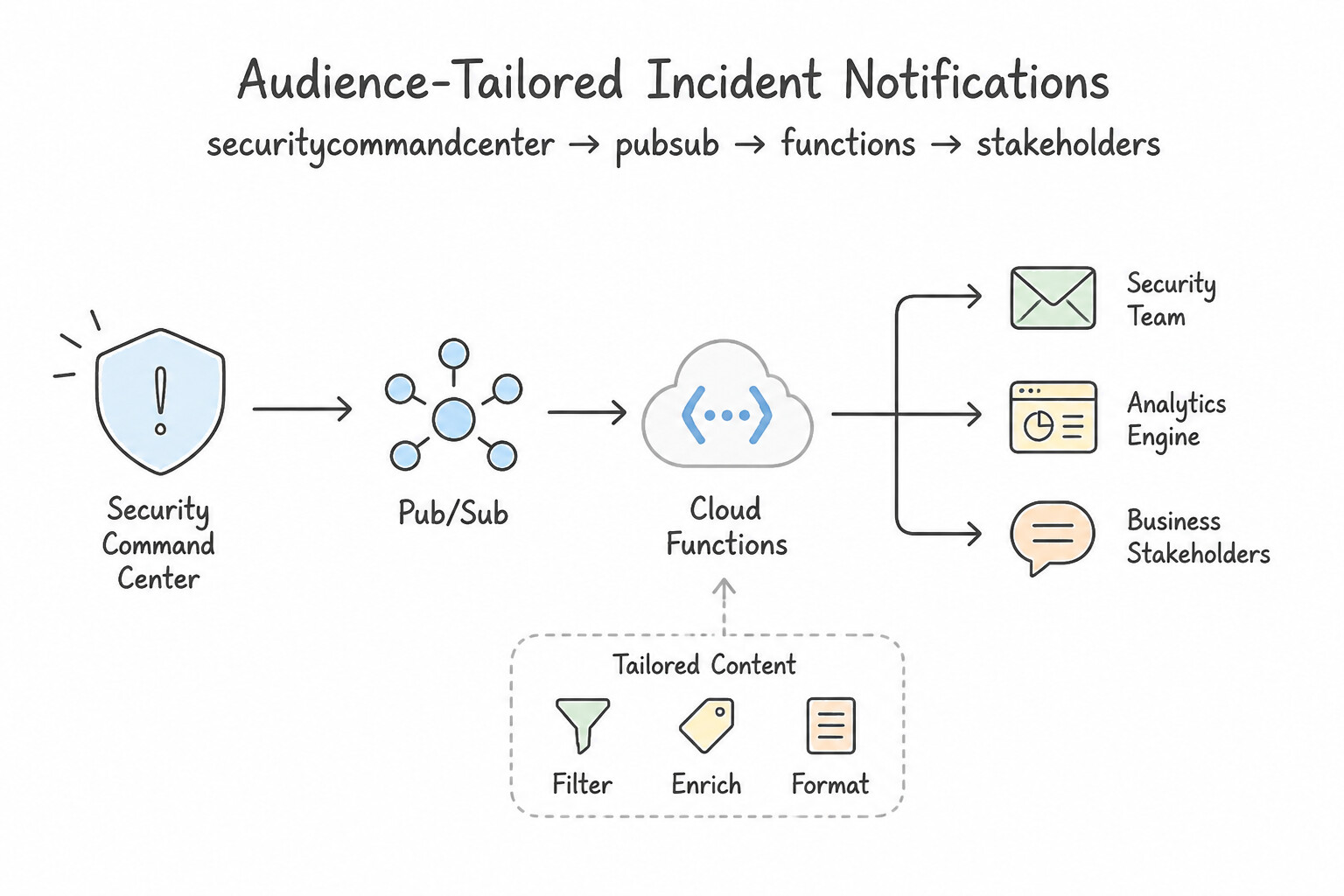
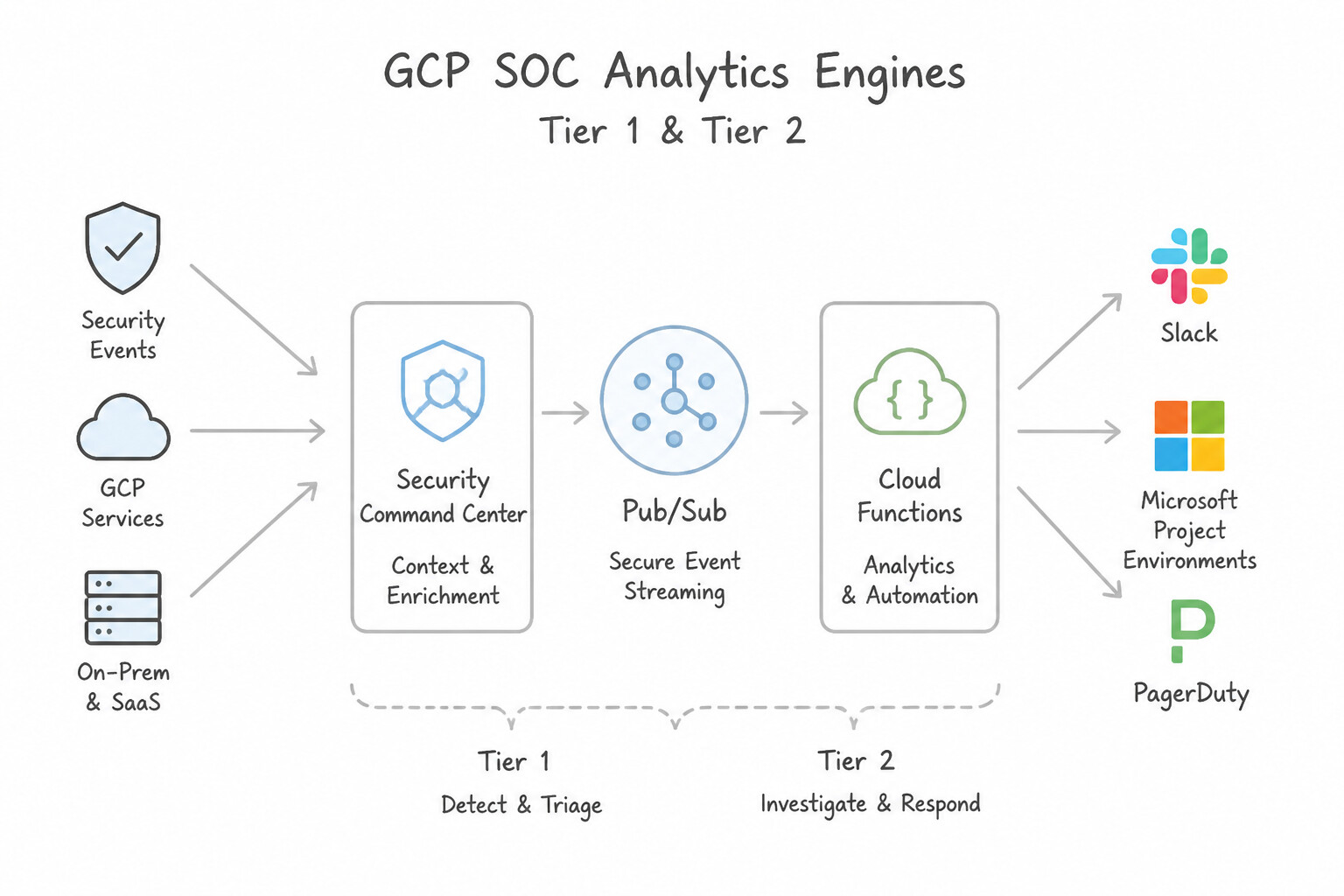
psoe-5.2e-1-gap-analysts-manually.jpg,psoe-5.2e-2-gap-msp-multi-org.jpg) - Consideration 5.2f: Implementing mechanisms to notify analysts and stakeholders of incidents (Diagrams:
psoe-5.2f-1-audience-tailored.jpg,psoe-5.2f-2-tier-tier-soc-analysts.jpg) - Quick Decision Cheat Sheet (Subsection 5.2)
- Subsection 5.3: Implementing the Case Management Lifecycle (Section 5: Incident Response)
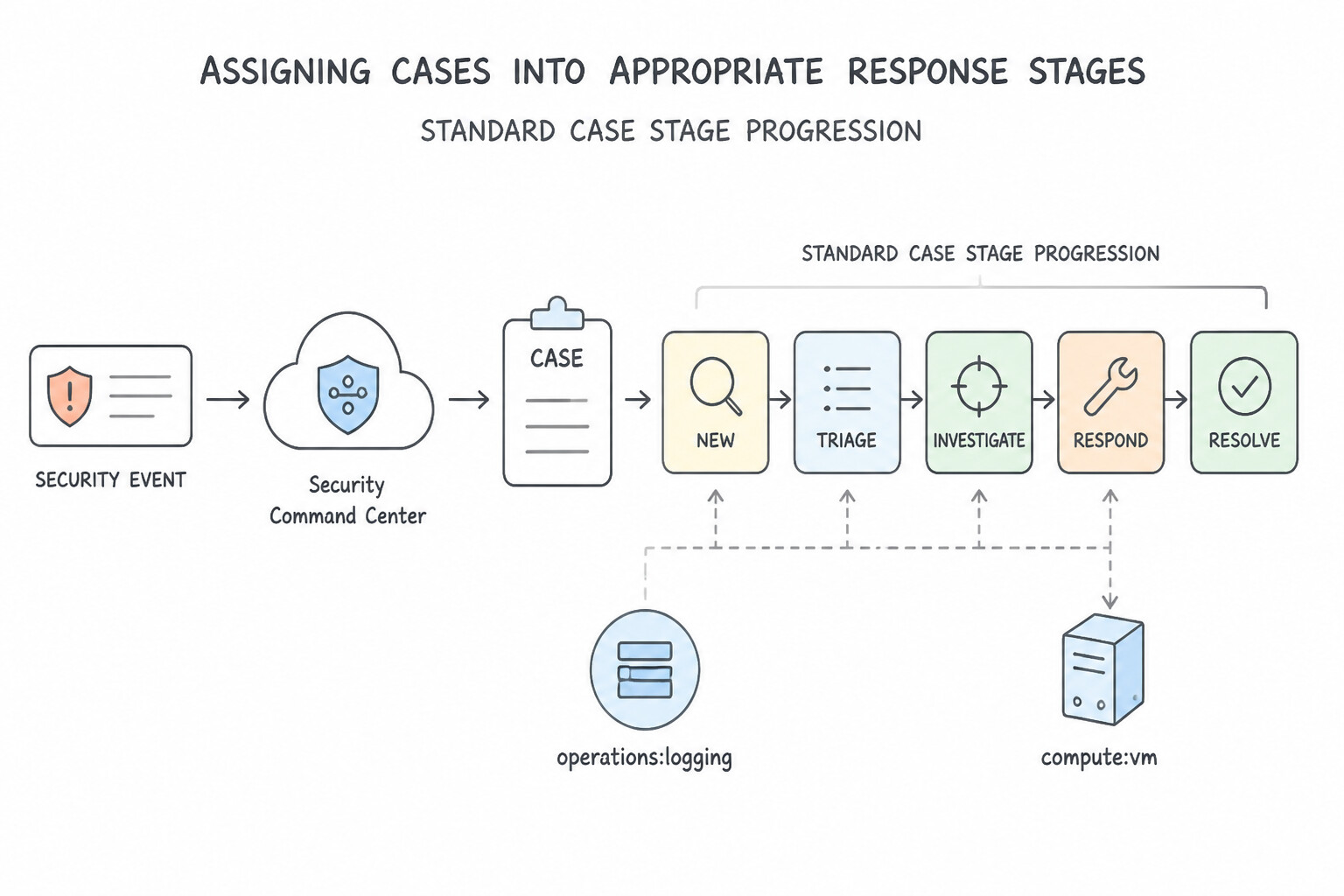
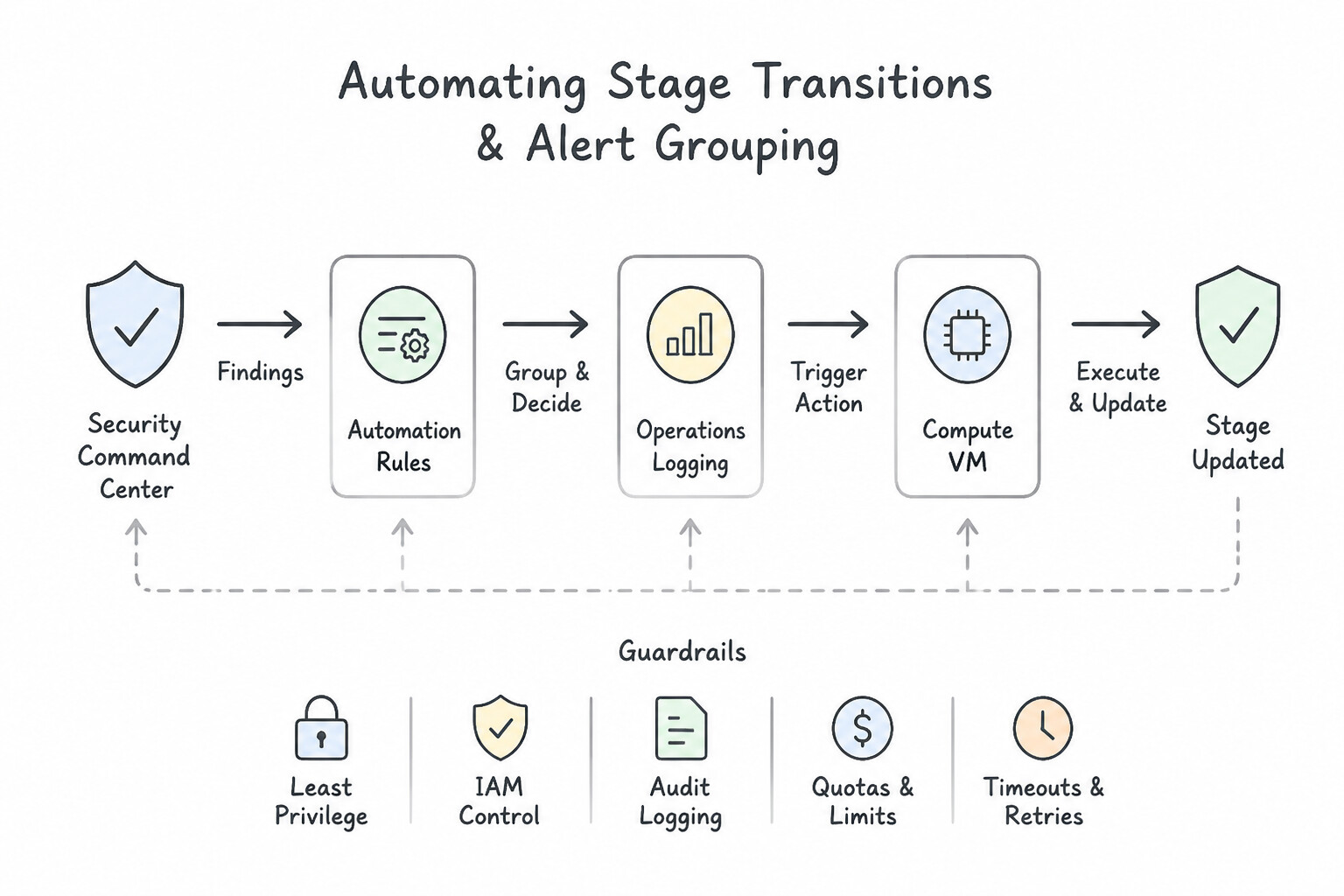
- Consideration 5.3a: Assigning cases into appropriate response stages (Diagrams:
psoe-5.3a-1-standard-case-stage.jpg,psoe-5.3a-2-automating-stage.jpg) - Consideration 5.3b: Implementing efficient workflows for case escalation (Diagrams:
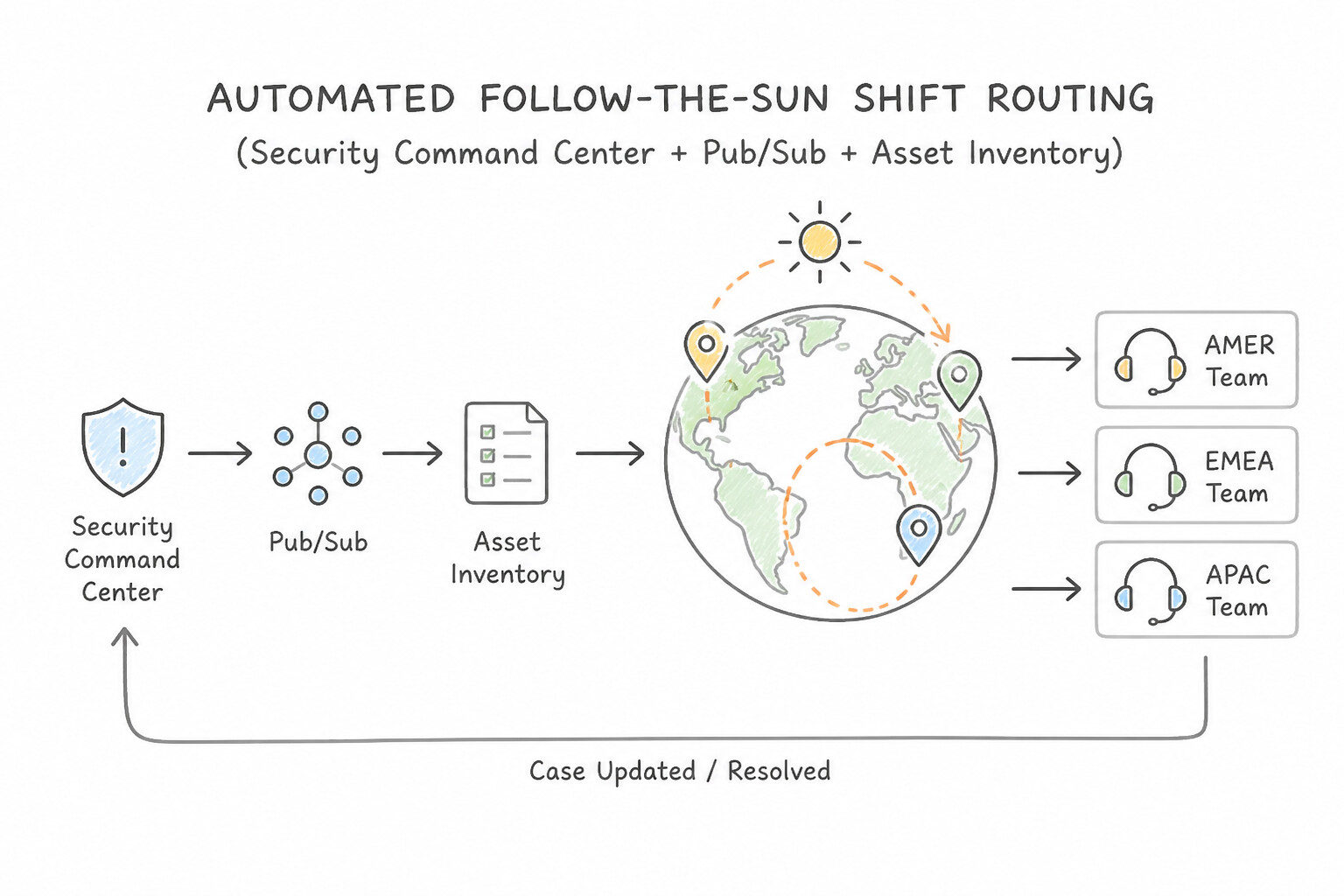
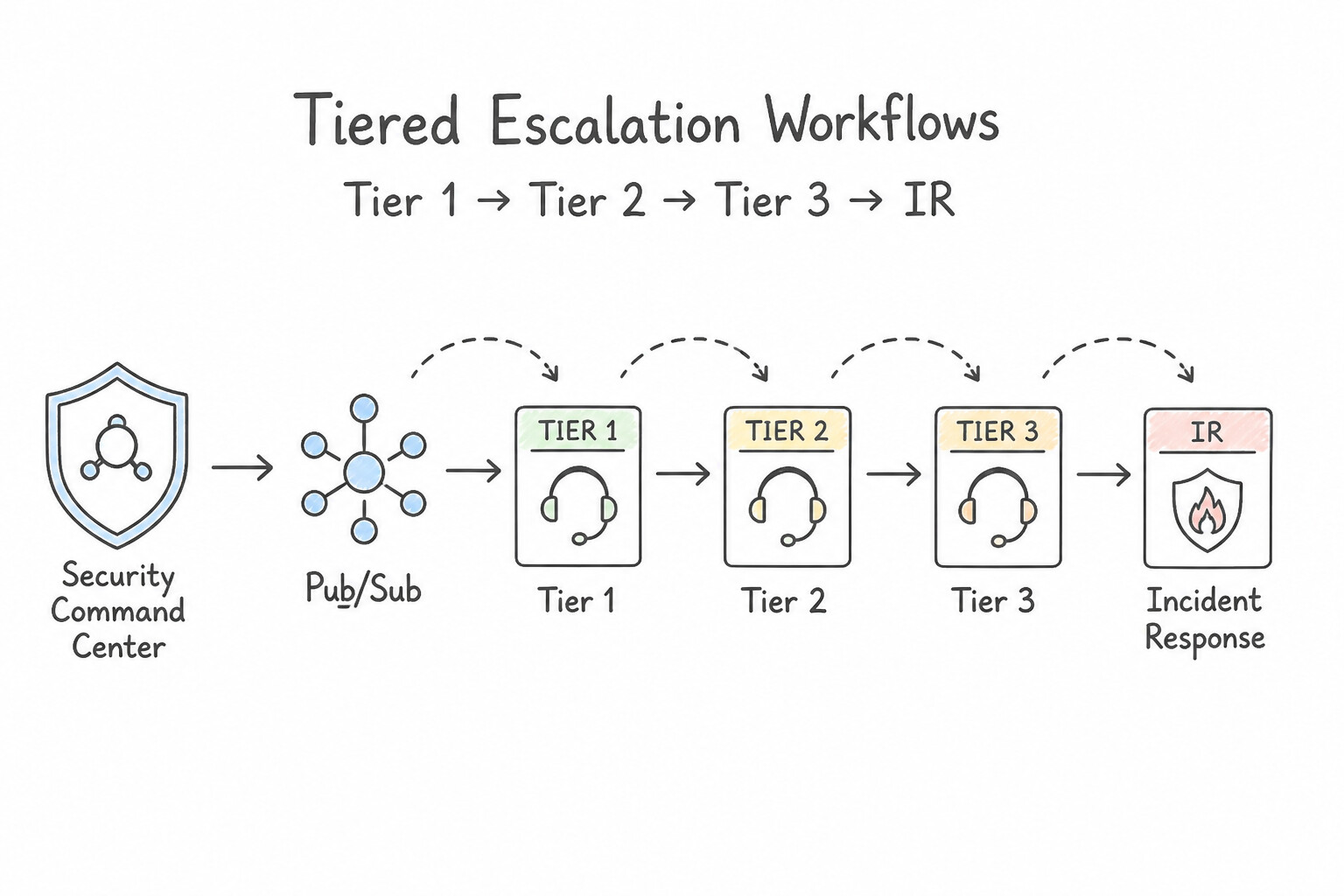
psoe-5.3b-1-automated-follow-sun.jpg,psoe-5.3b-2-tiered-escalation.jpg) - Consideration 5.3c: Assessing the effectiveness of case handoffs (Diagrams:
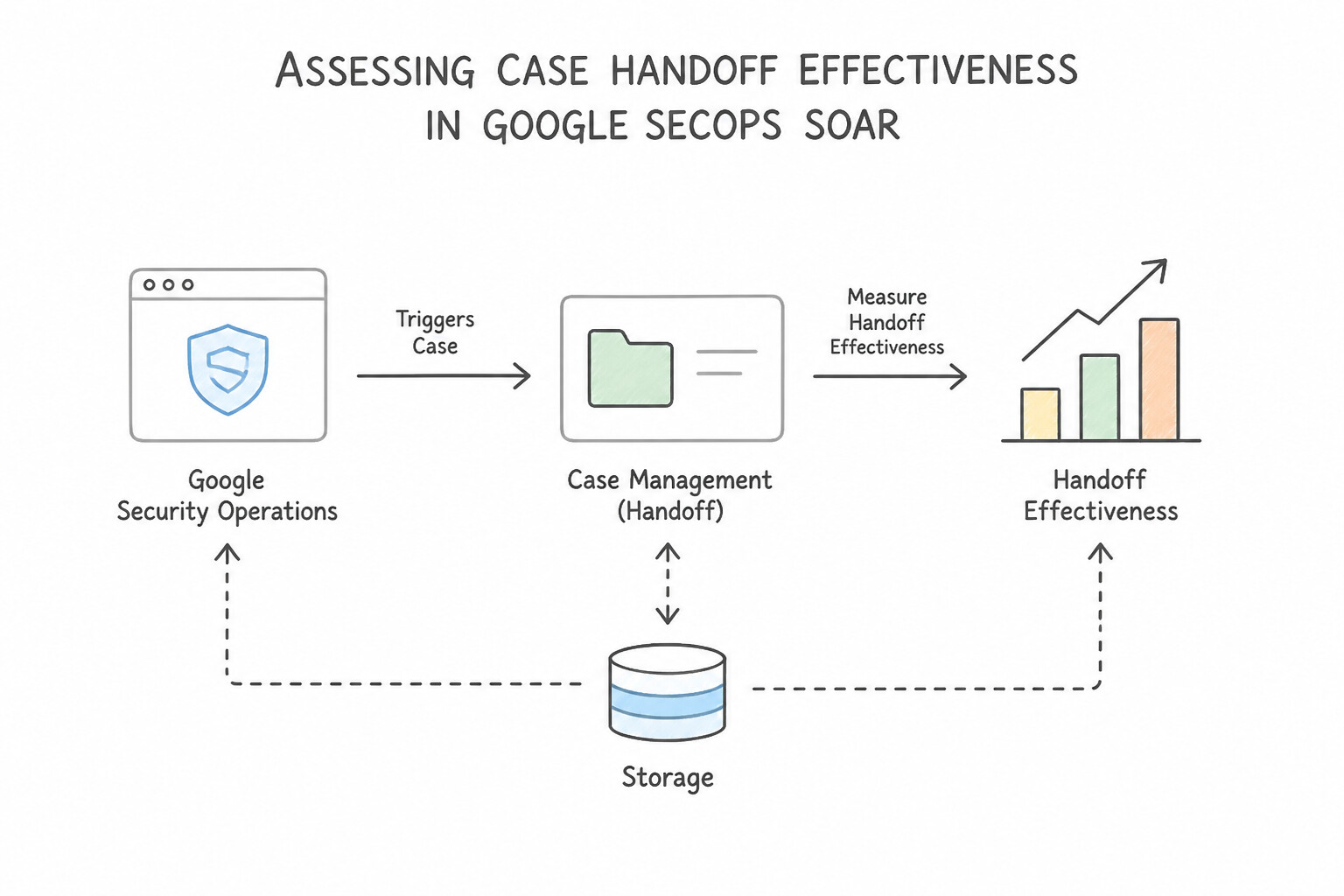
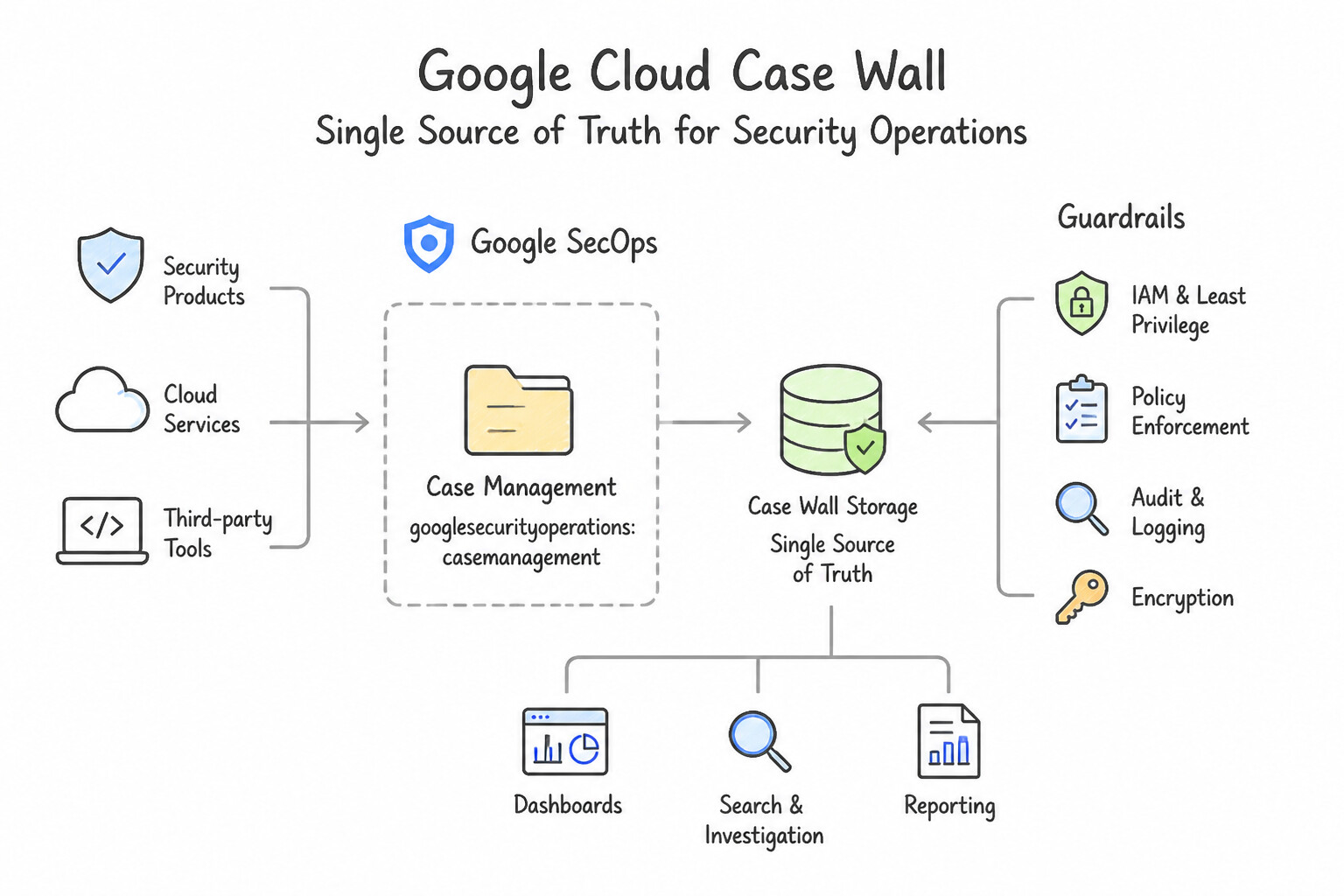
psoe-5.3c-1-makes-case-handoff.jpg,psoe-5.3c-2-single-source-of-truth.jpg) - Quick Decision Cheat Sheet (Subsection 5.3)
Chapter 6: SOC Observability: Native Dashboards, MTTD/MTTR Reporting & Silent Source Health Alerting
- Subsection 6.1: Developing and Maintaining Dashboards and Reports to Provide Insights (Section 6: Observability)
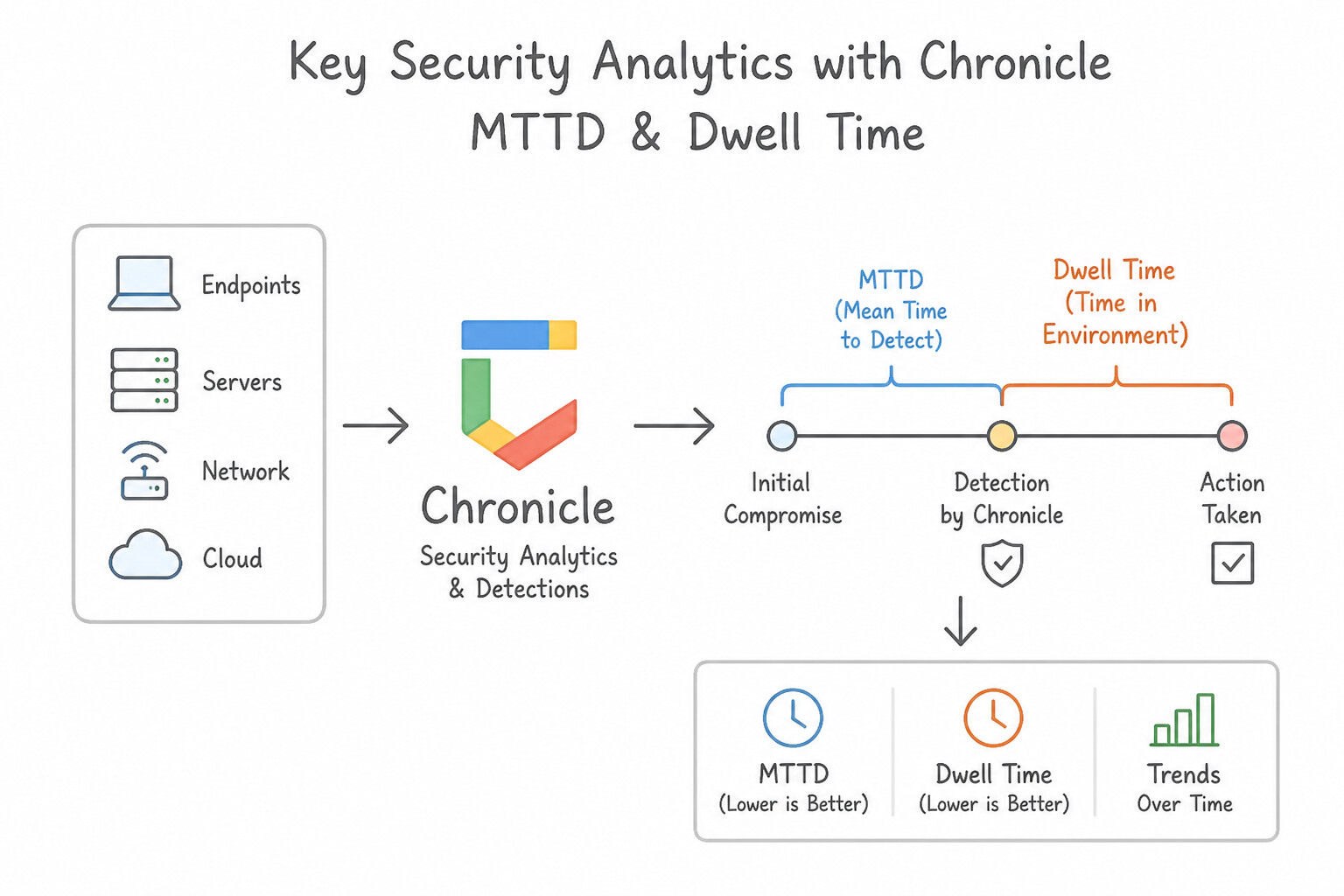
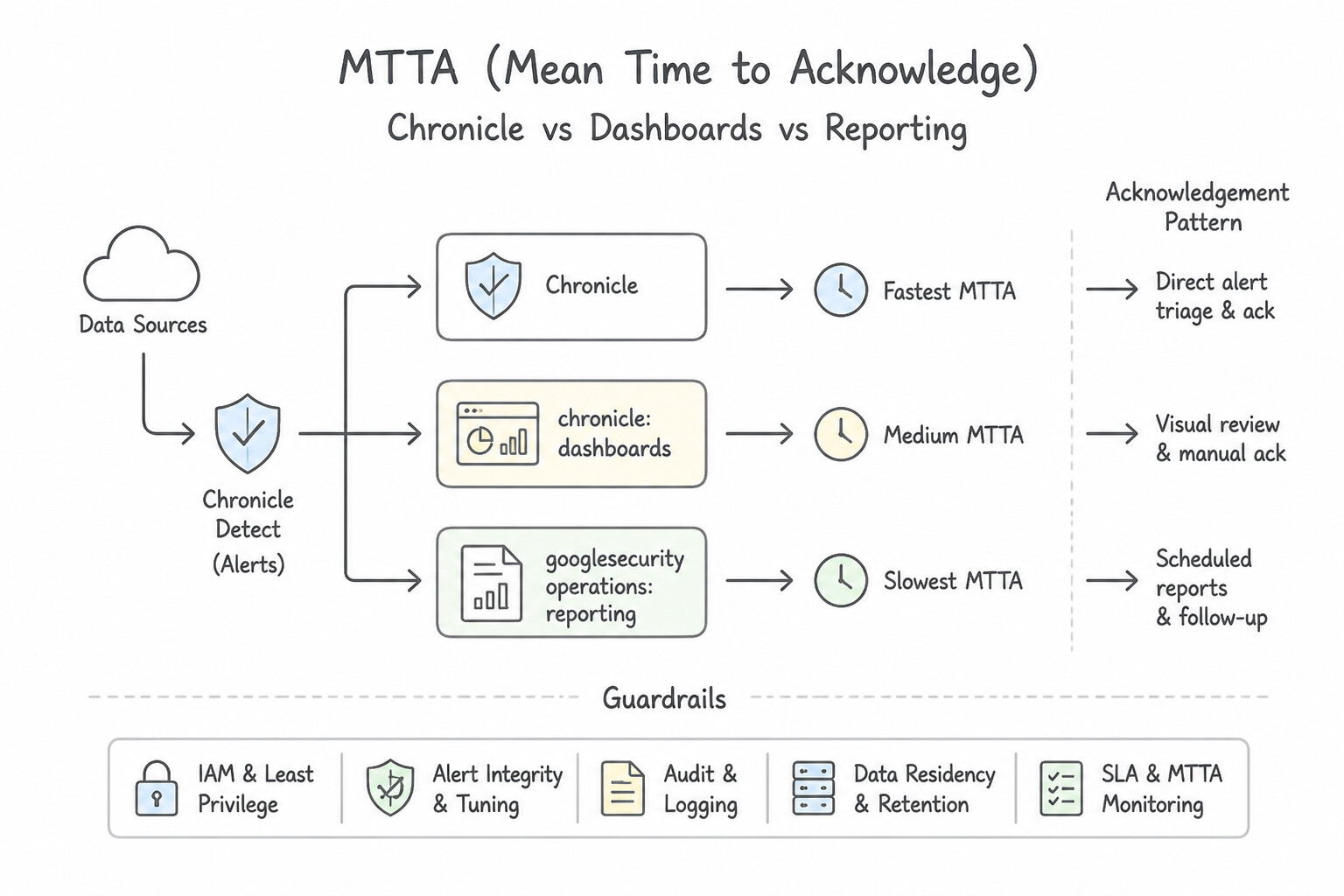
- Consideration 6.1a: Identifying key security analytics (e.g., metrics, KPIs, trends) (Diagrams:
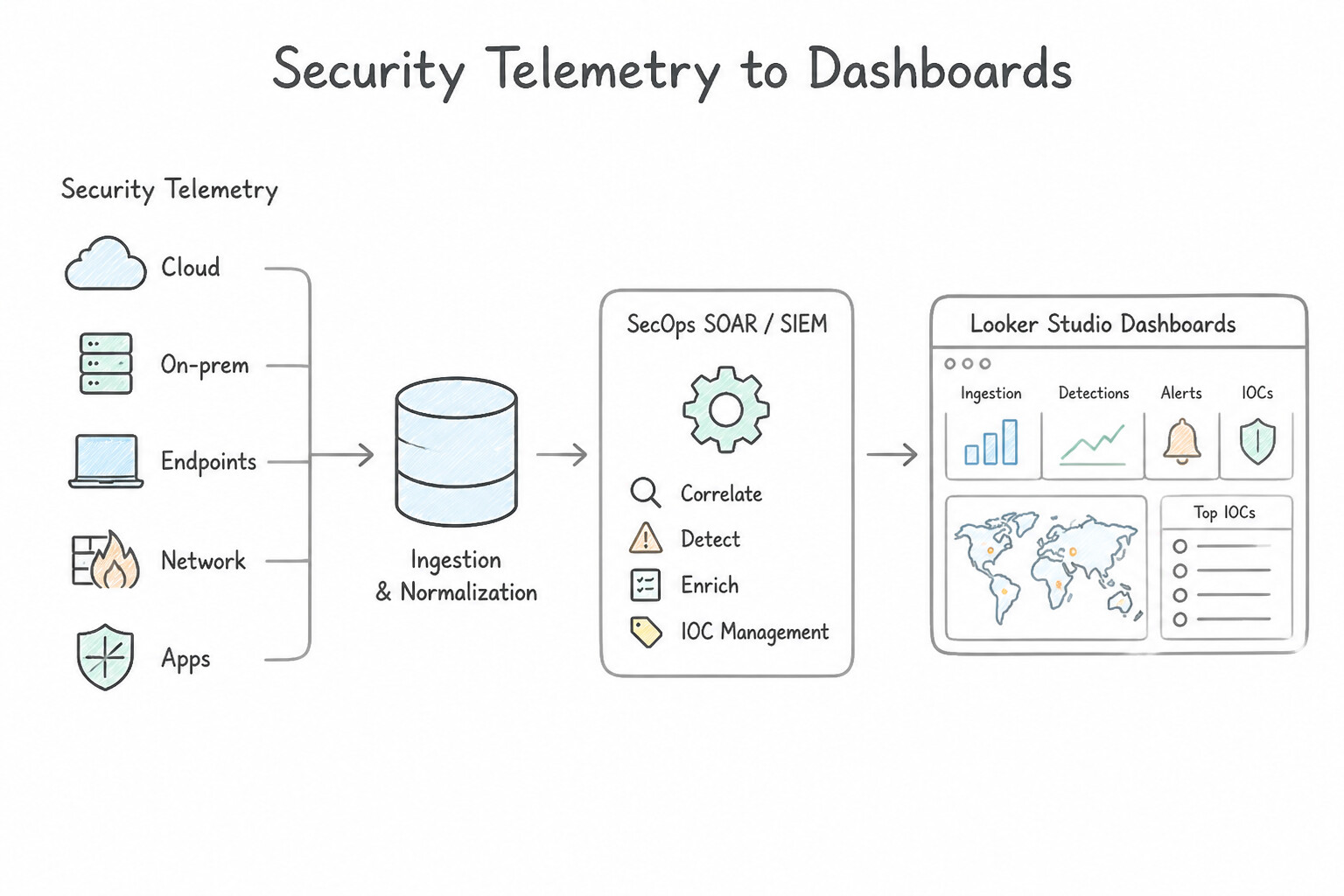
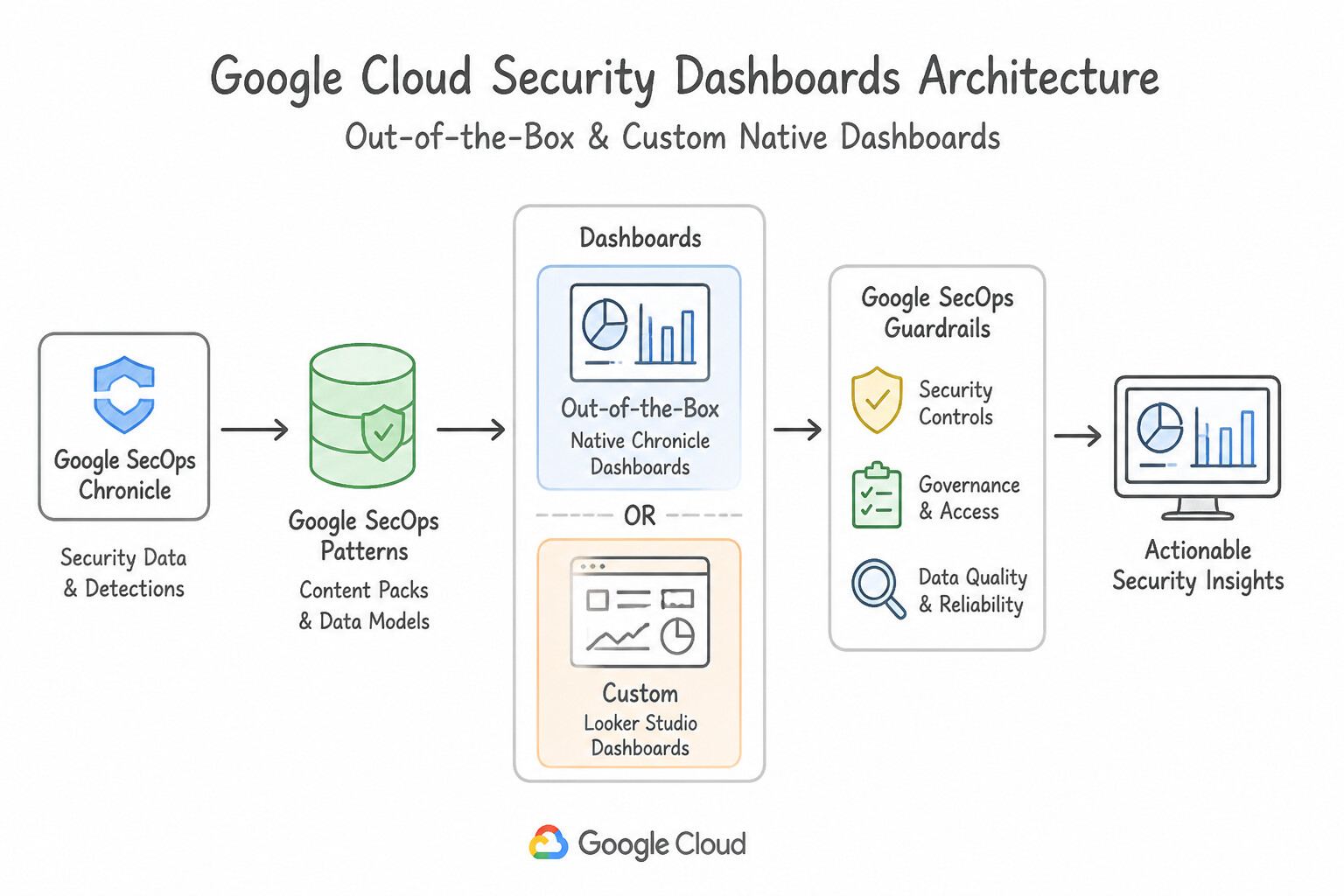
psoe-6.1a-1-mttd-mean-time-to.jpg,psoe-6.1a-2-mtta-mean-time-to.jpg) - Consideration 6.1b: Implementing dashboards to visualize security telemetry, ingestion metrics, detections, alerts, and IOCs (e.g., Google SecOps SOAR, SIEM, Looker Studio) (Diagrams:
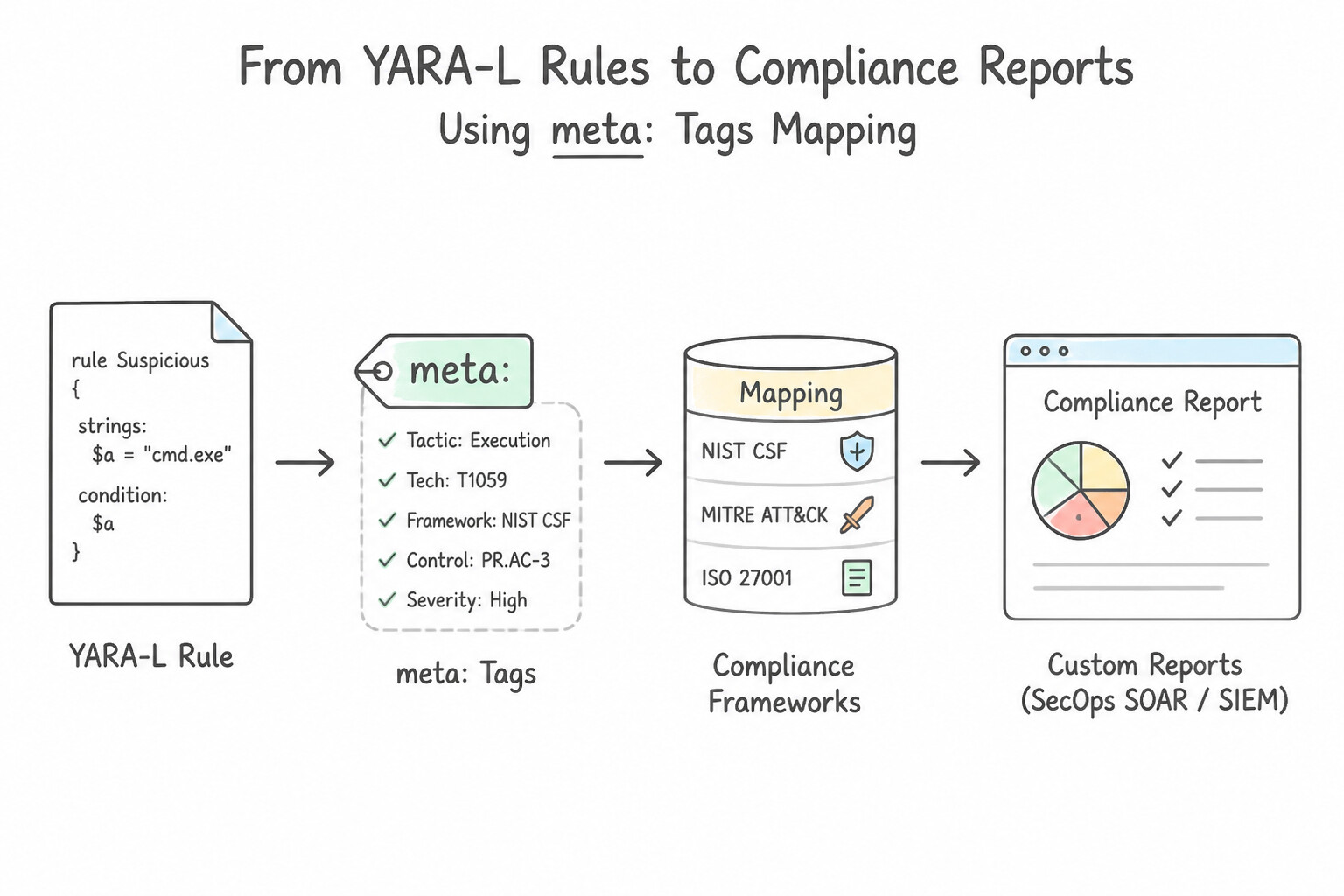
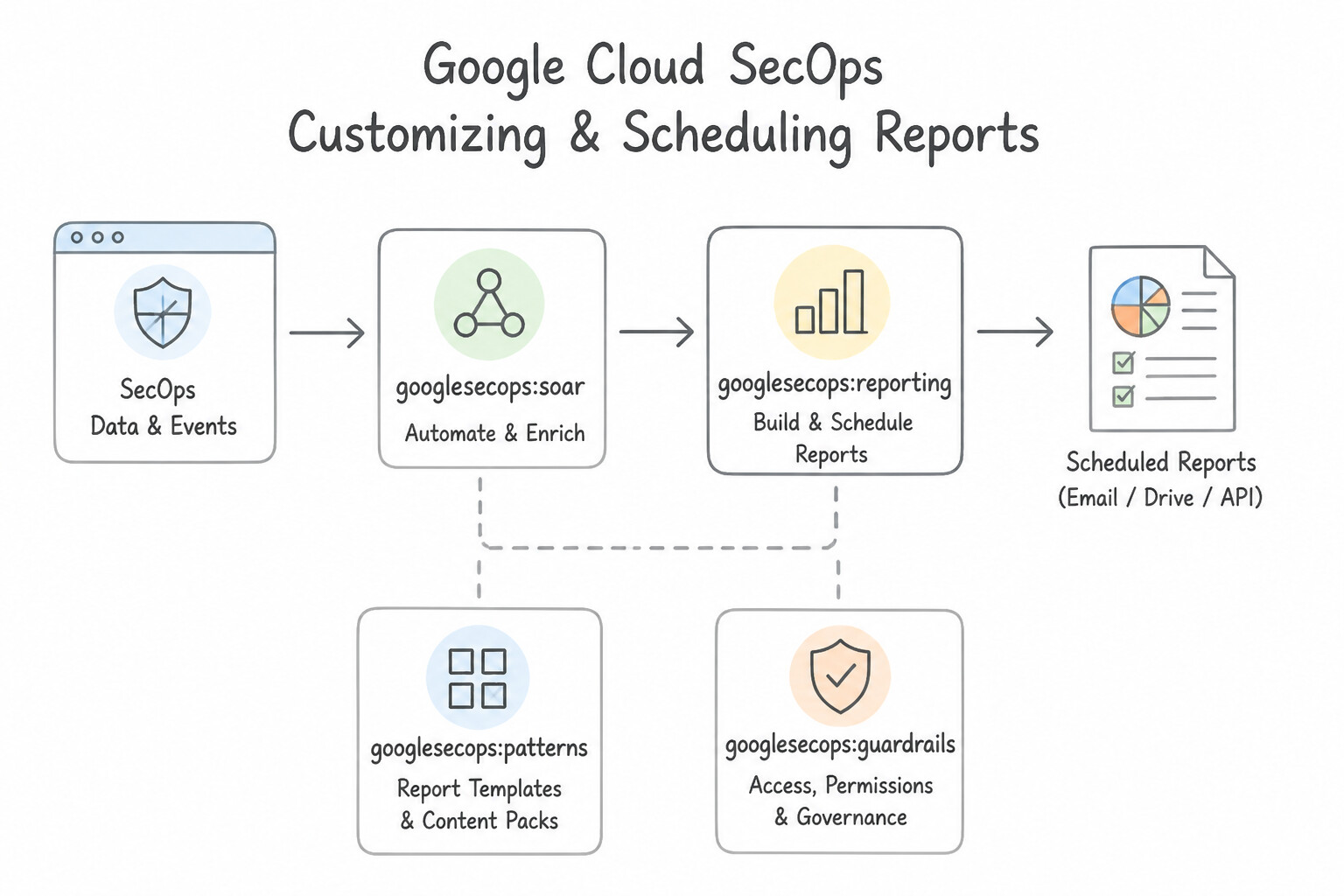
psoe-6.1b-1-native-secops-dashboards.jpg,psoe-6.1b-2-out-of-box-custom.jpg) - Consideration 6.1c: Generating and customizing reports (e.g., Google SecOps SOAR, SIEM) (Diagrams:
psoe-6.1c-1-mapping-yara-to.jpg,psoe-6.1c-2-customizing-scheduling.jpg) - Quick Decision Cheat Sheet (Subsection 6.1)
- Subsection 6.2: Configuring Health Monitoring and Alerting (Section 6: Observability)
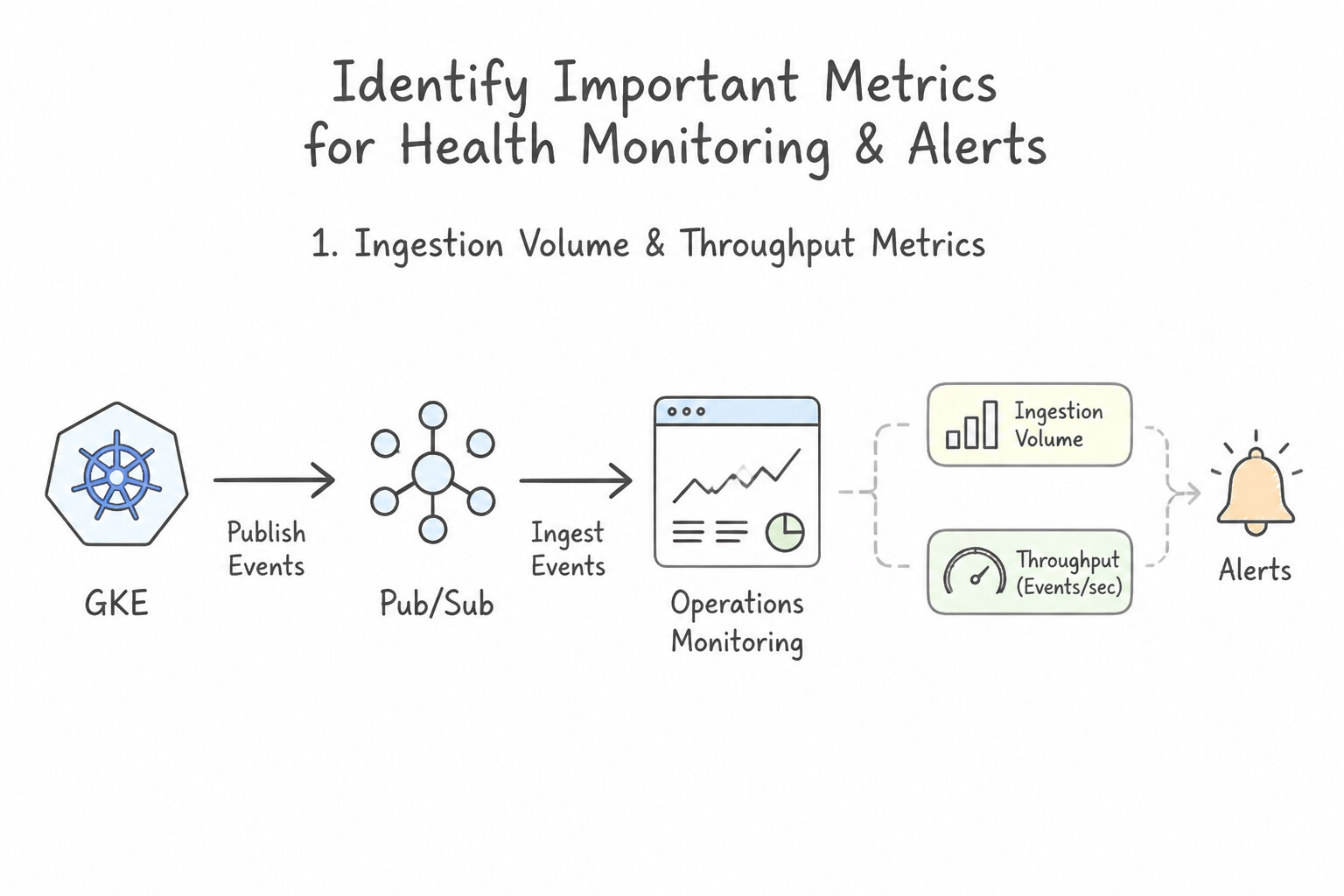
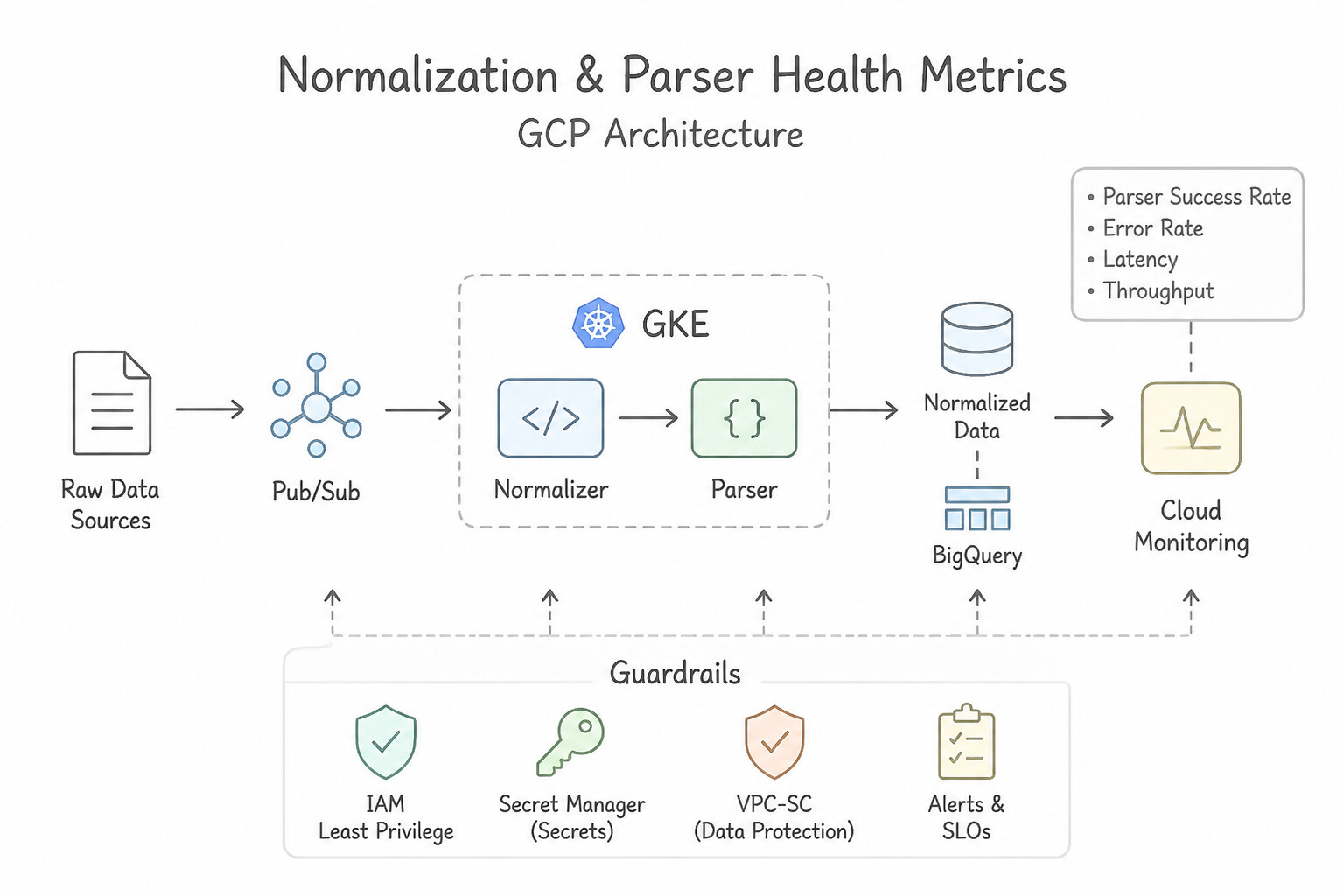
- Consideration 6.2a: Identifying important metrics for health monitoring and alerts (Diagrams:
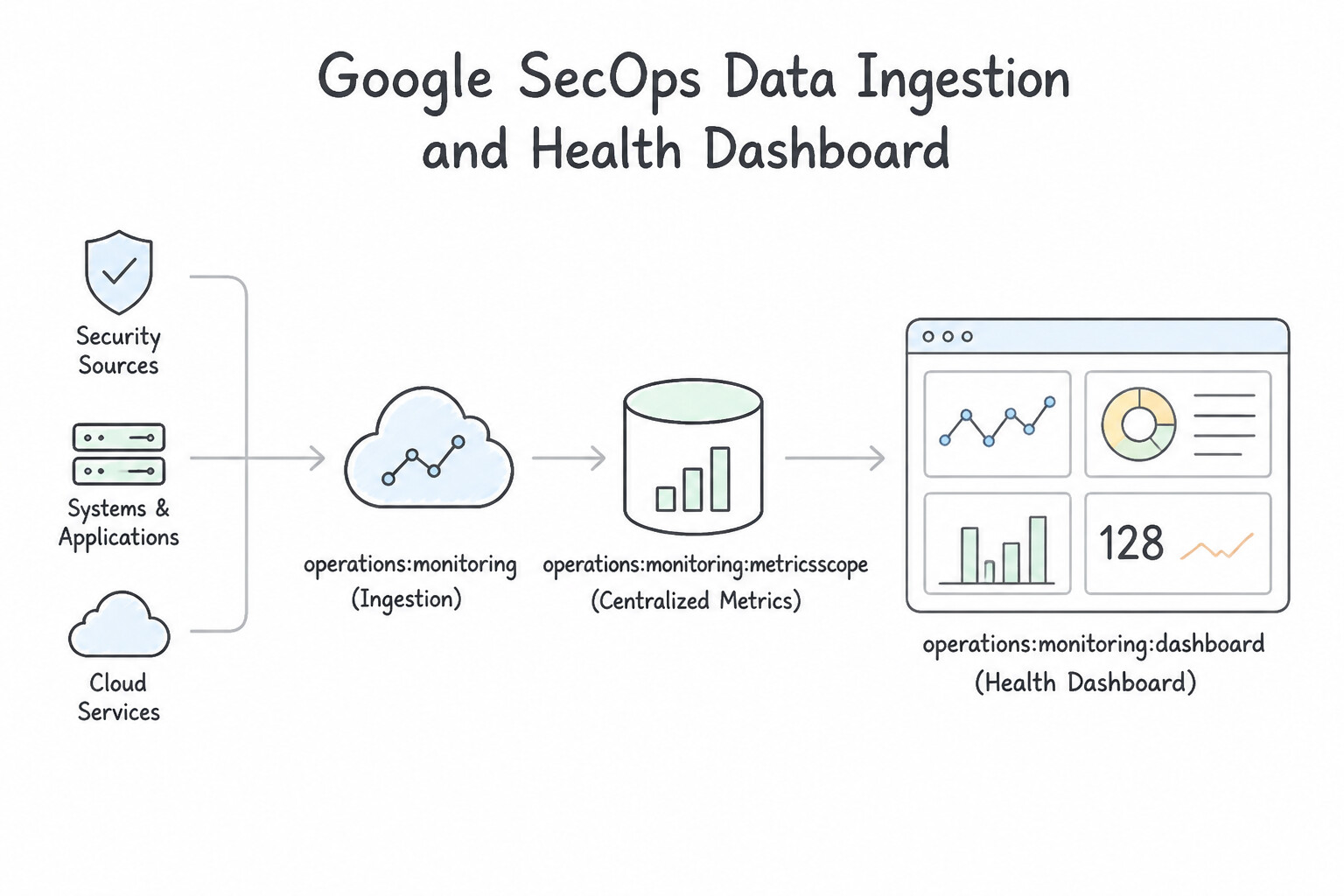
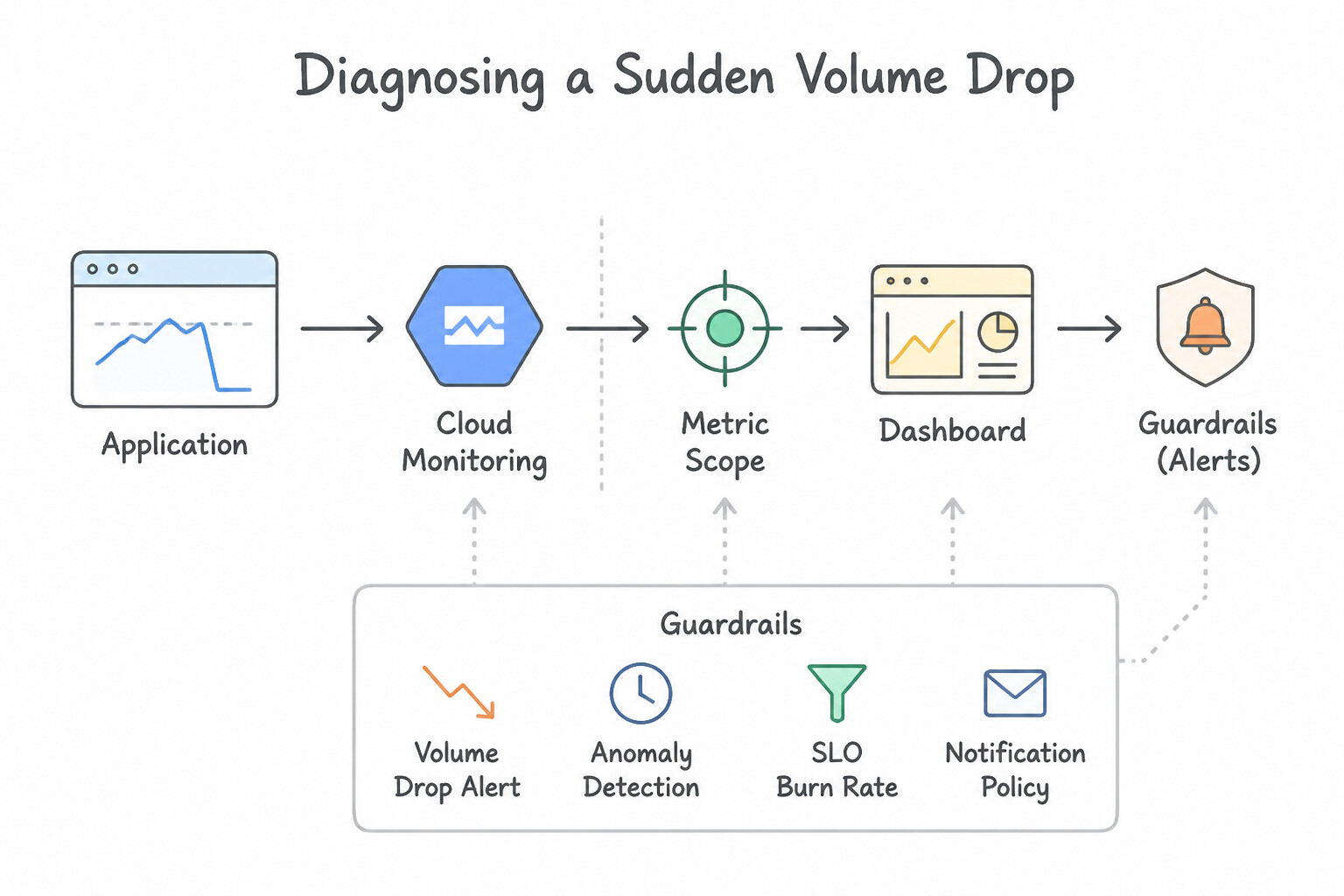
psoe-6.2a-1-ingestion-volume.jpg,psoe-6.2a-2-normalization-parser.jpg) - Consideration 6.2b: Creating dashboards that centralize metrics (Diagrams:
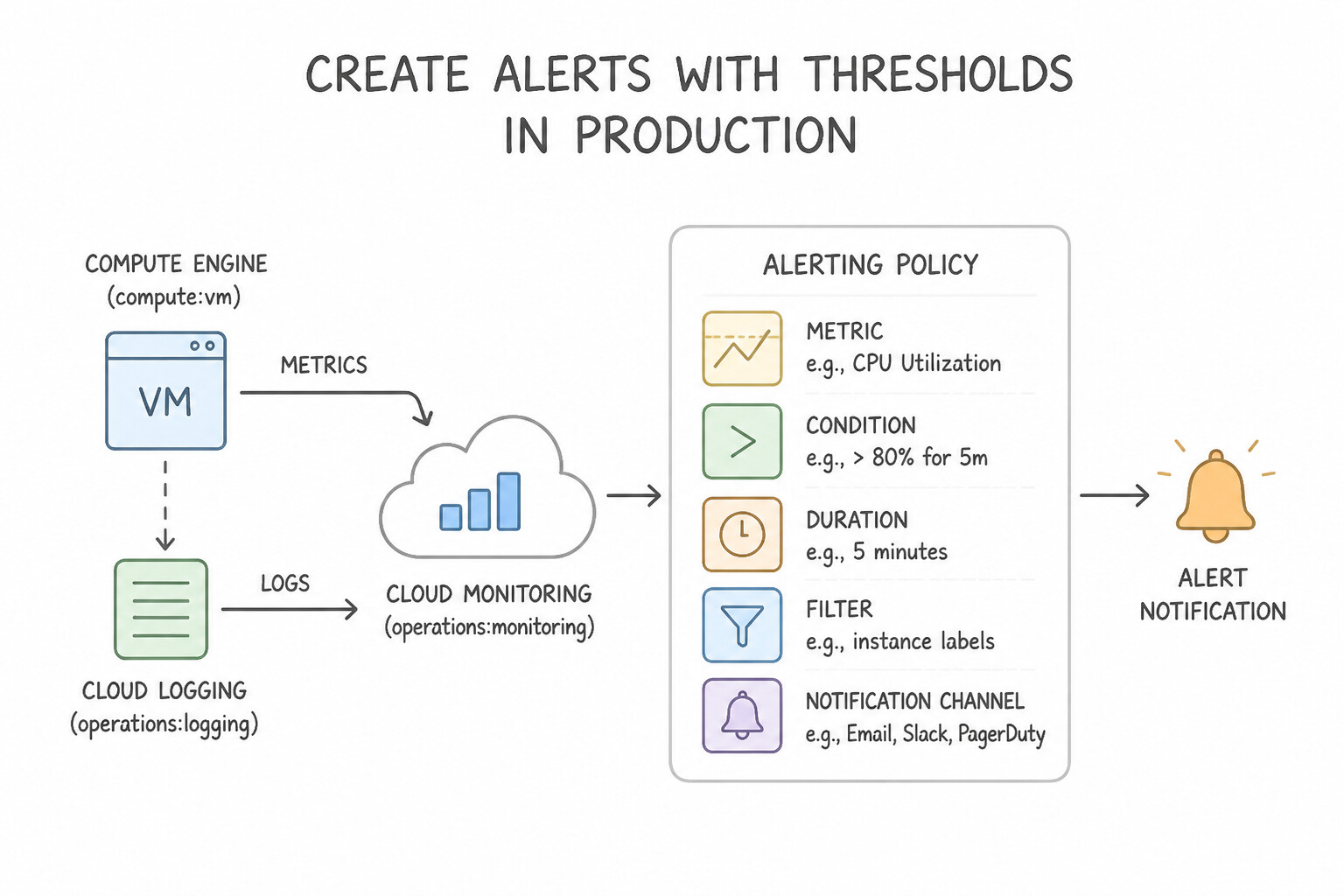
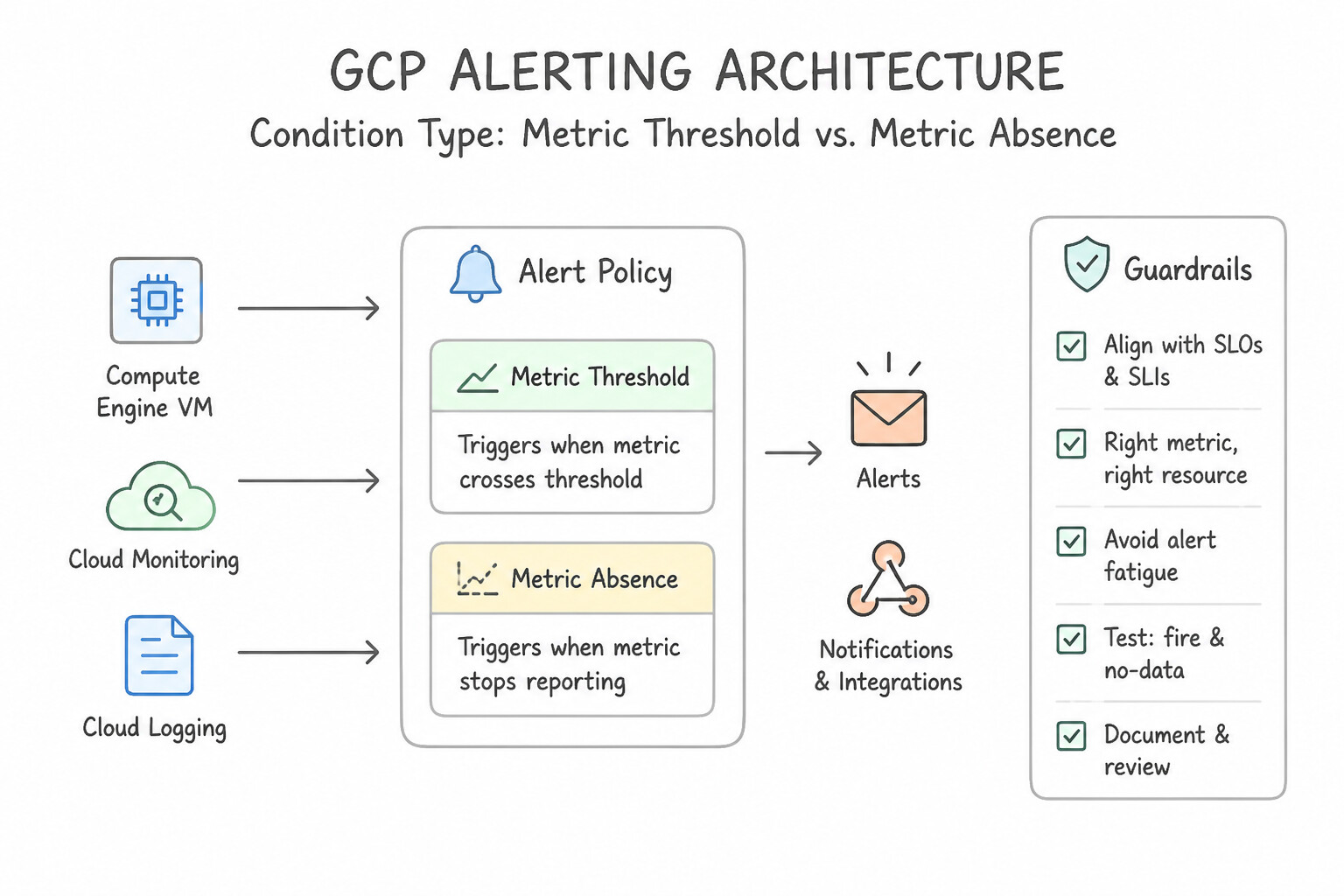
psoe-6.2b-1-secops-data-ingestion.jpg,psoe-6.2b-2-diagnosing-sudden-volume.jpg) - Consideration 6.2c: Creating alerts with thresholds for specific metrics (Diagrams:
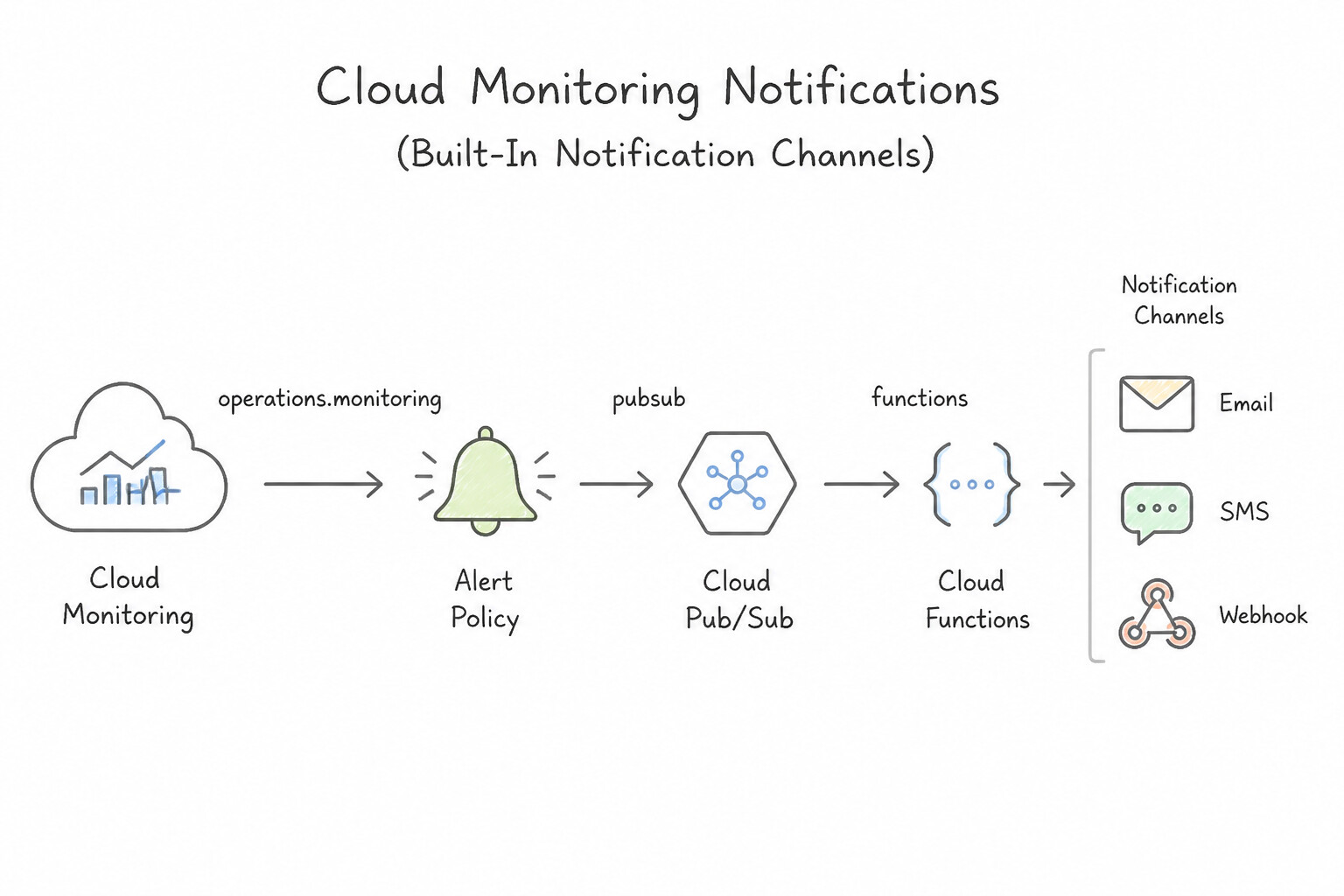
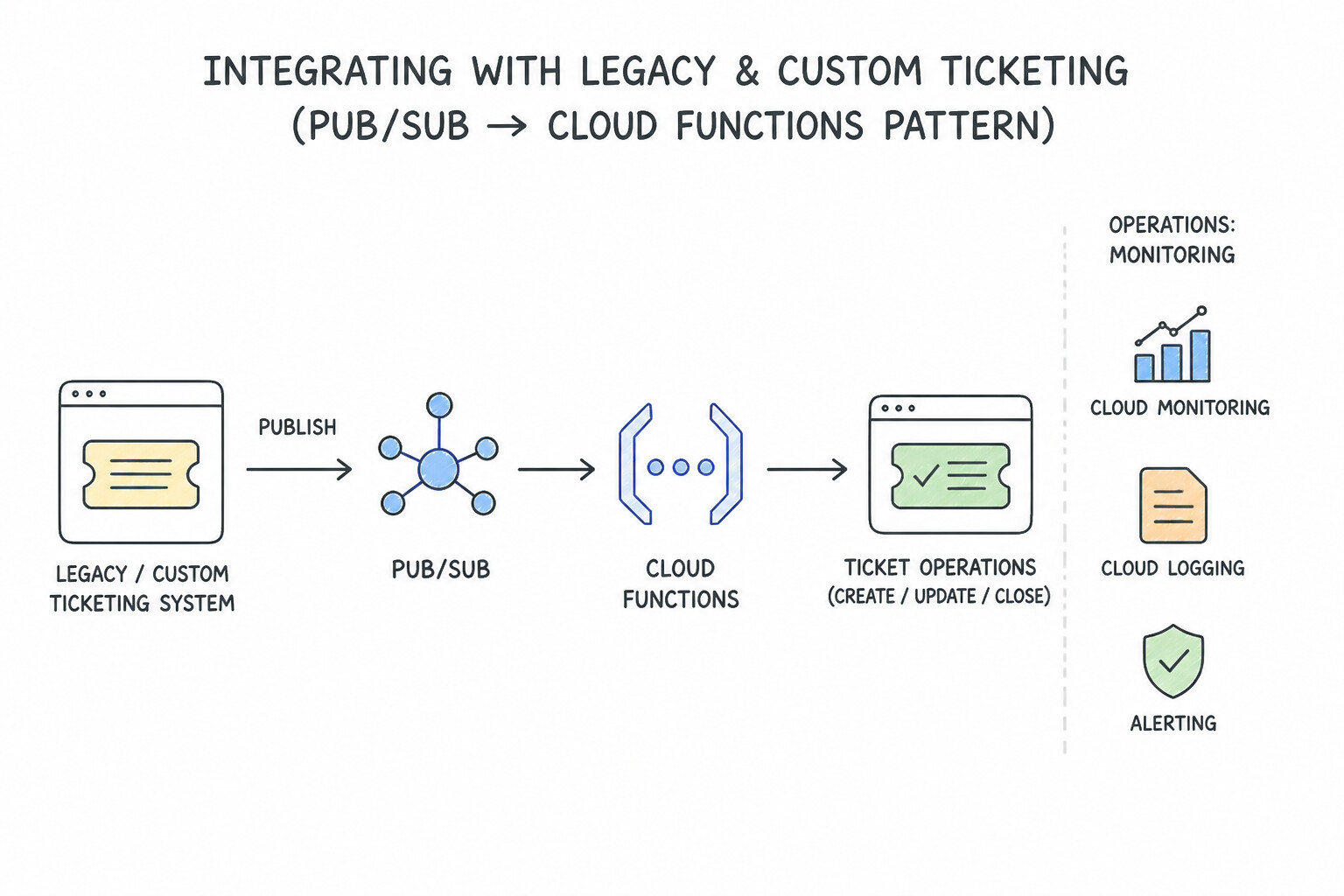
psoe-6.2c-1-alerting-policy.jpg,psoe-6.2c-2-condition-type-metric.jpg) - Consideration 6.2d: Configuring notifications using Google Cloud tools (e.g., Cloud Monitoring) (Diagrams:
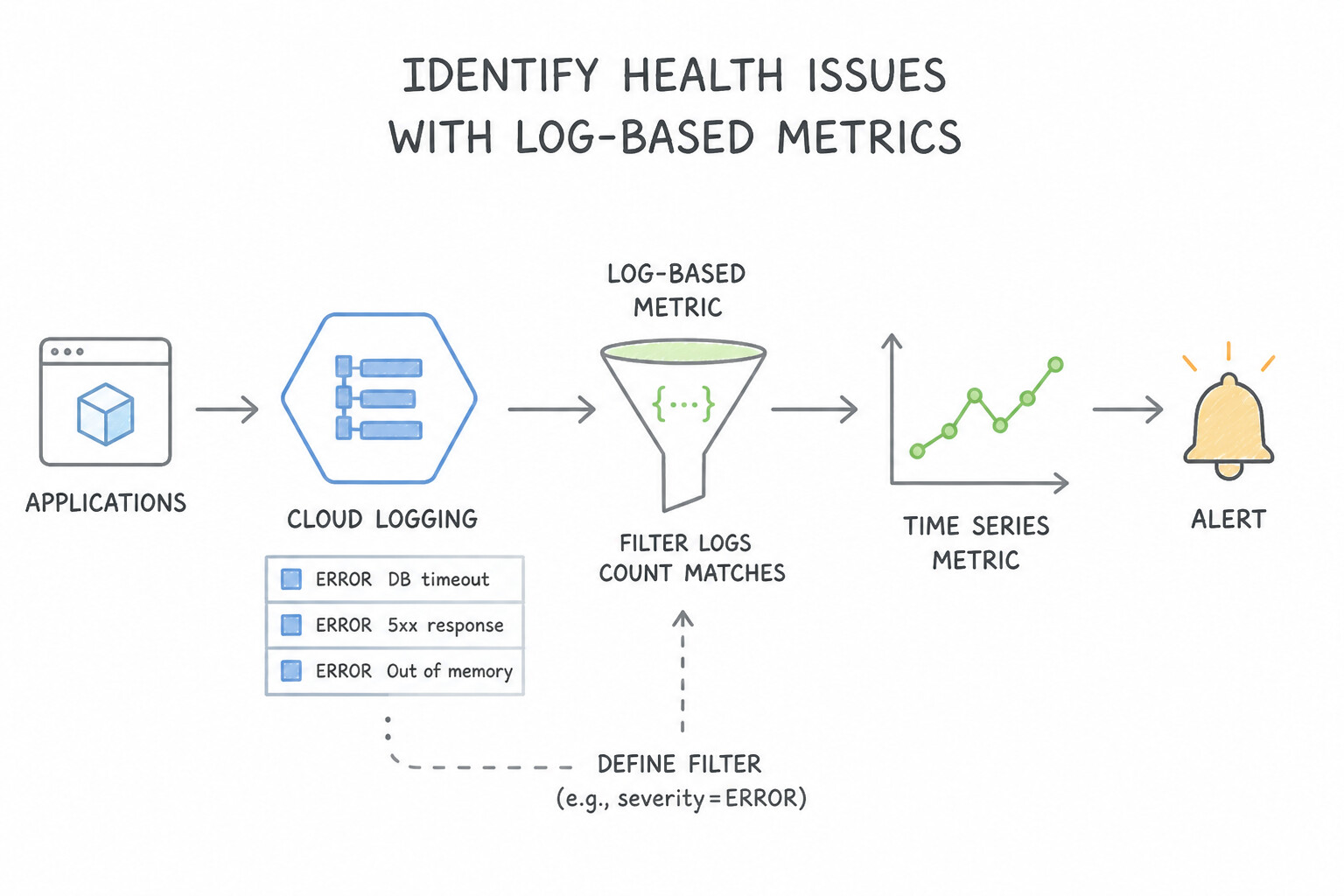
psoe-6.2d-1-built-in-monitoring.jpg,psoe-6.2d-2-integrating-legacy.jpg) - Consideration 6.2e: Identifying health issues using Google Cloud tools (e.g., Cloud Logging) (Diagrams:
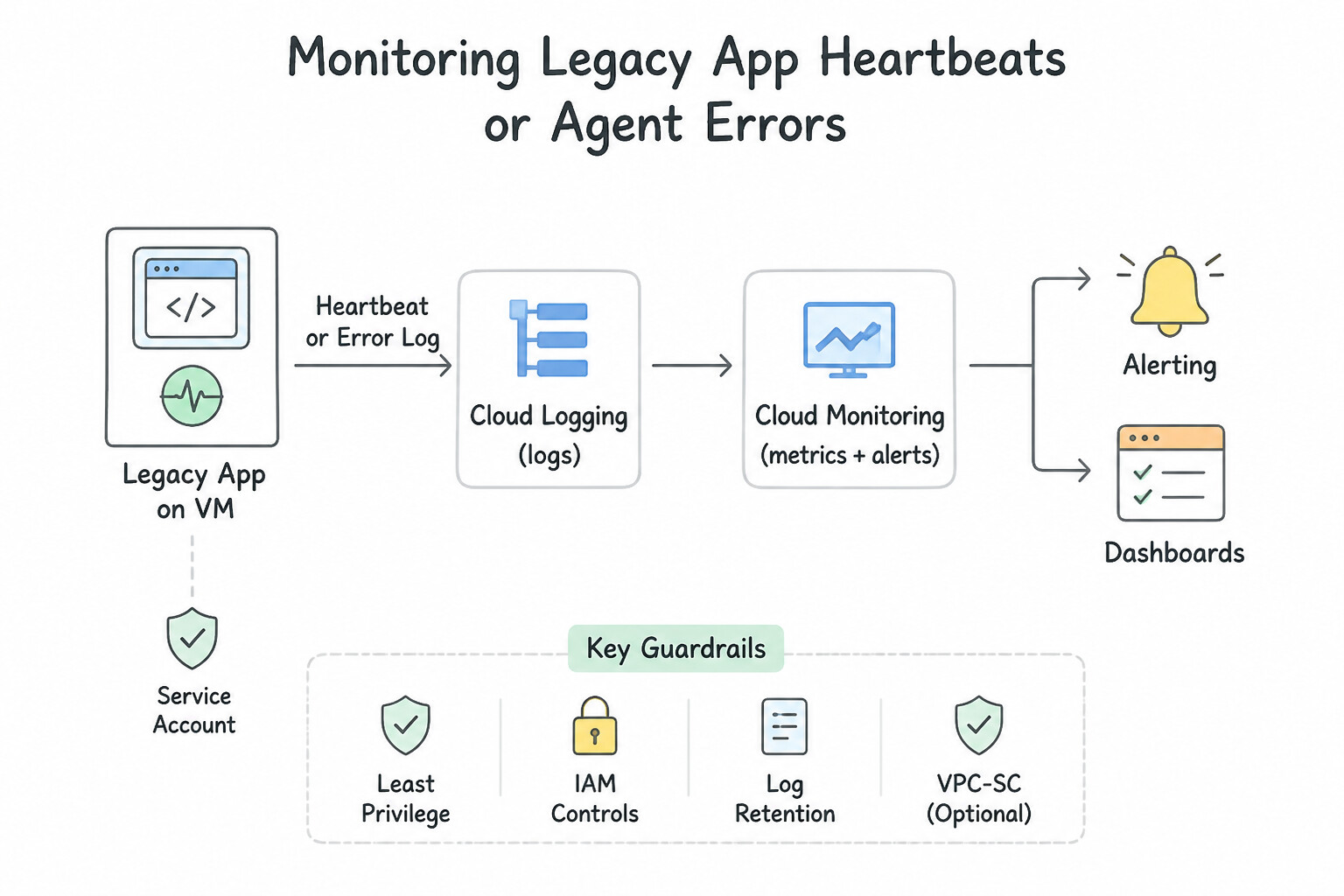
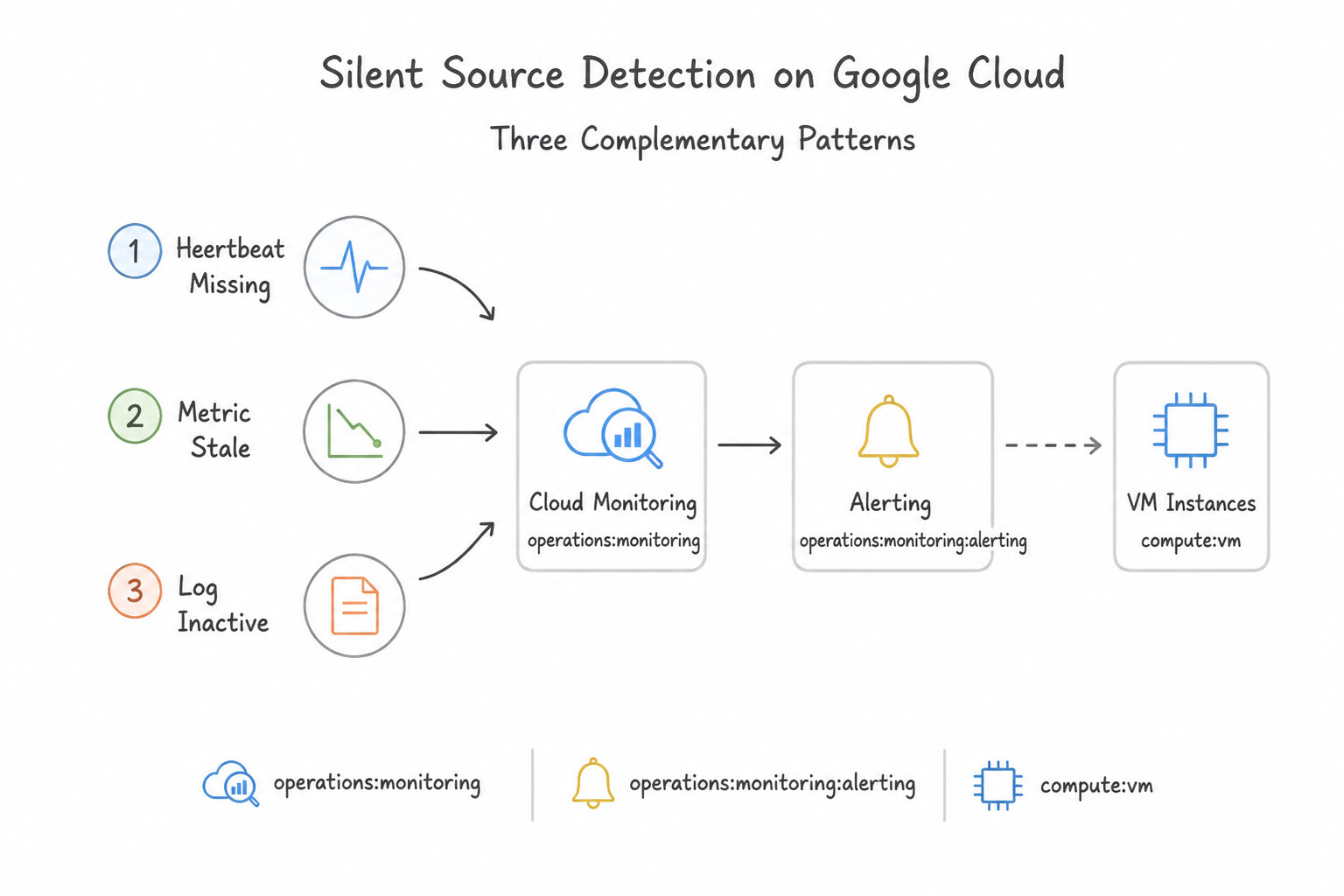
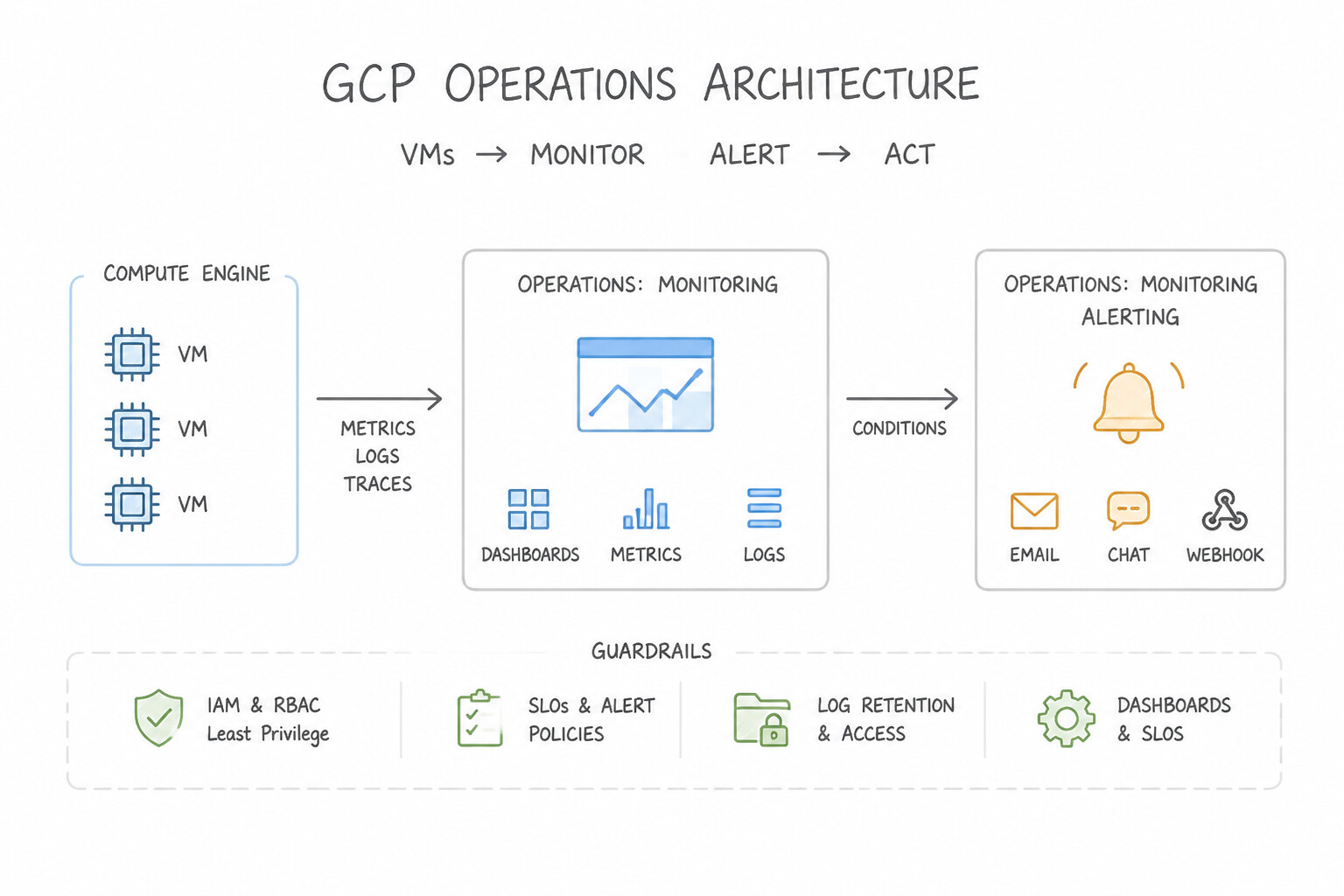
psoe-6.2e-1-converting-logs.jpg,psoe-6.2e-2-example-monitoring.jpg) - Consideration 6.2f: Configuring silent source detection (Diagrams:
psoe-6.2f-1-complementary-silent.jpg,psoe-6.2f-2-operations-monitoring.jpg) - Quick Decision Cheat Sheet (Subsection 6.2)
Chapter 7: Master Look-Alike Tool Comparison & Decision Playbook
- 7.1 The Master Look-Alike Tool Comparison Matrix
- 7.2 The 5-Step Architecture Decision Checklist
- 7.3 Top 25 Golden Rules for Final Review
Generating the Custom Illustrations (psoe-image-prompts.json)
All 138 custom image prompts and output filenames for this book are stored in psoe-image-prompts.json (and mirrored in openai-image-gen/out/9013-openai-prompts-psoe-book.json). To generate the illustrations using openai-image-gen/images-from-prompts.py, run:
cd openai-image-gen
uv run images-from-prompts.py -file ../books/psoe-architecture-takeaways/psoe-image-prompts.json -simple -quality medium
AwesomeGCP.com Learning
The approach taken is a question-led learning approach: you explore realistic project scenarios where you need to make decisions or take actions to achieve business goals within specific constraints. Instead of passive learning, you are challenged to think and work through the options to master the Professional Security Operations Engineer (PSOE) certification!