Book TOC · Previous · Chapter 5 of 7 · Next
Chapter 5: Incident Response & SOAR: Cloud Forensics, Containment, Automated Playbooks & Case Management
Chapter Focus: Compromised VM disk snapshot forensics & VPC isolation, Compromised Service Account/IAM containment, GTI malware detonation, SecOps SOAR Playbooks (blocks, loops, Remote Agents, HITL), and Case grouping/escalation.
Subsection 5.1: Containing and Investigating Security Incidents
The Big Picture
Section 5 (Incident Response, ~21% in Google Cloud architectures) tests what happens in the first critical minutes after a compromise is confirmed. In an on-premises data center, a panicked sysadmin might walk up to a server and pull the power cord or delete a suspect user account. In Google Cloud, destructive knee-jerk actions are fatal to an investigation:
- Trap 1 — Rebooting or Terminating a Compromised VM (
5.1a,5.1e): Terminating (gcloud compute instances delete) or rebooting a VM compromised by fileless malware or a kernel rootkit immediately wipes volatile RAM (losing active encryption keys, injected shellcode, unencrypted command histories, and live network sockets). Worse, running forensic tools directly inside the live compromised guest OS allows a rootkit to lie to the investigator and alters disk access timestamps, breaking chain of custody. - Trap 2 — Deleting a Compromised Service Account (
5.1e,5.1g): If an attacker steals credentials for a Service Account and you delete that Service Account, you break dependencies carefully tied to its uniqueuniqueIdand complicate Root Cause Analysis (RCA). The proper containment step is to disable the Service Account (gcloud iam service-accounts disable) and disable/delete its compromised keys while preserving the identity record for forensic audit correlation! - Trap 3 — Investigating Malware on the Production Network (
5.1a,5.1f): Production Google Cloud forensics follows a strict, non-destructive protocol: Capture Volatile Memory → Isolate via High-Priority VPC Firewall Rules → Snapshot Persistent Disk → Analyze Snapshot in an Isolated Forensic Project + GTI/VirusTotal → Perform Root Cause Analysis across SIEM & Cloud Audit Timelines.
Consideration 5.1a: Collecting evidence on the scope of the incident, including forensic images and artifacts
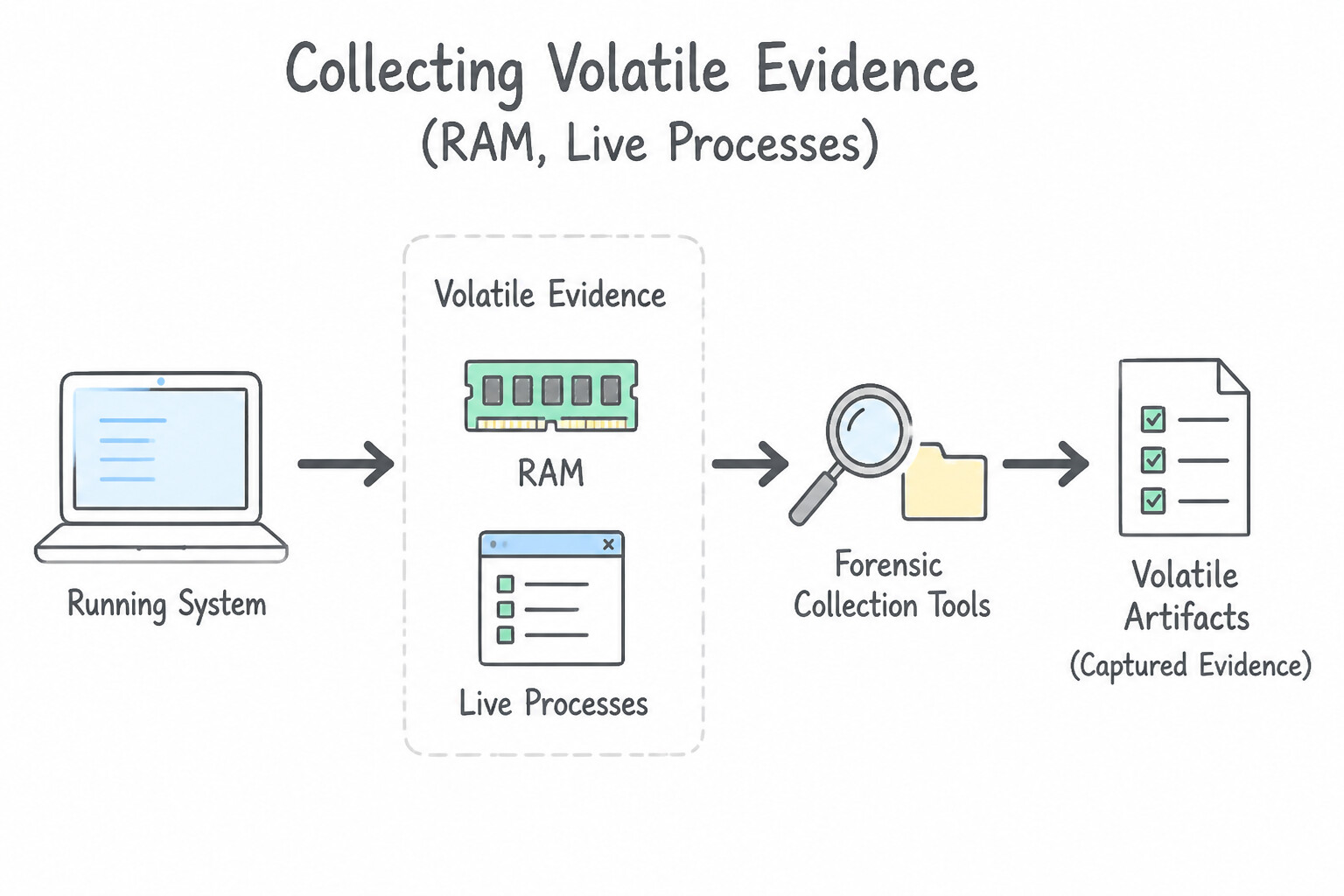
Follow the industry-standard Order of Volatility (RFC 3227) adapted for Google Cloud:
- 1. Volatile Evidence (
RAM, Live Processes, Ephemeral Network Connections) — Capture First! - Before shutting down, stopping, or rebooting a suspected Compute Engine VM (especially when investigating fileless malware, in-memory credentials, or kernel rootkits flagged by
SCC VMTD), capture volatile memory (RAM) using a memory acquisition tool (such asLiMEorAVMLexecuted via OS Config / SSM / SOAR agent) and stream the memory dump directly to a write-once (locked) Cloud Storage bucket in the Forensic Project. - 2. Non-Volatile Disk Evidence (
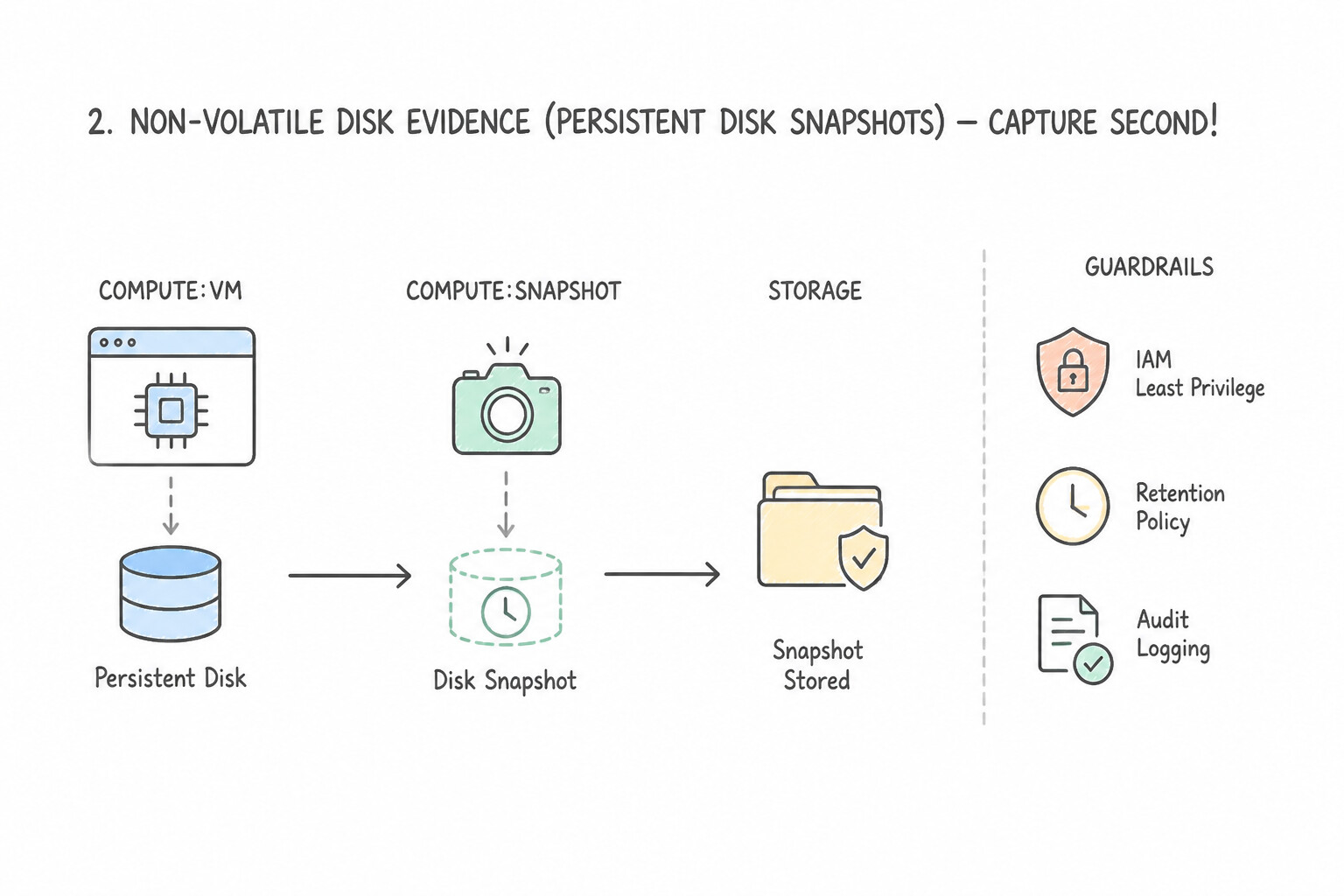
Persistent Disk Snapshots) — Capture Second! - Create a point-in-time Persistent Disk Snapshot (
gcloud compute disks snapshot) of the compromised VM's boot and data disks. Snapshots can be taken while the VM is still running without stopping the instance! - Isolated Forensic Project Pattern: Never mount or inspect the snapshot inside the compromised production project. Share/copy the snapshot or create a new read-only Persistent Disk from the snapshot inside a dedicated, isolated Forensic Google Cloud Project (with no internet egress), attach it in
READ_ONLYmode (--mode=ro) to a clean Forensic Analysis Workstation VM, and calculate SHA-256 hashes to preserve legal chain of custody. - 3. Network Packet Evidence (
VPC Packet Mirroring): - If you need to capture live attacker C2 traffic before isolating the VM, enable VPC Packet Mirroring targeting the compromised VM's network interface/tag and forwarding cloned packets to a packet collector in the forensic VPC.
Key Implementation Patterns
- Preserving Volatile Evidence on VM Compromise: Use Use a memory acquisition tool to capture the RAM contents to a Cloud Storage bucket, and then snapshot the disk. You must capture volatile memory (RAM) first because the rootkit resides there; stopping or snapshotting the disk first risks losing this data.
- Automated Forensic Containment: Use Configure an SCC Notification Config to publish findings to a Pub/Sub topic. Deploy a Cloud Function triggered by the Pub/Sub topic that creates a disk snapshot and updates the VM tags to block traffic. Use SCC Notification Configs to send findings to Pub/Sub, which triggers a Cloud Function to perform the remediation.
- Chain of Custody for Disk Evidence: Use Create a snapshot of the disk. Create a new disk from the snapshot in a separate, isolated forensics project. Isolating a copy of the evidence in a separate trusted project protects it from attackers in the production environment.
Key Takeaways (5.1a)
- Order of Volatility: Always collect the most volatile evidence (RAM) first.
- Avoid Rebooting: Never reboot or stop a compromised machine until volatile evidence is secured.
- Forensic Tools: Use tools to dump memory to external storage (like Cloud Storage) to avoid altering the local disk.
- Automate Response: Use event-driven architectures to reduce Mean Time To Respond (MTTR).
Consideration 5.1b: Observing and analyzing alerts related to the incident using security tooling (e.g., SCC, Google SecOps)
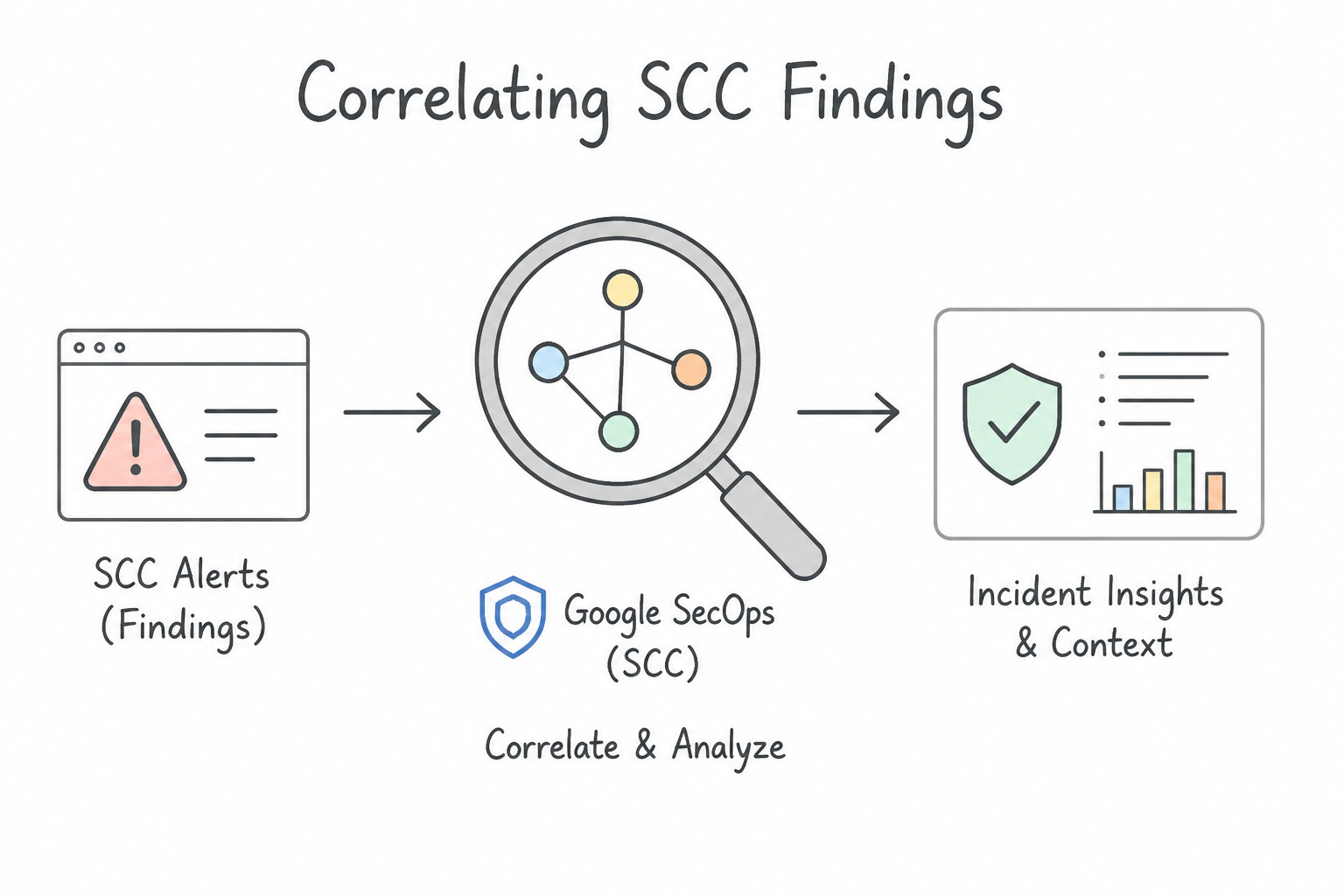
When an incident begins, alerts rarely arrive from a single detector:
- Correlating
SCCFindings withGoogle SecOpsAlerts: - A single attack might generate an SCC
Container Threat Detectionfinding (Added Binary Executed), an SCCEvent Threat Detectionfinding (IAM Anomalous Grant), and a Google SecOps YARA-L alert (Unusual Outbound Data Transfer). - In Google SecOps, inspect the Alert Graph & Case View to see how these alerts link to the same underlying UDM Entities (
principal.hostname,principal.user.userid,target.ip), and verify whether the activity is an isolated event or part of a multi-stage kill chain.
Key Implementation Patterns
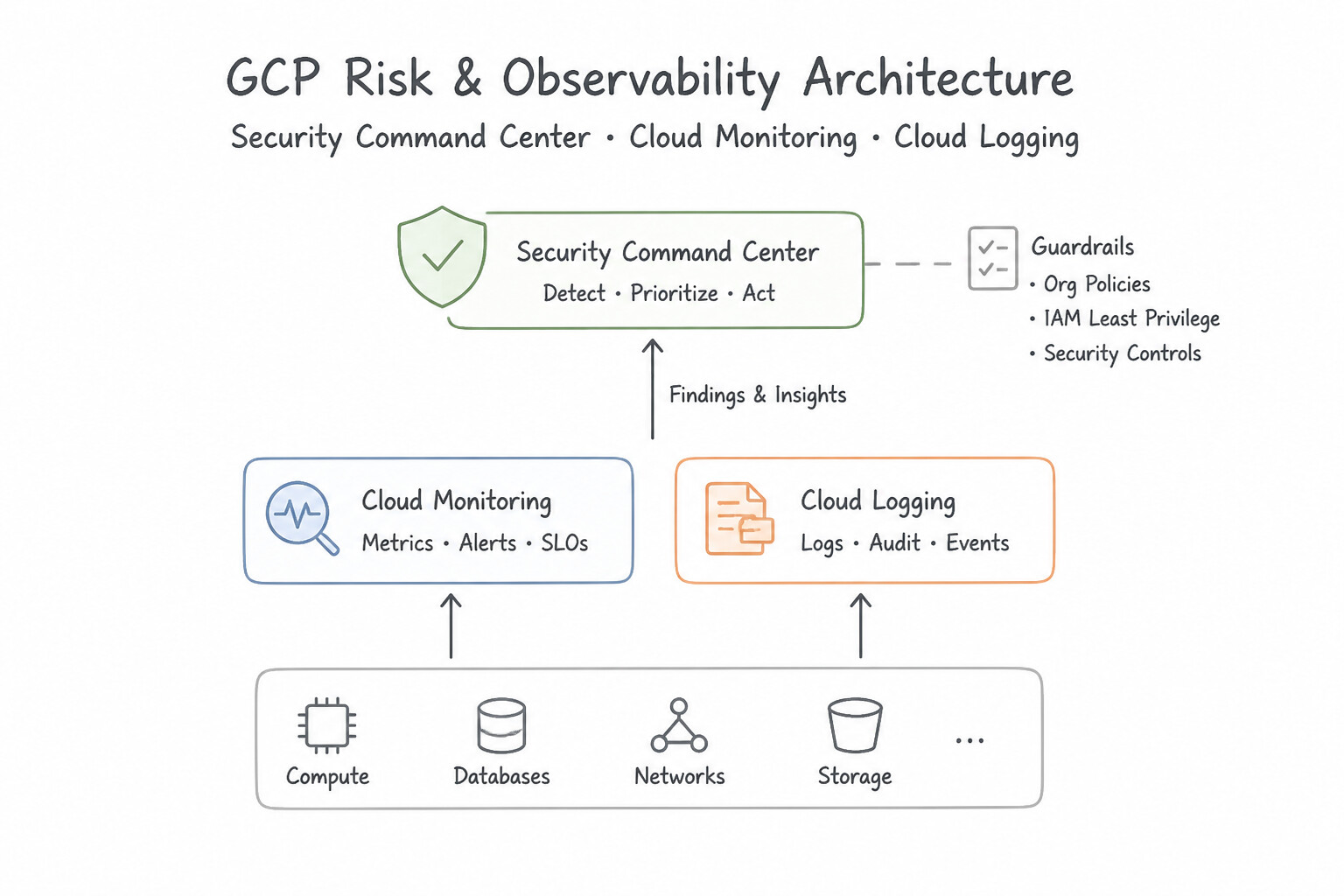
- Analyzing ETD Cryptocurrency Mining Findings: Use Review Cloud Monitoring for sustained high CPU usage and Cloud Logging for outgoing connections to known mining pools. Validating crypto mining requires correlating resource usage (CPU) in Cloud Monitoring with network activity in Cloud Logging.
- Using Google SecOps (Chronicle) UDM Search: Use Perform a UDM search with the query principal.ip = "[IP_ADDRESS]" OR target.ip = "[IP_ADDRESS]". UDM search allows you to query normalized fields like principal.ip and target.ip to find all interactions across different log sources.
- Investigating Container Threats with CTD: Use Inspect the sourceProperties field in the Security Command Center finding JSON. CTD findings store specific details like binary paths and user context within the sourceProperties field of the SCC finding JSON. (Avoid alternative: Standard output logs often do not capture low-level execution details of malicious binaries or dropped files.)
Key Takeaways (5.1b)
- Always validate security alerts with secondary data (logs/metrics) before taking destructive action.
- Cryptocurrency mining is primarily identified by high CPU usage and outbound network connections to mining pools.
- Cloud Monitoring provides the metrics to verify resource consumption, while Cloud Logging provides the details on network behavior.
- Google SecOps normalizes logs into the Unified Data Model (UDM).
Consideration 5.1c: Analyzing the scope of the incident using security tooling (e.g., Logs Explorer, Log Analytics, BigQuery, Cloud Logging, Cloud Monitoring)
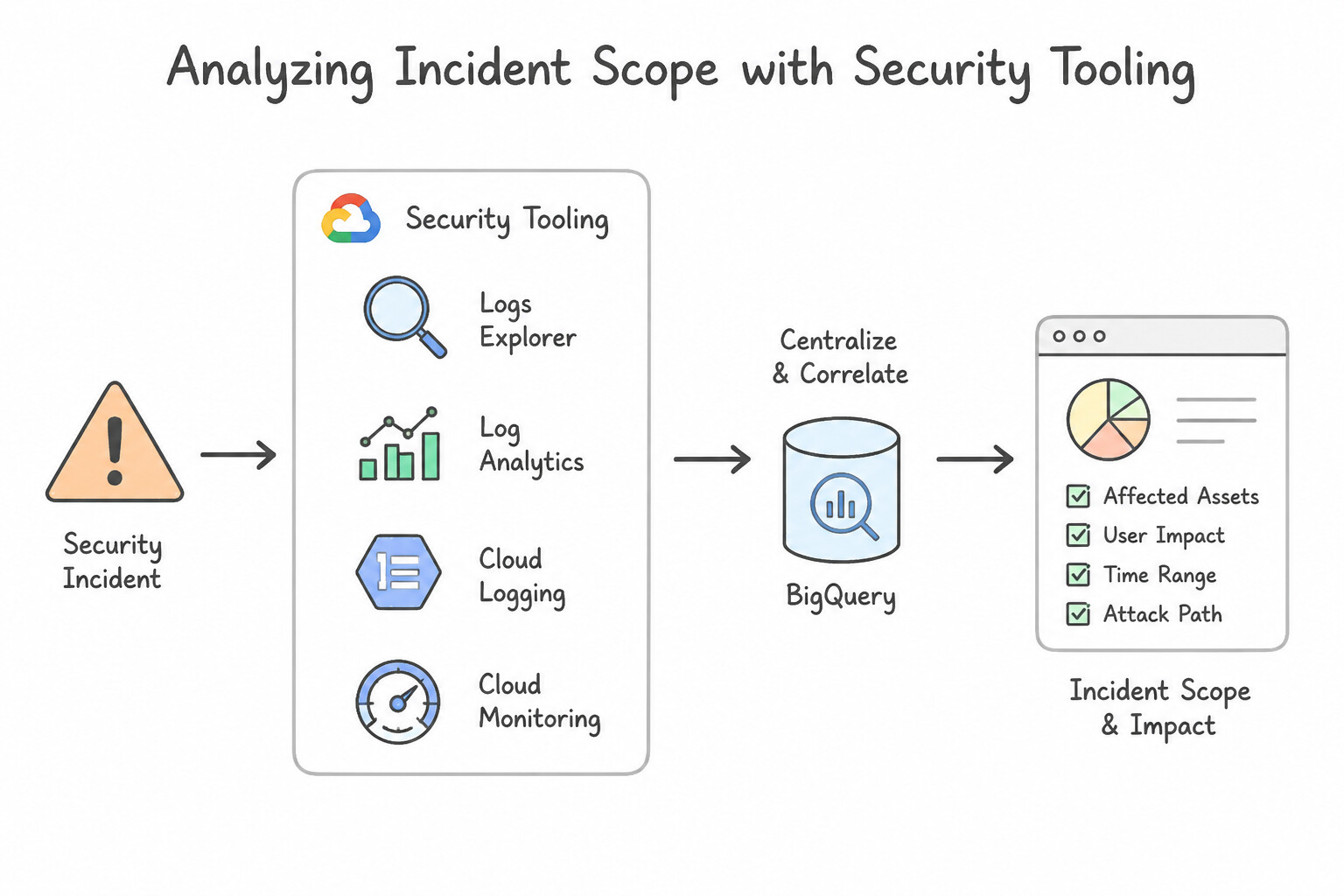
Determining the blast radius (scope) of an incident requires answering: "What else did this attacker touch?"
- Google SecOps SIEM
Asset View&User View: - Enter the compromised hostname or username to view a time-ordered timeline of every process launch, network connection, DNS query, and authentication event on that asset—and immediately see every other internal asset that user or IP authenticated to!
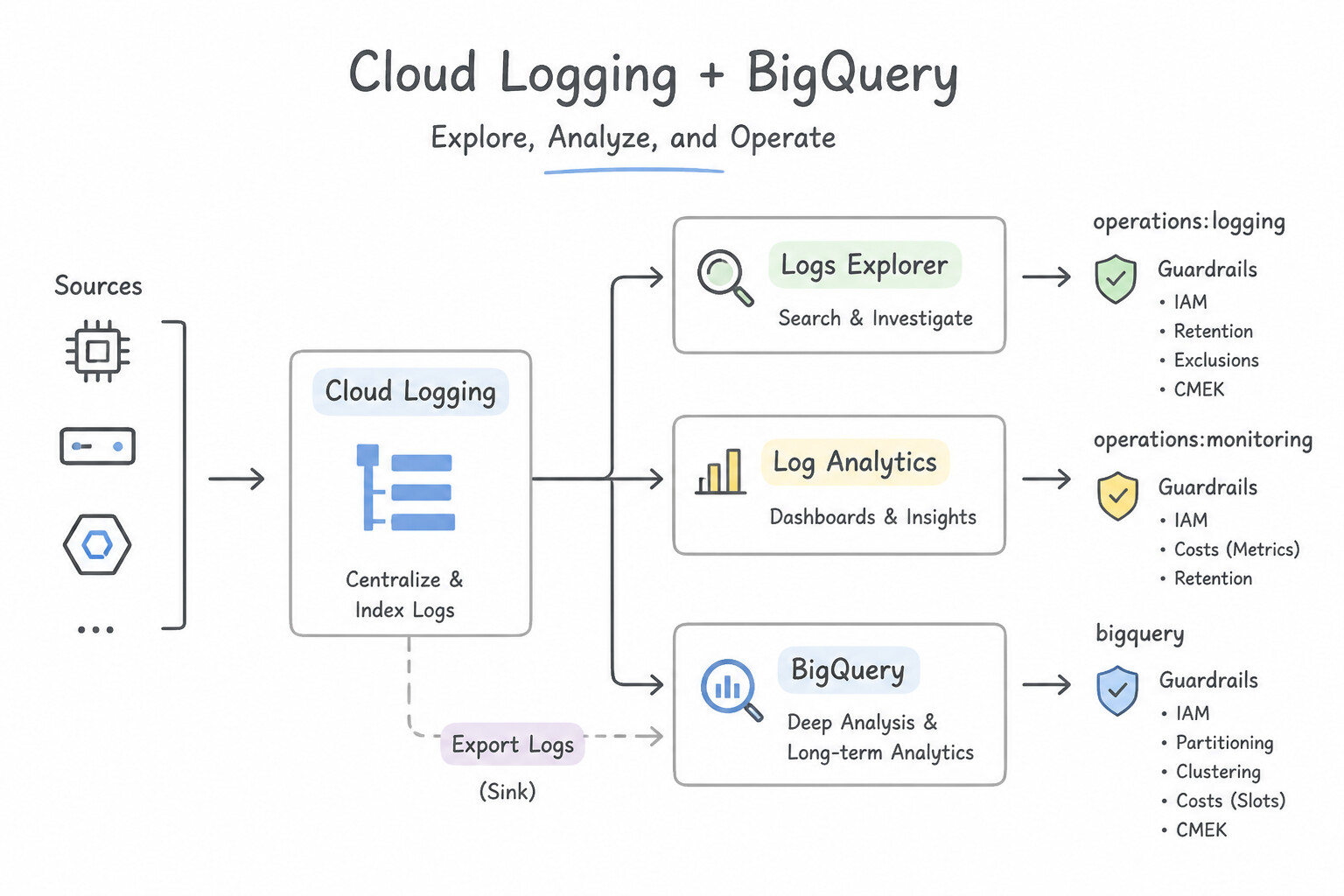
- Cloud Logging (
Logs Explorer&Log Analytics) &BigQuery: - Query
Admin ActivityandData AccessCloud Audit Logs across the Organization by filtering on the compromisedprotoPayload.authenticationInfo.principalEmailor caller IP (protoPayload.requestMetadata.callerIp) to list every project, GCS bucket, Secret Manager secret, or BigQuery table accessed during the compromise window. - Cloud Monitoring:
- Inspect infrastructure metrics (
compute.googleapis.com/instance/cpu/utilization,network/sent_bytes_count,storage.googleapis.com/network/sent_bytes_count) to pinpoint the exact timestamp when cryptomining spiked CPU or when a massive data exfiltration transfer occurred.
Key Implementation Patterns
- Immediate Credential Abuse Investigation: Use Navigate to the Logs Explorer in the Google Cloud console. Filter by the service account's email address and set the time range to the last 2 hours. Logs Explorer provides immediate access to recent logs and supports filtering by identity and time.
- Historical Traffic Analysis via BigQuery: Use Load the logs into BigQuery and run a SQL query to join the logs with the malicious IP list. BigQuery is the correct tool for performing SQL joins and aggregations on large, historical log datasets. (Avoid alternative: Logs Explorer does not support SQL joins or efficient aggregation of large historical datasets.)
Key Takeaways (5.1c)
- Logs Explorer is the first step for investigating recent security incidents.
- Audit Logs record 'who did what, where, and when'.
- Log Sinks are not retroactive; they only export logs generated after the sink is created.
- Cloud Monitoring provides metrics, while Cloud Logging provides context.
Consideration 5.1d: Collaborating with other engineering teams for detection and long-term remediation
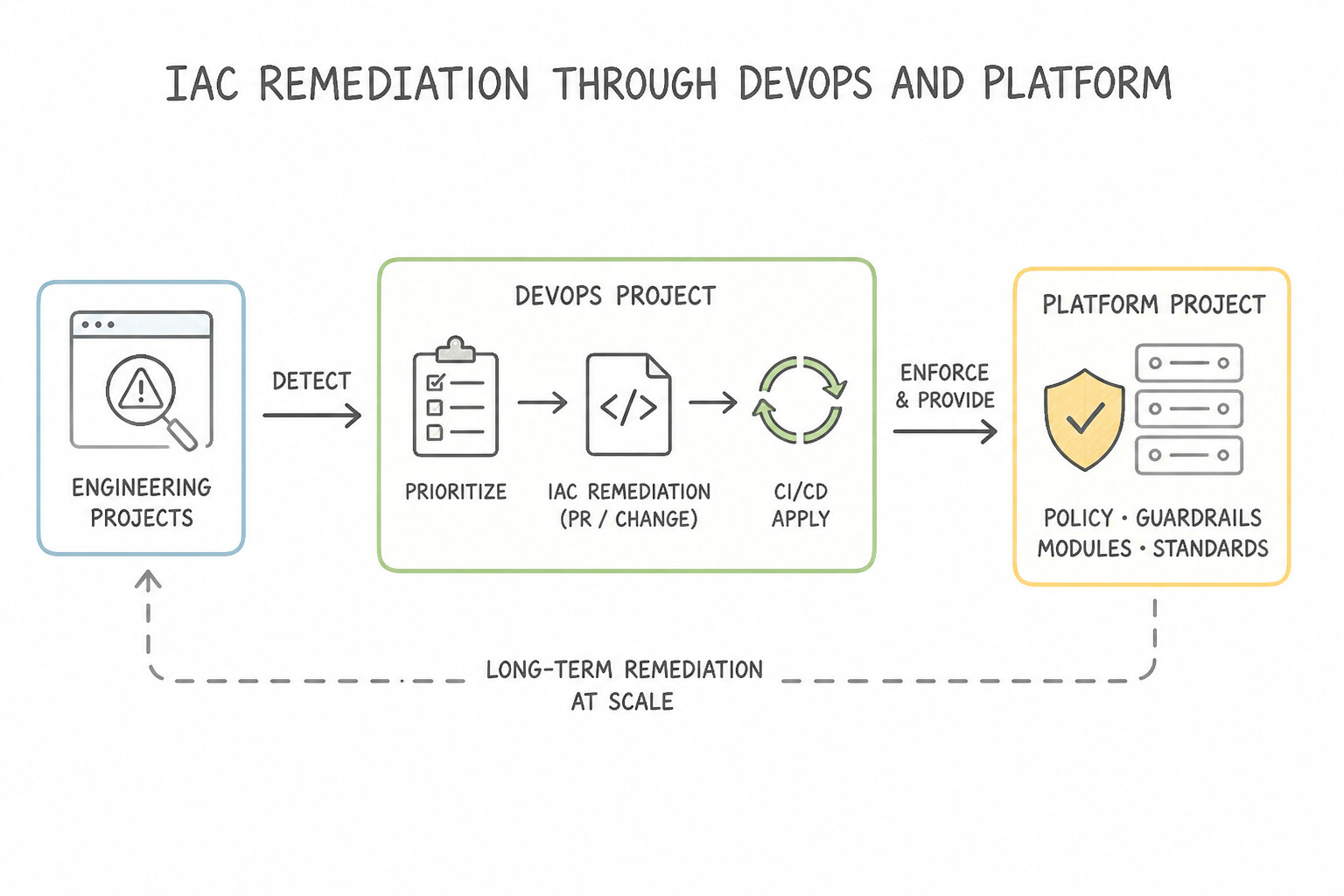
Security Operations cannot eradicate root causes in isolation:
- Infrastructure-as-Code (
IaC) Remediation with DevOps / Platform Teams: - If you fix a misconfigured firewall rule or public GCS bucket manually in the Cloud Console during an incident, the next
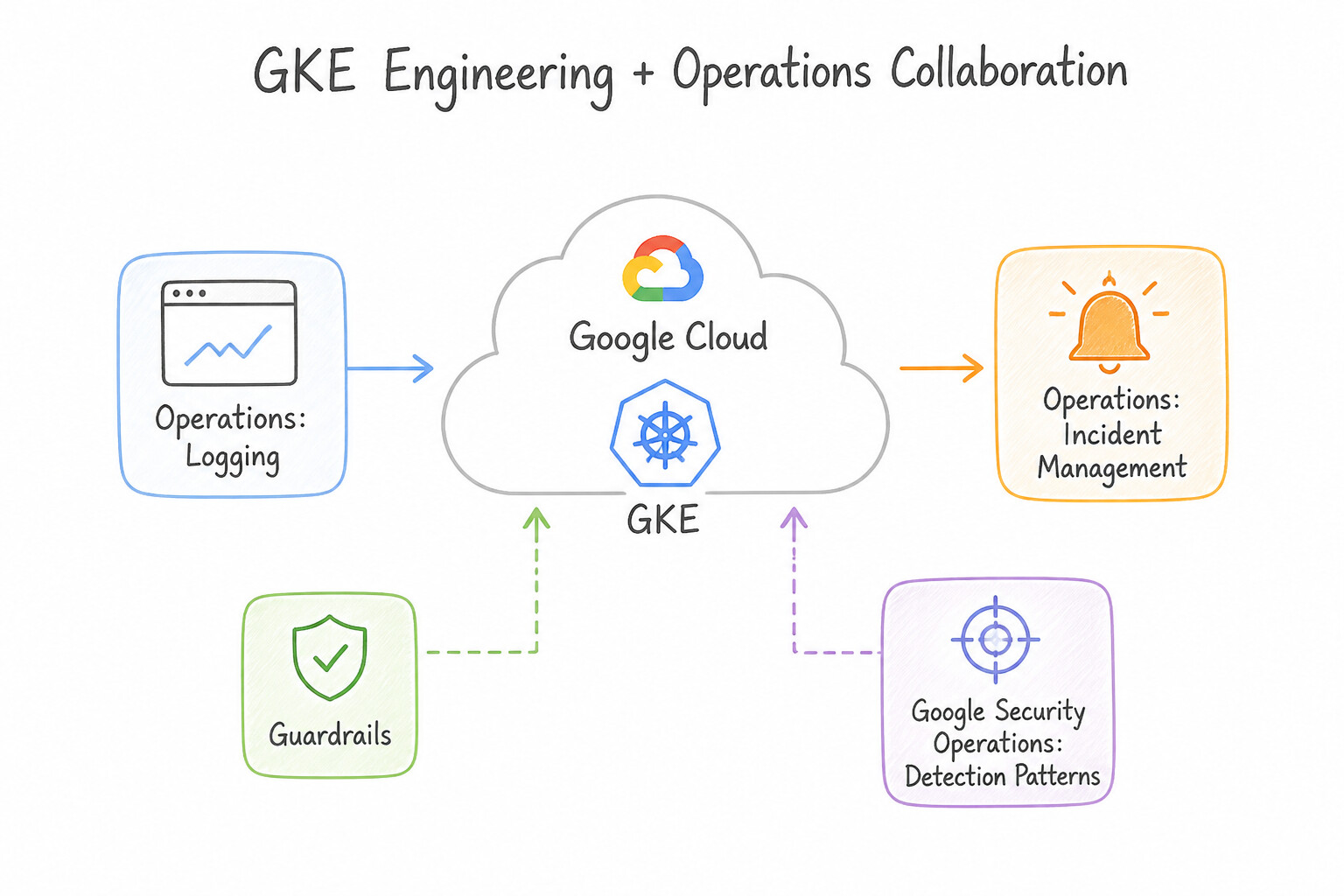
Terraform/ CI/CD deployment will overwrite your manual fix and re-open the vulnerability! Collaborate with DevOps/Platform engineers to patch the underlying Terraform / Config Connector templates and enforce Organization Policy Constraints or SCC Security Posture guardrails. - Application & GKE Engineering Collaboration:
- Share forensic artifacts (exploited API endpoints, vulnerable container base images, leaked environment variables) with application teams so they can patch the CVE, rebuild immutable container images, and enforce Binary Authorization.
Key Implementation Patterns
- Establishing Blameless Post-Mortems: Use Conduct a blameless post-mortem focusing on the process gaps that allowed the rule to affect the service. A blameless post-mortem focuses on fixing the process and system flaws rather than blaming individuals, fostering collaboration.
- Tuning False Positives in Chronicle: Use Consult the Data Engineering team to identify the job's unique service account or attributes, and update the rule to exclude this specific activity. Tune the rule by excluding the specific benign attributes identified by the job owners.
- Integrating Detection into CI/CD Pipelines: Use Work with the DevOps team to implement secret scanning in the continuous integration (CI) pipeline. Scanning for secrets in the CI pipeline prevents keys from ever reaching production, solving the root cause proactively. (Avoid alternative: Redaction hides the symptom in logs but does not stop the key from being leaked in the code or application.)
Key Takeaways (5.1d)
- Blameless Culture: Focus on 'what' went wrong with the system, not 'who' made a mistake.
- Psychological Safety: Teams collaborate better when they are not afraid of punishment for honest mistakes.
- Systemic Fixes: The goal of a retrospective is to change the process or platform to prevent recurrence (e.g., automated testing), not to reprimand staff.
- Never disable a security rule due to noise; tune it instead.
Consideration 5.1e: Isolating affected services and processes to prevent further damage and spread
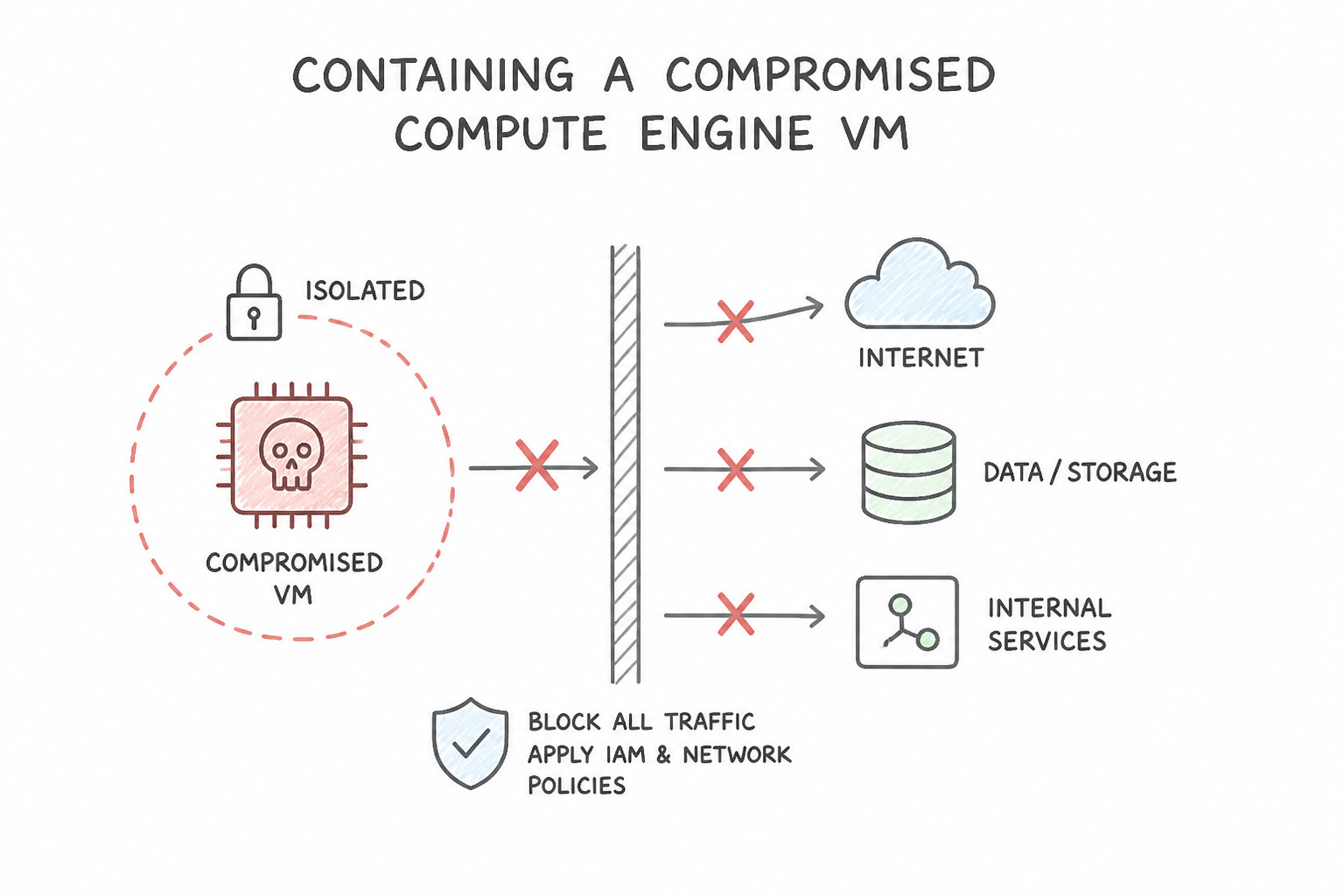
Memorize the exact non-destructive containment procedure for each Google Cloud resource type:
- 1. Containing a Compromised Compute Engine VM:
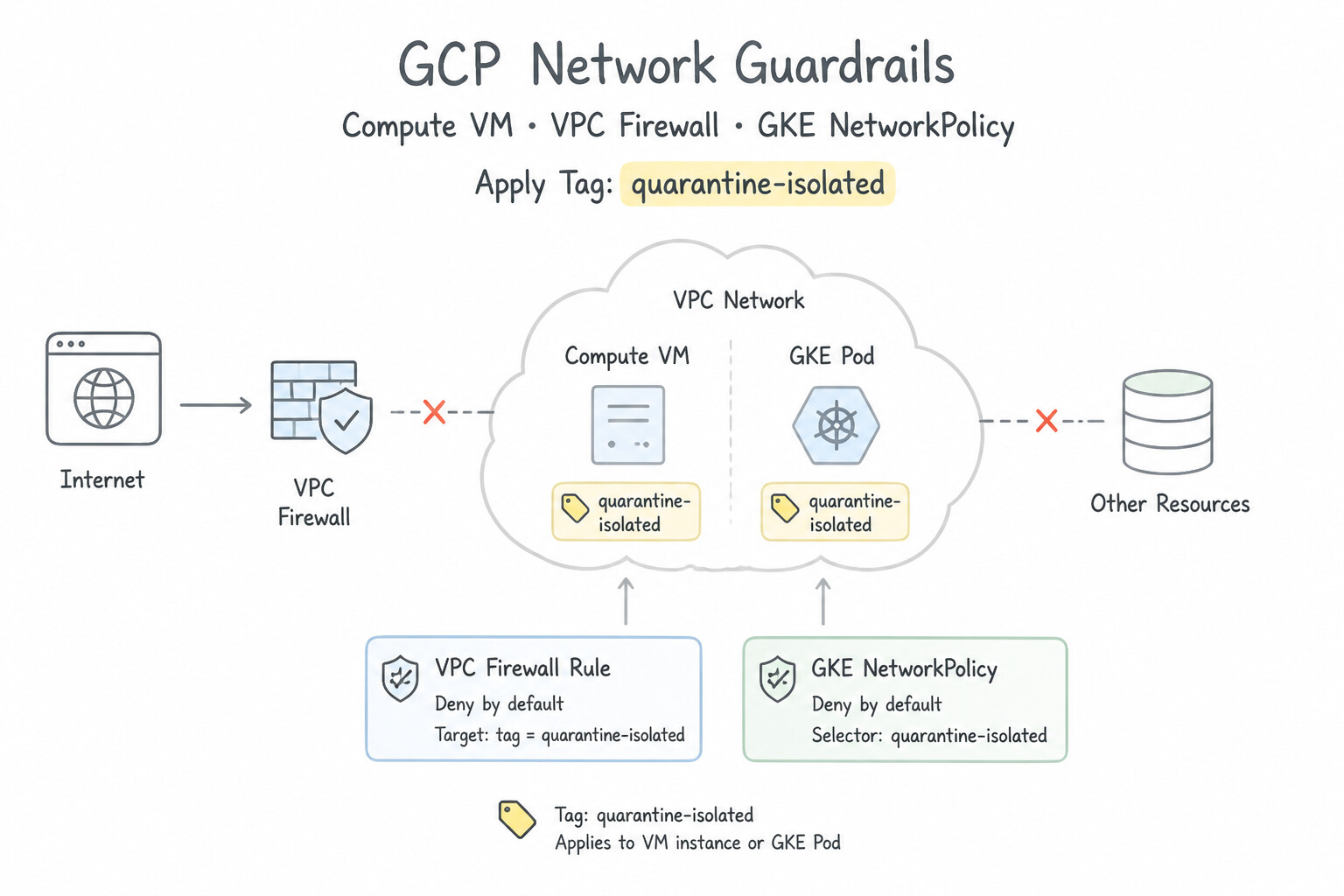
- DO: Apply a network tag (e.g.,
quarantine-isolated) to the VM (or target its Service Account) associated with two high-priority (priority = 0or100) VPC Firewall Rules: - Rule 1: Deny all Egress (
0.0.0.0/0, all protocols/ports) fromquarantine-isolated. - Rule 2: Deny all Ingress (
0.0.0.0/0, all protocols/ports) toquarantine-isolated(optionally allowing ingress only from35.235.240.0/20[IAP] or the Forensic Collector IP so forensic acquisition can complete). - DO NOT: Delete the VM, reboot the VM before memory capture, or delete the entire VPC subnet (which causes a denial of service for healthy production workloads!).
- 2. Containing a Compromised GKE Pod / Workload:
- Apply a restrictive Kubernetes
NetworkPolicyselecting the compromised pod labels with emptyingress: []andegress: []rules to sever pod communication while keeping the container running for memory/process inspection (kubectl debug), rather than immediately deleting the pod (kubectl delete pod) which destroys ephemeral container state. - 3. Containing a Compromised Google Cloud Service Account or Human Identity:
- Service Account: Disable the Service Account (
gcloud iam service-accounts disable) and disable/delete any compromised keys. Never delete the Service Account during an active investigation! - Human User (
Cloud Identity/Workspace/IdP): Suspend the user account, revoke active OAuth 2.0 / refresh tokens and sign-in cookies, and force a password + MFA reset.
Key Implementation Patterns
- Isolating a Compromised VM for Forensics: Use Create a VPC firewall rule with the highest priority to deny all ingress and egress traffic for the specific VM. Blocking network traffic via firewall rules isolates the VM while keeping it running to preserve volatile memory (RAM).
- GKE Pod Isolation via Network Policies: Use Apply a Kubernetes Network Policy that denies all traffic to and from the Pod. A Network Policy allows you to isolate a running Pod by blocking its network access without killing the process. (Avoid alternative: Deleting the Pod destroys the evidence required for investigation.)
- Containing a Leaked Service Account Key: Use Identify the compromised key by its ID and delete only that key. Deleting the specific compromised key invalidates the leak while allowing the Service Account to function with other valid keys. (Avoid alternative: Disabling the Service Account causes a total outage for the application, which is too disruptive.)
Key Takeaways (5.1e)
- Preserve Volatile Evidence: Never stop or reboot a compromised VM if you need to analyze memory (RAM).
- Isolation via Firewall: Use VPC Firewall rules to block all traffic to a compromised instance. This acts as a 'virtual cable unplug'.
- Avoid Direct Access: Do not SSH or RDP into a compromised machine during the containment phase to avoid contaminating evidence.
- Deleting a compromised resource destroys volatile evidence needed for forensics.
Consideration 5.1f: Analyzing identified artifacts based on forensic analysis (e.g., hash, IP, URL, binaries) using GTI
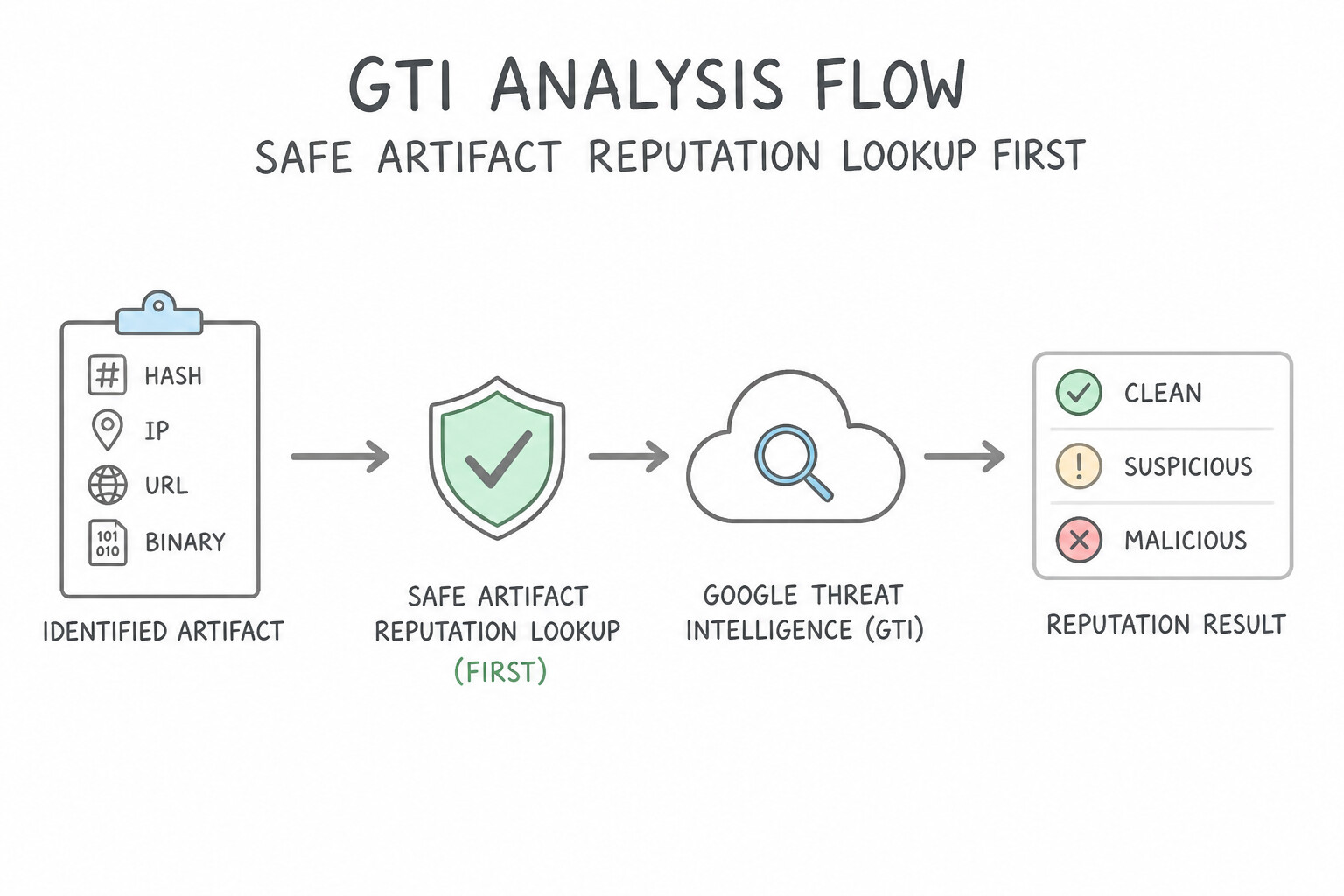
Once you extract suspicious artifacts from disk snapshots, memory dumps, or network logs (file hashes, binaries, IP addresses, domains, URLs):
- Safe Artifact Reputation Lookup First (
HashLookup vs. File Upload): - When you extract a suspicious binary from a compromised server, always compute its
SHA-256hash locally and search for the hash in Google Threat Intelligence (GTI/VirusTotal) FIRST! - Why? Uploading a custom internal binary or document directly to a public scanner can inadvertently leak confidential company source code/credentials and alert a sophisticated threat actor (who monitors public VirusTotal uploads for their custom implant's filename/hash) that they have been caught!
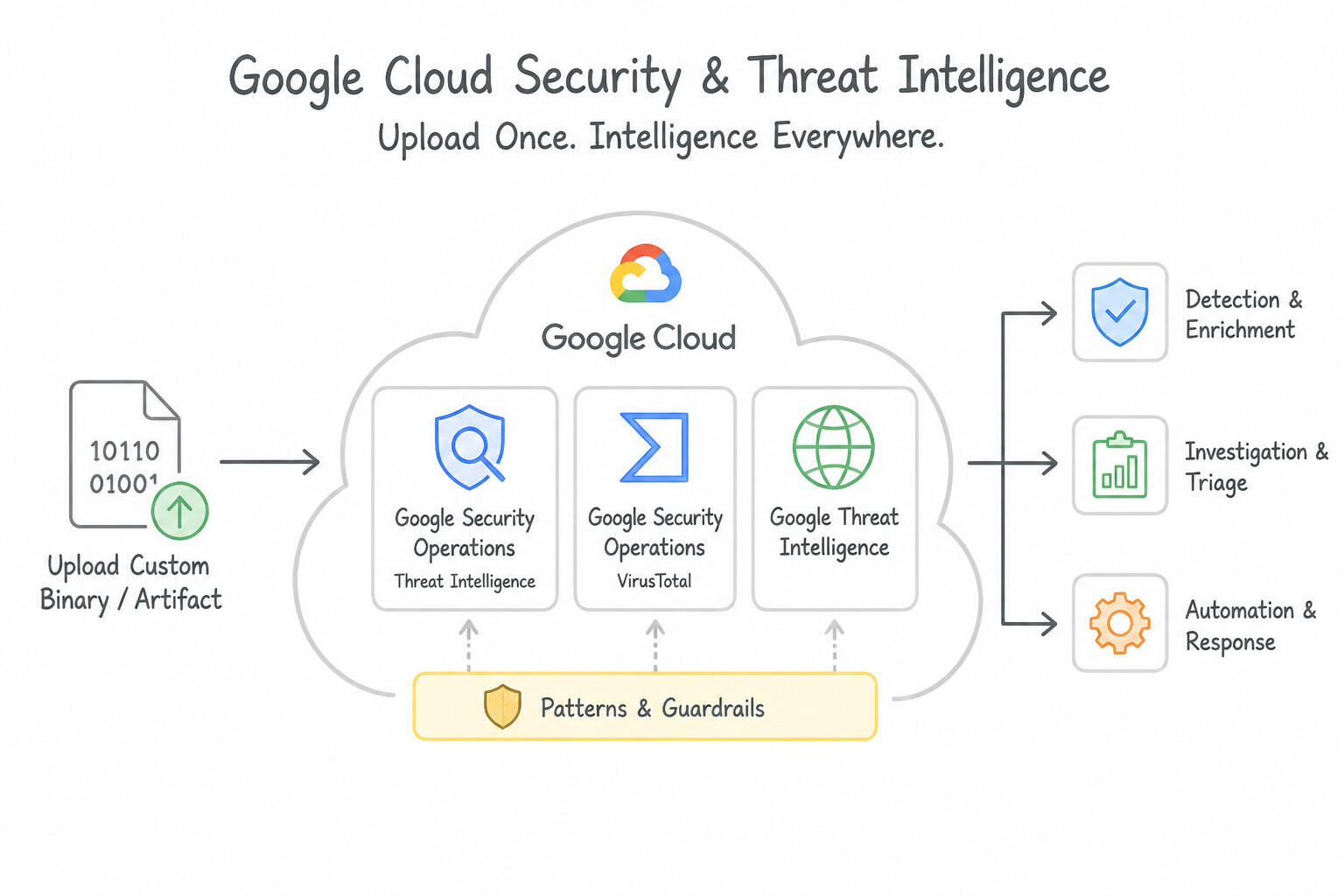
- If dynamic detonation is required for a novel binary not found by hash, use GTI Private Scanning (sandbox analysis that does not share the sample publicly).
- Contextualizing Artifacts in GTI:
- Use GTI to map a hash or C2 domain to its Mandiant Threat Actor (
APT/UNC/FINgroup), Malware Family, MITRE ATT&CK behavioral profile, and dropped files / contacted IPs, immediately telling the IR team what persistence mechanisms to look for next on the host.
Key Implementation Patterns
- Assessing Artifact Prevalence: Use Check the global sightings or prevalence metrics to observe how often the file has been seen worldwide. Low prevalence or sighting counts indicate a file is unique and potentially targeted, while high counts suggest it is common or commodity software.
- Threat Actor Attribution: Use Search for the file hash in the Google Security Operations landing page and review the Threat Actor card provided by Mandiant Threat Intelligence. Mandiant Threat Intelligence in Google Security Operations provides attribution to specific Threat Actors.
- Passive DNS Pivoting: Use Check the Resolutions tab in the threat intelligence interface to view historical IP address mappings. The Resolutions (Passive DNS) tab provides a timeline of IP addresses associated with a domain, allowing you to identify past infrastructure.
Key Takeaways (5.1f)
- Prevalence is a key indicator: High prevalence suggests common software or commodity malware; low prevalence suggests targeted or unique threats.
- Use Global Intelligence: Leverage tools like Google Threat Intelligence (VirusTotal) to see if an artifact has been observed outside your environment.
- Context matters: File names and timestamps can be spoofed; cryptographic hashes and their global sightings are more reliable indicators of uniqueness.
- Artifact Analysis involves investigating IPs, Domains, and Hashes found during an incident.
Consideration 5.1g: Performing root cause analysis using security tools (e.g., SCC, Google SecOps SIEM)
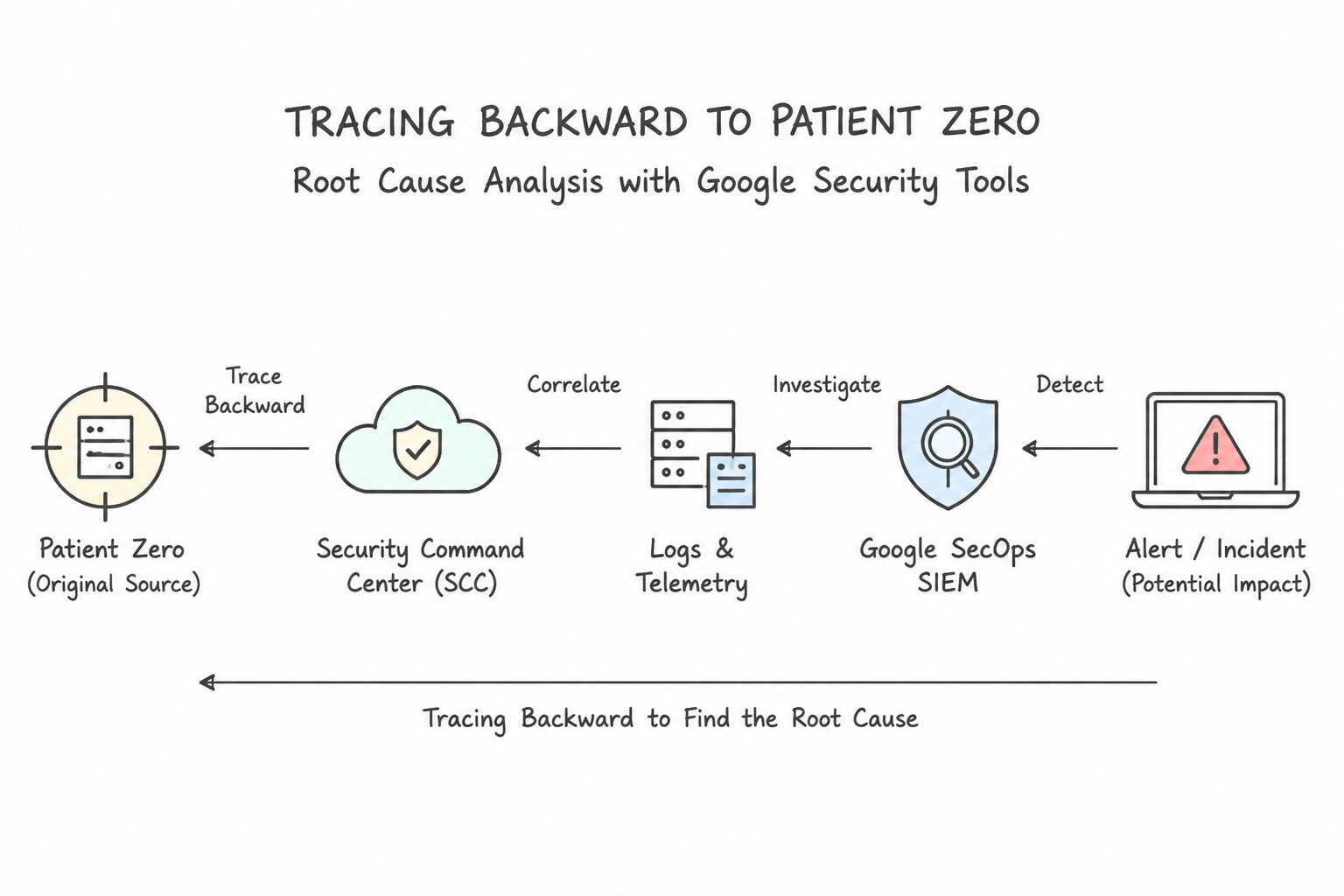
Containment stops the bleeding; Root Cause Analysis (RCA) answers how the attacker got in and why existing defenses failed to stop them:
- Tracing Backward to "Patient Zero" in
Google SecOps SIEM: - Starting from the alerted event (e.g., ransomware execution or data exfiltration at
T+4 hours), use SecOps Asset View, User View, and Process Tree / Parent-Child Process relationships (principal.process.pid←target.process.pid) to walk backward chronologically to the initial exploitation event (T=0)—such as a vulnerable web server spawning/bin/sh, a phishing attachment execution, or a leaked Service Account key authenticating from an unusual ASN. - Correlating Control Failures in
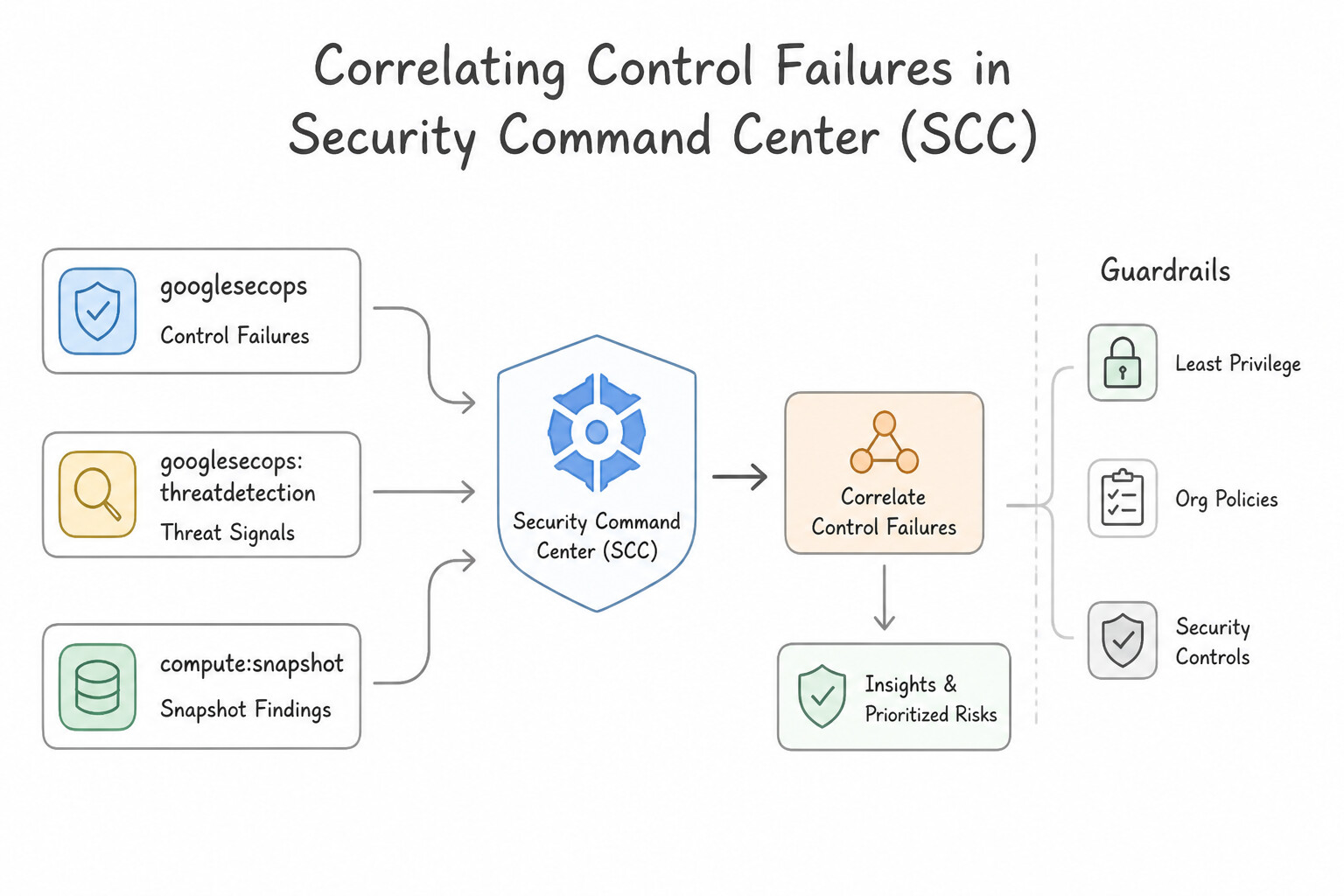
Security Command Center (SCC): - Check SCC Security Health Analytics (
SHA) and Attack Path history for the affected asset atT=0to identify the underlying posture gap (e.g., an unpatched CVE, an overly permissive firewall rule, or missing MFA/VPC-SC) so the post-mortem produces concrete preventative remediation items.
Key Implementation Patterns
- Historical IOC Matching in Google SecOps: Use Create a YARA-L rule with the IOC hashes to enable retroactive matching against historical data. YARA-L rules in Google SecOps support retroactive matching to scan historical data for new threats. (Avoid alternative: Dashboards visualize aggregated metrics and trends, not specific historical string matches for new IOCs.)
- Forensic Disk Analysis via Snapshots: Use Create a snapshot of the VM's disk, create a new disk from that snapshot, and attach it to a forensic VM. Snapshots create a non-destructive point-in-time copy of the disk for safe forensic analysis. (Avoid alternative: Live analysis via SSH alters logs and timestamps, potentially contaminating evidence.)
- Visualizing Attack Paths in SCC: Use Use the Attack paths feature in Security Command Center to simulate and visualize possible lateral movement routes. SCC Attack paths visualize how attackers can move across resources using existing permissions and configurations. (Avoid alternative: Cloud Logging analyzes past events (logs) but does not visualize potential attack paths or permission chains.)
Key Takeaways (5.1g)
- Google SecOps (Chronicle) allows for retroactive hunting, enabling you to apply new detection rules to historical data.
- YARA-L is the language used to define detection rules in Google SecOps.
- Root cause analysis for zero-day exploits requires searching historical logs for IOCs that were previously unknown.
- Exporting data to other tools (like BigQuery) is generally not required for standard historical searches within Google SecOps.
Quick Decision Cheat Sheet (Subsection 5.1)
If the Scenario Requires... | Choose This Google Cloud Pattern | Avoid This Common Mistake |
|---|---|---|
"Order of operations when responding to a VM suspected of running fileless / in-memory malware" | Capture volatile memory (RAM) FIRST → Network quarantine via VPC firewall → Persistent Disk Snapshot | Shutting down or rebooting the VM immediately upon alert |
"Isolate a compromised Compute Engine VM while keeping it running for live memory acquisition" | Apply a network tag ( quarantine) and enforce high-priority (priority 0/100) VPC Firewall Rules denying all ingress/egress (except forensic collector/IAP) | Deleting the VM, detaching its boot disk while running, or deleting the VPC network |
"Inspect a compromised VM's filesystem while maintaining strict chain of custody" | Take a Persistent Disk Snapshot, verify its SHA-256 hash, and mount a copy READ_ONLY in an isolated Forensic Project | SSHing into the compromised VM to run find and grep as root |
"Contain an active breach involving a compromised Google Cloud Service Account" | Disable the Service Account and its keys (preserving audit identity for RCA) | Deleting the Service Account or deleting the entire GCP project |
"Trace the initial entry point ('Patient Zero') and full timeline of actions on a single compromised host" | Use Google SecOps SIEM Asset View (and process parent-child lineage) correlated with SCC posture findings | Searching unindexed raw text files manually or only checking the final alert event |
Further Reading (Subsection 5.1)
- What is threat detection, investigation, and response (TDIR)? — Refer to the 'Forensics and analysis' section, which discusses the importance of capturing disk and memory evidence for investigation.
- Compute Engine: Life cycle of a VM instance — Understand that stopping an instance releases its memory and resets the internal state.
- Configuring finding notifications for Cloud Pub/Sub — Official documentation on how to set up SCC to send findings to Pub/Sub using NotificationConfigs.
- Cloud Functions: Google Cloud Pub/Sub tutorial — A tutorial explaining how to trigger Cloud Functions from Pub/Sub messages, which is the core mechanism for this solution.
- Incident Response in Google Cloud — This guide details the forensic process, including the recommendation to use snapshots and isolate evidence in a separate project for analysis.
- Investigating and responding to threats — Provides guidance on how to use SCC findings and link them to other logs for investigation.
Subsection 5.2: Building, Implementing, and Using Response Playbooks
The Big Picture
Google Security Operations SOAR turns slow, error-prone manual runbooks into sub-second automated workflows. However, teams that build SOAR playbooks without architectural discipline routinely create three operational disasters:
- The Unpaginated / Unbounded Auto-Containment Outage (
5.2a,5.2f): If a playbook automatically isolates every host or disables every user account attached to an alert without checking whether the IP is an internal domain controller or gating high-impact destructive steps behind a Conditional Risk Check + Manual Analyst Approval Task, a single false positive or spoofed IP can take down production infrastructure. - The Exhausted API Quota & Enrichment Bottleneck (
5.2b,5.2c): A case might contain 80 entities (internal RFC 1918 IPs, service accounts, external IPs, file hashes). Naive playbooks pass every entity—including internal10.x.x.xIPs—to expensive, rate-limited external threat intelligence APIs (like VirusTotal or commercial sandbox detonation). Production playbooks use Entity Filtering & Conditional Blocks to prioritize high-value enrichments based on the threat profile, and reuse modular Playbook Blocks and Google SecOps Marketplace Integrations. - Hardcoded JSON Parsing & Monolithic Playbook Sprawl (
5.2d,5.2e): Instead of writing custom Python wrappers for every step or duplicating the same 10 enrichment actions across 25 playbooks, production SOAR engineers use the Playbook Expression Builder (|,filter,select, JSON path extraction) to dynamically transform action outputs and package repeatable sub-workflows (like Enrich Indicator or Notify On-Call via Slack/ServiceNow) into reusable PlaybookBlocksshared across SOAR Environments.
Consideration 5.2a: Determining the appropriate response steps for automation
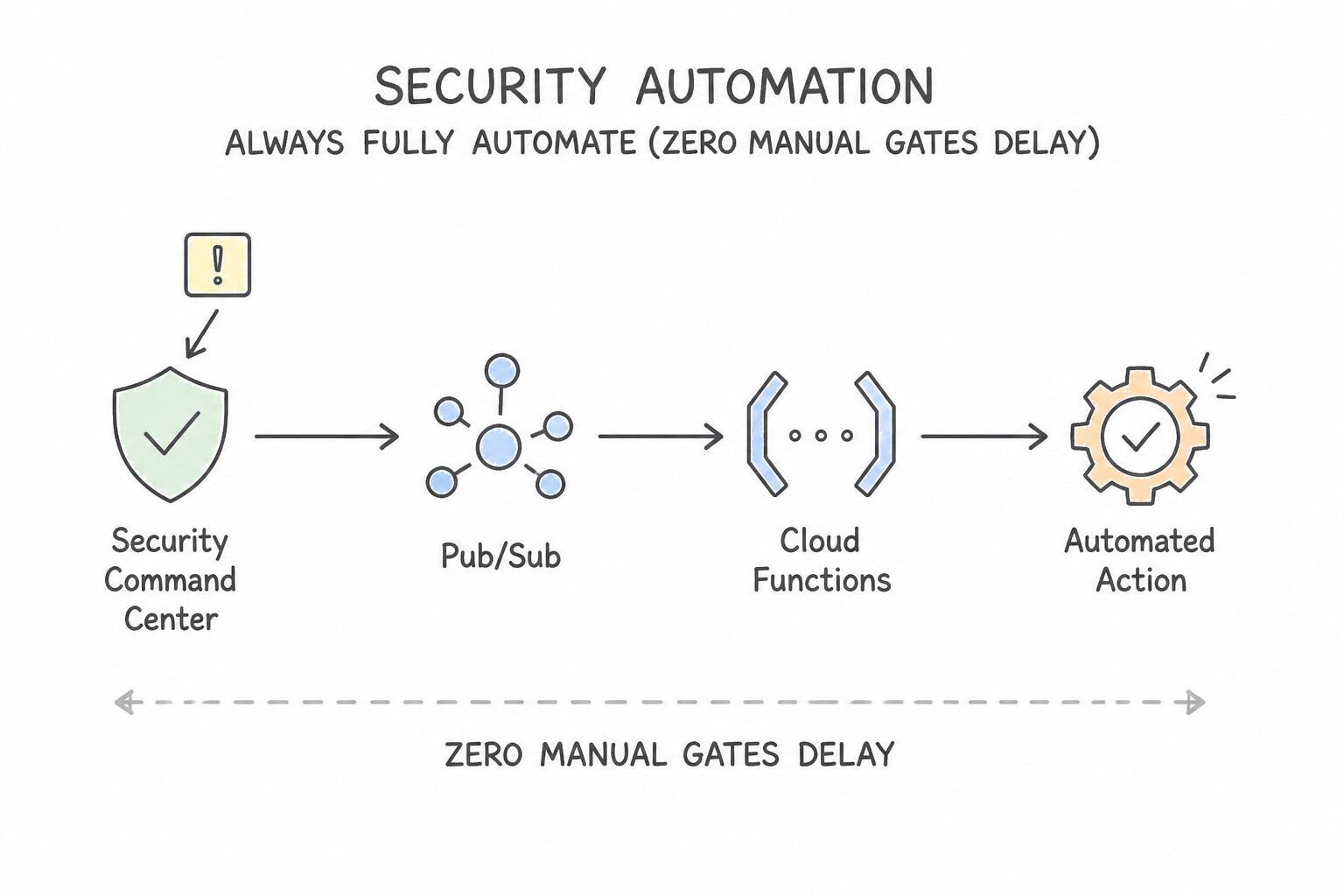
In Google Cloud architectures, apply the Blast-Radius & Reversibility Rule to decide between full automation and human-in-the-loop (HITL) gating:
- Always Fully Automate (Zero Human Delay):
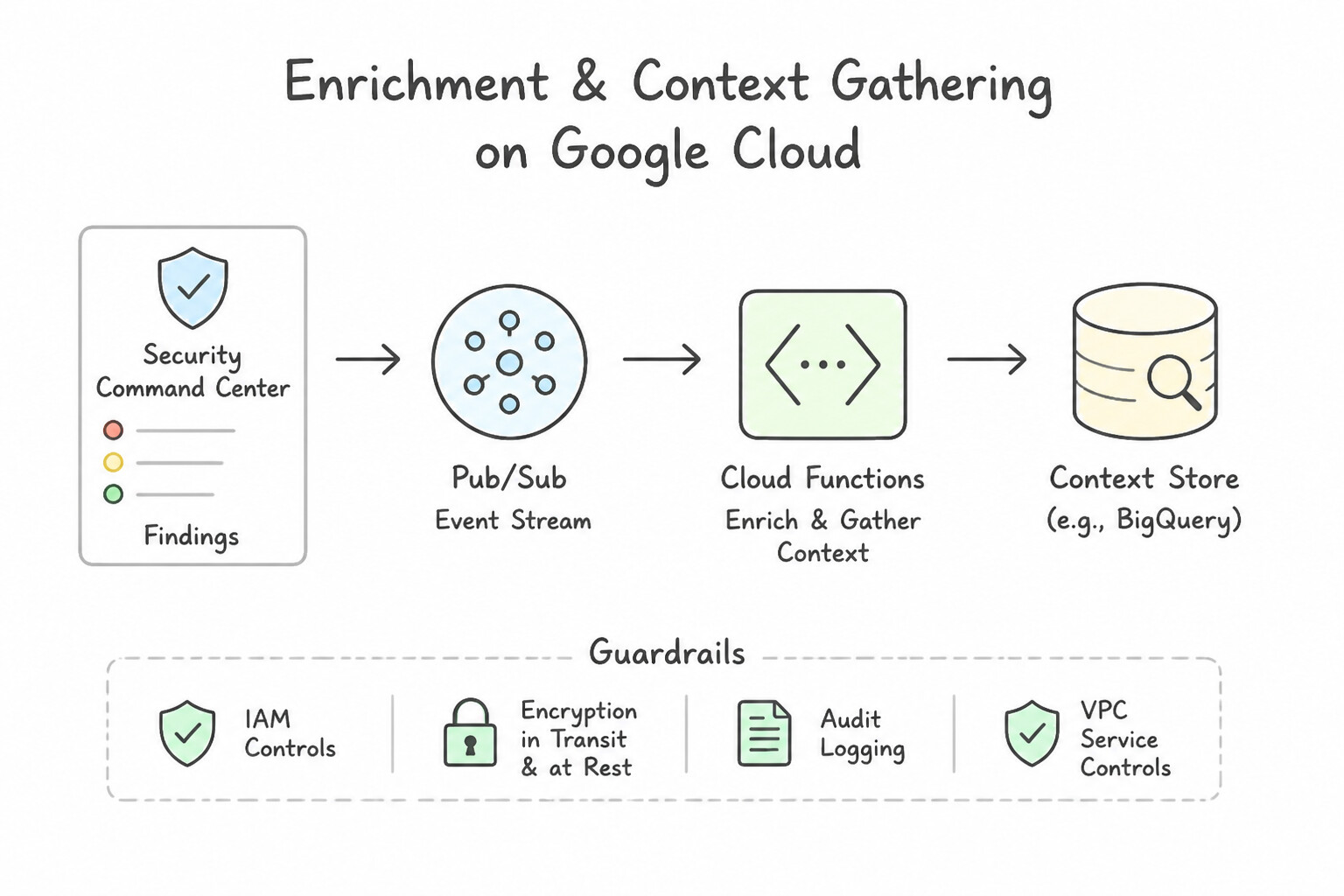
- Enrichment & Context Gathering: Querying GTI/VirusTotal, Passive DNS, WHOIS, Active Directory user attributes, CMDB asset criticality, and recent SIEM UDM events.
- Case Hygiene & Triage: Grouping related alerts, setting case stage to
Triage, assigning cases to the active shift queue, and auto-closing verified benign test alerts. - Low-Blast-Radius Containment: Adding a verified high-confidence external C2 IP to a perimeter blocklist or disabling a compromised non-production test credential.
- Gate Behind a
Manual Approval Task(Human-in-the-Loop): - High-Blast-Radius / Business-Disruptive Actions: Isolating a shared production database VM or GKE node, revoking credentials for a C-level executive or shared production payment service account, or bulk-purging thousands of emails across all employee mailboxes.
- Best Practice Pattern: Automate 100% of the enrichment first, post the enrichment summary to the Case Wall, notify the analyst with an interactive Approval Task / Pending Action (with a configurable timeout SLA), and execute the containment step immediately upon single-click analyst approval.
Key Implementation Patterns
- Automated Remediation of Leaked Service Account Keys: Use Configure a finding export in SCC to publish findings to a Pub/Sub topic. Deploy a Cloud Function subscribed to the topic that calls the IAM API to disable the key. Connecting SCC to Pub/Sub and triggering a Cloud Function creates a fast, automated, event-driven remediation pipeline.
- Isolating Compromised VM Instances: Use Update the VM metadata to apply a specific network tag. Ensure a high-priority VPC firewall rule blocks all traffic for this tag except from the forensics subnet. Applying a network tag associated with a restrictive firewall rule isolates the VM while keeping it running to preserve volatile memory.
- Handling False Positives in High-Availability Environments: Use Update the playbook to create a ticket for manual review and require approval before blocking the traffic. Human verification is required for ambiguous alerts to distinguish between legitimate legacy traffic and actual attacks.
Key Takeaways (5.2a)
- High-severity findings like leaked keys require immediate, automated responses to minimize risk.
- Use Pub/Sub to decouple threat detection (SCC) from remediation logic.
- Cloud Functions provide a serverless, cost-effective way to execute remediation scripts in response to events.
- Avoid batch processing (like scheduled queries) for time-critical security incidents.
Consideration 5.2b: Prioritizing high-value enrichments based on threat profiles
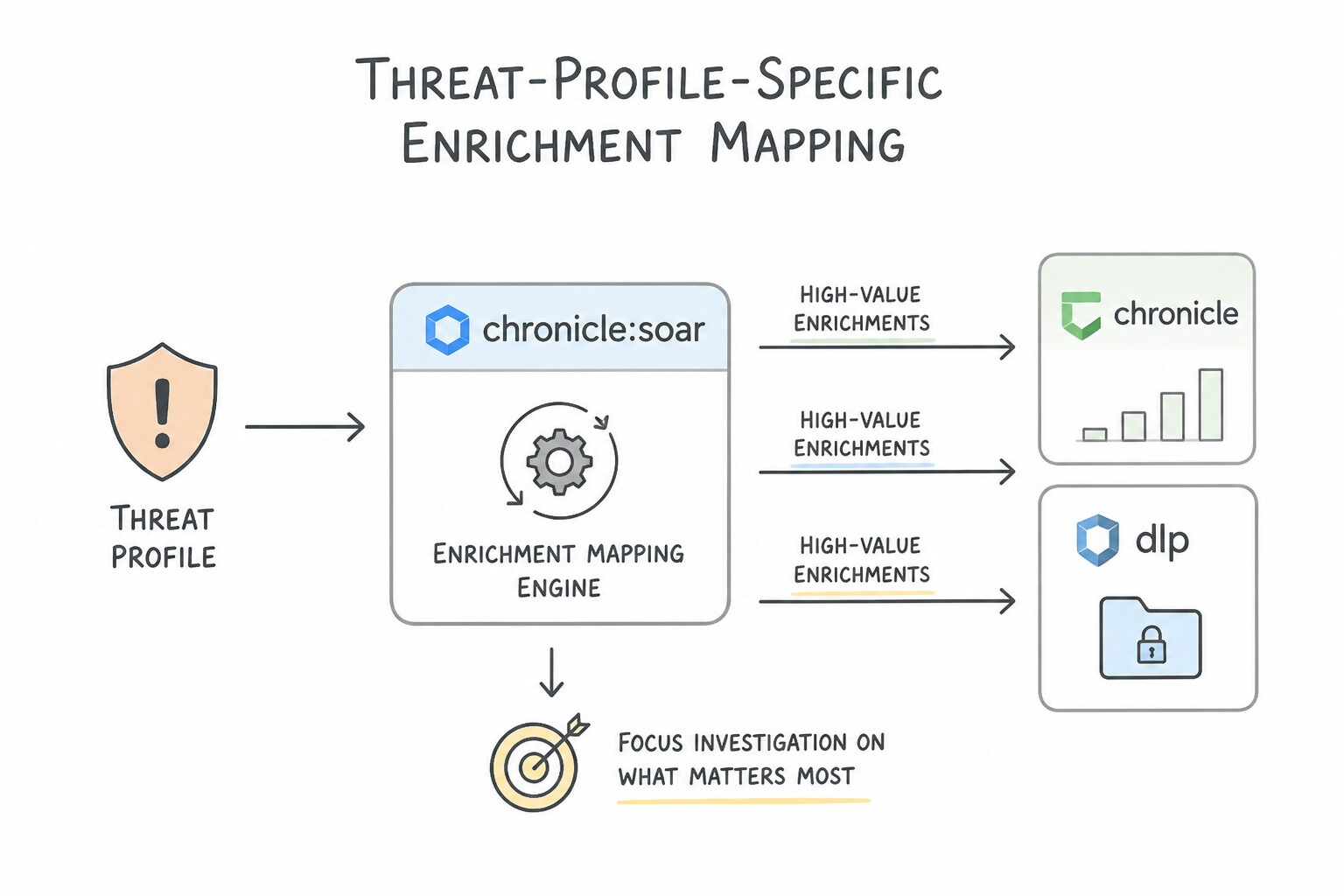
Not every alert needs every enrichment. Match the enrichment sequence to the specific threat profile and filter entities before calling external APIs:
- Threat-Profile-Specific Enrichment Mapping:
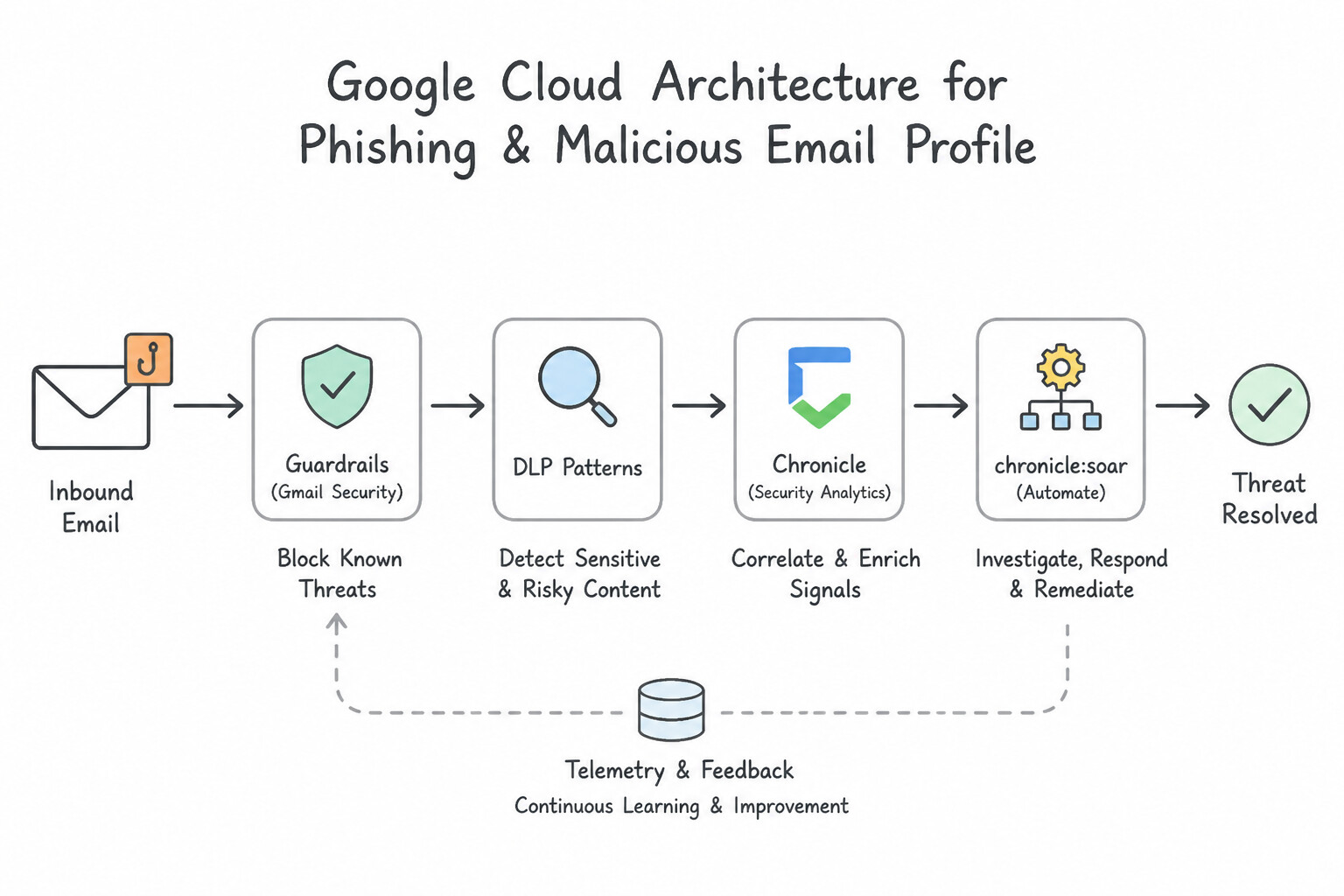
- Phishing / Malicious Email Profile: Extract sender domain, reply-to header, embedded URLs, and attachment SHA-256 hashes → Enrich URLs/hashes in GTI / VirusTotal and WHOIS (Domain Age) → Query Workspace/O365 logs to count how many other recipients received the email.
- Endpoint Malware / Ransomware Profile: Extract process SHA-256 hash, command line, parent process, and outbound destination IP → Enrich hash in GTI, check Entity Graph Prevalence (
rolling_max), and query EDR / SCC VMTD for host isolation status. - Cloud Credential / IAM Abuse Profile: Extract
principalEmail/ Service Account and caller IP → Enrich caller IP ASN/Geo in GTI, query Cloud Identity / Active Directory for recent MFA/password changes, and query SCC Toxic Combinations / IAM Recommender for blast radius. - Protecting API Quotas with Entity Scoping:
- Before running an external enrichment action (like
VirusTotal - Scan IP), insert an Entity Filter / Conditional Block so the playbook only queries External (IsInternal = false) and Suspicious entities—never wasting paid API quota looking up127.0.0.1or internal10.x.x.xRFC 1918 addresses!
Key Implementation Patterns
- Phishing Playbook Enrichment Prioritization: Use Configure the playbook to prioritize querying threat intelligence sources for the sender domain and URL reputation. Phishing validation relies heavily on indicators like URLs and domains, making threat intelligence the highest priority enrichment.
- Data Exfiltration vs. Insider Threat Context: Use Add a step to retrieve the user's employment status and recent performance reviews from the HR system. For insider threats, user context (like HR status or resignation dates) is the highest-value enrichment to determine intent.
- Optimizing API Quotas in High-Volume Malware Alerts: Use Add a filter to check if the file hash is already known in your internal database. Trigger the external API enrichment only for unknown files. Filtering for unknown files first optimizes API usage by enriching only high-value, novel threats.
Key Takeaways (5.2b)
- Enrichment steps should be prioritized based on the specific type of threat (Threat Profile) to improve playbook efficiency.
- For phishing investigations, high-value indicators include URLs, sender domains, and file attachments.
- Avoid querying high-volume or low-relevance data sources (like full firewall logs) early in the triage process unless necessary.
- Enrichment steps in a playbook should be tailored to the specific type of threat (Threat Profile).
Consideration 5.2c: Evaluating appropriate integrations for playbooks
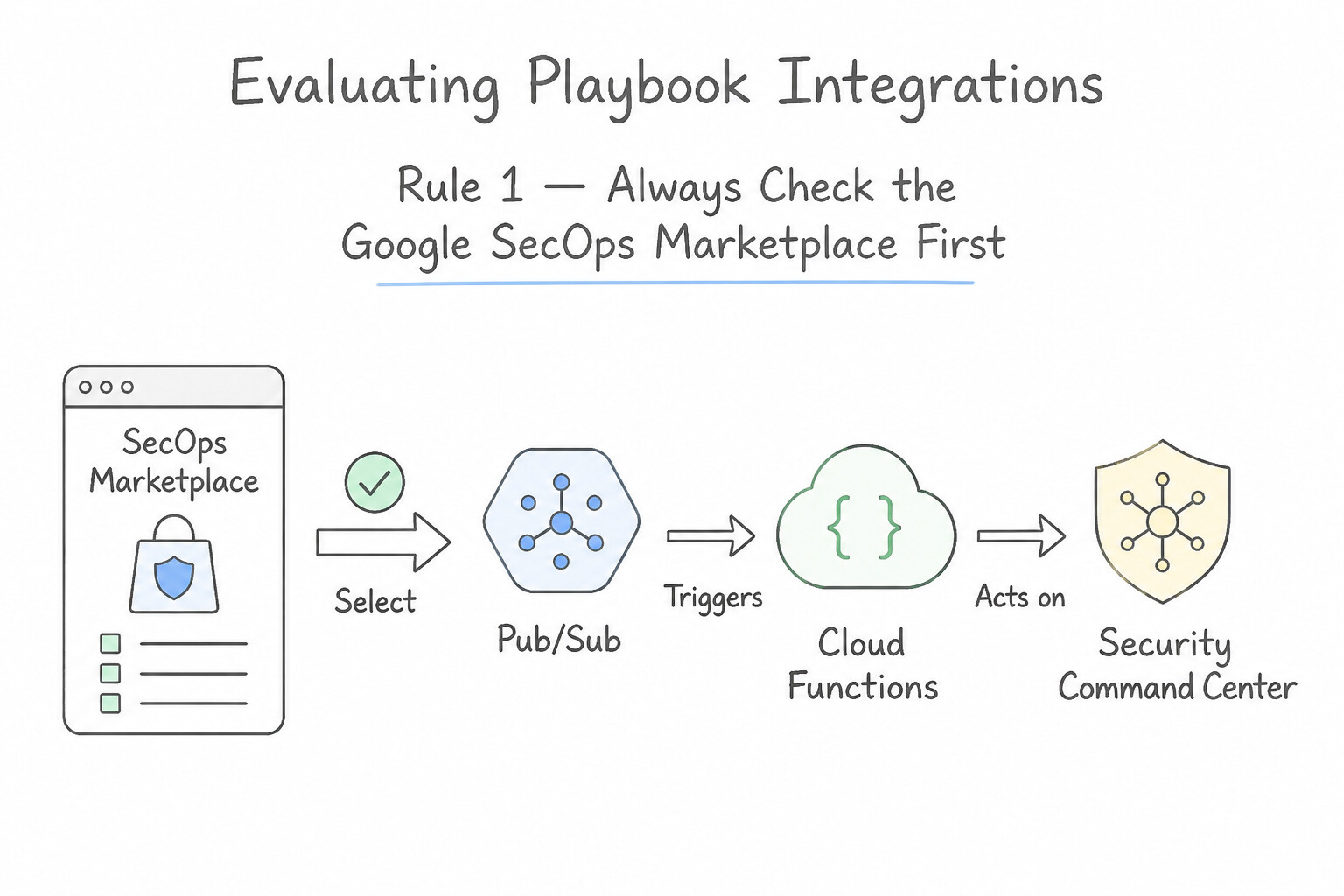
When integrating Google SecOps SOAR with Google Cloud services and third-party security tools:
- Rule 1 — Always Check the
Google SecOps MarketplaceFirst: - Before writing custom Python scripts or REST webhook wrappers, search the Google SecOps Marketplace (which contains hundreds of prebuilt, Google- and partner-maintained integrations for CrowdStrike, Palo Alto Networks, ServiceNow, Jira, Slack, Okta, Active Directory, Google Cloud IAM, Compute Engine, and SCC).
- Prebuilt Marketplace integrations provide out-of-the-box actions (
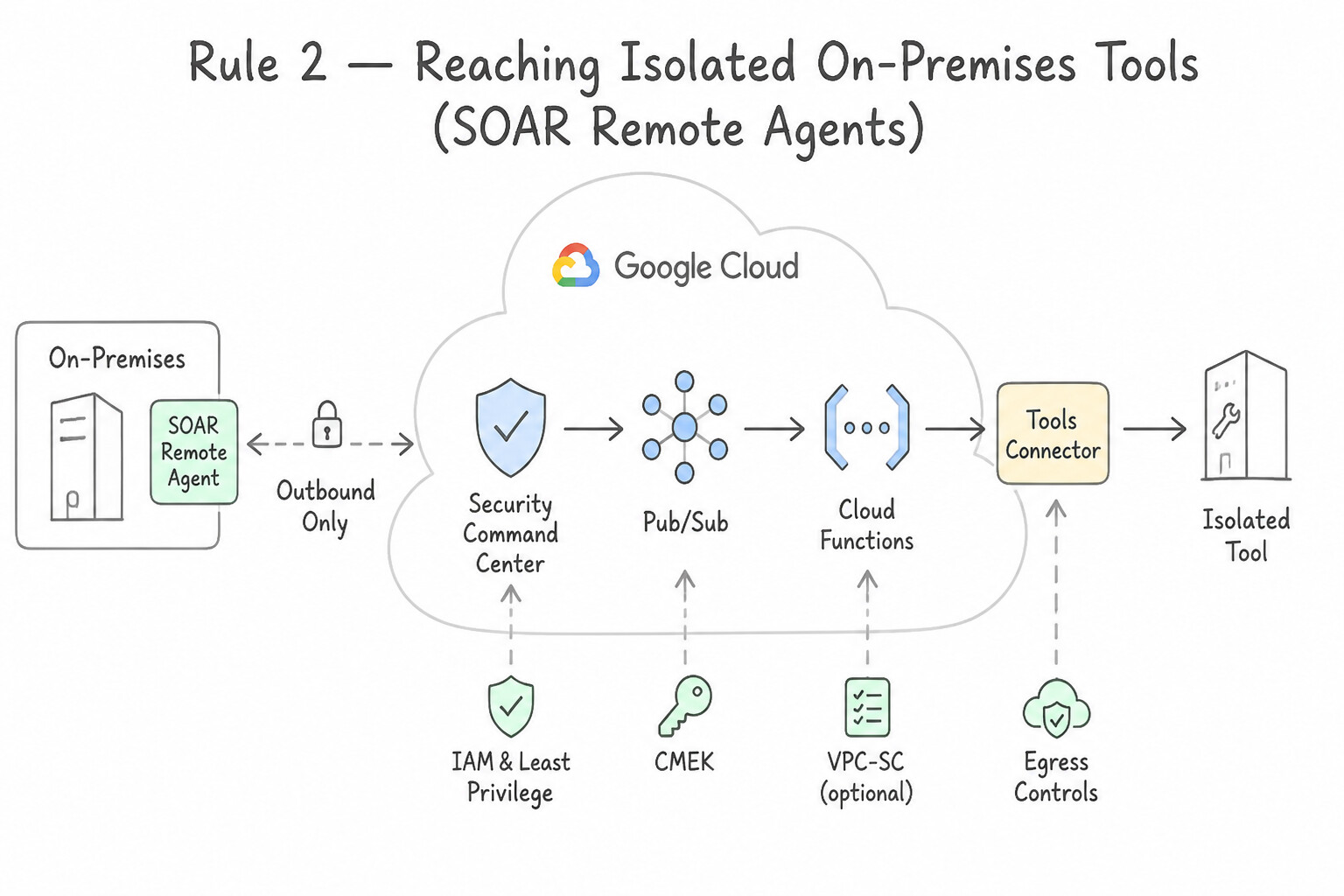
Ping,Enrich Entities,Quarantine Host,Create Ticket), built-in credential encryption, and standardized JSON output tables. - Rule 2 — Reaching Isolated On-Premises Tools (
SOAR Remote Agents): - Google SecOps SOAR runs in the cloud, but an enterprise's Active Directory Domain Controller or internal firewall management console often sits inside a private on-premises network with no inbound internet access.
- Deploy a Google SecOps SOAR
Remote Agentinside the on-premises network: it establishes an outbound TLS connection to SecOps SOAR and executes local integration actions (like resetting an AD password or blocking an IP on an internal firewall) without opening inbound firewall ports!
Key Implementation Patterns
- Automating Leaked Credential Revocation: Use Configure SCC to publish finding notifications to a Pub/Sub topic. Create a Cloud Function triggered by the topic to call the IAM API and disable the key. Integrating SCC with Pub/Sub and Cloud Functions creates a real-time, event-driven pipeline to automate remediation actions.
- ITSM Two-Way Synchronization: Use Configure the playbook to create the ticket and poll the ticket status via API until approval is granted. Polling checks the external system status periodically, ensuring the playbook waits for approval before continuing. (Avoid alternative: One-way actions do not wait for external approval, violating the scenario requirements.)
Key Takeaways (5.2c)
- Real-time security remediation requires an event-driven architecture, not scheduled batch jobs.
- Security Command Center integrates natively with Pub/Sub to export findings as they occur.
- Cloud Functions provides a serverless way to execute remediation logic triggered by Pub/Sub events.
- Avoid manual steps or email notifications for critical security responses that require immediate containment.
Consideration 5.2d: Designing new processes in response to newly identified attack patterns
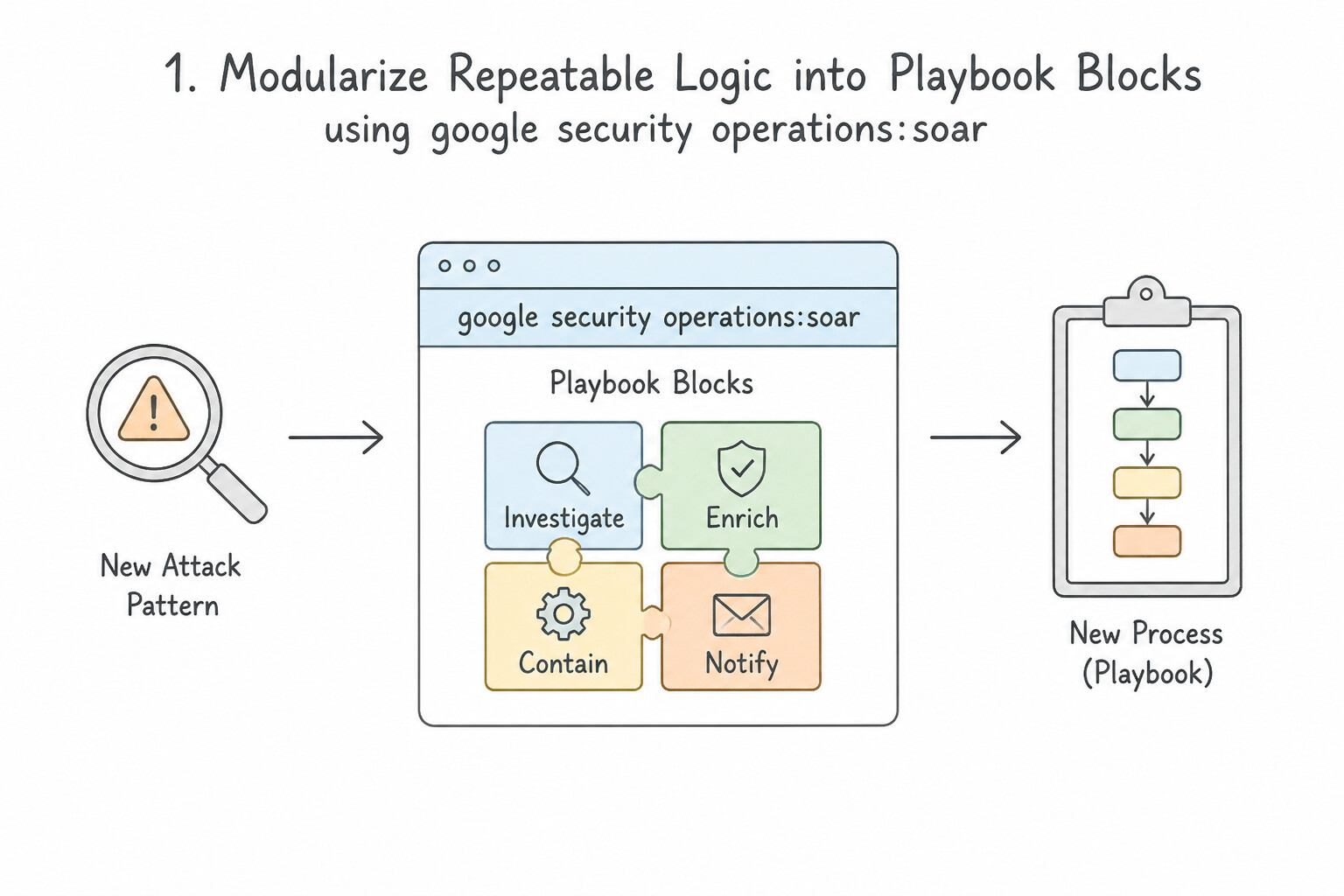
When a post-incident review or new threat advisory reveals a novel attack pattern (for example, attackers abusing OAuth application consent grants or creating rogue Cloud Run services):
- 1. Modularize Repeatable Logic into
Playbook Blocks: - In Google SecOps SOAR, a Block is a reusable mini-playbook (e.g.,
Block: Isolate GCP VM & Snapshot DiskorBlock: Revoke Identity & Notify SOC). - Instead of rebuilding containment steps from scratch for every new attack playbook, build standardized Blocks and embed them into new playbooks by reference—updating a Block once automatically updates every playbook that uses it!
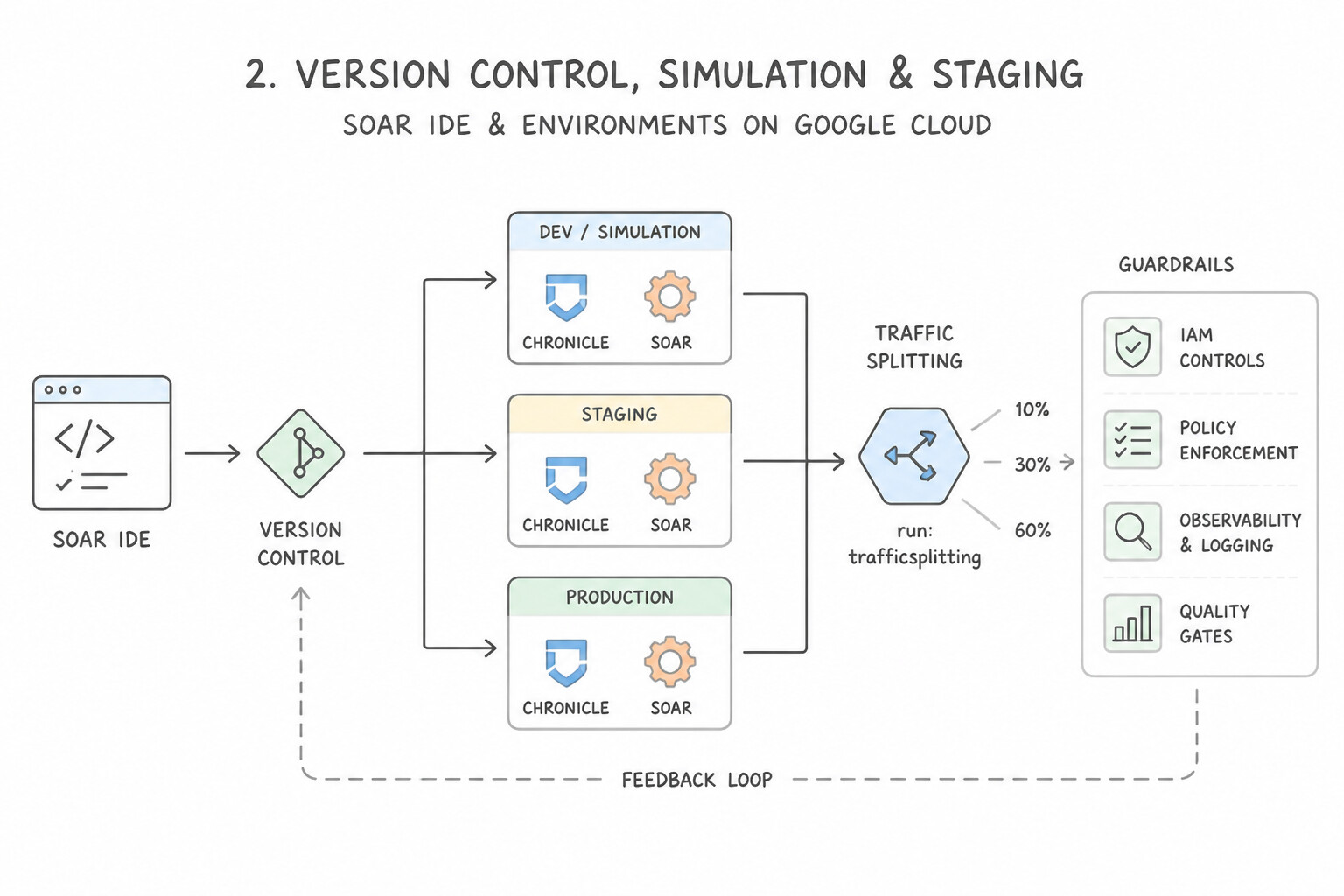
- 2. Version Control, Simulation & Staging (
SOAR IDE & Environments): - Test newly designed playbooks and custom actions against simulated alerts in a non-production Staging Environment (or using the SOAR Playbook Simulator) before enabling the trigger across production SOAR Environments.
Key Implementation Patterns
- Automating Response to Novel Phishing Vectors: Use Design a playbook that uses an Optical Character Recognition (OCR) integration to decode the QR code and automatically scans the extracted URL. Designing a SOAR playbook with OCR integration automates the specific task of decoding QR codes and analyzing the underlying URLs.
- Serverless Container Escape Response: Use Update the playbook to route 0% of traffic to the compromised revision and direct traffic to a secure revision. Redirecting traffic away from the compromised revision effectively isolates the vulnerability in a serverless environment.
- Post-Mortem Driven Playbook Evolution: Use Update the incident response playbook to instruct analysts to suspend the virtual machine (VM). Include specific
gcloudcommands or Console steps in the documentation. Suspending a VM preserves volatile memory state. Documenting the steps ensures analysts can act quickly.
Key Takeaways (5.2d)
- SOAR playbooks are the primary mechanism for automating responses to security incidents.
- When new attack vectors emerge (like QR codes), new playbooks or integrations (like OCR) must be designed to handle them.
- Automation reduces Mean Time To Respond (MTTR) and analyst fatigue.
- Avoid manual workarounds or broad blocking policies when targeted automation is possible.
Consideration 5.2e: Recommending new orchestrations and automation playbooks based on gaps (e.g., Google SecOps SOAR)
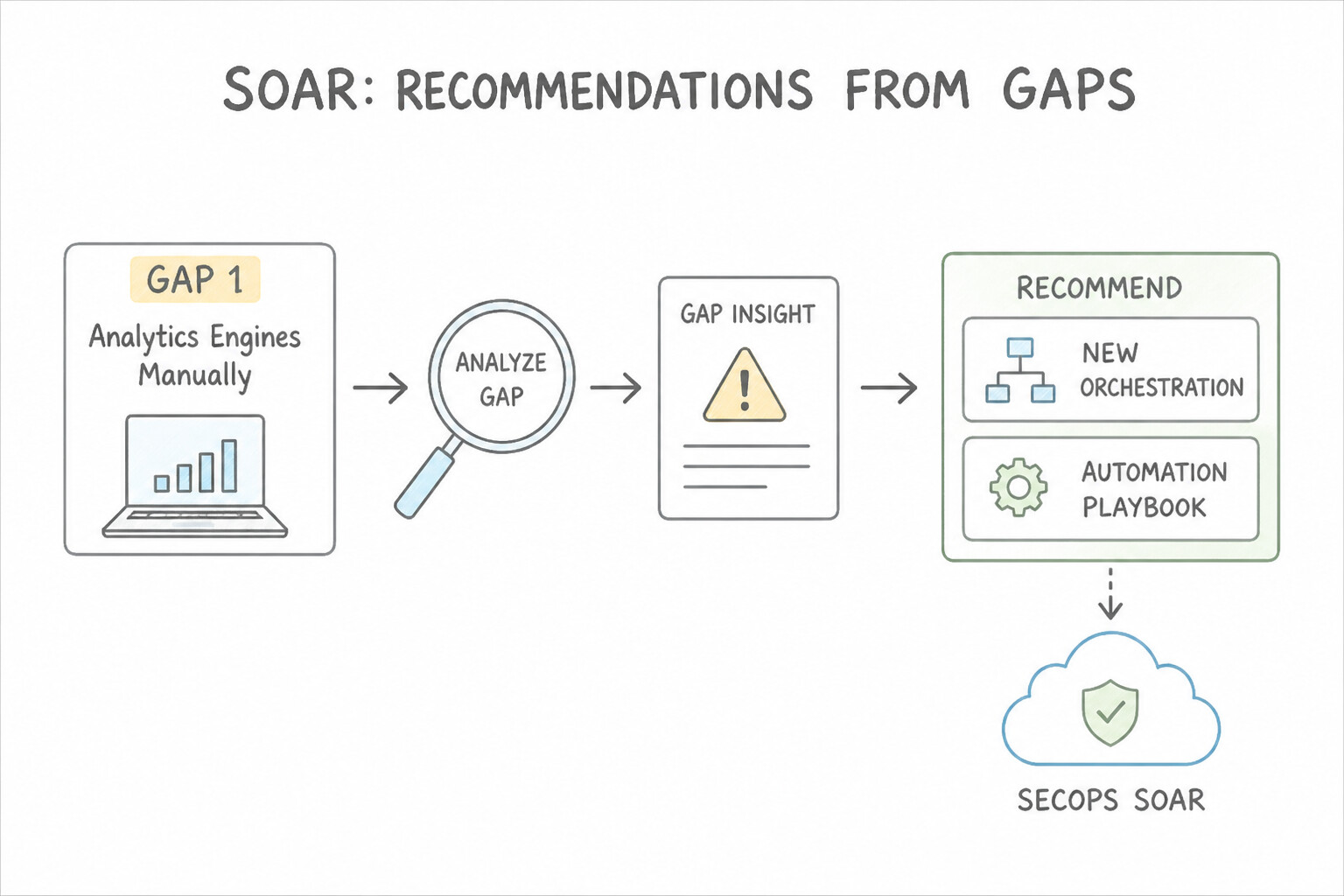
Identify common SOC automation gaps and apply the right Google SecOps SOAR capability:
- Gap 1 — Analysts Manually Extracting JSON Fields Between Steps:
- Solution: Use the SOAR Playbook
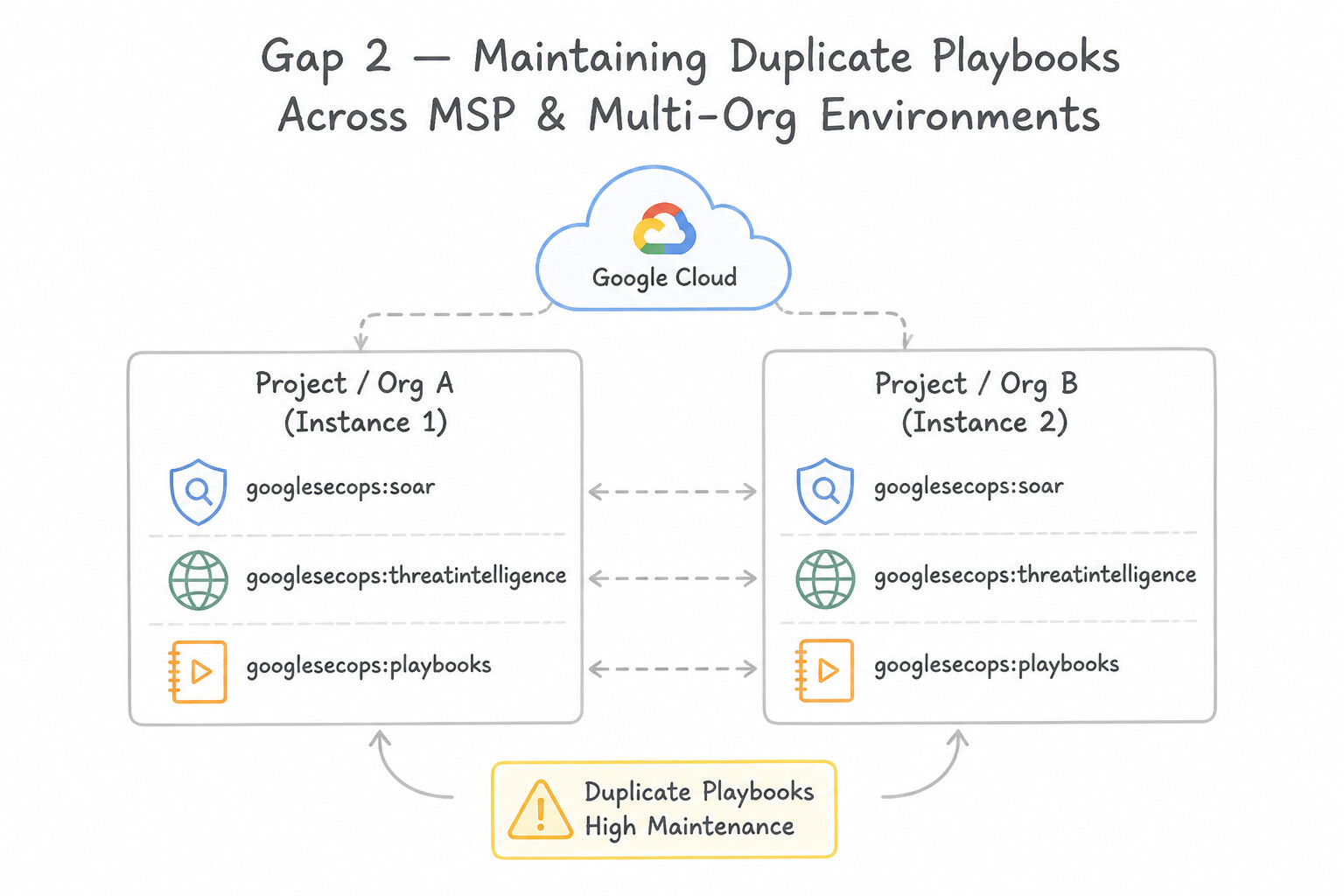
Expression Builderto dynamically parse JSON outputs from a previous action (e.g.,[ActionName.JsonResult| "results.0.attributes.last_analysis_stats.malicious"]), apply filters (filter,select,split,to_lower), and pass the extracted value directly into the next action's input parameter. - Gap 2 — MSP / Multi-Org Teams Maintaining Duplicate Playbooks Across Instances:
- Solution: Use Global / Remote Playbooks (Master Organization sync) or
All Environmentsscope to author standardized playbooks centrally and distribute them across child SOAR Environments. - Gap 3 — Sub-Second Cloud Misconfiguration Auto-Remediation:
- Solution: Combine Google SecOps SOAR (for multi-step investigation and ticketing) with event-driven SCC → Cloud Pub/Sub → Cloud Run / Cloud Functions for instantaneous deterministic config fixes.
Key Implementation Patterns
- Automating Phishing Triage Enrichment: Use Design a playbook that extracts indicators of compromise (IOCs) from the email and queries threat intelligence sources for enrichment. This automates the specific manual tasks of extraction and reputation lookup identified in the scenario.
- Cross-Platform Contextualization: Use Update the response playbook to include an enrichment action that queries the Identity Provider and maps the results to the case context. Enrichment actions in playbooks automatically fetch external data and display it within the case, solving the context switching problem.
- Human-in-the-Loop for Critical Systems: Use Modify the playbook to check if the asset is tagged as critical. If true, add a prompt for analyst approval before isolation. Adding a conditional check for critical tags allows for manual approval (Human-in-the-Loop) specifically for high-risk assets while automating others.
Key Takeaways (5.2e)
- Enrichment Automation: Use SOAR playbooks to automate the extraction of artifacts (IPs, URLs) and the query of threat intelligence sources.
- Reduce Toil: Identify repetitive manual tasks in SOC workflows (like copy-pasting URLs into reputation checkers) as prime candidates for automation.
- Remediation Timing: Automated remediation (like blocking) should generally occur after enrichment and triage, not as the first step, to prevent business disruption.
- Context Switching kills efficiency: In Security Operations, forcing analysts to use multiple tools manually is called the 'toggle tax.'
Consideration 5.2f: Implementing mechanisms to notify analysts and stakeholders of incidents
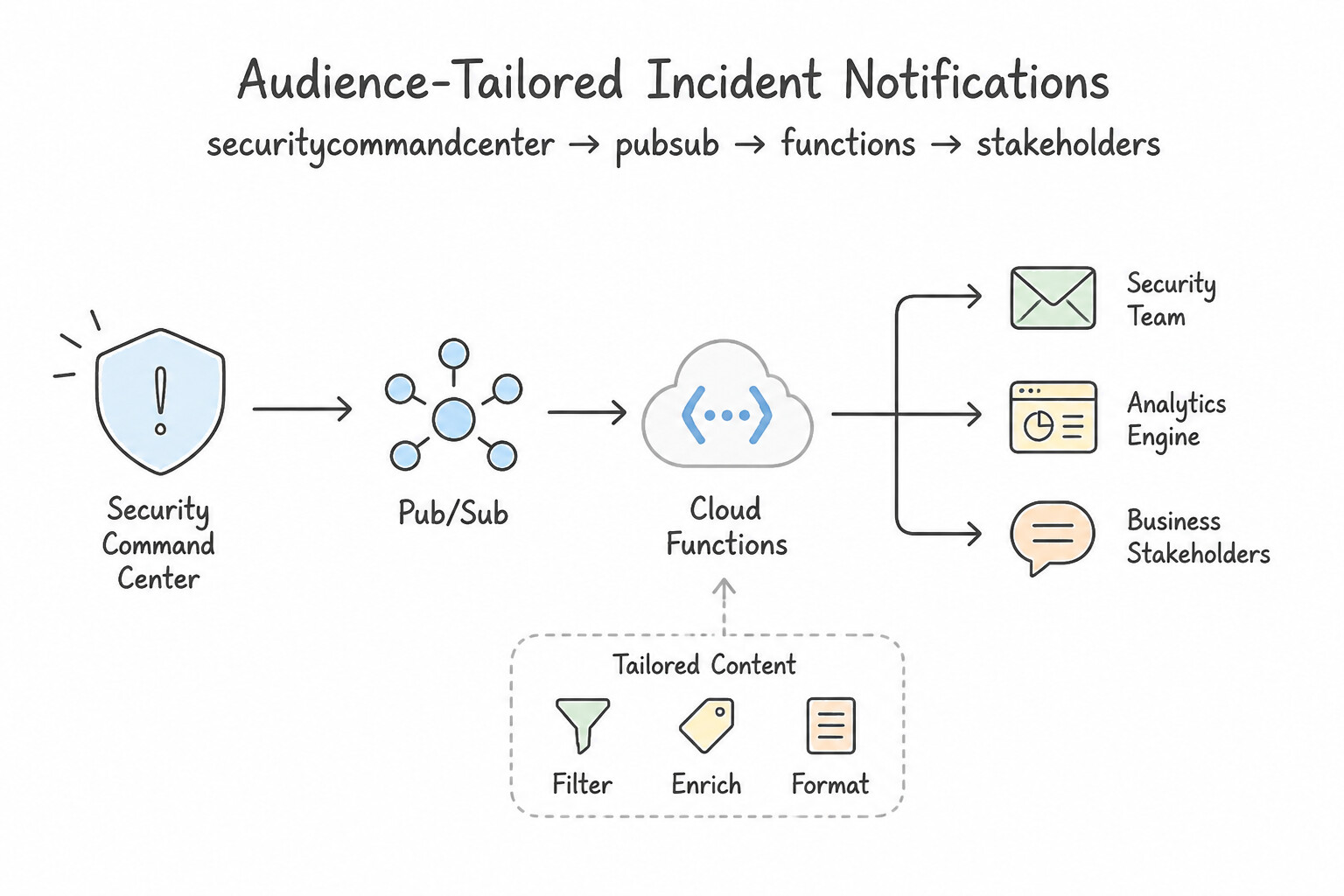
Effective incident notification avoids both missed critical alerts and executive spam:
- Audience-Tailored Notification Content:
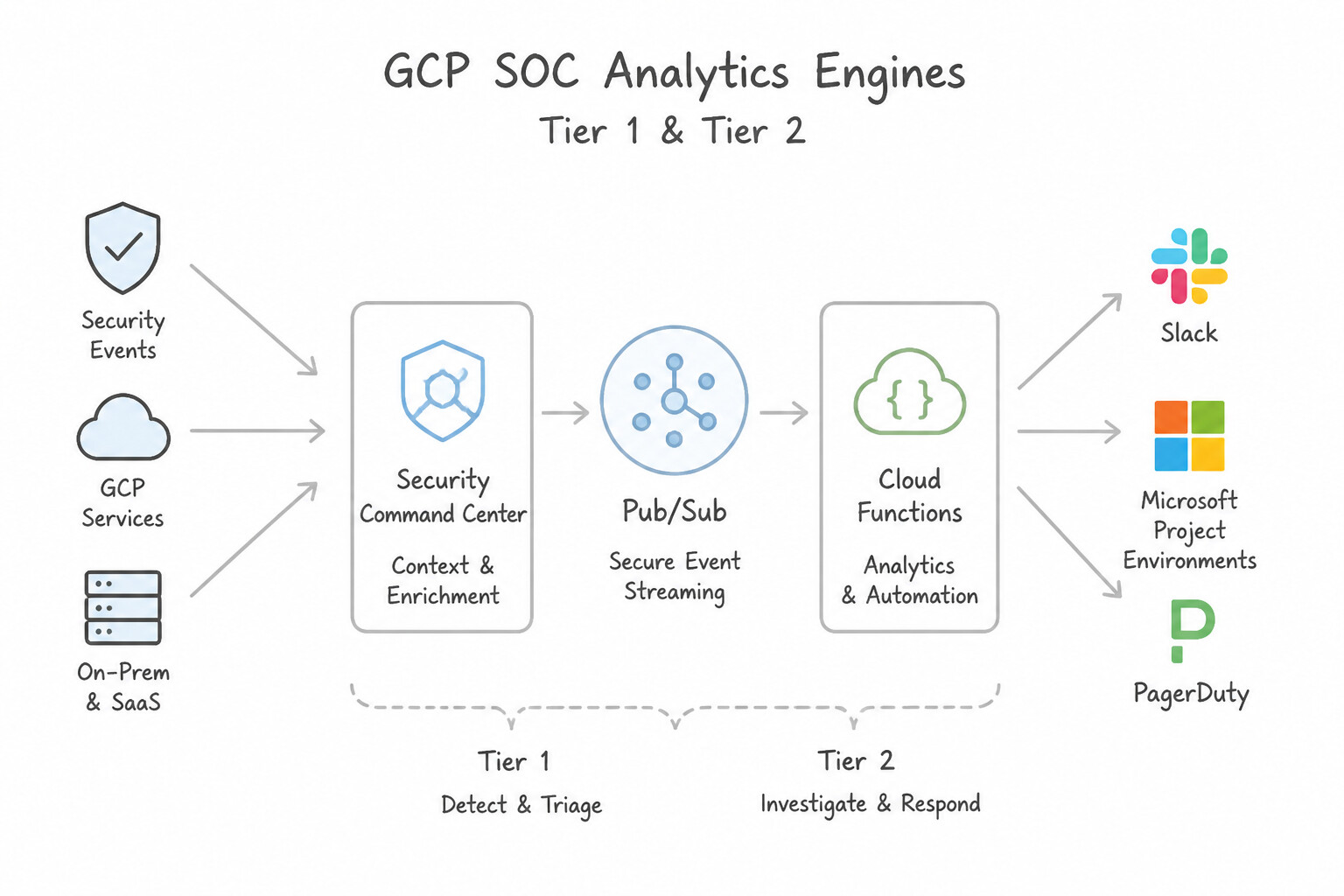
- Tier 1 / Tier 2 SOC Analysts (
Slack,Microsoft Teams,PagerDuty): Send rich technical payloads containing the Case ID, clickable deep link to the SecOps Case Wall, matched UDM indicators, GTI risk score, and interactive approval buttons. - IT / Cloud Operations Teams (
ServiceNow,Jira): Automatically open a tracked remediation ticket containing the exact GCP Project ID, resource URI, CVE/SHA finding details, and required remediation SLA. - Executive Leadership / Legal / PR (
Email,Executive Summary Report): Trigger notifications only for confirmed High/Critical severity incidents (or data breach thresholds), providing business impact, affected systems count, current containment status, and next update time—never raw JSON logs!
Key Implementation Patterns
- Real-time Messaging Integration for High Severity Alerts: Use Create a Notification Config in SCC that filters for critical severity and the production folder. Set the destination to a Pub/Sub topic. Deploy a Cloud Function triggered by the topic to send the notification to Slack. Use SCC Notification Configs to send filtered findings to Pub/Sub, then trigger a Cloud Function to forward them to Slack.
- Centralized Organization-Wide Incident Notification: Use Configure a Notification Config at the Organization level. Set the destination to a Pub/Sub topic in a centralized security project. Organization-level Notification Configs automatically aggregate findings from all projects and prevent project owners from modifying the export settings.
- Human-in-the-Loop Playbook Notifications: Use Configure an "Ask" or interactive action in the playbook that sends a message with approval buttons to the analyst. Interactive "Ask" actions allow playbooks to pause, notify an analyst, and resume only after receiving specific input via the messaging platform.
Key Takeaways (5.2f)
- SCC Notification Configs are the native way to export findings in real-time.
- Notification Configs export to Pub/Sub, not directly to third-party APIs.
- Cloud Functions are commonly used as the 'connector' between Pub/Sub and external APIs like Slack or Jira.
- Serverless architectures (Pub/Sub + Cloud Functions) are preferred for event-driven security alerting to minimize maintenance.
Quick Decision Cheat Sheet (Subsection 5.2)
If the Scenario Requires... | Choose This Google Cloud Pattern | Avoid This Common Mistake |
|---|---|---|
"CISO requires human verification before a phishing playbook deletes emails or isolates a production server" | Insert a Manual Approval Task / Pending Action (with an expiration SLA timer) after automated enrichment and before the destructive action | Turning off the playbook completely or executing destructive actions unconditionally |
"Playbook is exhausting third-party VirusTotal/GTI API quotas by querying internal 10.x.x.x IP addresses" | Add a Conditional / Entity Scope filter ( Entity.IsInternal = false) before the external enrichment action | Buying higher API quotas to scan RFC 1918 private IPs on public threat feeds |
"Extract a nested attribute from an action's JSON response to use in a subsequent conditional branch" | Use the SOAR Playbook Expression Builder | Modifying the upstream Marketplace integration source code |
"Standardize a sub-workflow so changes automatically propagate to all playbooks that use it" | Create a modular Playbook Block | Cloning full playbooks and editing each copy manually |
"Execute SOAR playbook actions against private on-premises infrastructure without exposing inbound ports" | Install a Google SecOps SOAR Remote Agent in the private environment | Exposing internal management APIs to 0.0.0.0/0 |
Further Reading (Subsection 5.2)
- Investigating and responding to threats — This guide explains how to set up finding exports to Pub/Sub and trigger Cloud Functions for automated remediation.
- Cloud Functions: Google Cloud Storage and Pub/Sub Triggers — Documentation on how to trigger a background Cloud Function from a Pub/Sub message.
- Manage incidents and problems — This guide details the architecture for automating malware response, including the specific step of applying network tags to quarantine instances for forensics.
- Incident Response in Google Cloud — Refer to the section on 'Establishing response procedures' which discusses defining conditions for automated versus manual interventions.
- Create your first use case — Provides an overview of how playbooks are structured and how enrichment is used to automate investigations for specific threats like phishing.
- Enrichment — Describes how to use integrations to enrich alerts with external and internal context.
Subsection 5.3: Implementing the Case Management Lifecycle
The Big Picture
Even with world-class YARA-L detections and SOAR playbooks, a Security Operations Center will fail if its human workflow—Case Management—is disorganized. Consider three operational breakdowns that happen daily in poorly architected SOCs:
- The "1 Attack = 50 Separate Cases" Fragmentation Trap (
5.3a,5.3b): When an attacker compromisesjdoe@corp.comand triggers 12 alerts across Okta, Google Cloud Audit Logs, and CrowdStrike within 30 minutes, a naive SOAR configuration opens 12 separate cases assigned to 12 different Tier 1 analysts. None of them sees the full attack chain! Production Google SecOps SOAR configurations enable Alert Grouping (Case Aggregation) based on shared entities (principal.user.userid,principal.hostname, ortarget.ip) within a configurable time window so all 12 alerts automatically merge into one unified Case. - The Stalled Stage & Manual Routing Bottleneck (
5.3a,5.3b): Cases sit unworked in a generic queue for hours because cases aren't automatically categorized into lifecycle stages (Triage→Investigation→Incident→Remediation→Closed) or dynamically routed based on global shift schedules (APAC,EMEA,AMER) and analyst tier (Tier 1,Tier 2,Tier 3 / IR). - The "Dropped Baton" Shift Handoff Failure (5.3c): A Tier 1 analyst spends 3 hours investigating a critical intrusion, keeps their notes in a local text file on their laptop, and logs off at the end of their shift without updating the Case Wall or reassigning the case role/user. The incoming shift starts over from scratch, doubling Mean Time to Respond (
MTTR).
Consideration 5.3a: Assigning cases into appropriate response stages
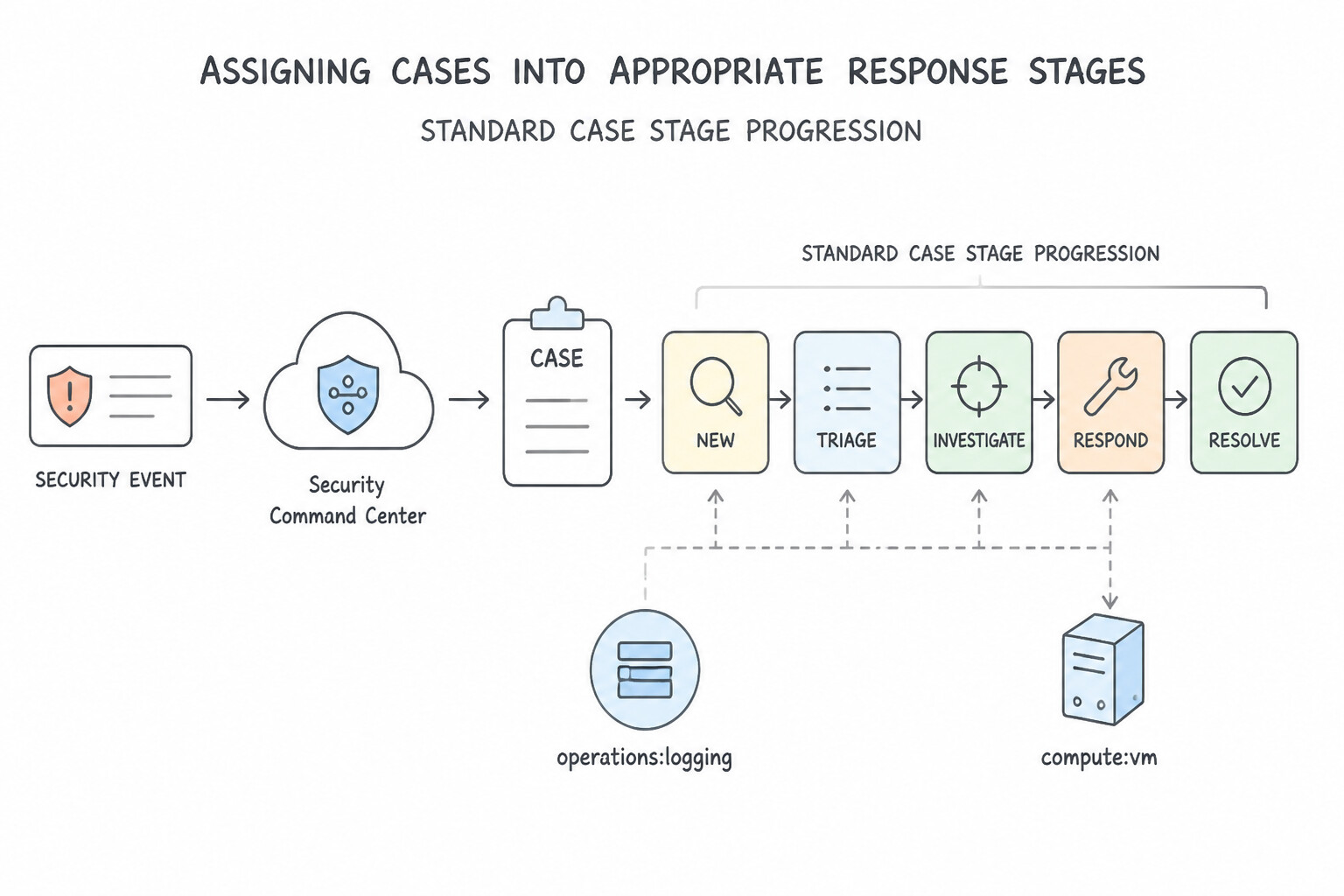
In Google SecOps SOAR Case Management, every case moves through explicit Case Stages that track operational progress and drive accurate SLA metrics:
- Standard Case Stage Progression:
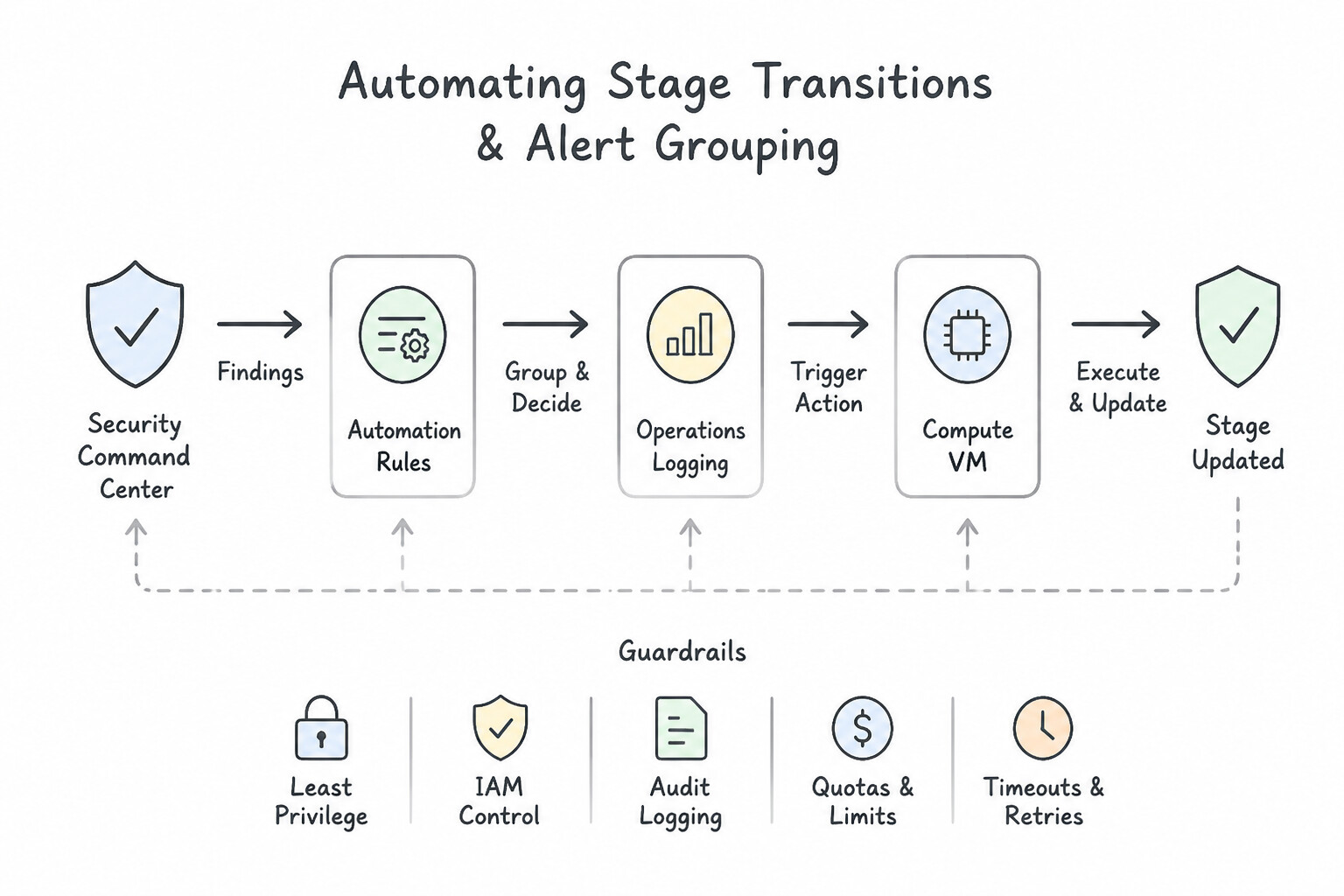
Triage/Assessment: Initial alert ingestion, automated enrichment playbook execution, and false-positive verification.Investigation/Research: Deep-dive timeline analysis, entity pivoting, and scope determination when suspicious activity cannot be immediately dismissed.Incident/Containment: Formal promotion of a confirmed security breach (Promote to Incident), triggering incident response playbooks, war-room collaboration, and stakeholder notifications.Remediation/Recovery: Eradicating persistence, patching root causes with engineering teams, and restoring normal operations.Closed: Final resolution requiring a mandatory Closure Reason (True Positive - Malicious,False Positive - Benign,Maintenance / Authorized Testing) and Root Cause tag so detection engineers can measure rule precision.- Automating Stage Transitions & Alert Grouping:
- Use playbook actions (
Change Case Stage,Assign Case,Close Case) to transition stages automatically as enrichment and containment milestones complete. - Configure Alert Grouping settings in SOAR so multiple alerts firing within a set window that share a key entity (
Hostname,User,Source IP) automatically attach to the existing active case rather than spawning fragmented cases.
Key Implementation Patterns
- Initial Triage and Verification: Use Triage. Triage involves validating alerts and analyzing data to confirm a true incident before taking containment actions. (Avoid alternative: Eradication involves removing the malware or vulnerability, which occurs after the incident is contained.)
- Active Containment Actions: Use Containment. Containment actions, such as isolating networks or disabling accounts, are designed to limit the scope of an incident. (Avoid alternative: Analysis is about investigation and scoping, not taking active measures to stop the threat.)
- Context Enrichment for Investigation: Use Investigation. Gathering evidence and analyzing scope occurs during the Investigation stage. (Avoid alternative: Triage is for initial validation, which is already completed in this scenario.)
Key Takeaways (5.3a)
- Triage is verification: Before acting, an analyst must confirm an alert is a true positive.
- Containment is action: Stopping a VM or blocking an IP address constitutes containment.
- Don't skip steps: Moving to containment without triage can lead to disrupting legitimate business operations (false positives).
- Containment focuses on limiting damage and preventing the spread of an attack.
Consideration 5.3b: Implementing efficient workflows for case escalation
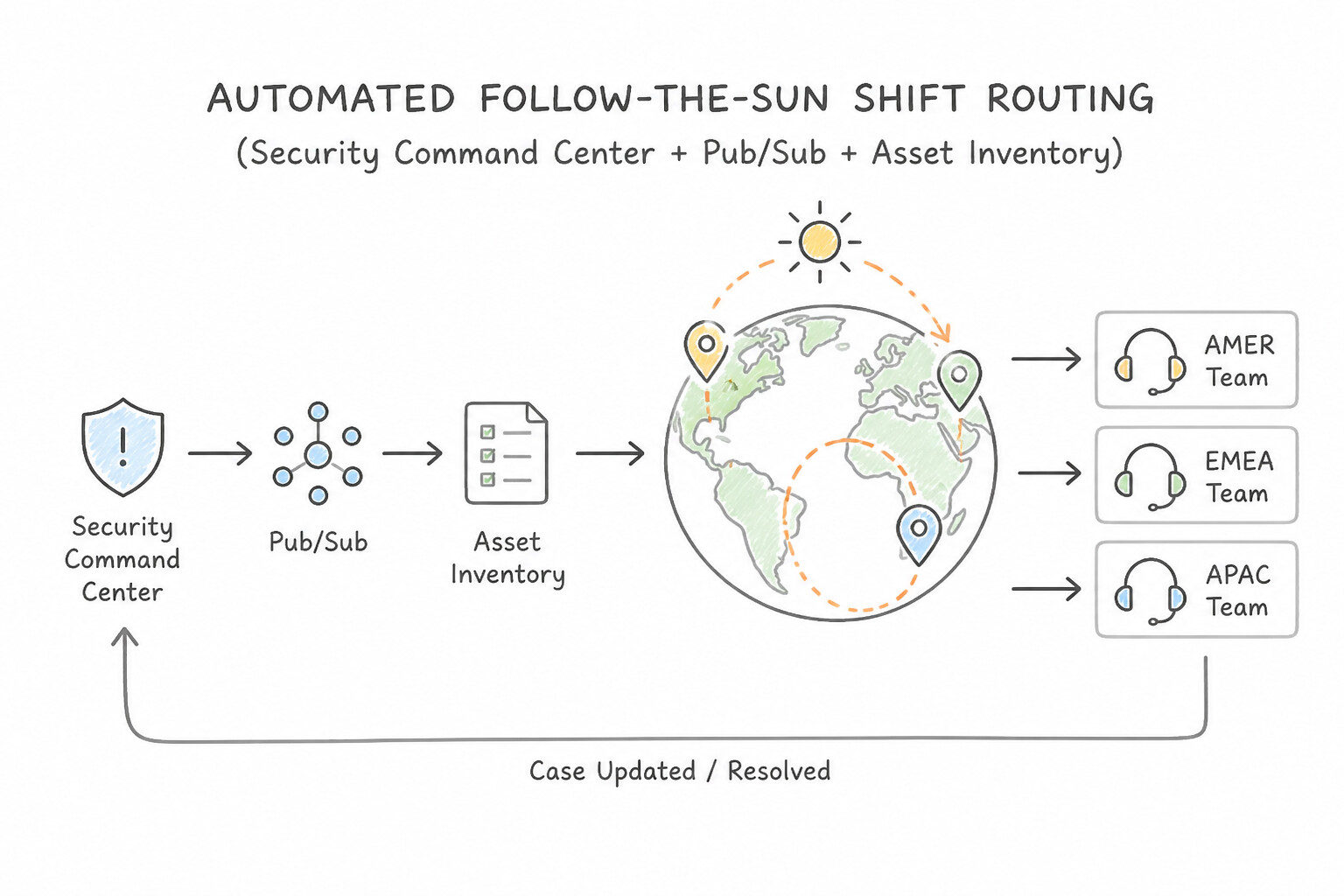
To prevent critical cases from stalling in a queue:
- 1. Automated Follow-the-Sun Shift Routing:
- In a global 24/7 SOC (
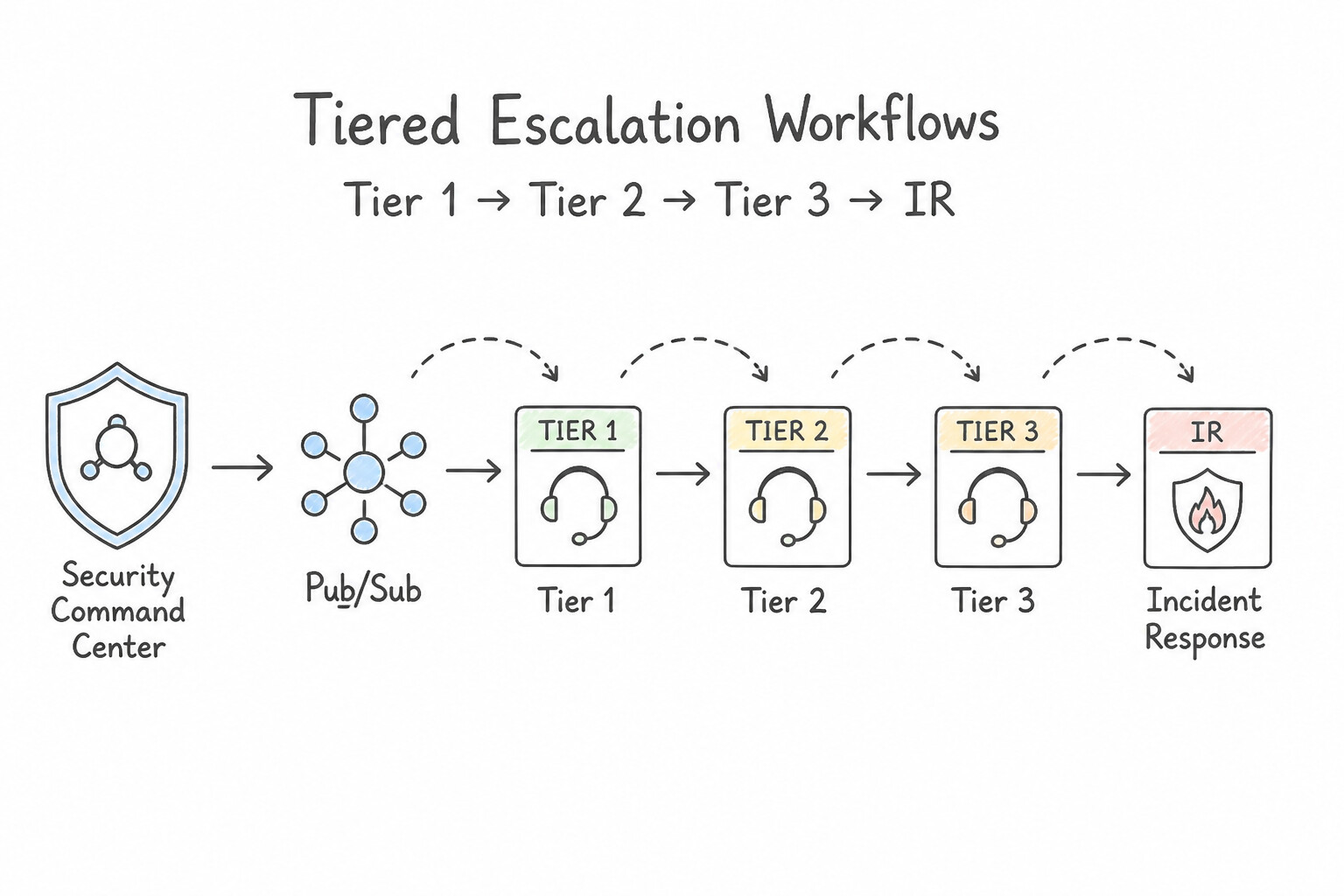
AMER,EMEA,APAC), use conditional time-of-day logic or SOAR role schedules inside the initial triage playbook to automatically assign incoming cases to the currently active regional shift role (e.g.,@SOC-EMEA-Tier1). - 2. Tiered Escalation Workflows (
Tier 1→Tier 2→Tier 3 / IR): - Provide a 1-click Escalation Playbook / Quick Action that automatically:
- Summarizes all enrichment results and completed playbook actions on the Case Wall.
- Updates the Case Stage to
InvestigationorIncidentand increases Case Priority (HIGH/CRITICAL). - Reassigns ownership to the
@SOC-Tier2role (or@Incident-Commander). - Triggers a real-time notification (Slack/PagerDuty) and resets/attaches the Tier 2 SLA timer.
Key Implementation Patterns
- Automating Severity-Based Escalation Routing: Use Create two Pub/Sub subscriptions for the topic. Configure a filter on each subscription based on the
attributes.severityvalue to route findings to the appropriate integration. Use Pub/Sub subscription filters to route messages from a single topic to different subscribers based on message attributes like severity. - Enriching Findings with Owner Context: Use Configure a Pub/Sub export from Security Command Center. Trigger a Cloud Function that queries Cloud Asset Inventory for the 'owner' tag and creates the enriched ticket. Use Pub/Sub and Cloud Functions to automatically query Cloud Asset Inventory for tags and enrich the finding before ticket creation.
- Bi-Directional State Synchronization: Use Deploy a Cloud Function triggered by a ServiceNow webhook that uses the Security Command Center API to update the finding state to INACTIVE. Use a Cloud Function as a bridge to accept the external signal (webhook) and call the SCC API to update the finding.
Key Takeaways (5.3b)
- SCC Notification Configs publish findings to Pub/Sub with helpful metadata attributes like severity and state.
- Pub/Sub filtering allows you to route messages to specific subscribers without writing custom code or paying for function invocations.
- Use the Fan-Out pattern (one topic, multiple subscriptions) to decouple message producers from consumers.
- Context is King: Automated enrichment reduces Mean Time to Resolution (MTTR) by providing analysts or engineers with necessary data upfront.
Consideration 5.3c: Assessing the effectiveness of case handoffs
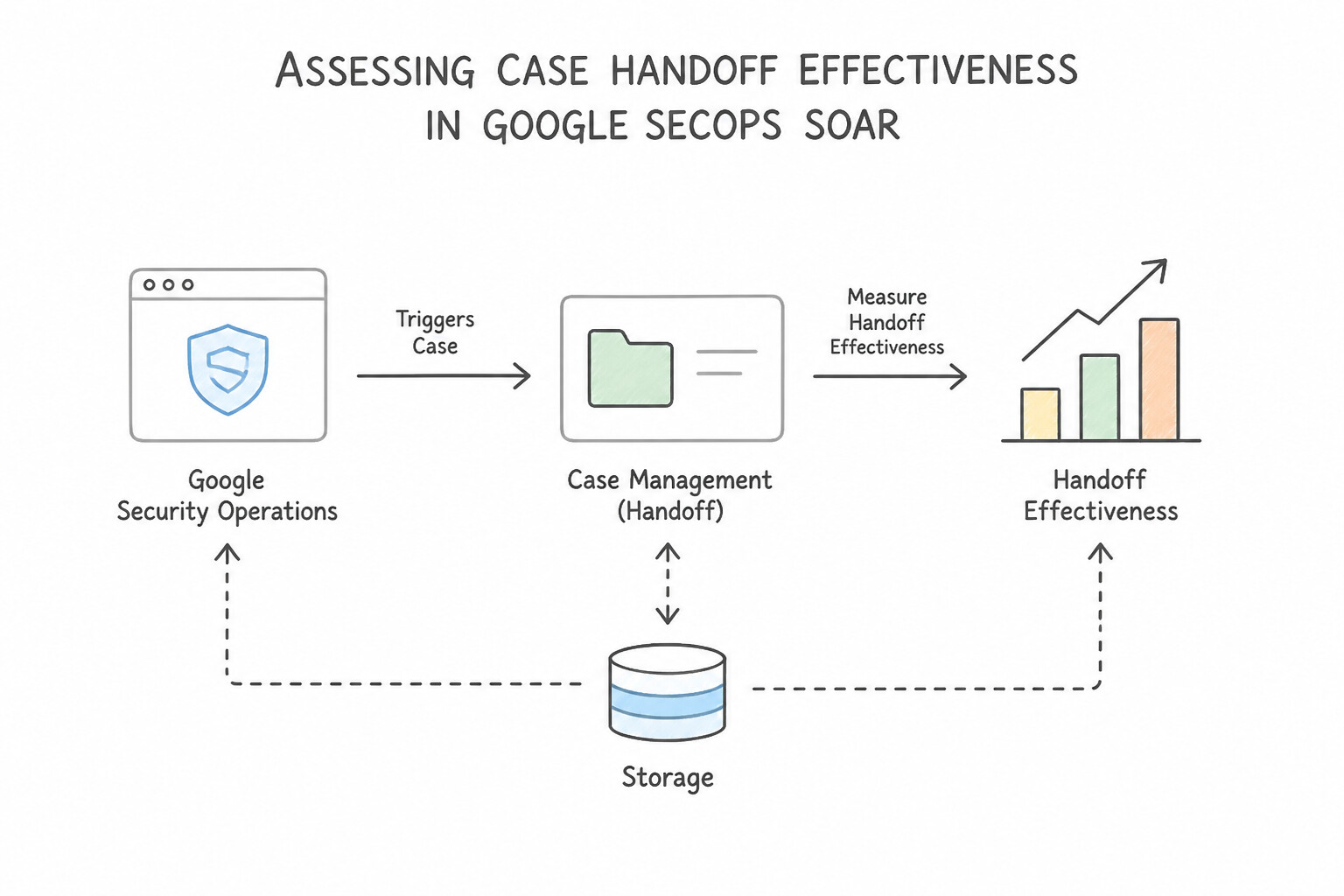
Handoffs occur both horizontally (end-of-shift transfer from EMEA to AMER) and vertically (escalation from Tier 1 to Tier 2).
- What Makes a Case Handoff Effective in Google SecOps SOAR:
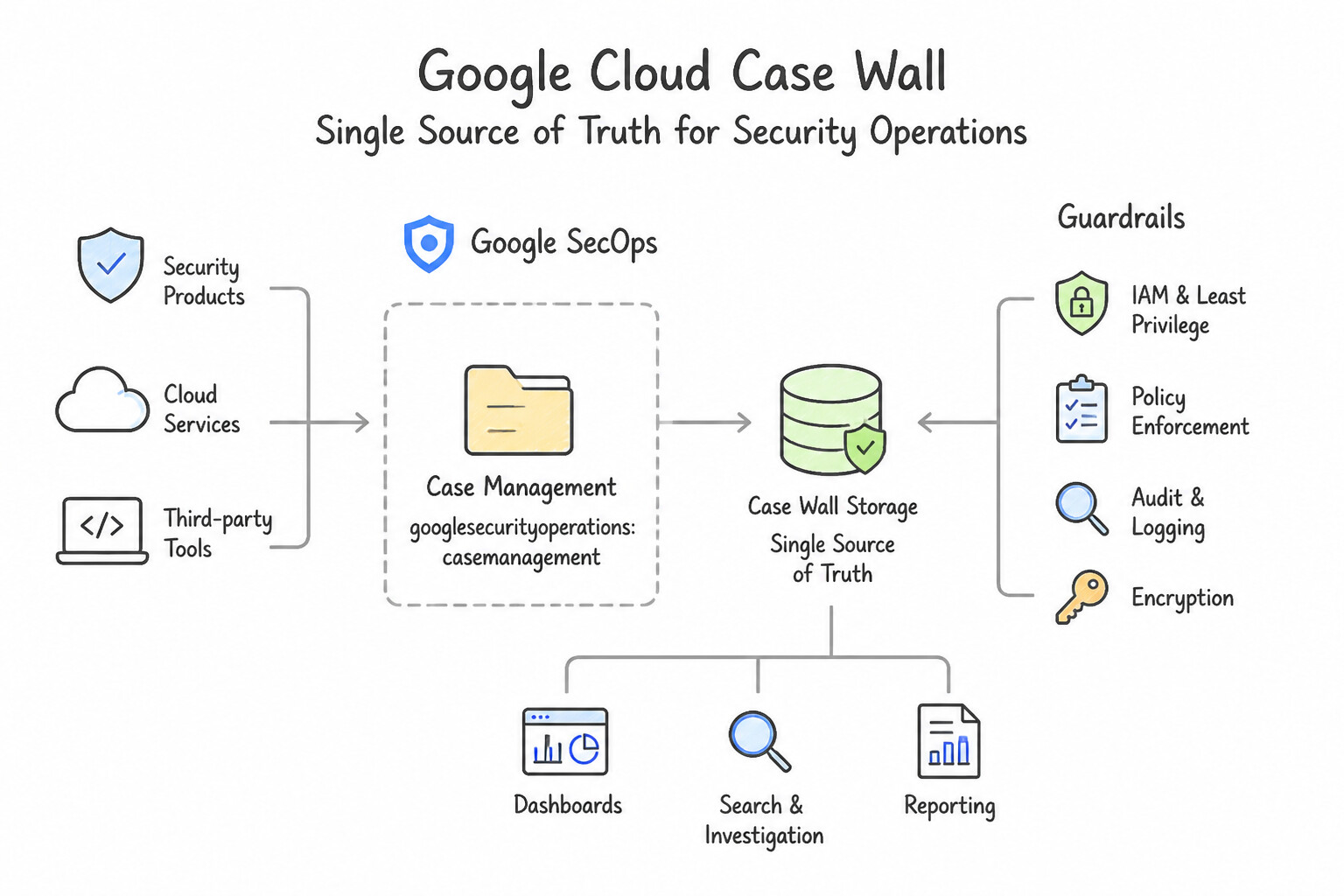
- 1. Single Source of Truth on the
Case Wall: All investigation notes, CLI query results, forensic hashes, and dismissed hypotheses must be recorded directly on the SOAR Case Wall (using pinned comments and structured task checklists)—never in private Slack DMs or local notes. - 2. Explicit Reassignment (
Assign Caseto Incoming Role/Analyst): A case left assigned to an analyst who has gone off-shift is an orphaned case. Handoff workflows must explicitly reassign the case to the incoming shift role or specific analyst and @mention them on the Case Wall. - KPIs to Measure & Audit Handoff Effectiveness:
- Post-Handoff Time to Acknowledge (
MTTAafter reassignment): How long a handed-off case sits idle before the receiving shift takes an action. - Case Ping-Pong / Reassignment Count: High back-and-forth reassignments between Tier 1 and Tier 2 indicate unclear escalation criteria or incomplete triage documentation.
- SLA Breach Rate Across Shift Boundaries: Measures whether cases initiated within 30 minutes of a shift change suffer significantly higher MTTR than mid-shift cases.
Key Implementation Patterns
- Standardizing Shift Handoffs: Use Create a mandatory task checklist in the case management system that analysts must complete before a case is handed off. Enforcing a mandatory checklist ensures consistent data quality and prevents vague notes by requiring specific details before a handoff.
- Handling Active Critical Incidents: Use Conduct a live briefing with the incoming analyst to explain the urgency, then update the case notes. High-severity active incidents require a synchronous 'warm handoff' to ensure immediate understanding of urgency and context. (Avoid alternative: Written notes alone are asynchronous and risk delays or misunderstandings during critical, active incidents.)
- Measuring Escalation Latency: Use Mean Time to Acknowledge (MTTA). MTTA specifically measures the gap between an alert entering a queue and an analyst picking it up. (Avoid alternative: MTTR measures the total time to fix the issue, which is too broad to pinpoint handoff delays.)
Key Takeaways (5.3c)
- Shift handoffs are critical points of failure in incident response; poor documentation leads to duplicated work.
- Standard Operating Procedures (SOPs) should be enforced via tooling (checklists/templates) rather than just policy.
- Structured data entry is superior to free-text notes for maintaining consistency.
- Active, critical incidents require synchronous (live) handoffs to ensure continuity.
Quick Decision Cheat Sheet (Subsection 5.3)
If the Scenario Requires... | Choose This Google Cloud Pattern | Avoid This Common Mistake |
|---|---|---|
"Consolidate multiple related alerts affecting the same user or host into a single investigation" | Enable Alert Grouping (Case Aggregation) in Google SecOps SOAR | Increasing YARA-L rule thresholds so high that single attacks don't alert |
"Track an investigation systematically from initial alert review to confirmed breach and recovery" | Transition the case through structured SOAR Case Stages ( Triage → Investigation → Incident → Remediation → Closed) | Keeping every case in the Triage stage until closure or creating a new case for each stage |
"Execute a clean shift handoff or Tier 1-to-Tier 2 escalation without losing investigation context" | Record structured summary & next steps on the SOAR Case Wall AND execute Assign Case to the receiving role/analyst | Sharing screenshots in an external chat room while leaving the case assigned to the off-duty analyst |
"Audit the quality of shift handoffs across a global follow-the-sun SOC" | Measure post-handoff acknowledgment latency, SLA compliance across shift changes, and case ping-pong rates | Counting only total log volume ingested during each shift |
Further Reading (Subsection 5.3)
- Well-Architected Framework: Security, privacy, and compliance pillar — Provides an overview of the incident response process on Google Cloud, including the analysis and containment phases.
- NIST Computer Security Incident Handling Guide — The industry-standard framework defining the four main stages of incident response: Preparation, Detection & Analysis, Containment/Eradication/Recovery, and Post-Incident Activity.
- Incident Response in Google Cloud — This guide outlines the incident response process Google Cloud recommends, detailing the stages of detection, analysis, containment, eradication, and recovery.
- Cases overview — Documentation describing how to manage cases, including updating stages and performing investigation actions within Google Security Operations.
- Filtering messages in subscriptions — Documentation on how to configure filters on Pub/Sub subscriptions using attributes.
- Setting up finding notifications for Pub/Sub — Guide on creating Notification Configs and the structure of notifications sent to Pub/Sub.
Book TOC · Previous · Chapter 5 of 7 · Next
AwesomeGCP.com Learning
The approach taken is a question-led learning approach: you explore realistic project scenarios where you need to make decisions or take actions to achieve business goals within specific constraints. Instead of passive learning, you are challenged to think and work through the options to master the Professional Security Operations Engineer (PSOE) certification!