Book TOC · Previous · Chapter 3 of 6 · Next
Chapter 3: Database Connectivity, Auth Proxy, Private Service Connect, Pooling & IAM Security
Chapter Focus: Private Service Connect (PSC) vs. Private Services Access (VPC Peering), Cloud SQL / AlloyDB Auth Proxy, mTLS SSL certificates, PgBouncer/HikariCP connection pooling, IAM Database Authentication, and PGAudit.
Subsection 1.3: Determine how applications will connect to the database
The Big Picture
How applications connect to, encrypt, pool, and audit a managed database is where networking, security, and database performance intersect. In real-world architectures, three design flaws repeatedly cause production outages or security audit failures:
- The Public IP +
0.0.0.0/0& Transitive Peering Trap (1.3a): Exposing a production database on a Public IP with broad Authorized Networks (0.0.0.0/0) is a critical compliance violation. Yet when teams switch to private networking, they often confuse Private Services Access (PSA) (which uses VPC Network Peering and suffers from non-transitive peering limits when on-premises VPN/Interconnect or multi-VPC hub-and-spoke topologies are involved) with Private Service Connect (PSC) (which exposes a private endpoint IP inside the consumer VPC, bypassing transitive peering limitations cleanly). And regardless of network path, using Cloud SQL Auth Proxy / AlloyDB Auth Proxy provides automatic mTLS (TLS 1.3) encryption and IAM authentication without managing expiring client SSL certificates. - The Serverless Connection Storm Trap (1.3b): When Cloud Run, Cloud Functions, or autoscaling GKE pods scale from 5 to 500 instances in seconds, each container opens its own database connections. In PostgreSQL, every connection spawns a dedicated OS process consuming ~5–10 MB of RAM and competing for CPU context switches. Without a Session/Transaction Pooler (
PgBounceror managed connection pooling), the database hitsFATAL: remaining connection slots are reserved for non-replication superuser connectionsand crashes under connection overhead even when actual SQL query volume is modest. - The Missing Data-Layer Audit Trail Trap (1.3c): Turning on Google Cloud Admin Activity Audit Logs only logs control-plane API calls (like
cloudsql.instances.Patch). It does not record which database user ranSELECT * FROM patients WHERE ssn = ...orDROP TABLE ledger. Compliance standards (HIPAA, PCI-DSS, SOX) require combining Cloud Audit Logs with engine-level auditing—specificallypgAudit(cloudsql.enable_pgaudit = on) for PostgreSQL/AlloyDB orcloudsql_mysql_auditfor MySQL—routed to Cloud Logging and locked in Cloud Storage / BigQuery for tamper-proof retention.
Consideration 1.3a: Configure networking, key management, encryption, and security
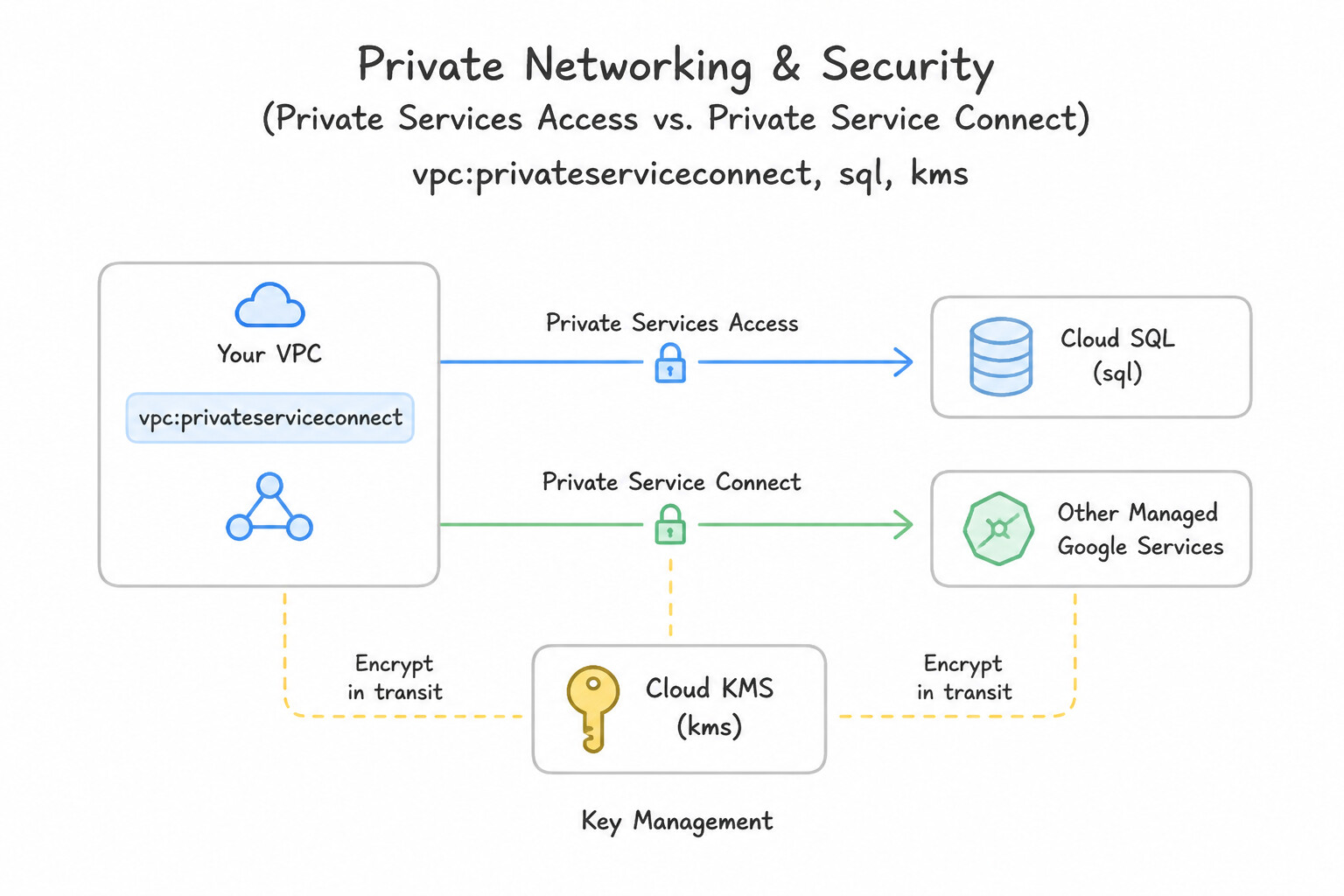
Mastering the four layers of database defense-in-depth (Network, Transport, Encryption-at-Rest, and Perimeter) is mandatory for production architectures:
- Private Networking (
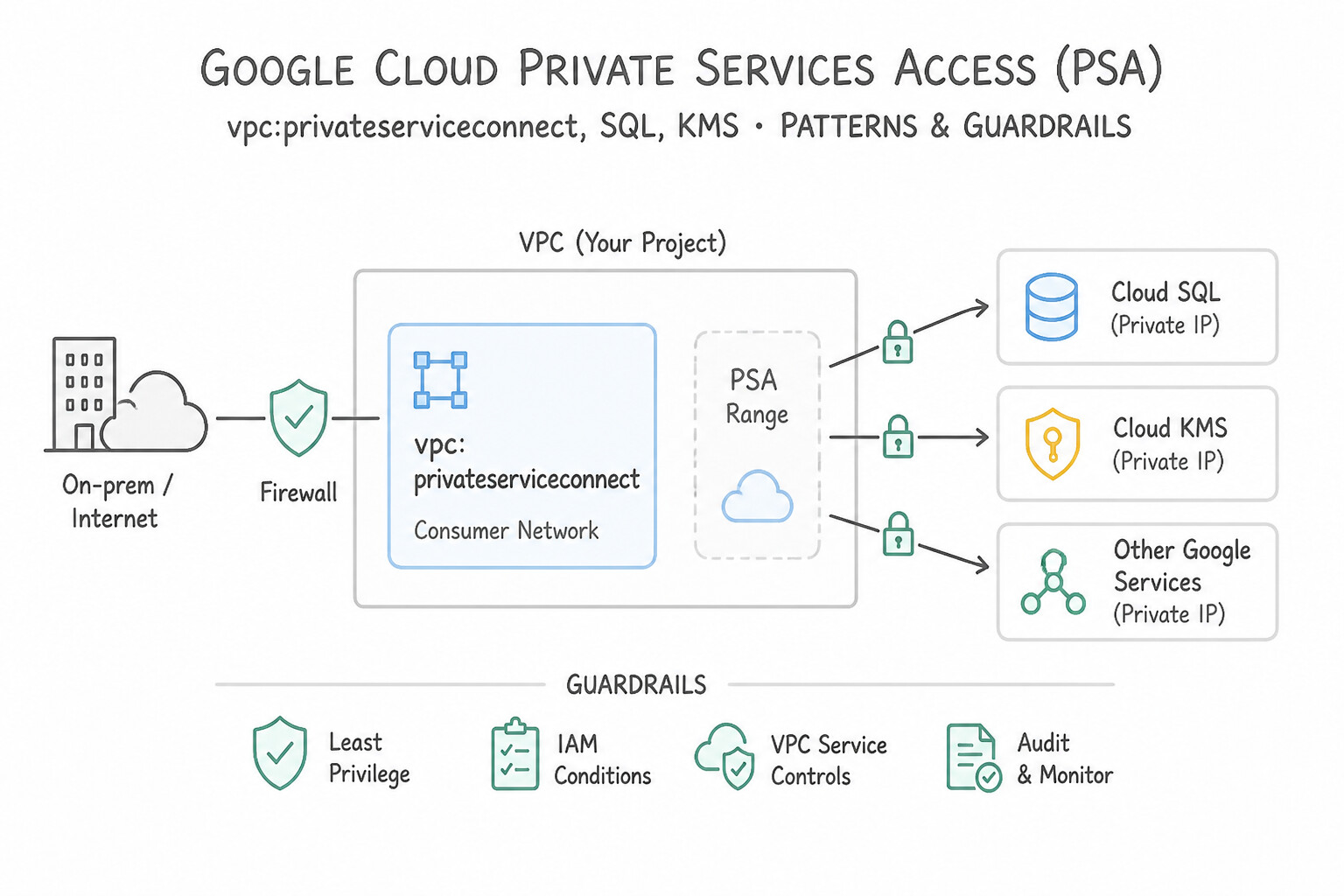
Private Services Accessvs.Private Service Connect): - Private Services Access (PSA): Allocates an internal IP range and creates a VPC Network Peering connection between your VPC and Google's service producer VPC.
- Hybrid Cloud Caveat: Because VPC Peering is non-transitive, on-premises servers connected to your VPC via Cloud VPN or Cloud Interconnect cannot reach a PSA-peered Cloud SQL IP unless you explicitly enable Export Custom Routes on your VPC's Cloud Router (and Import Custom Routes on the peering connection) or use a Cloud SQL Auth Proxy VM/PSC!
- Private Service Connect (PSC): Projects a private IP endpoint directly into one or more consumer VPCs (even across different projects/organizations or overlapping CIDRs) without VPC Peering limits.
- Encryption in Transit (
Auth Proxyvs. Manual SSL/TLS): - Cloud SQL Auth Proxy / AlloyDB Auth Proxy is Google's gold standard: it creates a
2048-bit RSA/TLS 1.3mTLS tunnel automatically, authenticates via IAM, and eliminates static IP allowlisting (Authorized Networks) and manual client certificate rotation. - If connecting directly without Auth Proxy, enforce
require_ssl(sslmode=verify-caorverify-full) and rotate client certificates before expiration. - Encryption at Rest (
Google-Managedvs.CMEK): - All Google Cloud databases encrypt data at rest by default (
Google-managed encryption keys). - When compliance requires Customer-Managed Encryption Keys (
CMEK) in Cloud KMS, grantroles/cloudkms.cryptoKeyEncrypterDecrypterto the service's Google-Managed Service Agent (service-PROJECT_NUMBER@gcp-sa-cloud-sql.iam.gserviceaccount.com). - Critical CMEK Gotchas: (1) The KMS key must reside in the exact same region (or multi-region) as the database instance/replica; (2) If a CMEK key version is disabled or destroyed, the Cloud SQL instance immediately stops and cannot be started or restored until the key is re-enabled!
Key Implementation Patterns
- Cross-VPC Connectivity with Overlapping IP Ranges: Use Configure Private Service Connect to access the Cloud SQL instance using an IP address in your VPC. Private Service Connect allows secure private access to services in other VPCs even if IP ranges overlap. (Avoid alternative: VPC Peering requires non-overlapping IP address ranges and cannot be used in this scenario.)
- Regulatory Compliance and Key Revocation: Use Configure the instance to use Customer-Managed Encryption Keys (CMEK) with Cloud Key Management Service (Cloud KMS). CMEK gives you full control over the encryption keys, including the ability to disable them to revoke data access.
Key Takeaways (1.3a)
- VPC Network Peering requires non-overlapping CIDR blocks.
- Private Service Connect (PSC) allows private access to services across VPCs, even if IP ranges overlap.
- Public IPs should be avoided when internal, private connectivity is required for security.
- PSC is a preferred pattern for producer-consumer service models over complex VPN/NAT setups.
Consideration 1.3b: Justify the use of session pooler services
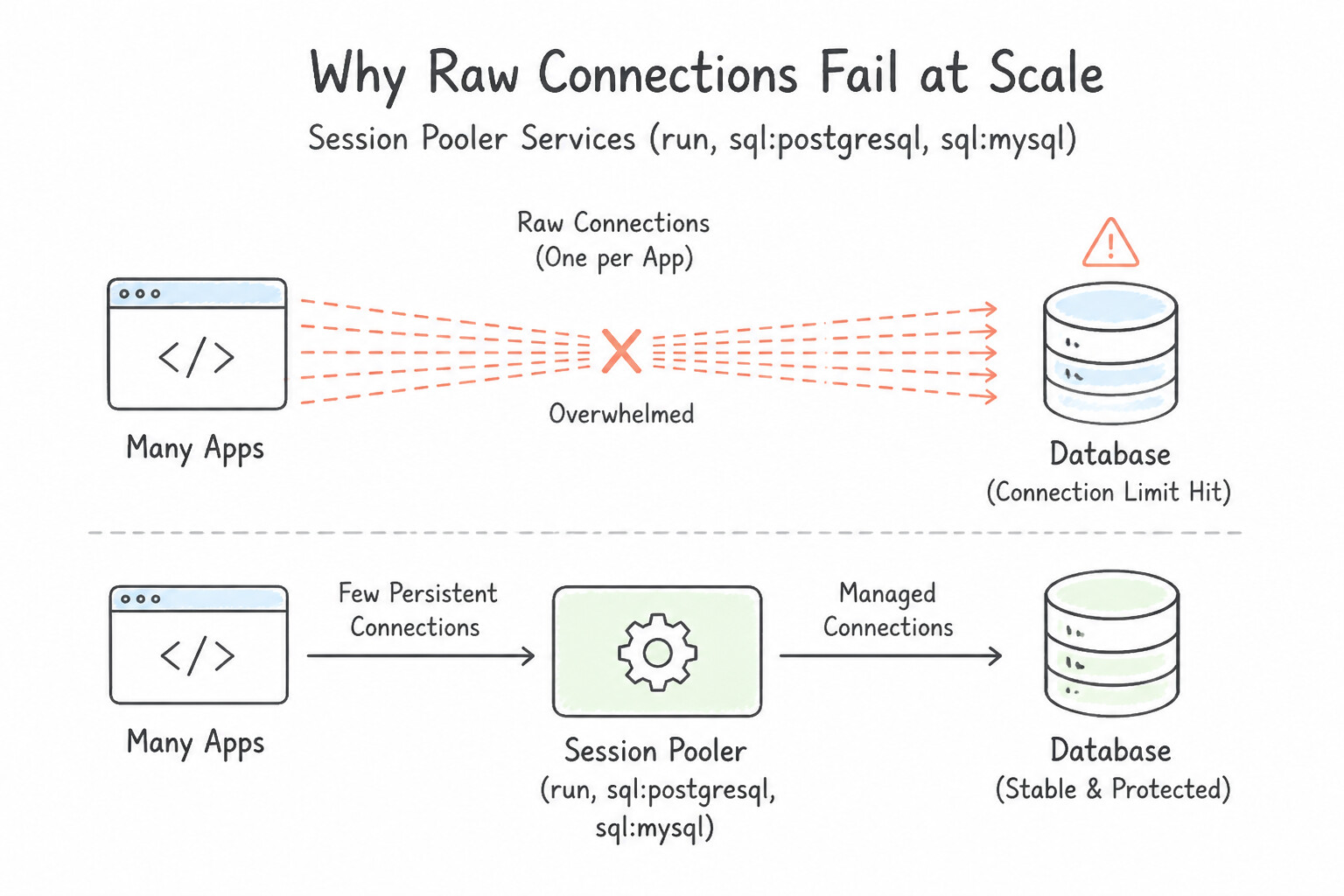
Database connection management is a classic bottleneck for cloud-native and microservice architectures:
- Why Raw Connections Fail at Scale: In PostgreSQL (Cloud SQL & AlloyDB), each client connection forks a separate backend OS process requiring memory (
5–10 MB+base +work_mem) and causing CPU contention during high connection churn. Even MySQL (thread-per-connection) degrades when thousands of ephemeral serverless containers (Cloud Run, Cloud Functions) open and close TCP/TLS connections on every request. - How Connection Poolers (
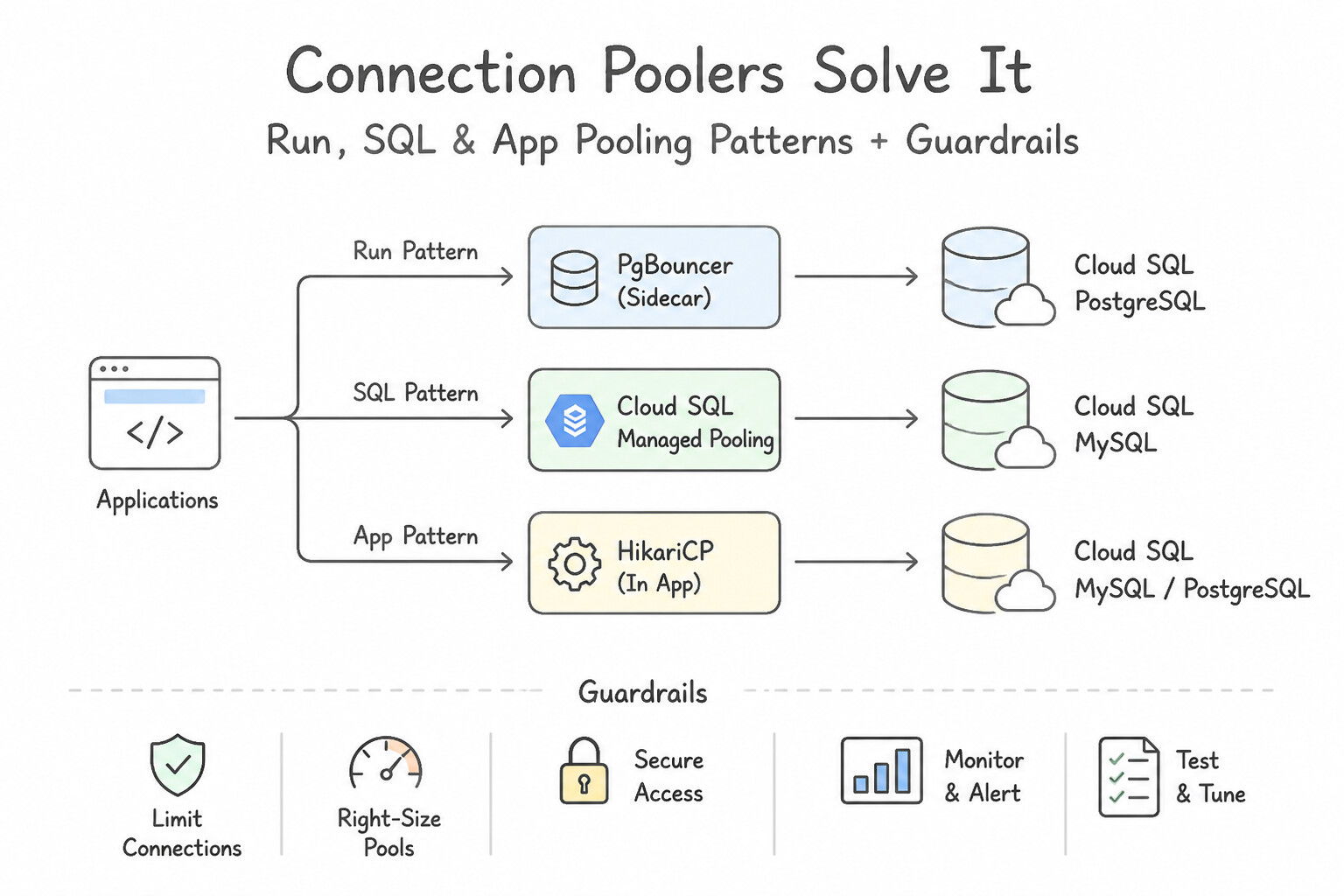
PgBouncer, Managed Pooling, HikariCP) Solve It: - A connection pooler sits between application instances and the database, maintaining a warm, fixed-size pool of persistent backend connections (e.g.,
100connections) while accepting thousands of lightweight client connections (5,000+). - Pooling Modes in
PgBouncer: - Transaction Pooling (Recommended for Stateless Microservices): Assigns a backend database connection to a client only for the duration of a single transaction (
BEGIN ... COMMIT), then immediately returns it to the pool. Maximizes multiplexing efficiency! (Caveat: incompatible with session-level features like session temp tables orSETvariables outside transactions). - Session Pooling: Holds the backend connection for the entire client session lifetime (required if legacy apps rely on session-scoped state, prepared statements, or advisory locks).
- Statement Pooling: Returns the connection after every single SQL statement (breaks multi-statement transactions).
Key Implementation Patterns
- Handling Serverless Scale-to-Zero Connection Spikes: Use Configure the application to connect to the database using a connection pooler like PgBouncer. Connection pooling allows many client instances to share a small number of database connections. (Avoid alternative: Vertical scaling is expensive and only temporarily delays connection exhaustion.)
- Choosing the Correct PgBouncer Pooling Mode: Use Change the PgBouncer pooling mode to Session. Transaction pooling does not support session-based features like prepared statements by default; switching to Session pooling resolves this compatibility issue. (Avoid alternative: Changing the autocommit setting does not ensure that the specific backend connection storing the prepared statement remains assigned to the client.)
- Optimizing CPU Usage on Cloud SQL for MySQL: Use Deploy a connection pooler such as ProxySQL on the VM. A connection pooler reuses active database connections, significantly reducing the CPU overhead of creating new threads for every request. (Avoid alternative: Vertical scaling increases costs without solving the root cause of connection churn efficiency.)
Key Takeaways (1.3b)
- Serverless applications can scale faster than relational databases can accept connections.
- PostgreSQL has a high per-connection memory cost.
- Use connection pooling (like PgBouncer) to multiplex many client connections over a few database connections.
- Avoid 1:1 mapping of serverless instances to database connections for high-scale apps.
Consideration 1.3c: Assess auditing policies for managed services
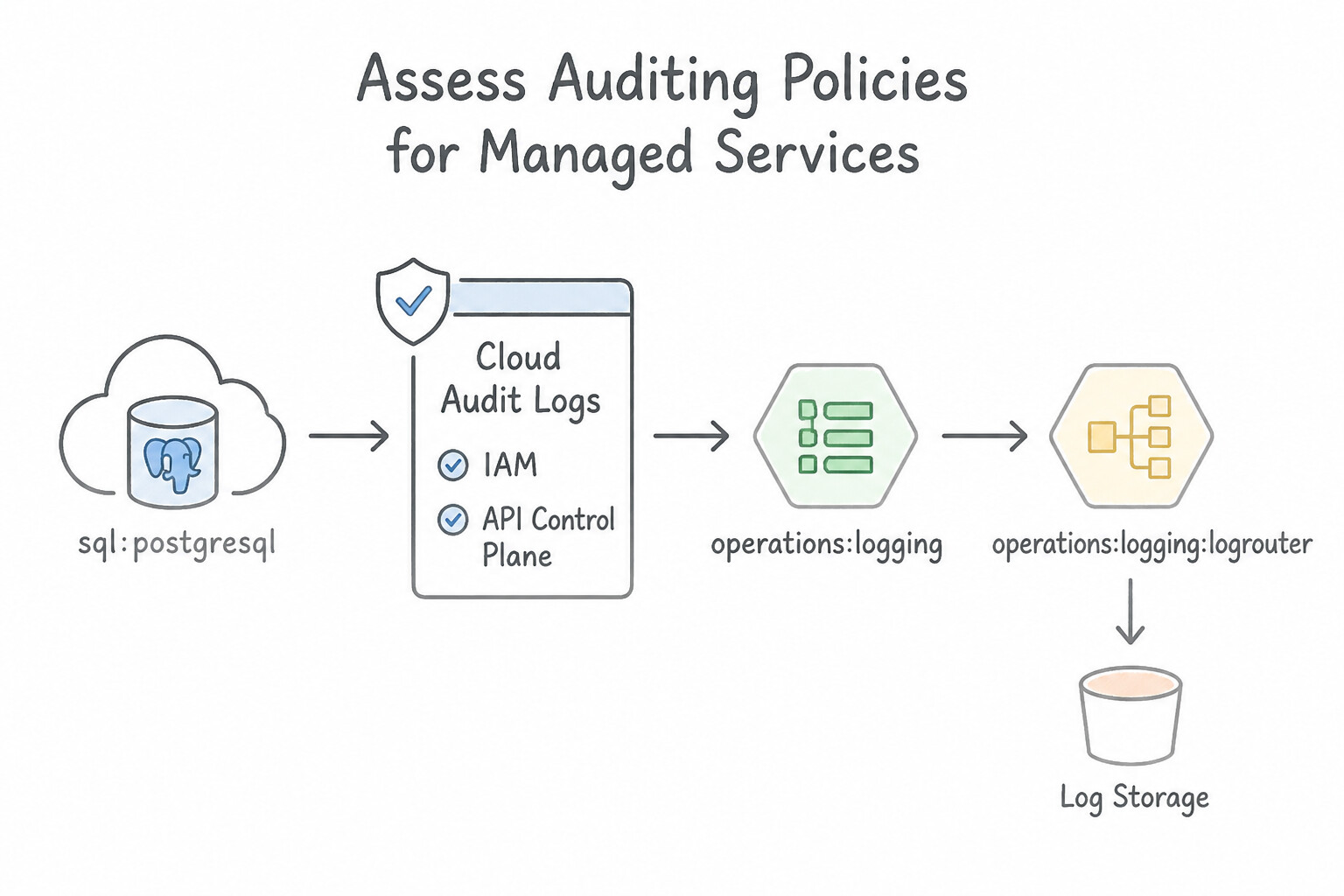
A complete database audit strategy requires correlating Control-Plane (Cloud Audit Logs) with Data-Plane (Database Engine Audit Logs):
- Google Cloud Audit Logs (IAM / API Control Plane):
- Admin Activity Logs: Always enabled, free, retained for 400 days. Tracks who created/deleted/modified instances, changed flags, or updated IAM policies.
- Data Access Logs: Opt-in (can generate high volume/cost). Required for API-driven databases like Cloud Spanner, Cloud Bigtable, and Firestore to track
ExecuteSql,Commit,ReadRows, or document reads/writes. (Use Exemptions for trusted high-frequency internal health-check service accounts if needed, though never exempt regulated data access!). - Database Engine Audit Extensions (
pgAudit, MySQL Audit, SQL Server Audit): - Because Cloud SQL and AlloyDB connections happen over the database wire protocol (
port 5432 / 3306 / 1433) rather than Google Cloud REST/gRPC APIs, Cloud Audit Logs alone do NOT see individual SQL statements inside Cloud SQL or AlloyDB! - For PostgreSQL (Cloud SQL & AlloyDB): Enable the
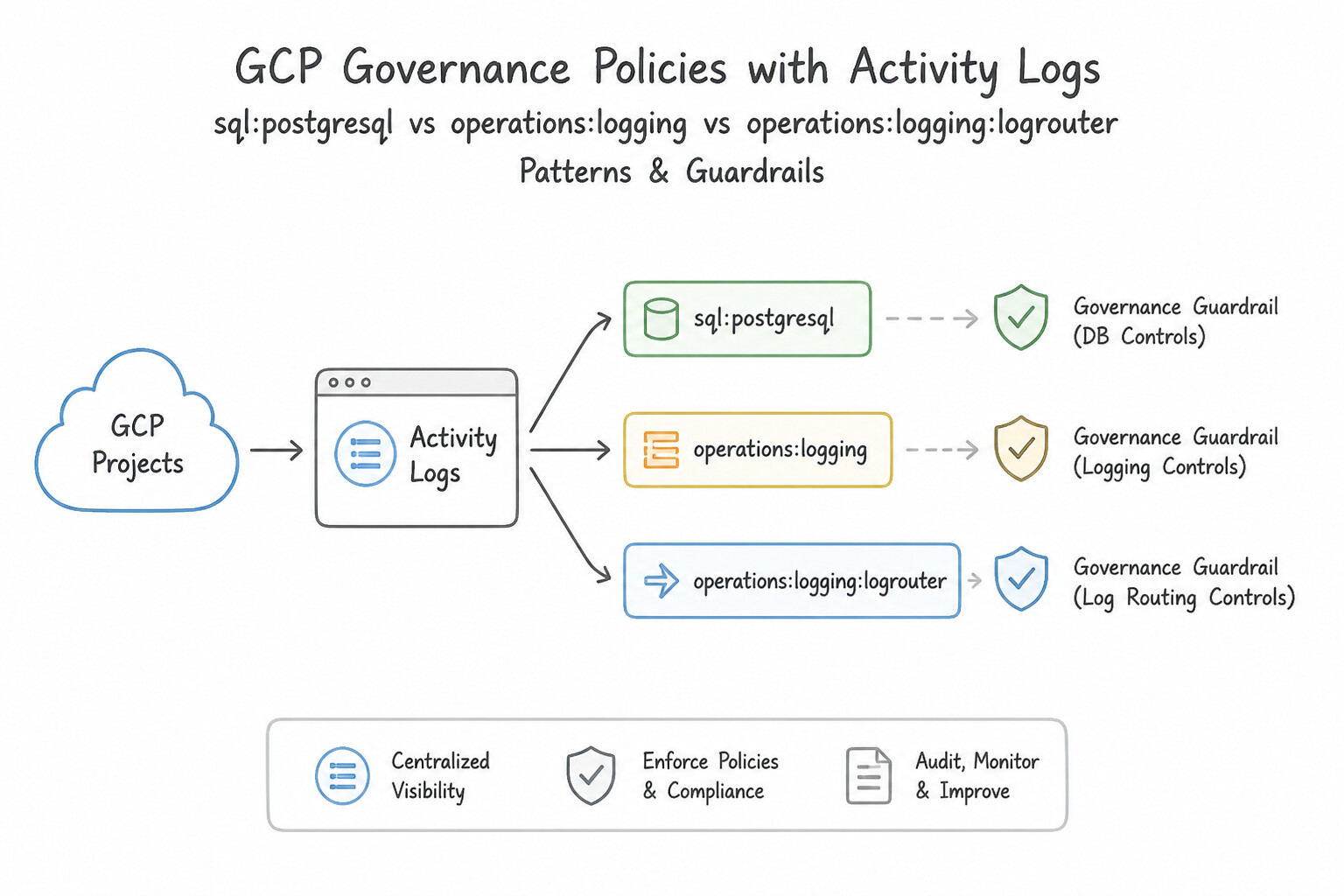
pgauditextension (shared_preload_libraries = pgaudit,cloudsql.enable_pgaudit = on) and configurepgaudit.log(e.g.,read, write, ddl, role) to stream detailed SQL statement audit logs into Cloud Logging undercloudaudit.googleapis.com/data_access. - For Long-Term Compliance Retention: Route audit logs via a Cloud Logging Sink (with an inclusion filter) to a Cloud Storage bucket with a locked Retention Policy (Bucket Lock) for WORM compliance or to BigQuery for SQL security analytics.
Key Implementation Patterns
- Cloud SQL PostgreSQL Granular Query Logging: Use Set the cloudsql.enable_pgaudit flag to on and configure the pgaudit.log flag. The pgAudit extension is the standard tool for detailed logging in PostgreSQL and is enabled via Cloud SQL flags. (Avoid alternative: This flag only logs connection attempts, not the actual SQL queries required for auditing.)
- Optimizing Cloud Spanner Audit Costs: Use Configure an exclusion filter on the _Default sink in Cloud Logging to drop 'DATA_READ' log entries associated with the frontend service account. Exclusion filters allow granular control to drop specific high-volume logs (Read) for specific users while keeping others (Write).
Key Takeaways (1.3c)
- Cloud SQL uses Database Flags to configure instance behavior instead of direct file access.
- pgAudit is the standard extension for auditing SQL queries in PostgreSQL for compliance.
- Use the
cloudsql.enable_pgauditflag to enable the extension on Google Cloud.- Query Insights is for performance, not security auditing.
Quick Decision Cheat Sheet (Subsection 1.3)
If the Scenario Requires... | Choose This Google Cloud Pattern | Avoid This Common Mistake |
|---|---|---|
"Eliminate static IP allowlisting ( Authorized Networks) and manual SSL cert rotation for Cloud SQL / AlloyDB" | Deploy Cloud SQL Auth Proxy or AlloyDB Auth Proxy (uses mTLS + IAM) | Whitelisting 0.0.0.0/0 or writing cron scripts to update Authorized Networks |
"Ephemeral Cloud Run / Cloud Functions exhausting PostgreSQL max_connections" | Deploy PgBouncer (Transaction Pooling) or built-in connection pooling + bound client pool size | Vertically scaling the database solely to raise max_connections |
"Cloud SQL instance encrypted with CMEK becomes unavailable after security team revokes KMS key" | Re-enable the Cloud KMS key version and restart the Cloud SQL instance | Restoring from backup without the KMS key (backups are also encrypted with the same CMEK!) |
"Audit every SQL SELECT and ALTER TABLE inside Cloud SQL for PostgreSQL and retain immutable logs for 7 years" | Enable pgAudit, stream to Cloud Logging, and route via Log Sink to a Cloud Storage bucket with Bucket Lock | Enabling only GCP Admin Activity logs or keeping logs only in local PostgreSQL disk files |
"Prevent a compromised insider with valid database credentials from copying data to an external GCP project" | Enforce a VPC Service Controls ( VPC-SC) perimeter around the project | Relying on Private IP alone (Private IP does not stop API-level cross-project exfiltration) |
Further Reading (Subsection 1.3)
- Private Service Connect Overview — Explains how PSC allows consumers to access services using private IP addresses in their own VPC network.
- Connect to an instance using Private Service Connect — Specific documentation on how to configure Cloud SQL instances to accept connections via PSC.
- Use customer-managed encryption keys (CMEK) — Explains how CMEK works with Cloud SQL, including the benefits of controlling the key and revocation scenarios.
- Manage database connections — Discusses best practices for connecting to databases from Cloud Run, specifically mentioning the use of connection pooling to handle scaling.
- Cloud SQL for PostgreSQL: Connection limits — Explains how connection limits are calculated based on memory and why exceeding them causes fatal errors.
- PgBouncer Features and Pooling Modes — Documentation describing the differences between Session, Transaction, and Statement pooling, specifically noting that Transaction pooling breaks session-based features.
Subsection 2.1: Determine database connectivity and access management considerations
The Big Picture
Managing identity and access across a fleet of Cloud SQL, AlloyDB, Cloud Spanner, and Bigtable databases requires bridging Google Cloud IAM (Control Plane & Federated Auth) with Database Engine Roles/Grants (Data Plane). Two mistakes repeatedly compromise production security:
- The Over-Privileged IAM Role & Static Password Sprawl Trap (
2.1a&2.1b): Granting an application's Service Accountroles/cloudsql.adminorroles/Ownerjust so it can connect to a database violates the Principle of Least Privilege—allowing a compromised container to delete the entire database instance or export backups! An application connecting via Cloud SQL Auth Proxy only needsroles/cloudsql.client(plusroles/cloudsql.instanceUserif using IAM Database Authentication). Equally dangerous is hardcoding a sharedpostgressuperuser password in Kubernetes ConfigMaps or Git repositories instead of using IAM Database Authentication (passwordless OAuth 2.0 tokens) paired with Workload Identity Federation for GKE (or storing native passwords in Secret Manager when native auth is required). - The "IAM Grants Table Permissions in Cloud SQL" Misconception (2.1b): In Cloud SQL and AlloyDB, granting a user
roles/cloudsql.instanceUserin Google Cloud IAM allows them to authenticate to the database instance, but it does NOT automatically grant SQLSELECT,INSERT, orUPDATEprivileges on tables inside the database! You must still create the corresponding database user (CREATE USER "sa@project.iam" WITH LOGIN;or viagcloud sql users create --type=CLOUD_IAM_SERVICE_ACCOUNT) and execute explicit SQLGRANT SELECT ON TABLE ... TO ...statements (or group roles) inside PostgreSQL/MySQL. Conversely, in Cloud Spanner and Cloud Bigtable, fine-grained access control is natively integrated with IAM via Spanner Fine-Grained Access Control (Database Roles + IAM Conditions) and Bigtable Table-Level IAM!
Consideration 2.1a: Determine Identity and Access Management (IAM) and policies for database connectivity and access control
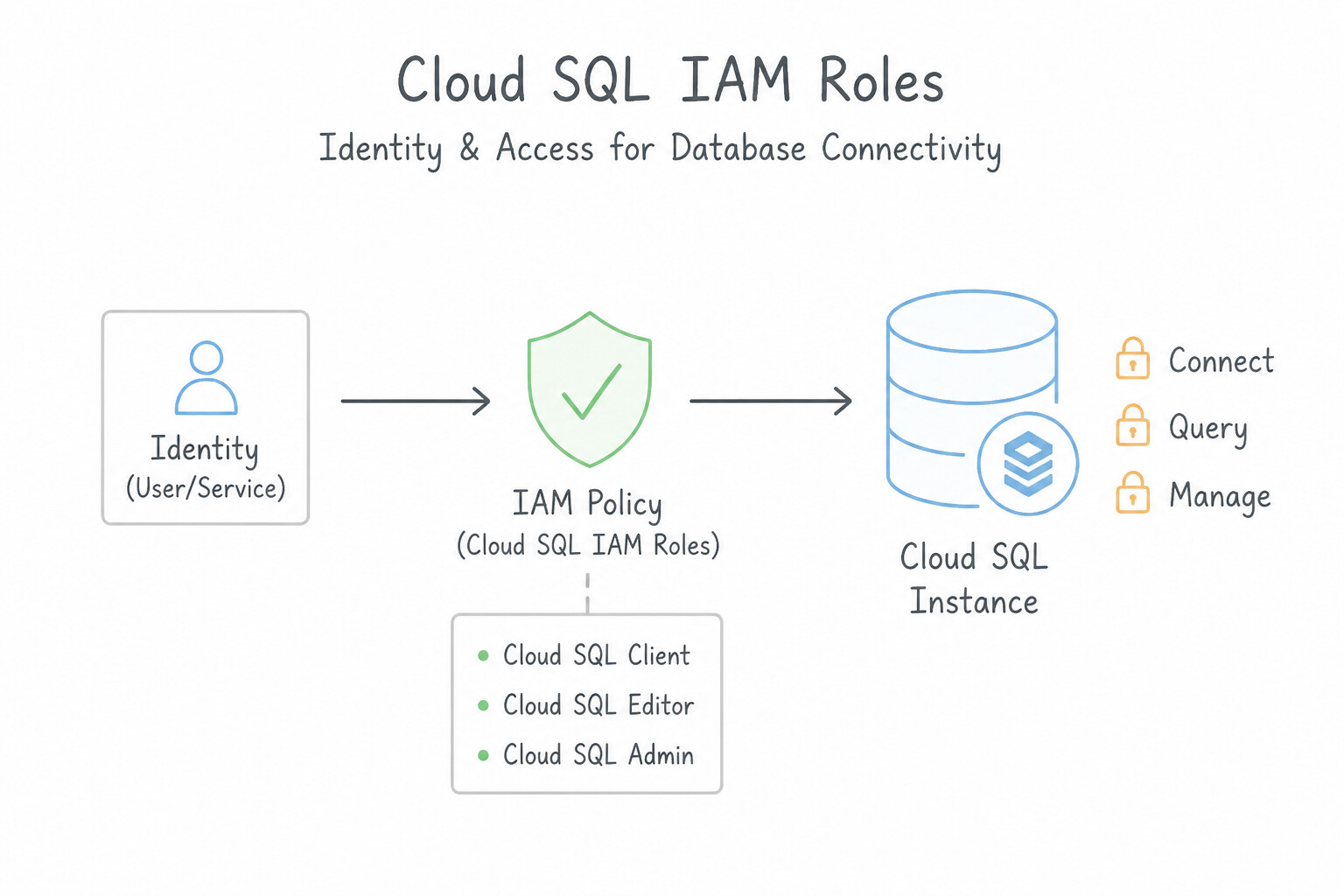
Memorize the exact least-privilege IAM roles across every Google Cloud database service:
- Cloud SQL IAM Roles:
roles/cloudsql.client: Required for an application or Cloud SQL Auth Proxy to establish a network/TLS connection to a Cloud SQL instance. (Does not permit modifying instance settings or reading backups).roles/cloudsql.instanceUser: Required (in addition tocloudsql.client) for a user or Service Account to log in using Cloud SQL IAM Database Authentication (--enable-iam-authn).roles/cloudsql.viewer/roles/cloudsql.editor/roles/cloudsql.admin: Control-plane roles for viewing metrics, managing instances, or full administration.- AlloyDB IAM Roles:
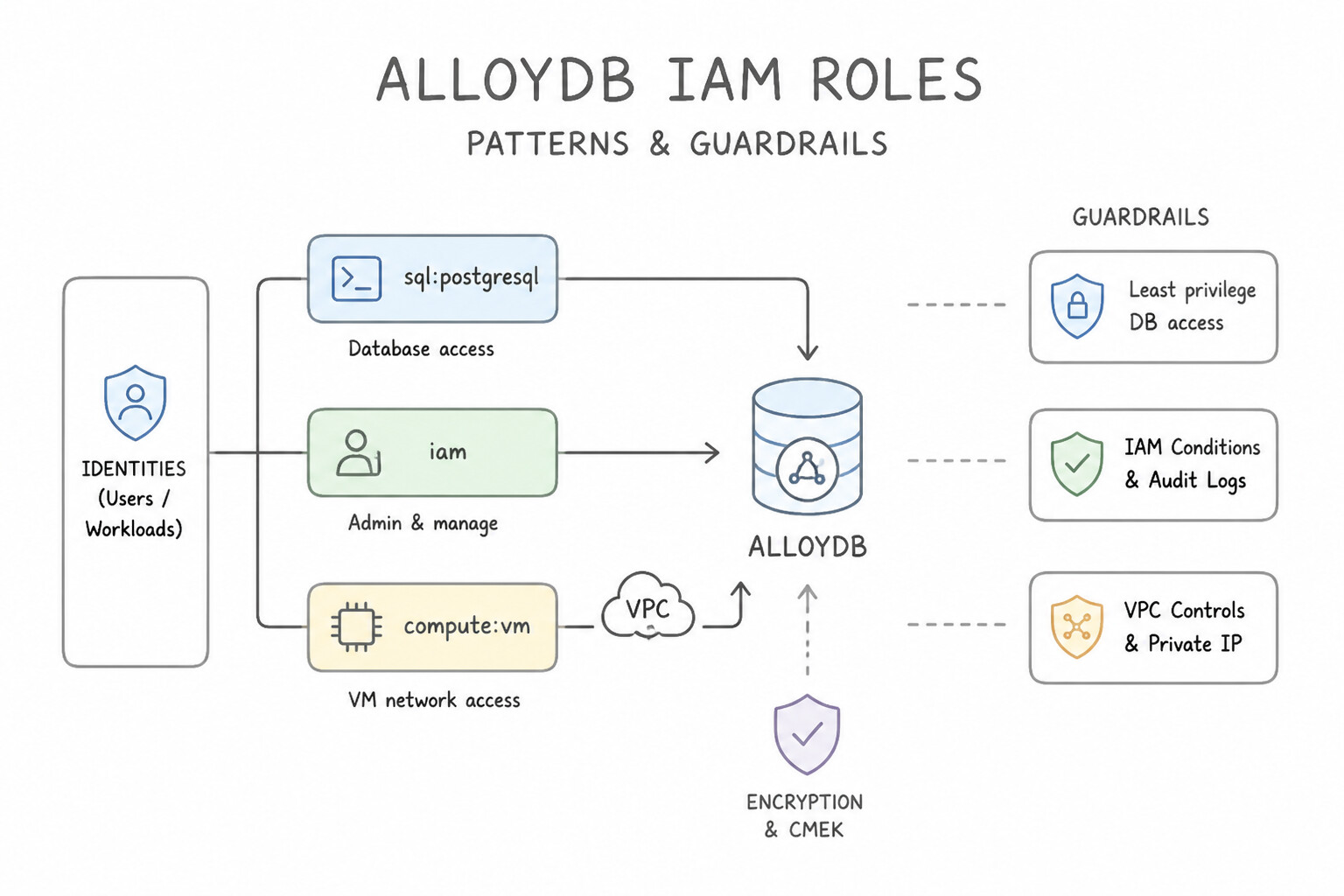
roles/alloydb.client: Allows network/proxy connectivity to the AlloyDB cluster.roles/alloydb.databaseUser: Enables IAM-based database login to AlloyDB (alloydb.iam_authentication = on).- Cloud Spanner IAM Roles & Fine-Grained Access Control:
roles/spanner.databaseReader(read-only across the entire database) vs.roles/spanner.databaseUser(read/write across the entire database).- When a user should only read specific tables, views, or columns in Cloud Spanner, do not grant
spanner.databaseReader! Instead, use Spanner Fine-Grained Access Control: (1) create a Spanner database role (CREATE ROLE hr_analyst; GRANT SELECT(emp_id, dept) ON TABLE Employees TO ROLE hr_analyst;), and (2) grant the userroles/spanner.fineGrainedAccessUserwith an IAM Condition restricting them tohr_analyst. - GKE Workload Identity Federation: When applications on GKE connect to Cloud SQL, AlloyDB, or Spanner, bind the Kubernetes Service Account (KSA) to the Google Service Account (GSA) via Workload Identity—never mount exported JSON service account keys as Kubernetes Secrets!
Key Implementation Patterns
- Cloud SQL IAM Database Authentication: Use Enable IAM database authentication on the Cloud SQL instance. Grant access to the Google Cloud Identity users by creating database users with their email addresses. Configure the clients to authenticate using an OAuth 2.0 access token. Enable IAM authentication on Cloud SQL and use OAuth 2.0 tokens as passwords to replace static credentials.
- Service Account Least Privilege for Compute Engine: Use Create a service account with the roles/bigtable.user role. Attach the service account to the VM. Attach a service account with the specific IAM role to the VM to provide secure, managed identity access. (Avoid alternative: Storing long-lived credential keys on a VM is a security risk and not recommended when attached service accounts are available.)
- Spanner Fine-Grained Access Control: Use Create a Database Role, grant SELECT privileges on the specific columns of the
Transactionstable to this role, and assign the role to the analyst. Spanner Fine-Grained Access Control uses Database Roles to restrict access to specific columns or rows.
Key Takeaways (2.1a)
- Cloud SQL IAM database authentication allows you to manage database access using Google Cloud identities.
- IAM authentication eliminates the need for static database passwords by using short-lived OAuth 2.0 access tokens.
- Centralizing identity management improves security and reduces the operational overhead of credential rotation.
- Applications should use Service Accounts for identity, not user credentials.
Consideration 2.1b: Manage database users including authentication and access
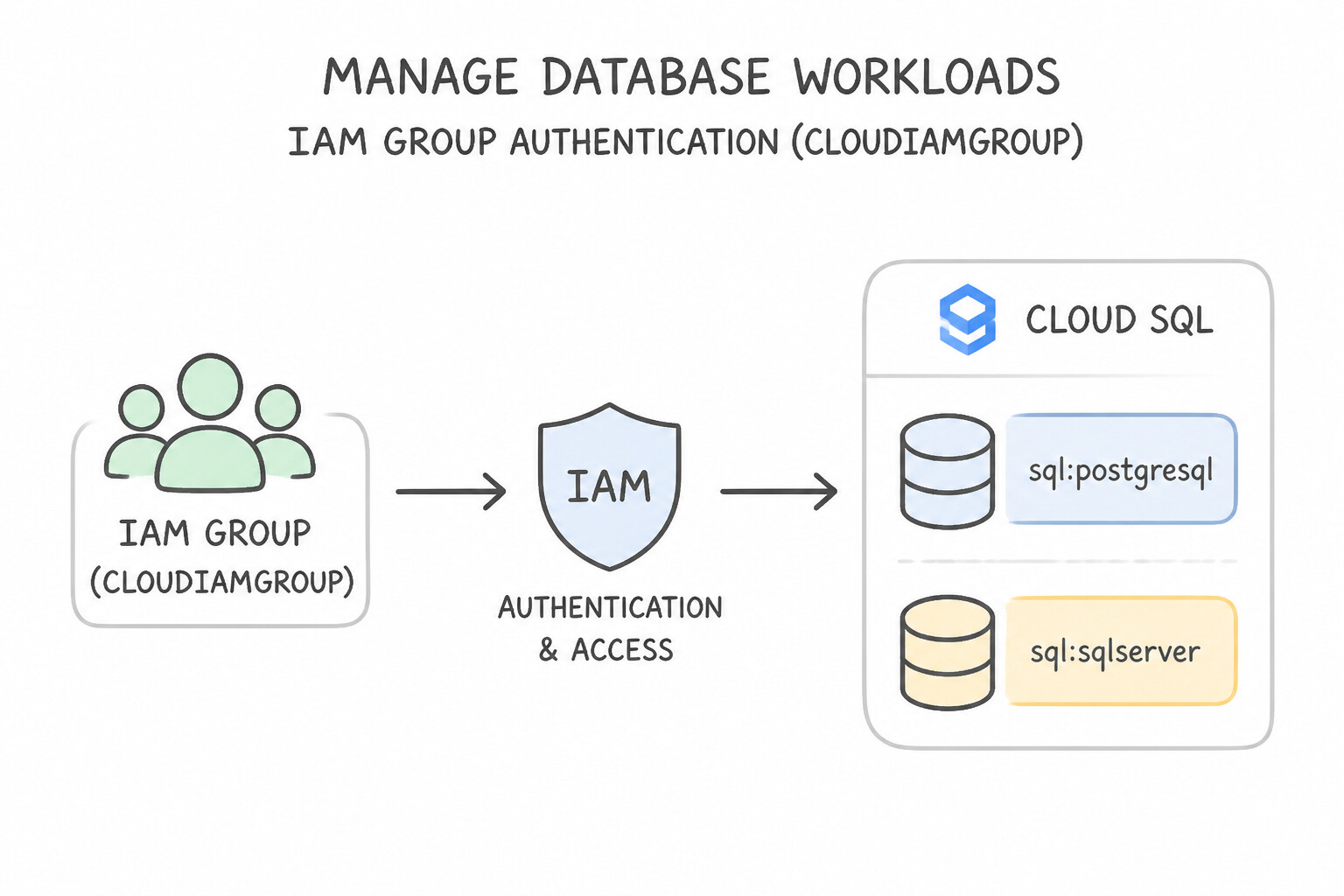
Managing database users at enterprise scale requires combining IAM Group Authentication, Database Role Hierarchies, and Secret Manager:
- IAM Group Authentication (
CLOUD_IAM_GROUP): - Instead of creating and revoking hundreds of individual engineer accounts on 50 Cloud SQL/AlloyDB instances whenever someone joins or leaves the team, register a Google Group (
db-analysts@example.com) as aCLOUD_IAM_GROUPuser in Cloud SQL / AlloyDB! - Onboarding or offboarding an engineer now takes zero database changes—simply add or remove them from the Google Group, and their short-lived OAuth 2.0 token access updates automatically.
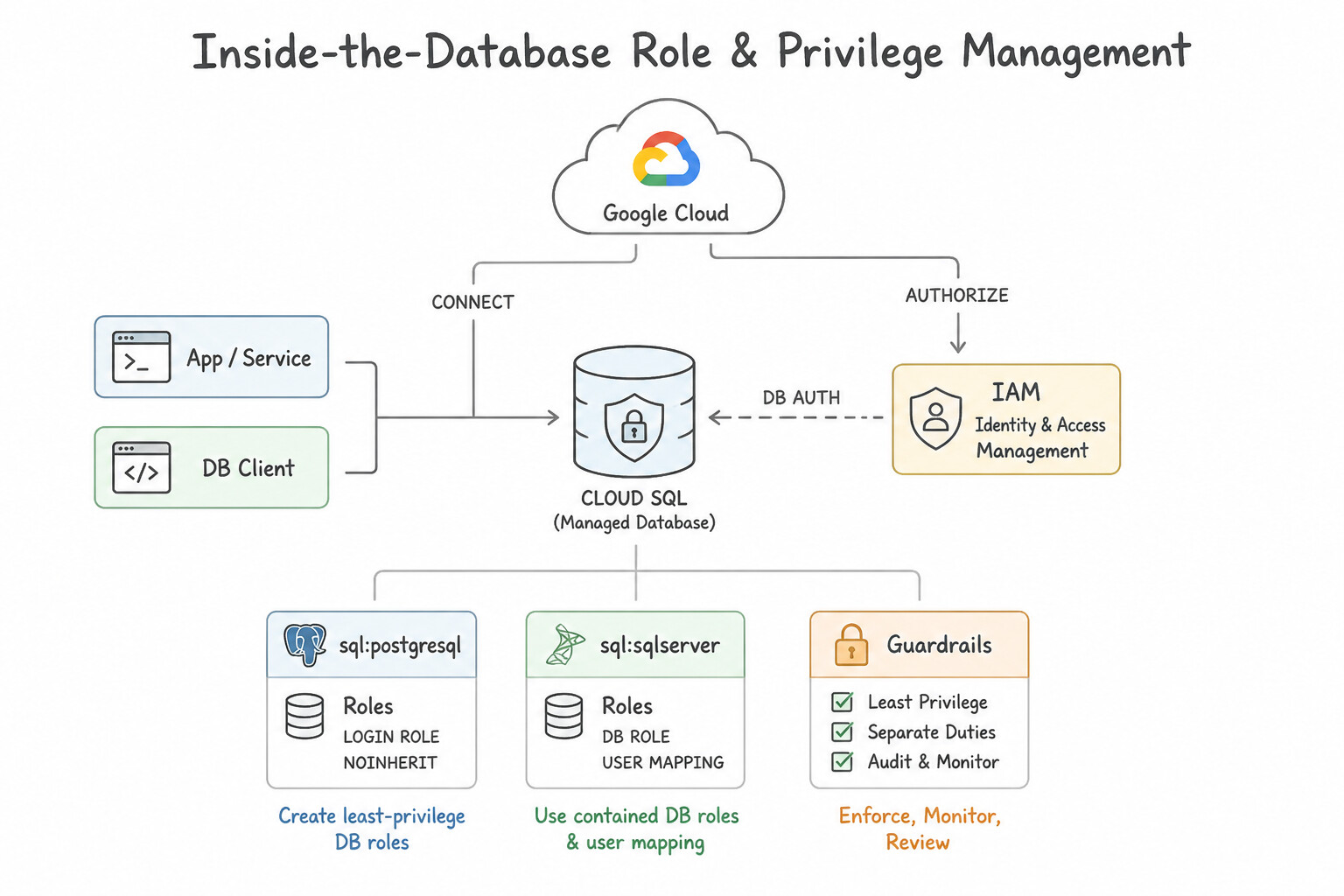
- Inside-the-Database Role & Privilege Management:
- In PostgreSQL / MySQL, never grant table permissions directly to individual user logins. Create functional database roles (
readonly_role,app_rw_role), grant schema/table/column privileges (and PostgreSQL Row-Level Security [RLS] policies) to those roles, and grant the role to IAM users or groups. - When Built-In Database Users Are Required:
- Cloud SQL for SQL Server does not support Cloud SQL IAM token authentication (it supports Managed Microsoft Active Directory [Managed AD] for Windows/Kerberos authentication, or built-in SQL Server authentication).
- Whenever built-in passwords are used, store them in Google Cloud Secret Manager, grant the application Service Account
roles/secretmanager.secretAccessoron that specific secret, and configure automated secret rotation via Cloud Functions/Cloud Run.
Key Implementation Patterns
- Cloud SQL IAM Database Authentication for Compliance: Use Enable Cloud IAM authentication on the instance. Add the employees' email addresses as users in Cloud SQL. Grant the Cloud SQL Instance User IAM role to their user accounts. Enable IAM authentication and map database users to Google Workspace emails to ensure access is tied to the corporate identity.
- Migrating Legacy SQL Server with Windows Authentication: Use Integrate the Cloud SQL instance with Managed Service for Microsoft Active Directory. Managed Service for Microsoft Active Directory enables Windows Authentication for Cloud SQL for SQL Server. (Avoid alternative: SQL Server Authentication uses usernames and passwords, which conflicts with the requirement for Windows Integrated Authentication.)
Key Takeaways (2.1b)
- Cloud SQL IAM authentication ties database access to Google Cloud identities (User accounts or Service Accounts).
- Using IAM authentication eliminates the need to manage separate database passwords.
- IAM authentication ensures that suspending a corporate account immediately revokes database access.
- Users connecting via IAM must have the 'Cloud SQL Instance User' role and be added to the database configuration.
Quick Decision Cheat Sheet (Subsection 2.1)
If the Scenario Requires... | Choose This Google Cloud Pattern | Avoid This Common Mistake |
|---|---|---|
"Application on Cloud Run / GKE needs passwordless login to Cloud SQL or AlloyDB" | Enable IAM Database Authentication ( cloudsql.iam_authentication=on) + roles/cloudsql.client & roles/cloudsql.instanceUser | Storing static passwords in environment variables or granting roles/cloudsql.admin |
"User has roles/cloudsql.instanceUser and connects via Auth Proxy, but gets permission denied for table" | Run GRANT SELECT/INSERT... ON TABLE TO "user" inside the PostgreSQL/MySQL engine | Granting roles/cloudsql.admin or roles/owner in GCP IAM (GCP IAM does not manage inside-DB SQL table grants in Cloud SQL) |
"Table-level or column-level access control inside Cloud Spanner" | Spanner Fine-Grained Access Control (SQL CREATE ROLE + roles/spanner.fineGrainedAccessUser) | Granting roles/spanner.databaseReader or duplicating tables into separate Spanner instances |
"Active Directory / Kerberos login for Cloud SQL for SQL Server" | Integrate with Google Cloud Managed Microsoft AD | Attempting to use Cloud SQL IAM token authentication on SQL Server |
"Legacy app requires native database password authentication without hardcoding secrets" | Store credentials in Secret Manager with least-privilege roles/secretmanager.secretAccessor and automatic rotation | Committing encrypted passwords to Git or passing them in plaintext VM metadata |
Further Reading (Subsection 2.1)
- Cloud SQL IAM Authentication — Overview of how IAM authentication works in Cloud SQL for PostgreSQL, including the use of OAuth 2.0 tokens.
- Service accounts on Compute Engine — Explains how to set up a service account for a VM and how applications running on the VM use it for authentication.
- Access control with IAM for Bigtable — Details the IAM roles available for Bigtable, including
roles/bigtable.userfor reading and writing data. - Fine-grained access control — Overview of how to use Fine-Grained Access Control in Spanner to limit access to specific subsets of data.
- Fine-grained access control overview — Explains the workflow of creating a database role and binding it to an IAM principal.
- Creating and managing IAM users — Instructions on how to add IAM users (email addresses) to a Cloud SQL instance and the roles required.
Book TOC · Previous · Chapter 3 of 6 · Next
AwesomeGCP.com Learning
The approach taken is a question-led learning approach: you explore realistic project scenarios where you need to make decisions or take actions to achieve business goals within specific constraints. Instead of passive learning, you are challenged to think and work through the options to master the Professional Cloud Database Engineer (PDBE) certification!