Book TOC · Previous · Chapter 5 of 8 · Next
Chapter 5: Operating Cloud Storage Lifecycles, Database Fleets, Subnets, DNS & Firewalls
Chapter Focus: Object Lifecycle Management, backups/replicas, CMEK, non-disruptive subnet CIDR expansion, static/dynamic routing, Cloud DNS zones, Cloud NAT, and VPC firewall rules.
Subsection 3.2: Managing Storage and Data Solutions
The Big Picture
Once storage buckets and databases are running in production, operational discipline determines whether your data remains secure, recoverable, and affordable. In Google Cloud architectures, Subsection 3.2 focuses on eight Day-2 operational workflows where minor misconfigurations cause major incidents:
- The ACL Sprawl & Accidental Deletion Trap (
3.2a,3.2b): Mixing legacy per-object ACLs with Cloud IAM policies makes it nearly impossible to audit who can read sensitive files in a bucket. Production buckets enable Uniform Bucket-Level Access (UBLA) (so only IAM governs access), enforce Public Access Prevention, turn on Object Versioning (to recover overwritten/deleted objects) or Retention Policies with Bucket Lock (for immutable WORM regulatory compliance), and automate storage tiering via Object Lifecycle Management rules (SetStorageClassandDelete). - The Multi-Thousand-Dollar Unbounded Query Trap (
3.2c,3.2d,3.2f): RunningSELECT *on a 50 TB unpartitioned BigQuery table under on-demand pricing bills for all 50 TB of columns! Before running or scheduling large queries, always estimate scanned bytes for free usingbq query --dry_run(or the Console query validator) and plug that byte count into the Google Cloud Pricing Calculator. - The Untested Backup & Blind Database Fleet Trap (
3.2e,3.2g): Waiting until a data corruption outage to discover that Point-in-Time Recovery (PITR) binary/write-ahead logs were never enabled on Cloud SQL, or managing 40 Cloud SQL, AlloyDB, and Spanner instances across 10 projects without using Database Center to spot unbacked-up or publicly exposed instances. - The CMEK Service Agent
Permission DeniedTrap (3.2h— Modern Cloud Focus): When configuring Customer-Managed Encryption Keys (CMEK) from Cloud KMS on a Cloud Storage bucket, Cloud SQL instance, or Persistent Disk, engineers frequently grantroles/cloudkms.cryptoKeyEncrypterDecrypterto their own user account—and wonder why the bucket or database fails to encrypt! In Google Cloud, you must grantroles/cloudkms.cryptoKeyEncrypterDecrypterto the target service's Google-Managed Service Agent (e.g.,service-<PROJECT_NUMBER>@gs-project-accounts.iam.gserviceaccount.comfor Cloud Storage).
Consideration 3.2a: Managing and securing cloud storage objects
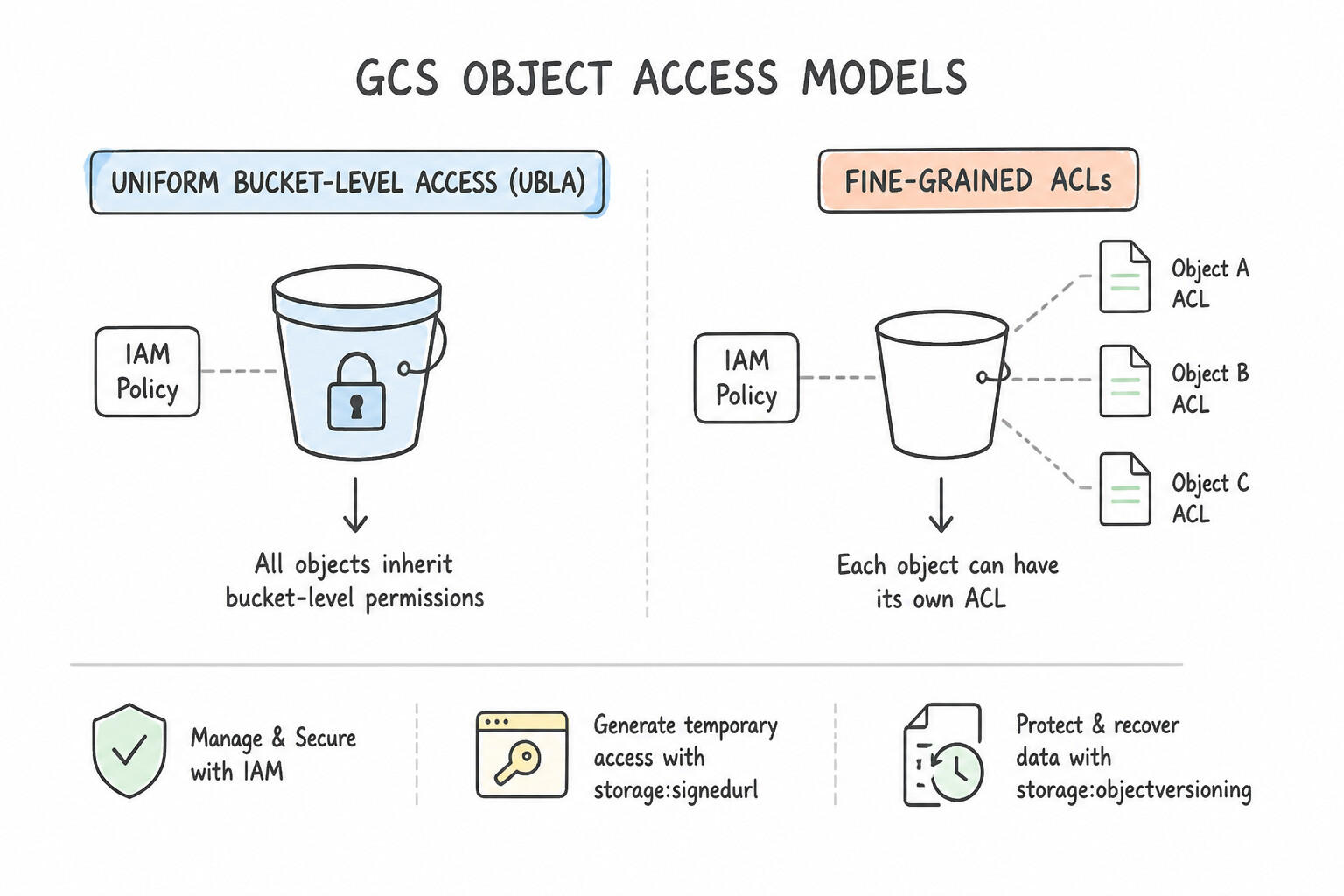
- Uniform Bucket-Level Access (UBLA) vs. Fine-Grained ACLs: Enable UBLA on all buckets so access is governed 100% by Cloud IAM policies (and IAM Conditions for prefix-based access) rather than legacy per-object ACLs.
- Signed URLs (
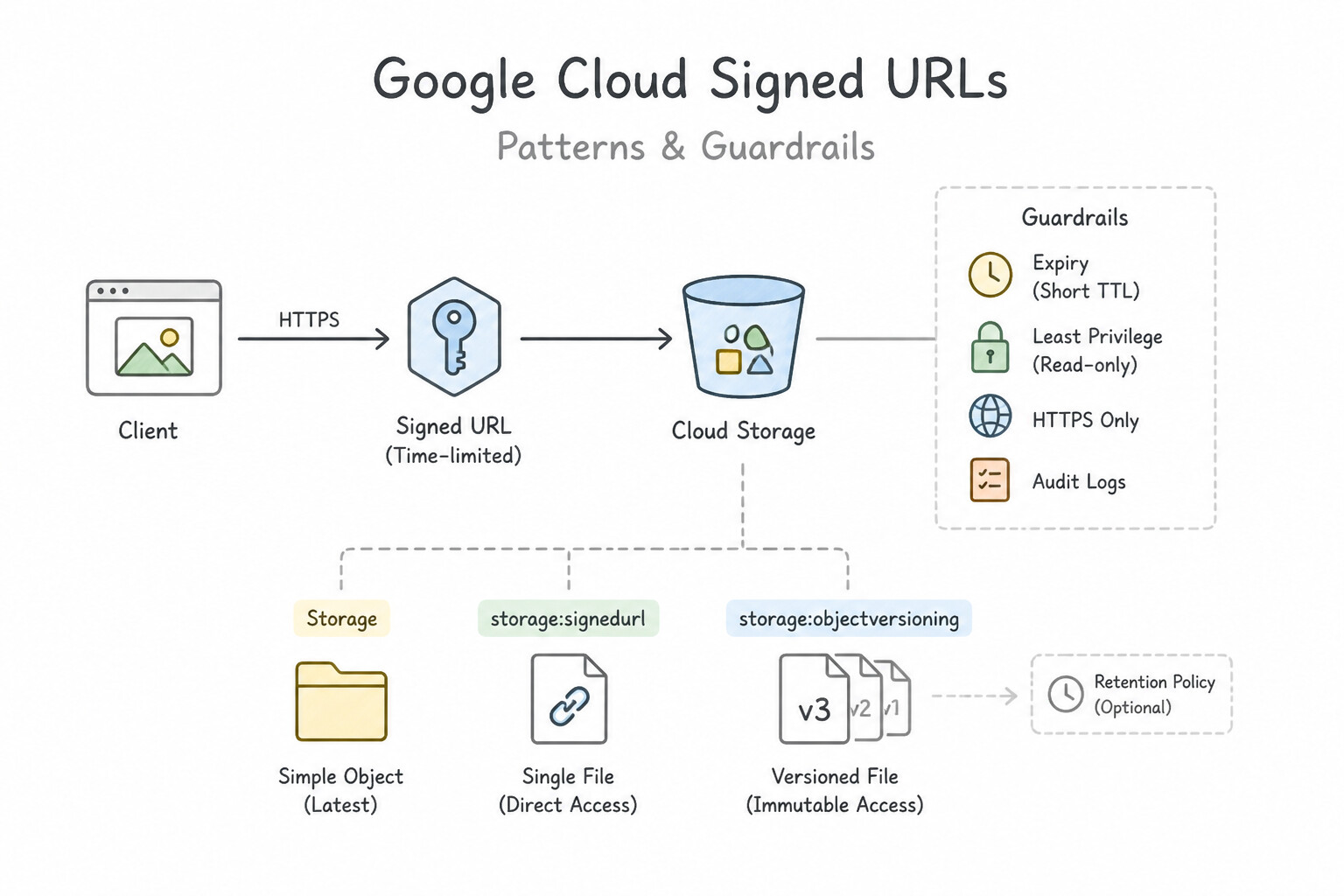
gcloud storage sign-url): When an unauthenticated external user needs temporary permission to upload (PUT) or download (GET) a single specific object for 15 minutes without creating a Google account, generate a Signed URL signed by a Service Account withroles/storage.objectViewer(orobjectCreator). - Object Versioning vs. Retention Policies vs. Soft Delete:
- Object Versioning: Protects against accidental overwrites and deletions by keeping superseded objects as noncurrent versions (
isLive: false). - Retention Policy + Bucket Lock: Prevents any object from being deleted or overwritten until it reaches its retention age (e.g., 7 years for SEC Rule 17a-4 compliance). Once a Retention Policy is locked, not even the
Project Ownercan shorten it or delete the bucket until every object has satisfied its retention period! - Soft Delete: Enabled by default (7-day retention window) to allow restoring recently deleted objects even if Object Versioning was not turned on.
Key Implementation Patterns
- Secure Temporary Uploads: Use Generate a V4 signed URL with the PUT method and a 15-minute expiration time. Signed URLs provide time-limited, specific access to Cloud Storage resources without requiring a Google account. (Avoid alternative: Making a bucket public allows anyone to upload files, creating a major security vulnerability.)
- Recovering Overwritten Data: Use Enable Object Versioning on the bucket. Object Versioning retains copies of objects when they are overwritten or deleted, allowing for recovery. (Avoid alternative: Retention Policies prevent modification and deletion entirely for a set time, which blocks necessary updates.)
- Automated Cost Optimization: Use Configure an Object Lifecycle Management rule on the bucket. Set an Age condition of 30 days to transition to Nearline Storage, and an Age condition of 120 days to transition to Archive Storage. Object Lifecycle Management automatically transitions objects to cheaper storage classes based on Age conditions.
Key Takeaways (3.2a)
- Use Signed URLs for temporary access to Cloud Storage objects for users without Google credentials.
- Never share long-lived Service Account keys with external parties.
- Avoid granting public access (allUsers) to storage buckets for uploading data.
- Signed URLs can control specific HTTP methods (like PUT for uploads vs GET for downloads).
Consideration 3.2b: Setting object lifecycle management policies
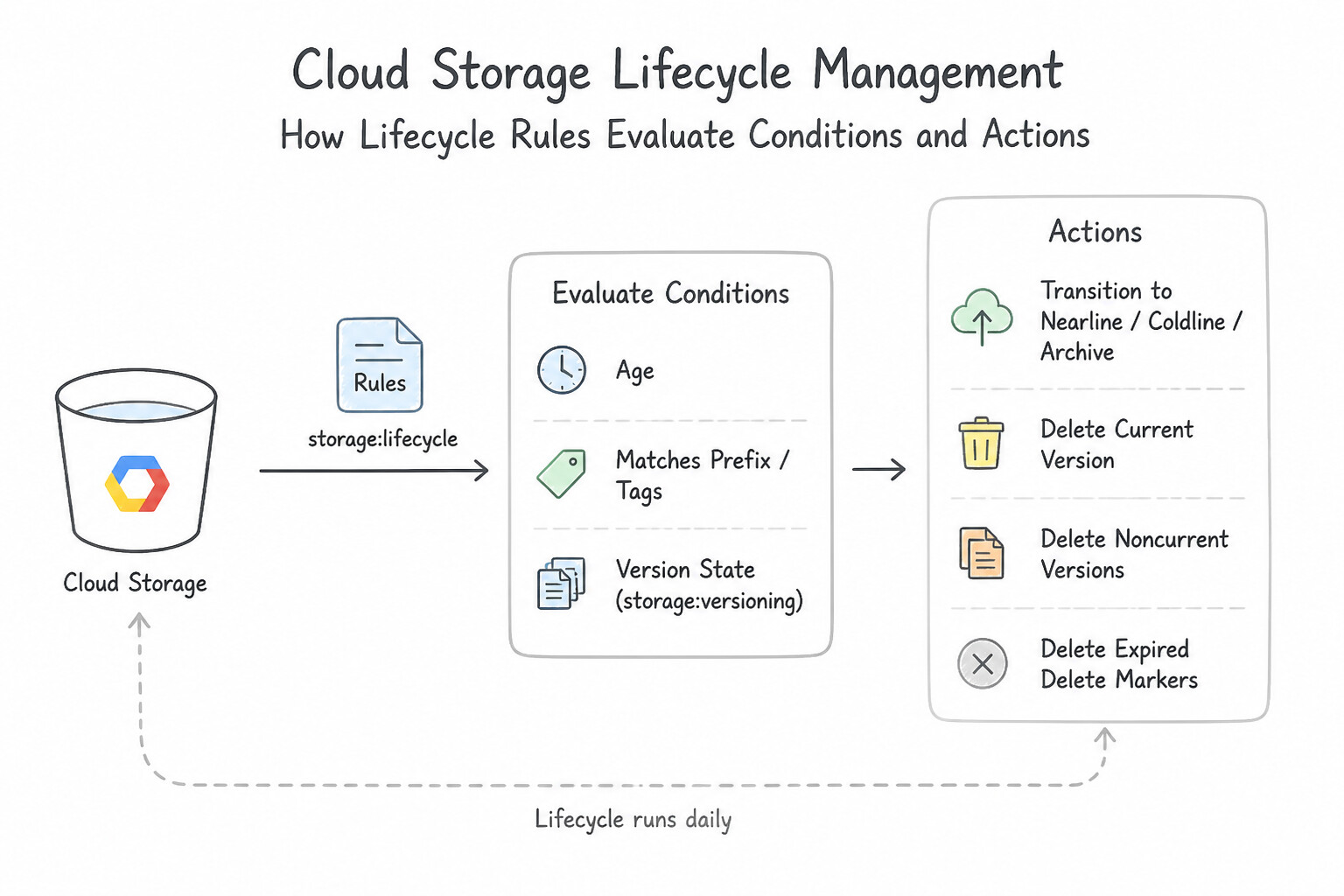
- How Lifecycle Rules Evaluate Conditions & Actions:
- Conditions (Combined with
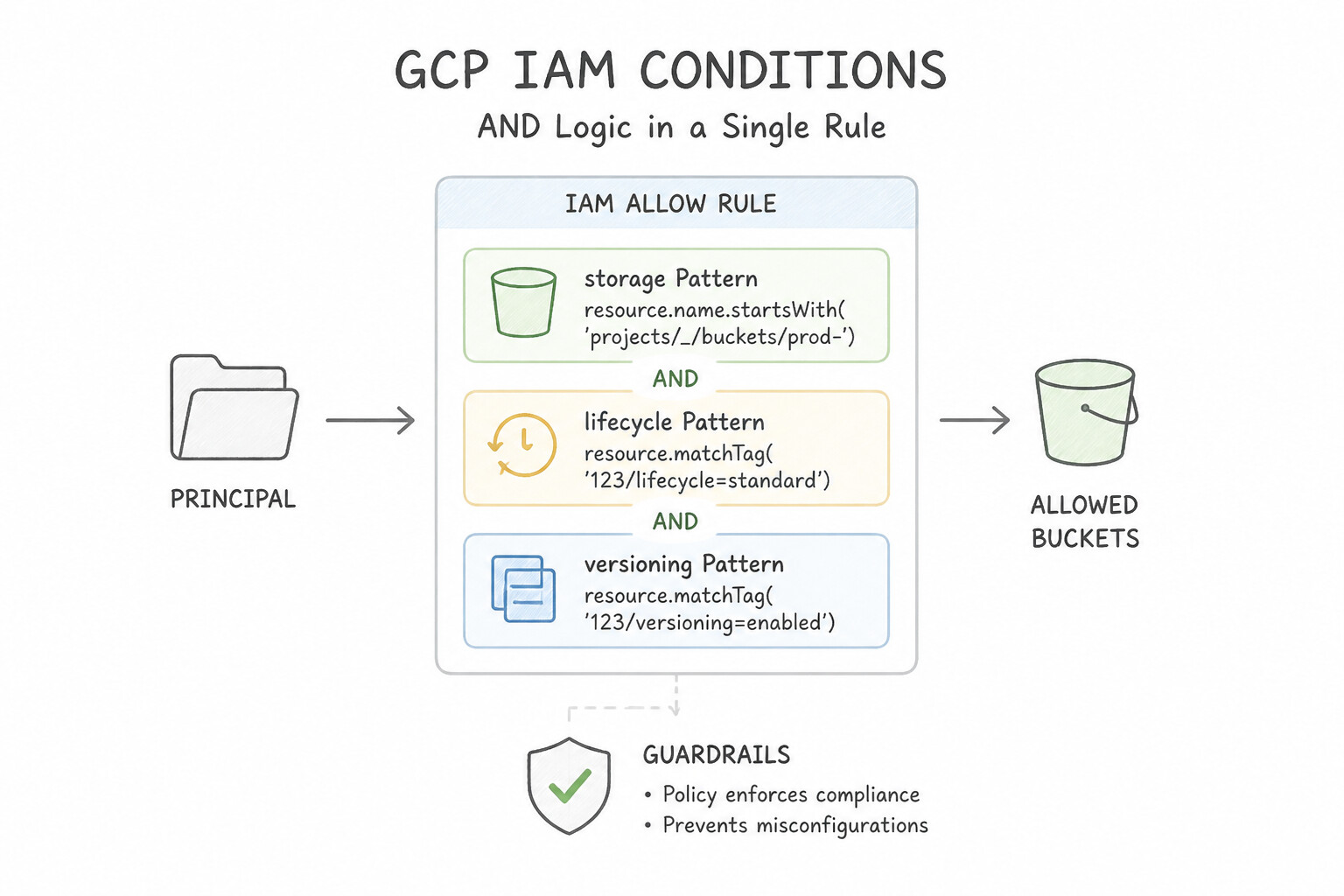
ANDlogic inside a single rule):age(days since object creation—or since storage class change ifdaysSinceCustomTime/ageis evaluated),createdBefore,matchesStorageClass,isLive(truefor live version,falsefor noncurrent versions),numNewerVersions,daysSinceNoncurrentTime. - Multiple Conditions in One Rule =
AND: If you putage: 30ANDisLive: falsein the same rule, an object must satisfy both conditions to match. If you wantORlogic, define two separate rule blocks in the lifecycle JSON! - Actions:
SetStorageClass: Downgrades objects along the cold path (STANDARD→NEARLINE→COLDLINE→ARCHIVE). You cannot use lifecycle rules to upgrade a cold class back toSTANDARD.Delete: Permanently deletes live objects (or moves them to noncurrent if versioning is enabled, and permanently deletes noncurrent versions when matched withisLive: false).
Key Implementation Patterns
- Multi-Stage Storage Tiering: Use Configure a lifecycle configuration with rules to SetStorageClass to Nearline at Age: 30, SetStorageClass to Coldline at Age: 120, and Delete at Age: 365. This configuration aligns the storage classes (Standard -> Nearline -> Coldline) with the decreasing access frequency over the specific time periods defined (30 days, 120 days, 1 year).
- Cleaning Up Noncurrent Versions: Use Add a lifecycle rule with Action: Delete and Condition: numNewerVersions: 3. Setting
numNewerVersions: 3deletes any version that has 3 or more newer versions, retaining exactly the top 3 versions (Live + 2 noncurrent). (Avoid alternative: TheAgecondition deletes objects based on time since creation, not the number of versions, and could delete the live version.) - Handling Incomplete Multipart Uploads: Use Add a lifecycle rule with the AbortIncompleteMultipartUpload action and set the Age condition to 7 days. The AbortIncompleteMultipartUpload action specifically targets and removes parts of failed or stalled uploads. (Avoid alternative: The Delete action removes successful object uploads, not incomplete fragments.)
Key Takeaways (3.2b)
- Use Object Lifecycle Management to automate cost savings by moving data to colder storage tiers as it ages.
- The
Agecondition in lifecycle rules refers to days since object creation.- Ensure you calculate the cumulative age when requirements define durations sequentially (e.g., 'next 90 days').
- Map 'Infrequent' access to Nearline and 'Rare' access to Coldline.
Consideration 3.2c: Executing queries against data services
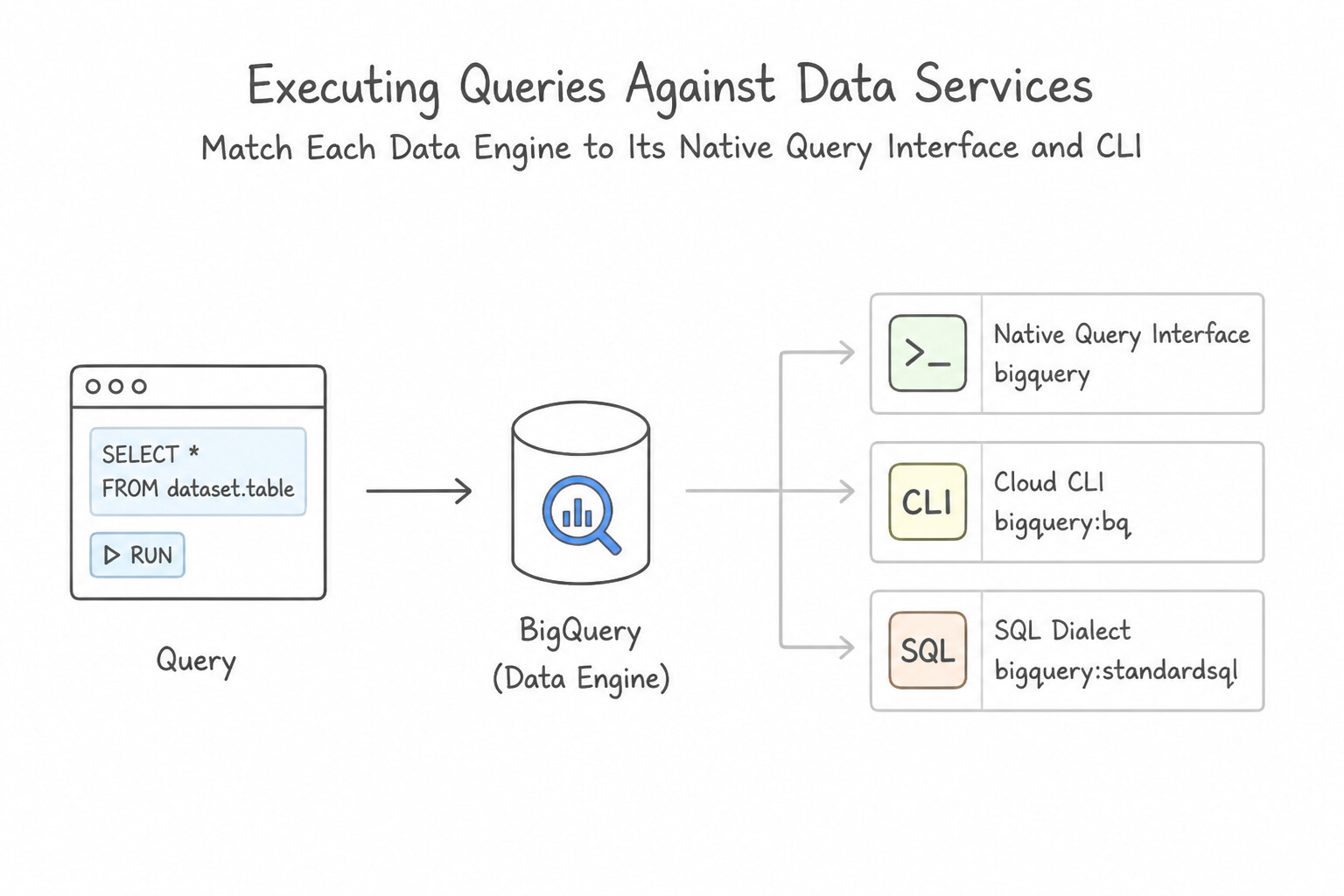
- Matching Each Data Engine to Its Native Query Interface & CLI:
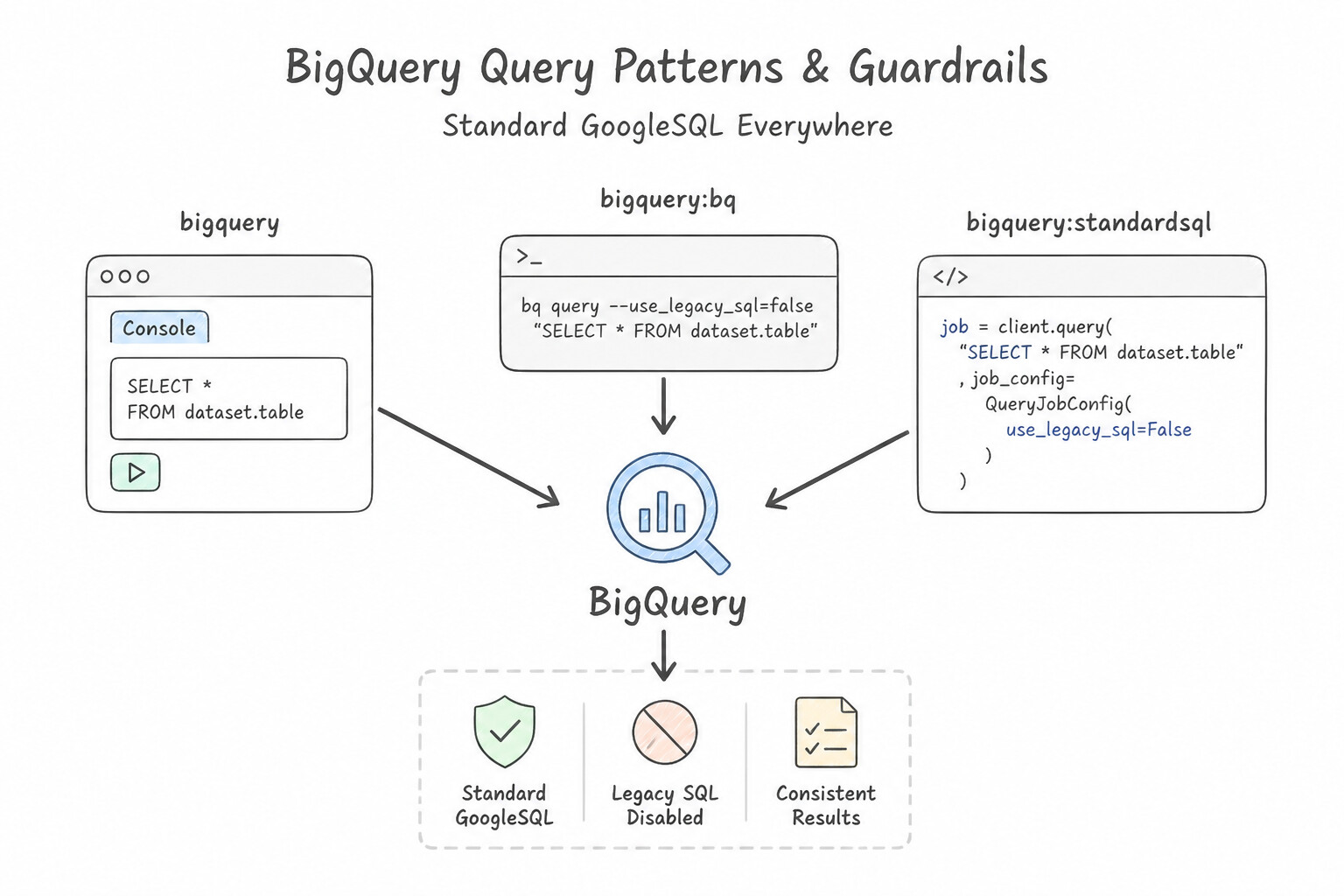
- BigQuery: Standard GoogleSQL via Console,
bq query --use_legacy_sql=false 'SELECT ...', or Python/REST APIs. Always select only required columns (neverSELECT *) and filter on Partitioning and Clustering columns! - Cloud SQL & AlloyDB: Connect via Cloud SQL Studio, Cloud SQL Auth Proxy (recommended for secure IAM/TLS connections without authorized network IP whitelisting), or
gcloud sql connect <INSTANCE> --user=postgres. - Cloud Spanner: Query via Spanner Studio in the Console or
gcloud spanner databases execute-sql <DB> --instance=<INSTANCE> --sql="SELECT ...". - Cloud Bigtable: Use the
cbtCLI (cbt -project=<PROJ> -instance=<INST> read <TABLE> prefix=sensor#2026orcbt lookup <TABLE> <ROW_KEY>). Design the Row Key carefully to avoid hotspotting (never start a row key with a monotonically increasing timestamp alone!). - Firestore: Query collections via Firestore Console, client SDKs, or
gcloud/REST using composite indexes for multi-field filters.
Key Implementation Patterns
- Estimating BigQuery Query Costs: Use Run the "bq query" command with the "--dry_run" flag in Cloud Shell. The --dry_run flag validates the query and calculates bytes processed without executing it or incurring charges. (Avoid alternative: The calculator estimates general costs based on manual input, not the specific bytes a query will scan.)
- Optimizing Queries on Sharded Tables: Use Use the wildcard character (*) in the FROM clause (e.g.,
FROM dataset.app_logs_*) and filter the_TABLE_SUFFIXpseudo-column in the WHERE clause. Using a wildcard table with a_TABLE_SUFFIXfilter allows BigQuery to prune unrelated tables, scanning only the data for the specific dates requested. - Secure Local Connectivity to Cloud SQL: Use Download the Cloud SQL Auth Proxy to your local workstation. Start the proxy and connect your database client to it. The Cloud SQL Auth Proxy handles secure authentication (IAM) and encryption automatically, supporting connections to Private IP instances over VPN.
Key Takeaways (3.2c)
- BigQuery charges based on data processed (bytes scanned) for on-demand queries.
- The
--dry_runflag allows you to estimate costs and validate syntax for free.- The
LIMITclause does not reduce the amount of data scanned or the cost in BigQuery.- Always estimate costs for complex queries on large datasets before execution.
Consideration 3.2d: Estimating storage costs
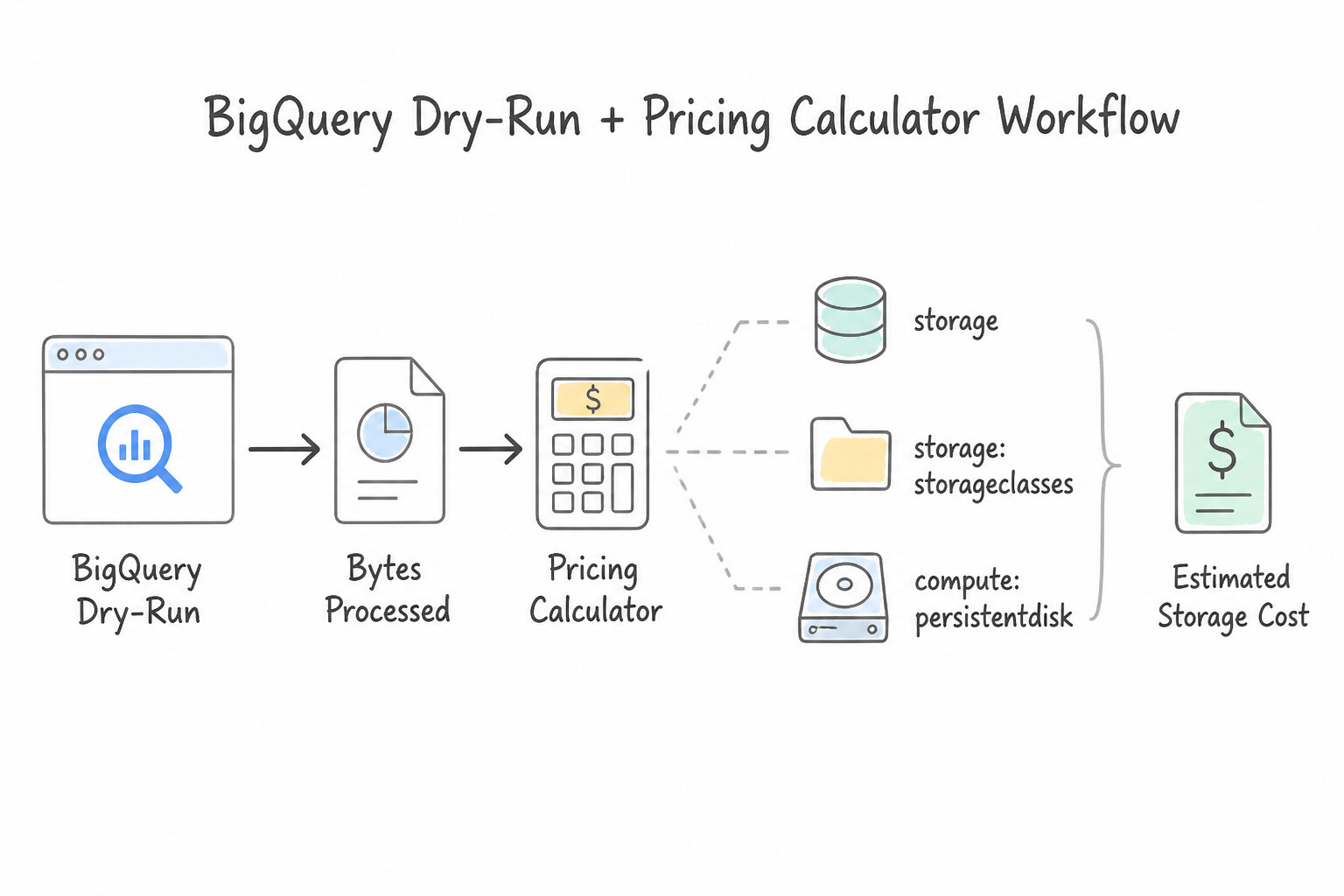
- The BigQuery Dry-Run + Pricing Calculator Workflow:
- Running
bq query --dry_run "SELECT ..."validates SQL syntax and returns the exact number of bytes that the query will process while costing $0.00 and consuming zero slots! - Multiply the bytes processed by the number of scheduled runs per month/year and enter that total into the Google Cloud Pricing Calculator to compare On-Demand (per-TiB scanned) vs. BigQuery Editions (Capacity/Slot autoscaling) pricing.
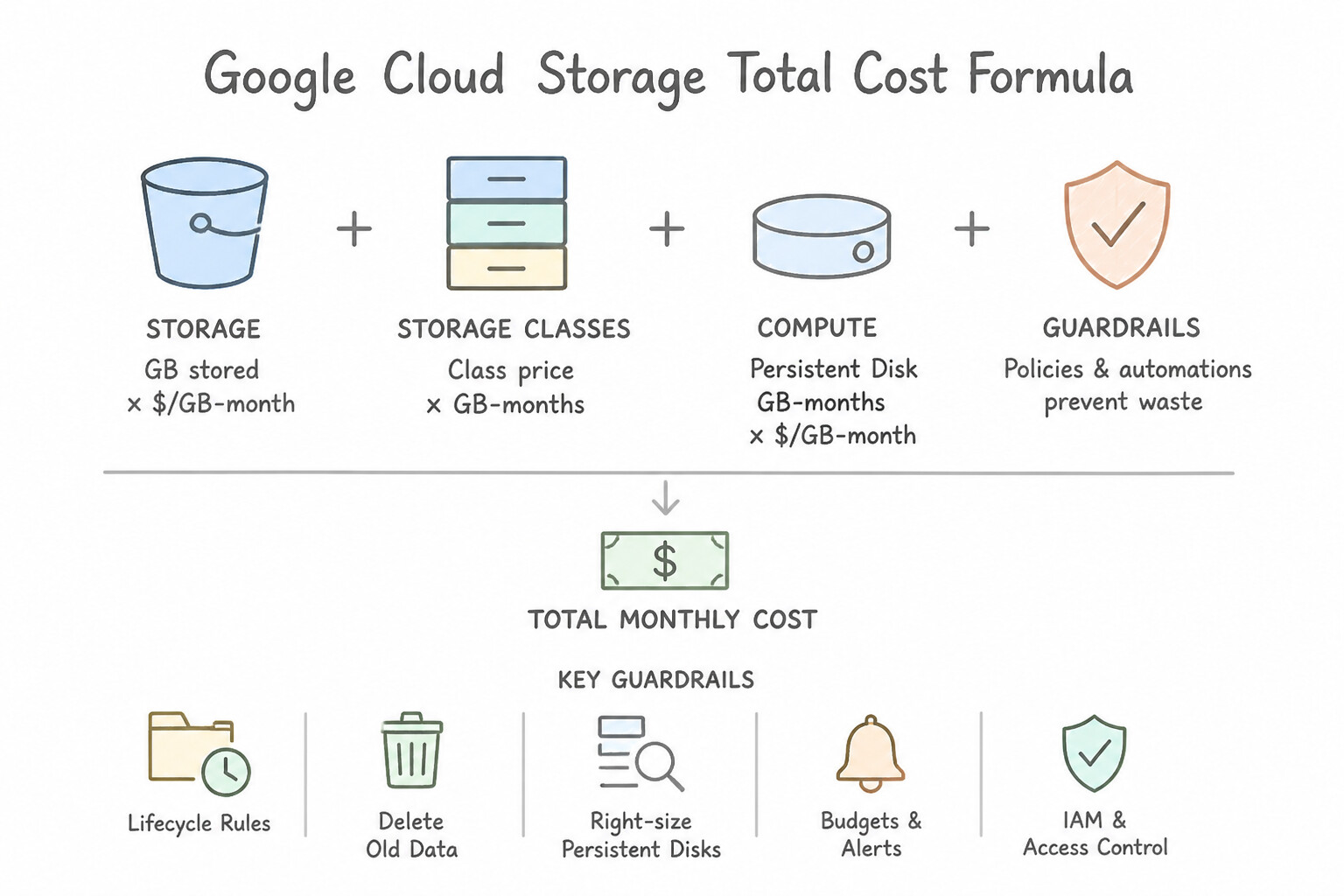
- Cloud Storage Total Cost Formula: When estimating Cloud Storage costs, always account for four components: (1) Data at Rest (
$/GB/month), (2) Class A (write/list) & Class B (read/get) Operations, (3) Per-GB Retrieval & Early Deletion Fees (forNearline,Coldline,Archive), and (4) Network Egress Fees (free within the same region, billed across regions or to the internet).
Key Implementation Patterns
- Cloud Storage Class Selection for Compliance Logs: Use Store the logs in the Archive storage class. Archive storage offers the lowest cost for data retained for long periods and accessed less than once a year. (Avoid alternative: Standard storage is too expensive for long-term archival data that is rarely accessed.)
- Impact of Early Deletion Fees: Use Calculate the cost of Standard storage for 10 days and compare it to the cost of Nearline storage for 30 days. Nearline has a 30-day minimum retention period, so you pay for 30 days even if you delete data after 10 days. (Avoid alternative: Lifecycle transitions do not bypass minimum retention fees; the data would still incur early deletion charges in Nearline.)
- Persistent Disk Snapshot Storage Costs: Use Explain that snapshots are incremental, so you pay for the 100 GB of used data initially and then only for the 1 GB of changed data per day. Snapshots are incremental and charge only for used and changed data. (Avoid alternative: Snapshot costs are based on used storage, not provisioned capacity.)
Key Takeaways (3.2d)
- Use Standard storage for frequently accessed hot data.
- Use Nearline storage for data accessed once a month.
- Use Coldline storage for data accessed once a quarter.
- Use Archive storage for long-term data preservation accessed less than once a year.
Consideration 3.2e: Backing up and restoring database instances
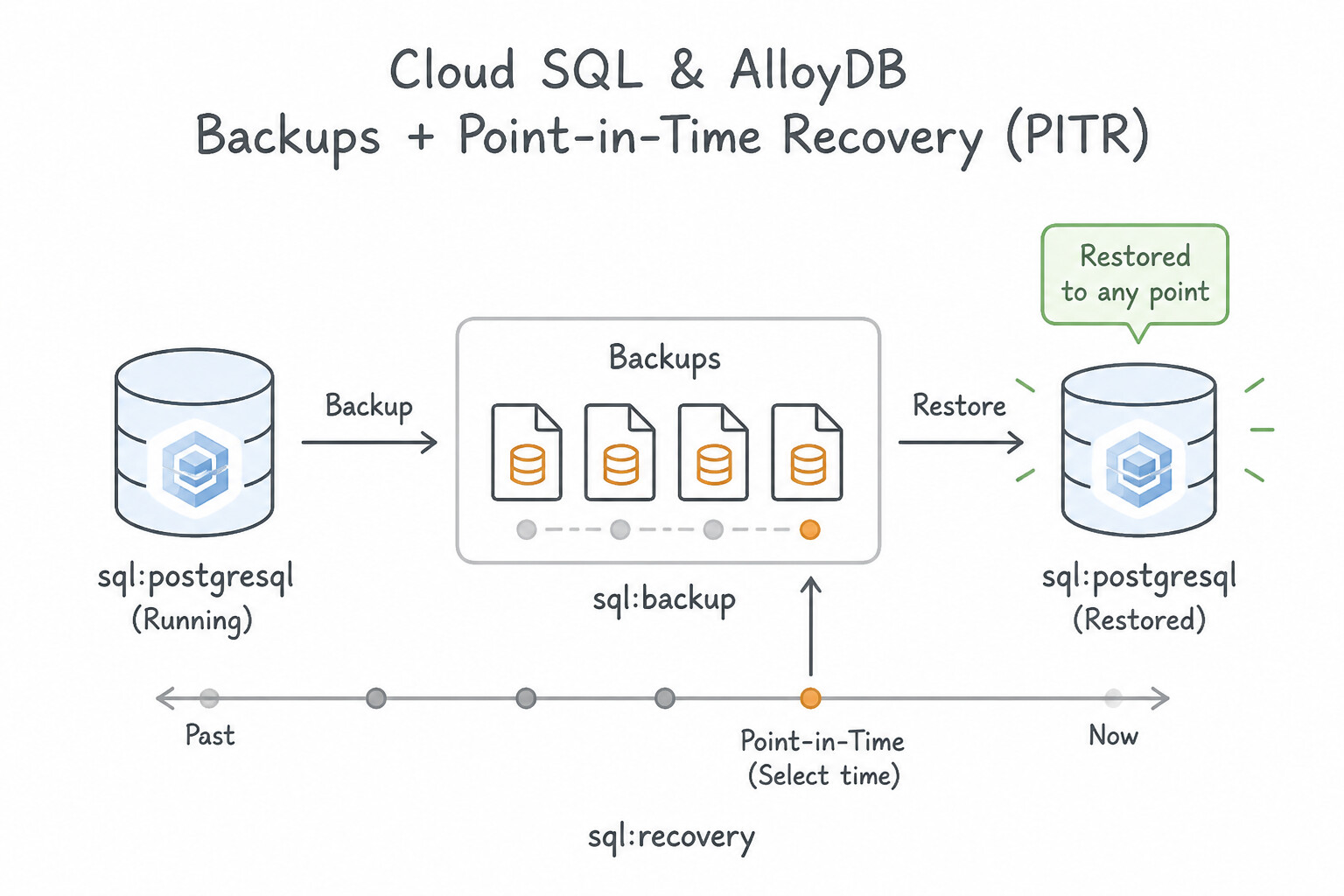
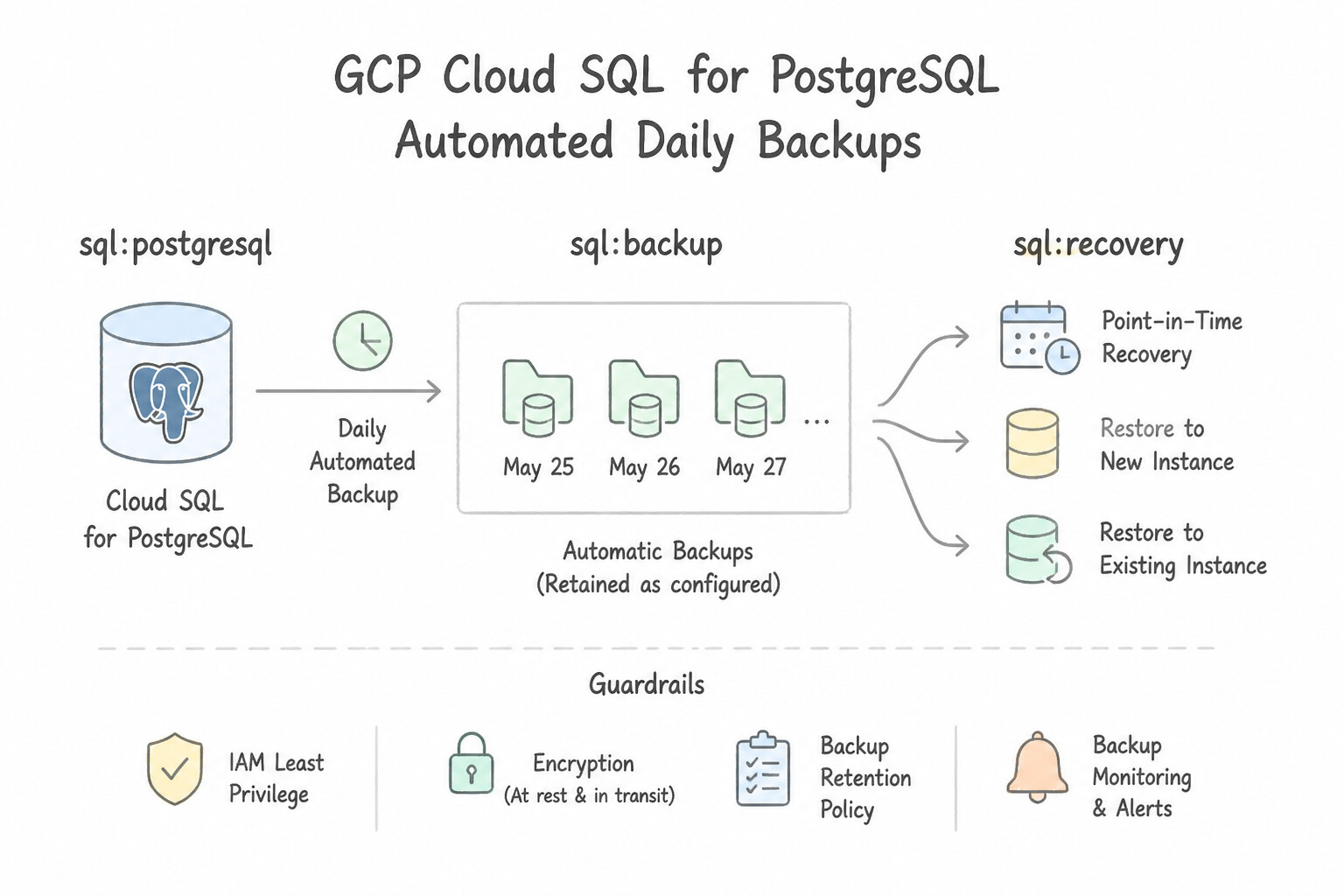
- Cloud SQL & AlloyDB Backups + Point-in-Time Recovery (PITR):
- Automated Daily Backups + Transaction Logs (Binary Logs in MySQL / Write-Ahead Logs in PostgreSQL) enable Point-in-Time Recovery (PITR) to any specific second within the retention window.
- When you execute a PITR clone in Cloud SQL (
gcloud sql instances clone <SOURCE> <NEW_TARGET> --point-in-time="..."), Google Cloud creates a brand-new independent Cloud SQL instance with the recovered data without overwriting the existing live instance! - Cloud Spanner, Firestore & Bigtable Backups:
- Cloud Spanner: Supports both Full/Incremental Backups (retained up to 1 year) and built-in Point-in-Time Recovery (
version_retention_periodup to 7 days) using timestamp-bound reads or restores. - Firestore: Supports scheduled daily/weekly backups, PITR (7-day window), and managed export/import (
gcloud firestore export gs://bucket). - Cloud Bigtable: Supports managed, zero-downtime cluster Backups (within the same or another region) and cross-region replication.
Key Implementation Patterns
- Cloud SQL Point-in-Time Recovery: Use Perform a point-in-time recovery to 2:29 PM. This operation creates a new instance with the data restored to that timestamp. PITR in Cloud SQL creates a new instance containing the data as it existed at the specified timestamp. (Avoid alternative: PITR cannot act on the existing instance directly; it requires creating a new instance.)
- Firestore Managed Export: Use Run the
gcloud firestore exportcommand specifying the collection IDs and a Cloud Storage bucket. Firestore uses thegcloud firestore exportcommand to save data to Cloud Storage, which supports specific collection selection and BigQuery integration. - Cloud SQL On-Demand Backups: Use Create an on-demand backup of the instance. On-demand backups are manually triggered and persist indefinitely, making them ideal checkpoints before risky operations. (Avoid alternative: Automated backups run within a defined window and cannot be triggered instantly like on-demand backups.)
Key Takeaways (3.2e)
- Point-in-Time Recovery (PITR) enables restoring a database to a specific timestamp.
- In Cloud SQL, performing a PITR operation always creates a new database instance.
- PITR is useful for recovering from accidental data corruption or deletion.
- The original instance remains untouched during a PITR operation.
Consideration 3.2f: Reviewing data processing job status
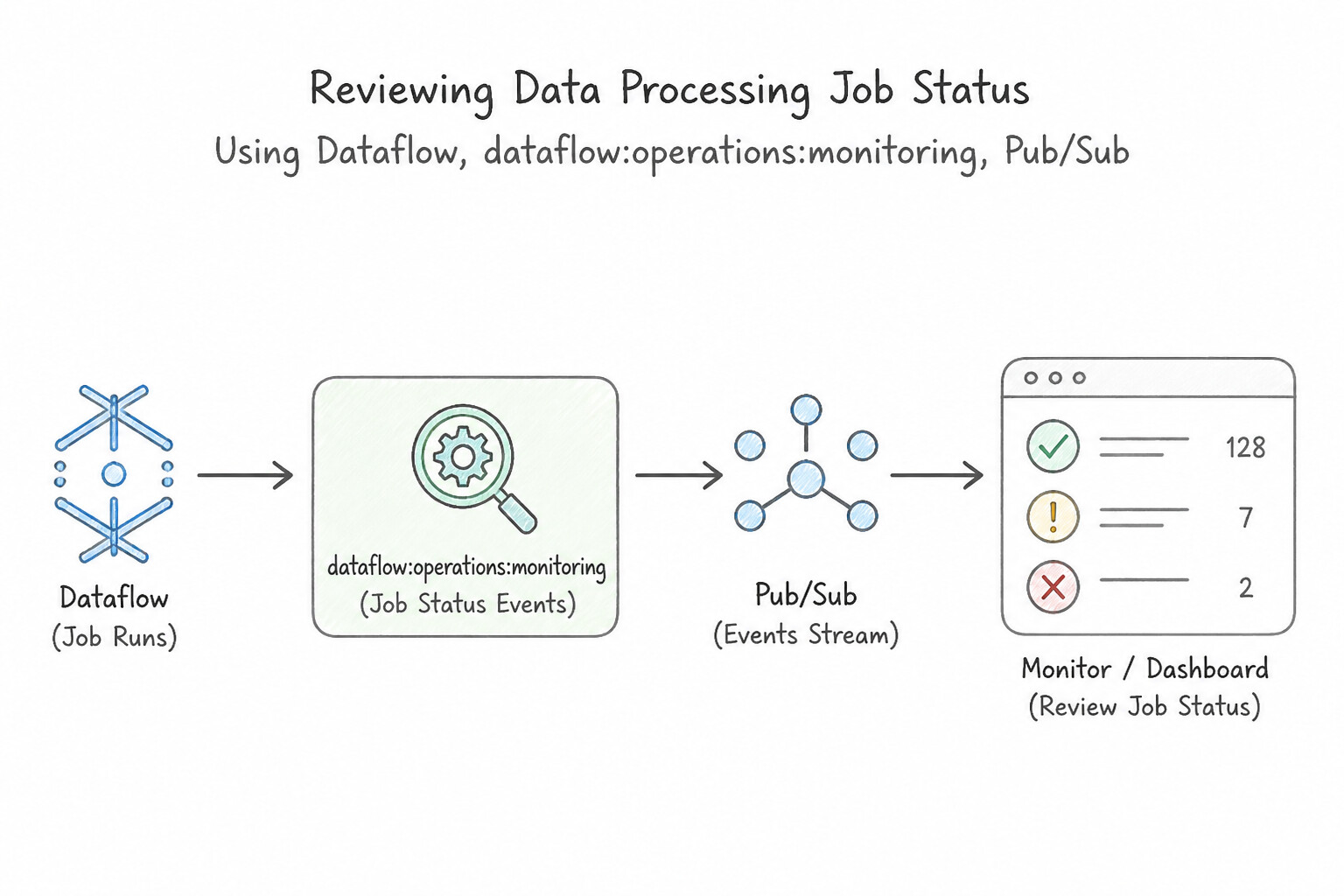
- Reviewing BigQuery Jobs:
- CLI:
bq ls -j -a -n 50 <PROJECT_ID>lists recent jobs (RUNNING,DONE,FAILURE), andbq show -j <JOB_ID>displays bytes billed, slot milliseconds, and error messages. - SQL Metadata: Query
region-us.INFORMATION_SCHEMA.JOBS_BY_PROJECTto audit historical query performance, top spenders, and failed jobs across the project. - Reviewing Dataflow Jobs:
- CLI:
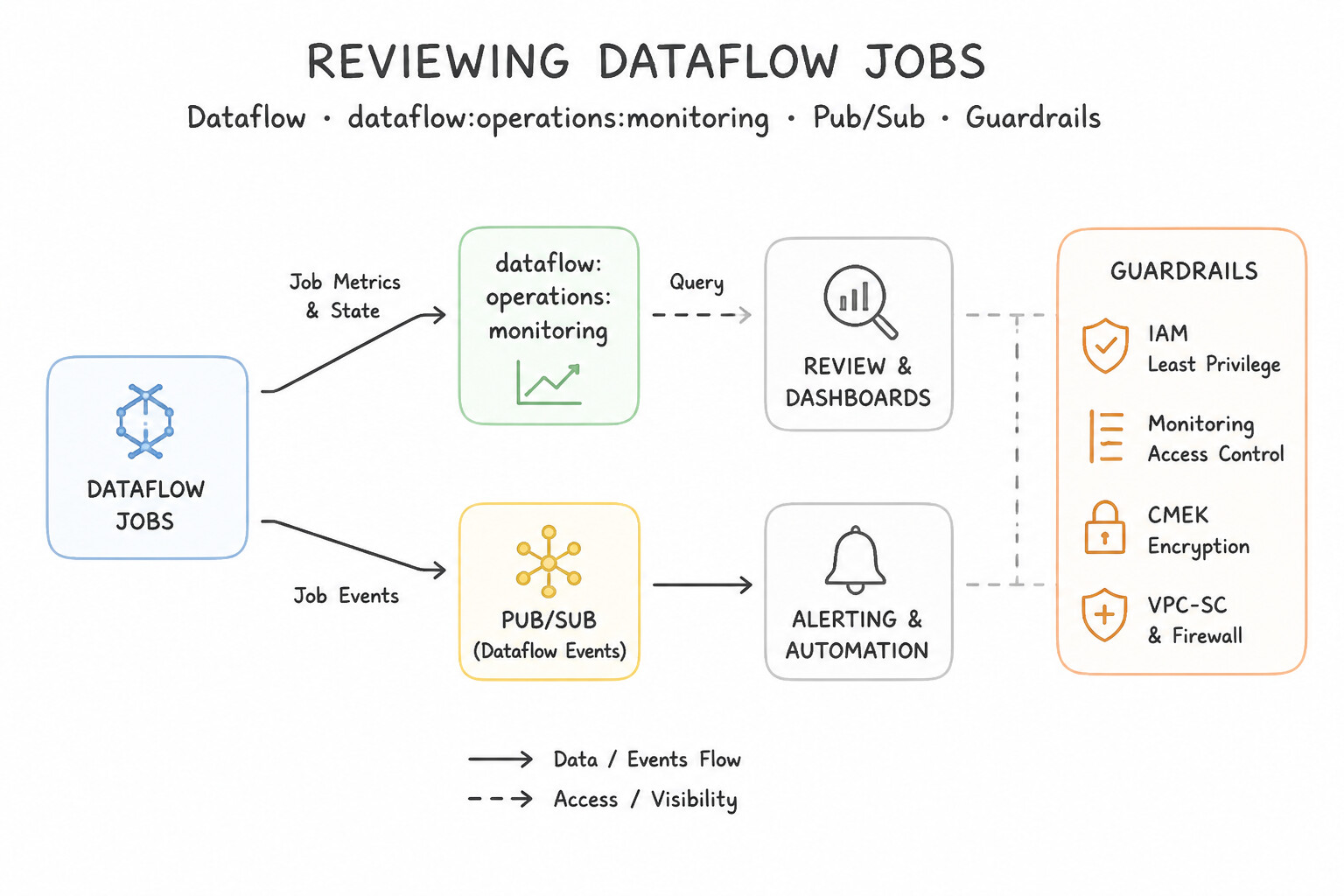
gcloud dataflow jobs list --region=<REGION>andgcloud dataflow jobs describe <JOB_ID>. - In the Dataflow Monitoring Console, inspect System Lag, Data Watermark Age (to detect stalled streaming stages), worker CPU utilization, and autoscaling step metrics.
Key Implementation Patterns
- Diagnosing Dataflow Streaming Latency: Use Navigate to the Dataflow monitoring interface and review the Data freshness and System lag metrics. Data freshness and System lag are the specific Dataflow metrics designed to measure processing delays in a streaming pipeline. (Avoid alternative: CPU utilization measures resource usage, not data timeliness or pipeline latency.)
- Troubleshooting Failed Dataproc Jobs: Use Review the job driver logs in the associated Cloud Storage staging bucket. Dataproc saves driver logs to a Cloud Storage bucket, so they persist after the cluster is deleted. (Avoid alternative: You cannot SSH into a deleted cluster because the virtual machines no longer exist.)
- BigQuery Job History and Errors: Use Open the 'Personal History' or 'Project History' tab, locate the failed job by its timestamp, click the Job ID, and review the 'Errors' section. BigQuery actions are recorded as Jobs; the Job History tab allows you to inspect specific job runs and view their detailed error messages.
Key Takeaways (3.2f)
- Use Data Freshness and System Lag to monitor streaming pipeline latency.
- Data Freshness indicates the age of the oldest unprocessed data.
- Check high-level metrics to confirm a problem exists before diving into logs or resource utilization.
- Ephemeral Dataproc clusters are deleted after jobs finish to save costs.
Consideration 3.2g: Using database center to manage database fleets
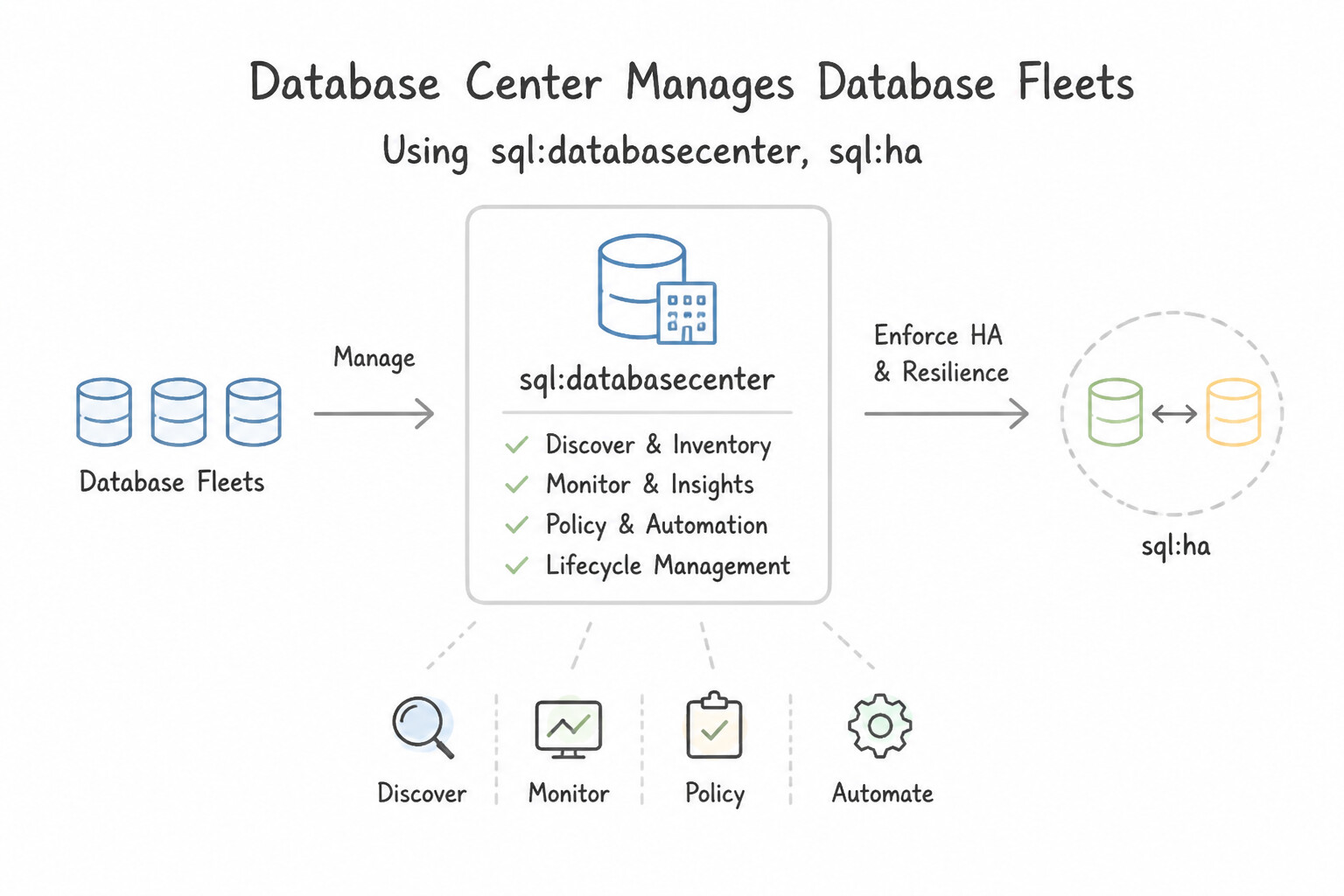
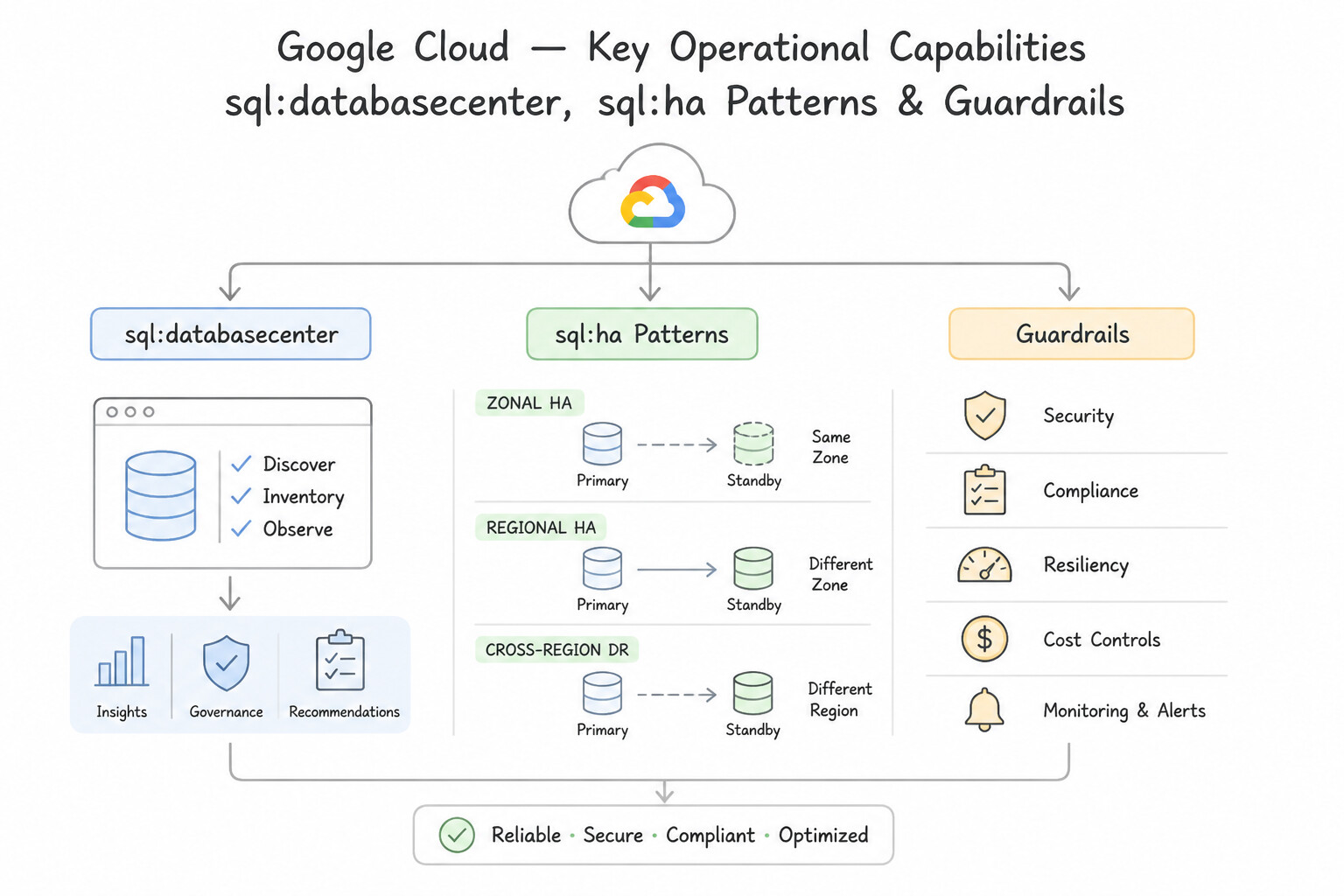
- What Database Center Does: Database Center is an AI-assisted, unified fleet management dashboard in the Google Cloud Console that provides a single-pane-of-glass view across Cloud SQL, AlloyDB, Cloud Spanner, Cloud Bigtable, Firestore, and Memorystore across an entire Organization or Folder.
- Key Operational Capabilities:
- Health & Availability Posture: Instantly surfaces single-zone production databases that lack High Availability (HA) configurations.
- Data Protection & Backup Auditing: Identifies database instances that do not have automated backups or Point-in-Time Recovery (PITR) enabled.
- Security & Compliance Signals: Flags databases with public IP exposure, unencrypted connections, outdated minor/major engine versions, or missing CMEK encryption, with embedded Gemini Cloud Assist chat to generate remediation steps.\n
Key Implementation Patterns
- Ensuring High Availability Compliance: Use Open Database Center in the Google Cloud console, and use the Availability view to identify instances that do not have HA enabled. Database Center provides a centralized fleet view with an Availability dashboard that explicitly flags instances missing HA configurations.
Key Takeaways (3.2g)
- Database Center provides a unified fleet-wide view of Cloud SQL instances across multiple projects.
- The Availability dashboard in Database Center helps identify instances lacking High Availability (HA) configurations.
- Use built-in fleet management tools instead of manual checks or custom scripts for operational efficiency.
Consideration 3.2h: Configuring Customer-Managed Encryption Keys (CMEK)
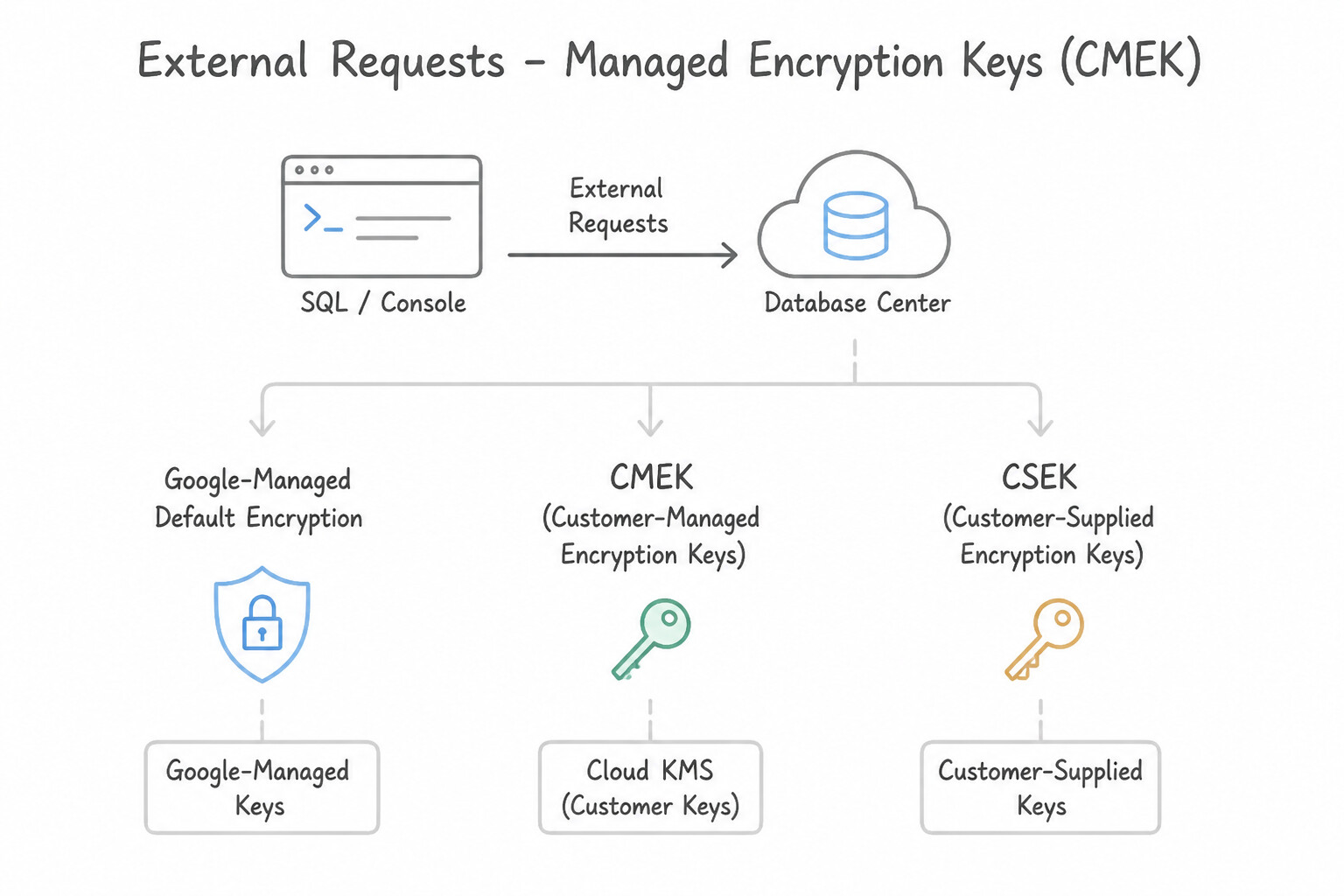
- Google-Managed Default Encryption vs. CMEK vs. CSEK:
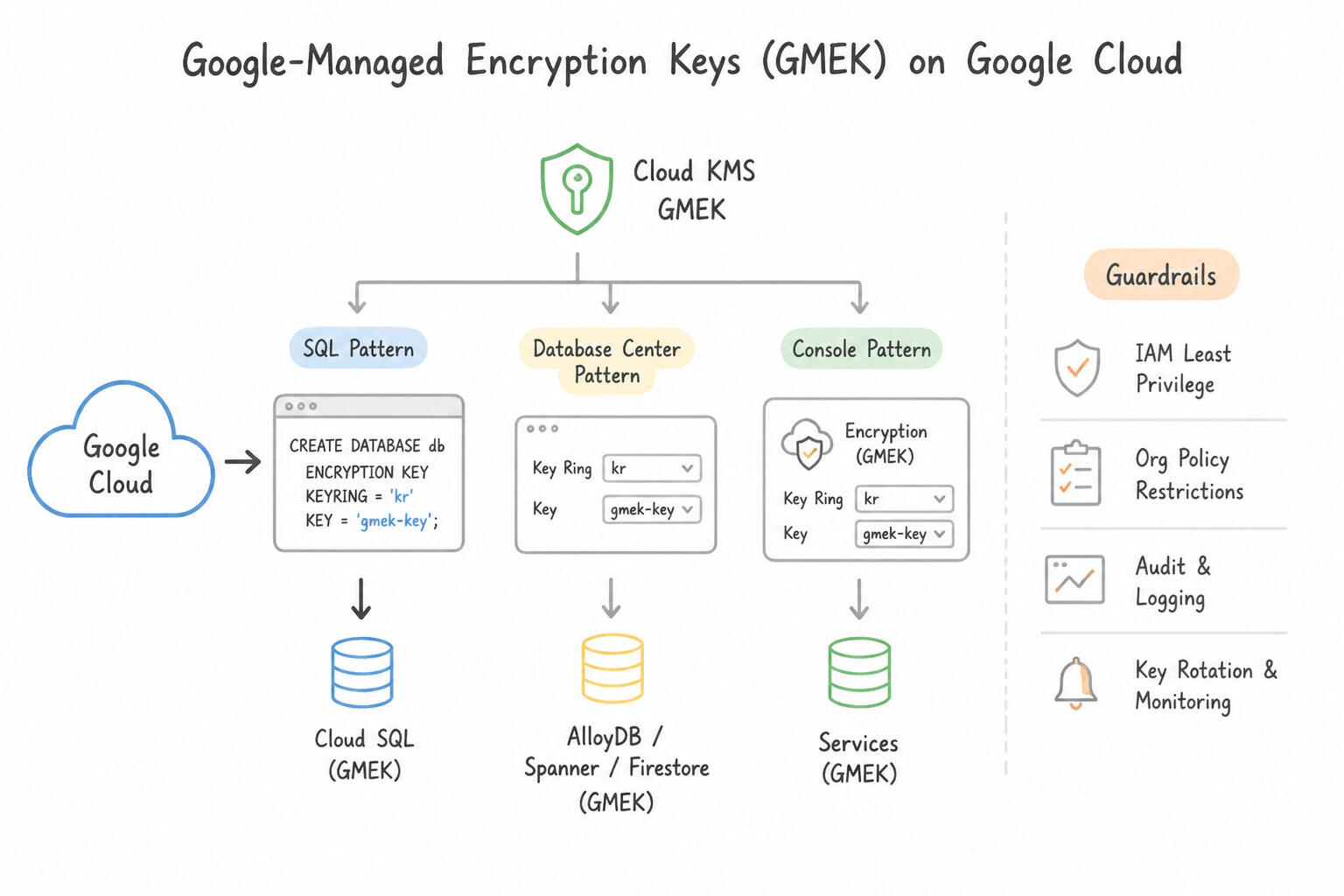
- Google-Managed Encryption Keys (GMEK): Enabled by default on 100% of Google Cloud storage and database services with zero configuration required.
- Customer-Managed Encryption Keys (CMEK): Keys created, rotated, and controlled by you inside Cloud KMS (
KeyRing+CryptoKey). Choose CMEK when compliance requires controlling the key rotation schedule, auditing key usage, or having an instant cryptographic "kill switch" (revoking/destroying the Cloud KMS key version immediately renders data in the bucket/database unreadable). - Two Non-Negotiable CMEK Setup Rules:
- Exact Location Match: The Cloud KMS
KeyRingmust reside in the exact same Region (or Multi-Region/Dual-Region) as the Cloud Storage bucket, Persistent Disk, or Cloud SQL instance it encrypts! - Grant
CryptoKey Encrypter/Decrypterto the Service Agent: You must grantroles/cloudkms.cryptoKeyEncrypterDecrypteron the KMS key to the target service's Google-managed Service Agent (e.g.,service-<PROJECT_NUMBER>@gs-project-accounts.iam.gserviceaccount.comfor Cloud Storage, orservice-<PROJECT_NUMBER>@gcp-sa-cloud-sql.iam.gserviceaccount.comfor Cloud SQL)—NOT just to the human administrator!
Key Implementation Patterns
- Fleet-Wide Security Audit for Public IPs: Use Navigate to the Database Center in the Google Cloud console and use the Security view to inspect the fleet. Database Center offers a centralized Security view to identify risks like public IPs across the entire fleet. (Avoid alternative: Scripting is manual and less efficient than using built-in fleet management tools.)
- Identifying Idle Database Resources: Use Go to the Database Center dashboard and review the 'Idle instances' category. Database Center automatically identifies and categorizes idle instances across your fleet. (Avoid alternative: Billing reports show costs, not resource utilization or activity levels.)
Key Takeaways (3.2h)
- Database Center provides a single pane of glass for managing database fleets across multiple projects.
- Avoid manual iteration (checking project by project) when centralized tools are available.
- The Security view in Database Center automatically surfaces risks like public IP exposure.
- It automatically detects cost-saving opportunities, such as idle instances.
Quick Decision Cheat Sheet (Subsection 3.2)
If the Scenario Requires... | Choose This Google Cloud Pattern | Avoid This Common Mistake |
|---|---|---|
"Simplify bucket permissions so only Cloud IAM applies and legacy per-object ACLs are disabled" | Enable Uniform Bucket-Level Access (UBLA) | Fine-grained ACLs; Signed Policy Documents |
"Automatically transition objects older than 30 days to Nearline and delete after 365 days" | Configure Object Lifecycle Management with SetStorageClass (age: 30) and Delete (age: 365) rules | Writing a custom cron job on a VM to copy and delete objects |
"Find out how many bytes a BigQuery query will scan without incurring any query charges" | bq query --dry_run (or look at the green checkmark byte estimator in the BigQuery UI) | Adding LIMIT 1 to the SQL query (LIMIT does not reduce bytes scanned on unclustered tables!) |
"Recover a Cloud SQL database to 10:42 AM yesterday just before an accidental DROP TABLE" | Use Point-in-Time Recovery (PITR) (requires Automated Backups + Binary/WAL logs enabled) to clone to a new instance | Restoring last night's snapshot alone (loses all transactions between midnight and 10:42 AM) |
"Centralized fleet view of database health, backup posture, and security risks across all database products" | Database Center | Cloud Trace; Error Reporting |
"Encrypt a Cloud Storage bucket or Persistent Disk with a key whose rotation and revocation you control" | Customer-Managed Encryption Keys (CMEK) in Cloud KMS | Default Google-managed encryption (cannot manually rotate or revoke keys) |
Further Reading (Subsection 3.2)
- Signed URLs — Overview of Signed URLs, explaining how they provide time-limited resource access to anyone in possession of the URL, regardless of whether they have a Google account.
- V4 Signing Process with Google Cloud Storage tools — Practical guide on how to generate signed URLs using tools like gsutil or client libraries, highlighting the ability to specify methods like PUT.
- Object Versioning — Official documentation explaining how Object Versioning works, how to enable it, and how it affects storage costs.
- Use Object Versioning — This guide details steps for enabling, disabling, and checking Object Versioning on a bucket.
- Object Lifecycle Management — This page explains how to define and apply lifecycle configurations to buckets to automate the transition of objects to different storage classes or their deletion.
- Storage Classes — Detailed comparison of Standard, Nearline, Coldline, and Archive storage classes, including pricing and use cases.
Subsection 3.3: Managing Networking Resources
The Big Picture
In traditional on-premises networking, running out of IP addresses in a subnet requires scheduling a maintenance window, creating a new VLAN, re-IPing servers, and updating router interfaces. In Google Cloud's software-defined Andromeda VPC, Day-2 network operations behave very differently—and Google Cloud architecture tests whether you know which operations are zero-downtime versus which ones are prohibited:
- The Subnet Expansion vs. Contraction Asymmetric Law (3.3a): When a GKE cluster or MIG runs out of IP addresses in
10.10.1.0/24, you can expand the subnet prefix online (e.g., from/24to/20viagcloud compute networks subnets expand-ip-range) with zero downtime to running VMs or Pods! However, you can NEVER shrink (contract) a primary subnet CIDR range once expanded. And if a larger contiguous block is unavailable due to adjacent subnets, you can attach Secondary CIDR Alias IP Ranges to the existing subnet. - The Ephemeral IP Loss on VM Stop Trap (3.3b): By default, a VM's external IP address is ephemeral—it survives a guest OS reboot (
sudo reboot), but is released back to Google's pool the moment the VM is stopped (gcloud compute instances stop). When a partner firewall whitelists your VM's IP or an internal DNS record points to a database VM, you must promote the ephemeral IP to a Reserved Static Internal or External IP. - The Private VM Outbound Connectivity Trap (
3.3c,3.3d): Private VMs without external IPs need two distinct mechanisms for outbound traffic: Private Google Access (a free subnet toggle to reach Google APIs like Cloud Storage and BigQuery over Google's internal network) and Cloud NAT (a managed, proxy-less software-defined NAT gateway attached to a Cloud Router so private VMs/GKE nodes can download OS updates from the public internet while remaining 100% unreachable from unsolicited inbound internet connections). - The Split-Horizon DNS & Firewall Rule Precedence Trap (
3.3d,3.3e): Using public DNS records to resolve internal RFC 1918 microservice IPs instead of creating a Cloud DNS Private Managed Zone associated with your VPCs, or misconfiguring priority numbers (0–65535) when updating VPC firewall rules and Cloud NGFW policies.
Consideration 3.3a: Adding subnets to existing vpcs
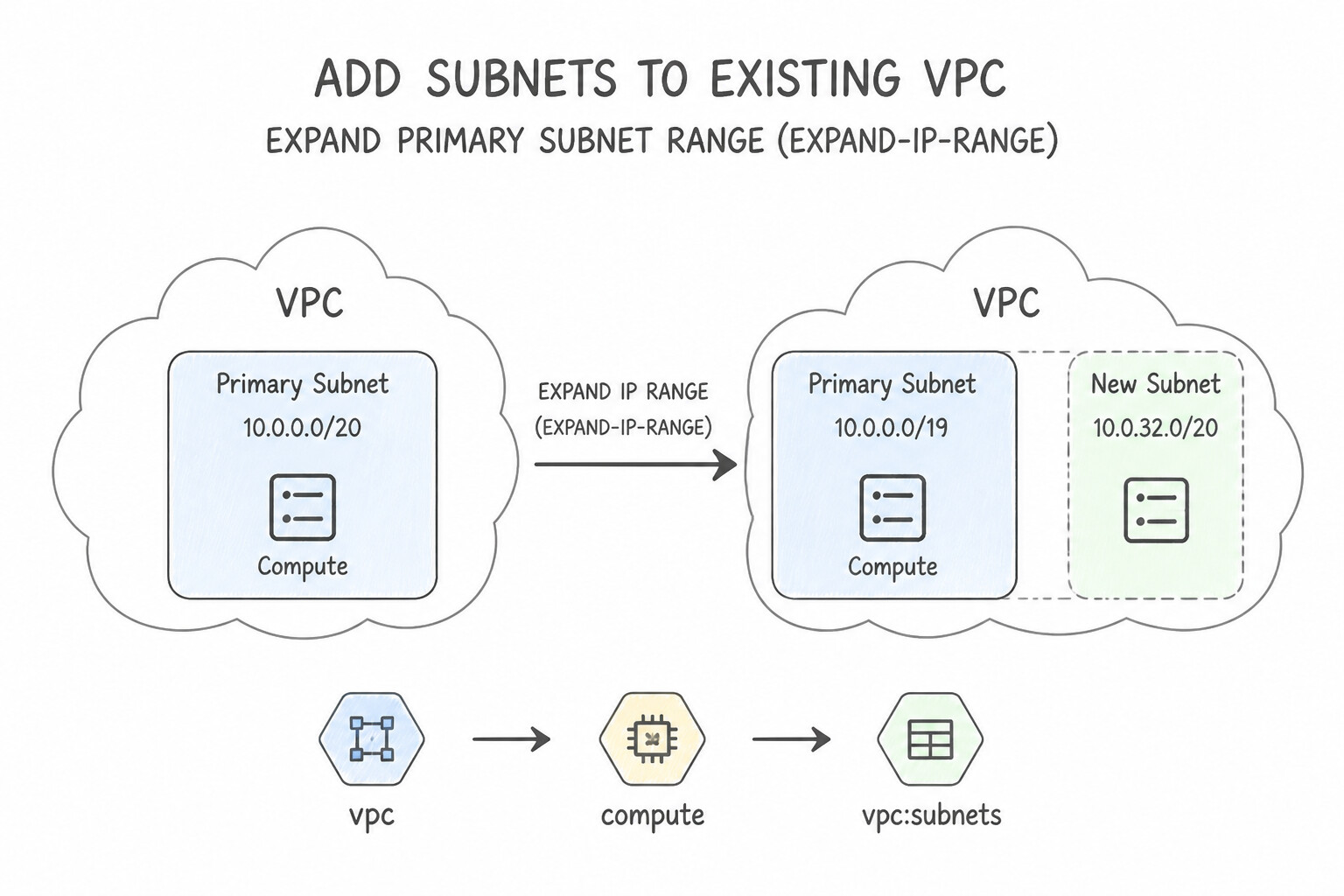
- Expanding a Primary Subnet Range (
expand-ip-range): - Command:
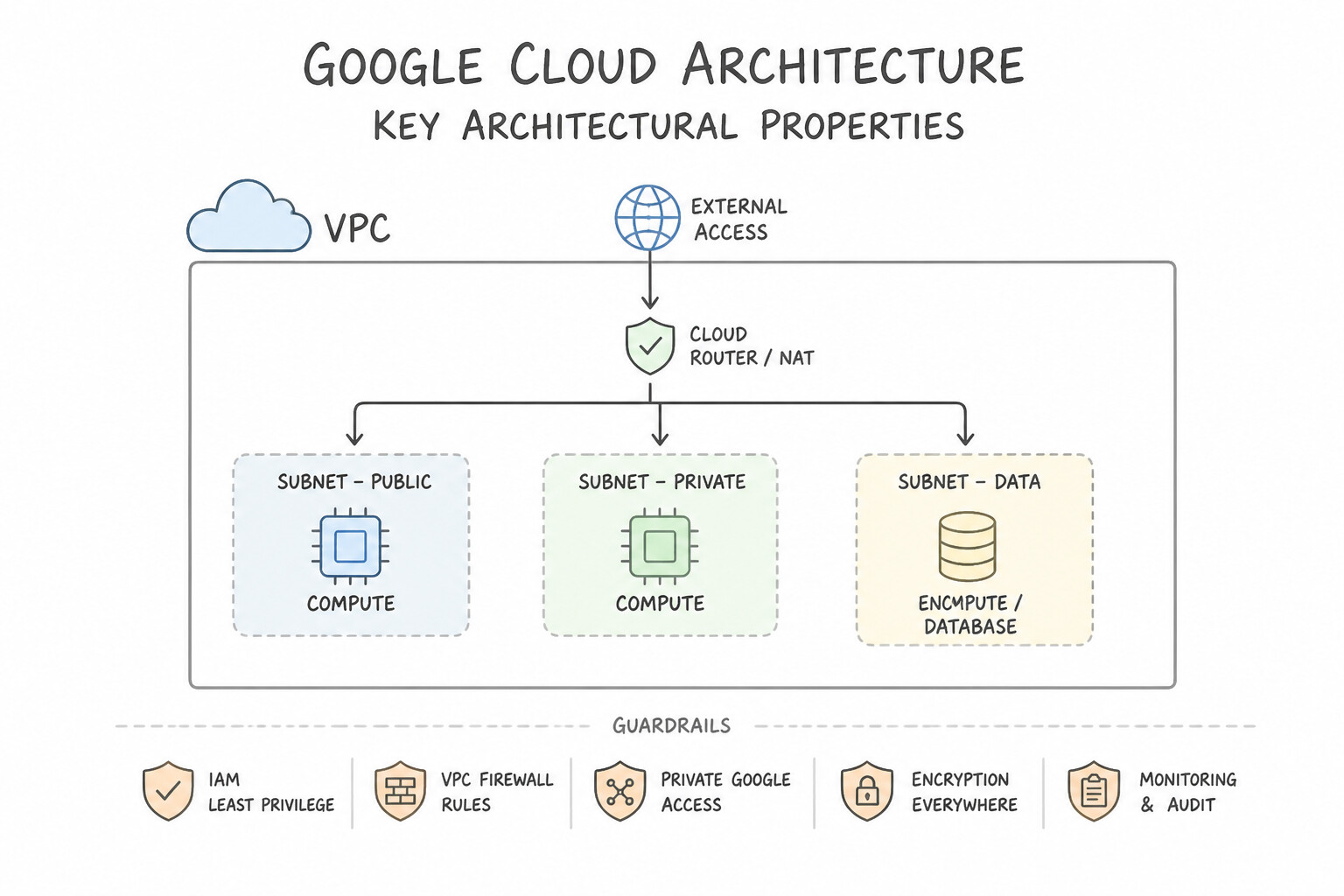
gcloud compute networks subnets expand-ip-range <SUBNET_NAME> --region=<REGION> --prefix-length=20 - Key Architectural Properties:
- Zero Downtime: Running VMs and GKE Pods keep their existing IPs without resetting connections.
- One-Way Only: You can only make the prefix number smaller (e.g.,
/24→/22→/20, which makes the IP block larger). You cannot undo or shrink a primary subnet range. - No Overlap Allowed: The expanded supernet block must not overlap with any other subnet in the VPC or any peered VPC.
- Adding Secondary CIDR Ranges: If an adjacent subnet blocks you from expanding the primary CIDR contiguously, or if you need dedicated Pod/Service ranges for a VPC-native GKE cluster, add a Secondary IP Range (
--add-secondary-ranges=pods-range=10.48.0.0/14) to the existing subnet.
Key Implementation Patterns
- Expanding Primary IP Range: Use Run the command gcloud compute networks subnets expand-ip-range subnet-a --prefix-length=23. The expand-ip-range command allows you to increase the subnet size, and changing the CIDR from /24 to /23 doubles the available IPs. (Avoid alternative: A /25 prefix length represents fewer IP addresses than /24; to increase capacity, you must decrease the prefix length number.)
- Adding Secondary Ranges for GKE: Use Edit the existing subnet to add two secondary IP address ranges. Configure the cluster to use these ranges for Pods and Services. VPC-native clusters require secondary IP ranges (Alias IPs) on the subnet for Pods and Services. (Avoid alternative: The scenario requires deploying into the existing subnet, not creating a new one.)
- CIDR Overlap with VPC Peering: Use Choose a different IP address range for the new subnet that does not overlap with 192.168.0.0/16. VPC Network Peering requires non-overlapping IP ranges; you must select a unique range to avoid conflicts. (Avoid alternative: Custom route import manages routing tables but does not bypass the requirement for unique subnet ranges in peered networks.)
Key Takeaways (3.3a)
- Subnets can be expanded but never shrunk.
- Expanding a subnet requires a lower prefix length (e.g., changing /24 to /23).
- The primary command for this operation is 'expand-ip-range'.
- Expansion does not cause downtime for existing resources.
Consideration 3.3b: Expanding subnet ip ranges
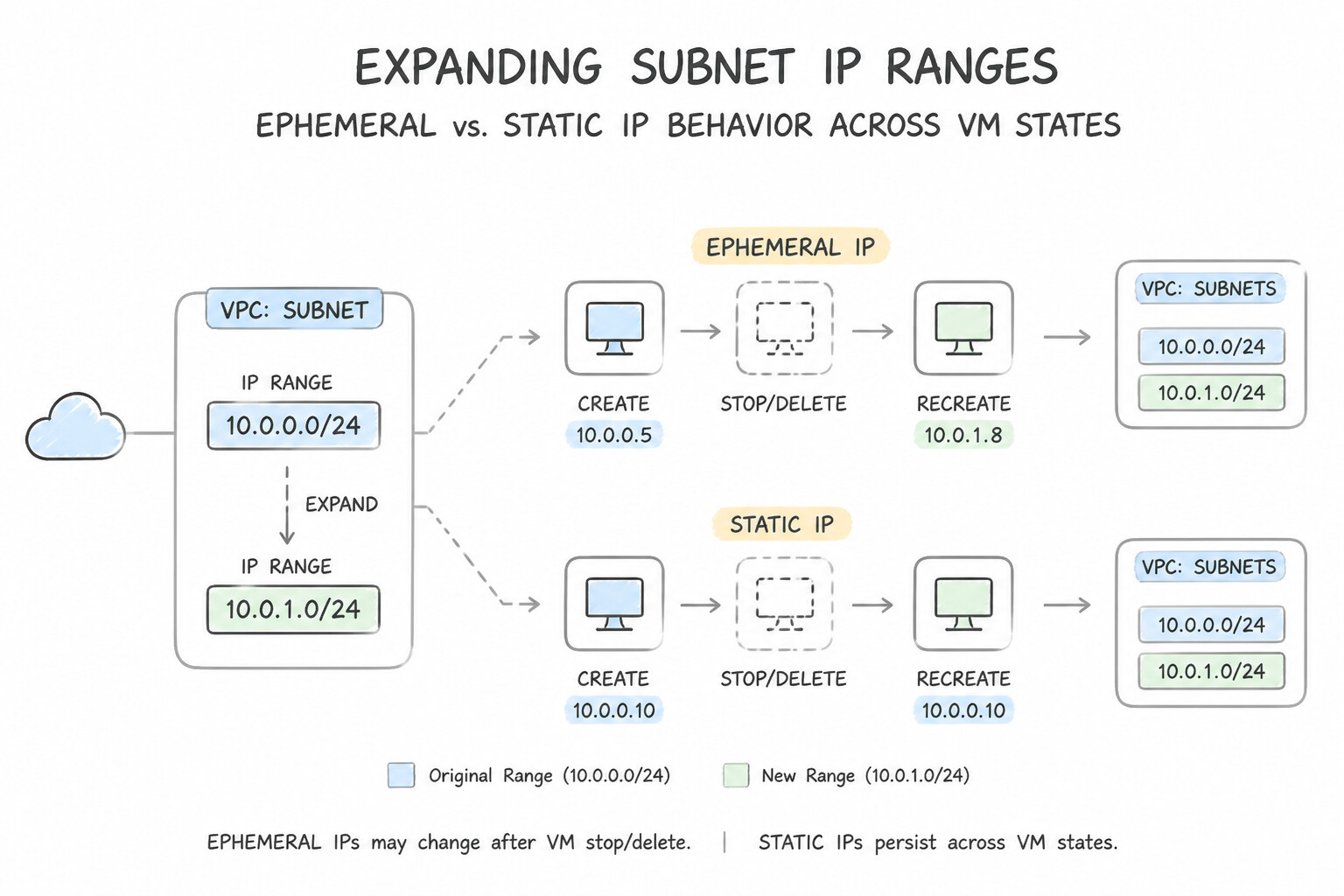
- Ephemeral vs. Static IP Behavior Across VM States:
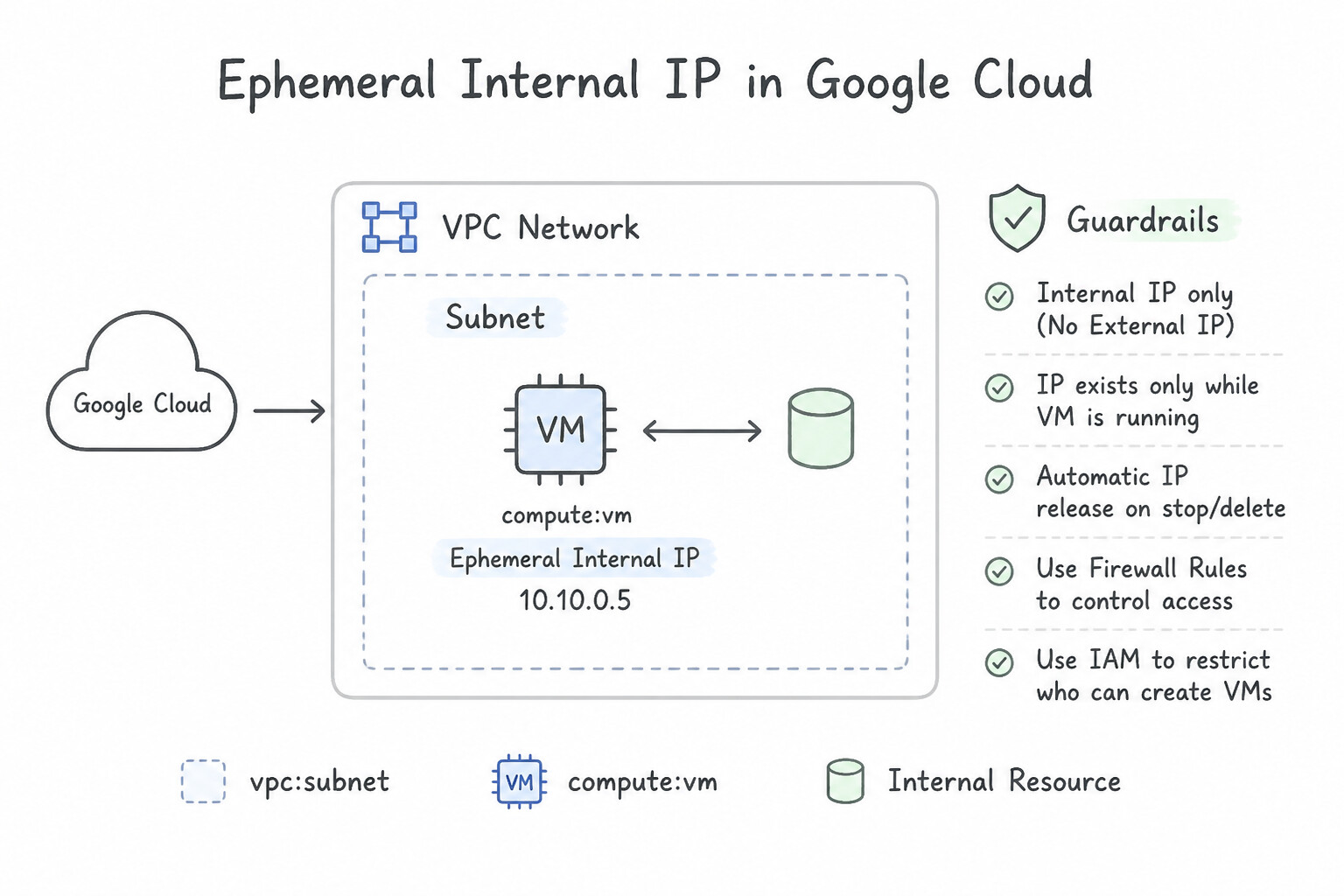
- Ephemeral Internal IP: Stays attached to the VM across reboots and stops, and is only released when the VM is deleted.
- Ephemeral External IP: Stays attached across guest OS reboots (
sudo reboot), but is released when the VM is stopped (gcloud compute instances stop) or deleted! - Promoting an In-Use Ephemeral IP to Static: You can promote a currently attached ephemeral internal or external IP to a Static IP online with zero connection interruption:
gcloud compute addresses create my-static-ip --addresses=<CURRENT_IP> --region=<REGION> - Regional vs. Global Static External IPs:
- Regional Static External IP: Used by Compute Engine VMs, Regional Load Balancers, and Cloud NAT gateways.
- Global Static External IP (
--global): Used strictly by Global External Load Balancers (Application LB, Proxy Network LB) on the Premium Network Tier.
Key Implementation Patterns
- Basic Primary Range Expansion: Use Edit the subnet to change the IP address range to "10.0.0.0/20". Expanding the subnet requires lowering the CIDR prefix (e.g., /20) to include more addresses. (Avoid alternative: Secondary ranges are for Alias IPs or GKE, not for the primary interface of standard VMs.)
- CLI Syntax for Expansion: Use Run
gcloud compute networks subnets expand-ip-range app-subnet --region=us-central1 --prefix-length=19. Use theexpand-ip-rangecommand with the--prefix-lengthflag to increase the size of a subnet. (Avoid alternative: You cannot update the primary range by specifying a CIDR string; you must useexpand-ip-rangewith the new prefix length.) - Secondary Range for GKE: Use Expand the secondary IP address range of the subnet. VPC-native clusters use the secondary IP range for Pods, so you must expand this specific range. (Avoid alternative: The primary IP address range is used for Nodes, not Pods.)
Key Takeaways (3.3b)
- You can expand a subnet's primary IP range without downtime.
- To expand a range, you must use a smaller CIDR prefix length (e.g., changing /24 to /20).
- You cannot shrink a subnet or change its starting IP address once created.
- Secondary IP ranges are distinct from the primary range and are typically used for Alias IPs or GKE pods.
Consideration 3.3c: Reserving static external and internal ip addresses
- How the VPC Routing Table Picks a Winner:
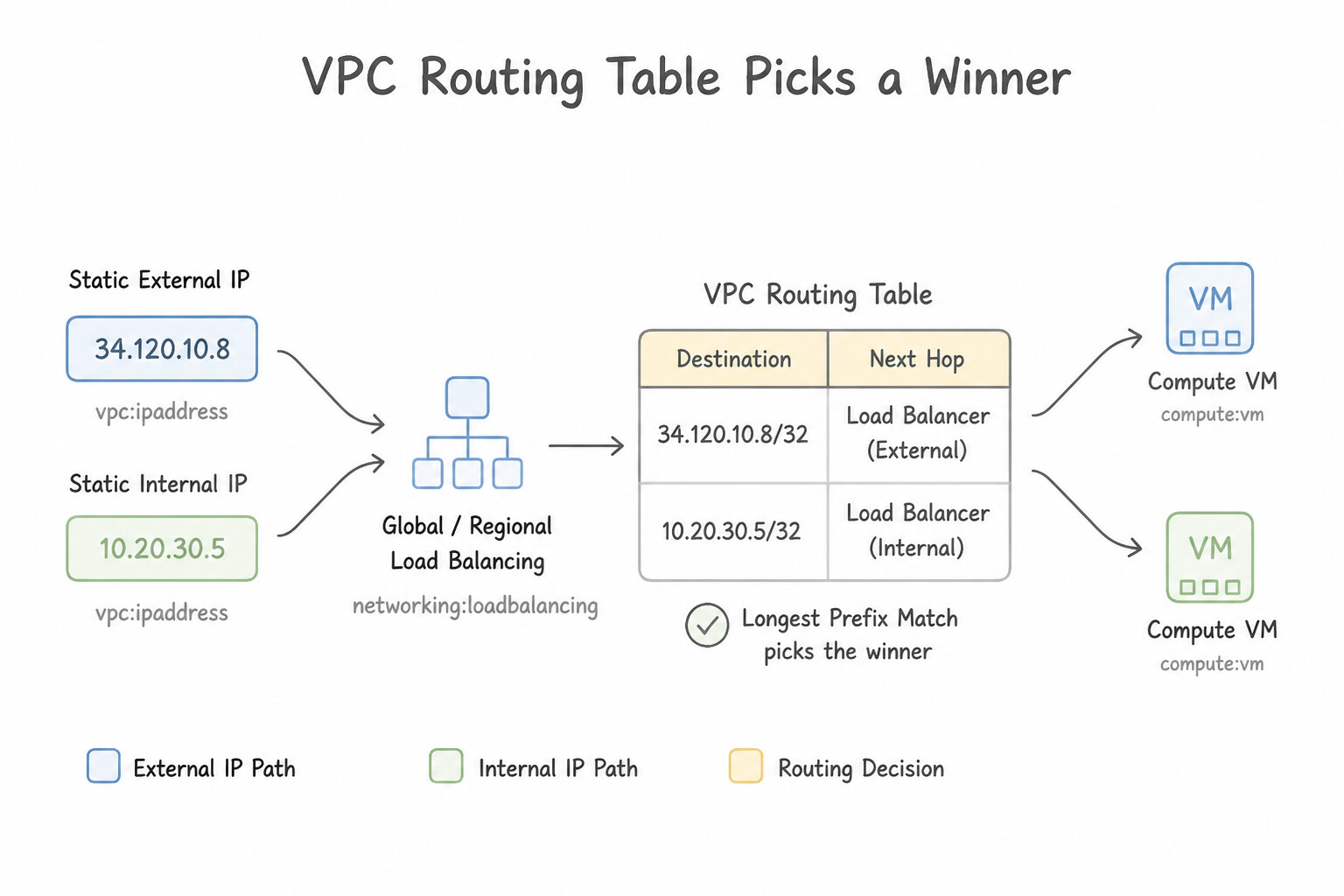
- Longest Prefix Match First (Most Specific CIDR Always Wins!): A route for
10.20.5.0/24always beats a route for10.20.0.0/16, regardless of route priority numbers! - Route Priority (Tie-Breaker for Identical Prefixes): When two routes have the exact same destination CIDR prefix, the route with the lowest priority number (
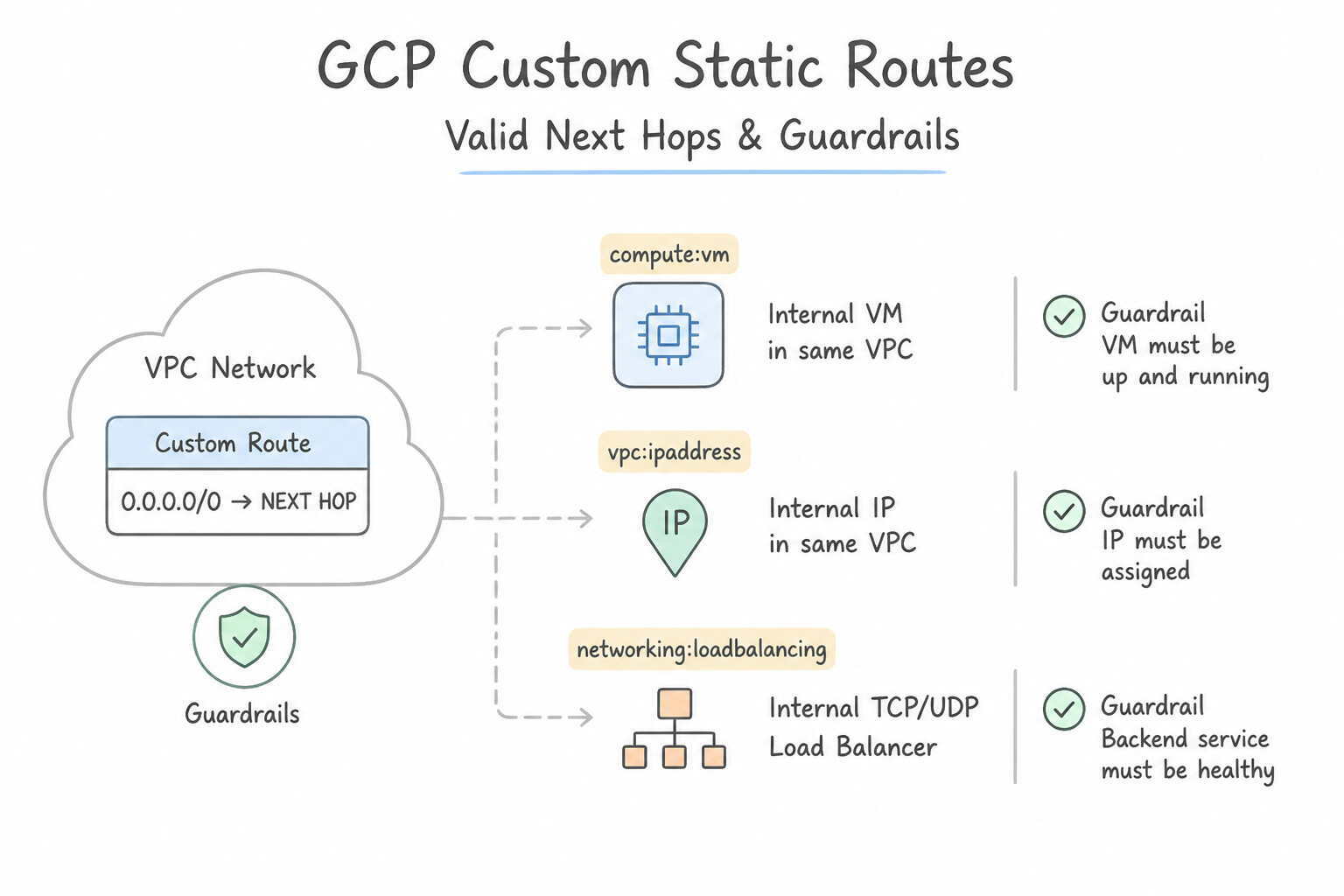
0beats1000) wins. - Valid Next Hops for Custom Static Routes: Another VM instance (
--next-hop-instance, with--can-ip-forwardenabled on the appliance VM), an Internal Passthrough Network Load Balancer (--next-hop-ilb, best practice for HA firewall appliances!), a Cloud VPN tunnel (--next-hop-vpn-tunnel), or the Default Internet Gateway (--next-hop-gateway=default-internet-gateway). - Scoping Routes via Network Tags: You can restrict a custom static route so it only applies to VMs carrying a specific network tag (
--tags=nat-routed).
Key Implementation Patterns
- Promoting an In-Use Ephemeral External IP: Use Promote the existing ephemeral external IP address to a static external IP address. Promoting an ephemeral IP converts it to a reserved static IP without changing the address or interrupting the VM. (Avoid alternative: Removing the current IP releases it. You would lose the specific address you want to keep.)
- Reserving Internal IPs for Legacy Applications: Use Reserve a static internal IP address using the specific IP value. Select this reserved IP address when you create the VM instance. Reserving the specific IP address first ensures it is available and allows you to assign that exact value to the VM during creation.
- Global vs. Regional IP for HTTP(S) Load Balancing: Use Reserve a new static external IP address and select Global for the location. Global External Application Load Balancers require a global static external IP address, not a regional one. (Avoid alternative: You cannot modify the region or scope of an IP address after it has been created.)
Key Takeaways (3.3c)
- Ephemeral external IPs are temporary and released when the resource is deleted.
- Static external IPs are reserved for your project indefinitely until you release them.
- You can promote an ephemeral IP to a static IP while it is in use to prevent it from changing.
- Always use static IPs for resources that require DNS A-records or allowlisting in firewalls.
Consideration 3.3d: Adding custom static routes
- Cloud DNS (Authoritative Public, Private & Hybrid DNS):
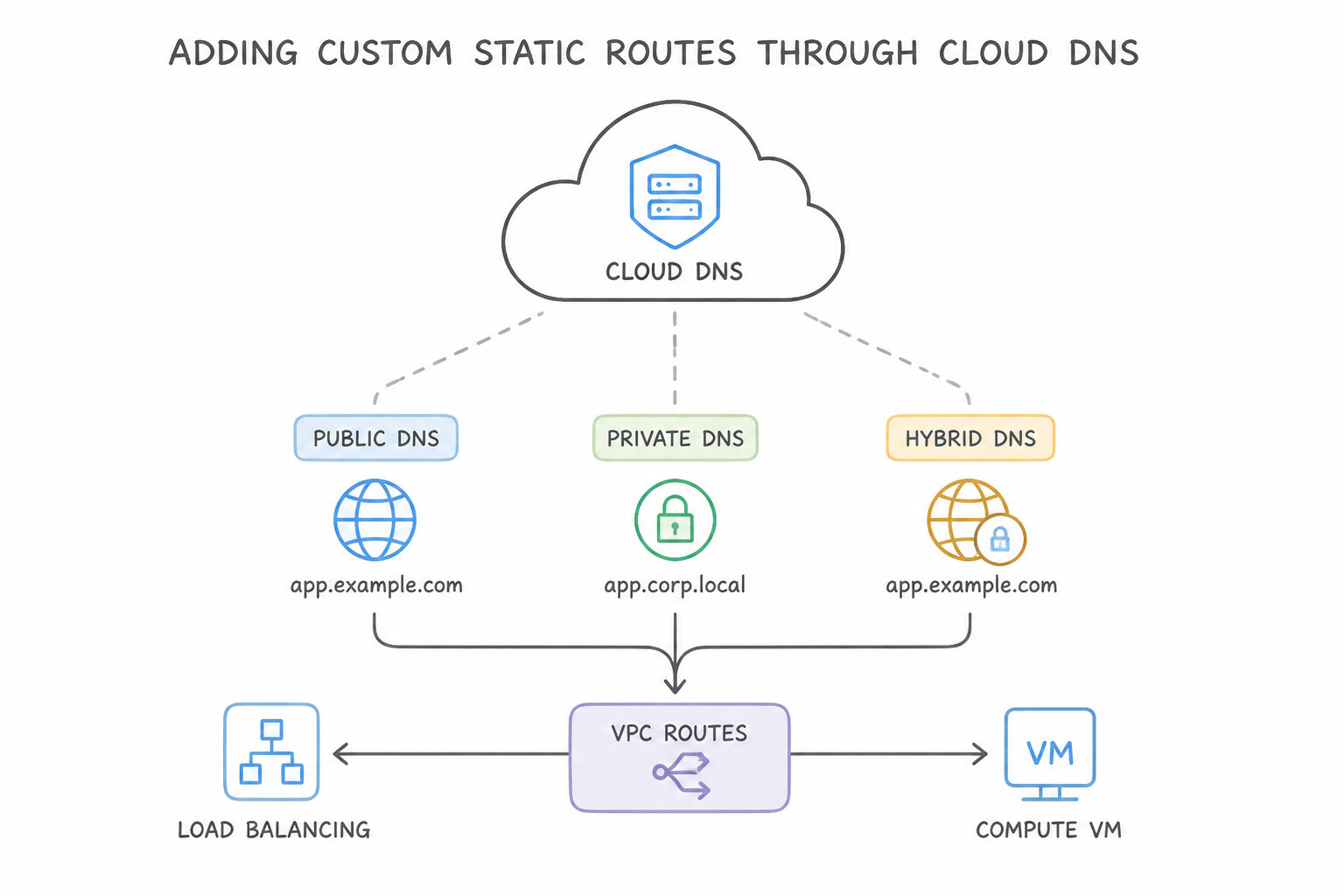
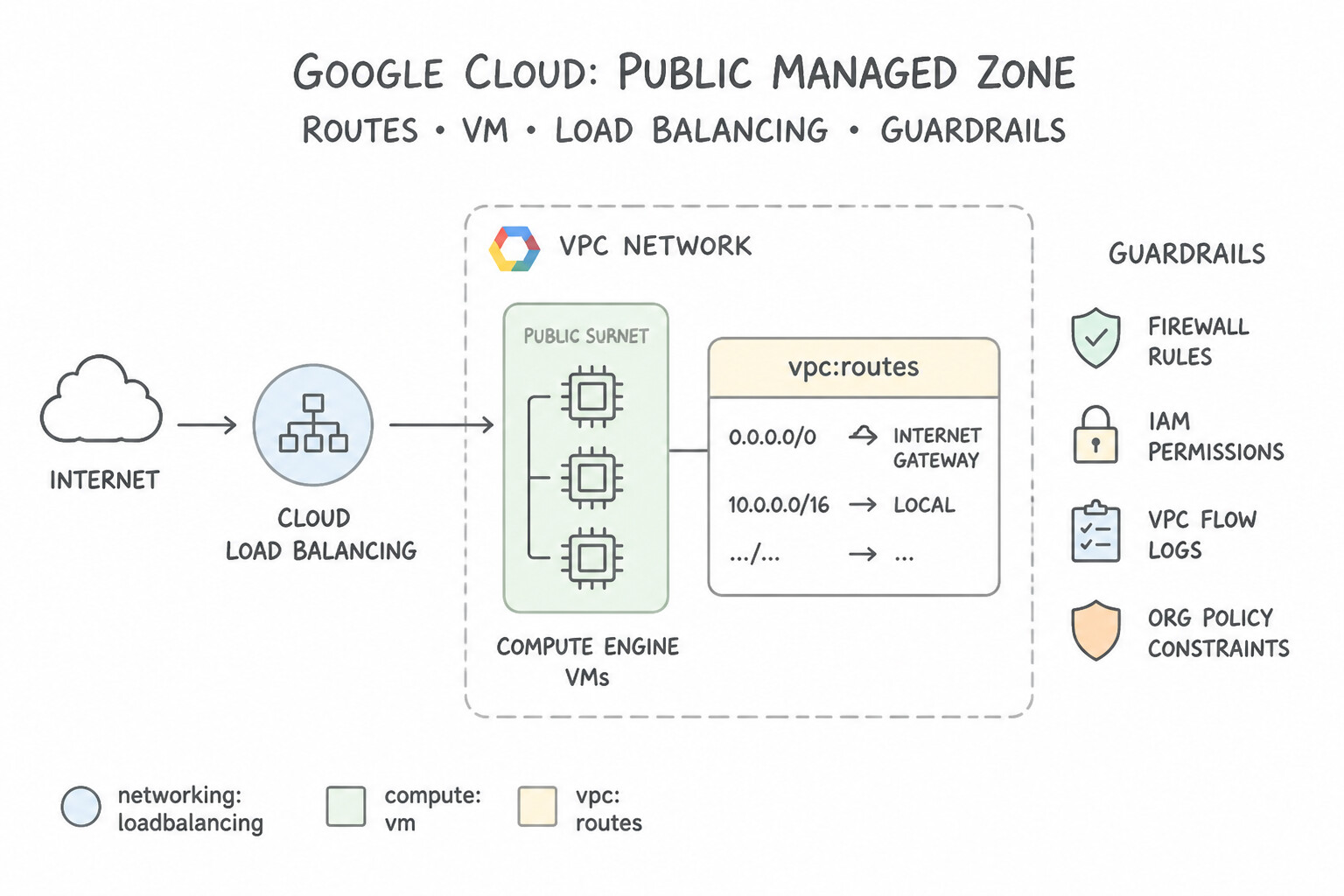
- Public Managed Zone: Publishes records (
A,AAAA,CNAME,TXT,MX) to the global public internet. - Private Managed Zone: Resolves internal domains (e.g.,
db.internal.acme.corp) only for authorized VPC networks—invisible to the public internet. Supports Split-Horizon DNS (creating both a Public Zone and a Private Zone for the same domain name so internal VMs resolve internal IPs while external users resolve public Load Balancer IPs). - Hybrid DNS: Use Cloud DNS Forwarding Zones (outbound queries from GCP to on-prem DNS servers) and Inbound Server Policies (allowing on-prem servers to query Cloud DNS Private Zones via an internal IP in your VPC).
- Cloud NAT (Managed Outbound NAT without Proxy VMs):
- Allows VMs and GKE nodes without external IP addresses to initiate outbound connections to the public internet (e.g., downloading OS packages or calling external webhook APIs).
- Crucial Architecture Fact: Cloud NAT is configured on a Cloud Router in the region, but no user traffic passes through the Cloud Router—Cloud NAT is programmed directly into Google's Andromeda software-defined networking fabric on the VM host with zero single point of failure!
Key Implementation Patterns
- Routing Traffic Through a Gateway Instance: Use Create a custom static route with destination 0.0.0.0/0 and set the next hop to an instance. Select the custom NAT VM as the next hop and apply the route using network tags. A static route with the NAT VM as the next hop forces traffic from private VMs to go through the NAT instance.
- Implementing High Availability for Network Appliances: Use Create a custom static route with destination 0.0.0.0/0. Set the next hop to the forwarding rule of the Internal TCP/UDP Load Balancer. Using the Internal TCP/UDP Load Balancer forwarding rule as the next hop ensures traffic is distributed across healthy instances and supports high availability.
- Prioritizing VPN over Internet Gateway: Use Set the priority of the new VPN route to 900. Lower priority values indicate higher precedence. 900 is lower than 1000, so the VPN route will override the internet gateway route. (Avoid alternative: Using the same priority creates a conflict or load-balancing scenario, which does not guarantee that all traffic uses the VPN.)
Key Takeaways (3.3d)
- VPC Routes determine the path of network traffic; Firewall rules determine permission.
- To route traffic through a specific VM (like a NAT or VPN gateway), create a custom static route with the 'next hop' set to that instance.
- Use destination 0.0.0.0/0 to define a default route for internet traffic.
- Network tags allow you to apply routes selectively to specific instances, avoiding routing loops.
Consideration 3.3e: Working with cloud dns and cloud nat
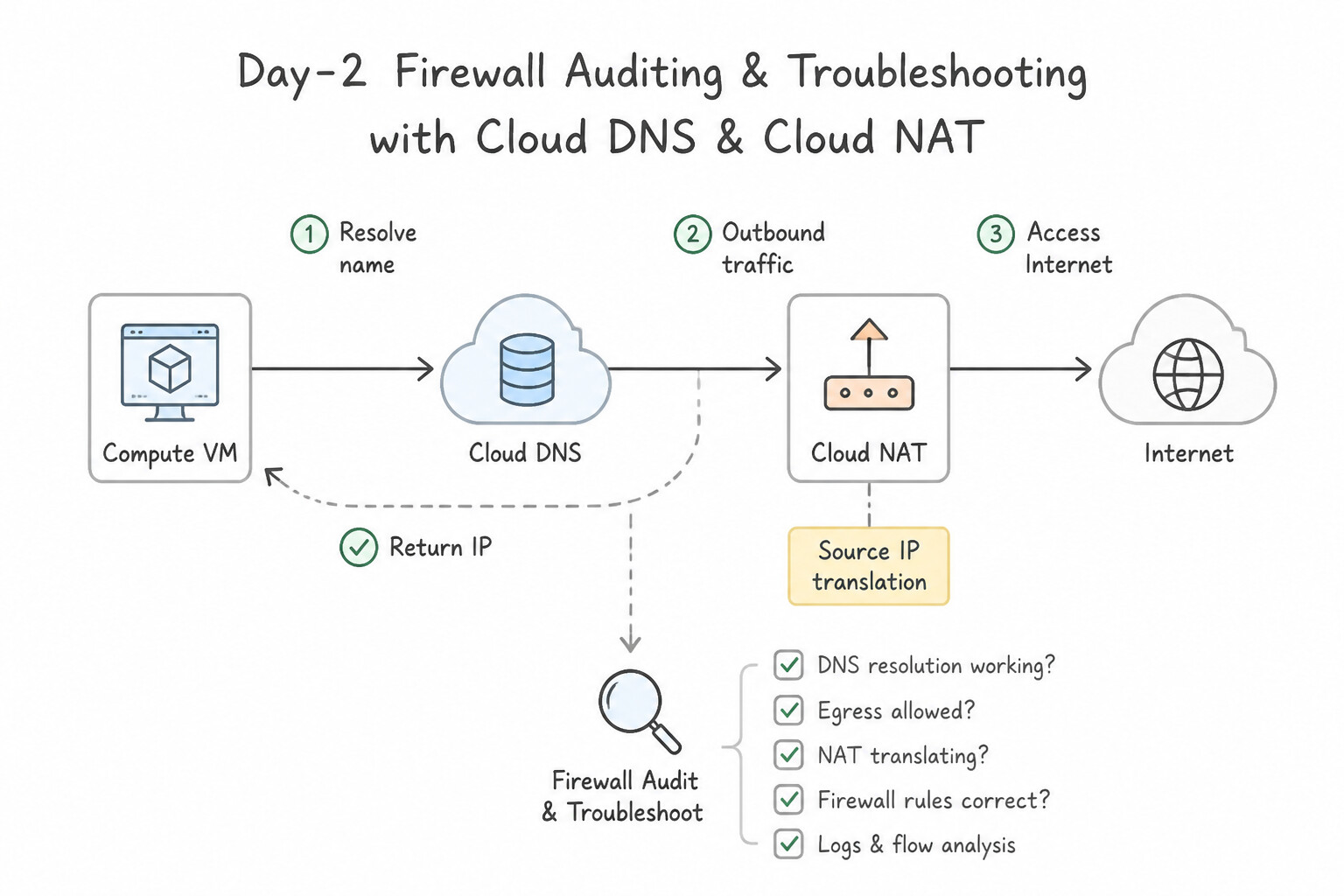
- Day-2 Firewall Auditing & Troubleshooting:
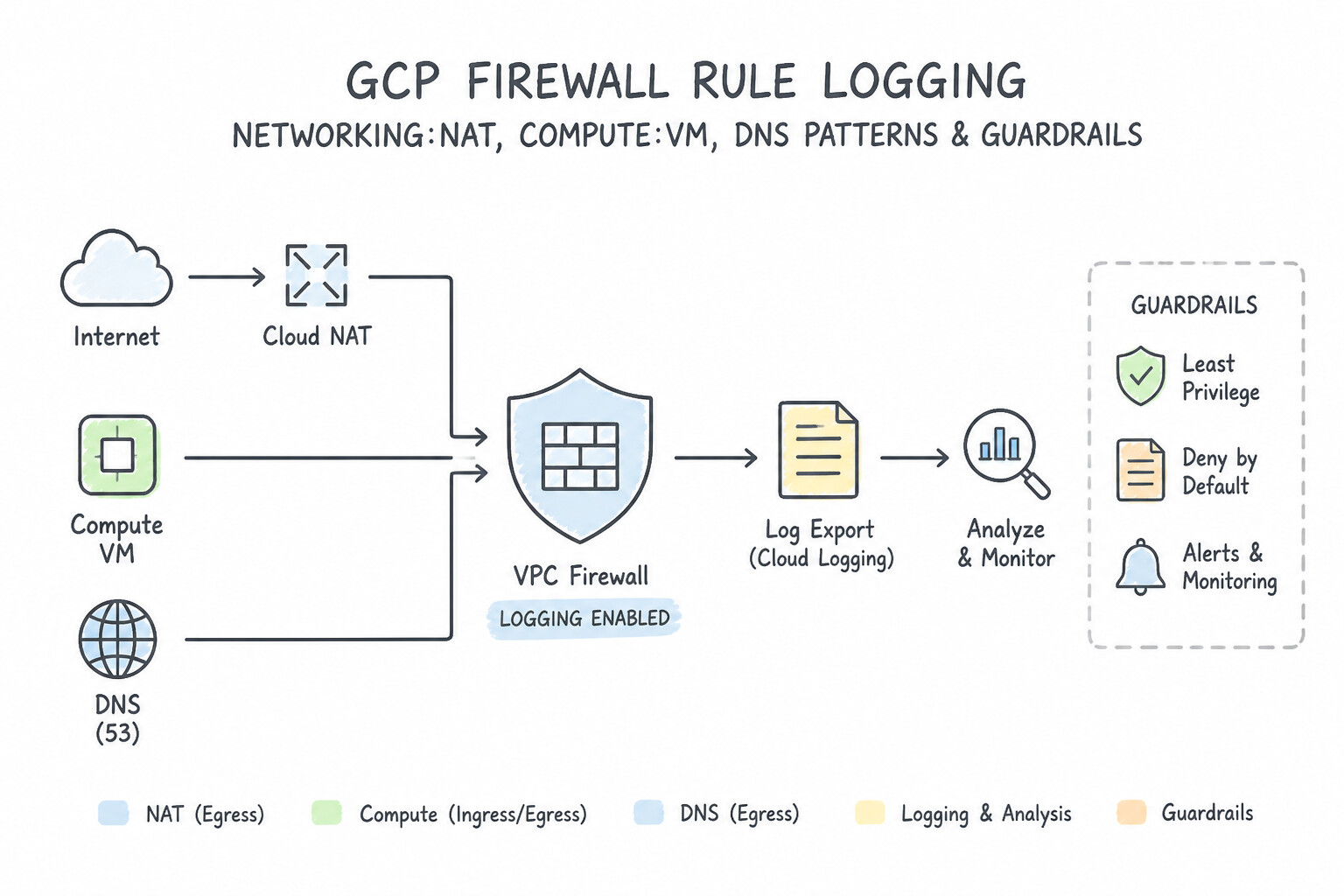
- Firewall Rule Logging: Enable
--enable-loggingon critical allow/deny rules to stream connection records to Cloud Logging without impacting packet throughput. - Firewall Insights (Network Intelligence Center): Detects Shadowed Rules (rules that can never fire because a higher-priority rule with a broader range already matches all their traffic), Overly Permissive Rules (e.g., unused ports in a
0.0.0.0/0rule), and Zero-Hit Rules over the past 6 weeks. - Updating Cloud NGFW Policies: Modify Hierarchical, Global Network, or Regional Network Firewall Policies atomically and swap rule orders or target Secure Tags without restarting VMs.
Key Implementation Patterns
- Enabling Internet Access for Private Instances: Use Create a Cloud NAT gateway and configure it to apply to the subnet. Cloud NAT enables outbound internet access for private instances without exposing them to inbound connections. (Avoid alternative: Assigning external IP addresses exposes instances directly to the internet, which violates the security requirement.)
- Hybrid Connectivity Name Resolution: Use Create an inbound server policy in Cloud DNS. Configure the on-premises DNS servers to forward queries for the VPC domain to the policy's entry point IP addresses. An inbound server policy creates entry point IP addresses that allow on-premises systems to query Cloud DNS via the VPN.
- Static IP Whitelisting for Outbound Traffic: Use Create a Cloud NAT gateway. Reserve static external IP addresses and configure the gateway to use manual IP allocation with these addresses. Manual IP allocation in Cloud NAT allows you to use reserved static external IP addresses, satisfying the vendor's whitelisting requirement.
Key Takeaways (3.3e)
- Use Cloud NAT to provide internet access to VMs without external IP addresses.
- Cloud NAT permits outbound connections and established responses but blocks unsolicited inbound traffic.
- Private Google Access is specifically for accessing Google APIs and services privately, not the general internet.
- Avoid assigning external IP addresses if the resource does not require inbound public access.
Quick Decision Cheat Sheet (Subsection 3.3)
If the Scenario Requires... | Choose This Google Cloud Pattern | Avoid This Common Mistake |
|---|---|---|
"Accidentally expanded a subnet from /24 to /16 and want to shrink it back to /22" | Subnets CANNOT be shrunk — you must create a new subnet with /22 and migrate workloads (or leave it at /16 if no overlap exists) | Running expand-ip-range --prefix-length=22 (fails: prefix length can only decrease to expand the block) |
"Reserve a static IP address for a Global External Application Load Balancer" | Reserve a Global Static External IP ( gcloud compute addresses create --global) | Reserving a Regional Static External IP (cannot be attached to a Global External Load Balancer) |
"Two custom static routes match a packet: Route A ( 10.1.0.0/16, priority 50) vs. Route B (10.1.2.0/24, priority 1000)" | Route B ( 10.1.2.0/24) wins! Longest Prefix Match (/24 > /16) is evaluated before route priority | Choosing Route A because priority 50 is lower than 1000 (priority only breaks ties between identical prefix lengths!) |
"On-premises servers need to resolve records hosted in a Cloud DNS Private Zone over Cloud VPN" | Enable an Inbound Server Policy on the VPC and configure on-prem DNS forwarders to target the generated GCP inbound forwarding IPs | Making the Private Zone a Public Zone (exposes internal RFC 1918 topology to the internet) |
"Identify firewall rules that are completely blocked by higher-priority rules or have had zero hits in 90 days" | Use Firewall Insights in Network Intelligence Center | Manually reading raw VPC Flow Logs line by line |
Further Reading (Subsection 3.3)
- Expand a subnet — Documentation explaining how to expand the primary IP range of an existing subnet using the Google Cloud console or gcloud CLI.
- VPC-native clusters — Read the section on 'IP address ranges' to understand how Primary ranges are used for Nodes and Secondary ranges are used for Pods and Services.
- Alias IP ranges overview — Explains the concept of assigning ranges of internal IP addresses as aliases to a VM's network interface.
- Configure alias IP ranges — Shows how to add a secondary IP range to an existing subnet in a VPC.
- VPC Network Peering overview — See the section on 'Restrictions' which explicitly states: 'Subnet IP ranges in peered VPC networks cannot overlap. This includes both primary and secondary IP ranges.'
- Expand the primary IP address range of a subnet — Documentation on how to expand the primary IP range of an existing subnet using the Google Cloud Console or gcloud CLI.
Book TOC · Previous · Chapter 5 of 8 · Next
AwesomeGCP.com Learning
The approach taken is a question-led learning approach: you explore realistic project scenarios where you need to make decisions or take actions to achieve business goals within specific constraints. Instead of passive learning, you are challenged to think and work through the options to master the Associate Cloud Engineer (ACE) certification!